 Red Hat Summit
Administration and Configuration Guide
For use with Red Hat JBoss Data Grid 6.1
Edition 2
Abstract
Preface
Chapter 1. JBoss Data Grid
1.1. About JBoss Data Grid
- Schemaless key-value store – Red Hat JBoss Data Grid is a NoSQL database that provides the flexibility to store different objects without a fixed data model.
- Grid-based data storage – Red Hat JBoss Data Grid is designed to easily replicate data across multiple nodes.
- Elastic scaling – Adding and removing nodes is achieved simply and is non-disruptive.
- Multiple access protocols – It is easy to access the data grid using REST, Memcached, Hot Rod, or simple map-like API.
1.2. JBoss Data Grid Supported Configurations
1.3. JBoss Data Grid Usage Modes
1.3.1. JBoss Data Grid Usage Modes
- Remote Client-Server mode
- Library mode
1.3.2. Remote Client-Server Mode
- easier scaling of the data grid.
- easier upgrades of the data grid without impact on client applications.
1.3.3. Library Mode
- transactions.
- listeners and notifications.
1.4. JBoss Data Grid Benefits
Benefits of JBoss Data Grid
- Performance
- Accessing objects from local memory is faster than accessing objects from remote data stores (such as a database). JBoss Data Grid provides an efficient way to store in-memory objects coming from a slower data source, resulting in faster performance than a remote data store. JBoss Data Grid also offers optimization for both clustered and non clustered caches to further improve performance.
- Consistency
- Storing data in a cache carried the inherent risk: at the time it is accessed, the data may be outdated (stale). To address this risk, JBoss Data Grid uses mechanisms such as cache invalidation and expiration to remove stale data entries from the cache. Additionally, JBoss Data Grid supports JTA, distributed (XA) and two-phase commit transactions along with transaction recovery and a version API to remove or replace data according to saved versions.
- Massive Heap and High Availability
- In JBoss Data Grid, applications no longer need to delegate the majority of their data lookup processes to a large single server database for performance benefits. JBoss Data Grid employs techniques such as replication and distribution to completely remove the bottleneck that exists in the majority of current enterprise applications.
Example 1.1. Massive Heap and High Availability Example
In a sample grid with 16 blade servers, each node has 2 GB storage space dedicated for a replicated cache. In this case, all the data in the grid is copies of the 2 GB data. In contrast, using a distributed grid (assuming the requirement of one copy per data item, resulting in the capacity of the overall heap being divided by two) the resulting memory backed virtual heap contains 16 GB data. This data can now be effectively accessed from anywhere in the grid. In case of a server failure, the grid promptly creates new copies of the lost data and places them on operational servers in the grid. - Scalability
- A significant benefit of a distributed data grid over a replicated clustered cache is that a data grid is scalable in terms of both capacity and performance. Add a node to JBoss Data Grid to increase throughput and capacity for the entire grid. JBoss Data Grid uses a consistent hashing algorithm that limits the impact of adding or removing a node to a subset of the nodes instead of every node in the grid.Due to the even distribution of data in JBoss Data Grid, the only upper limit for the size of the grid is the group communication on the network. The network's group communication is minimal and restricted only to the discovery of new nodes. Nodes are permitted by all data access patterns to communicate directly via peer-to-peer connections, facilitating further improved scalability. JBoss Data Grid clusters can be scaled up or down in real time without requiring an infrastructure restart. The result of the real time application of changes in scaling policies results in an exceptionally flexible environment.
- Data Distribution
- JBoss Data Grid uses consistent hash algorithms to determine the locations for keys in clusters. Benefits associated with consistent hashing include:Data distribution ensures that sufficient copies exist within the cluster to provide durability and fault tolerance, while not an abundance of copies, which would reduce the environment's scalability.
- cost effectiveness.
- speed.
- deterministic location of keys with no requirements for further metadata or network traffic.
- Persistence
- JBoss Data Grid exposes a
CacheStoreinterface and several high-performance implementations, including the JDBC Cache stores and file system based cache stores. Cache stores can be used to populate the cache when it starts and to ensure that the relevant data remains safe from corruption. The cache store also overflows data to the disk when required if a process runs out of memory. - Language bindings
- JBoss Data Grid supports both the popular Memcached protocol, with existing clients for a large number of popular programming languages, as well as an optimized JBoss Data Grid specific protocol called Hot Rod. As a result, instead of being restricted to Java, JBoss Data Grid can be used for any major website or application. Additionally, remote caches can be accessed using the HTTP protocol via a RESTful API.
- Management
- In a grid environment of several hundred or more servers, management is an important feature. JBoss Operations Network, the enterprise network management software, is the best tool to manage multiple JBoss Data Grid instances. JBoss Operations Network's features allow easy and effective monitoring of the Cache Manager and cache instances.
- Remote Data Grids
- Rather than scale up the entire application server architecture to scale up your data grid, JBoss Data Grid provides a Remote Client-Server mode which allows the data grid infrastructure to be upgraded independently from the application server architecture. Additionally, the data grid server can be assigned different resources than the application server and also allow independent data grid upgrades and application redeployment within the data grid.
1.5. JBoss Data Grid Prerequisites
1.6. JBoss Data Grid Version Information
1.7. JBoss Data Grid Cache Architecture
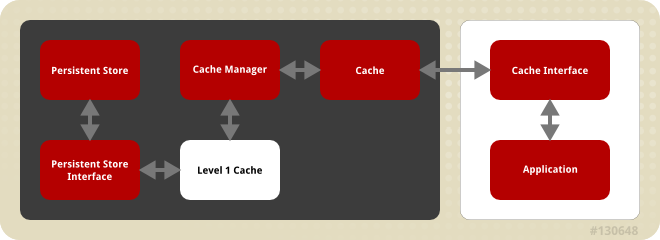
Figure 1.1. JBoss Data Grid Cache Architecture
- Elements that a user cannot directly interact with (depicted within a dark box), which includes the Cache, Cache Manager, Level 1 Cache, Persistent Store Interfaces and the Persistent Store.
- Elements that a user can interact directly with (depicted within a white box), which includes Cache Interfaces and the Application.
JBoss Data Grid's cache architecture includes the following elements:
- The Persistent Store permanently stores cache instances and entries.
- JBoss Data Grid offers two Persistent Store Interfaces to access the persistent store. Persistent store interfaces can be either:
- A cache loader is a read only interface that provides a connection to a persistent data store. A cache loader can locate and retrieve data from cache instances and from the persistent store. For details, see Chapter 13, Cache Loaders.
- A cache store extends the cache loader functionality to include write capabilities by exposing methods that allow the cache loader to load and store states. For details, see Chapter 12, Cache Stores.
- The Level 1 Cache (or L1 Cache) stores remote cache entries after they are initially accessed, preventing unnecessary remote fetch operations for each subsequent use of the same entries. For details, see Chapter 17, The L1 Cache.
- The Cache Manager is the primary mechanism used to retrieve a Cache instance in JBoss Data Grid, and can be used as a starting point for using the Cache. For details, see Chapter 14, Cache Managers.
- The Cache contains cache instances retrieved by a Cache Manager.
- Cache Interfaces use protocols such as Memcached and Hot Rod, or REST to interface with the cache. For details about the remote interfaces, refer to the Developer Guide.
- Memcached is an in-memory caching system used to improve response and operation times for database-driver websites. The Memcached caching system defines a text based, client-server caching protocol called the Memcached protocol.
- Hot Rod is a binary TCP client-server protocol used in JBoss Data Grid. It was created to overcome deficiencies in other client/server protocols, such as Memcached. Hot Rod enables clients to do smart routing of requests in partitioned or distributed JBoss Data Grid server clusters.
- The REST protocol eliminates the need for tightly coupled client libraries and bindings. The REST API introduces an overhead, and requires a REST client or custom code to understand and create REST calls.
- An application allows the user to interact with the cache via a cache interface. Browsers are a common example of such end-user applications.
1.8. JBoss Data Grid APIs
1.8.1. JBoss Data Grid APIs
- Cache
- Batching
- Grouping
- CacheStore and ConfigurationBuilder
- Externalizable
- Notification (also known as the Listener API because it deals with Notifications and Listeners)
- The Asynchronous API (can only be used in conjunction with the Hot Rod Client in Remote Client-Server Mode)
- The REST Interface
- The Memcached Interface
- The Hot Rod Interface
- The RemoteCache API
1.8.2. About the Asynchronous API
Async appended to each method name. Asynchronous methods return a Future that contains the result of the operation.
Cache(String, String), Cache.put(String key, String value) returns a String, while Cache.putAsync(String key, String value) returns a Future(String).
1.8.3. About the Batching API
Note
1.8.4. About the Cache API
ConcurrentMap interface. How entries are stored depends on the cache mode in use. For example, an entry may be replicated to a remote node or an entry may be looked up in a cache store.
Note
1.8.5. About the RemoteCache Interface
1.9. Tools and Operations
1.9.1. About Management Tools
1.9.2. Accessing Data via URLs
put() and post() methods place data in the cache, and the URL used determines the cache name and key(s) used. The data is the value placed into the cache, and is placed in the body of the request.
GET and HEAD methods are used for data retrieval while other headers control cache settings and behavior.
Note
1.9.3. Limitations of Map Methods
Map methods, such as size(), values(), keySet() and entrySet(), can be used with certain limitations with JBoss Data Grid as they are unreliable. These methods do not acquire locks (global or local) and concurrent modification, additions and removals are excluded from consideration in these calls. Furthermore, the listed methods are only operational on the local data container and do not provide a global view of state.
Chapter 2. Logging in JBoss Data Grid
2.1. About Logging
2.2. Supported Application Logging Frameworks
2.2.1. Supported Application Logging Frameworks
- JBoss Logging, which is included with JBoss Data Grid 6.
2.2.2. About JBoss Logging
2.2.3. JBoss Logging Features
- Provides an innovative, easy to use typed logger.
- Full support for internationalization and localization. Translators work with message bundles in properties files while developers can work with interfaces and annotations.
- Build-time tooling to generate typed loggers for production, and runtime generation of typed loggers for development.
2.3. Configure Logging
2.3.1. About Boot Logging
2.3.2. Configure Boot Logging
logging.properties file to configure the boot log. This file is a standard Java properties file and can be edited in a text editor. Each line in the file has the format of property=value.
logging.properties file is available in the $JDG_HOME/standalone/configuration folder.
2.3.3. Default Log File Locations
| Log File | Location | Description |
|---|---|---|
boot.log | $JDG_HOME/standalone/log/ | The Server Boot Log. Contains log messages related to the start up of the server. |
server.log | $JDG_HOME/standalone/log/ | The Server Log. Contains all log messages once the server has launched. |
2.4. Logging Attributes
2.4.1. About Log Levels
TRACEDEBUGINFOWARNERRORFATAL
WARN will only record messages of the levels WARN, ERROR and FATAL.
2.4.2. Supported Log Levels
| Log Level | Value | Description |
|---|---|---|
| FINEST | 300 | - |
| FINER | 400 | - |
| TRACE | 400 | Used for messages that provide detailed information about the running state of an application. TRACE level log messages are captured when the server runs with the TRACE level enabled. |
| DEBUG | 500 | Used for messages that indicate the progress of individual requests or activities of an application. DEBUG level log messages are captured when the server runs with the DEBUG level enabled. |
| FINE | 500 | - |
| CONFIG | 700 | - |
| INFO | 800 | Used for messages that indicate the overall progress of the application. Used for application start up, shut down and other major lifecycle events. |
| WARN | 900 | Used to indicate a situation that is not in error but is not considered ideal. Indicates circumstances that can lead to errors in the future. |
| WARNING | 900 | - |
| ERROR | 1000 | Used to indicate an error that has occurred that could prevent the current activity or request from completing but will not prevent the application from running. |
| SEVERE | 1000 | - |
| FATAL | 1100 | Used to indicate events that could cause critical service failure and application shutdown and possibly cause JBoss Data Grid 6 to shut down. |
2.4.3. About Log Categories
DEBUG log level results in log values of 300, 400 and 500 are captured.
2.4.4. About the Root Logger
server.log. This file is sometimes referred to as the server log.
2.4.5. About Log Handlers
ConsoleFilePeriodicSizeAsyncCustom
2.4.6. Log Handler Types
| Log Handler Type | Description | Use Case |
|---|---|---|
| Console | Console log handlers write log messages to either the host operating system’s standard out (stdout) or standard error (stderr) stream. These messages are displayed when JBoss Data Grid 6 is run from a command line prompt. | The Console log handler is preferred when JBoss Data Grid is administered using the command line. In such a case, the messages from a Console log handler are not saved unless the operating system is configured to capture the standard out or standard error stream. |
| File | File log handlers are the simplest log handlers. Their primary use is to write log messages to a specified file. | File log handlers are most useful if the requirement is to store all log entries according to the time in one place. |
| Periodic | Periodic file handlers write log messages to a named file until a specified period of time has elapsed. Once the time period has elapsed, the specified time stamp is appended to the file name. The handler then continues to write into the newly created log file with the original name. | The Periodic file handler can be used to accumulate log messages on a weekly, daily, hourly or other basis depending on the requirements of the environment. |
| Size | Size log handlers write log messages to a named file until the file reaches a specified size. When the file reaches a specified size, it is renamed with a numeric prefix and the handler continues to write into a newly created log file with the original name. Each size log handler must specify the maximum number of files to be kept in this fashion. | The Size handler is best suited to an environment where the log file size must be consistent. |
| Async | Async log handlers are wrapper log handlers that provide asynchronous behavior for one or more other log handlers. These are useful for log handlers that have high latency or other performance problems such as writing a log file to a network file system. | The Async log handlers are best suited to an environment where high latency is a problem or when writing to a network file system. |
| Custom | Custom log handlers enable to you to configure new types of log handlers that have been implemented. A custom handler must be implemented as a Java class that extends java.util.logging.Handler and be contained in a module. | Custom log handlers create customized log handler types and are recommended for advanced users. |
2.4.7. Selecting Log Handlers
- The
Consolelog handler is preferred when JBoss Data Grid is administered using the command line. In such a case, errors and log messages appear on the console window and are not saved unless separately configured to do so. - The
Filelog handler is used to direct log entries into a specified file. This simplicity is useful if the requirement is to store all log entries according to the time in one place. - The
Periodiclog handler is similar to theFilehandler but creates files according to the specified period. As an example, this handler can be used to accumulate log messages on a weekly, daily, hourly or other basis depending on the requirements of the environment. - The
Sizelog handler also writes log messages to a specified file, but only while the log file size is within a specified limit. Once the file size reaches the specified limit, log files are written to a new log file. This handler is best suited to an environment where the log file size must be consistent. - The
Asynclog handler is a wrapper that forces other log handlers to operate asynchronously. This is best suited to an environment where high latency is a problem or when writing to a network file system. - The
Customlog handler creates new, customized types of log handlers. This is an advanced log handler.
2.4.8. About Log Formatters
java.util.Formatter class.
2.5. Logging Configuration Properties
2.5.1. Root Logger Properties
| Property | Datatype | Description |
|---|---|---|
| level | string |
The maximum level of log message that the root logger records.
|
| handlers | list of strings |
A list of log handlers that are used by the root logger.
|
2.5.2. Log Category Properties
| Property | Datatype | Description |
|---|---|---|
| level | string |
The maximum level of log message that the log category records.
|
| handlers | list of strings |
A list of log handlers that are used by the root logger.
|
| use-parent-handlers | boolean |
If set to true, this category will use the log handlers of the root logger in addition to any other assigned handlers.
|
| category | string |
The log category from which log messages will be captured.
|
2.5.3. Console Log Handler Properties
| Property | Datatype | Description |
|---|---|---|
| level | string |
The maximum level of log message the log handler records.
|
| encoding | string |
The character encoding scheme to be used for the output.
|
| formatter | string |
The log formatter used by this log handler.
|
| target | string |
The system output stream where the output of the log handler goes. This can be System.err or System.out for the system error stream or standard out stream respectively.
|
| autoflush | boolean |
If set to true the log messages will be sent to the handlers target immediately upon receipt.
|
| name | string |
The unique identifier for this log handler.
|
2.5.4. File Log Handler Properties
| Property | Datatype | Description |
|---|---|---|
| level | string |
The maximum level of log message the log handler records.
|
| encoding | string |
The character encoding scheme to be used for the output.
|
| formatter | string |
The log formatter used by this log handler.
|
| append | boolean |
If set to true then all messages written by this handler will be appended to the file if it already exists. If set to false a new file will be created each time the application server launches. Changes to
append require a server reboot to take effect.
|
| autoflush | boolean |
If set to true the log messages will be sent to the handlers assigned file immediately upon receipt. Changes to
autoflush require a server reboot to take effect.
|
| name | string |
The unique identifier for this log handler.
|
| file | object |
The object that represents the file where the output of this log handler is written to. It has two configuration properties,
relative-to and path.
|
| relative-to | string |
This is a property of the file object and is the directory where the log file is written to. JBoss Enterprise Application Platform 6 file path variables can be specified here. The
jboss.server.log.dir variable points to the log/ directory of the server.
|
| path | string |
This is a property of the file object and is the name of the file where the log messages will be written. It is a relative path name that is appended to the value of the
relative-to property to determine the complete path.
|
2.5.5. Periodic Log Handler Properties
| Property | Datatype | Description |
|---|---|---|
| append | boolean |
If set to true then all messages written by this handler will be appended to the file if it already exists. If set to false a new file will be created each time the application server launches. Changes to append require a server reboot to take effect.
|
| autoflush | boolean |
If set to true the log messages will be sent to the handlers assigned file immediately upon receipt. Changes to autoflush require a server reboot to take effect.
|
| encoding | string |
The character encoding scheme to be used for the output.
|
| formatter | string |
The log formatter used by this log handler.
|
| level | string |
The maximum level of log message the log handler records.
|
| name | string |
The unique identifier for this log handler.
|
| file | object |
Object that represents the file where the output of this log handler is written to. It has two configuration properties,
relative-to and path.
|
| relative-to | string |
This is a property of the file object and is the directory where the log file is written to. File path variables can be specified here. The
jboss.server.log.dir variable points to the log/ directory of the server.
|
| path | string |
This is a property of the file object and is the name of the file where the log messages will be written. It is a relative path name that is appended to the value of the
relative-to property to determine the complete path.
|
| suffix | string |
This is a string with is both appended to filename of the rotated logs and is used to determine the frequency of rotation. The format of the suffix is a dot (.) followed by a date string which is parsable by the
java.text.SimpleDateFormat class. The log is rotated on the basis of the smallest time unit defined by the suffix. For example the suffix .yyyy-MM-dd will result in daily log rotation.
|
2.5.6. Size Log Handler Properties
| Property | Datatype | Description |
|---|---|---|
| append | boolean |
If set to true then all messages written by this handler will be appended to the file if it already exists. If set to false a new file will be created each time the application server launches. Changes to append require a server reboot to take effect.
|
| autoflush | boolean |
If set to true the log messages will be sent to the handlers assigned file immediately upon receipt. Changes to autoflush require a server reboot to take effect.
|
| encoding | string |
The character encoding scheme to be used for the output.
|
| formatter | string |
The log formatter used by this log handler.
|
| level | string |
The maximum level of log message the log handler records.
|
| name | string |
The unique identifier for this log handler.
|
| file | object |
Object that represents the file where the output of this log handler is written to. It has two configuration properties,
relative-to and path.
|
| relative-to | string |
This is a property of the file object and is the directory where the log file is written to. File path variables can be specified here. The
jboss.server.log.dir variable points to the log/ directory of the server.
|
| path | string |
This is a property of the file object and is the name of the file where the log messages will be written. It is a relative path name that is appended to the value of the
relative-to property to determine the complete path.
|
| rotate-size | integer |
The maximum size that the log file can reach before it is rotated. A single character appended to the number indicates the size units:
b for bytes, k for kilobytes, m for megabytes, g for gigabytes. Eg. 50m for 50 megabytes.
|
| max-backup-index | integer |
The maximum number of rotated logs that are kept. When this number is reached, the oldest log is reused.
|
2.5.7. Async Log Handler Properties
| Property | Datatype | Description |
|---|---|---|
| level | string |
The maximum level of log message the log handler records.
|
| name | string |
The unique identifier for this log handler.
|
| Queue-length | integer |
Maximum number of log messages that will be held by this handler while waiting for sub-handlers to respond.
|
| overflow-action | string |
How this handler responds when its queue length is exceeded. This can be set to
BLOCK or DISCARD. BLOCK makes the logging application wait until there is available space in the queue. This is the same behavior as an non-async log handler. DISCARD allows the logging application to continue but the log message is deleted.
|
| subhandlers | list of strings |
This is the list of log handlers to which this async handler passes its log messages.
|
2.6. Logging Sample Configurations
2.6.1. Sample XML Configuration for the Root Logger
2.6.2. Sample XML Configuration for a Log Category
2.6.3. Sample XML Configuration for a Console Log Handler
2.6.4. Sample XML Configuration for a File Log Handler
2.6.5. Sample XML Configuration for a Periodic Log Handler
2.6.6. Sample XML Configuration for a Size Log Handler
2.6.7. Sample XML Configuration for a Async Log Handler
Chapter 3. State Transfer and High Availability Using Server Hinting
3.1. State Transfer
3.1.1. About State Transfer
- In replication mode, the node joining the cluster receives a copy of the data currently on the other nodes in the cache. This occurs when the existing nodes push a part of the current cache state.
- In distribution mode, each node contains a slice of the entire key space, which is determined through consistent hashing. When a new node joins the cluster it receives a slice of the key space that has been taken from each of the existing nodes. State transfer results in the new node receiving a slice of the key space and the existing nodes shedding a portion of the data they were previously responsible for.
3.1.2. Non-Blocking State Transfer
- allows state transfer to occur without a drop in the performance of the cluster. However, if a drop in performance does occur during the state transfer it will not throw an exception, and will allow processes to continue.
- does not add a mechanism for resolving data conflicts after a merge, however it ensures it is feasible to add one in the future.
3.2. High Availability Using Server Hinting
3.2.1. About Server Hinting
machineId, rackId, or siteId in the transport configuration will trigger the use of TopologyAwareConsistentHashFactory, which is the equivalent of the DefaultConsistentHashFactory with Server Hinting enabled.
3.2.2. Establishing Server Hinting with JGroups
3.2.3. Configure Server Hinting (Remote Client-Server Mode)
3.2.4. Configure Server Hinting (Library Mode)
<transport clusterName = "MyCluster"
           machineId = "LinuxServer01"
           rackId = "Rack01"
           siteId = "US-WestCoast" />
<transport clusterName = "MyCluster"
           machineId = "LinuxServer01"
           rackId = "Rack01"
           siteId = "US-WestCoast" />
- The
clusterNameattribute specifies the name assigned to the cluster. - The
machineIdattribute specifies the JVM instance that contains the original data. This is particularly useful for nodes with multiple JVMs and physical hosts with multiple virtual hosts. - The
rackIdparameter specifies the rack that contains the original data, so that other racks are used for backups. - The
siteIdparameter differentiates between nodes in different data centers replicating to each other.
machineId, rackId, or siteId are included in the configuration, TopologyAwareConsistentHashFactory is selected automatically, enabling Server Hinting. However, if Server Hinting is not configured, JBoss Data Grid's distribution algorithms are allowed to store replications in the same physical machine/rack/data centre as the original data.
3.2.5. ConsistentHashFactory
3.2.5.1. TopologyAwareConsistentHashFactory and TopologyAwareSyncConsistentHashFactory
TopologyAwareConsistentHashFactory implementation enables Server Hinting. This attempts to distribute segments based on the topology information in the Transport configuration.
TopologyAwareConsistentHashFactory implementation can be selected by setting one or more of the parameters in the transport configuration.
TopologyAwareSyncConsistentHashFactory implementation can also be selected via the hash configuration:
<hash consistentHashFactory="org.infinispan.distribution.ch.TopologyAwareSyncConsistentHashFactory"/>
<hash consistentHashFactory="org.infinispan.distribution.ch.TopologyAwareSyncConsistentHashFactory"/>
machineId, rackId, or siteId attributes are specified in the transport configuration it also spreads backup copies across physical machines/racks/data centers.
3.2.5.2. Implementing a ConsistentHashFactory
DefaultConsistentHashFactory- keeps segments balanced evenly across all the nodes, however the key mapping is not guaranteed to be same across caches,as this depends on the history of each cache.SyncConsistentHashFactory- guarantees that the key mapping is the same for each cache, provided the current membership is the same. This has a drawback in that a node joining the cache can cause the existing nodes to also exchange segments, resulting in either additional state transfer traffic, the distribution of the data becoming less even, or both.TopologyAwareConsistentHashFactory- equivalent ofDefaultConsistentHashFactory, but with server hinting enabled.TopologyAwareSyncConsistentHashFactory- equivalent ofSyncConsistentHashFactory, but with server hinting enabled.
ConsistentHashFactory can be implemented manually. The custom ConsistentHashFactory must implement the following methods:
- The
hashFunctionparameter is used on top of the keys' own hashCode() implementation. - The
numOwnersparameter is the ideal number of owners for each key. The created consistent hash can have a greater or fewer number of owners, however each key will have at least one owner. - The
numSegmentsdefines the number of hash-space arguments. The implementation may either round up the number of segments for performance, or it may ignore the parameter altogether. - The
membersparameter provides a list of addresses representing the new cache members.
ConsistentHashFactory implementations.
Chapter 4. Cache Modes
4.1. About Cache Modes
- Local mode is the only non-clustered cache mode offered in JBoss Data Grid. In local mode, JBoss Data Grid operates as a simple single-node in-memory data cache. Local mode is most effective when scalability and failover are not required and provides high performance in comparision with clustered modes.
- Clustered mode replicates state changes to a small subset of nodes. The subset size is sufficient for fault tolerance purposes but not large enough to hinder scalability. Before attempting to use clustered mode, it is important to first configure JGroups for a clustered configuration. For details about configuring JGroups, refer to Section 20.4, “JGroups for Clustered Modes”
4.2. About Cache Containers
cache-container element acts as a parent of one or more (local or clustered) caches. To add clustered caches to the container, transport must be defined.
cache-container element specifies information about the cache container using the following parameters:
- The
nameparameter defines the name of the cache container. - The
default-cacheparameter defines the name of the default cache used with the cache container. - The
listener-executordefines the executor used for asynchronous cache listener notifications. - The
startparameter indicates when the cache container starts, i.e. whether it will start lazily when requested or "eagerly" when the server starts up. Valid values for this parameter areEAGERandLAZY.
4.3. About Local Mode
4.3.1. Local Mode Operations
- Write-through and write-behind caching to persist data.
- Entry eviction to prevent the Java Virtual Machine (JVM) running out of memory.
- Support for entries that expire after a defined period.
ConcurrentMap, resulting in a simple migration process from a map to JBoss Data Grid.
4.3.2. Configure Local Mode (Remote Client-Server Mode)
DefaultCacheManager with the "no-argument" constructor. Both of these methods create a local default cache.
<transport/> it can only contain local caches. The container used in the example can only contain local caches as it does not have a <transport/>.
ConcurrentMap and is compatible with multiple cache systems.
The local-cache element specifies information about the local cache used with the cache container using the following parameters:
- The
nameparameter specifies the name of the local cache to use. - The
startparameter indicates where the cache starts, i.e. whether it will start lazily when requested or when the server starts up. Valid values for this parameter areEAGERandLAZY. - The
batchingparameter specifies whether batching is enabled for the local cache. - The
indexingparameter specifies the type of indexing used for the local cache. Valid values for this parameter areNONE,LOCALandALL.
4.3.3. Configure Local Mode (Library Mode)
mode parameter to local equals not specifying a clustering mode at all. In the case of the latter, the cache defaults to local mode, even if its cache manager defines a transport.
<clustering mode="local" />
<clustering mode="local" />
4.4. About Clustered Modes
4.4.1. Clustered Mode Operations
- Replication Mode replicates any entry that is added across all cache instances in the cluster.
- Invalidation Mode does not share any data, but but signals remote caches to initiate the removal of invalid entries.
- Distribution Mode stores each entry on a subset of nodes instead of on all nodes in the cluster.
4.4.2. Asynchronous and Synchronous Operations
4.4.3. Cache Mode Troubleshooting
4.4.3.1. Invalid Data in ReadExternal
readExternal, it can be because when using Cache.putAsync(), starting serialization can cause your object to be modified, causing the datastream passed to readExternal to be corrupted. This can be resolved if access to the object is synchronized.
4.4.3.2. About Asynchronous Communications
local-cache, distributed-cache and replicated-cache elements respectively. Each of these elements contains a mode property, the value of which can be set to SYNC for synchronous or ASYNC for asynchronous communications.
Note
4.4.3.3. Cluster Physical Address Retrieval
The physical address can be retrieved using an instance method call. For example: AdvancedCache.getRpcManager().getTransport().getPhysicalAddresses().
Chapter 5. Distribution Mode
5.1. About Distribution Mode
5.2. Distribution Mode's Consistent Hash Algorithm
5.3. Locating Entries in Distribution Mode
PUT operation can result in as many remote calls as specified by the num_copies parameter, while a GET operation executed on any node in the cluster results in a single remote call. In the background, the GET operation results in the same number of remote calls as a PUT operation (specifically the value of the num_copies parameter), but these occur in parallel and the returned entry is passed to the caller as soon as one returns.
5.4. Return Values in Distribution Mode
5.5. Configure Distribution Mode (Remote Client-Server Mode)
Important
cache-container, locking, and transaction elements, refer to the appropriate chapter.
distributed-cache element configures settings for the distributed cache using the following parameters:
- The
nameparameter provides a unique identifier for the cache. - The
modeparameter sets the clustered cache mode. Valid values areSYNC(synchronous) andASYNC(asynchronous). - The (optional)
segmentsparameter specifies the number of hash space segments per cluster. The recommended value for this parameter is ten multiplied by the cluster size and the default value is80. - The
startparameter specifies whether the cache starts when the server starts up or when it is requested or deployed.
5.6. Configure Distribution Mode (Library Mode)
clustering element's mode parameter's value determines the clustering mode selected for the cache.
sync element's replTimeout parameter specifies the maximum time period for an acknowledgment after a remote call. If the time period ends without any acknowledgment, an exception is thrown.
stateTransfer element specifies how state is transferred when a node leaves or joins the cluster. It uses the following parameters:
- The
chunkSizeparameter specifies the size of cache entry state batches to be transferred. If this value is greater than0, the value set is the size of chunks sent. If the value is less than0, all states are transferred at the same time. - The
fetchMemoryInStateparameter when set totrue, requests state information from neighboring caches on start up. This impacts the start up time for the cache. - The
awaitInitialTransferparameter causes the first call to methodCacheManager.getCache()on the joiner node to block and wait until the joining is complete and the cache has finished receiving state from neighboring caches (iffetchInMemoryStateis enabled). This option applies to distributed and replicated caches only and is enabled by default. - The
timeoutparameter specifies the maximum time (in milliseconds) the cache waits for responses from neighboring caches with the requested states. If no response is received within the thetimeoutperiod, the start up process aborts and an exception is thrown.
transport element defines the transport configuration for the cache as follows:
- The
clusterNameparameter specifies the name of the cluster. Nodes can only connect to clusters that share the same name. - The
distributedSyncTimeoutparameter specifies the time to wait to acquire a lock on the distributed lock. This distributed lock ensures that a single cache can transfer state or rehash state at a time. - The
strictPeerToPeerparameter, when set totrueensures that replication operations fail if the named cache does not exist. If set tofalse, the operation completes and logs messages about specific named caches not found and that replication was not performed on the nodes as a result. - The
transportClassparameter specifies a class that represents a network transport for the cache.
5.7. Synchronous and Asynchronous Distribution
5.7.1. About Synchronous and Asynchronous Distribution
Example 5.1. Communication Mode example
A, B and C, and a key K that maps cache A to B. Perform an operation on cluster C that requires a return value, for example Cache.remove(K). To execute successfully, the operation must first synchronously forward the call to both cache A and B, and then wait for a result returned from either cache A or B. If asynchronous communication was used, the usefulness of the returned values cannot be guaranteed, despite the operation behaving as expected.
5.8. GET and PUT Usage in Distribution Mode
5.8.1. About GET and PUT Operations in Distribution Mode
GET command before a write command. This occurs because certain methods (for example, Cache.put()) return the previous value associated with the specified key according to the java.util.Map contract. When this is performed on an instance that does not own the key and the entry is not found in the L1 cache, the only reliable way to elicit this return value is to perform a remote GET before the PUT.
GET operation that occurs before the PUT operation is always synchronous, whether the cache is synchronous or asynchronous, because JBoss Data Grid must wait for the return value.
5.8.2. Distributed GET and PUT Operation Resource Usage
GET operation before executing the desired PUT operation.
GET operation does not wait for all responses, which would result in wasted resources. The GET process accepts the first valid response received, which allows its performance to be unrelated to cluster size.
Flag.SKIP_REMOTE_LOOKUP flag for a per-invocation setting if return values are not required for your implementation.
java.util.Map interface contract. The contract breaks because unreliable and inaccurate return values are provided to certain methods. As a result, ensure that these return values are not used for any important purpose on your configuration.
Chapter 6. Replication Mode
6.1. About Replication Mode
6.2. Optimized Replication Mode Usage
6.3. Return Values in Replication Mode
6.4. Configure Replication Mode (Remote Client-Server Mode)
Important
cache-container, locking, and transaction elements, refer to the appropriate chapter.
replicated-cache element configures settings for the distributed cache using the following parameters:
- The
nameparameter provides a unique identifier for the cache. - The
modeparameter sets the clustered cache mode. Valid values areSYNC(synchronous) andASYNC(asynchronous). - The
startparameter specifies whether the cache starts when the server starts up or when it is requested or deployed.
6.5. Configure Replication Mode (Library Mode)
clustering element's mode parameter's value determines the clustering mode selected for the cache.
sync element's replTimeout parameter specifies the maximum time period for an acknowledgment after a remote call. If the time period ends without any acknowledgment, an exception is thrown.
stateTransfer element specifies how state is transferred when a node leaves or joins the cluster. It uses the following parameters:
- The
chunkSizeparameter specifies the size of cache entry state batches to be transferred. If this value is greater than0, the value set is the size of chunks sent. If the value is less than0, all states are transferred at the same time. - The
fetchMemoryInStateparameter when set totrue, requests state information from neighboring caches on start up. This impacts the start up time for the cache. - The
awaitInitialTransferparameter causes the first call to methodCacheManager.getCache()on the joiner node to block and wait until the joining is complete and the cache has finished receiving state from neighboring caches (iffetchInMemoryStateis enabled). This option applies to distributed and replicated caches only and is enabled by default. - The
timeoutparameter specifies the maximum time (in milliseconds) the cache waits for responses from neighboring caches with the requested states. If no response is received within the thetimeoutperiod, the start up process aborts and an exception is thrown.
transport element defines the transport configuration for the cache as follows:
- The
clusterNameparameter specifies the name of the cluster. Nodes can only connect to clusters that share the same name. - The
distributedSyncTimeoutparameter specifies the time to wait to acquire a lock on the distributed lock. This distributed lock ensures that a single cache can transfer state or rehash state at a time. - The
strictPeerToPeerparameter, when set totrueensures that replication operations fail if the named cache does not exist. If set tofalse, the operation completes and logs messages about specific named caches not found and that replication was not performed on the nodes as a result. - The
transportClassparameter specifies a class that represents a network transport for the cache.
6.6. Synchronous and Asynchronous Replication
6.6.1. Synchronous and Asynchronous Replication
- Synchronous replication blocks a thread or caller (for example on a
put()operation) until the modifications are replicated across all nodes in the cluster.By waiting for acknowledgments, synchronous replication ensures that all replications are successfully applied before the operation is concluded. - Asynchronous replication operates significantly faster than synchronous replication because it does not need to wait for responses from nodes.Asynchronous replication performs the replication in the background and the call returns immediately. Errors that occur during asynchronous replication are written to a log. As a result, a transaction can be successfully completed despite the fact that replication of the transaction may not have succeeded on all the cache instances in the cluster.
6.6.2. Troubleshooting Asynchronous Replication Behavior
- Disable state transfer and use a
ClusteredCacheLoaderto lazily look up remote state as and when needed. - Enable state transfer and
REPL_SYNC. Use the Asynchronous API (for example, thecache.putAsync(k, v)) to activate 'fire-and-forget' capabilities. - Enable state transfer and
REPL_ASYNC. All RPCs end up becoming synchronous, but client threads will not be held up if you enable a replication queue (which is recommended for asynchronous mode).
6.7. The Replication Queue
6.7.1. Replication Queue
- Previously set intervals.
- The queue size exceeding the number of elements.
- A combination of previously set intervals and the queue size exceeding the number of elements.
6.7.2. Replication Queue Operations
6.7.3. Replication Queue Usage
- Disable asynchronous marshalling; or
- Set the
max-threadscount value to1for thetransport executor. Thetransport executoris defined instandalone.xmlas follows:<transport executor="infinispan-transport"/>
<transport executor="infinispan-transport"/>Copy to Clipboard Copied! Toggle word wrap Toggle overflow
queue-flush-interval, value is in milliseconds) and queue size (queue-size) as follows:
6.8. Frequently Asked Questions
6.8.1. About Replication Guarantees
6.8.2. Replication Traffic on Internal Networks
IP addresses than for traffic over public IP addresses, or do not charge at all for internal network traffic (for example, GoGrid). To take advantage of lower rates, you can configure JBoss Data Grid to transfer replication traffic using the internal network. With such a configuration, it is difficult to know the internal IP address you are assigned. JBoss Data Grid uses JGroups interfaces to solve this problem.
Chapter 7. Invalidation Mode
7.1. About Invalidation Mode
7.2. Using Invalidation Mode
7.3. Configure Invalidation Mode (Remote Client-Server Mode)
Important
cache-container, locking, and transaction elements, refer to the appropriate chapter.
invalidated-cache element configures settings for the distributed cache using the following parameters:
- The
nameparameter provides a unique identifier for the cache. - The
modeparameter sets the clustered cache mode. Valid values areSYNC(synchronous) andASYNC(asynchronous). - The
startparameter specifies whether the cache starts when the server starts up or when it is requested or deployed.
7.4. Configure Invalidation Mode (Library Mode)
clustering element's mode parameter's value determines the clustering mode selected for the cache.
sync element's replTimeout parameter specifies the maximum time period for an acknowledgment after a remote call. If the time period ends without any acknowledgment, an exception is thrown.
stateTransfer element specifies how state is transferred when a node leaves or joins the cluster. It uses the following parameters:
- The
chunkSizeparameter specifies the size of cache entry state batches to be transferred. If this value is greater than0, the value set is the size of chunks sent. If the value is less than0, all states are transferred at the same time. - The
fetchMemoryInStateparameter when set totrue, requests state information from neighboring caches on start up. This impacts the start up time for the cache. - The
awaitInitialTransferparameter causes the first call to methodCacheManager.getCache()on the joiner node to block and wait until the joining is complete and the cache has finished receiving state from neighboring caches (iffetchInMemoryStateis enabled). This option applies to distributed and replicated caches only and is enabled by default. - The
timeoutparameter specifies the maximum time (in milliseconds) the cache waits for responses from neighboring caches with the requested states. If no response is received within the thetimeoutperiod, the start up process aborts and an exception is thrown.
transport element defines the transport configuration for the cache as follows:
- The
clusterNameparameter specifies the name of the cluster. Nodes can only connect to clusters that share the same name. - The
distributedSyncTimeoutparameter specifies the time to wait to acquire a lock on the distributed lock. This distributed lock ensures that a single cache can transfer state or rehash state at a time. - The
strictPeerToPeerparameter, when set totrueensures that replication operations fail if the named cache does not exist. If set tofalse, the operation completes and logs messages about specific named caches not found and that replication was not performed on the nodes as a result. - The
transportClassparameter specifies a class that represents a network transport for the cache.
7.5. Synchronous/Asynchronous Invalidation
- Synchronous invalidation blocks the thread until all caches in the cluster have received invalidation messages and evicted the obsolete data.
- Asynchronous invalidation operates in a fire-and-forget mode that allows invalidation messages to be broadcast without blocking a thread to wait for responses.
7.6. The L1 Cache Invalidation
7.6.1. The L1 Cache and Invalidation
Chapter 8. Cache Writing Modes
8.1. Write-Through and Write-Behind Caching
- Write-Through (Synchronous)
- Write-Behind (Asynchronous)
8.2. Write-Through Caching
8.2.1. About Write-Through Caching
Cache.put() invocation), the call does not return until JBoss Data Grid has located and updated the underlying cache store. This feature allows updates to the cache store to be concluded within the client thread boundaries.
8.2.2. Write-Through Caching Benefits
8.2.3. Write-Through Caching Configuration (Library Mode)
8.3. Write-Behind Caching
8.3.1. About Write-Behind Caching
8.3.2. About Unscheduled Write-Behind Strategy
8.3.3. Unscheduled Write-Behind Strategy Configuration (Remote Client-Server Mode)
write-behind element to the target cache store configuration as follows:
write-behind element uses the following configuration parameters:
- The
modification-queue-sizeparameter specifies the maximum number of entries in the asynchronous queue. If the queue is full, the cache uses the write-through strategy until it is able to accept new entries again. The default value for this parameter is1024bytes. - The
shutdown-timeoutparameter specifies the time in milliseconds after which the cache store is shut down. The default value for this parameter is25000. - The
flush-lock-timeoutparameter sets the modification queue size for the asynchronous store. If updates occur faster than the cache store can process the queue, the asynchronous store behaves like a synchronous store. The store behavior remains synchronous and blocks elements until the queue is able to accept them, after which the store behavior becomes asynchronous again. - The
thread-pool-sizeparameter specified the size of the thread pool. The threads in this thread pool apply modifications to the cache store. The default value for this parameter is5.
8.3.4. Unscheduled Write-Behind Strategy Configuration (Library Mode)
async element to the store configuration as follows:
async element uses the following configuration parameters:
- The
modificationQueueSizeparameter sets the modification queue size for the asynchronous store. If updates occur faster than the cache store can process the queue, the asynchronous store behaves like a synchronous store. The store behavior remains synchronous and blocks elements until the queue is able to accept them, after which the store behavior becomes asynchronous again. - The
shutdownTimeoutparameter specifies the time in milliseconds after which the cache store is shut down. This provides time for the asynchronous writer to flush data to the store when a cache is shut down. The default value for this parameter is25000. - The
flushLockTimeoutparameter specifies the time (in milliseconds) to acquire the lock that guards the state to be periodically flushed. The default value for this parameter is15000. - The
threadPoolSizeparameter specifies the number of threads that concurrently apply modifications to the store. The default value for this parameter is5.
Chapter 9. Locking
9.1. About Locking
9.2. Configure Locking (Remote Client-Server Mode)
locking element within the cache tags (for example, invalidated-cache, distributed-cache, replicated-cache or local-cache).
- The
isolationparameter defines the isolation level used for the local cache. Valid values for this parameter areREPEATABLE_READandREAD_COMMITTED. - The
acquire-timeoutparameter specifies the number of milliseconds after which lock acquisition will time out. - The
concurrency-levelparameter defines the number of lock stripes used by the LockManager. - The
stripingparameter specifies whether lock striping will be used for the local cache.
9.3. Configure Locking (Library Mode)
locking element and its parameters are set within the optional configuration element on a per cache basis. For example, for the default cache, the configuration element occurs within the default element and for each named cache, it occurs within the namedCache element. The following is an example of this configuration:
- The
concurrencyLevelparameter specifies the concurrency level for the lock container. Set this value according to the number of concurrent threads interacting with the data grid. - The
isolationLevelparameter specifies the cache's isolation level. Valid isolation levels areREAD_COMMITTEDandREPEATABLE_READ. For details about isolation levels, refer to Chapter 11, Isolation Levels - The
lockAcquisitionTimeoutparameter specifies time (in milliseconds) after which a lock acquisition attempt times out. - The
useLockStripingparameter specifies whether a pool of shared locks are maintained for all entries that require locks. If set toFALSE, locks are created for each entry in the cache. For details, refer to Chapter 10, Lock Striping - The
writeSkewCheckparameter is only valid if theisolationLevelis set toREPEATABLE_READ. If this parameter is set toFALSE, a disparity between a working entry and the underlying entry at write time results in the working entry overwriting the underlying entry. If the parameter is set toTRUE, such conflicts (namely write skews) throw an exception. - The
supportsConcurrentUpdatesparameter is only valid for non-transactional caches. If this parameter is set toTRUE(default value), the cache ensures that the data remains consistent despite concurrent updates. If the application is not expected to perform concurrent writes, it is recommended that this parameter is set toFALSEto improve performance.
9.4. Locking Types
9.4.1. About Optimistic Locking
writeSkewCheck enabled, transactions in optimistic locking mode roll back if one or more conflicting modifications are made to the data before the transaction completes.
9.4.2. About Pessimistic Locking
9.4.3. Pessimistic Locking Types
- Explicit Pessimistic Locking, which uses the JBoss Data Grid Lock API to allow cache users to explicitly lock cache keys for the duration of a transaction. The Lock call attempts to obtain locks on specified cache keys across all nodes in a cluster. This attempt either fails or succeeds for all specified cache keys. All locks are released during the commit or rollback phase.
- Implicit Pessimistic Locking ensures that cache keys are locked in the background as they are accessed for modification operations. Using Implicit Pessimistic Locking causes JBoss Data Grid to check and ensure that cache keys are locked locally for each modification operation. Discovering unlocked cache keys causes JBoss Data Grid to request a cluster-wide lock to acquire a lock on the unlocked cache key.
9.4.4. Explicit Pessimistic Locking Example
- When the line
cache.lock(K)executes, a cluster-wide lock is acquired onK. - When the line
cache.put(K,V5)executes, it guarantees success. - When the line
tx.commit()executes, the locks held for this process are released.
9.4.5. Implicit Pessimistic Locking Example
- When the line
cache.put(K,V)executes, a cluster-wide lock is acquired onK. - When the line
cache.put(K2,V2)executes, a cluster-wide lock is acquired onK2. - When the line
cache.put(K,V5)executes, the lock acquisition is non operational because a cluster-wide lock forKhas been previously acquired. Theputoperation will still occur. - When the line
tx.commit()executes, all locks held for this transaction are released.
9.4.6. Configure Locking Mode (Remote Client-Server Mode)
locking parameter within the transaction element as follows:
<transaction locking="OPTIMISTIC/PESSIMISTIC" />
<transaction locking="OPTIMISTIC/PESSIMISTIC" />
9.4.7. Configure Locking Mode (Library Mode)
transaction element as follows:
lockingMode value to OPTIMISTIC or PESSIMISTIC to configure the locking mode used for the transactional cache.
9.5. Locking Operations
9.5.1. About the LockManager
LockManager component is responsible for locking an entry before a write process initiates. The LockManager uses a LockContainer to locate, hold and create locks. The two types of LockContainers generally used in such implementations are available. The first type offers support for lock striping while the second type supports one lock per entry.
See Also:
9.5.2. About Lock Acquisition
9.5.3. About Concurrency Levels
ConcurrentHashMap based collections, such as those internal to DataContainers.
Chapter 10. Lock Striping
10.1. About Lock Striping
10.2. Configure Lock Striping (Remote Client-Server Mode)
striping element to true.
<locking isolation="REPEATABLE_READ"
	 acquire-timeout="20000"
	 concurrency-level="500"
	 striping="true" />
<locking isolation="REPEATABLE_READ"
	 acquire-timeout="20000"
	 concurrency-level="500"
	 striping="true" />
10.3. Configure Lock Striping (Library Mode)
useLockStriping parameter as follows:
useLockStriping parameter specifies whether a pool of shared locks are maintained for all entries that require locks. If set to FALSE, locks are created for each entry in the cache. If set to TRUE, lock striping is enabled and shared locks are used as required from the pool.
concurrencyLevel is used to specify the size of the shared lock collection use when lock striping is enabled.
Chapter 11. Isolation Levels
11.1. About Isolation Levels
READ_COMMITTED and REPEATABLE_READ are the two isolation modes offered in JBoss Data Grid.
READ_COMMITTED. This is the default isolation level because it is applicable to a wide variety of requirements.REPEATABLE_READ. This can be configured using thelockingconfiguration element.
- Refer to Section 10.2, “Configure Lock Striping (Remote Client-Server Mode)” for a Remote Client-Server mode configuration sample.
- Refer to Section 10.3, “Configure Lock Striping (Library Mode)” for a Library mode configuration sample.
11.2. About READ_COMMITTED
READ_COMMITTED is one of two isolation modes available in JBoss Data Grid.
READ_COMMITTED mode, write operations are made to copies of data rather than the data itself. A write operation blocks other data from being written, however writes do not block read operations. As a result, both READ_COMMITTED and REPEATABLE_READ modes permit read operations at any time, regardless of when write operations occur.
READ_COMMITTED mode multiple reads of the same key within a transaction can return different results due to write operations modifying data between reads. This phenomenon is known as non-repeatable reads and is avoided in REPEATABLE_READ mode.
11.3. About REPEATABLE_READ
REPEATABLE_READ is one of two isolation modes available in JBoss Data Grid.
REPEATABLE_READ does not allow write operations while read operations are in progress, nor does it allow read operations when write operations occur. This prevents the "non-repeatable read" phenomenon, which occurs when a single transaction has two read operations on the same row but the retrieved values differ (possibly due to a write operating modifying the value between the two read operations).
REPEATABLE_READ isolation mode preserves the value of a row before a modification occurs. As a result, the "non-repeatable read" phenomenon is avoided because a second read operation on the same row retrieves the preserved value rather than the new modified value. As a result, the two values retrieved by the two read operations will always match, even if a write operation occurs between the two reads.
Chapter 12. Cache Stores
12.1. About Cache Stores
- fetch data from the data store when a copy is not in the cache.
- push modifications made to the data in cache back to the data store.
12.2. File Cache Stores
12.2.1. About File System Based Cache Stores
FileCacheStore.
FileCacheStore is a simple, file system based implementation.
FileCacheStore can be used in a limited capacity in production environments. It should not be used on shared file system (such as NFS and Windows shares) due to a lack of proper file locking, resulting in data corruption. Furthermore, file systems are not inherently transactional, resulting in file writing failures during the commit phase if the cache is used in a transactional context.
FileCacheStore is ideal for testing usage and is not suited to use in highly concurrent, transactional or stress-based environments.
12.2.2. File Cache Store Configuration (Remote Client-Server Mode)
- The
nameparameter of thelocal-cacheattribute is used to specify a name for the cache. - The
file-storeelement specifies configuration information for the file cache store. Attributes for this element include therelative-toparameter used to define a named path, and thepathparameter used to specify a directory withinrelative-to.
12.2.3. File Cache Store Configuration (Library Mode)
fileStore element is used to configure the File Cache Store with the following parameters:
- The
locationparameter provides a location on the disk where the file store can write internal files. The default value for this parameter is theInfinispan-Filestoredirectory in the working directory. - The
streamBufferSizeparameter sets the size of the buffered stream used to write the state to the disk. Larger buffer sizes result in faster performance but occupy more temporary memory. The default value for this parameter is8192bytes. - The
fsyncModeparameter sets how the file changes synchronize with the underlying file system. Valid values for this parameter areDEFAULT(synchronize when the operating system buffer is full or when the bucket is read),PER_WRITE(synchronize after each write request) andPERIODIC(synchronizes after a defined interval or just before a bucket is read). - The
fsyncIntervalparameter specifies the time period after which the file changes in the cache are flushed. This parameter is used only when the periodic fsync mode is in use. The default value for this parameter is1second.
12.3. Remote Cache Stores
12.3.1. About Remote Cache Stores
RemoteCacheStore is an implementation of the cache loader that stores data in a remote JBoss Data Grid cluster. The RemoteCacheStore uses the Hot Rod client-server architecture to communicate with the remote cluster.
RemoteCacheStore and the cluster.
12.3.2. Remote Cache Store Configuration (Remote Client-Server Mode)
remote-store element define the following information:
- The
cacheparameter defines the name for the remote cache. If left undefined, the default cache is used instead. - The
socket-timeoutparameter sets whether the value defined inSO_TIMEOUT(in milliseconds) applies to remote Hot Rod servers on the specified timeout. A timeout value of0indicates an infinite timeout. - The
tcp-no-delaysets whetherTCP_NODELAYapplies on socket connections to remote Hot Rod servers. - The
hotrod-wrappingsets whether a wrapper is required for Hot Rod on the remote store.
remote-server element is as follows:
- The
outbound-socket-bindingparameter sets the outbound socket binding for the remote server.
12.3.3. Remote Cache Store Configuration (Library Mode)
Create and include a file named hotrod.properties in the relevant classpath.
The following is a sample remote cache store configuration for JBoss Data Grid's Library mode.
Important
hotRodClientPropertiesFile refers to the hotrod.properties file. This file must be defined for the Remote Cache Store to operate correctly.
12.3.4. The hotrod.properties File
infinispan.client.hotrod.server_list=remote-server:11222
infinispan.client.hotrod.server_list=remote-server:11222infinispan.client.hotrod.request_balancing_strategy- For replicated (vs distributed) Hot Rod server clusters, the client balances requests to the servers according to this strategy.The default value for this property is
org.infinispan.client.hotrod.impl.transport.tcp.RoundRobinBalancingStrategy. infinispan.client.hotrod.server_list- This is the initial list of Hot Rod servers to connect to, specified in the following format: host1:port1;host2:port2... At least one host:port must be specified.The default value for this property is
127.0.0.1:11222. infinispan.client.hotrod.force_return_values- Whether or not to enable Flag.FORCE_RETURN_VALUE for all calls.The default value for this property is
false. infinispan.client.hotrod.tcp_no_delay- Affects TCP NODELAY on the TCP stack.The default value for this property is
true. infinispan.client.hotrod.ping_on_startup- If true, a ping request is sent to a back end server in order to fetch cluster's topology.The default value for this property is
true. infinispan.client.hotrod.transport_factory- Controls which transport will be used. Currently only the TcpTransport is supported.The default value for this property is
org.infinispan.client.hotrod.impl.transport.tcp.TcpTransportFactory. infinispan.client.hotrod.marshaller- Allows you to specify a custom Marshaller implementation to serialize and deserialize user objects.The default value for this property is
org.infinispan.marshall.jboss.GenericJBossMarshaller. infinispan.client.hotrod.async_executor_factory- Allows you to specify a custom asynchronous executor for async calls.The default value for this property is
org.infinispan.client.hotrod.impl.async.DefaultAsyncExecutorFactory. infinispan.client.hotrod.default_executor_factory.pool_size- If the default executor is used, this configures the number of threads to initialize the executor with.The default value for this property is
10. infinispan.client.hotrod.default_executor_factory.queue_size- If the default executor is used, this configures the queue size to initialize the executor with.The default value for this property is
100000. infinispan.client.hotrod.hash_function_impl.1- This specifies the version of the hash function and consistent hash algorithm in use, and is closely tied with the Hot Rod server version used.The default value for this property is the
Hash function specified by the server in the responses as indicated in ConsistentHashFactory. infinispan.client.hotrod.key_size_estimate- This hint allows sizing of byte buffers when serializing and deserializing keys, to minimize array resizing.The default value for this property is
64. infinispan.client.hotrod.value_size_estimate- This hint allows sizing of byte buffers when serializing and deserializing values, to minimize array resizing.The default value for this property is
512. infinispan.client.hotrod.socket_timeout- This property defines the maximum socket read timeout before giving up waiting for bytes from the server.The default value for this property is
60000 (equals 60 seconds). infinispan.client.hotrod.protocol_version- This property defines the protocol version that this client should use. Other valid values include 1.0.The default value for this property is
1.1. infinispan.client.hotrod.connect_timeout- This property defines the maximum socket connect timeout before giving up connecting to the server.The default value for this property is
60000 (equals 60 seconds).
12.3.5. Define the Outbound Socket for the Remote Cache Store
outbound-socket-binding element in a standalone.xml file.
standalone.xml file is as follows:
12.4. JDBC Based Cache Stores
12.4.1. About JDBC Based Cache Stores
JdbcBinaryCacheStore.JdbcStringBasedCacheStore.JdbcMixedCacheStore.
12.4.2. JdbcBinaryCacheStores
12.4.2.1. About JdbcBinaryCacheStore
JdbcBinaryCacheStore supports all key types. It stores all keys with the same hash value (hashCode method on the key) in the same table row/blob. The hash value common to the included keys is set as the primary key for the table row/blob. As a result of this hash value, JdbcBinaryCacheStore offers excellent flexibility but at the cost of concurrency and throughput.
k1, k2 and k3) have the same hash code, they are stored in the same table row. If three different threads attempt to concurrently update k1, k2 and k3, they must do it sequentially because all three keys share the same row and therefore cannot be simultaneously updated.
12.4.2.2. JdbcBinaryCacheStore Configuration (Remote Client-Server Mode)
JdbcBinaryCacheStore using JBoss Data Grid's Remote Client-Server mode with Passivation enabled.
The binary-keyed-jdbc-store element specifies the configuration for a binary keyed cache JDBC store.
- The
datasourceparameter defines the name of a JNDI for the datasource. - The
passivationparameter determines whether entries in the cache are passivated (true) or if the cache store retains a copy of the contents in memory (false). - The
preloadparameter specifies whether to load entries into the cache during start up. Valid values for this parameter aretrueandfalse. - The
purgeparameter specifies whether or not the cache store is purged when it is started. Valid values for this parameter aretrueandfalse.
The property element contains information about properties related to the cache store.
- The
nameparameter specifies the name of the cache store. - The value ${database.type} must be replaced by a valid database type value, such as
DB2_390,SQL_SERVER,MYSQL,ORACLE,POSTGRESorSYBASE.
The binary-keyed-table element specifies information about the database table used to store binary cache entries.
- The
prefixparameter specifies a prefix string for the database table name.
The id-column element specifies information about a database column that holds cache entry IDs.
- The
nameparameter specifies the name of the database column. - The
typeparameter specifies the type of the database column.
The data-column element contains information about a database column that holds cache entry data.
- The
nameparameter specifies the name of the database column. - The
typeparameter specifies the type of the database column.
The timestamp-column element specifies information about the database column that holds cache entry timestamps.
- The
nameparameter specifies the name of the database column. - The
typeparameter specifies the type of the database column.
12.4.2.3. JdbcBinaryCacheStore Configuration (Library Mode)
JdbcBinaryCacheStore:
The binaryKeyedJdbcStore element uses the following parameters to configure the cache store:
- The
fetchPersistentStateparameter determines whether the persistent state is fetched when joining a cluster. Set this totrueif using a replication and invalidation in a clustered environment. Additionally, if multiple cache stores are chained, only one cache store can have this propety enabled. If a shared cache store is used, the cache does not allow a persistent state transfer despite this property being set totrue. - The
ignoreModificationsparameter determines whether operations that modify the cache (e.g. put, remove, clear, store, etc.) do not affect the cache. As a result, the cache store can become out of sync with the cache. - The
purgeOnStartupparameter specifies whether the cache is purged when initally started.
The connectionPool element specifies a connection pool for the JDBC drive using the following parameters:
- The
connectionUrlparameter specifies the JDBC driver-specfic connection URL. - The
usernameparameter contains the username used to connect via theconnectionUrl. - The
driverClassparameter specifies the class name of the driver used to connect to the database.
Add the binaryKeyedTable element defines the table that stores cache entries. It uses the following parameters to configure the cache store:
- The
dropOnExitparameter specifies whether the database tables are dropped upon shutdown. - The
createOnStartparameter specifies whether the database tables are created by the store on startup. - The
prefixparameter defines the string prepended to name of the target cache when composing the name of the cache bucket table.
The idColumn element defines the column where the cache key or bucket ID is stored. It used the following parameters:
- Use the
nameparameter to specify the name of the column used. - Use the
typeparameter to specify the type of the column used.
The dataColumn element specifies the column where the cache entry or bucket is stored.
- Use the
nameparameter to specify the name of the column used. - Use the
typeparameter to specify the type of the column used.
The timestampColumn element specifies the column where the time stamp of the cache entry or bucket is stored.
- Use the
nameparameter to specify the name of the column used. - Use the
typeparameter to specify the type of the column used.
12.4.3. JdbcStringBasedCacheStores
12.4.3.1. About JdbcStringBasedCacheStore
JdbcStringBasedCacheStore stores each entry its own row in the table, instead of grouping multiple entries into each row, resulting in increased throughput under a concurrent load. It also uses a (pluggable) bijection that maps each key to a String object. The Key2StringMapper interface defines the bijection.
DefaultTwoWayKey2StringMapper that handles primitive types.
12.4.3.2. JdbcStringBasedCacheStore Configuration (Remote Client-Server Mode)
JdbcStringBasedCacheStore for JBoss Data Grid's Remote Client-Server mode with Passivation enabled.
The string-keyed-jdbc-store element specifies the configuration for a string based keyed cache JDBC store.
- The
datasourceparameter defines the name of a JNDI for the datasource. - The
passivationparameter determines whether entries in the cache are passivated (true) or if the cache store retains a copy of the contents in memory (false). - The
preloadparameter specifies whether to load entries into the cache during start up. Valid values for this parameter aretrueandfalse. - The
purgeparameter specifies whether or not the cache store is purged when it is started. Valid values for this parameter aretrueandfalse. - The
sharedparameter is used when multiple cache instances share a cache store. This parameter can be set to prevent multiple cache instances writing the same modification multiple times. Valid values for this parameter areENABLEDandDISABLED. - The
singletonparameter enables a singleton store that is used if a cluster interacts with the underlying store.
The property element contains information about properties related to the cache store.
- The
nameparameter specifies the name of the cache store. - The value ${database.type} must be replaced by a valid database type value, such as
DB2_390,SQL_SERVER,MYSQL,ORACLE,POSTGRESorSYBASE.
The string-keyed-table element specifies information about the database table used to store string based cache entries.
- The
prefixparameter specifies a prefix string for the database table name.
The id-column element specifies information about a database column that holds cache entry IDs.
- The
nameparameter specifies the name of the database column. - The
typeparameter specifies the type of the database column.
The data-column element contains information about a database column that holds cache entry data.
- The
nameparameter specifies the name of the database column. - The
typeparameter specifies the type of the database column.
The timestamp-column element specifies information about the database column that holds cache entry timestamps.
- The
nameparameter specifies the name of the database column. - The
typeparameter specifies the type of the database column.
12.4.3.3. JdbcStringBasedCacheStore Configuration (Library Mode)
JdbcStringBasedCacheStore:
The stringKeyedJdbcStore element uses the following parameters to configure the cache store:
- The
fetchPersistentStateparameter determines whether the persistent state is fetched when joining a cluster. Set this totrueif using a replication and invalidation in a clustered environment. Additionally, if multiple cache stores are chained, only one cache store can have this propety enabled. If a shared cache store is used, the cache does not allow a persistent state transfer despite this property being set totrue. - The
ignoreModificationsparameter determines whether operations that modify the cache (e.g. put, remove, clear, store, etc.) do not affect the cache. As a result, the cache store can become out of sync with the cache. - The
purgeOnStartupparameter specifies whether the cache is purged when initally started. - The
key2StringMapperparameter specifies the class name of the Key2StringMapper used to map keys to strings for the database tables.
Add the stringKeyedTable element defines the table that stores cache entries. It uses the following parameters to configure the cache store:
- The
dropOnExitparameter specifies whether the database tables are dropped upon shutdown. - The
createOnStartparameter specifies whether the database tables are created by the store on startup. - The
prefixparameter defines the string prepended to name of the target cache when composing the name of the cache bucket table.
The idColumn element defines the column where the cache key or bucket ID is stored. It used the following parameters:
- Use the
nameparameter to specify the name of the column used. - Use the
typeparameter to specify the type of the column used.
The dataColumn element specifies the column where the cache entry or bucket is stored.
- Use the
nameparameter to specify the name of the column used. - Use the
typeparameter to specify the type of the column used.
The timestampColumn element specifies the column where the time stamp of the cache entry or bucket is stored.
- Use the
nameparameter to specify the name of the column used. - Use the
typeparameter to specify the type of the column used.
12.4.3.4. JdbcStringBasedCacheStore Multiple Node Configuration (Remote Client-Server Mode)
JdbcStringBasedCacheStore in JBoss Data Grid's Remote Client-Server mode. This configuration is used when multiple nodes must be used.
The string-keyed-jdbc-store element specifies the configuration for a string based keyed cache JDBC store.
- The
datasourceparameter defines the name of a JNDI for the datasource. - The
passivationparameter determines whether entries in the cache are passivated (true) or if the cache store retains a copy of the contents in memory (false). - The
preloadparameter specifies whether to load entries into the cache during start up. Valid values for this parameter aretrueandfalse. - The
purgeparameter specifies whether or not the cache store is purged when it is started. Valid values for this parameter aretrueandfalse. - The
sharedparameter is used when multiple cache instances share a cache store. This parameter can be set to prevent multiple cache instances writing the same modification multiple times. Valid values for this parameter aretrueandfalse. - The
singletonparameter enables a singleton store that is used if a cluster interacts with the underlying store.
The property element contains information about properties related to the cache store.
- The
nameparameter specifies the name of the cache store. - The value ${database.type} must be replaced by a valid database type value, such as
DB2_390,SQL_SERVER,MYSQL,ORACLE,POSTGRESorSYBASE.
The string-keyed-table element specifies information about the database table used to store string based cache entries.
- The
prefixparameter specifies a prefix string for the database table name.
The id-column element specifies information about a database column that holds cache entry IDs.
- The
nameparameter specifies the name of the database column. - The
typeparameter specifies the type of the database column.
The data-column element contains information about a database column that holds cache entry data.
- The
nameparameter specifies the name of the database column. - The
typeparameter specifies the type of the database column.
The timestamp-column element specifies information about the database column that holds cache entry timestamps.
- The
nameparameter specifies the name of the database column. - The
typeparameter specifies the type of the database column.
12.4.4. JdbcMixedCacheStore
12.4.4.1. About JdbcMixedCacheStore
JdbcMixedCacheStore is a hybrid implementation that delegates keys based on their type to either the JdbcBinaryCacheStore or JdbcStringBasedCacheStore.
12.4.4.2. JdbcMixedCacheStore Configuration (Remote Client-Server Mode)
JdbcMixedCacheStore for JBoss Data Grid's Remote Client-Server mode with Passivation enabled.
The mixed-keyed-jdbc-store element specifies the configuration for a mixed keyed cache JDBC store.
- The
datasourceparameter defines the name of a JNDI for the datasource. - The
passivationparameter determines whether entries in the cache are passivated (true) or if the cache store retains a copy of the contents in memory (false). - The
preloadparameter specifies whether to load entries into the cache during start up. Valid values for this parameter aretrueandfalse. - The
purgeparameter specifies whether or not the cache store is purged when it is started. Valid values for this parameter aretrueandfalse.
The property element contains information about properties related to the cache store.
- The
nameparameter specifies the name of the cache store. - The value ${database.type} must be replaced by a valid database type value, such as
DB2_390,SQL_SERVER,MYSQL,ORACLE,POSTGRESorSYBASE.
The mixed-keyed-table element specifies information about the database table used to store mixed cache entries.
- The
prefixparameter specifies a prefix string for the database table name.
The string-keyed-table element specifies information about the database table used to store string based cache entries.
- The
prefixparameter specifies a prefix string for the database table name.
The id-column element specifies information about a database column that holds cache entry IDs.
- The
nameparameter specifies the name of the database column. - The
typeparameter specifies the type of the database column.
The data-column element contains information about a database column that holds cache entry data.
- The
nameparameter specifies the name of the database column. - The
typeparameter specifies the type of the database column.
The timestamp-column element specifies information about the database column that holds cache entry timestamps.
- The
nameparameter specifies the name of the database column. - The
typeparameter specifies the type of the database column.
12.4.4.3. JdbcMixedCacheStore Configuration (Library Mode)
mixedKeyedJdbcStore:
The mixedKeyedJdbcStore element uses the following parameters to configure the cache store:
- The
fetchPersistentStateparameter determines whether the persistent state is fetched when joining a cluster. Set this totrueif using a replication and invalidation in a clustered environment. Additionally, if multiple cache stores are chained, only one cache store can have this propety enabled. If a shared cache store is used, the cache does not allow a persistent state transfer despite this property being set totrue. - The
ignoreModificationsparameter determines whether operations that modify the cache (e.g. put, remove, clear, store, etc.) do not affect the cache. As a result, the cache store can become out of sync with the cache. - The
purgeOnStartupparameter specifies whether the cache is purged when initally started. - The
key2StringMapperparameter specifies the class name of the Key2StringMapper used to map keys to strings for the database tables.
The binaryKeyedTable and the stringKeyedTable element defines the table that stores cache entries. Each uses the following parameters to configure the cache store:
- The
dropOnExitparameter specifies whether the database tables are dropped upon shutdown. - The
createOnStartparameter specifies whether the database tables are created by the store on startup. - The
prefixparameter defines the string prepended to name of the target cache when composing the name of the cache bucket table.
The idColumn element defines the column where the cache key or bucket ID is stored. It used the following parameters:
- Use the
nameparameter to specify the name of the column used. - Use the
typeparameter to specify the type of the column used.
The dataColumn element specifies the column where the cache entry or bucket is stored.
- Use the
nameparameter to specify the name of the column used. - Use the
typeparameter to specify the type of the column used.
The timestampColumn element specifies the column where the time stamp of the cache entry or bucket is stored.
- Use the
nameparameter to specify the name of the column used. - Use the
typeparameter to specify the type of the column used.
12.4.5. Custom Cache Stores
12.4.5.1. About Custom Cache Stores
12.4.5.2. Custom Cache Store Configuration (Remote Client-Server Mode)
Important
org.jboss.as.clustering.infinispan module dependencies.
12.4.5.3. Custom Cache Store Configuration (Library Mode)
12.5. Frequently Asked Questions
12.5.1. About Asynchronous Cache Store Modifications
12.6. Cache Store Troubleshooting
12.6.1. IOExceptions with JdbcStringBasedCacheStore
JdbcStringBasedCacheStore indicates that your data column type is set to VARCHAR, CLOB or something similar instead of the correct type, BLOB or VARBINARY. Despite its name, JdbcStringBasedCacheStore only requires that the keys are strings while the values can be any data type, so that they can be stored in a binary column.
Chapter 13. Cache Loaders
13.1. About Cache Loaders
13.2. Cache Loaders and Cache Stores
CacheLoader interface and a number of implementations. JBoss Data Grid has divided these into two distinct interfaces, a CacheLoader and a CacheStore. The CacheLoader loads a previously existing state from another location, while the CacheStore (which extends CacheLoader) exposes methods to store states as well as loading them. This division allows easier definition of read-only sources.
13.4. Connection Factories
13.4.1. About Connection Factories
ConnectionFactory implementation to obtain a database connection. This process is also known as connection management or pooling.
ConnectionFactoryClass configuration attribute. JBoss Data Grid includes the following ConnectionFactory implementations:
- ManagedConnectionFactory
- SimpleConnectionFactory.
13.4.2. About ManagedConnectionFactory
ManagedConnectionFactory is a connection factory that is ideal for use within managed environments such as application servers. This connection factory can explore a configured location in the JNDI tree and delegate connection management to the DataSource. ManagedConnectionFactory is used within a managed environment that contains a DataSource. This Datasource is delegated the connection pooling.
13.4.3. About SimpleConnectionFactory
SimpleConnectionFactory is a connection factory that creates database connections on a per invocation basis. This connection factory is not designed for use in a production environment.
Chapter 14. Cache Managers
14.1. About Cache Managers
- it can create multiple cache instances on demand using a provided standard.
- it retrieves existing cache instanced (i.e. caches that have already been created).
14.2. Multiple Cache Managers
14.2.1. Create Multiple Caches with a Single Cache Manager
14.2.2. Using Multiple Cache Managers
Chapter 15. Eviction
15.1. About Eviction
15.2. Eviction Operations
15.3. Eviction Usage
15.4. Eviction Strategies
15.4.1. About Eviction Strategies
| Strategy Name | Operations | Use Cases |
|---|---|---|
EvictionStrategy.NONE | No eviction occurs. | - |
EvictionStrategy.LRU | Least Recently Used eviction strategy. This strategy evicts entries that have not been used for the longest period. This ensures that entries that are reused periodically remain in memory. | LRU is JBoss Data Grid's default eviction algorithm because it suits a large variety of production use cases. |
EvictionStrategy.UNORDERED | Unordered eviction strategy. This strategy evicts entries without any ordered algorithm and may therefore evict entries that are required later. However, this entry saves resources because no algorithm related calculations are required before eviction. | This strategy is recommended for testing purposes and not for a real work implementation. |
EvictionStrategy.LIRS | Low Inter-reference Recency Set eviction strategy. | - |
15.4.2. LRU Eviction Algorithm Limitations
- Single use access entries are not replaced in time.
- Entries that are accessed first are unnecessarily replaced.
15.5. Using Eviction
15.5.1. Initialize Eviction
max-entries attributes value to a number greater than zero. Adjust the value set for max-entries to discover the optimal value for your configuration. It is important to remember that if too large a value is set for max-entries, JBoss Data Grid runs out of memory.
Procedure 15.1. Initialize Eviction
Add the Eviction Tag
Add the <eviction> tag to your project's <cache> tags as follows:<eviction />
<eviction />Copy to Clipboard Copied! Toggle word wrap Toggle overflow Set the Eviction Strategy
Set thestrategyvalue to set the eviction strategy employed. Possible values areLRU,UNORDEREDandLIRS(orNONEif no eviction is required). The following is an example of this step:<eviction strategy="LRU" />
<eviction strategy="LRU" />Copy to Clipboard Copied! Toggle word wrap Toggle overflow Set the Maximum Entries
Set the maximum number of entries allowed in memory. The default value is-1for unlimited entries.- In Library mode, set the
maxEntriesparameter as follows:<eviction strategy="LRU" maxEntries="200" />
<eviction strategy="LRU" maxEntries="200" />Copy to Clipboard Copied! Toggle word wrap Toggle overflow - In Remote Client Server mode, set the
max-entriesas follows:<eviction strategy="LRU" max-entries="200" />
<eviction strategy="LRU" max-entries="200" />Copy to Clipboard Copied! Toggle word wrap Toggle overflow
Eviction is configured for the target cache.
15.5.2. Default Eviction Configuration
eviction /> element is used to enable eviction without any strategy or maximum entries settings, the following default values are automatically implemented:
- Strategy: If no eviction strategy is specified,
EvictionStrategy.NONEis assumed as a default. - max-entries/maxEntries: If no value is specified, the
max-entries/maxEntries value is set to-1, which allows unlimited entries.
15.5.3. Eviction Configuration Examples
- A sample XML configuration for Library mode is as follows:
<eviction strategy="LRU" maxEntries="2000"/>
<eviction strategy="LRU" maxEntries="2000"/>Copy to Clipboard Copied! Toggle word wrap Toggle overflow - A sample XML configuration for Remote Client Server Mode is as follows:
<eviction strategy="LRU" max-entries="20"/>
<eviction strategy="LRU" max-entries="20"/>Copy to Clipboard Copied! Toggle word wrap Toggle overflow - A sample programmatic configuration for Library Mode is as follows:
Configuration c = new ConfigurationBuilder().eviction().strategy(EvictionStrategy.LRU)
              .maxEntries(2000)
              .build();
Configuration c = new ConfigurationBuilder().eviction().strategy(EvictionStrategy.LRU) .maxEntries(2000) .build();Copy to Clipboard Copied! Toggle word wrap Toggle overflow
Note
maxEntries parameter while Remote Client-Server mode uses the max-entries parameter to configure eviction.
15.5.4. Eviction Configuration Troubleshooting
max-entries parameter of the configuration element. This is because although the max-entries value can be configured to a value that is not a power of two, the underlying algorithm will alter the value to V, where V is the closest power of two value that is larger than the max-entries value. Eviction algorithms are in place to ensure that the size of the cache container will never exceed the value V.
15.6. Eviction and Passivation
15.6.1. About Eviction and Passivation
See Also:
Chapter 16. Expiration
16.1. About Expiration
- A lifespan value.
- A maximum idle time value.
lifespan or maxIdle value.
- expiration removes entries based on the period they have been in memory. Expiration only removes entries when the life span period concludes or when an entry has been idle longer than the specified idle time.
- eviction removes entries based on how recently (and often) they are used. Eviction only removes entries when too many entries are present in the memory. If a cache store has been configured, evicted entries are persisted in the cache store.
16.2. Expiration Operations
lifespan) or maximum idle time (maxIdle in Library Mode and max-idle in Remote Client-Server Mode) defined for an individual key/value pair overrides the cache-wide default for the entry in question.
16.3. Eviction and Expiration Comparison
lifespan) and idle time (maxIdle in Library Mode and max-idle in Remote Client-Server Mode) values are replicated alongside each cache entry.
16.4. Cache Entry Expiration Notifications
- A user thread requests an entry and discovers that the entry has expired.
- An entry is passivated/overflowed to disk and is discovered to have expired.
- The eviction maintenance thread discovers that an entry it has found is expired.
16.5. Configure Expiration
Procedure 16.1. Configure Expiration
Add the Expiration Tag
Add the <expiration> tag to your project's <cache> tags as follows:<expiration />
<expiration />Copy to Clipboard Copied! Toggle word wrap Toggle overflow Set the Expiration Lifespan
Set thelifespanvalue to set the period of time (in milliseconds) an entry can remain in memory. The following is an example of this step:<expiration lifespan="1000" />
<expiration lifespan="1000" />Copy to Clipboard Copied! Toggle word wrap Toggle overflow Set the Maximum Idle Time
Set the time that entries are allowed to remain idle (unused) after which they are removed (in milliseconds). The default value is-1for unlimited time.- In Library mode, set the
maxIdleparameter as follows:<expiration lifespan="1000" maxIdle="1000" />
<expiration lifespan="1000" maxIdle="1000" />Copy to Clipboard Copied! Toggle word wrap Toggle overflow - In Remote Client Server mode, set the
max-idleas follows:<expiration lifespan="1000" max-idle="1000" />
<expiration lifespan="1000" max-idle="1000" />Copy to Clipboard Copied! Toggle word wrap Toggle overflow
Expiration is now configured for the cache implementation.
16.6. Mortal and Immortal Data
16.6.1. About Data Mortality
put(key, value) creates an entry that will never expire, called an immortal entry. Alternatively, an entry created using put(key, value, lifespan, timeunit) is a mortal entry that has a specified fixed life span, after which it expires.
lifespan parameter, JBoss Data Grid also provides a maxIdle parameter used to determine expiration. The maxIdle and lifespan parameters can be used in various combinations to set the life span of an entry.
16.6.2. Default Data Mortality
16.6.3. Configure Data Mortality
16.7. Troubleshooting
16.7.1. Expiration Troubleshooting
put() are passed a life span value as a parameter. This value defines the interval after which the entry must expire. In cases where eviction is not configured and the life span interval expires, it can appear as if JBoss Data Grid has not removed the entry. For example, when viewing JMX statistics, such as the number of entries, you may see an out of date count, or the persistent store associated with JBoss Data Grid may still contain this entry. Behind the scenes, JBoss Data Grid has marked it as an expired entry, but has not removed it. Removal of such entries happens in one of two ways:
- Any attempt to use
get()orcontainsKey()for the expired entry, causes JBoss Data Grid to detect the entry as an expired one and remove it. - Enabling the eviction feature causes the eviction thread to periodically detect and purge expired entries.
Chapter 17. The L1 Cache
17.1. About the L1 Cache
17.2. L1 Cache Entries
17.2.1. L1 Cache Entries
17.2.2. L1 Cache Configuration (Library Mode)
l1 element configures the cache behavior in distributed cache instances. If used with non-distributed caches, this element is ignored.
- The
enabledparameter enables the L1 cache. - The
lifespanparameter sets the maximum life span of an entry when it is placed in the L1 cache.
17.2.3. L1 Cache Configuration (Remote Client-Server Mode)
<distributed-cache>
	...
	<l1-lifespan="${VALUE}" />
</distributed-cache>
<distributed-cache>
	...
	<l1-lifespan="${VALUE}" />
</distributed-cache>
l1-lifespan element is added to a distributed-cache element to enable L1 caching and to set the life span of the L1 cache entries for the cache. This element is only valid for distributed caches.
l1-lifespan is set to 0 or a negative number (-1), L1 caching is disabled. L1 caching is enabled when the l1-lifespan value is greater than 0.
17.3. L1 Cache Operations
17.3.1. The L1 Cache and Invalidation
17.3.2. Using the L1 Cache with GET Operations
GET operations performed on the same key generate repeated remote calls. To reduce the number of unnecessary GET operations on the same key, enable L1 caching.
Chapter 18. Activation and Passivation Modes
18.1. About Activation and Passivation
18.2. Passivation Mode Benefits
18.3. Configure Passivation
passivation parameter to the cache store element to toggle passivation for it:
passivation parameter to the loaders element to toggle passivation:
<loaders passivation="true"
         ... />
   ...
</loaders>
<loaders passivation="true"
         ... />
   ...
</loaders>
18.4. Eviction and Passivation
18.4.1. About Eviction and Passivation
18.4.2. Eviction and Passivation Usage
- A notification regarding the passivated entry is emitted to the cache listeners.
- The evicted entry is stored.
18.4.3. Eviction Example when Passivation is Disabled
| Step | Key in Memory | Key on Disk |
|---|---|---|
Insert keyOne | Memory: keyOne | Disk: keyOne |
Insert keyTwo | Memory: keyOne, keyTwo | Disk: keyOne, keyTwo |
Eviction thread runs, evicts keyOne | Memory: keyTwo | Disk: keyOne, keyTwo |
Read keyOne | Memory: keyOne, keyTwo | Disk: keyOne, keyTwo |
Eviction thread runs, evicts keyTwo | Memory: keyOne | Disk: keyOne, keyTwo |
Remove keyTwo | Memory: keyOne | Disk: keyOne |
18.4.4. Eviction Example when Passivation is Enabled
| Step | Key in Memory | Key on Disk |
|---|---|---|
Insert keyOne | Memory: keyOne | Disk: |
Insert keyTwo | Memory: keyOne, keyTwo | Disk: |
Eviction thread runs, evicts keyOne | Memory: keyTwo | Disk: keyOne |
Read keyOne | Memory: keyOne, keyTwo | Disk: |
Eviction thread runs, evicts keyTwo | Memory: keyOne | Disk: keyTwo |
Remove keyTwo | Memory: keyOne | Disk: |
Chapter 19. Transactions
19.1. About Transactions
Important
ExceptionTimeout where JBoss Data Grid is Unable to acquire lock after {time} on key {key} for requester {thread}, enable transactions. This occurs because non-transactional caches acquire locks on each node they write on. Using transactions prevents deadlocks because caches acquire locks on a single node. This problem is resolved in JBoss Data Grid 6.1.
19.2. About Transaction Synchronizations
19.3. About the Transaction Manager
- initiating and concluding transactions.
- managing information about each transaction.
- coordinating transactions as they operate over multiple resources.
- recovering from a failed transaction by rolling back changes.
19.4. Transaction Recovery
19.4.1. About Transaction Recovery
19.4.2. Obtain the Transaction Manager From the Cache
Procedure 19.1. Obtain the Transaction Manager from the Cache
- Define a
transactionManagerLookupClassby adding the following property to yourBasicCacheContainer's configuration location properties:Configuration config = new ConfigurationBuilder() ... .transaction().transactionManagerLookup(new GenericTransactionManagerLookup())
Configuration config = new ConfigurationBuilder() ... .transaction().transactionManagerLookup(new GenericTransactionManagerLookup())Copy to Clipboard Copied! Toggle word wrap Toggle overflow - Call
TransactionManagerLookup.getTransactionManageras follows:TransactionManager tm = cache.getAdvancedCache().getTransactionManager();
TransactionManager tm = cache.getAdvancedCache().getTransactionManager();Copy to Clipboard Copied! Toggle word wrap Toggle overflow
19.4.3. Transaction Manager and XAResources
XAResource implementation to run XAResource.recover on it.
19.4.4. Obtain a XAResource Reference
XAResource, use the following API:
XAResource xar = cache.getAdvancedCache().getXAResource();
XAResource xar = cache.getAdvancedCache().getXAResource();
19.5. Configure Transactions
19.5.1. Configure Transactions (Library Mode)
19.5.2. Configure Transactions (Remote Client-Server Mode)
mode attribute sets the cache transaction mode. While valid values for this attribute are NONE, NON_XA, NON_DURABLE_XA, FULL_XA, JBoss Data Grid 6.1 supports only the NONE value because transactions are not available in Remote Client-Server mode.
19.6. Transaction Behavior
19.6.1. Transaction Recovery Process
Procedure 19.2. The Transaction Recovery Process
- The Transaction Manager creates a list of transactions that require intervention.
- The system administrator, connected to JBoss Data Grid using JMX, is presented with the list of transactions (including transaction IDs) using email or logs. The status of each transaction is either
COMMITTEDorPREPARED. If some transactions are in bothCOMMITTEDandPREPAREDstates, it indicates that the transaction was committed on some nodes while in the preparation state on others. - The System Administrator visually maps the XID received from the Transaction Manager to a JBoss Data Grid internal ID. This step is necessary because the XID (a byte array) cannot be conveniently passed to the JMX tool and then reassembled by JBoss Data Grid without this mapping.
- The system administrator forces the commit or rollback process for a transaction based on the mapped internal ID.
19.6.2. Transaction Recovery Example
Example 19.1. Money Transfer from an Account Stored in a Database to an Account in JBoss Data Grid
- The
TransactionManager.commit()method is invoked to to run the two phase commit protocol between the source (the database) and the destination (JBoss Data Grid) resources. - The
TransactionManagertells the database and JBoss Data Grid to initiate the prepare phase (the first phase of a Two Phase Commit).
19.6.3. Default Distributed Transaction Behavior
XAResource. In situations where JBoss Data Grid does not need to be a participant in a transaction, it can be notified about the lifecycle status (for example, prepare, complete, etc.) of the transaction via a synchronization.
19.6.4. Transaction/Batching and Invalidation Messages
19.6.5. Transaction Memory and JMX Support
19.6.6. Forced Commit and Rollback Operations
19.6.7. Transactions and Exceptions
CacheException (or a subclass of the CacheException) within the scope of a JTA transaction, the transaction is automatically marked to be rolled back.
19.6.8. Transactions Spanning Multiple Cache Instances
19.7. Transaction Synchronization
19.7.1. About Transaction Synchronizations
19.8. Deadlock Detection
19.8.1. About Deadlock Detection
disabled by default.
19.8.2. Enable Deadlock Detection
disabled by default but can be enabled and configured for each cache using the namedCache configuration element by adding the following:
<deadlockDetection enabled="true" spinDuration="1000"/>
<deadlockDetection enabled="true" spinDuration="1000"/>
Note
Chapter 20. JGroups Interfaces
20.1. About JGroups Interfaces
20.2. Configure JGroups Interfaces
clustered.xml or standalone.xml depending on the type of deployment) file to a key word rather than a dotted decimal or symbolic IP address as follows:
<socket-binding name="jgroups-udp" ... interface="site-local"/>
<socket-binding name="jgroups-udp" ... interface="site-local"/>
link-local: Uses a169.x.x.xor254.x.x.xaddress. This suits the traffic within one box.site-local: Uses a private IP address, for example192.168.x.x. This prevents extra bandwidth charged from GoGrid, and similar providers.global: Picks a public IP address. This should be avoided for replication traffic.non-loopback: Uses the first address found on an active interface that is not a127.x.x.xaddress.
20.3. About Binding Sockets
20.3.1. About Group and Individual Socket Binding
20.3.2. Binding a Single Socket Example
socket-binding element.
<socket-binding name="jgroups-udp" ... interface="site-local"/>
<socket-binding name="jgroups-udp" ... interface="site-local"/>
20.3.3. Binding a Group of Sockets Example
socket-binding-group element:
default-interface (global), therefore the interface attribute does not need to be specified.
20.4. JGroups for Clustered Modes
20.4.1. Configure JGroups for Clustered Modes
jgroups.xml in the classpath before searching for an absolute path name if it is not found in the classpath.
20.4.2. Pre-Configured JGroups Files
20.4.2.1. Using a Pre-Configured JGroups File
infinispan-core.jar, and are available on the classpath by default. In order to use one of these files, specify one of these file names instead of using jgroups.xml.
jgroups-udp.xmljgroups-tcp.xml
20.4.2.2. jgroups-udp.xml
jgroups-udp.xml is a pre-configured JGroups file in JBoss Data Grid. The jgroups-udp.xml configuration
- uses UDP as a transport and UDP multicast for discovery.
- is suitable for large clusters (over 8 nodes).
- is suitable if using Invalidation or Replication modes.
- minimizes inefficient use of sockets.
| System Property | Description | Default | Required? |
|---|---|---|---|
| jgroups.udp.mcast_addr | IP address to use for multicast (both for communications and discovery). Must be a valid Class D IP address, suitable for IP multicast. | 228.6.7.8 | No |
| jgroups.udp.mcast_port | Port to use for multicast socket | 46655 | No |
| jgroups.udp.ip_ttl | Specifies the time-to-live (TTL) for IP multicast packets. The value here refers to the number of network hops a packet is allowed to make before it is dropped | 2 | No |
20.4.2.3. jgroups-tcp.xml
jgroups-tcp.xml is a pre-configured JGroups file in JBoss Data Grid. The jgroups-tcp.xml configuration
- uses TCP as a transport and UDP multicast for discovery.
- is better suited to smaller clusters (less than 8 nodes) only when using distribution mode. This is because TCP is more efficient as a point-to-point protocol.
| System Property | Description | Default | Required? |
|---|---|---|---|
| jgroups.tcp.address | IP address to use for the TCP transport. | 127.0.0.1 | No |
| jgroups.tcp.port | Port to use for TCP socket | 7800 | No |
| jgroups.udp.mcast_addr | IP address to use for multicast (for discovery). Must be a valid Class D IP address, suitable for IP multicast. | 228.6.7.8 | No |
| jgroups.udp.mcast_port | Port to use for multicast socket | 46655 | No |
| jgroups.udp.ip_ttl | Specifies the time-to-live (TTL) for IP multicast packets. The value here refers to the number of network hops a packet is allowed to make before it is dropped | 2 | No |
Chapter 21. Management Tools in JBoss Data Grid
21.1. Java Management Extensions (JMX)
21.1.1. About Java Management Extensions (JMX)
MBeans.
21.1.2. Using JMX with JBoss Data Grid
21.1.3. JMX Statistic Levels
- At the cache level, where management information is generated by individual cache instances.
- At the
CacheManagerlevel, where theCacheManageris the entity that governs all cache instances created from it. As a result, the management information is generated for all these cache instances instead of individual caches.
21.1.4. Enable JMX for Cache Instances
Add the following snippet within either the <default> element for the default cache instance, or under the target <namedCache> element for a specific named cache:
<jmxStatistics enabled="true"/>
<jmxStatistics enabled="true"/>
Add the following code to programmatically enable JMX at the cache level:
Configuration configuration = ...
configuration.setExposeJmxStatistics(true);
Configuration configuration = ...
configuration.setExposeJmxStatistics(true);
21.1.5. Enable JMX for CacheManagers
CacheManager level, JMX statistics can be enabled either declaratively or programmatically, as follows.
Add the following in the <global> element to enable JMX declaratively at the CacheManager level:
<globalJmxStatistics enabled="true"/>
<globalJmxStatistics enabled="true"/>
Add the following code to programmatically enable JMX at the CacheManager level:
GlobalConfiguration globalConfiguration = ...
globalConfiguration.setExposeGlobalJmxStatistics(true);
GlobalConfiguration globalConfiguration = ...
globalConfiguration.setExposeGlobalJmxStatistics(true);
21.1.6. Disabling the CacheStore via JMX
disconnectSource operation on the RollingUpgradeManager MBean.
See Also:
21.1.7. Multiple JMX Domains
CacheManager instances exist on a single virtual machine, or if the names of cache instances in different CacheManagers clash.
CacheManager in manner that allows it to be easily identified and used by monitoring tools such as JMX and JBoss Operations Network.
Add the following snippet to the relevant CacheManager configuration:
<globalJmxStatistics enabled="true" cacheManagerName="Hibernate2LC"/>
<globalJmxStatistics enabled="true" cacheManagerName="Hibernate2LC"/>
Add the following code to set the CacheManager name programmatically:
GlobalConfiguration globalConfiguration = ...
globalConfiguration.setExposeGlobalJmxStatistics(true);
globalConfiguration.setCacheManagerName("Hibernate2LC");
GlobalConfiguration globalConfiguration = ...
globalConfiguration.setExposeGlobalJmxStatistics(true);
globalConfiguration.setCacheManagerName("Hibernate2LC");
21.1.8. About MBeans
MBean represents a manageable resource such as a service, component, device or an application.
MBeans that monitor and manage multiple aspects. For example, MBeans that provide statistics on the transport layer are provided. If a JBoss Data Grid server is configured with JMX statistics, an MBean that provides information such as the hostname, port, bytes read, bytes written and the number of worker threads exists at the following location:
jboss.infinispan:type=Server,name=<Memcached|Hotrod>,component=Transport
jboss.infinispan:type=Server,name=<Memcached|Hotrod>,component=Transport
Note
21.1.9. Understanding MBeans
MBeans are available:
- If Cache Manager-level JMX statistics are enabled, an
MBeannamedjboss.infinispan:type=CacheManager,name="DefaultCacheManager"exists, with properties specified by the Cache ManagerMBean. - If the cache-level JMX statistics are enabled, multiple
MBeansdisplay depending on the configuration in use. For example, if a write behind cache store is configured, anMBeanthat exposes properties that belong to the cache store component is displayed. All cache-levelMBeansuse the same format:jboss.infinispan:type=Cache,name="<name-of-cache>(<cache-mode>)",manager="<name-of-cache-manager>",component=<component-name>
jboss.infinispan:type=Cache,name="<name-of-cache>(<cache-mode>)",manager="<name-of-cache-manager>",component=<component-name>Copy to Clipboard Copied! Toggle word wrap Toggle overflow In this format:- Specify the default name for the cache using the
cache-containerelement'sdefault-cacheattribute. - The
cache-modeis replaced by the cache mode of the cache. The lower case version of the possible enumeration values represents the cache mode. - The
component-nameis replaced by one of the JMX component names from the JMX reference documentation.
MBean for a default cache configured for synchronous distribution would be named as follows:
jboss.infinispan:type=Cache,name="default(dist_sync)", manager="default",component=CacheStore
jboss.infinispan:type=Cache,name="default(dist_sync)", manager="default",component=CacheStore
21.1.10. Registering MBeans in Non-Default MBean Servers
getMBeanServer() method returns the desired (non default) MBeanServer.
Add the following snippet:
<globalJmxStatistics enabled="true" mBeanServerLookup="com.acme.MyMBeanServerLookup"/>
<globalJmxStatistics enabled="true" mBeanServerLookup="com.acme.MyMBeanServerLookup"/>
Add the following code:
GlobalConfiguration globalConfiguration = ...
globalConfiguration.setExposeGlobalJmxStatistics(true);
globalConfiguration.setMBeanServerLookup("com.acme.MyMBeanServerLookup")
GlobalConfiguration globalConfiguration = ...
globalConfiguration.setExposeGlobalJmxStatistics(true);
globalConfiguration.setMBeanServerLookup("com.acme.MyMBeanServerLookup")
Chapter 22. JBoss Operations Network (JON)
22.1. About JBoss Operations Network (JON)
22.2. Download JBoss Operations Network (JON)
22.2.1. Prerequisites for Installing JBoss Operations Network (JON)
- A Linux, Windows, or Mac OSX operating system, and an x86_64, i686, or ia64 processor.
- Java 6 or higher is required to run both the JBoss Operations Network Server and the JBoss Operations Network Agent.
- Synchronized clocks on JBoss Operations Network Servers and Agents.
- An external database must be installed.
22.2.2. Download JBoss Operations Network
Procedure 22.1. Download JBoss Operations Network
Access the Customer Service Portal
Log in to the Customer Service Portal at https://access.redhat.comLocate the Product
Mouse over and navigate to .Select the Product
Select from the menu.Download JBoss Operations Network
- Select the latest version of JBoss Operations Network Base Distribution and click the link.
- Select the latest JBoss Data Grid Plugin Pack for JBoss Operations Network and click the link.
22.2.3. Remote JMX Port Values
22.2.4. Download JBoss Operations Network (JON) Plugin for JBoss Data Grid
Procedure 22.2. Download Installation Files
- Open http://access.redhat.com in a web browser.
- Click in the menu across the top of the page.
- Click in the list under JBoss Enterprise Middleware.
- Enter your login information.You are taken to the Software Downloads page.
Download the JBoss Operations Network Plugin
If you intend to use the JBoss Operations Network plugin for JBoss Data Grid, selectJBoss ON for JDGfrom either the Software Downloads drop-down box, or the menu on the left.- Click the
JBoss Operations Network VERSION Base Distributiondownload link. - Click the link to start the Base Distribution download.
- Repeat the steps to download the
JDG Plugin Pack for JBoss ON VERSION
22.3. JBoss Operations Network Server Installation
22.3.1. Installing JBoss Operations Network Server Prerequisites
In order to install the JBoss Operations Network, you must have:
- Downloaded the JBoss Operations Network Base Distribution.
- Downloaded and installed Java 6 or Java 7 JDK.
- Properly installed PostgreSQL database for JBoss Operations Network.
- Downloaded both the JBoss Data Grid server RHQ plug-in and the JBoss Application Server 7 plug-in (for Remote Client-Server Mode).
- Downloaded the JBoss Data Grid Library RHQ plug-in (for Library Mode).
22.3.2. Installing the JBoss Operations Network Server on Linux
Procedure 22.3. Installing the Server on Linux
- Stop any currently running JBoss Operations Network instances.
- Download the JBoss Operations Network binaries from the Customer Support Portal at https://access.redhat.com.
- In the Customer Support Portal, click Software, and then select JBoss Operations Network in the product drop-down box.
- Download the JBoss Operations Network 3.1.2 Base Distribution package by clicking the Download icon.
- There are additional plug-in packs available for EAP, EDS, EWS, and SOA-P. If any of those plug-ins will be used with the JBoss Operations Network server, then download them as well.
- Unzip the server distribution to the directory where will be executed from.
cd /opt

unzip jon-server-3.1.2.0.GA1.zip
cd /opt

unzip jon-server-3.1.2.0.GA1.zip
Copy to Clipboard Copied! Toggle word wrap Toggle overflow This creates a version-specific installation directory,/opt/jon-server-3.1.2.0.GA1. A directory with this name should not exist prior to the unzip operation. - Run the JBoss Operations Network server:
serverRoot/jon-server-3.1.2.0.GA1/bin/rhq-server.sh start
serverRoot/jon-server-3.1.2.0.GA1/bin/rhq-server.sh startCopy to Clipboard Copied! Toggle word wrap Toggle overflow - Set up the JBoss Operations Network server using the web installer, available at
http://localhost:7080/, or by editing the configuration file.For more detailed information about configuring JBoss Operations Network, refer to the JBoss Operations Network Installation Guide.
22.3.3. Installing the JBoss Operations Network Server on Windows
Procedure 22.4. Installing the Server on Windows
- Stop any currently running JBoss Operations Network instances.
- Download the JBoss Operations Network binaries from the Customer Support Portal at https://access.redhat.com.
- In the Customer Support Portal, click Software, and then select JBoss Operations Network in the product drop-down box.
- Download the JBoss Operations Network 3.1.2 Base Distribution package by clicking the Download icon.
- Create a directory for the server to be installed in.Use a relatively short name. Path names longer than 19 characters can cause problems running the server or executing some tasks.
- Unzip the server distribution to the desired installation directory.
C:> winzip32 -e jon-server-3.1.2.0.GA1.zip C:\jon\jon-server-3.1.2.0.GA1
C:> winzip32 -e jon-server-3.1.2.0.GA1.zip C:\jon\jon-server-3.1.2.0.GA1Copy to Clipboard Copied! Toggle word wrap Toggle overflow - Set the directory path to the JDK installation for a 32-bit JDK. For example:
set RHQ_SERVER_JAVA_HOME=C:\Program Files\Java\jdk1.6.0_29
set RHQ_SERVER_JAVA_HOME=C:\Program Files\Java\jdk1.6.0_29Copy to Clipboard Copied! Toggle word wrap Toggle overflow The default Java service wrapper included with JBoss Operations network requires a 32-bit JVM, so the Java preference set for the server must be a 32-bit JDK.Note
The JBoss Operations Network server must use a 32-bit JVM even on 64-bit systems.Running the server or agent with a 32-bit JVM does not in any way affect how JBoss Operations Network manages other resources which may run with a 64-bit JVM. JBoss Operations Network can still manage those resources and those resources can still use the 64-bit Java libraries for their own processes. - Install the JBoss Operations Network server as a Windows service. This action must be "Run as Administrator."
C:\rhq\jon-server-3.1.2.0.GA1\bin\rhq-server.bat install
C:\rhq\jon-server-3.1.2.0.GA1\bin\rhq-server.bat installCopy to Clipboard Copied! Toggle word wrap Toggle overflow - Start the JBoss ON server. This action must be "Run as Administrator."
C:\rhq\jon-server-3.1.2.0.GA1\bin\rhq-server.bat start
C:\rhq\jon-server-3.1.2.0.GA1\bin\rhq-server.bat startCopy to Clipboard Copied! Toggle word wrap Toggle overflow - Set up the JBoss Operations Network server using the web installer, available at
http://localhost:7080/, or by editing the configuration file.For more detailed information about configuring JBoss Operations Network, refer to the JBoss Operations Network Installation Guide.
22.4. JBoss Operations Network Agent
22.4.1. About the JBoss Operations Network Agent
22.4.2. JBoss Operations Network Agent Installation Prerequisites
- Install one or more JBoss Operations Network servers.
- Upgrade any existing pre-installed JBoss Operations Network Agents.
- Preconfigure multiple agents for easily automated installs of multiple JBoss Operations Network Agents.
22.4.3. Installing the JBoss Operations Network Agent
agent update binary.
Procedure 22.5. Install the JBoss Operations Network Agent
Download the agent .jar
Download the JBoss Operations Network agent.jarfile fromhttp://JONserverAddress:7080/agentupdate/download.Install the agent
Unpack and install the agent using the following command:java -jar downloaded_agent_jar_file.jar --install
java -jar downloaded_agent_jar_file.jar --installCopy to Clipboard Copied! Toggle word wrap Toggle overflow Set server discovery frequency
Add the following to theagentRoot/conf/agent-configuration.xmlfile:<!-- how often server discovery is run --> <entry key="rhq.agent.plugins.server-discovery.period-secs" value="20"/>
<!-- how often server discovery is run --> <entry key="rhq.agent.plugins.server-discovery.period-secs" value="20"/>Copy to Clipboard Copied! Toggle word wrap Toggle overflow This step will ensure less time between automatic resource discovery attempts.Start the agent
Start the JBoss Operations Network agent by running:agentRoot/rhq-agent/bin/rhq-agent.sh (to start with clean config -> --cleanconfig )
agentRoot/rhq-agent/bin/rhq-agent.sh (to start with clean config -> --cleanconfig )Copy to Clipboard Copied! Toggle word wrap Toggle overflow
22.4.4. Configure the JBoss Operations Network Agent
Procedure 22.6. Basic JBoss Operations Network Agent Configuration
- Locate the
rhq-server-propertiesin the/binfolder of the JBoss Operations Network distribution. - Enable the agent by changing the following property in the configuration file:
#Embedded RHQ Agent
rhq.server.embedded-agent.enabled=true
#Embedded RHQ Agent
rhq.server.embedded-agent.enabled=true
Copy to Clipboard Copied! Toggle word wrap Toggle overflow
22.4.5. Tools and Operations
22.4.5.1. About Management Tools
22.4.5.2. Accessing Data via URLs
put() and post() methods place data in the cache, and the URL used determines the cache name and key(s) used. The data is the value placed into the cache, and is placed in the body of the request.
GET and HEAD methods are used for data retrieval while other headers control cache settings and behavior.
Note
22.4.5.3. Limitations of Map Methods
Map methods, such as size(), values(), keySet() and entrySet(), can be used with certain limitations with JBoss Data Grid as they are unreliable. These methods do not acquire locks (global or local) and concurrent modification, additions and removals are excluded from consideration in these calls. Furthermore, the listed methods are only operational on the local data container and do not provide a global view of state.
22.5. JBoss Operations Network for Remote Client-Server Mode
22.5.1. JBoss Operations Network in Remote Client-Server Mode
- initiate and perform installation and configuration operations.
- monitor resources and their metrics.
22.5.2. Installing the JBoss Operations Network Plug-in (Remote Client-Server Mode)
Install the plug-ins
- Copy the JBoss Data Grid server rhq plug-in to $JON_SERVER_HOME/plugins.
- Copy the JBoss Application Server 7 plug-in to $JON_SERVER_HOME/plugins.
The server will automatically discover plug-ins here and deploy them. The plug-ins will be removed from the plug-ins directory after successful deployment.Obtain plug-ins
Obtain all available plug-ins from the JBoss Operations Network server. To do this, type the following into the agent's console:plugins update
plugins updateCopy to Clipboard Copied! Toggle word wrap Toggle overflow List installed plug-ins
Ensure the JBoss Application Server 7 plug-in and the JBoss Data Grid server rhq plug-in are installed correctly using the following:plugins info
plugins infoCopy to Clipboard Copied! Toggle word wrap Toggle overflow
22.6. JBoss Operations Network for Library Mode
22.6.1. JBoss Operations Network in Library Mode
- initiate and perform installation and configuration operations.
- monitor resources and their metrics.
22.6.2. Installing the JBoss Operations Network Plug-in (Library Mode)
Procedure 22.7. Install JBoss Operations Network Library Mode Plug-in
Open the JBoss Operations Network Console
- From the JBoss Operations Network console, select .
- Select from the options on the left side of the console.

Figure 22.1. JBoss Operations Network Console for JBoss Data Grid
Upload the Library Mode Plug-in
- Click , locate the
InfinispanPluginon your local file system. - Click to add the plug-in to the JBoss Operations Network Server.
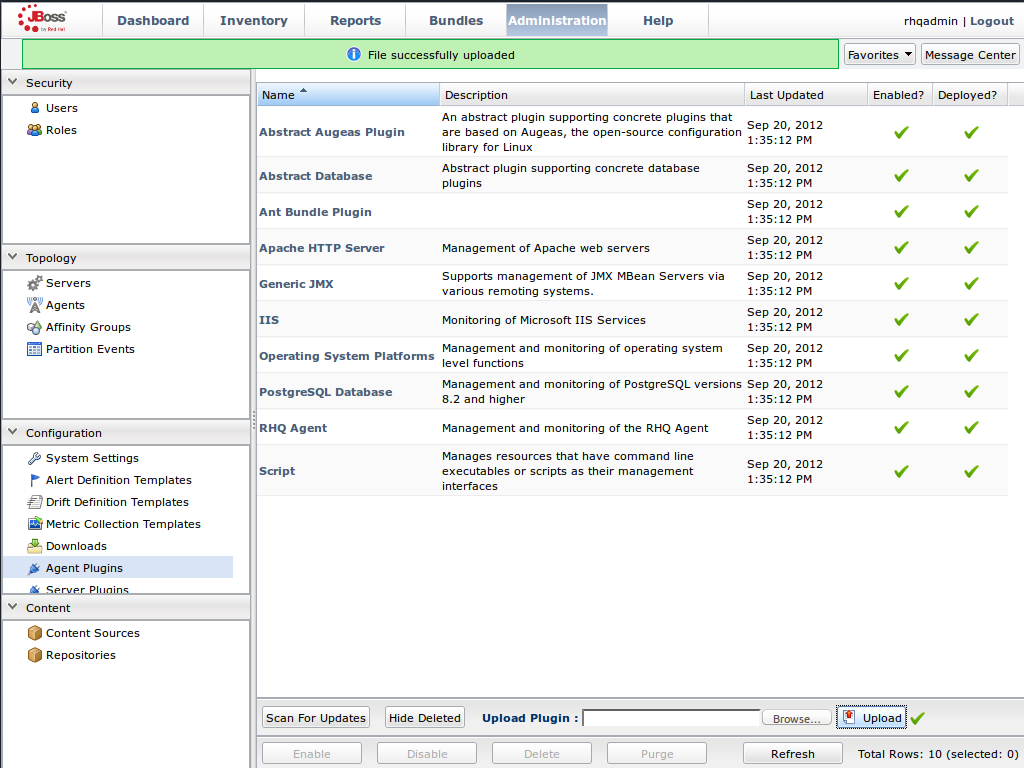
Figure 22.2. Upload the
InfinispanPlugin.Scan for Updates
- Once the file has successfully uploaded, click at the bottom of the screen.
- The
InfinispanPluginwill now appear in the list of installed plug-ins.
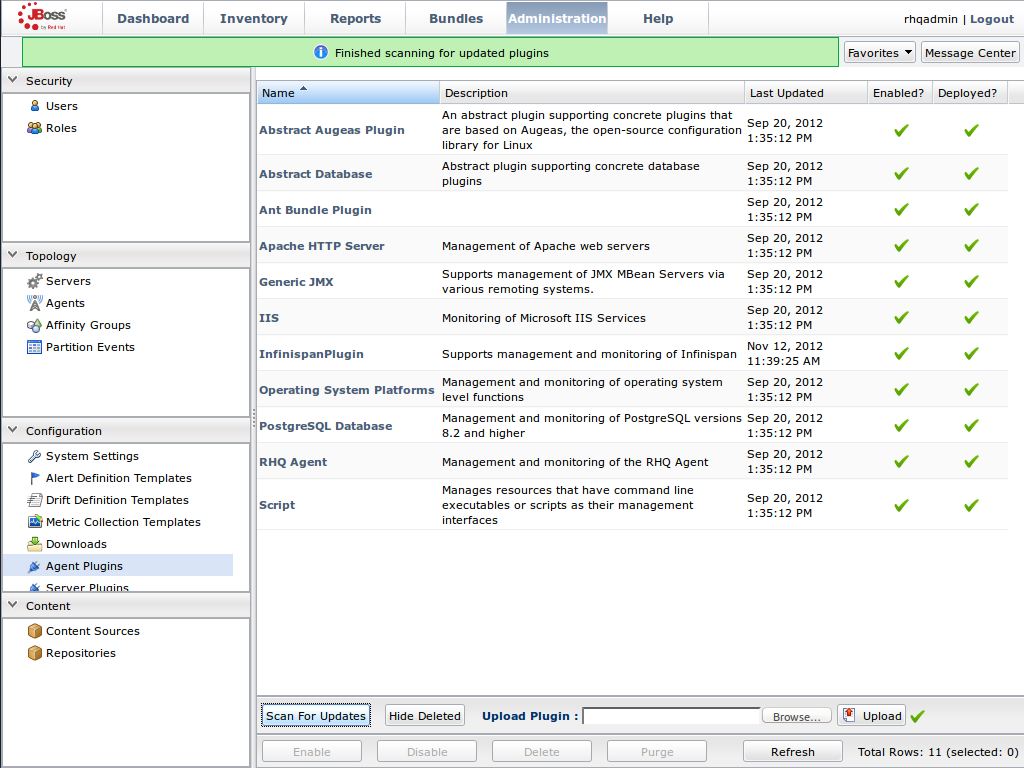
Figure 22.3. Scan for Updated Plug-ins.
Import the Platform
- Navigate to the and select from the list on the left of the console.
- Select the platform on which the application is running and click at the bottom of the screen.
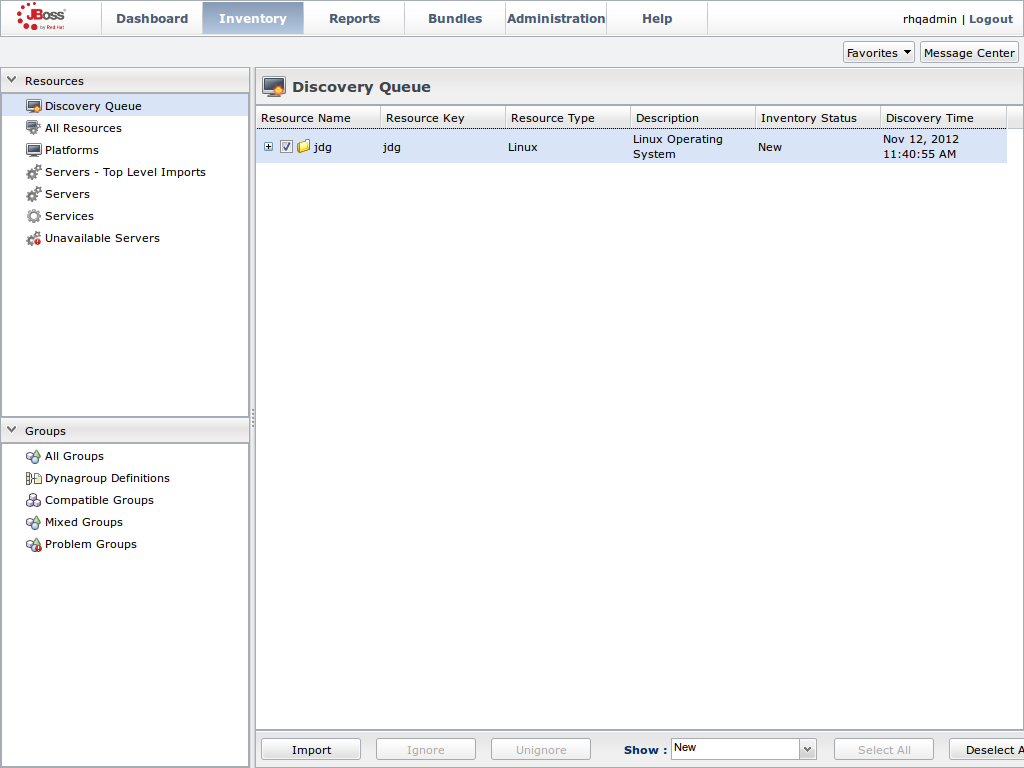
Figure 22.4. Import the Platform from the .
Access the Servers on the Platform
- The
jdgPlatform now appears in the Platforms list. - Click on the Platform to access the servers that are running on it.
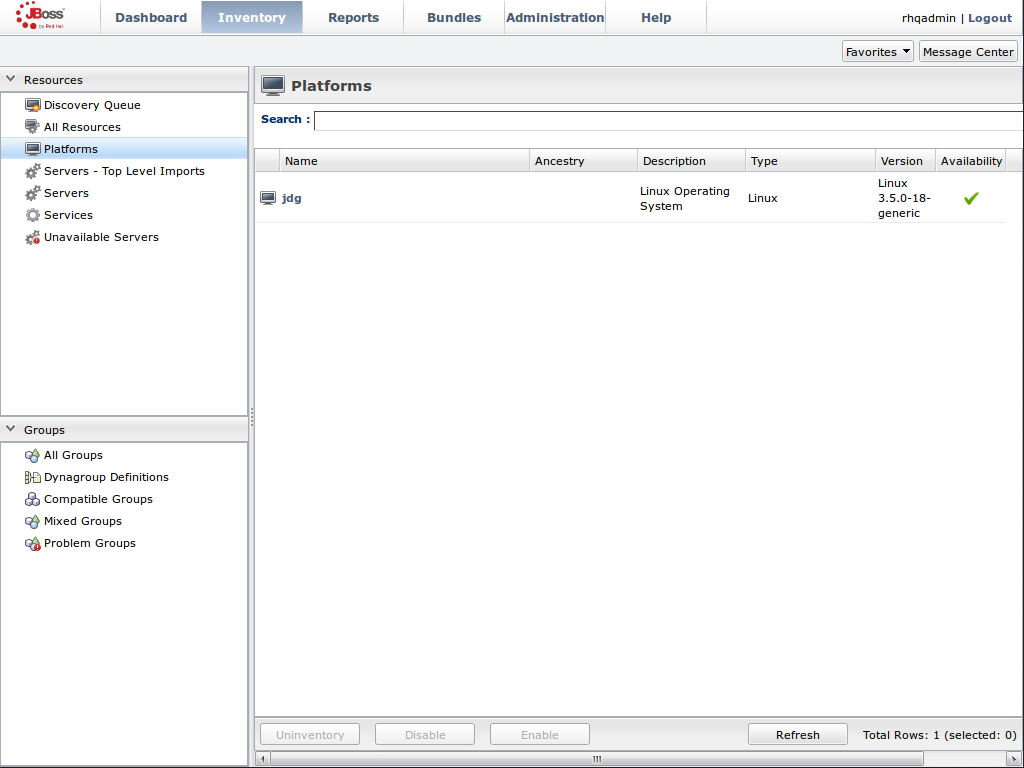
Figure 22.5. Open the
jdgPlatform to view the list of servers.Import the JMX Server
- From the tab, select .
- Click the button at the bottom of the screen and select the option from the list.
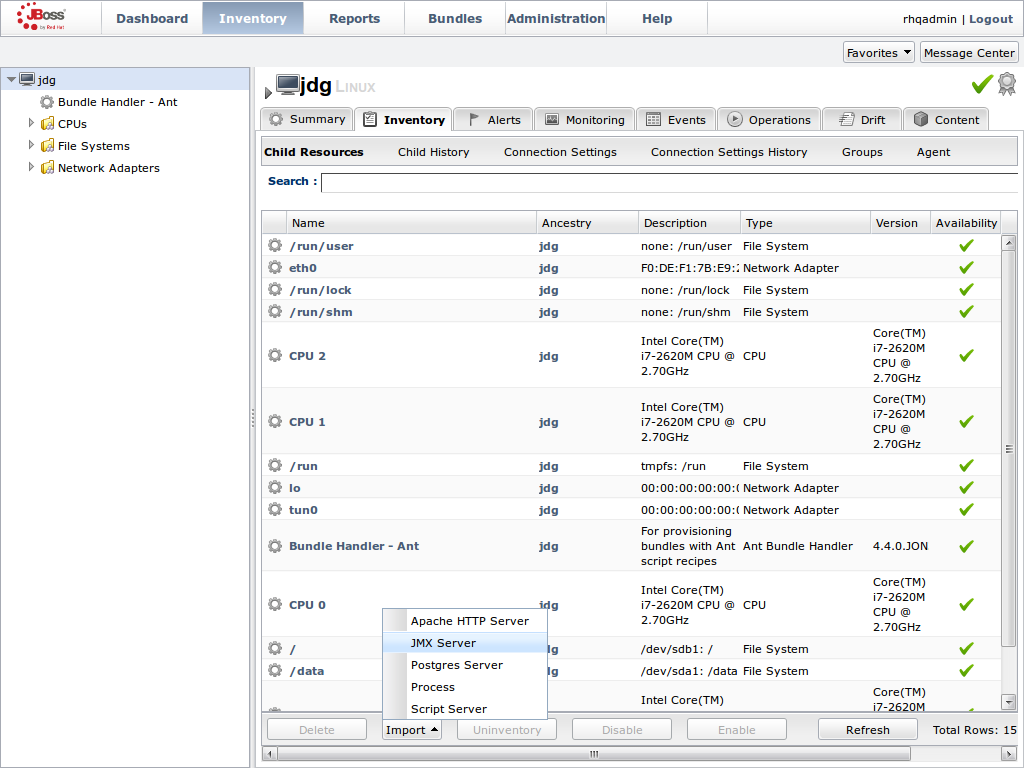
Figure 22.6. Import the JMX Server
Enable JDK Connection Settings
- In the window, specify from the list of options.
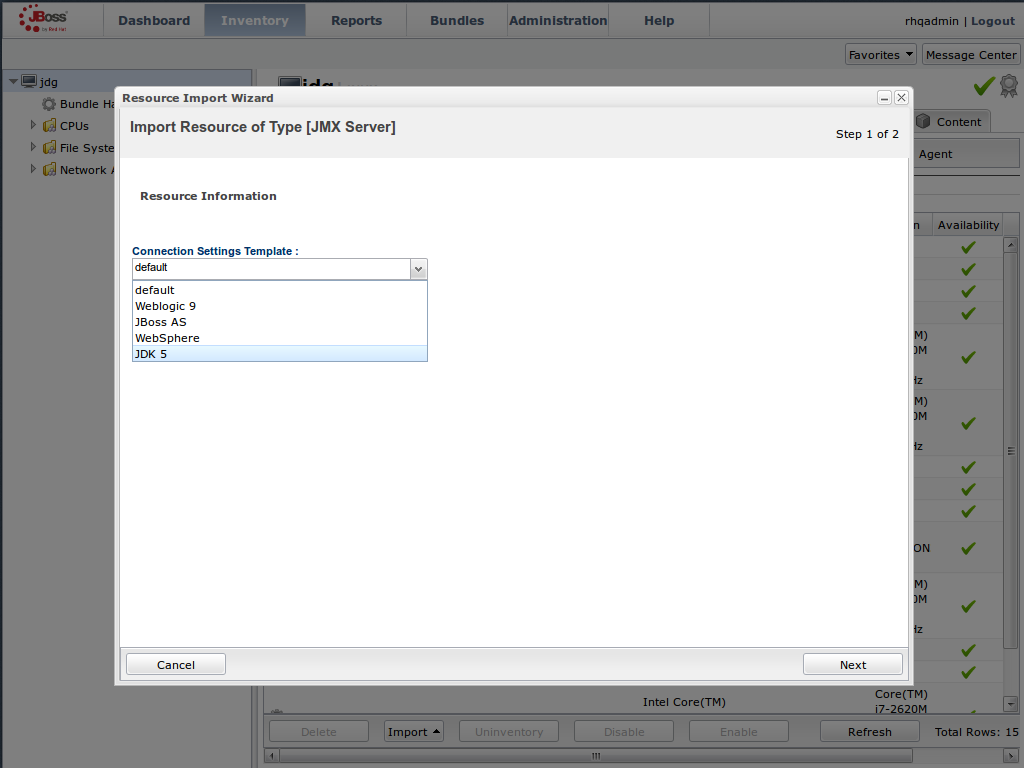
Figure 22.7. Select the JDK 5 Template.
Modify the Connector Address
- In the menu, modify the supplied with the hostname and JMX port of the process containing the Infinispan Library.
- Specify the and information if required.
- Click .
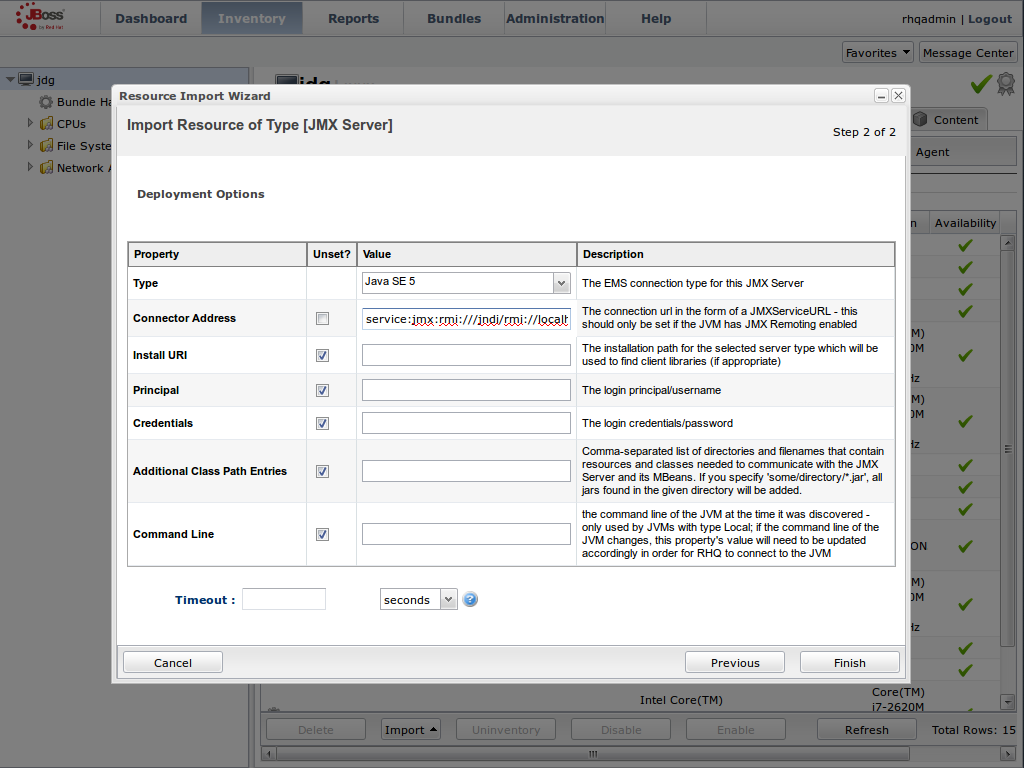
Figure 22.8. Modify the values in the Deployment Options screen.
View Cache Statistics and Operations
- Click to refresh the list of servers.
- The tree in the panel on the left side of the screen contains the node, which contains the available cache managers. The available cache managers contain the available caches.
- Select a cache from the available caches to view metrics.
- Select the tab.
- The view shows statistics and metrics.
- The tab provides access to the various operations that can be performed on the services.
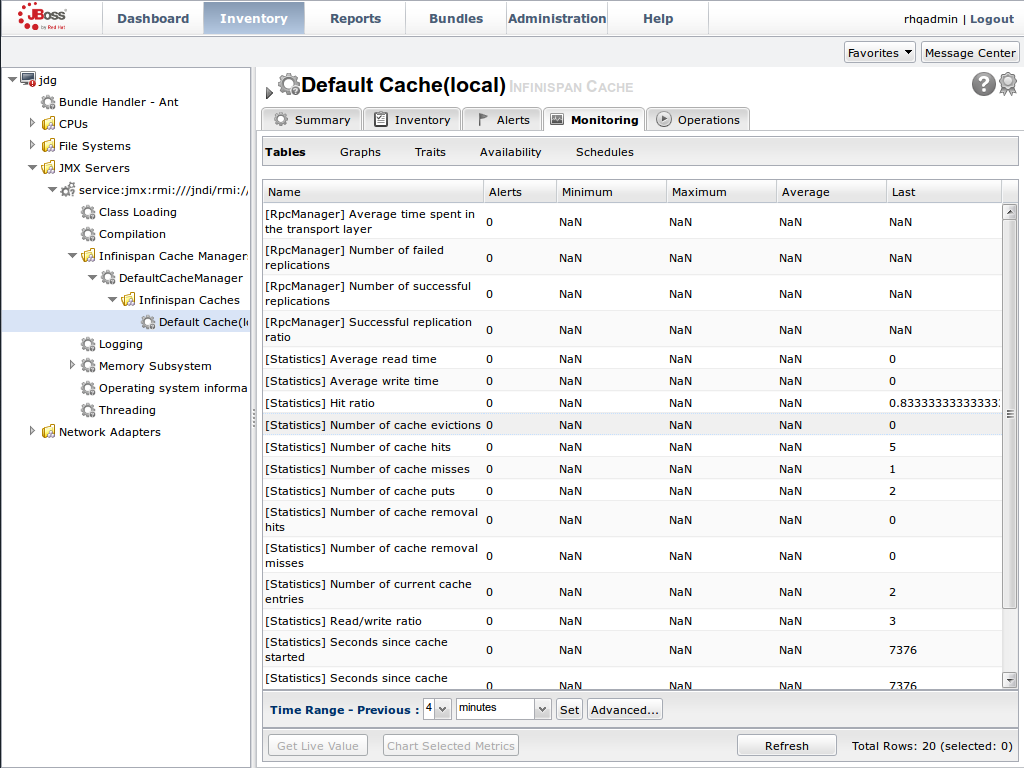
Figure 22.9. Metrics and operational data relayed through JMX is now available in the JBoss Operations Network console.
22.6.3. Manually Adding JBoss Data Grid Instances in Library Mode
- Select > > > .
- At the bottom of the page, open the drop-down menu next to the section.
- Select and click .
- Select the
defaulttemplate on the next page. Manually add the JBoss Data Grid instance
- Enter both the JMX connector address of the new JBoss Data Grid instance you want to monitor, and the Cache Manager Mbean object name. For example:Connector Address:
service:jmx:rmi://127.0.0.1/jndi/rmi://127.0.0.1:7997/jmxrmi
service:jmx:rmi://127.0.0.1/jndi/rmi://127.0.0.1:7997/jmxrmiCopy to Clipboard Copied! Toggle word wrap Toggle overflow - Object Name:
org.infinispan:type=CacheManager,name="<name_of_cache_manager>
org.infinispan:type=CacheManager,name="<name_of_cache_manager>Copy to Clipboard Copied! Toggle word wrap Toggle overflow
Note
-Dcom.sun.management.jmxremote.port=7997 -Dcom.sun.management.jmxremote.ssl=false
-Dcom.sun.management.jmxremote.authenticate=false
-Dcom.sun.management.jmxremote.port=7997 -Dcom.sun.management.jmxremote.ssl=false
-Dcom.sun.management.jmxremote.authenticate=false
22.7. JBoss Operations Network Remote-Client Server Plugin
22.7.1. JBoss Operations Network Plugin Metrics
| Metric Name | Display Name | Description |
|---|---|---|
| cache-manager-status | Cache Container Status | The current runtime status of a cache container. |
| cluster-name | Cluster Name | The name of the cluster. |
| coordinator-address | Coordinator Address | The coordinator node's address. |
| local-address | Local Address | The local node's address. |
| Metric Name | Display Name | Description |
|---|---|---|
| cache-status | Cache Status | The current runtime status of a cache. |
| number-of-locks-available | [LockManager] Number of locks available | The number of exclusive locks that are currently available. |
| concurrency-level | [LockManager] Concurrency level | The LockManager's configured concurrency level. |
| average-read-time | [Statistics] Average read time | Average number of milliseconds required for a read operation on the cache to complete. |
| hit-ratio | [Statistics] Hit ratio | The result (in percentage) when the number of hits (successful attempts) is divided by the total number of attempts. |
| elapsed-time | [Statistics] Seconds since cache started | The number of seconds since the cache started. |
| read-write-ratio | [Statistics] Read/write ratio | The read/write ratio (in percentage) for the cache. |
| average-write-time | [Statistics] Average write time | Average number of milliseconds a write operation on a cache requires to complete. |
| hits | [Statistics] Number of cache hits | Number of cache hits. |
| evictions | [Statistics] Number of cache evictions | Number of cache eviction operations. |
| remove-misses | [Statistics] Number of cache removal misses | Number of cache removals where the key was not found. |
| time-since-reset | [Statistics] Seconds since cache statistics were reset | Number of seconds since the last cache statistics reset. |
| number-of-entries | [Statistics] Number of current cache entries | Number of entries currently in the cache. |
| stores | [Statistics] Number of cache puts | Number of cache put operations |
| remove-hits | [Statistics] Number of cache removal hits | Number of cache removal operation hits. |
| misses | [Statistics] Number of cache misses | Number of cache misses. |
| success-ratio | [RpcManager] Successful replication ratio | Successful replications as a ratio of total replications in numeric double format. |
| replication-count | [RpcManager] Number of successful replications | Number of successful replications |
| replication-failures | [RpcManager] Number of failed replications | Number of failed replications |
| average-replication-time | [RpcManager] Average time spent in the transport layer | The average time (in milliseconds) spent in the transport layer. |
| commits | [Transactions] Commits | Number of transaction commits performed since the last reset. |
| prepares | [Transactions] Prepares | Number of transaction prepares performed since the last reset. |
| rollbacks | [Transactions] Rollbacks | Number of transaction rollbacks performed since the last reset. |
| invalidations | [Invalidation] Number of invalidations | Number of invalidations. |
| passivations | [Passivation] Number of cache passivations | Number of passivation events. |
| activations | [Activations] Number of cache entries activated | Number of activation events. |
| cache-loader-loads | [Activation] Number of cache store loads | Number of entries loaded from the cache store. |
| cache-loader-misses | [Activation] Number of cache store misses | Number of entries that did not exist in the cache store. |
| cache-loader-stores | [CacheStore] Number of cache store stores | Number of entries stored in the cache stores. |
The metrics provided by the JBoss Operations Network (JON) plugin for JBoss Data Grid are for REST and Hot Rod endpoints only. For the REST protocol, the data must be taken from the Web subsystem metrics. For details about each of these endpoints, refer to the Getting Started Guide.
| Metric Name | Display Name | Description |
|---|---|---|
| bytesRead | Bytes Read | Number of bytes read. |
| bytesWritten | Bytes Written | Number of bytes written. |
22.7.2. JBoss Operations Network Plugin Operations
| Operation Name | Description |
|---|---|
| clear-cache | Clears the cache contents. |
| reset-statistics | Resets statistics gathered by the cache. |
| reset-activation-statistics | Resets activation statistics gathered by the cache. |
| reset-invalidation-statistics | Resets invalidations statistics gathered by the cache. |
| reset-passivation-statistics | Resets passivation statistics gathered by the cache. |
| reset-rpc-statistics | Resets replication statistics gathered by the cache. |
The cache backups used for these operations are configured using cross-datacentre replication. In the JBoss Operations Network (JON) User Interface, each cache backup is the child of a cache. For more information about cross-datacentre replication, refer to Section 23.1, “About Cross-Datacenter Replication”
| Operation Name | Description |
|---|---|
| status | Display the site status. |
| bring-site-online | Brings the site online. |
| take-site-offline | Takes the site offline. |
JBoss Data Grid does not support using Transactions in Remote Client-Server mode. As a result, none of the endpoints can use transactions.
22.7.3. JBoss Operations Network Plugin Attributes
| Attribute Name | Type | Description |
|---|---|---|
| cluster | string | The name of the group communication cluster. |
| executor | string | The executor used for the transport. |
| lock-timeout | long | The timeout period for locks on the transport. The default value is 240000. |
| machine | string | A machine identifier for the transport. |
| rack | string | A rack identifier for the transport. |
| site | string | A site identifier for the transport. |
| stack | string | The JGroups stack used for the transport. |
22.8. Monitor JBoss Enterprise Application Platform 6 Applications Using Library Mode
22.8.1. Prerequisites
- A correctly configured instance of JBoss Operations Network (JON) 3.1.x or better.
- A running instance of JBoss Operations Network (JON) Agent on the server where the application will run. For more information, refer to Section 22.4.1, “About the JBoss Operations Network Agent”
- An operational instance of the RHQ agent with a full JDK. Ensure that the agent has access to the
tools.jarfile from the JDK in particular. In the JBoss Operations Network (JON) agent's environment file (bin/rhq-env.sh), set the value of theRHQ_AGENT_JAVA_HOMEproperty to a full JDK. - The RHQ agent must have been initiated using the same user as the JBoss Enterprise Application Server instance. As an example, running the JBoss Operations Network (JON) agent as a user with root priviledges and the JBoss Enterprise Application Platform process under a different user does not work as expected and should be avoided.
- An installed JBoss Operations Network (JON) plugin for Library Mode. For more information, refer to Section 22.6.2, “Installing the JBoss Operations Network Plug-in (Library Mode)”
- A custom application using JBoss Data Grid's Library mode. This application must have
jmxStatisticsenabled (either declaratively or programmatically). For more information, refer to Section 21.1.4, “Enable JMX for Cache Instances” - The Java Virtual Machine (JVM) must be configured to expose the JMX MBean Server. For the Oracle/Sun JDK, refer to http://docs.oracle.com/javase/1.5.0/docs/guide/management/agent.html
- A correctly added and configured management user for JBoss Enterprise Application Platform.
22.8.2. Monitor an Application Deployed in Standalone Mode
Procedure 22.8. Monitor an Application Deployed in Standalone Mode
Start the JBoss Enterprise Application Platform Instance
Start the JBoss Enterprise Application Platform instance as follows:- Enter the following command at the command line to add a new option to the standalone configuration file (
/bin/standalone.conf):JAVA_OPTS="$JAVA_OPTS -Dorg.rhq.resourceKey=MyEAP"
JAVA_OPTS="$JAVA_OPTS -Dorg.rhq.resourceKey=MyEAP"Copy to Clipboard Copied! Toggle word wrap Toggle overflow - Start the JBoss Enterprise Application Platform instance in standalone mode as follows:
$JBOSS_HOME/bin/standalone.sh
$JBOSS_HOME/bin/standalone.shCopy to Clipboard Copied! Toggle word wrap Toggle overflow
Run JBoss Operations Network (JON) Discovery
Run thediscovery --fullcommand in the JBoss Operations Network (JON) agent.Locate Application Server Process
In the JBoss Operations Network (JON) web interface, the JBoss Enterprise Application Platform 6 process is listed as a JMX server.Import the Process Into Inventory
Import the process into the JBoss Operations Network (JON) inventory.Deploy the JBoss Data Grid Application
Deploy the WAR file that contains the JBoss Data Grid Library mode application withglobalJmxStatisticsandjmxStatisticsenabled.Optional: Run Discovery Again
If required, run thediscovery --fullcommand again to discover the new resources.
The JBoss Data Grid Library mode application is now deployed in JBoss Enterprise Application Platform's standalone mode and can be monitored using the JBoss Operations Network (JON).
22.8.3. Monitor an Application Deployed in Domain Mode
Procedure 22.9. Monitor an Application Deployed in Domain Mode
Edit the Host Configuration
Edit thedomain/configuration/host.xmlfile to replace theserverelement with the following configuration:Copy to Clipboard Copied! Toggle word wrap Toggle overflow Start JBoss Enterprise Application Platform 6
Start JBoss Enterprise Application Platform 6 in domain mode:$JBOSS_HOME/bin/domain.sh
$JBOSS_HOME/bin/domain.shCopy to Clipboard Copied! Toggle word wrap Toggle overflow Deploy the JBoss Data Grid Application
Deploy the WAR file that contains the JBoss Data Grid Library mode application withglobalJmxStatisticsandjmxStatisticsenabled.Run Discovery in JBoss Operations Network (JON)
If required, run thediscovery --fullcommand for the JBoss Operations Network (JON) agent to discover the new resources.
The JBoss Data Grid Library mode application is now deployed in JBoss Enterprise Application Platform's domain mode and can be monitored using the JBoss Operations Network (JON).
22.9. JBoss Operations Network Plug-in Quickstart
Chapter 23. Cross-Datacenter Replication
23.1. About Cross-Datacenter Replication
RELAY2 protocol.
23.2. Cross-Datacenter Replication Operations
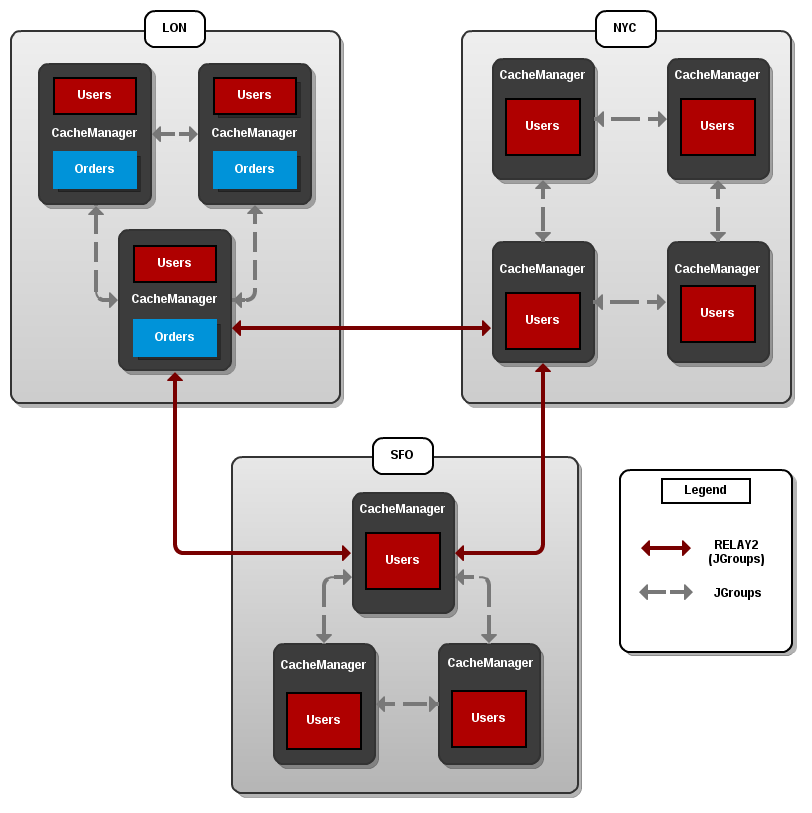
Figure 23.1. Cross-Datacenter Replication Example
LON, NYC and SFO. Each site hosts a running JBoss Data Grid cluster made up of three to four physical nodes.
Users cache is active in all three sites. Changes to the Users cache at the LON site is replicated at the other two sites. The Orders cache, however, is only available locally at the LON site because it is not replicated to the other sites.
Users cache can use different replication mechanisms each site. For example, it can back up data synchronously to SFO and asynchronously to NYC and LON.
Users cache can also have a different configuration from one site to another. For example, it can be configured as a distributed cache with numOwners set to 2 in the LON site, as a replicated cache in the NYC site and as a distributed cache with numOwners set to 1 in the SFO site.
RELAY2 facilitates communication between sites. For more information about RELAY2, refer to Section B.7, “About RELAY2”
23.3. Configure Cross Datacentre Replication
23.3.1. Configure Cross-Datacentre Replication (Remote Client-Server Mode)
Procedure 23.1. Set Up Cross-Datacentre Replication
Set Up RELAY
Add the following configuration to thestandalone.xmlfile to set upRELAY:Copy to Clipboard Copied! Toggle word wrap Toggle overflow TheRELAYprotocol creates an additional stack (running parallel to the existingTCPstack) to communicate with the remote site. If aTCPbased stack is used for the local cluster, twoTCPbased stack configurations are required: one for local communication and one to connect to the remote site. For an illustration, see Section 23.2, “Cross-Datacenter Replication Operations”Set Up Sites
Use the following configuration in thestandalone.xmlfile to set up sites for each distributed cache in the cluster:Copy to Clipboard Copied! Toggle word wrap Toggle overflow Configure Local Site Transport
Add the name of the local site in thetransportelement to configure transport:<transport executor="infinispan-transport" lock-timeout="60000" cluster="LON" stack="udp"/><transport executor="infinispan-transport" lock-timeout="60000" cluster="LON" stack="udp"/>Copy to Clipboard Copied! Toggle word wrap Toggle overflow
23.3.2. Configure Cross-Datacentre Replication (Library Mode)
relay.RELAY2 protocol creates an additional stack (running parallel to the existing TCP stack) to communicate with the remote site. If a TCP-based stack is used for the local cluster, two TCP based stack configurations are required: one for local communication and one to connect to the remote site.
Procedure 23.2. Configure Cross-Datacentre Replication (Library Mode)
Configure the Local Site
- Add the
siteelement to theglobalelement to add the local site (in this example, the local site is namedLON).Copy to Clipboard Copied! Toggle word wrap Toggle overflow - Cross-site replication requires a non-default JGroups configuration. Add the
transportelement and set up the path to the configuration file as theconfigurationFileproperty. In this example, the JGroups configuration file is namedjgroups-with-relay.xml.Copy to Clipboard Copied! Toggle word wrap Toggle overflow
Add the Contents of the Configuration File
As a default, Red Hat JBoss Data Grid includes JGroups configuration files such asjgroups-tcp.xmlandjgroups-udp.xmlin theinfinispan-core-{VERSION}.jarpackage.Copy the JGroups configuration to a new file (in this example, it is namedjgroups-with-relay.xml) and add the provided configuration information to this file. Note that therelay.RELAY2protocol configuration must be the last protocol in the configuration stack.Copy to Clipboard Copied! Toggle word wrap Toggle overflow Configure the relay.xml File
Set up therelay.RELAY2configuration in therelay.xmlfile. This file describes the global cluster configuration.Copy to Clipboard Copied! Toggle word wrap Toggle overflow Configure the Global Cluster
The filejgroups-global.xmlreferenced inrelay.xmlcontains another JGroups configuration which is used for the global cluster: communication between sites.The global cluster configuration is usuallyTCP-based and uses theTCPPINGprotocol (instead ofPINGorMPING) to discover members. Copy the contents ofjgroups-tcp.xmlintojgroups-global.xmland add the following configuration in order to configureTCPPING:Copy to Clipboard Copied! Toggle word wrap Toggle overflow Replace the hostnames (or IP addresses) inTCPPING.initial_hostswith those used for your site masters. The ports (7800in this example) must match theTCP.bind_port.File Locations
Ensure all the created files are on the classpath before using the new configurations.
23.3.3. Configure Cross-Datacentre Replication Programmatically
NYC and SFO are backup sites for local site LON).
NYC and SFO are backups for, use the following:
ConfigurationBuilder cb = new ConfigurationBuilder();
cb.sites().backupFor().remoteCache("users").remoteSite("LON");
ConfigurationBuilder cb = new ConfigurationBuilder();
cb.sites().backupFor().remoteCache("users").remoteSite("LON");
23.4. Taking a Site Offline
23.4.1. About Taking Sites Offline
- Configure automatically taking a site offline:
- Declaratively in Remote Client-Server mode.
- Declaratively in Library mode.
- Using the programmatic method.
- Manually taking a site offline:
- Using JBoss Operations Network (JON).
- Using the JBoss Data Grid Command Line Interface (CLI).
23.4.2. Taking a Site Offline (Remote Client-Server Mode)
take-offline element is added to the backup element to configure when a site is automatically taken offline. An example of this configuration is as follows:
<backup>
	<take-offline after-failures="${NUMBER}"
		      min-wait="${PERIOD}" />
</backup>
<backup>
	<take-offline after-failures="${NUMBER}"
		      min-wait="${PERIOD}" />
</backup>
take-offline element use the following parameters to configure when to take a site offline:
- The
after-failuresparameter specifies the number of times attempts to contact a site can fail before the site is taken offline. - The
min-waitparameter specifies the number (in milliseconds) to wait to mark an unresponsive site as offline. The site is offline when themin-waitperiod elapses after the first attempt, and the number of failed attempts specified in theafter-failuresparameter occur.
23.4.3. Taking a Site Offline (Library Mode)
backupFor element after defining all back up sites within the backups element:
<backup>
        <takeOffline afterFailures="${NUM}"
                     minTimeToWait="${PERIOD}"/>
</backup>
<backup>
        <takeOffline afterFailures="${NUM}"
                     minTimeToWait="${PERIOD}"/>
</backup>
takeOffline element to the backup element to configure automatically taking a site offline.
- The
afterFailuresparameter specifies the number of times attempts to contact a site can fail before the site is taken offline. The default value (0) allows an infinite number of failures ifminTimeToWaitis less than0. If theminTimeToWaitis not less than0,afterFailuresbehaves as if the value is negative. A negative value for this parameter indicates that the site is taken offline after the time specified byminTimeToWaitelapses. - The
minTimeToWaitparameter specifies the number (in milliseconds) to wait to mark an unresponsive site as offline. The site is taken offline after the number attempts specified in theafterFailuresparameter conclude and the time specified byminTimeToWaitafter the first failure has elapsed. If this parameter is set to a value smaller than or equal to0, this parameter is disregarded and the site is taken offline based solely on theafterFailuresparameter.
23.4.4. Taking a Site Offline (Programmatically)
23.4.5. Taking a Site Offline via JBoss Operations Network (JON)
23.4.6. Taking a Site Offline via the CLI
site command.
site command can be used to check the status of a site as follows:
[jmx://localhost:12000/MyCacheManager/namedCache]> site --status ${SITENAME}
[jmx://localhost:12000/MyCacheManager/namedCache]> site --status ${SITENAME}online or offline according to the current status of the named site.
[jmx://localhost:12000/MyCacheManager/namedCache]> site --offline ${SITENAME}
[jmx://localhost:12000/MyCacheManager/namedCache]> site --offline ${SITENAME}[jmx://localhost:12000/MyCacheManager/namedCache]> site --online ${SITENAME}
[jmx://localhost:12000/MyCacheManager/namedCache]> site --online ${SITENAME}ok displays after the command.
23.4.7. Bring a Site Back Online
bringSiteOnline(siteName) operation on the XSiteAdmin MBean. For details about this MBean, refer to Section A.21, “XSiteAdmin”
Appendix A. List of JMX MBeans in JBoss Data Grid
A.1. Activation
org.infinispan.eviction.ActivationManagerImpl
| Name | Description | Type | Writable |
|---|---|---|---|
| getActivations | Number of activation events. | String | No |
| statisticsEnabled | Enables or disables the gathering of statistics by this component. | boolean | Yes |
| Name | Description | Signature |
|---|---|---|
| resetStatistics | Resets statistics gathered by this component. | void resetStatistics() |
A.2. Cache
org.infinispan.CacheImpl
| Name | Description | Type | Writable |
|---|---|---|---|
| CacheName | Returns the cache name. | String | No |
| CacheStatus | Returns the cache status. | String | No |
| ConfigurationAsXmlString | Returns the cache configuration as XML string. | String | No |
| Name | Description | Signature |
|---|---|---|
| start | Starts the cache. | void start() |
| stop | Stops the cache. | void stop() |
| clear | Clears the cache. | void clear() |
A.3. CacheLoader
org.infinispan.interceptors.CacheLoaderInterceptor
| Name | Description | Type | Writable |
|---|---|---|---|
| CacheLoaderLoads | Number of entries loaded from the cache store. | long | No |
| CacheLoaderMisses | Number of entries that did not exist in cache store. | long | No |
| CacheLoaders | Returns a collection of cache loader types which are configured and enabled. | Collection | No |
| Name | Description | Signature |
|---|---|---|
| disableCacheLoader | Disable all cache loaders of a given type, where type is a fully qualified class name of the cache loader to disable. | void disableCacheLoader(String p0) |
| resetStatistics | Resets statistics gathered by this component. | void resetStatistics() |
A.4. CacheManager
org.infinispan.manager.DefaultCacheManager
| Name | Description | Type | Writable |
|---|---|---|---|
| CacheManagerStatus | The status of the cache manager instance. | String | No |
| ClusterMembers | Lists members in the cluster. | String | No |
| ClusterName | Cluster name. | String | No |
| ClusterSize | Size of the cluster in the number of nodes. | int | No |
| CreatedCacheCount | The total number of created caches, including the default cache. | String | No |
| DefinedCacheCount | The total number of defined caches, excluding the default cache. | String | No |
| DefinedCacheNames | The defined cache names and their statuses. The default cache is not included in this representation. | String | No |
| Name | The name of this cache manager. | String | No |
| NodeAddress | The network address associated with this instance. | String | No |
| PhysicalAddresses | The physical network addresses associated with this instance. | String | No |
| RunningCacheCount | The total number of running caches, including the default cache. | String | No |
| Version | Infinispan version. | String | No. |
| Name | Description | Signature |
|---|---|---|
| startCache | Starts the default cache associated with this cache manager. | void startCache() |
| startCache | Starts a named cache from this cache manager. | void startCache (String p0) |
A.5. CacheStore
org.infinispan.interceptors.CacheStoreInterceptor
| Name | Description | Type | Writable |
|---|---|---|---|
| CacheLoaderStores | Number of cache loader stores. | long | No |
| Name | Description | Signature |
|---|---|---|
| resetStatistics | Resets statistics gathered by this component. | void resetStatistics() |
A.6. DeadlockDetectingLockManager
org.infinispan.util.concurrent.locks.DeadlockDetectingLockManager
| Name | Description | Type | Writable |
|---|---|---|---|
| DetectedLocalDeadlocks | Number of local transaction that were roll backed due to deadlocks. | long | No |
| DetectedRemoteDeadlocks | Number of remote transaction that were roll backed due to deadlocks. | long | No |
| LocallyInterruptedTransactions | Number of locally originated transactions that were interrupted as a deadlock situation was detected. | long | No |
| OverlapWithNotDeadlockAwareLockOwners | Number of situations when we try to determine a deadlock and the other lock owner is NOT a transaction. In this scenario we cannot run the deadlock detection mechanism. | long | No |
| TotalNumberOfDetectedDeadlocks | Total number of local detected deadlocks. | long | No |
| Name | Description | Signature |
|---|---|---|
| resetStatistics | Resets statistics gathered by this component. | void resetStatistics() |
A.7. DistributionManager
org.infinispan.distribution.DistributionManagerImpl
| Name | Description | Signature |
|---|---|---|
| isAffectedByRehash | Determines whether a given key is affected by an ongoing rehash. | boolean isAffectedByRehash(Object p0) |
| isLocatedLocally | Indicates whether a given key is local to this instance of the cache. Only works with String keys. | boolean isLocatedLocally(String p0) |
| locateKey | Locates an object in a cluster. Only works with String keys. | List locateKey(String p0) |
A.8. Interpreter
org.infinispan.cli.interpreter.Interpreter
| Name | Description | Type | Writable |
|---|---|---|---|
| CacheNames | Retrieves a list of caches for the cache manager. | String[] | No |
| Name | Description | Signature | |
|---|---|---|---|
| createSessionId | Creates a new interpreter session. | String createSessionId(String cacheName) | |
| execute | Parses and executes IspnQL statements. | String execute(String p0, String p1) |
A.9. Invalidation
org.infinispan.interceptors.InvalidationInterceptor
| Name | Description | Type | Writable |
|---|---|---|---|
| Invalidations | Number of invalidations. | long | No |
| statisticsEnabled | Enables or disables the gathering of statistics by this component. | boolean | Yes |
| Name | Description | Signature |
|---|---|---|
| resetStatistics | Resets statistics gathered by this component. | void resetStatistics() |
A.10. JmxStatsCommandInterceptor
org.infinispan.interceptors.base.JmxStatsCommandInterceptor
| Name | Description | Type | Writable |
|---|---|---|---|
| statisticsEnabled | Enables or disables the gathering of statistics by this component. | boolean | Yes |
| Name | Description | Signature |
|---|---|---|
| resetStatistics | Resets statistics gathered by this component. | void resetStatistics() |
A.11. LockManager
org.infinispan.util.concurrent.locks.LockManagerImpl
| Name | Description | Type | Writable |
|---|---|---|---|
| ConcurrencyLevel | The concurrency level that the MVCC Lock Manager has been configured with. | int | No |
| NumberOfLocksAvailable | The number of exclusive locks that are available. | int | No |
| NumberOfLocksHeld | The number of exclusive locks that are held. | int | No |
A.12. MassIndexer
org.infinispan.query.MassIndexer
| Name | Description | Signature |
|---|---|---|
| start | Starts rebuilding the index. | void start() |
A.13. Passivation
org.infinispan.interceptors.PassivationInterceptor
| Name | Description | Type | Writable |
|---|---|---|---|
| Passivations | Number of passivation events. | String | No |
| Name | Description | Signature |
|---|---|---|
| resetStatistics | Resets statistics gathered by this component. | void resetStatistics() |
A.14. RecoveryAdmin
org.infinispan.transaction.xa.recovery.RecoveryAdminOperations
| Name | Description | Signature |
|---|---|---|
| forceCommit | Forces the commit of an in-doubt transaction. | String forceCommit(long p0) |
| forceCommit | Forces the commit of an in-doubt transaction | String forceCommit(int p0, byte[] p1, byte[] p2) |
| forceRollback | Forces the rollback of an in-doubt transaction. | String forceRollback(long p0) |
| forceRollback | Forces the rollback of an in-doubt transaction | String forceRollback(int p0, byte[] p1, byte[] p2) |
| forget | Removes recovery info for the given transaction. | String forget(long p0) |
| forget | Removes recovery info for the given transaction. | String forget(int p0, byte[] p1, byte[] p2) |
| showInDoubtTransactions | Shows all the prepared transactions for which the originating node crashed. | String showInDoubtTransactions() |
A.15. RollingUpgradeManager
org.infinispan.upgrade.RollingUpgradeManager
| Name | Description | Signature |
|---|---|---|
| disconnectSource | Disconnects the target cluster from the source cluster according to the specified migrator. | void disconnectSource(String p0) |
| recordKnownGlobalKeyset | Dumps the global known keyset to a well-known key for retrieval by the upgrade process. | void recordKnownGlobalKeyset() |
| synchronizeData | Synchronizes data from the old cluster to this using the specified migrator. | long synchronizeData(String p0) |
A.16. RpcManager
org.infinispan.remoting.rpc.RpcManagerImpl
| Name | Description | Type | Writable |
|---|---|---|---|
| AverageReplicationTime | The average time spent in the transport layer, in milliseconds. | long | No |
| CommittedViewAsString | Retrieves the committed view. | String | No |
| PendingViewAsString | Retrieves the pending view. | String | No |
| ReplicationCount | Number of successful replications. | long | No |
| ReplicationFailures | Number of failed replications. | long | No |
| SuccessRatio | Successful replications as a ratio of total replications. | String | No |
| SuccessRatioFloatingPoint | Successful replications as a ratio of total replications in numeric double format. | double | No |
| statisticsEnabled | Enables or disables the gathering of statistics by this component. | boolean | Yes |
| Name | Description | Signature |
|---|---|---|
| resetStatistics | Resets statistics gathered by this component. | void resetStatistics() |
A.17. StateTransferManager
org.infinispan.statetransfer.StateTransferManager
| Name | Description | Type | Writable |
|---|---|---|---|
| JoinComplete | If true, the node has successfully joined the grid and is considered to hold state. If false, the join process is still in progress.. | boolean | No |
| StateTransferInProgress | Checks whether there is a pending inbound state transfer on this cluster member. | boolean | No |
A.18. Statistics
org.infinispan.interceptors.CacheMgmtInterceptor
| Name | Description | Type | Writable |
|---|---|---|---|
| AverageReadTime | Average number of milliseconds for a read operation on the cache. | long | No |
| AverageWriteTime | Average number of milliseconds for a write operation in the cache. | long | No |
| ElapsedTime | Number of seconds since cache started. | long | No |
| Evictions | Number of cache eviction operations. | long | No |
| HitRatio | Percentage hit/(hit+miss) ratio for the cache. | double | No |
| Hits | Number of cache attribute hits. | long | No |
| Misses | Number of cache attribute misses. | long | No |
| NumberOfEntries | Number of entries currently in the cache. | int | No |
| ReadWriteRatio | Read/writes ratio for the cache. | double | No |
| RemoveHits | Number of cache removal hits. | long | No |
| RemoveMisses | Number of cache removals where keys were not found. | long | No |
| Stores | Number of cache attribute PUT operations. | long | No |
| TimeSinceReset | Number of seconds since the cache statistics were last reset. | long | No |
| Name | Description | Signature |
|---|---|---|
| resetStatistics | Resets statistics gathered by this component. | void resetStatistics() |
A.19. Transactions
org.infinispan.interceptors.TxInterceptor
| Name | Description | Type | Writable |
|---|---|---|---|
| Commits | Number of transaction commits performed since last reset. | long | No |
| Prepares | Number of transaction prepares performed since last reset. | long | No |
| Rollbacks | Number of transaction rollbacks performed since last reset. | long | No |
| statisticsEnabled | Enables or disables the gathering of statistics by this component. | boolean | Yes |
| Name | Description | Signature |
|---|---|---|
| resetStatistics | Resets statistics gathered by this component. | void resetStatistics() |
A.20. Transport
org.infinispan.server.core.transport.Transport
| Name | Description | Type | Writable |
|---|---|---|---|
| HostName | Returns the host to which the transport binds. | String | No |
| IdleTimeout | Returns the idle timeout. | String | No |
| NumberOfGlobalConnections | Returns a count of active connections in the cluster. This operation will make remote calls to aggregate results, so latency may have an impact on the speed of calculation for this attribute. | Integer | false |
| NumberOfLocalConnections | Returns a count of active connections this server. | Integer | No |
| NumberWorkerThreads | Returns the number of worker threads. | String | No |
| Port | Returns the port to which the transport binds. | String | |
| ReceiveBufferSize | Returns the receive buffer size. | String | No |
| SendBufferSize | Returns the send buffer size. | String | No |
| TotalBytesRead | Returns the total number of bytes read by the server from clients, including both protocol and user information. | String | No |
| TotalBytesWritten | Returns the total number of bytes written by the server back to clients, including both protocol and user information. | String | No |
| TcpNoDelay | Returns whether TCP no delay was configured or not. | String | No |
A.21. XSiteAdmin
org.infinispan.xsite.XSiteAdminOperations
| Name | Description | Signature |
|---|---|---|
| bringSiteOnline | Brings the given site back online on all the cluster. | String bringSiteOnline(String p0) |
| amendTakeOffline | Amends the values for 'TakeOffline' functionality on all the nodes in the cluster. | String amendTakeOffline(String p0, int p1, long p2) |
| getTakeOfflineAfterFailures | Returns the value of the 'afterFailures' for the 'TakeOffline' functionality. | String getTakeOfflineAfterFailures(String p0) |
| getTakeOfflineMinTimeToWait | Returns the value of the 'minTimeToWait' for the 'TakeOffline' functionality. | String getTakeOfflineMinTimeToWait(String p0) |
| setTakeOfflineAfterFailures | Amends the values for 'afterFailures' for the 'TakeOffline' functionality on all the nodes in the cluster. | String setTakeOfflineAfterFailures(String p0, int p1) |
| setTakeOfflineMinTimeToWait | Amends the values for 'minTimeToWait' for the 'TakeOffline' functionality on all the nodes in the cluster. | String setTakeOfflineMinTimeToWait(String p0, long p1) |
| siteStatus | Check whether the given backup site is offline or not. | String siteStatus(String p0) |
| status | Returns the the status(offline/online) of all the configured backup sites. | String status() |
| takeSiteOffline | Takes this site offline in all nodes in the cluster. | String takeSiteOffline(String p0) |
Appendix B. References
B.1. About Consistency
B.2. About Consistency Guarantee
- If Key
Kis hashed to nodes{A,B}and transactionTX1acquires a lock forKon, for example, nodeA. - If another cache access occurs on node
B, or any other node, andTX2attempts to lockK, it fails with a timeout because the transactionTX1already holds a lock onK.
K is always deterministically acquired on the same node of the cluster, irrespective of the transaction's origin.
B.3. About Java Management Extensions (JMX)
MBeans.
B.4. About JBoss Cache
B.5. About JSON
B.6. About Lucene Directory
- Ram - stores the index in a local map to the node. This index cannot be shared.
- File system - stores the index in a locally mounted file system. This could be a network shared file system, however sharing in this manner is not recommended.
- JBoss Data Grid - stores the indexes in a different set of dedicated JBoss Data Grid caches. These caches can be configured as replicated or distributed in order to share the index between nodes.
Note
Important
B.7. About RELAY2
RELAY2 protocol, which is used for communication between sites in JBoss Data Grid's Cross-Site Replication.
RELAY protocol bridges two remote clusters by creating a connection between one node in each site. This allows multicast messages sent out in one site to be relayed to the other and vice versa.
RELAY2 protocol works similarly to RELAY but with slight differences. Unlike RELAY, the RELAY2 protocol:
- connects more than two sites.
- connects sites that operate autonomously and are unaware of each other.
- offers both unicasts and multicast routing between sites.
B.8. About Return Values
B.9. About Runnable Interfaces
run() method, which executes the active part of the class' code. The Runnable object can be executed in its own thread after it is passed to a thread constructor.
B.10. About Two Phase Commit (2PC)
B.11. About Key-Value Pairs
- A key is unique to a particular data entry and is composed from data attributes of the particular entry it relates to.
- A value is the data assigned to and identified by the key.
B.12. The Externalizer
B.12.1. About Externalizer
Externalizer is a class that can:
- Marshall a given object type to a byte array.
- Unmarshall the contents of a byte array into an instance of the object type.
B.12.2. Internal Externalizer Implementation Access
B.13. Hash Space Allocation
B.13.1. About Hash Space Allocation
B.13.2. Locating a Key in the Hash Space
B.13.3. Requesting a Full Byte Array
As a default, JBoss Data Grid only partially prints byte arrays to logs to avoid unnecessarily printing large byte arrays. This occurs when either:
- JBoss Data Grid caches are configured for lazy deserialization. Lazy deserialization is not available in JBoss Data Grid's Remote Client-Server mode.
- A
MemcachedorHot Rodserver is run.
-Dinfinispan.arrays.debug=true system property at start up.
Example B.1. Partial Byte Array Log
Appendix C. Revision History
| Revision History | |||
|---|---|---|---|
| Revision 6.1.0-23 | Thu Jan 30 2014 | ||
|
| |||
| Revision 6.1.0-22.400 | 2013-10-31 | ||
| |||
| Revision 6.1.0-22 | Tue Oct 22 2013 | ||
| |||
| Revision 6.1.0-21 | Tue Aug 06 2013 | ||
| |||
| Revision 6.1.0-20 | Sun Apr 07 2013 | ||
| |||

'%20d='M201.5%20305.5c-13.8%200-24.9-11.1-24.9-24.6%200-13.8%2011.1-24.9%2024.9-24.9%2013.6%200%2024.6%2011.1%2024.6%2024.9%200%2013.6-11.1%2024.6-24.6%2024.6zM504%20256c0%20137-111%20248-248%20248S8%20393%208%20256%20119%208%20256%208s248%20111%20248%20248zm-132.3-41.2c-9.4%200-17.7%203.9-23.8%2010-22.4-15.5-52.6-25.5-86.1-26.6l17.4-78.3%2055.4%2012.5c0%2013.6%2011.1%2024.6%2024.6%2024.6%2013.8%200%2024.9-11.3%2024.9-24.9s-11.1-24.9-24.9-24.9c-9.7%200-18%205.8-22.1%2013.8l-61.2-13.6c-3-.8-6.1%201.4-6.9%204.4l-19.1%2086.4c-33.2%201.4-63.1%2011.3-85.5%2026.8-6.1-6.4-14.7-10.2-24.1-10.2-34.9%200-46.3%2046.9-14.4%2062.8-1.1%205-1.7%2010.2-1.7%2015.5%200%2052.6%2059.2%2095.2%20132%2095.2%2073.1%200%20132.3-42.6%20132.3-95.2%200-5.3-.6-10.8-1.9-15.8%2031.3-16%2019.8-62.5-14.9-62.5zM302.8%20331c-18.2%2018.2-76.1%2017.9-93.6%200-2.2-2.2-6.1-2.2-8.3%200-2.5%202.5-2.5%206.4%200%208.6%2022.8%2022.8%2087.3%2022.8%20110.2%200%202.5-2.2%202.5-6.1%200-8.6-2.2-2.2-6.1-2.2-8.3%200zm7.7-75c-13.6%200-24.6%2011.1-24.6%2024.9%200%2013.6%2011.1%2024.6%2024.6%2024.6%2013.8%200%2024.9-11.1%2024.9-24.6%200-13.8-11-24.9-24.9-24.9z'/%3e%3c/svg%3e)