 Red Hat Summit
Serve a lightweight HR assistant
Replace hours spent searching policy documents with higher-value relational work.
This content is authored by Red Hat experts, but has not yet been tested on every supported configuration.
Serve a lightweight HR assistant
Replace hours spent searching policy documents with higher-value relational work.
Detailed description
The Assistant to the HR Representative is a lightweight quickstart designed to give HR Representatives in Financial Services a trusted sounding board for discussions and decisions. Chat with this assistant for quick insights and actionable advice.
This quickstart was designed for environments where GPUs are not available or necessary, making it ideal for lightweight inference use cases, prototyping, or constrained environments. By making the most of vLLM on CPU-based infrastructure, this Assistant to the HR Representative can be deployed to almost any OpenShift AI environment.
This quickstart includes a Helm chart for deploying:
- An OpenShift AI Project.
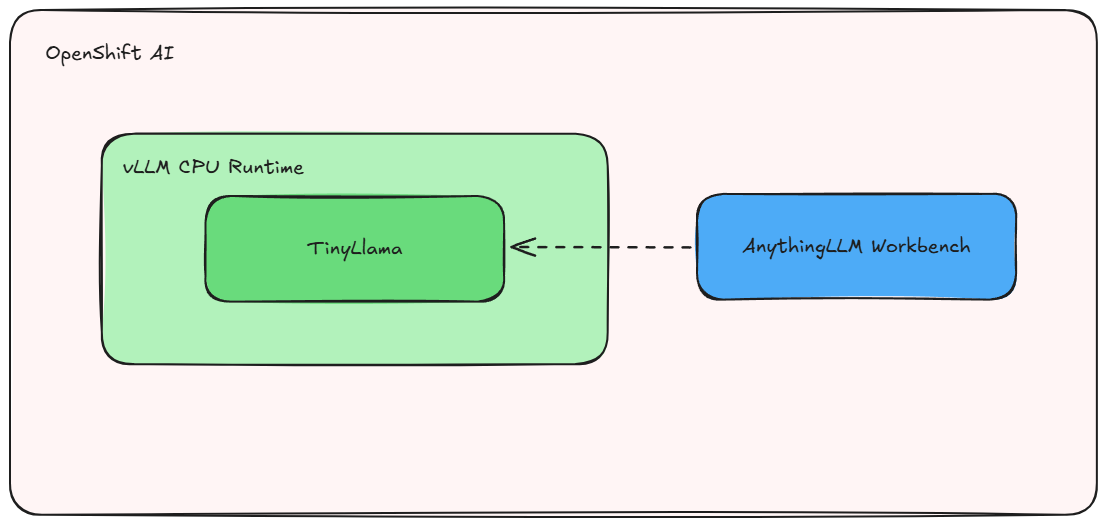
- vLLM with CPU support running an instance of TinyLlama.
- AnythingLLM, a versatile chat interface, running as a workbench and connected to the vLLM.
Use this project to quickly spin up a minimal vLLM instance and start serving models like TinyLlama on CPU—no GPU required. 🚀
Architecture diagrams
Requirements
Minimum hardware requirements
- No GPU needed! 🤖
- 2 cores
- 4 Gi
- Storage: 5Gi
Recommended hardware requirements
- No GPU needed! 🤖
- 8 cores
- 8 Gi
- Storage: 5Gi
Note: This version is compiled for Intel CPU's (preferably with AWX512 enabled to be able to run compressed models as well, but optional).
Here's an example machine from AWS that works well: https://instances.vantage.sh/aws/ec2/m6i.4xlarge
Minimum software requirements
- Red Hat OpenShift 4.16.24 or later
- Red Hat OpenShift AI 2.16.2 or later
- Dependencies for Single-model server:
- Red Hat OpenShift Service Mesh
- Red Hat OpenShift Serverless
Required user permissions
- Standard user. No elevated cluster permissions required.
Deploy
Follow the below steps to deploy and test the HR assistant.
Clone
git clone https://github.com/rh-ai-quickstart/llm-cpu-serving.git && \
    cd llm-cpu-serving/
Create the project
PROJECT="hr-assistant"

oc new-project ${PROJECT}
Install with Helm
helm install ${PROJECT} helm/ --namespace ${PROJECT}
Wait for pods
oc -n ${PROJECT} get pods -w
(Output)
NAME                                         READY   STATUS    RESTARTS   AGE
anythingllm-0                                 3/3     Running     0          76s
anythingllm-seed-lchf6                        0/1     Completed   0          76s
tinyllama-1b-cpu-predictor-544bdf75f9-x9fwh   2/2     Running     0          75s
Test
You can get the OpenShift AI Dashboard URL by:
oc get routes rhods-dashboard -n redhat-ods-applications
Once inside the dashboard, navigate to Data Science Projects -> tinyllama-cpu-demo (or what you called your ${PROJECT} if you changed from default).
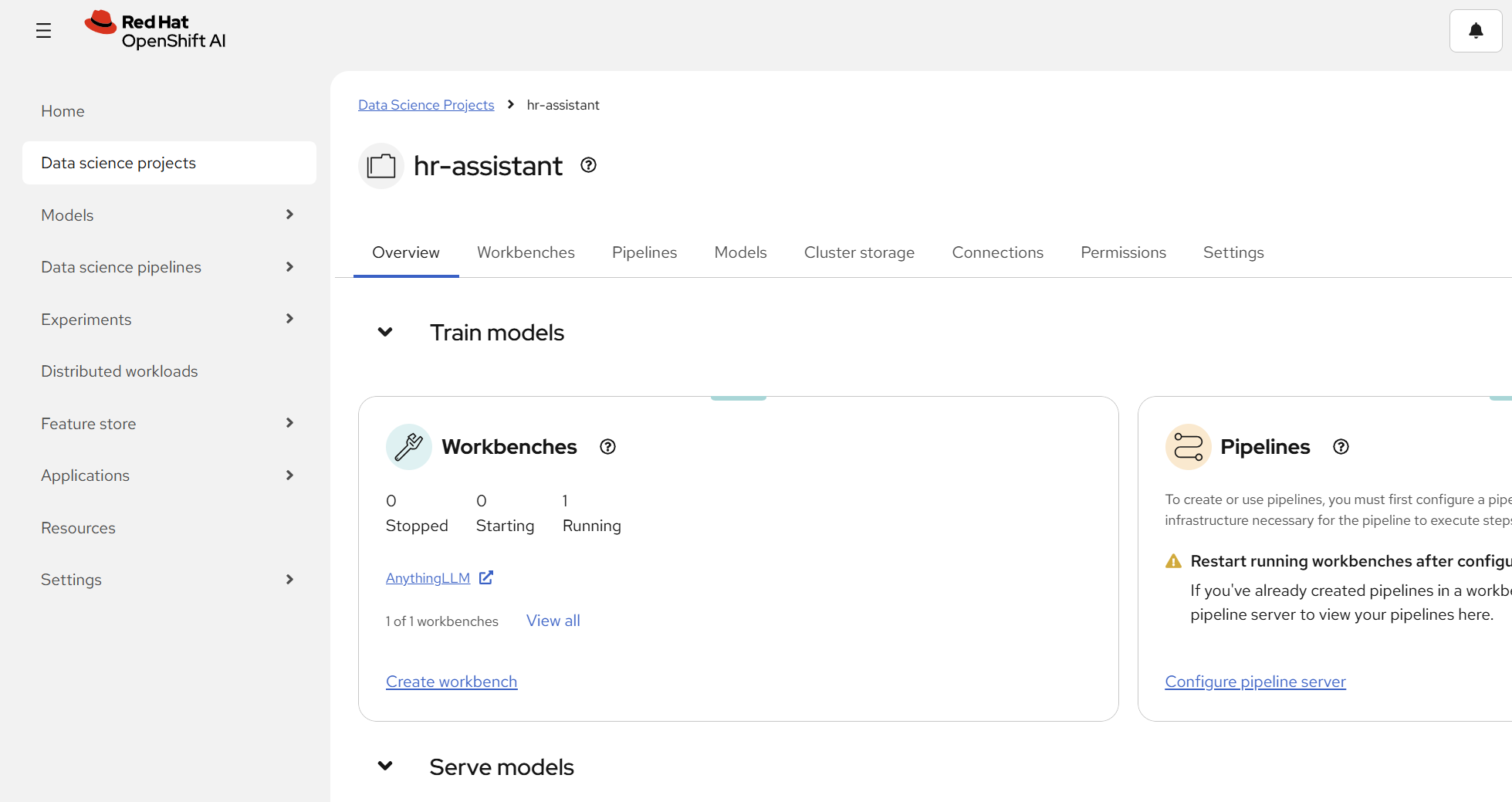
Inside the project you can see Workbenches, open up the one for AnythingLLM.
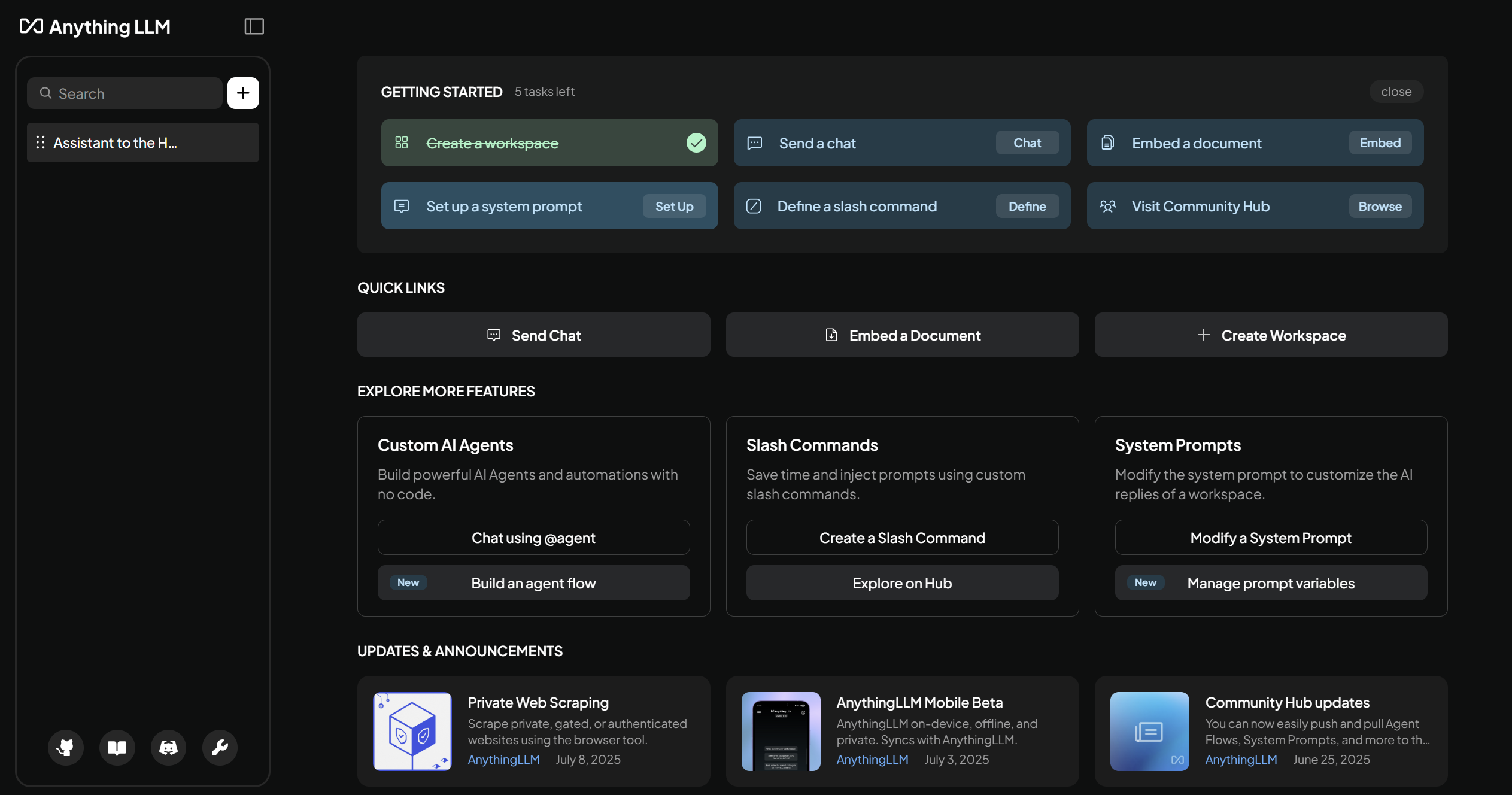
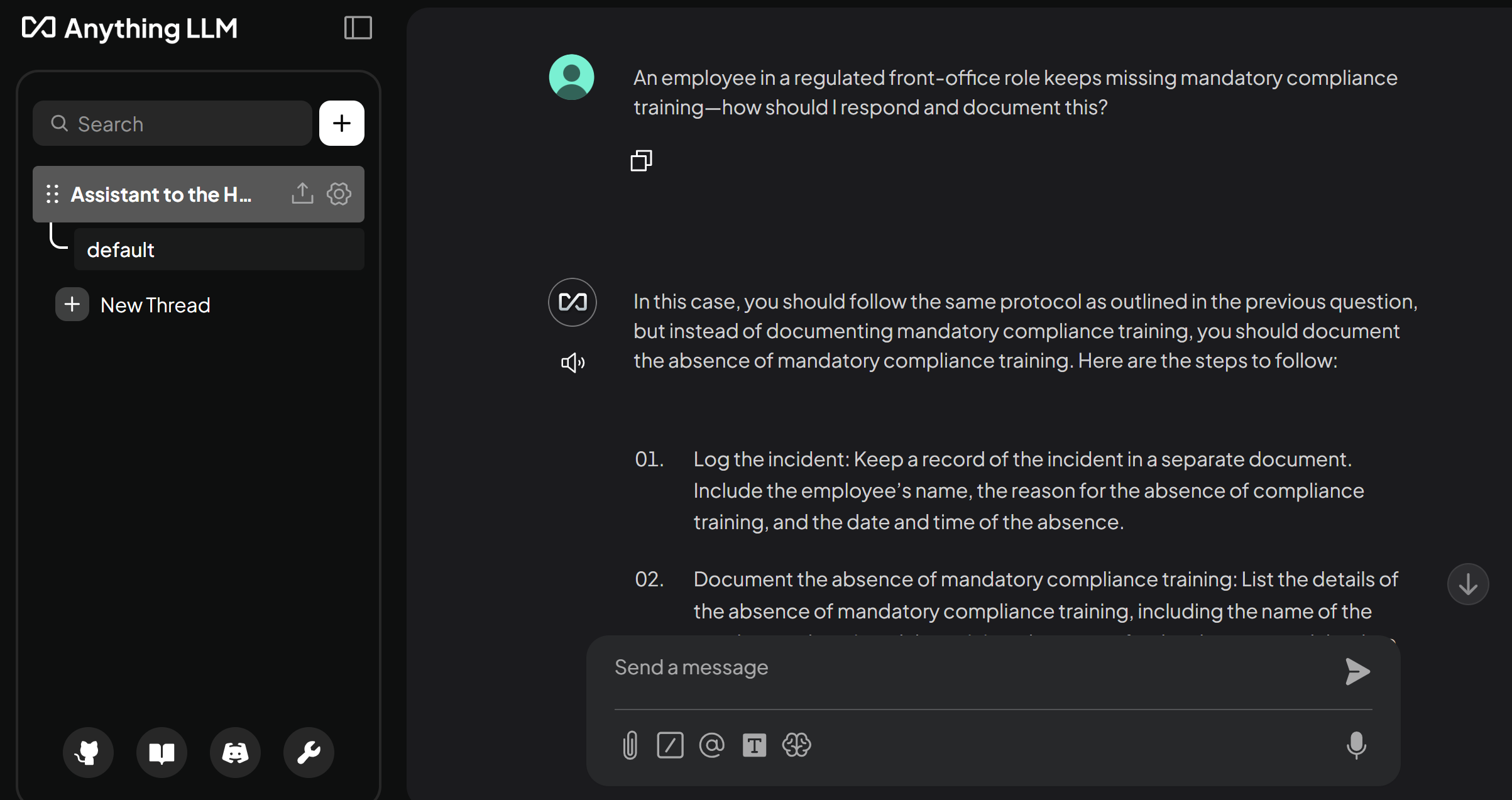
Finally, click on the Assistant to the HR Representative Workspace that's pre-created for you and you can start chatting with your Assistant to the HR Representative! :)
Try for example asking it:
Hi, one of our employees is going to get a raise, what do I need to keep in mind for this?
It will provide you a reply and some citations related to the question.
Delete
helm uninstall ${PROJECT} --namespace ${PROJECT}
References
- The runtime is built from vLLM CPU
- Runtime image is pushed to quay.io/repository/rh-aiservices-bu/vllm-cpu-openai-ubi9
- Code for Runtime image and deployment can be found on github.com/rh-aiservices-bu/llm-on-openshift

'%20d='M201.5%20305.5c-13.8%200-24.9-11.1-24.9-24.6%200-13.8%2011.1-24.9%2024.9-24.9%2013.6%200%2024.6%2011.1%2024.6%2024.9%200%2013.6-11.1%2024.6-24.6%2024.6zM504%20256c0%20137-111%20248-248%20248S8%20393%208%20256%20119%208%20256%208s248%20111%20248%20248zm-132.3-41.2c-9.4%200-17.7%203.9-23.8%2010-22.4-15.5-52.6-25.5-86.1-26.6l17.4-78.3%2055.4%2012.5c0%2013.6%2011.1%2024.6%2024.6%2024.6%2013.8%200%2024.9-11.3%2024.9-24.9s-11.1-24.9-24.9-24.9c-9.7%200-18%205.8-22.1%2013.8l-61.2-13.6c-3-.8-6.1%201.4-6.9%204.4l-19.1%2086.4c-33.2%201.4-63.1%2011.3-85.5%2026.8-6.1-6.4-14.7-10.2-24.1-10.2-34.9%200-46.3%2046.9-14.4%2062.8-1.1%205-1.7%2010.2-1.7%2015.5%200%2052.6%2059.2%2095.2%20132%2095.2%2073.1%200%20132.3-42.6%20132.3-95.2%200-5.3-.6-10.8-1.9-15.8%2031.3-16%2019.8-62.5-14.9-62.5zM302.8%20331c-18.2%2018.2-76.1%2017.9-93.6%200-2.2-2.2-6.1-2.2-8.3%200-2.5%202.5-2.5%206.4%200%208.6%2022.8%2022.8%2087.3%2022.8%20110.2%200%202.5-2.2%202.5-6.1%200-8.6-2.2-2.2-6.1-2.2-8.3%200zm7.7-75c-13.6%200-24.6%2011.1-24.6%2024.9%200%2013.6%2011.1%2024.6%2024.6%2024.6%2013.8%200%2024.9-11.1%2024.9-24.6%200-13.8-11-24.9-24.9-24.9z'/%3e%3c/svg%3e)