このコンテンツは選択した言語では利用できません。
Chapter 3. Changing the default language
You can set your default language during the installation process of Red Hat Enterprise Linux 5 which also specifies your locale settings. To change the default language you do not need to restart or reinstall Red Hat Enterprise Linux 5. You can do this as root by running the language selection application. This can be accessed from the system menu by clicking => => or typing
system-config-language from a terminal. This displays a list of supported languages from which you can select your preference. Clicking on the OK button sets the selected language as default. The figure below illustrates the language selection application.
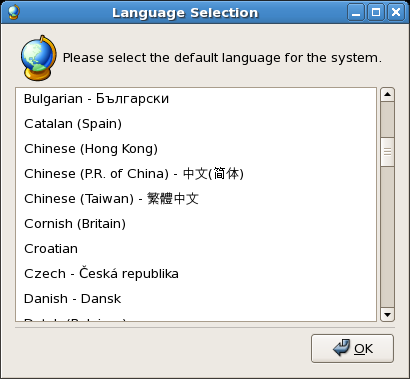
Figure 3.1. Language selection
On selecting your default language, it is recommended to logout of your system in order to reload the language settings including the user interface, characters, input tables and methods.
You can also change the language used on your desktop from the GDM language menu before logging in to your desktop.

