Este conteúdo não está disponível no idioma selecionado.
Appendix A. Using virsh to mount a CD-ROM image on an inactive domain
This appendix describes a process which allows users to mount CD-ROM images on inactive domains.
Procedure A.1. Mounting CD-ROM images with virsh on inactive domains
- Create an XML configuration file for your guest, replacing guestname with your guest domains name and windowsguest.xml:
# virsh dumpxml guestname windowsguest.xml - Add the following entry under the devices tag in the XML configuration file (
windowsguest.xmlin this example). You must change thesource file=parameter to the location of the drivers .iso file and adjust thedev=parameter if you already have ahdbentry.<disk type='file' device='cdrom'> <driver name='file'/> <source file='/usr/share/xenpv-win-32bit/xenpv-win-32bit.iso'/> <target dev='hdb'/> <readonly/> </disk> - Recreate the guest with the updated configuration file
# virsh define windowsguest.xml - The guest now has a CD-ROM device containing the para-virtualized drivers once rebooted.
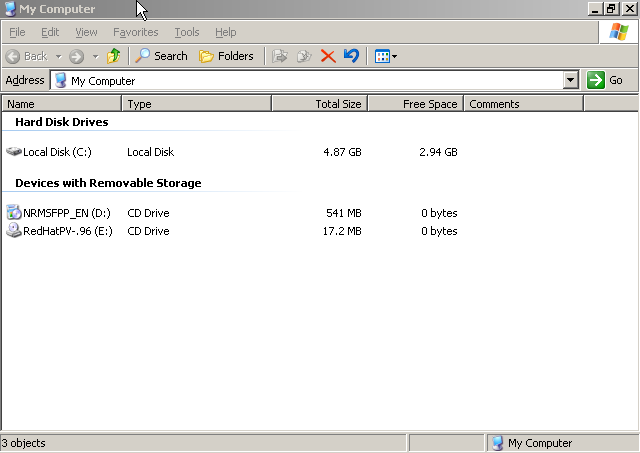
- Once the Windows guest has booted, open and you should see the Red Hat Para-virtualized drivers disk. Click on the disk to continue the installation.