 Red Hat Summit
Getting started with Red Hat OpenShift Service on AWS (ROSA)
Learn how to get started on Red Hat® OpenShift® Service on AWS, including how to use AWS Security Token Service (STS) to deploy a cluster. Once you’ve finished, proceed to part two and learn how to deploy an application on your new cluster.
You can also watch this interactive demonstration on how to install ROSA, from creating an account to deploying applications.
This learning path is for operations teams or system administrators
Developers may want to check out developers.redhat.com.
Contacting support for Red Hat OpenShift Service on AWS
Finding the right help when you need it is important. In this resource, we will review ways you can get assistance for issues that arise when creating and managing a cluster.
What will you learn?
- How to find additional support resources
What do you need before starting?
- Nothing! Please use this section for reference.
Adding support contacts
You can add additional email addresses to be contacted for any communication about your cluster by going to the OpenShift Cluster Manager (OCM) user interface (UI) > select cluster > Support tab > Add notification contact.
Contacting Red Hat for support
NOTE: This can also be achieved by using the OCM UI and clicking on the Support tab and then “Open support case.”
- Go to https://support.redhat.com.
Click on “Open a new Case” on the left box. When prompted to specify a product, select “Red Hat OpenShift Service on AWS.”
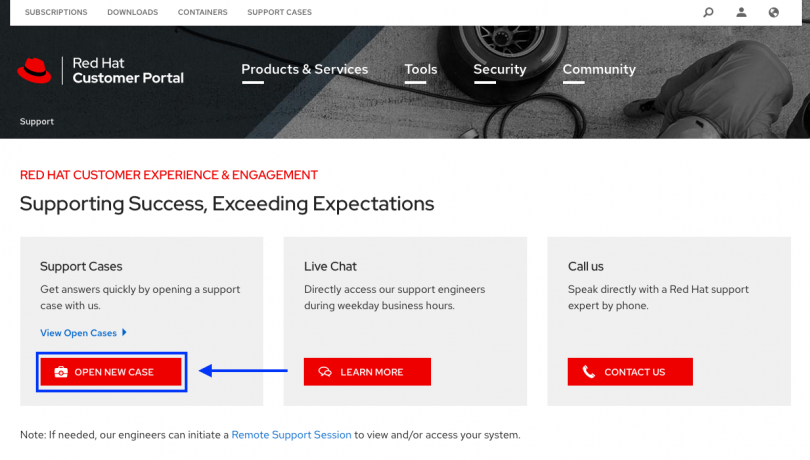
For more specifics on submitting a case, see the documentation.
| Have more complex Red Hat OpenShift on AWS questions? Join our Slack channel here. |
Other resources
- ROSA Product Pages:
- ROSA Documentation (only ROSA specific)
- ROSA Roadmap
- OpenShift Container Platform Documentation (for all other OpenShift related information)
- Red Hat Support
- OpenShift Cluster Manager
- Learn about OpenShift
- OpenShift blog

'%20d='M201.5%20305.5c-13.8%200-24.9-11.1-24.9-24.6%200-13.8%2011.1-24.9%2024.9-24.9%2013.6%200%2024.6%2011.1%2024.6%2024.9%200%2013.6-11.1%2024.6-24.6%2024.6zM504%20256c0%20137-111%20248-248%20248S8%20393%208%20256%20119%208%20256%208s248%20111%20248%20248zm-132.3-41.2c-9.4%200-17.7%203.9-23.8%2010-22.4-15.5-52.6-25.5-86.1-26.6l17.4-78.3%2055.4%2012.5c0%2013.6%2011.1%2024.6%2024.6%2024.6%2013.8%200%2024.9-11.3%2024.9-24.9s-11.1-24.9-24.9-24.9c-9.7%200-18%205.8-22.1%2013.8l-61.2-13.6c-3-.8-6.1%201.4-6.9%204.4l-19.1%2086.4c-33.2%201.4-63.1%2011.3-85.5%2026.8-6.1-6.4-14.7-10.2-24.1-10.2-34.9%200-46.3%2046.9-14.4%2062.8-1.1%205-1.7%2010.2-1.7%2015.5%200%2052.6%2059.2%2095.2%20132%2095.2%2073.1%200%20132.3-42.6%20132.3-95.2%200-5.3-.6-10.8-1.9-15.8%2031.3-16%2019.8-62.5-14.9-62.5zM302.8%20331c-18.2%2018.2-76.1%2017.9-93.6%200-2.2-2.2-6.1-2.2-8.3%200-2.5%202.5-2.5%206.4%200%208.6%2022.8%2022.8%2087.3%2022.8%20110.2%200%202.5-2.2%202.5-6.1%200-8.6-2.2-2.2-6.1-2.2-8.3%200zm7.7-75c-13.6%200-24.6%2011.1-24.6%2024.9%200%2013.6%2011.1%2024.6%2024.6%2024.6%2013.8%200%2024.9-11.1%2024.9-24.6%200-13.8-11-24.9-24.9-24.9z'/%3e%3c/svg%3e)