Chapter 2. Installing Automation content navigator on RHEL
As a content creator, you can install Automation content navigator on Red Hat Enterprise Linux (RHEL) 8 or later.
2.1. Installing Automation content navigator on RHEL from an RPM
You can install Automation content navigator on Red Hat Enterprise Linux (RHEL) from an RPM.
Prerequisites
- You have installed RHEL 8 or later.
- You registered your system with Red Hat Subscription Manager.
Note
Ensure that you only install the navigator matching your current Red Hat Ansible Automation Platform environment.
Procedure
Attach the Red Hat Ansible Automation Platform SKU:
$ subscription-manager attach --pool=<sku-pool-id>
Install Automation content navigator with the following command:
# dnf install --enablerepo=ansible-automation-platform-2.3-for-rhel-8-x86_64-rpms ansible-navigator
Verification
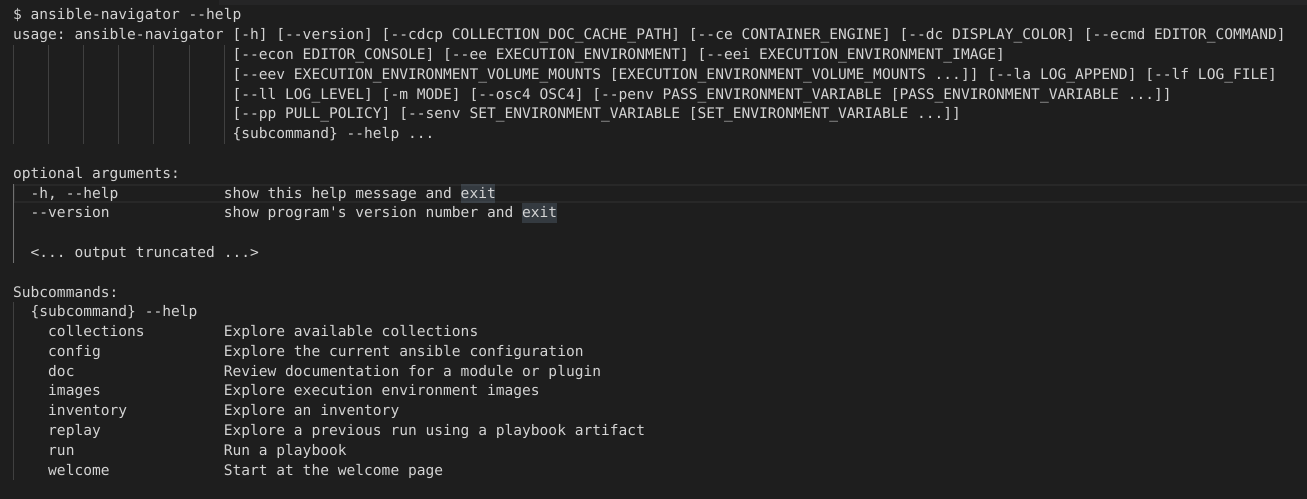
Verify your Automation content navigator installation:
$ ansible-navigator --help
The following example demonstrates a successful installation: