 Red Hat Summit
Implementing Enterprise Integration Patterns
Using Apache Camel's to connect applications
Copyright © 2013 Red Hat, Inc. and/or its affiliates.
Abstract
Chapter 1. Building Blocks for Route Definitions
Abstract
1.1. Implementing a RouteBuilder Class
Overview
RouteBuilder class and override its configure() method (where you define your routing rules).
RouteBuilder classes as necessary. Each class is instantiated once and is registered with the CamelContext object. Normally, the lifecycle of each RouteBuilder object is managed automatically by the container in which you deploy the router.
RouteBuilder classes
RouteBuilder classes. There are two alternative RouteBuilder classes that you can inherit from:
org.apache.camel.builder.RouteBuilder—this is the genericRouteBuilderbase class that is suitable for deploying into any container type. It is provided in thecamel-coreartifact.org.apache.camel.spring.SpringRouteBuilder—this base class is specially adapted to the Spring container. In particular, it provides extra support for the following Spring specific features: looking up beans in the Spring registry (using thebeanRef()Java DSL command) and transactions (see the Transactions Guide for details). It is provided in thecamel-springartifact.
RouteBuilder class defines methods used to initiate your routing rules (for example, from(), intercept(), and exception()).
Implementing a RouteBuilder
RouteBuilder implementation. The configure() method body contains a routing rule; each rule is a single Java statement.
Example 1.1. Implementation of a RouteBuilder Class
from(URL1).to(URL2) instructs the router to read files from the directory src/data and send them to the directory target/messages. The option ?noop=true instructs the router to retain (not delete) the source files in the src/data directory.
1.2. Basic Java DSL Syntax
What is a DSL?
command01; command02; command03;
command01;
command02;
command03;command01().command02().command03()
command01().command02().command03()command01().startBlock().command02().command03().endBlock()
command01().startBlock().command02().command03().endBlock()Router rule syntax
RouteBuilder.configure() implementation. Figure 1.1, “Local Routing Rules” shows an overview of the basic syntax for defining local routing rules.
Figure 1.1. Local Routing Rules
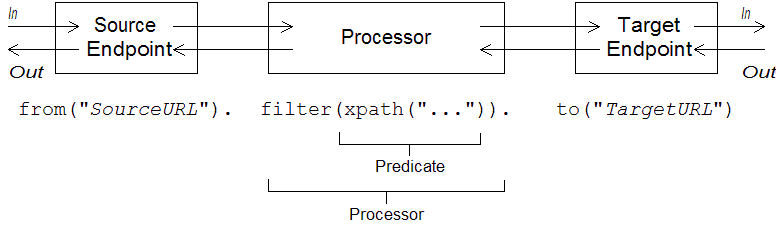
from("EndpointURL") method, which specifies the source of messages (consumer endpoint) for the routing rule. You can then add an arbitrarily long chain of processors to the rule (for example, filter()). You typically finish off the rule with a to("EndpointURL") method, which specifies the target (producer endpoint) for the messages that pass through the rule. However, it is not always necessary to end a rule with to(). There are alternative ways of specifying the message target in a rule.
intercept(), exception(), or errorHandler()). Global rules are outside the scope of this guide.
Consumers and producers
from("EndpointURL"), and typically (but not always) ends by defining a producer endpoint, using to("EndpointURL"). The endpoint URLs, EndpointURL, can use any of the components configured at deploy time. For example, you could use a file endpoint, file:MyMessageDirectory, an Apache CXF endpoint, cxf:MyServiceName, or an Apache ActiveMQ endpoint, activemq:queue:MyQName. For a complete list of component types, see "EIP Component Reference".
Exchanges
- In message—is the current message encapsulated by the exchange. As the exchange progresses through a route, this message may be modified. So the In message at the start of a route is typically not the same as the In message at the end of the route. The
org.apache.camel.Messagetype provides a generic model of a message, with the following parts:- Body.
- Headers.
- Attachments.
It is important to realize that this is a generic model of a message. Apache Camel supports a large variety of protocols and endpoint types. Hence, it is not possible to standardize the format of the message body or the message headers. For example, the body of a JMS message would have a completely different format to the body of a HTTP message or a Web services message. For this reason, the body and the headers are declared to be ofObjecttype. The original content of the body and the headers is then determined by the endpoint that created the exchange instance (that is, the endpoint appearing in thefrom()command). - Out message—is a temporary holding area for a reply message or for a transformed message. Certain processing nodes (in particular, the
to()command) can modify the current message by treating the In message as a request, sending it to a producer endpoint, and then receiving a reply from that endpoint. The reply message is then inserted into the Out message slot in the exchange.Normally, if an Out message has been set by the current node, Apache Camel modifies the exchange as follows before passing it to the next node in the route: the old In message is discarded and the Out message is moved to the In message slot. Thus, the reply becomes the new current message. For a more detailed discussion of how Apache Camel connects nodes together in a route, see Section 2.1, “Pipeline Processing”.There is one special case where an Out message is treated differently, however. If the consumer endpoint at the start of a route is expecting a reply message, the Out message at the very end of the route is taken to be the consumer endpoint's reply message (and, what is more, in this case the final node must create an Out message or the consumer endpoint would hang) . - Message exchange pattern (MEP)—affects the interaction between the exchange and endpoints in the route, as follows:
- Consumer endpoint—the consumer endpoint that creates the original exchange sets the initial value of the MEP. The initial value indicates whether the consumer endpoint expects to receive a reply (for example, the InOut MEP) or not (for example, the InOnly MEP).
- Producer endpoints—the MEP affects the producer endpoints that the exchange encounters along the route (for example, when an exchange passes through a
to()node). For example, if the current MEP is InOnly, ato()node would not expect to receive a reply from the endpoint. Sometimes you need to change the current MEP in order to customize the exchange's interaction with a producer endpoint. For more details, see Section 1.4, “Endpoints”.
- Exchange properties—a list of named properties containing metadata for the current message.
Message exchange patterns
Exchange object makes it easy to generalize message processing to different message exchange patterns. For example, an asynchronous protocol might define an MEP that consists of a single message that flows from the consumer endpoint to the producer endpoint (an InOnly MEP). An RPC protocol, on the other hand, might define an MEP that consists of a request message and a reply message (an InOut MEP). Currently, Apache Camel supports the following MEPs:
InOnlyRobustInOnlyInOutInOptionalOutOutOnlyRobustOutOnlyOutInOutOptionalIn
org.apache.camel.ExchangePattern.
Grouped exchanges
java.util.List of Exchange objects stored in the Exchange.GROUPED_EXCHANGE exchange property. For an example of how to use grouped exchanges, see Section 7.5, “Aggregator”.
Processors
filter() processor that takes an xpath() predicate as its argument.
Expressions and predicates
foo header is equal to the value bar:
from("seda:a").filter(header("foo").isEqualTo("bar")).to("seda:b");
from("seda:a").filter(header("foo").isEqualTo("bar")).to("seda:b");header("foo").isEqualTo("bar"). To construct more sophisticated predicates and expressions, based on the message content, you can use one of the expression and predicate languages (see Expression and Predicate Languages).
1.3. Router Schema in a Spring XML File
Namespace
http://camel.apache.org/schema/spring
http://camel.apache.org/schema/springSpecifying the schema location
http://camel.apache.org/schema/spring/camel-spring.xsd, which references the latest version of the schema on the Apache Web site. For example, the root beans element of an Apache Camel Spring file is normally configured as shown in Example 1.2, “ Specifying the Router Schema Location”.
Example 1.2. Specifying the Router Schema Location
Runtime schema location
camel-spring JAR file. This ensures that the version of the schema used to parse the Spring file always matches the current runtime version. This is important, because the latest version of the schema posted up on the Apache Web site might not match the version of the runtime you are currently using.
Using an XML editor
xsi:schemaLocation attribute. In order to be sure you are using the correct schema version whilst editing, it is usually a good idea to select a specific version of the camel-spring.xsd file. For example, to edit a Spring file for the 2.3 version of Apache Camel, you could modify the beans element as follows:
camel-spring.xsd, when you are finished editing. To see which schema versions are currently available for download, navigate to the Web page, http://camel.apache.org/schema/spring.
1.4. Endpoints
Overview
Endpoint URIs
scheme:contextPath[?queryOptions]
scheme:contextPath[?queryOptions]http, and the contextPath provides URI details that are interpreted by the protocol. In addition, most schemes allow you to define query options, queryOptions, which are specified in the following format:
?option01=value01&option02=value02&...
?option01=value01&option02=value02&...http://www.google.com
http://www.google.comC:\temp\src\data directory:
file://C:/temp/src/data
file://C:/temp/src/datatimer://tickTock?period=1000
timer://tickTock?period=1000Apache Camel components
camel-core artifact), so they are always available:
- Bean
- Browse
- Dataset
- Direct
- File
- Log
- Mock
- Properties
- Ref
- SEDA
- Timer
- VM
Consumer endpoints
from() DSL command). In other words, the consumer endpoint is responsible for initiating processing in a route: it creates a new exchange instance (typically, based on some message that it has received or obtained), and provides a thread to process the exchange in the rest of the route.
payments queue and processes them in the route:
from("jms:queue:payments")
.process(SomeProcessor)
.to("TargetURI");
from("jms:queue:payments")
.process(SomeProcessor)
.to("TargetURI");from("quartz://secondTimer?trigger.repeatInterval=1000")
.process(SomeProcessor)
.to("TargetURI");
from("quartz://secondTimer?trigger.repeatInterval=1000")
.process(SomeProcessor)
.to("TargetURI");fromF() Java DSL command. For example, to substitute the username and password into the URI for an FTP endpoint, you could write the route in Java, as follows:
fromF("ftp:%s@fusesource.com?password=%s", username, password)
.process(SomeProcessor)
.to("TargetURI");
fromF("ftp:%s@fusesource.com?password=%s", username, password)
.process(SomeProcessor)
.to("TargetURI");%s is replaced by the value of the username string and the second occurrence of %s is replaced by the password string. This string formatting mechanism is implemented by String.format() and is similar to the formatting provided by the C printf() function. For details, see java.util.Formatter.
Producer endpoints
to() DSL command). In other words, the producer endpoint receives an existing exchange object and sends the contents of the exchange to the specified endpoint.
from("SourceURI")
.process(SomeProcessor)
.to("jms:queue:orderForms");
from("SourceURI")
.process(SomeProcessor)
.to("jms:queue:orderForms");from("SourceURI")
.process(SomeProcessor)
.to("http://www.google.com/search?hl=en&q=camel+router");
from("SourceURI")
.process(SomeProcessor)
.to("http://www.google.com/search?hl=en&q=camel+router");toF() Java DSL command. For example, to substitute a custom Google query into the HTTP URI, you could write the route in Java, as follows:
from("SourceURI")
.process(SomeProcessor)
.toF("http://www.google.com/search?hl=en&q=%s", myGoogleQuery);
from("SourceURI")
.process(SomeProcessor)
.toF("http://www.google.com/search?hl=en&q=%s", myGoogleQuery);%s is replaced by your custom query string, myGoogleQuery. For details, see java.util.Formatter.
Specifying time periods in a URI
[NHour(h|hour)][NMin(m|minute)][NSec(s|second)]
[NHour(h|hour)][NMin(m|minute)][NSec(s|second)][], is optional and the notation, (A|B), indicates that A and B are alternatives.
timer endpoint with a 45 minute period as follows:
from("timer:foo?period=45m")
.to("log:foo");
from("timer:foo?period=45m")
.to("log:foo");1.5. Processors
Overview
| Java DSL | XML DSL | Description |
|---|---|---|
aggregate() | aggregate |
Aggregator EIP: Creates an aggregator, which combines multiple incoming exchanges into a single exchange.
|
aop() | aop |
Use Aspect Oriented Programming (AOP) to do work before and after a specified sub-route. See Section 2.5, “Aspect Oriented Programming”.
|
bean(), beanRef() | bean |
Process the current exchange by invoking a method on a Java object (or bean). See Section 2.4, “Bean Integration”.
|
choice() | choice |
Content Based Router EIP: Selects a particular sub-route based on the exchange content, using
when and otherwise clauses.
|
convertBodyTo() | convertBodyTo |
Converts the In message body to the specified type.
|
delay() | delay |
Delayer EIP: Delays the propagation of the exchange to the latter part of the route.
|
doTry() | doTry |
Creates a try/catch block for handling exceptions, using
doCatch, doFinally, and end clauses.
|
end() | N/A | Ends the current command block. |
enrich(),enrichRef() | enrich |
Content Enricher EIP: Combines the current exchange with data requested from a specified producer endpoint URI.
|
filter() | filter |
Message Filter EIP: Uses a predicate expression to filter incoming exchanges.
|
idempotentConsumer() | idempotentConsumer |
Idempotent Consumer EIP: Implements a strategy to suppress duplicate messages.
|
inheritErrorHandler() | @inheritErrorHandler | Boolean option that can be used to disable the inherited error handler on a particular route node (defined as a sub-clause in the Java DSL and as an attribute in the XML DSL). |
inOnly() | inOnly |
Either sets the current exchange's MEP to InOnly (if no arguments) or sends the exchange as an InOnly to the specified endpoint(s).
|
inOut() | inOut |
Either sets the current exchange's MEP to InOut (if no arguments) or sends the exchange as an InOut to the specified endpoint(s).
|
loadBalance() | loadBalance |
Load Balancer EIP: Implements load balancing over a collection of endpoints.
|
log() | log | Logs a message to the console. |
loop() | loop |
Loop EIP: Repeatedly resends each exchange to the latter part of the route.
|
markRollbackOnly() | @markRollbackOnly | (Transactions) Marks the current transaction for rollback only (no exception is raised). In the XML DSL, this option is set as a boolean attribute on the rollback element. See "EIP Transaction Guide". |
markRollbackOnlyLast() | @markRollbackOnlyLast | (Transactions) If one or more transactions have previously been associated with this thread and then suspended, this command marks the latest transaction for rollback only (no exception is raised). In the XML DSL, this option is set as a boolean attribute on the rollback element. See "EIP Transaction Guide". |
marshal() | marshal |
Transforms into a low-level or binary format using the specified data format, in preparation for sending over a particular transport protocol. See the section called “Marshalling and unmarshalling”.
|
multicast() | multicast |
Multicast EIP: Multicasts the current exchange to multiple destinations, where each destination gets its own copy of the exchange.
|
onCompletion() | onCompletion |
Defines a sub-route (terminated by
end() in the Java DSL) that gets executed after the main route has completed. For conditional execution, use the onWhen sub-clause. Can also be defined on its own line (not in a route).
|
onException() | onException |
Defines a sub-route (terminated by
end() in the Java DSL) that gets executed whenever the specified exception occurs. Usually defined on its own line (not in a route).
|
pipeline() | pipeline |
Pipes and Filters EIP: Sends the exchange to a series of endpoints, where the output of one endpoint becomes the input of the next endpoint. See also Section 2.1, “Pipeline Processing”.
|
policy() | policy |
Apply a policy to the current route (currently only used for transactional policies—see "EIP Transaction Guide").
|
pollEnrich(),pollEnrichRef() | pollEnrich |
Content Enricher EIP: Combines the current exchange with data polled from a specified consumer endpoint URI.
|
process(),processRef | process |
Execute a custom processor on the current exchange. See the section called “Custom processor” and "Programming EIP Components".
|
recipientList() | recipientList |
Recipient List EIP: Sends the exchange to a list of recipients that is calculated at runtime (for example, based on the contents of a header).
|
removeHeader() | removeHeader |
Removes the specified header from the exchange's In message.
|
removeHeaders() | removeHeaders | Removes the headers matching the specified pattern from the exchange's In message. The pattern can have the form, prefix*—in which case it matches every name starting with prefix—otherwise, it is interpreted as a regular expression. |
removeProperty() | removeProperty |
Removes the specified exchange property from the exchange.
|
resequence() | resequence |
Resequencer EIP: Re-orders incoming exchanges on the basis of a specified comparotor operation. Supports a batch mode and a stream mode.
|
rollback() | rollback |
(Transactions) Marks the current transaction for rollback only (also raising an exception, by default). See "EIP Transaction Guide".
|
routingSlip() | routingSlip |
Routing Slip EIP: Routes the exchange through a pipeline that is constructed dynamically, based on the list of endpoint URIs extracted from a slip header.
|
sample() | sample | Creates a sampling throttler, allowing you to extract a sample of exchanges from the traffic on a route. |
setBody() | setBody |
Sets the message body of the exchange's In message.
|
setExchangePattern() | setExchangePattern |
Sets the current exchange's MEP to the specified value. See the section called “Message exchange patterns”.
|
setHeader() | setHeader |
Sets the specified header in the exchange's In message.
|
setOutHeader() | setOutHeader |
Sets the specified header in the exchange's Out message.
|
setProperty() | setProperty() |
Sets the specified exchange property.
|
sort() | sort |
Sorts the contents of the In message body (where a custom comparator can optionally be specified).
|
split() | split |
Splitter EIP: Splits the current exchange into a sequence of exchanges, where each split exchange contains a fragment of the original message body.
|
stop() | stop |
Stops routing the current exchange and marks it as completed.
|
threads() | threads |
Creates a thread pool for concurrent processing of the latter part of the route.
|
throttle() | throttle |
Throttler EIP: Limit the flow rate to the specified level (exchanges per second).
|
throwException() | throwException |
Throw the specified Java exception.
|
to() | to |
Send the exchange to one or more endpoints. See Section 2.1, “Pipeline Processing”.
|
toF() | N/A | Send the exchange to an endpoint, using string formatting. That is, the endpoint URI string can embed substitutions in the style of the C printf() function. |
transacted() | transacted |
Create a Spring transaction scope that encloses the latter part of the route. See "EIP Transaction Guide".
|
transform() | transform |
Message Translator EIP: Copy the In message headers to the Out message headers and set the Out message body to the specified value.
|
unmarshal() | unmarshal |
Transforms the In message body from a low-level or binary format to a high-level format, using the specified data format. See the section called “Marshalling and unmarshalling”.
|
validate() | validate | Takes a predicate expression to test whether the current message is valid. If the predicate returns false, throws a PredicateValidationException exception. |
wireTap() | wireTap |
Wire Tap EIP: Sends a copy of the current exchange to the specified wire tap URI, using the
ExchangePattern.InOnly MEP.
|
Some sample processors
Choice
choice() processor is a conditional statement that is used to route incoming messages to alternative producer endpoints. Each alternative producer endpoint is preceded by a when() method, which takes a predicate argument. If the predicate is true, the following target is selected, otherwise processing proceeds to the next when() method in the rule. For example, the following choice() processor directs incoming messages to either Target1, Target2, or Target3, depending on the values of Predicate1 and Predicate2:
from("SourceURL")
.choice()
.when(Predicate1).to("Target1")
.when(Predicate2).to("Target2")
.otherwise().to("Target3");
from("SourceURL")
.choice()
.when(Predicate1).to("Target1")
.when(Predicate2).to("Target2")
.otherwise().to("Target3");endChoice() command. Some of the standard Apache Camel processors enable you to specify extra parameters using special sub-clauses, effectively opening an extra level of nesting which is usually terminated by the end() command. For example, you could specify a load balancer clause as loadBalance().roundRobin().to("mock:foo").to("mock:bar").end(), which load balances messages between the mock:foo and mock:bar endpoints. If the load balancer clause is embedded in a choice condition, however, it is necessary to terminate the clause using the endChoice() command, as follows:
Filter
filter() processor can be used to prevent uninteresting messages from reaching the producer endpoint. It takes a single predicate argument: if the predicate is true, the message exchange is allowed through to the producer; if the predicate is false, the message exchange is blocked. For example, the following filter blocks a message exchange, unless the incoming message contains a header, foo, with value equal to bar:
from("SourceURL").filter(header("foo").isEqualTo("bar")).to("TargetURL");
from("SourceURL").filter(header("foo").isEqualTo("bar")).to("TargetURL");Throttler
throttle() processor ensures that a producer endpoint does not get overloaded. The throttler works by limiting the number of messages that can pass through per second. If the incoming messages exceed the specified rate, the throttler accumulates excess messages in a buffer and transmits them more slowly to the producer endpoint. For example, to limit the rate of throughput to 100 messages per second, you can define the following rule:
from("SourceURL").throttle(100).to("TargetURL");
from("SourceURL").throttle(100).to("TargetURL");Custom processor
org.apache.camel.Processor interface and overrides the process() method. The following custom processor, MyProcessor, removes the header named foo from incoming messages:
Example 1.3. Implementing a Custom Processor Class
process() method, which provides a generic mechanism for inserting processors into rules. For example, the following rule invokes the processor defined in Example 1.3, “Implementing a Custom Processor Class”:
org.apache.camel.Processor myProc = new MyProcessor();
from("SourceURL").process(myProc).to("TargetURL");
org.apache.camel.Processor myProc = new MyProcessor();
from("SourceURL").process(myProc).to("TargetURL");Chapter 2. Basic Principles of Route Building
Abstract
2.1. Pipeline Processing
Overview
ls | more is an example of a command that pipes a directory listing, ls, to the page-scrolling utility, more. The basic idea of a pipeline is that the output of one command is fed into the input of the next. The natural analogy in the case of a route is for the Out message from one processor to be copied to the In message of the next processor.
Processor nodes
org.apache.camel.Processor interface. In other words, processors make up the basic building blocks of a DSL route. For example, DSL commands such as filter(), delayer(), setBody(), setHeader(), and to() all represent processors. When considering how processors connect together to build up a route, it is important to distinguish two different processing approaches.
null in this case.
Figure 2.1. Processor Modifying an In Message
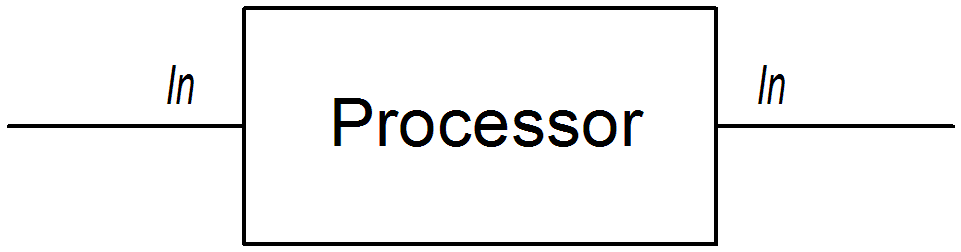
setHeader() command that modifies the current In message by adding (or modifying) the BillingSystem heading:
from("activemq:orderQueue")
.setHeader("BillingSystem", xpath("/order/billingSystem"))
.to("activemq:billingQueue");
from("activemq:orderQueue")
.setHeader("BillingSystem", xpath("/order/billingSystem"))
.to("activemq:billingQueue");Figure 2.2. Processor Creating an Out Message
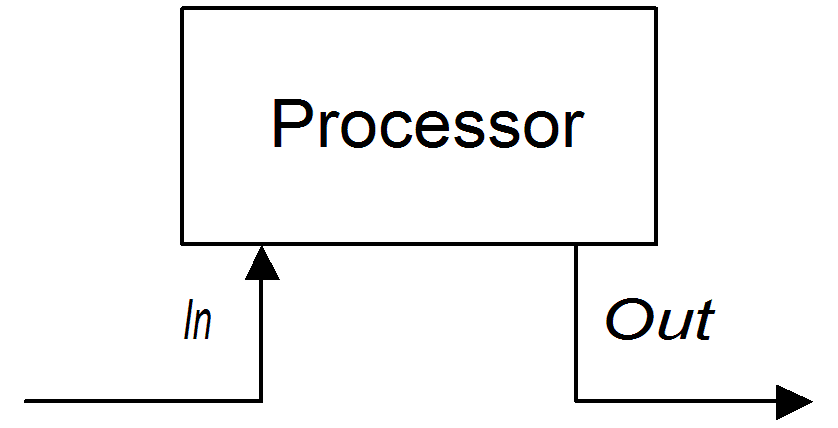
transform() command that creates an Out message with a message body containing the string, DummyBody:
from("activemq:orderQueue")
.transform(constant("DummyBody"))
.to("activemq:billingQueue");
from("activemq:orderQueue")
.transform(constant("DummyBody"))
.to("activemq:billingQueue");constant("DummyBody") represents a constant expression. You cannot pass the string, DummyBody, directly, because the argument to transform() must be an expression type.
Pipeline for InOnly exchanges
Figure 2.3. Sample Pipeline for InOnly Exchanges

userdataQueue queue, pipes the message through a Velocity template (to produce a customer address in text format), and then sends the resulting text address to the queue, envelopeAddressQueue:
from("activemq:userdataQueue")
.to(ExchangePattern.InOut, "velocity:file:AdressTemplate.vm")
.to("activemq:envelopeAddresses");
from("activemq:userdataQueue")
.to(ExchangePattern.InOut, "velocity:file:AdressTemplate.vm")
.to("activemq:envelopeAddresses");velocity:file:AdressTemplate.vm, specifies the location of a Velocity template file, file:AdressTemplate.vm, in the file system. The to() command changes the exchange pattern to InOut before sending the exchange to the Velocity endpoint and then changes it back to InOnly afterwards. For more details of the Velocity endpoint, see chapter "Velocity" in "EIP Component Reference".
Pipeline for InOut exchanges
Figure 2.4. Sample Pipeline for InOut Exchanges
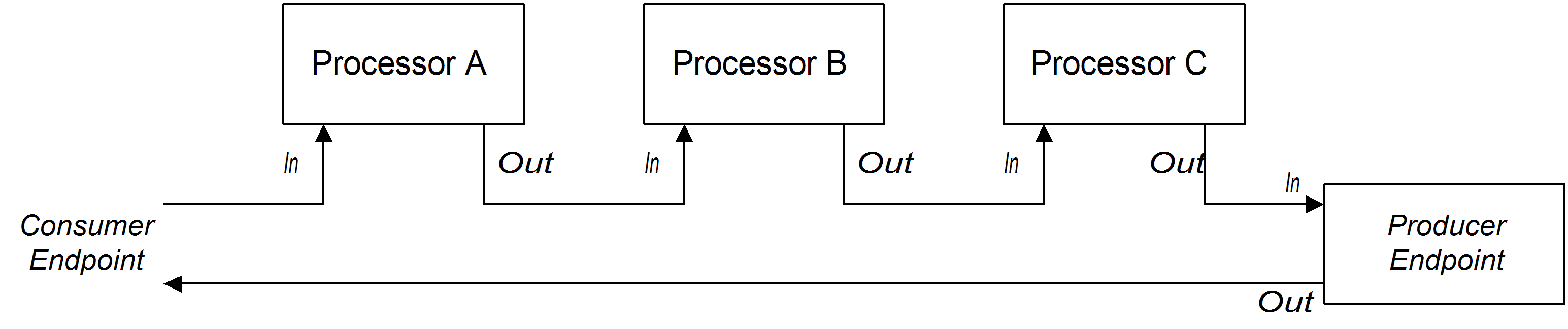
from("jetty:http://localhost:8080/foo")
.to("cxf:bean:addAccountDetails")
.to("cxf:bean:getCreditRating")
.to("cxf:bean:processTransaction");
from("jetty:http://localhost:8080/foo")
.to("cxf:bean:addAccountDetails")
.to("cxf:bean:getCreditRating")
.to("cxf:bean:processTransaction");cxf:bean:addAccountDetails, cxf:bean:getCreditRating, and cxf:bean:processTransaction. The final Web service, processTransaction, generates a response (Out message) that is sent back through the JETTY endpoint.
from("jetty:http://localhost:8080/foo")
.pipeline("cxf:bean:addAccountDetails", "cxf:bean:getCreditRating", "cxf:bean:processTransaction");
from("jetty:http://localhost:8080/foo")
.pipeline("cxf:bean:addAccountDetails", "cxf:bean:getCreditRating", "cxf:bean:processTransaction");Pipeline for InOptionalOut exchanges
null Out message is copied to the In message of the next node in the pipeline. By contrast, in the case of an InOut exchange, a null Out message is discarded and the original In message from the current node would be copied to the In message of the next node instead.
2.2. Multiple Inputs
Overview
from(EndpointURL) syntax in the Java DSL. But what if you need to define multiple inputs for your route? Apache Camel provides several alternatives for specifying multiple inputs to a route. The approach to take depends on whether you want the exchanges to be processed independently of each other or whether you want the exchanges from different inputes to be combined in some way (in which case, you should use the the section called “Content enricher pattern”).
Multiple independent inputs
from() DSL command, for example:
from("URI1", "URI2", "URI3").to("DestinationUri");
from("URI1", "URI2", "URI3").to("DestinationUri");from("URI1").from("URI2").from("URI3").to("DestinationUri");
from("URI1").from("URI2").from("URI3").to("DestinationUri");from("URI1").to("DestinationUri");
from("URI2").to("DestinationUri");
from("URI3").to("DestinationUri");
from("URI1").to("DestinationUri");
from("URI2").to("DestinationUri");
from("URI3").to("DestinationUri");Segmented routes
Figure 2.5. Processing Multiple Inputs with Segmented Routes

activemq:Nyse and activemq:Nasdaq—and send the incoming exchanges to an internal endpoint, InternalUrl. The second route segment merges the incoming exchanges, taking them from the internal endpoint and sending them to the destination queue, activemq:USTxn. The InternalUrl is the URL for an endpoint that is intended only for use within a router application. The following types of endpoints are suitable for internal use:
Direct endpoints
direct:EndpointID, where the endpoint ID, EndpointID, is simply a unique alphanumeric string that identifies the endpoint instance.
activemq:Nyse and activemq:Nasdaq, and merge them into a single message queue, activemq:USTxn, you can do this by defining the following set of routes:
from("activemq:Nyse").to("direct:mergeTxns");
from("activemq:Nasdaq").to("direct:mergeTxns");
from("direct:mergeTxns").to("activemq:USTxn");
from("activemq:Nyse").to("direct:mergeTxns");
from("activemq:Nasdaq").to("direct:mergeTxns");
from("direct:mergeTxns").to("activemq:USTxn");Nyse and Nasdaq, and send them to the endpoint, direct:mergeTxns. The last queue combines the inputs from the previous two queues and sends the combined message stream to the activemq:USTxn queue.
to("direct:mergeTxns")), the direct endpoint passes the exchange directly to all of the consumers endpoints that have the same endpoint ID (for example, from("direct:mergeTxns")). Direct endpoints can only be used to communicate between routes that belong to the same CamelContext in the same Java virtual machine (JVM) instance.
SEDA endpoints
- Processing of a SEDA endpoint is not synchronous. That is, when you send an exchange to a SEDA producer endpoint, control immediately returns to the preceding processor in the route.
- SEDA endpoints contain a queue buffer (of
java.util.concurrent.BlockingQueuetype), which stores all of the incoming exchanges prior to processing by the next route segment. - Each SEDA consumer endpoint creates a thread pool (the default size is 5) to process exchange objects from the blocking queue.
- The SEDA component supports the competing consumers pattern, which guarantees that each incoming exchange is processed only once, even if there are multiple consumers attached to a specific endpoint.
from("activemq:Nyse").to("seda:mergeTxns");
from("activemq:Nasdaq").to("seda:mergeTxns");
from("seda:mergeTxns").to("activemq:USTxn");
from("activemq:Nyse").to("seda:mergeTxns");
from("activemq:Nasdaq").to("seda:mergeTxns");
from("seda:mergeTxns").to("activemq:USTxn");seda:mergeTxns to activemq:USTxn) is processed by a pool of five threads.
VM endpoints
CamelContext, the VM component enables you to link together routes from distinct Apache Camel applications, as long as they are running within the same Java virtual machine.
from("activemq:Nyse").to("vm:mergeTxns");
from("activemq:Nasdaq").to("vm:mergeTxns");
from("activemq:Nyse").to("vm:mergeTxns");
from("activemq:Nasdaq").to("vm:mergeTxns");from("vm:mergeTxns").to("activemq:USTxn");
from("vm:mergeTxns").to("activemq:USTxn");Content enricher pattern
src/data/ratings. You can combine the incoming credit request with data from the ratings file using the pollEnrich() pattern and a GroupedExchangeAggregationStrategy aggregation strategy, as follows:
from("jms:queue:creditRequests")
.pollEnrich("file:src/data/ratings?noop=true", new GroupedExchangeAggregationStrategy())
.bean(new MergeCreditRequestAndRatings(), "merge")
.to("jms:queue:reformattedRequests");
from("jms:queue:creditRequests")
.pollEnrich("file:src/data/ratings?noop=true", new GroupedExchangeAggregationStrategy())
.bean(new MergeCreditRequestAndRatings(), "merge")
.to("jms:queue:reformattedRequests");GroupedExchangeAggregationStrategy class is a standard aggregation strategy from the org.apache.camel.processor.aggregate package that adds each new exchange to a java.util.List instance and stores the resulting list in the Exchange.GROUPED_EXCHANGE exchange property. In this case, the list contains two elements: the original exchange (from the creditRequests JMS queue); and the enricher exchange (from the file endpoint).
2.3. Exception Handling
Abstract
doTry, doCatch, and doFinally; or you can specify what action to take for each exception type and apply this rule to all routes in a RouteBuilder using onException; or you can specify what action to take for all exception types and apply this rule to all routes in a RouteBuilder using errorHandler.
2.3.1. onException Clause
Overview
onException clause is a powerful mechanism for trapping exceptions that occur in one or more routes: it is type-specific, enabling you to define distinct actions to handle different exception types; it allows you to define actions using essentially the same (actually, slightly extended) syntax as a route, giving you considerable flexibility in the way you handle exceptions; and it is based on a trapping model, which enables a single onException clause to deal with exceptions occurring at any node in any route.
Trapping exceptions using onException
onException clause is a mechanism for trapping, rather than catching exceptions. That is, once you define an onException clause, it traps exceptions that occur at any point in a route. This contrasts with the Java try/catch mechanism, where an exception is caught, only if a particular code fragment is explicitly enclosed in a try block.
onException clause is that the Apache Camel runtime implicitly encloses each route node in a try block. This is why the onException clause is able to trap exceptions at any point in the route. But this wrapping is done for you automatically; it is not visible in the route definitions.
Java DSL example
onException clause applies to all of the routes defined in the RouteBuilder class. If a ValidationException exception occurs while processing either of the routes (from("seda:inputA") or from("seda:inputB")), the onException clause traps the exception and redirects the current exchange to the validationFailed JMS queue (which serves as a deadletter queue).
XML DSL example
onException element to define the exception clause, as follows:
Trapping multiple exceptions
onException clauses to trap exceptions in a RouteBuilder scope. This enables you to take different actions in response to different exceptions. For example, the following series of onException clauses defined in the Java DSL define different deadletter destinations for ValidationException, ValidationException, and Exception:
onException(ValidationException.class).to("activemq:validationFailed");
onException(java.io.IOException.class).to("activemq:ioExceptions");
onException(Exception.class).to("activemq:exceptions");
onException(ValidationException.class).to("activemq:validationFailed");
onException(java.io.IOException.class).to("activemq:ioExceptions");
onException(Exception.class).to("activemq:exceptions");onException clauses in the XML DSL as follows:
onException clause. In the Java DSL, you can group multiple exceptions as follows:
onException(ValidationException.class, BuesinessException.class)
.to("activemq:validationFailed");
onException(ValidationException.class, BuesinessException.class)
.to("activemq:validationFailed");exception element inside the onException element, as follows:
<onException>
<exception>com.mycompany.ValidationException</exception>
<exception>com.mycompany.BuesinessException</exception>
<to uri="activemq:validationFailed"/>
</onException>
<onException>
<exception>com.mycompany.ValidationException</exception>
<exception>com.mycompany.BuesinessException</exception>
<to uri="activemq:validationFailed"/>
</onException>onException clauses is significant. Apache Camel initially attempts to match the thrown exception against the first clause. If the first clause fails to match, the next onException clause is tried, and so on until a match is found. Each matching attempt is governed by the following algorithm:
- If the thrown exception is a chained exception (that is, where an exception has been caught and rethrown as a different exception), the most nested exception type serves initially as the basis for matching. This exception is tested as follows:
- If the exception-to-test has exactly the type specified in the
onExceptionclause (tested usinginstanceof), a match is triggered. - If the exception-to-test is a sub-type of the type specified in the
onExceptionclause, a match is triggered.
- If the most nested exception fails to yield a match, the next exception in the chain (the wrapping exception) is tested instead. The testing continues up the chain until either a match is triggered or the chain is exhausted.
Deadletter channel
onException usage have so far all exploited the deadletter channel pattern. That is, when an onException clause traps an exception, the current exchange is routed to a special destination (the deadletter channel). The deadletter channel serves as a holding area for failed messages that have not been processed. An administrator can inspect the messages at a later time and decide what action needs to be taken.
Use original message
useOriginalMessage() DSL command, as follows:
onException(ValidationException.class)
.useOriginalMessage()
.to("activemq:validationFailed");
onException(ValidationException.class)
.useOriginalMessage()
.to("activemq:validationFailed");useOriginalMessage attribute on the onException element, as follows:
<onException useOriginalMessage="true">
<exception>com.mycompany.ValidationException</exception>
<to uri="activemq:validationFailed"/>
</onException>
<onException useOriginalMessage="true">
<exception>com.mycompany.ValidationException</exception>
<to uri="activemq:validationFailed"/>
</onException>Redelivery policy
-
maximumRedeliveries() - Specifies the maximum number of times redelivery can be attempted (default is
0). A negative value means redelivery is always attempted (equivalent to an infinite value). -
retryWhile() - Specifies a predicate (of
Predicatetype), which determines whether Apache Camel ought to continue redelivering. If the predicate evaluates totrueon the current exchange, redelivery is attempted; otherwise, redelivery is stopped and no further redelivery attempts are made.This option takes precedence over themaximumRedeliveries()option.
onException clause. For example, you can specify a maximum of six redeliveries, after which the exchange is sent to the validationFailed deadletter queue, as follows:
onException(ValidationException.class)
.maximumRedeliveries(6)
.retryAttemptedLogLevel(org.apache.camel.LogginLevel.WARN)
.to("activemq:validationFailed");
onException(ValidationException.class)
.maximumRedeliveries(6)
.retryAttemptedLogLevel(org.apache.camel.LogginLevel.WARN)
.to("activemq:validationFailed");redeliveryPolicy element. For example, the preceding route can be expressed in XML DSL as follows:
<onException useOriginalMessage="true">
<exception>com.mycompany.ValidationException</exception>
<redeliveryPolicy maximumRedeliveries="6"/>
<to uri="activemq:validationFailed"/>
</onException>
<onException useOriginalMessage="true">
<exception>com.mycompany.ValidationException</exception>
<redeliveryPolicy maximumRedeliveries="6"/>
<to uri="activemq:validationFailed"/>
</onException>redeliveryPolicyProfile instance. You can then reference the redeliveryPolicyProfile instance using the onException element's redeliverPolicyRef attribute. For example, the preceding route can be expressed as follows:
redeliveryPolicyProfile is useful, if you want to re-use the same redelivery policy in multiple onException clauses.
Conditional trapping
onException can be made conditional by specifying the onWhen option. If you specify the onWhen option in an onException clause, a match is triggered only when the thrown exception matches the clause and the onWhen predicate evaluates to true on the current exchange.
onException clause triggers, only if the thrown exception matches MyUserException and the user header is non-null in the current exchange:
onException clauses can be expressed in the XML DSL as follows:
Handling exceptions
onException clause is triggered, the behavior is essentially the same, except that the onException clause performs some processing before the thrown exception is propagated back.
onException provides various options to modify the exception handling behavior, as follows:
- the section called “Suppressing exception rethrow”—you have the option of suppressing the rethrown exception after the
onExceptionclause has completed. In other words, in this case the exception does not propagate back to the consumer endpoint at the start of the route. - the section called “Continuing processing”—you have the option of resuming normal processing of the exchange from the point where the exception originally occurred. Implicitly, this approach also suppresses the rethrown exception.
- the section called “Sending a response”—in the special case where the consumer endpoint at the start of the route expects a reply (that is, having an InOut MEP), you might prefer to construct a custom fault reply message, rather than propagating the exception back to the consumer endpoint.
Suppressing exception rethrow
handled() option to true in the Java DSL, as follows:
onException(ValidationException.class)
.handled(true)
.to("activemq:validationFailed");
onException(ValidationException.class)
.handled(true)
.to("activemq:validationFailed");handled() option can be of boolean type, of Predicate type, or of Expression type (where any non-boolean expression is interpreted as true, if it evaluates to a non-null value).
handled element, as follows:
Continuing processing
continued option to true in the Java DSL, as follows:
onException(ValidationException.class) .continued(true);
onException(ValidationException.class)
.continued(true);continued() option can be of boolean type, of Predicate type, or of Expression type (where any non-boolean expression is interpreted as true, if it evaluates to a non-null value).
continued element, as follows:
Sending a response
handled option; and populate the exchange's Out message slot with a custom fault message.
Sorry, whenever the MyFunctionalException exception occurs:
// we catch MyFunctionalException and want to mark it as handled (= no failure returned to client)
// but we want to return a fixed text response, so we transform OUT body as Sorry.
onException(MyFunctionalException.class)
.handled(true)
.transform().constant("Sorry");
// we catch MyFunctionalException and want to mark it as handled (= no failure returned to client)
// but we want to return a fixed text response, so we transform OUT body as Sorry.
onException(MyFunctionalException.class)
.handled(true)
.transform().constant("Sorry");exceptionMessage() builder method. For example, you can send a reply containing just the text of the exception message whenever the MyFunctionalException exception occurs, as follows:
// we catch MyFunctionalException and want to mark it as handled (= no failure returned to client)
// but we want to return a fixed text response, so we transform OUT body and return the exception message
onException(MyFunctionalException.class)
.handled(true)
.transform(exceptionMessage());
// we catch MyFunctionalException and want to mark it as handled (= no failure returned to client)
// but we want to return a fixed text response, so we transform OUT body and return the exception message
onException(MyFunctionalException.class)
.handled(true)
.transform(exceptionMessage());exception.message variable. For example, you could embed the current exception text in a reply message, as follows:
onException clause can be expressed in XML DSL as follows:
Exception thrown while handling an exception
onException clause) is handled in a special way. Such an exception is handled by the special fallback exception handler, which handles the exception as follows:
- All existing exception handlers are ignored and processing fails immediately.
- The new exception is logged.
- The new exception is set on the exchange object.
onException clause getting locked into an infinite loop.
Scopes
onException clauses can be effective in either of the following scopes:
- RouteBuilder scope—
onExceptionclauses defined as standalone statements inside aRouteBuilder.configure()method affect all of the routes defined in thatRouteBuilderinstance. On the other hand, theseonExceptionclauses have no effect whatsoever on routes defined inside any otherRouteBuilderinstance. TheonExceptionclauses must appear before the route definitions.All of the examples up to this point are defined using theRouteBuilderscope. - Route scope—
onExceptionclauses can also be embedded directly within a route. These onException clauses affect only the route in which they are defined.
Route scope
onException clause anywhere inside a route definition, but you must terminate the embedded onException clause using the end() DSL command.
onException clause in the Java DSL, as follows:
onException clause in the XML DSL, as follows:
2.3.2. Error Handler
Overview
errorHandler() clause provides similar features to the onException clause, except that this mechanism is not able to discriminate between different exception types. The errorHandler() clause is the original exception handling mechanism provided by Apache Camel and was available before the onException clause was implemented.
Java DSL example
errorHandler() clause is defined in a RouteBuilder class and applies to all of the routes in that RouteBuilder class. It is triggered whenever an exception of any kind occurs in one of the applicable routes. For example, to define an error handler that routes all failed exchanges to the ActiveMQ deadLetter queue, you can define a RouteBuilder as follows:
XML DSL example
camelContext scope using the errorHandler element. For example, to define an error handler that routes all failed exchanges to the ActiveMQ deadLetter queue, you can define an errorHandler element as follows:
Types of error handler
| Java DSL Builder | XML DSL Type Attribute | Description |
|---|---|---|
defaultErrorHandler() | DefaultErrorHandler | Propagates exceptions back to the caller and supports the redelivery policy, but it does not support a dead letter queue. |
deadLetterChannel() | DeadLetterChannel | Supports the same features as the default error handler and, in addition, supports a dead letter queue. |
loggingErrorChannel() | LoggingErrorChannel | Logs the exception text whenever an exception occurs. |
noErrorHandler() | NoErrorHandler | Dummy handler implementation that can be used to disable the error handler. |
TransactionErrorHandler | An error handler for transacted routes. A default transaction error handler instance is automatically used for a route that is marked as transacted. |
2.3.3. doTry, doCatch, and doFinally
Overview
doTry, doCatch, and doFinally clauses, which handle exceptions in a similar way to Java's try, catch, and finally blocks.
Similarities between doCatch and Java catch
doCatch() clause in a route definition behaves in an analogous way to the catch() statement in Java code. In particular, the following features are supported by the doCatch() clause:
- Multiple doCatch clauses—you can have multiple
doCatchclauses within a singledoTryblock. ThedoCatchclauses are tested in the order they appear, just like Javacatch()statements. Apache Camel executes the firstdoCatchclause that matches the thrown exception.NoteThis algorithm is different from the exception matching algorithm used by theonExceptionclause—see Section 2.3.1, “onException Clause” for details. - Rethrowing exceptions—you can rethrow the current exception from within a
doCatchclause using thehandledsub-clause (see the section called “Rethrowing exceptions in doCatch”).
Special features of doCatch
doCatch() clause, however, that have no analogue in the Java catch() statement. The following features are specific to doCatch():
- Catching multiple exceptions—the
doCatchclause allows you to specify a list of exceptions to catch, in contrast to the Javacatch()statement, which catches only one exception (see the section called “Example”). - Conditional catching—you can catch an exception conditionally, by appending an
onWhensub-clause to thedoCatchclause (see the section called “Conditional exception catching using onWhen”).
Example
doTry block in the Java DSL, where the doCatch() clause will be executed, if either the IOException exception or the IllegalStateException exception are raised, and the doFinally() clause is always executed, irrespective of whether an exception is raised or not.
Rethrowing exceptions in doCatch
doCatch() clause by calling the handled() sub-clause with its argument set to false, as follows:
IOException is caught by doCatch(), the current exchange is sent to the mock:io endpoint, and then the IOException is rethrown. This gives the consumer endpoint at the start of the route (in the from() command) an opportunity to handle the exception as well.
Conditional exception catching using onWhen
doCatch() clause is that you can conditionalize the catching of exceptions based on an expression that is evaluated at run time. In other words, if you catch an exception using a clause of the form, doCatch(ExceptionList).doWhen(Expression), an exception will only be caught, if the predicate expression, Expression, evaluates to true at run time.
doTry block will catch the exceptions, IOException and IllegalStateException, only if the exception message contains the word, Severe:
2.3.4. Propagating SOAP Exceptions
Overview
How to propagate stack trace information
dataFormat to PAYLOAD and set the faultStackTraceEnabled property to true in the cxfEndpoint element, as follows:
Caused by). If you want to include the causing exception in the stack trace, set the exceptionMessageCauseEnabled property to true in the cxfEndpoint element, as follows:
exceptionMessageCauseEnabled flag for testing and diagnostic purposes. It is normal practice for servers to conceal the original cause of an exception to make it harder for hostile users to probe the server.
2.4. Bean Integration
Overview
- Conventional method signatures — If the method signature conforms to certain conventions, the parameter binding can use Java reflection to determine what parameters to pass.
- Annotations and dependency injection — For a more flexible binding mechanism, employ Java annotations to specify what to inject into the method's arguments. This dependency injection mechanism relies on Spring 2.5 component scanning. Normally, if you are deploying your Apache Camel application into a Spring container, the dependency injection mechanism will work automatically.
- Explicitly specified parameters — You can specify parameters explicitly (either as constants or using the Simple language), at the point where the bean is invoked.
Bean registry
Registry plug-in strategy
| Registry Implementation | Camel Component with Registry Plug-In |
|---|---|
| Spring bean registry | camel-spring |
| Guice bean registry | camel-guice |
| Blueprint bean registry | camel-blueprint |
| OSGi service registry | deployed in OSGi container |
ApplicationContextRegistry plug-in is automatically installed in the current CamelContext instance.
CamelContext automatically sets up a registry chain for resolving bean instances: the registry chain consists of the OSGi registry, followed by the Blueprint (or Spring) registry.
Accessing a bean created in Java
bean() processor, which binds the inbound exchange to a method on the Java object. For example, to process inbound exchanges using the class, MyBeanProcessor, define a route like the following:
from("file:data/inbound")
.bean(MyBeanProcessor.class, "processBody")
.to("file:data/outbound");
from("file:data/inbound")
.bean(MyBeanProcessor.class, "processBody")
.to("file:data/outbound");bean() processor creates an instance of MyBeanProcessor type and invokes the processBody() method to process inbound exchanges. This approach is adequate if you only want to access the MyBeanProcessor instance from a single route. However, if you want to access the same MyBeanProcessor instance from multiple routes, use the variant of bean() that takes the Object type as its first argument. For example:
Accessing overloaded bean methods
MyBeanBrocessor class has two overloaded methods, processBody(String) and processBody(String,String), you can invoke the latter overloaded method as follows:
from("file:data/inbound")
.bean(MyBeanProcessor.class, "processBody(String,String)")
.to("file:data/outbound");
from("file:data/inbound")
.bean(MyBeanProcessor.class, "processBody(String,String)")
.to("file:data/outbound");*. For example, to invoke a method named processBody that takes two parameters, irrespective of the exact type of the parameters, invoke the bean() processor as follows:
from("file:data/inbound")
.bean(MyBeanProcessor.class, "processBody(*,*)")
.to("file:data/outbound");
from("file:data/inbound")
.bean(MyBeanProcessor.class, "processBody(*,*)")
.to("file:data/outbound");processBody(Exchange)—or a fully qualified type name—for example, processBody(org.apache.camel.Exchange).
Specify parameters explicitly
- Boolean:
trueorfalse. - Numeric:
123,7, and so on. - String:
'In single quotes'or"In double quotes". - Null object:
null.
from("file:data/inbound")
.bean(MyBeanProcessor.class, "processBody(String, 'Sample string value', true, 7)")
.to("file:data/outbound");
from("file:data/inbound")
.bean(MyBeanProcessor.class, "processBody(String, 'Sample string value', true, 7)")
.to("file:data/outbound");title header to a bean method:
from("file:data/inbound")
.bean(MyBeanProcessor.class, "processBodyAndHeader(${body},${header.title})")
.to("file:data/outbound");
from("file:data/inbound")
.bean(MyBeanProcessor.class, "processBodyAndHeader(${body},${header.title})")
.to("file:data/outbound");java.util.Map:
from("file:data/inbound")
.bean(MyBeanProcessor.class, "processBodyAndAllHeaders(${body},${header})")
.to("file:data/outbound");
from("file:data/inbound")
.bean(MyBeanProcessor.class, "processBodyAndAllHeaders(${body},${header})")
.to("file:data/outbound");Basic method signatures
Method signature for processing message bodies
String argument and returns a String value. For example:
Method signature for processing exchanges
org.apache.camel.Exchange parameter and returns void. For example:
Accessing a bean created in Spring XML
bean element. The following example shows how to create an instance of MyBeanProcessor:
<beans ...>
...
<bean id="myBeanId" class="com.acme.MyBeanProcessor"/>
</beans>
<beans ...>
...
<bean id="myBeanId" class="com.acme.MyBeanProcessor"/>
</beans>bean element, see The IoC Container from the Spring reference guide.
bean element, you can reference it later using the bean's ID (the value of the bean element's id attribute). For example, given the bean element with ID equal to myBeanId, you can reference the bean in a Java DSL route using the beanRef() processor, as follows:
from("file:data/inbound").beanRef("myBeanId", "processBody").to("file:data/outbound");
from("file:data/inbound").beanRef("myBeanId", "processBody").to("file:data/outbound");beanRef() processor invokes the MyBeanProcessor.processBody() method on the specified bean instance. You can also invoke the bean from within a Spring XML route, using the Camel schema's bean element. For example:
Parameter binding annotations
Basic annotations
org.apache.camel Java package that you can use to inject message data into the arguments of a bean method.
| Annotation | Meaning | Parameter? |
|---|---|---|
@Attachments | Binds to a list of attachments. | |
@Body | Binds to an inbound message body. | |
@Header | Binds to an inbound message header. | String name of the header. |
@Headers | Binds to a java.util.Map of the inbound message headers. | |
@OutHeaders | Binds to a java.util.Map of the outbound message headers. | |
@Property | Binds to a named exchange property. | String name of the property. |
@Properties | Binds to a java.util.Map of the exchange properties. |
processExchange() method arguments.
org.apache.camel.Exchange argument.
Expression language annotations
org.apache.camel.language package (and sub-packages, for the non-core annotations) that you can use to inject message data into the arguments of a bean method.
| Annotation | Description |
|---|---|
@Bean | Injects a Bean expression. |
@Constant | Injects a Constant expression |
@EL | Injects an EL expression. |
@Groovy | Injects a Groovy expression. |
@Header | Injects a Header expression. |
@JavaScript | Injects a JavaScript expression. |
@OGNL | Injects an OGNL expression. |
@PHP | Injects a PHP expression. |
@Python | Injects a Python expression. |
@Ruby | Injects a Ruby expression. |
@Simple | Injects a Simple expression. |
@XPath | Injects an XPath expression. |
@XQuery | Injects an XQuery expression. |
@XPath annotation to extract a username and a password from the body of an incoming message in XML format:
@Bean annotation is a special case, because it enables you to inject the result of invoking a registered bean. For example, to inject a correlation ID into a method argument, you can use the @Bean annotation to invoke an ID generator class, as follows:
myCorrIdGenerator, is the bean ID of the ID generator instance. The ID generator class can be instantiated using the spring bean element, as follows:
<beans ...>
...
<bean id="myCorrIdGenerator" class="com.acme.MyIdGenerator"/>
</beans>
<beans ...>
...
<bean id="myCorrIdGenerator" class="com.acme.MyIdGenerator"/>
</beans>MySimpleIdGenerator class could be defined as follows:
MyIdGenerator. The only restriction on the generate() method signature is that it must return the correct type to inject into the argument annotated by @Bean. Because the @Bean annotation does not let you specify a method name, the injection mechanism simply invokes the first method in the referenced bean that has the matching return type.
@Bean, @Constant, @Simple, and @XPath). For non-core components, however, you will have to make sure that you load the relevant component. For example, to use the OGNL script, you must load the camel-ognl component.
Inherited annotations
Header annotation and a Body annotation, as follows:
MyBeanProcessor, now inherit the annotations defined in the base interface, as follows:
Interface implementations
protected, private or in package-only scope. If you try to invoke a method on an implementation class that is restricted in this way, the bean binding falls back to invoking the corresponding interface method, which is publicly accessible.
BeanIntf interface:
// Java
public interface BeanIntf {
void processBodyAndHeader(String body, String title);
}
// Java
public interface BeanIntf {
void processBodyAndHeader(String body, String title);
}BeanIntf interface is implemented by the following protected BeanIntfImpl class:
BeanIntf.processBodyAndHeader method:
from("file:data/inbound")
.bean(BeanIntfImpl.class, "processBodyAndHeader(${body}, ${header.title})")
.to("file:data/outbound");
from("file:data/inbound")
.bean(BeanIntfImpl.class, "processBodyAndHeader(${body}, ${header.title})")
.to("file:data/outbound");Invoking static methods
changeSomething():
changeSomething method, as follows:
from("direct:a")
.bean(MyStaticClass.class, "changeSomething")
.to("mock:a");
from("direct:a")
.bean(MyStaticClass.class, "changeSomething")
.to("mock:a");MyStaticClass.
Invoking an OSGi service
org.fusesource.example.HelloWorldOsgiService, you could invoke the sayHello method using the following bean integration code:
from("file:data/inbound")
.bean(org.fusesource.example.HelloWorldOsgiService.class, "sayHello")
.to("file:data/outbound");
from("file:data/inbound")
.bean(org.fusesource.example.HelloWorldOsgiService.class, "sayHello")
.to("file:data/outbound");<to uri="bean:org.fusesource.example.HelloWorldOsgiService?method=sayHello"/>
<to uri="bean:org.fusesource.example.HelloWorldOsgiService?method=sayHello"/>2.5. Aspect Oriented Programming
Overview
Java DSL example
aop() and end(). For example, the following route performs AOP processing around the route fragment that calls the bean methods:
around() subclause specifies an endpoint, log:before, where the exchange is routed before processing the route fragment and an endpoint, log:after, where the exchange is routed after processing the route fragment.
AOP options in the Java DSL
aop().around() is probably the most common use case, but the AOP block supports other subclauses, as follows:
around()—specifies before and after endpoints.begin()—specifies before endpoint only.after()—specifies after endpoint only.aroundFinally()—specifies a before endpoint, and an after endpoint that is always called, even when an exception occurs in the enclosed route fragment.afterFinally()—specifies an after endpoint that is always called, even when an exception occurs in the enclosed route fragment.
Spring XML example
aop element. For example, the following Spring XML route performs AOP processing around the route fragment that calls the bean methods:
beforeUri attribute specifies the endpoint where the exchange is routed before processing the route fragment, and the afterUri attribute specifies the endpoint where the exchange is routed after processing the route fragment.
AOP options in the Spring XML
aop element supports the following optional attributes:
beforeUriafterUriafterFinallyUri
aroundFinally() Java DSL subclause is equivalent to the combination of beforeUri and afterFinallyUri in Spring XML.
2.6. Transforming Message Content
Overview
Simple transformations
World!, to the end of the incoming message body.
Example 2.1. Simple Transformation of Incoming Messages
from("SourceURL").setBody(body().append(" World!")).to("TargetURL");
from("SourceURL").setBody(body().append(" World!")).to("TargetURL");setBody() command replaces the content of the incoming message's body. You can use the following API classes to perform simple transformations of the message content in a router rule:
org.apache.camel.model.ProcessorDefinitionorg.apache.camel.builder.Builderorg.apache.camel.builder.ValueBuilder
ProcessorDefinition class
org.apache.camel.model.ProcessorDefinition class defines the DSL commands you can insert directly into a router rule—for example, the setBody() command in Example 2.1, “Simple Transformation of Incoming Messages”. Table 2.5, “Transformation Methods from the ProcessorDefinition Class” shows the ProcessorDefinition methods that are relevant to transforming message content:
| Method | Description |
|---|---|
Type convertBodyTo(Class type) | Converts the IN message body to the specified type. |
Type removeFaultHeader(String name) | Adds a processor which removes the header on the FAULT message. |
Type removeHeader(String name) | Adds a processor which removes the header on the IN message. |
Type removeProperty(String name) | Adds a processor which removes the exchange property. |
ExpressionClause<ProcessorDefinition<Type>> setBody() | Adds a processor which sets the body on the IN message. |
Type setFaultBody(Expression expression) | Adds a processor which sets the body on the FAULT message. |
Type setFaultHeader(String name, Expression expression) | Adds a processor which sets the header on the FAULT message. |
ExpressionClause<ProcessorDefinition<Type>> setHeader(String name) | Adds a processor which sets the header on the IN message. |
Type setHeader(String name, Expression expression) | Adds a processor which sets the header on the IN message. |
ExpressionClause<ProcessorDefinition<Type>> setOutHeader(String name) | Adds a processor which sets the header on the OUT message. |
Type setOutHeader(String name, Expression expression) | Adds a processor which sets the header on the OUT message. |
ExpressionClause<ProcessorDefinition<Type>> setProperty(String name) | Adds a processor which sets the exchange property. |
Type setProperty(String name, Expression expression) | Adds a processor which sets the exchange property. |
ExpressionClause<ProcessorDefinition<Type>> transform() | Adds a processor which sets the body on the OUT message. |
Type transform(Expression expression) | Adds a processor which sets the body on the OUT message. |
Builder class
org.apache.camel.builder.Builder class provides access to message content in contexts where expressions or predicates are expected. In other words, Builder methods are typically invoked in the arguments of DSL commands—for example, the body() command in Example 2.1, “Simple Transformation of Incoming Messages”. Table 2.6, “Methods from the Builder Class” summarizes the static methods available in the Builder class.
| Method | Description |
|---|---|
static <E extends Exchange> ValueBuilder<E> body() | Returns a predicate and value builder for the inbound body on an exchange. |
static <E extends Exchange,T> ValueBuilder<E> bodyAs(Class<T> type) | Returns a predicate and value builder for the inbound message body as a specific type. |
static <E extends Exchange> ValueBuilder<E> constant(Object value) | Returns a constant expression. |
static <E extends Exchange> ValueBuilder<E> faultBody() | Returns a predicate and value builder for the fault body on an exchange. |
static <E extends Exchange,T> ValueBuilder<E> faultBodyAs(Class<T> type) | Returns a predicate and value builder for the fault message body as a specific type. |
static <E extends Exchange> ValueBuilder<E> header(String name) | Returns a predicate and value builder for headers on an exchange. |
static <E extends Exchange> ValueBuilder<E> outBody() | Returns a predicate and value builder for the outbound body on an exchange. |
static <E extends Exchange> ValueBuilder<E> outBodyAs(Class<T> type) | Returns a predicate and value builder for the outbound message body as a specific type. |
static ValueBuilder property(String name) | Returns a predicate and value builder for properties on an exchange. |
static ValueBuilder regexReplaceAll(Expression content, String regex, Expression replacement) | Returns an expression that replaces all occurrences of the regular expression with the given replacement. |
static ValueBuilder regexReplaceAll(Expression content, String regex, String replacement) | Returns an expression that replaces all occurrences of the regular expression with the given replacement. |
static ValueBuilder sendTo(String uri) | Returns an expression processing the exchange to the given endpoint uri. |
static <E extends Exchange> ValueBuilder<E> systemProperty(String name) | Returns an expression for the given system property. |
static <E extends Exchange> ValueBuilder<E> systemProperty(String name, String defaultValue) | Returns an expression for the given system property. |
ValueBuilder class
org.apache.camel.builder.ValueBuilder class enables you to modify values returned by the Builder methods. In other words, the methods in ValueBuilder provide a simple way of modifying message content. Table 2.7, “Modifier Methods from the ValueBuilder Class” summarizes the methods available in the ValueBuilder class. That is, the table shows only the methods that are used to modify the value they are invoked on (for full details, see the API Reference documentation).
| Method | Description |
|---|---|
ValueBuilder<E> append(Object value) | Appends the string evaluation of this expression with the given value. |
Predicate contains(Object value) | Create a predicate that the left hand expression contains the value of the right hand expression. |
ValueBuilder<E> convertTo(Class type) | Converts the current value to the given type using the registered type converters. |
ValueBuilder<E> convertToString() | Converts the current value a String using the registered type converters. |
Predicate endsWith(Object value) | |
<T> T evaluate(Exchange exchange, Class<T> type) | |
Predicate in(Object... values) | |
Predicate in(Predicate... predicates) | |
Predicate isEqualTo(Object value) | Returns true, if the current value is equal to the given value argument. |
Predicate isGreaterThan(Object value) | Returns true, if the current value is greater than the given value argument. |
Predicate isGreaterThanOrEqualTo(Object value) | Returns true, if the current value is greater than or equal to the given value argument. |
Predicate isInstanceOf(Class type) | Returns true, if the current value is an instance of the given type. |
Predicate isLessThan(Object value) | Returns true, if the current value is less than the given value argument. |
Predicate isLessThanOrEqualTo(Object value) | Returns true, if the current value is less than or equal to the given value argument. |
Predicate isNotEqualTo(Object value) | Returns true, if the current value is not equal to the given value argument. |
Predicate isNotNull() | Returns true, if the current value is not null. |
Predicate isNull() | Returns true, if the current value is null. |
Predicate matches(Expression expression) | |
Predicate not(Predicate predicate) | Negates the predicate argument. |
ValueBuilder prepend(Object value) | Prepends the string evaluation of this expression to the given value. |
Predicate regex(String regex) | |
ValueBuilder<E> regexReplaceAll(String regex, Expression<E> replacement) | Replaces all occurrencies of the regular expression with the given replacement. |
ValueBuilder<E> regexReplaceAll(String regex, String replacement) | Replaces all occurrencies of the regular expression with the given replacement. |
ValueBuilder<E> regexTokenize(String regex) | Tokenizes the string conversion of this expression using the given regular expression. |
ValueBuilder sort(Comparator comparator) | Sorts the current value using the given comparator. |
Predicate startsWith(Object value) | Returns true, if the current value matches the string value of the value argument. |
ValueBuilder<E> tokenize() | Tokenizes the string conversion of this expression using the comma token separator. |
ValueBuilder<E> tokenize(String token) | Tokenizes the string conversion of this expression using the given token separator. |
Marshalling and unmarshalling
marshal()— Converts a high-level data format to a low-level data format.unmarshal() — Converts a low-level data format to a high-level data format.
- Java serialization — Enables you to convert a Java object to a blob of binary data. For this data format, unmarshalling converts a binary blob to a Java object, and marshalling converts a Java object to a binary blob. For example, to read a serialized Java object from an endpoint, SourceURL, and convert it to a Java object, you use a rule like the following:
from("SourceURL").unmarshal().serialization() .<FurtherProcessing>.to("TargetURL");from("SourceURL").unmarshal().serialization() .<FurtherProcessing>.to("TargetURL");Copy to Clipboard Copied! Toggle word wrap Toggle overflow Or alternatively, in Spring XML:Copy to Clipboard Copied! Toggle word wrap Toggle overflow - JAXB — Provides a mapping between XML schema types and Java types (see https://jaxb.dev.java.net/). For JAXB, unmarshalling converts an XML data type to a Java object, and marshalling converts a Java object to an XML data type. Before you can use JAXB data formats, you must compile your XML schema using a JAXB compiler to generate the Java classes that represent the XML data types in the schema. This is called binding the schema. After the schema is bound, you define a rule to unmarshal XML data to a Java object, using code like the following:
org.apache.camel.spi.DataFormat jaxb = new org.apache.camel.model.dataformat.JaxbDataFormat("GeneratedPackageName"); from("SourceURL").unmarshal(jaxb) .<FurtherProcessing>.to("TargetURL");org.apache.camel.spi.DataFormat jaxb = new org.apache.camel.model.dataformat.JaxbDataFormat("GeneratedPackageName"); from("SourceURL").unmarshal(jaxb) .<FurtherProcessing>.to("TargetURL");Copy to Clipboard Copied! Toggle word wrap Toggle overflow where GeneratedPackagename is the name of the Java package generated by the JAXB compiler, which contains the Java classes representing your XML schema.Or alternatively, in Spring XML:Copy to Clipboard Copied! Toggle word wrap Toggle overflow - XMLBeans — Provides an alternative mapping between XML schema types and Java types (see http://xmlbeans.apache.org/). For XMLBeans, unmarshalling converts an XML data type to a Java object and marshalling converts a Java object to an XML data type. For example, to unmarshal XML data to a Java object using XMLBeans, you use code like the following:
from("SourceURL").unmarshal().xmlBeans() .<FurtherProcessing>.to("TargetURL");from("SourceURL").unmarshal().xmlBeans() .<FurtherProcessing>.to("TargetURL");Copy to Clipboard Copied! Toggle word wrap Toggle overflow Or alternatively, in Spring XML:Copy to Clipboard Copied! Toggle word wrap Toggle overflow - XStream — Provides another mapping between XML types and Java types (see http://xstream.codehaus.org/). XStream is a serialization library (like Java serialization), enabling you to convert any Java object to XML. For XStream, unmarshalling converts an XML data type to a Java object, and marshalling converts a Java object to an XML data type. For example, to unmarshal XML data to a Java object using XStream, you use code like the following:
from("SourceURL").unmarshal().xstream() .<FurtherProcessing>.to("TargetURL");from("SourceURL").unmarshal().xstream() .<FurtherProcessing>.to("TargetURL");Copy to Clipboard Copied! Toggle word wrap Toggle overflow NoteThe XStream data format is currently not supported in Spring XML.
2.7. Property Placeholders
Overview
{{remote.host}} and {{remote.port}}:
from("direct:start").to("http://{{remote.host}}:{{remote.port}}");
from("direct:start").to("http://{{remote.host}}:{{remote.port}}");Java properties file
# Java properties file
remote.host=myserver.com
remote.port=8080Property files
Key=Value. Lines with # or ! as the first non-blank character are treated as comments.
Example 2.2. Sample Property File
Resolving properties
-
classpath:PathName,PathName,... - (Default) Specifies locations on the classpath, where PathName is a file pathname delimited using forward slashes.
-
file:PathName,PathName,... - Specifies locations on the file system, where PathName is a file pathname delimited using forward slashes.
-
ref:BeanID - Specifies the ID of a
java.util.Propertiesobject in the registry. -
blueprint:BeanID - Specifies the ID of a
cm:property-placeholderbean, which is used in the context of an OSGi blueprint file to access properties defined in the OSGi Configuration Admin service. For details, see the section called “Integration with OSGi blueprint property placeholders”.
com/fusesource/cheese.properties property file and the com/fusesource/bar.properties property file, both located on the classpath, you would use the following location string:
com/fusesource/cheese.properties,com/fusesource/bar.properties
com/fusesource/cheese.properties,com/fusesource/bar.propertiesclasspath: prefix in this example, because the classpath resolver is used by default.
Specifying locations using system properties and environment variables
${PropertyName}. For example, if the root directory of Red Hat JBoss Fuse is stored in the Java system property, karaf.home, you could embed that directory value in a file location, as follows:
file:${karaf.home}/etc/foo.properties
file:${karaf.home}/etc/foo.properties${env:VarName}. For example, if the root directory of JBoss Fuse is stored in the environment variable, SMX_HOME, you could embed that directory value in a file location, as follows:
file:${env:SMX_HOME}/etc/foo.properties
file:${env:SMX_HOME}/etc/foo.propertiesConfiguring the properties component
addComponent() call, the name of the properties component must be set to properties.
propertyPlacholder element, as follows:
.properties files when it is being initialized, you can set the ignoreMissingLocation option to true (normally, a missing .properties file would result in an error being raised).
Placeholder syntax
- In endpoint URIs and in Spring XML files—the placeholder is specified as
{{Key}}. - When setting XML DSL attributes—
xs:stringattributes are set using the following syntax:AttributeName="{{Key}}"AttributeName="{{Key}}"Copy to Clipboard Copied! Toggle word wrap Toggle overflow Other attribute types (for example,xs:intorxs:boolean) must be set using the following syntax:prop:AttributeName="Key"
prop:AttributeName="Key"Copy to Clipboard Copied! Toggle word wrap Toggle overflow Wherepropis associated with thehttp://camel.apache.org/schema/placeholdernamespace. - When setting Java DSL EIP options—to set an option on an Enterprise Integration Pattern (EIP) command in the Java DSL, add a
placeholder()clause like the following to the fluent DSL:.placeholder("OptionName", "Key").placeholder("OptionName", "Key")Copy to Clipboard Copied! Toggle word wrap Toggle overflow - In Simple language expressions—the placeholder is specified as
${properties:Key}.
Substitution in endpoint URIs
{{Key}}. For example, given the property settings shown in Example 2.2, “Sample Property File”, you could define a route as follows:
from("{{cool.start}}")
.to("log:{{cool.start}}?showBodyType=false&showExchangeId={{cool.showid}}")
.to("mock:{{cool.result}}");
from("{{cool.start}}")
.to("log:{{cool.start}}?showBodyType=false&showExchangeId={{cool.showid}}")
.to("mock:{{cool.result}}");properties bean ID in the registry to find the property component. If you prefer, you can explicitly specify the scheme in the endpoint URIs. For example, by prefixing properties: to each of the endpoint URIs, you can define the following equivalent route:
from("properties:{{cool.start}}")
.to("properties:log:{{cool.start}}?showBodyType=false&showExchangeId={{cool.showid}}")
.to("properties:mock:{{cool.result}}");
from("properties:{{cool.start}}")
.to("properties:log:{{cool.start}}?showBodyType=false&showExchangeId={{cool.showid}}")
.to("properties:mock:{{cool.result}}");location option as follows:
from("direct:start").to("properties:{{bar.end}}?location=com/mycompany/bar.properties");
from("direct:start").to("properties:{{bar.end}}?location=com/mycompany/bar.properties");Substitution in Spring XML files
{{Key}}. For example, you could define a jmxAgent element using property placeholders, as follows:
Substitution of XML DSL attribute values
xs:string type—for example, <jmxAgent registryPort="{{myjmx.port}}" ...>. But for attributes of any other type (for example, xs:int or xs:boolean), you must use the special syntax, prop:AttributeName="Key".
stop.flag property to have the value, true, you can use this property to set the stopOnException boolean attribute, as follows:
prop prefix must be explicitly assigned to the http://camel.apache.org/schema/placeholder namespace in your Spring file, as shown in the beans element of the preceding example.
Substitution of Java DSL EIP options
placeholder("OptionName", "Key").
stop.flag property to have the value, true, you can use this property to set the stopOnException option of the multicast EIP, as follows:
from("direct:start")
.multicast().placeholder("stopOnException", "stop.flag")
.to("mock:a").throwException(new IllegalAccessException("Damn")).to("mock:b");
from("direct:start")
.multicast().placeholder("stopOnException", "stop.flag")
.to("mock:a").throwException(new IllegalAccessException("Damn")).to("mock:b");Substitution in Simple language expressions
${properties:Key}. For example, you can substitute the cheese.quote placehoder inside a Simple expression, as follows:
from("direct:start")
.transform().simple("Hi ${body} do you think ${properties:cheese.quote}?");
from("direct:start")
.transform().simple("Hi ${body} do you think ${properties:cheese.quote}?");${properties:Location:Key}. For example, to substitute the bar.quote placeholder using the settings from the com/mycompany/bar.properties property file, you can define a Simple expression as follows:
from("direct:start")
.transform().simple("Hi ${body}. ${properties:com/mycompany/bar.properties:bar.quote}.");
from("direct:start")
.transform().simple("Hi ${body}. ${properties:com/mycompany/bar.properties:bar.quote}.");Integration with OSGi blueprint property placeholders
Implicit blueprint integration
camelContext element inside an OSGi blueprint file, the Apache Camel property placeholder mechanism automatically integrates with the blueprint property placeholder mechanism. That is, placeholders obeying the Apache Camel syntax (for example, {{cool.end}}) that appear within the scope of camelContext are implicitly resolved by looking up the blueprint property placeholder mechanism.
{{result}}:
cm:property-placeholder bean. In the preceding example, the cm:property-placeholder bean is associated with the camel.blueprint persistent ID, where a persistent ID is the standard way of referencing a group of related properties from the OSGi Configuration Adminn service. In other words, the cm:property-placeholder bean provides access to all of the properties defined under the camel.blueprint persistent ID. It is also possible to specify default values for some of the properties (using the nested cm:property elements).
cm:property-placeholder in the bean registry. If it finds such an instance, it automatically integrates the Apache Camel placeholder mechanism, so that placeholders like, {{result}}, are resolved by looking up the key in the blueprint property placeholder mechanism (in this example, through the myblueprint.placeholder bean).
${Key}. Hence, outside the scope of a camelContext element, the placeholder syntax you must use is ${Key}. Whereas, inside the scope of a camelContext element, the placeholder syntax you must use is {{Key}}.
Explicit blueprint integration
propertyPlaceholder element and specify the resolver locations explicitly.
propertyPlaceholder instance:
propertyPlaceholder element specifies explicitly which cm:property-placeholder bean to use by setting the location to blueprint:myblueprint.placeholder. That is, the blueprint: resolver explicitly references the ID, myblueprint.placeholder, of the cm:property-placeholder bean.
cm:property-placeholder bean defined in the blueprint file and you need to specify which one to use. It also makes it possible to source properties from multiple locations, by specifying a comma-separated list of locations. For example, if you wanted to look up properties both from the cm:property-placeholder bean and from the properties file, myproperties.properties, on the classpath, you could define the propertyPlaceholder element as follows:
<propertyPlaceholder id="properties" location="blueprint:myblueprint.placeholder,classpath:myproperties.properties"/>
<propertyPlaceholder id="properties"
location="blueprint:myblueprint.placeholder,classpath:myproperties.properties"/>Integration with Spring property placeholders
org.apache.camel.spring.spi.BridgePropertyPlaceholderConfigurer.
BridgePropertyPlaceholderConfigurer, which replaces both Apache Camel's propertyPlaceholder element and Spring's ctx:property-placeholder element in the Spring XML file. You can then refer to the configured properties using either the Spring ${PropName} syntax or the Apache Camel {{PropName}} syntax.
cheese.properties file:
2.8. Threading Model
Java thread pool API
ExecutorService interface, which represents a thread pool. Using the concurrency API, you can create many different kinds of thread pool, covering a wide range of scenarios.
Apache Camel thread pool API
org.apache.camel.spi.ExecutorServiceManager type) for all of the thread pools in your Apache Camel application. Centralising the createion of thread pools in this way provides several advantages, including:
- Simplified creation of thread pools, using utility classes.
- Integrating thread pools with graceful shutdown.
- Threads automatically given informative names, which is beneficial for logging and management.
Component threading model
ExecutorServiceManager object.
Processor threading model
| Processor | Java DSL | XML DSL |
|---|---|---|
aggregate |
parallelProcessing() executorService() executorServiceRef() |
@parallelProcessing @executorServiceRef |
multicast |
parallelProcessing() executorService() executorServiceRef() |
@parallelProcessing @executorServiceRef |
recipientList |
parallelProcessing() executorService() executorServiceRef() |
@parallelProcessing @executorServiceRef |
split |
parallelProcessing() executorService() executorServiceRef() |
@parallelProcessing @executorServiceRef |
threads |
|
|
wireTap |
wireTap(String uri, ExecutorService executorService) wireTap(String uri, String executorServiceRef) |
@executorServiceRef |
Creating a default thread pool
parallelProcessing option, using the parallelProcessing() sub-clause, in the Java DSL, or the parallelProcessing attribute, in the XML DSL.
from("direct:start")
.multicast().parallelProcessing()
.to("mock:first")
.to("mock:second")
.to("mock:third");
from("direct:start")
.multicast().parallelProcessing()
.to("mock:first")
.to("mock:second")
.to("mock:third");Default thread pool profile settings
| Thread Option | Default Value |
|---|---|
maxQueueSize | 1000 |
poolSize | 10 |
maxPoolSize | 20 |
keepAliveTime | 60 (seconds) |
rejectedPolicy | CallerRuns |
Changing the default thread pool profile
poolSize option and the maxQueueSize option in the default thread pool profile, as follows:
defaultProfile attribute to true in the preceding XML DSL example, otherwise the thread pool profile would be treated like a custom thread pool profile (see the section called “Creating a custom thread pool profile”), instead of replacing the default thread pool profile.
Customizing a processor's thread pool
executorService or executorServiceRef options (where these options are used instead of the parallelProcessing option). There are two approaches you can use to customize a processor's thread pool, as follows:
- Specify a custom thread pool—explicitly create an
ExecutorService(thread pool) instance and pass it to theexecutorServiceoption. - Specify a custom thread pool profile—create and register a custom thread pool factory. When you reference this factory using the
executorServiceRefoption, the processor automatically uses the factory to create a custom thread pool instance.
executorServiceRef option, the threading-aware processor first tries to find a custom thread pool with that ID in the registry. If no thread pool is registered with that ID, the processor then attempts to look up a custom thread pool profile in the registry and uses the custom thread pool profile to instantiate a custom thread pool.
Creating a custom thread pool
- Use the
org.apache.camel.builder.ThreadPoolBuilderutility to build the thread pool class. - Use the
org.apache.camel.spi.ExecutorServiceManagerinstance from the currentCamelContextto create the thread pool class.
ThreadPoolBuilder is actually defined using the ExecutorServiceManager instance. Normally, the ThreadPoolBuilder is preferred, because it offers a simpler approach. But there is at least one kind of thread (the ScheduledExecutorService) that can only be created by accessing the ExecutorServiceManager instance directory.
ThreadPoolBuilder class, which you can set when defining a new custom thread pool.
| Builder Option | Description |
|---|---|
maxQueueSize() | Sets the maximum number of pending tasks that this thread pool can store in its incoming task queue. A value of -1 specifies an unbounded queue. Default value is taken from default thread pool profile. |
poolSize() | Sets the minimum number of threads in the pool (this is also the initial pool size). Default value is taken from default thread pool profile. |
maxPoolSize() | Sets the maximum number of threads that can be in the pool. Default value is taken from default thread pool profile. |
keepAliveTime() | If any threads are idle for longer than this period of time (specified in seconds), they are terminated. This allows the thread pool to shrink when the load is light. Default value is taken from default thread pool profile. |
rejectedPolicy() |
Specifies what course of action to take, if the incoming task queue is full. You can specify four possible values:
|
build() | Finishes building the custom thread pool and registers the new thread pool under the ID specified as the argument to build(). |
ThreadPoolBuilder, as follows:
customPool, directly to the executorService() option, you can look up the thread pool in the registry, by passing its bean ID to the executorServiceRef() option, as follows:
ThreadPoolBuilder using the threadPool element. You can then reference the custom thread pool using the executorServiceRef attribute to look up the thread pool by ID in the Spring registry, as follows:
Creating a custom thread pool profile
customProfile, and reference it from within a route, as follows:
threadPoolProfile element to create a custom pool profile (where you let the defaultProfile option default to false, because this is not a default thread pool profile). You can create a custom thread pool profile with the bean ID, customProfile, and reference it from within a route, as follows:
Sharing a thread pool between components
scheduledExecutorService property, which you can use to specify the component's ExecutorService object.
2.9. Controlling Start-Up and Shutdown of Routes
Overview
CamelContext instance) starts up and routes are automatically shut down when your Apache Camel application shuts down. For non-critical deployments, the details of the shutdown sequence are usually not very important. But in a production environment, it is often crucial that existing tasks should run to completion during shutdown, in order to avoid data loss. You typically also want to control the order in which routes shut down, so that dependencies are not violated (which would prevent existing tasks from running to completion).
Setting the route ID
myCustomerRouteId, to a route by invoking the routeId() command as follows:
from("SourceURI").routeId("myCustomRouteId").process(...).to(TargetURI);
from("SourceURI").routeId("myCustomRouteId").process(...).to(TargetURI);route element's id attribute, as follows:
Disabling automatic start-up of routes
autoStartup command, either with a boolean argument (true or false) or a String argument (true or false). For example, you can disable automatic start-up of a route in the Java DSL, as follows:
from("SourceURI")
.routeId("nonAuto")
.autoStartup(false)
.to(TargetURI);
from("SourceURI")
.routeId("nonAuto")
.autoStartup(false)
.to(TargetURI);autoStartup attribute to false on the route element, as follows:
Manually starting and stopping routes
startRoute() and stopRoute() methods on the CamelContext instance. For example, to start the route having the route ID, nonAuto, invoke the startRoute() method on the CamelContext instance, context, as follows:
// Java
context.startRoute("nonAuto");
// Java
context.startRoute("nonAuto");nonAuto, invoke the stopRoute() method on the CamelContext instance, context, as follows:
// Java
context.stopRoute("nonAuto");
// Java
context.stopRoute("nonAuto");Startup order of routes
startupOrder() command, which takes a positive integer value as its argument. The route with the lowest integer value starts first, followed by the routes with successively higher startup order values.
seda:buffer endpoint. You can ensure that the first route segment starts after the second route segment by assigning startup orders (2 and 1 respectively), as follows:
Example 2.3. Startup Order in Java DSL
route element's startupOrder attribute, as follows:
Example 2.4. Startup Order in XML DSL
Shutdown sequence
CamelContext instance is shutting down, Apache Camel controls the shutdown sequence using a pluggable shutdown strategy. The default shutdown strategy implements the following shutdown sequence:
- Routes are shut down in the reverse of the start-up order.
- Normally, the shutdown strategy waits until the currently active exchanges have finshed processing. The treatment of running tasks is configurable, however.
- Overall, the shutdown sequence is bound by a timeout (default, 300 seconds). If the shutdown sequence exceeds this timeout, the shutdown strategy will force shutdown to occur, even if some tasks are still running.
Shutdown order of routes
startupOrder() command (in Java DSL) or startupOrder attribute (in XML DSL), the first route to shut down is the route with the highest integer value assigned by the start-up order and the last route to shut down is the route with the lowest integer value assigned by the start-up order.
first, and the second route segment to be shut down is the route with the ID, second. This example illustrates a general rule, which you should observe when shutting down routes: the routes that expose externally-accessible consumer endpoints should be shut down first, because this helps to throttle the flow of messages through the rest of the route graph.
shutdownRoute(Defer), which enables you to specify that a route must be amongst the last routes to shut down (overriding the start-up order value). But you should rarely ever need this option. This option was mainly needed as a workaround for earlier versions of Apache Camel (prior to 2.3), for which routes would shut down in the same order as the start-up order.
Shutting down running tasks in a route
shutdownRunningTask option, which can take either of the following values:
-
ShutdownRunningTask.CompleteCurrentTaskOnly - (Default) Usually, a route operates on just a single message at a time, so you can safely shut down the route after the current task has completed.
-
ShutdownRunningTask.CompleteAllTasks - Specify this option in order to shut down batch consumers gracefully. Some consumer endpoints (for example, File, FTP, Mail, iBATIS, and JPA) operate on a batch of messages at a time. For these endpoints, it is more appropriate to wait until all of the messages in the current batch have completed.
CompleteAllTasks option, as shown in the following Java DSL fragment:
Shutdown timeout
setTimeout() method on the shutdown strategy. For example, you can change the timeout value to 600 seconds, as follows:
// Java // context = CamelContext instance context.getShutdownStrategy().setTimeout(600);
// Java
// context = CamelContext instance
context.getShutdownStrategy().setTimeout(600);Integration with custom components
org.apache.camel.Service interface), you can ensure that your custom code receives a shutdown notification by implementing the org.apache.camel.spi.ShutdownPrepared interface. This gives the component an opportunity execute custom code in preparation for shutdown.
2.10. Scheduled Route Policy
2.10.1. Overview of Scheduled Route Policies
Overview
Scheduling tasks
- Start a route—start the route at the time (or times) specified. This event only has an effect, if the route is currently in a stopped state, awaiting activation.
- Stop a route—stop the route at the time (or times) specified. This event only has an effect, if the route is currently active.
- Suspend a route—temporarily de-activate the consumer endpoint at the start of the route (as specified in
from()). The rest of the route is still active, but clients will not be able to send new messages into the route. - Resume a route—re-activate the consumer endpoint at the start of the route, returning the route to a fully active state.
Quartz component
2.10.2. Simple Scheduled Route Policy
Overview
org.apache.camel.routepolicy.quartz.SimpleScheduledRoutePolicy
org.apache.camel.routepolicy.quartz.SimpleScheduledRoutePolicyDependency
camel-quartz. For example, if you are using Maven as your build system, you would need to add a dependency on the camel-quartz artifact.
Java DSL example
startTime, is defined to be 3 seconds after the current time. The policy is also configured to start the route a second time, 3 seconds after the initial start time, which is configured by setting routeStartRepeatCount to 1 and routeStartRepeatInterval to 3000 milliseconds.
routePolicy() DSL command in the route.
Example 2.5. Java DSL Example of Simple Scheduled Route
routePolicy() with multiple arguments.
XML DSL example
routePolicyRef attribute on the route element.
Example 2.6. XML DSL Example of Simple Scheduled Route
routePolicyRef as a comma-separated list of bean IDs.
Defining dates and times
java.util.Date type.The most flexible way to define a Date instance is through the java.util.GregorianCalendar class. Use the convenient constructors and methods of the GregorianCalendar class to define a date and then obtain a Date instance by calling GregorianCalendar.getTime().
GregorianCalendar constructor as follows:
GregorianCalendar class also supports the definition of times in different time zones. By default, it uses the local time zone on your computer.
Graceful shutdown
Scheduling tasks
Starting a route
| Parameter | Type | Default | Description |
|---|---|---|---|
routeStartDate | java.util.Date | None | Specifies the date and time when the route is started for the first time. |
routeStartRepeatCount | int | 0 | When set to a non-zero value, specifies how many times the route should be started. |
routeStartRepeatInterval | long | 0 | Specifies the time interval between starts, in units of milliseconds. |
Stopping a route
| Parameter | Type | Default | Description |
|---|---|---|---|
routeStopDate | java.util.Date | None | Specifies the date and time when the route is stopped for the first time. |
routeStopRepeatCount | int | 0 | When set to a non-zero value, specifies how many times the route should be stopped. |
routeStopRepeatInterval | long | 0 | Specifies the time interval between stops, in units of milliseconds. |
routeStopGracePeriod | int | 10000 | Specifies how long to wait for the current exchange to finish processing (grace period) before forcibly stopping the route. Set to 0 for an infinite grace period. |
routeStopTimeUnit | long | TimeUnit.MILLISECONDS | Specifies the time unit of the grace period. |
Suspending a route
| Parameter | Type | Default | Description |
|---|---|---|---|
routeSuspendDate | java.util.Date | None | Specifies the date and time when the route is suspended for the first time. |
routeSuspendRepeatCount | int | 0 | When set to a non-zero value, specifies how many times the route should be suspended. |
routeSuspendRepeatInterval | long | 0 | Specifies the time interval between suspends, in units of milliseconds. |
Resuming a route
| Parameter | Type | Default | Description |
|---|---|---|---|
routeResumeDate | java.util.Date | None | Specifies the date and time when the route is resumed for the first time. |
routeResumeRepeatCount | int | 0 | When set to a non-zero value, specifies how many times the route should be resumed. |
routeResumeRepeatInterval | long | 0 | Specifies the time interval between resumes, in units of milliseconds. |
2.10.3. Cron Scheduled Route Policy
Overview
org.apache.camel.routepolicy.quartz.CronScheduledRoutePolicy
org.apache.camel.routepolicy.quartz.CronScheduledRoutePolicyDependency
camel-quartz. For example, if you are using Maven as your build system, you would need to add a dependency on the camel-quartz artifact.
Java DSL example
*/3 * * * * ?, which triggers a start event every 3 seconds.
routePolicy() DSL command in the route.
Example 2.7. Java DSL Example of a Cron Scheduled Route
routePolicy() with multiple arguments.
XML DSL example
routePolicyRef attribute on the route element.
Example 2.8. XML DSL Example of a Cron Scheduled Route
routePolicyRef as a comma-separated list of bean IDs.
Defining cron expressions
cron utility, which schedules jobs to run in the background on a UNIX system. A cron expression is effectively a syntax for wildcarding dates and times that enables you to specify either a single event or multiple events that recur periodically.
Seconds Minutes Hours DayOfMonth Month DayOfWeek [Year]
Seconds Minutes Hours DayOfMonth Month DayOfWeek [Year]Year field is optional and usually omitted, unless you want to define an event that occurs once and once only. Each field consists of a mixture of literals and special characters. For example, the following cron expression specifies an event that fires once every day at midnight:
0 0 24 * * ?
0 0 24 * * ?* character is a wildcard that matches every value of a field. Hence, the preceding expression matches every day of every month. The ? character is a dummy placeholder that means ignore this field. It always appears either in the DayOfMonth field or in the DayOfWeek field, because it is not logically consistent to specify both of these fields at the same time. For example, if you want to schedule an event that fires once a day, but only from Monday to Friday, use the following cron expression:
0 0 24 ? * MON-FRI
0 0 24 ? * MON-FRIMON-FRI. You can also use the forward slash character, /, to specify increments. For example, to specify that an event fires every 5 minutes, use the following cron expression:
0 0/5 * * * ?
0 0/5 * * * ?Scheduling tasks
Starting a route
| Parameter | Type | Default | Description |
|---|---|---|---|
routeStartString | String | None | Specifies a cron expression that triggers one or more route start events. |
Stopping a route
| Parameter | Type | Default | Description |
|---|---|---|---|
routeStopTime | String | None | Specifies a cron expression that triggers one or more route stop events. |
routeStopGracePeriod | int | 10000 | Specifies how long to wait for the current exchange to finish processing (grace period) before forcibly stopping the route. Set to 0 for an infinite grace period. |
routeStopTimeUnit | long | TimeUnit.MILLISECONDS | Specifies the time unit of the grace period. |
Suspending a route
| Parameter | Type | Default | Description |
|---|---|---|---|
routeSuspendTime | String | None | Specifies a cron expression that triggers one or more route suspend events. |
Resuming a route
| Parameter | Type | Default | Description |
|---|---|---|---|
routeResumeTime | String | None | Specifies a cron expression that triggers one or more route resume events. |
2.11. JMX Naming
Overview
CamelContext bean as it appears in JMX, by defining a management name pattern for it. For example, you can customise the name pattern of an XML CamelContext instance, as follows:
<camelContext id="myCamel" managementNamePattern="#name#">
...
</camelContext>
<camelContext id="myCamel" managementNamePattern="#name#">
...
</camelContext>CamelContext bean, Apache Camel reverts to a default naming strategy.
Default naming strategy
CamelContext bean is equal to the value of the bean's id attribute, prefixed by the current bundle ID. For example, if the id attribute on a camelContext element is myCamel and the current bundle ID is 250, the JMX name would be 250-myCamel. In cases where there is more than one CamelContext instance with the same id in the bundle, the JMX name is disambiguated by adding a counter value as a suffix. For example, if there are multiple instances of myCamel in the bundle, the corresponding JMX MBeans are named as follows:
250-myCamel-1 250-myCamel-2 250-myCamel-3 ...
250-myCamel-1
250-myCamel-2
250-myCamel-3
...Customising the JMX naming strategy
CamelContext bean will have the same JMX name between runs. If you want to have greater consistency between runs, you can control the JMX name more precisely by defining a JMX name pattern for the CamelContext instances.
Specifying a name pattern in Java
CamelContext in Java, call the setNamePattern method, as follows:
// Java
context.getManagementNameStrategy().setNamePattern("#name#");
// Java
context.getManagementNameStrategy().setNamePattern("#name#");Specifying a name pattern in XML
CamelContext in XML, set the managementNamePattern attribute on the camelContext element, as follows:
<camelContext id="myCamel" managementNamePattern="#name#">
<camelContext id="myCamel" managementNamePattern="#name#">Name pattern tokens
| Token | Description |
|---|---|
#camelId# | Value of the id attribute on the CamelContext bean. |
#name# | Same as #camelId#. |
#counter# | An incrementing counter (starting at 1). |
#bundleId# | The OSGi bundle ID of the deployed bundle (OSGi only). |
#symbolicName# | The OSGi symbolic name (OSGi only). |
#version# | The OSGi bundle version (OSGi only). |
Examples
Ambiguous names
<camelContext id="foo" managementNamePattern="SameOldSameOld"> ... </camelContext> ... <camelContext id="bar" managementNamePattern="SameOldSameOld"> ... </camelContext>
<camelContext id="foo" managementNamePattern="SameOldSameOld"> ... </camelContext>
...
<camelContext id="bar" managementNamePattern="SameOldSameOld"> ... </camelContext>Chapter 3. Introducing Enterprise Integration Patterns
Abstract
3.1. Overview of the Patterns
Enterprise Integration Patterns book
Messaging systems
| Icon | Name | Use Case |
|---|---|---|

| Message | How can two applications connected by a message channel exchange a piece of information? |

| Message Channel | How does one application communicate with another application using messaging? |

| Message Endpoint | How does an application connect to a messaging channel to send and receive messages? |

| Pipes and Filters | How can we perform complex processing on a message while still maintaining independence and flexibility? |

| Message Router | How can you decouple individual processing steps so that messages can be passed to different filters depending on a set of defined conditions? |

| Message Translator | How do systems using different data formats communicate with each other using messaging? |
Messaging channels
| Icon | Name | Use Case |
|---|---|---|

| Point to Point Channel | How can the caller be sure that exactly one receiver will receive the document or will perform the call? |

| Publish Subscribe Channel | How can the sender broadcast an event to all interested receivers? |

| Dead Letter Channel | What will the messaging system do with a message it cannot deliver? |

| Guaranteed Delivery | How does the sender make sure that a message will be delivered, even if the messaging system fails? |

| Message Bus | What is an architecture that enables separate, decoupled applications to work together, such that one or more of the applications can be added or removed without affecting the others? |
Message construction
| Icon | Name | Use Case |
|---|---|---|

| Correlation Identifier | How does a requestor identify the request that generated the received reply? |

| Return Address | How does a replier know where to send the reply? |
Message routing
| Icon | Name | Use Case |
|---|---|---|

| Content Based Router | How do we handle a situation where the implementation of a single logical function (e.g., inventory check) is spread across multiple physical systems? |

| Message Filter | How does a component avoid receiving uninteresting messages? |

| Recipient List | How do we route a message to a list of dynamically specified recipients? |

| Splitter | How can we process a message if it contains multiple elements, each of which might have to be processed in a different way? |

| Aggregator | How do we combine the results of individual, but related messages so that they can be processed as a whole? |

| Resequencer | How can we get a stream of related, but out-of-sequence, messages back into the correct order? |

| Composed Message Processor | How can you maintain the overall message flow when processing a message consisting of multiple elements, each of which may require different processing? |

| Scatter-Gather | How do you maintain the overall message flow when a message needs to be sent to multiple recipients, each of which may send a reply? |

| Routing Slip | How do we route a message consecutively through a series of processing steps when the sequence of steps is not known at design-time, and might vary for each message? |
| Throttler | How can I throttle messages to ensure that a specific endpoint does not get overloaded, or that we don't exceed an agreed SLA with some external service? | |
| Delayer | How can I delay the sending of a message? | |
| Load Balancer | How can I balance load across a number of endpoints? | |
| Multicast | How can I route a message to a number of endpoints at the same time? | |
|
| Loop | How can I repeat processing a message in a loop? |
| Sampling | How can I sample one message out of many in a given period to avoid downstream route does not get overloaded? |
Message transformation
| Icon | Name | Use Case |
|---|---|---|

| Content Enricher | How do we communicate with another system if the message originator does not have all the required data items available? |

| Content Filter | How do you simplify dealing with a large message, when you are interested in only a few data items? |

| Claim Check | How can we reduce the data volume of message sent across the system without sacrificing information content? |

| Normalizer | How do you process messages that are semantically equivalent, but arrive in a different format? |
|
| Sort | How can I sort the body of a message? |
Messaging endpoints
| Icon | Name | Use Case |
|---|---|---|
| Messaging Mapper | How do you move data between domain objects and the messaging infrastructure while keeping the two independent of each other? | |

| Event Driven Consumer | How can an application automatically consume messages as they become available? |

| Polling Consumer | How can an application consume a message when the application is ready? |

| Competing Consumers | How can a messaging client process multiple messages concurrently? |

| Message Dispatcher | How can multiple consumers on a single channel coordinate their message processing? |

| Selective Consumer | How can a message consumer select which messages it wants to receive? |

| Durable Subscriber | How can a subscriber avoid missing messages when it's not listening for them? |
| Idempotent Consumer | How can a message receiver deal with duplicate messages? | |

| Transactional Client | How can a client control its transactions with the messaging system? |

| Messaging Gateway | How do you encapsulate access to the messaging system from the rest of the application? |

| Service Activator | How can an application design a service to be invoked both via various messaging technologies and via non-messaging techniques? |
System management
| Icon | Name | Use Case |
|---|---|---|

| Wire Tap | How do you inspect messages that travel on a point-to-point channel? |
Chapter 4. Messaging Systems
Abstract
4.1. Message
Overview
Figure 4.1. Message Pattern
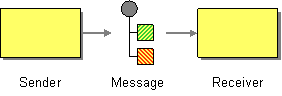
Types of message
- In message — A message that travels through a route from a consumer endpoint to a producer endpoint (typically, initiating a message exchange).
- Out message — A message that travels through a route from a producer endpoint back to a consumer endpoint (usually, in response to an In message).
org.apache.camel.Message interface.
Message structure
- Headers — Contains metadata or header data extracted from the message.
- Body — Usually contains the entire message in its original form.
- Attachments — Message attachments (required for integrating with certain messaging systems, such as JBI).
Correlating messages
Exchange objects
Accessing messages
header(String name),body()— Returns the named header and the body of the current In message.outBody()— Returns the body of the current Out message.
username header, you can use the following Java DSL route:
from(SourceURL).setHeader("username", "John.Doe").to(TargetURL);
from(SourceURL).setHeader("username", "John.Doe").to(TargetURL);4.2. Message Channel
Overview
Figure 4.2. Message Channel Pattern
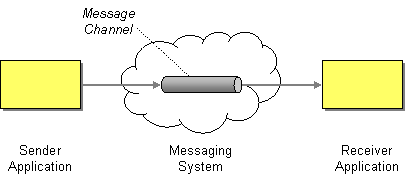
Message-oriented components
ActiveMQ
activemq:QueueName
activemq:QueueNameactivemq:topic:TopicName
activemq:topic:TopicNameFoo.Bar, use the following endpoint URI:
activemq:Foo.Bar
activemq:Foo.BarJMS
jms:QueueName
jms:QueueNamejms:topic:TopicName
jms:topic:TopicNameAMQP
amqp:QueueName
amqp:QueueNameamqp:topic:TopicName
amqp:topic:TopicName4.3. Message Endpoint
Overview
Figure 4.3. Message Endpoint Pattern
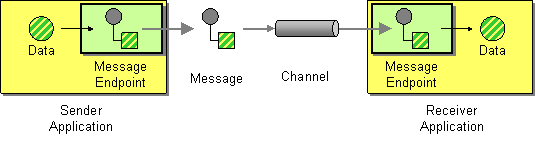
Types of endpoint
- Consumer endpoint — Appears at the start of a Apache Camel route and reads In messages from an incoming channel (equivalent to a receiver endpoint).
- Producer endpoint — Appears at the end of a Apache Camel route and writes In messages to an outgoing channel (equivalent to a sender endpoint). It is possible to define a route with multiple producer endpoints.
Endpoint URIs
- Endpoint URI for a consumer endpoint — Advertises a specific location (for example, to expose a service to which senders can connect). Alternatively, the URI can specify a message source, such as a message queue. The endpoint URI can include settings to configure the endpoint.
- Endpoint URI for a producer endpoint — Contains details of where to send messages and includes the settings to configure the endpoint. In some cases, the URI specifies the location of a remote receiver endpoint; in other cases, the destination can have an abstract form, such as a queue name.
ComponentPrefix:ComponentSpecificURI
ComponentPrefix:ComponentSpecificURIFoo.Bar, you can define an endpoint URI like the following:
jms:Foo.Bar
jms:Foo.Barfile://local/router/messages/foo, directly to the producer endpoint, jms:Foo.Bar, you can use the following Java DSL fragment:
from("file://local/router/messages/foo").to("jms:Foo.Bar");
from("file://local/router/messages/foo").to("jms:Foo.Bar");4.4. Pipes and Filters
Overview
pipe command). The advantage of the pipeline approach is that it enables you to compose services (some of which can be external to the Apache Camel application) to create more complex forms of message processing.
Figure 4.4. Pipes and Filters Pattern

Pipeline for the InOut exchange pattern
Figure 4.5. Pipeline for InOut Exchanges

from("jms:RawOrders").pipeline("cxf:bean:decrypt", "cxf:bean:authenticate", "cxf:bean:dedup", "jms:CleanOrders");
from("jms:RawOrders").pipeline("cxf:bean:decrypt", "cxf:bean:authenticate", "cxf:bean:dedup", "jms:CleanOrders");from and to elements is semantically equivalent to a pipeline. See the section called “Comparison of pipeline() and to() DSL commands”.
Pipeline for the InOnly and RobustInOnly exchange patterns
InOnly and RobustInOnly exchange patterns), a pipeline cannot be connected in the normal way. In this special case, the pipeline is constructed by passing a copy of the original In message to each of the endpoints in the pipeline, as shown in Figure 4.6, “Pipeline for InOnly Exchanges”. This type of pipeline is equivalent to a recipient list with fixed destinations(see Section 7.3, “Recipient List”).
Figure 4.6. Pipeline for InOnly Exchanges

Comparison of pipeline() and to() DSL commands
- Using the pipeline() processor command — Use the pipeline processor to construct a pipeline route as follows:
from(SourceURI).pipeline(FilterA, FilterB, TargetURI);
from(SourceURI).pipeline(FilterA, FilterB, TargetURI);Copy to Clipboard Copied! Toggle word wrap Toggle overflow - Using the to() command — Use the
to()command to construct a pipeline route as follows:from(SourceURI).to(FilterA, FilterB, TargetURI);
from(SourceURI).to(FilterA, FilterB, TargetURI);Copy to Clipboard Copied! Toggle word wrap Toggle overflow Alternatively, you can use the equivalent syntax:from(SourceURI).to(FilterA).to(FilterB).to(TargetURI);
from(SourceURI).to(FilterA).to(FilterB).to(TargetURI);Copy to Clipboard Copied! Toggle word wrap Toggle overflow
to() command syntax, because it is not always equivalent to a pipeline processor. In Java DSL, the meaning of to() can be modified by the preceding command in the route. For example, when the multicast() command precedes the to() command, it binds the listed endpoints into a multicast pattern, instead of a pipeline pattern(see Section 7.11, “Multicast”).
4.5. Message Router
Overview
Figure 4.7. Message Router Pattern
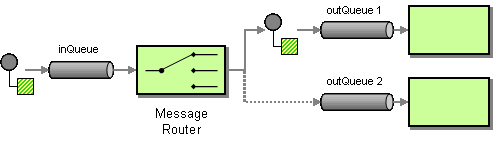
choice() processor, where each of the alternative target endpoints can be selected using a when() subclause (for details of the choice processor, see Section 1.5, “Processors”).
Java DSL example
seda:a, seda:b, or seda:c) depending on the contents of the foo header:
from("seda:a").choice()
.when(header("foo").isEqualTo("bar")).to("seda:b")
.when(header("foo").isEqualTo("cheese")).to("seda:c")
.otherwise().to("seda:d");
from("seda:a").choice()
.when(header("foo").isEqualTo("bar")).to("seda:b")
.when(header("foo").isEqualTo("cheese")).to("seda:c")
.otherwise().to("seda:d");XML configuration example
Choice without otherwise
choice() without an otherwise() clause, any unmatched exchanges are dropped by default.
4.6. Message Translator
Overview
Figure 4.8. Message Translator Pattern
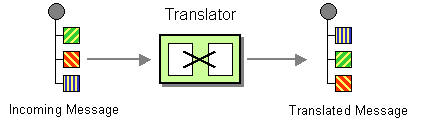
Bean integration
myMethodName(), on the bean with ID, myTransformerBean:
from("activemq:SomeQueue")
.beanRef("myTransformerBean", "myMethodName")
.to("mqseries:AnotherQueue");
from("activemq:SomeQueue")
.beanRef("myTransformerBean", "myMethodName")
.to("mqseries:AnotherQueue");myTransformerBean bean is defined in either a Spring XML file or in JNDI. If, you omit the method name parameter from beanRef(), the bean integration will try to deduce the method name to invoke by examining the message exchange.
Processor instance to perform the transformation, as follows:
from("direct:start").setBody(body().append(" World!")).to("mock:result");
from("direct:start").setBody(body().append(" World!")).to("mock:result");from("activemq:My.Queue").
to("velocity:com/acme/MyResponse.vm").
to("activemq:Another.Queue");
from("activemq:My.Queue").
to("velocity:com/acme/MyResponse.vm").
to("activemq:Another.Queue");My.Queue queue on ActiveMQ with a template generated response, then you could use a route like the following to send responses back to the JMSReplyTo destination:
from("activemq:My.Queue").
to("velocity:com/acme/MyResponse.vm");
from("activemq:My.Queue").
to("velocity:com/acme/MyResponse.vm");Chapter 5. Messaging Channels
Abstract
5.1. Point-to-Point Channel
Overview
Figure 5.1. Point to Point Channel Pattern

Components that support point-to-point channel
JMS
Foo.Bar as follows:
jms:queue:Foo.Bar
jms:queue:Foo.Barqueue:, is optional, because the JMS component creates a queue endpoint by default. Therefore, you can also specify the following equivalent endpoint URI:
jms:Foo.Bar
jms:Foo.BarActiveMQ
Foo.Bar as follows:
activemq:queue:Foo.Bar
activemq:queue:Foo.BarSEDA
SedaQueue as follows:
seda:SedaQueue
seda:SedaQueueJPA
XMPP
5.2. Publish-Subscribe Channel
Overview
Figure 5.2. Publish Subscribe Channel Pattern
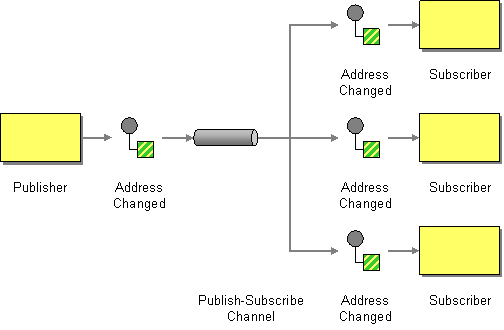
Components that support publish-subscribe channel
JMS
StockQuotes as follows:
jms:topic:StockQuotes
jms:topic:StockQuotesActiveMQ
StockQuotes, as follows:
activemq:topic:StockQuotes
activemq:topic:StockQuotesXMPP
Static subscription lists
Java DSL example
seda:a, and three subscribers, seda:b, seda:c, and seda:d:
from("seda:a").to("seda:b", "seda:c", "seda:d");
from("seda:a").to("seda:b", "seda:c", "seda:d");XML configuration example
5.3. Dead Letter Channel
Overview
Figure 5.3. Dead Letter Channel Pattern
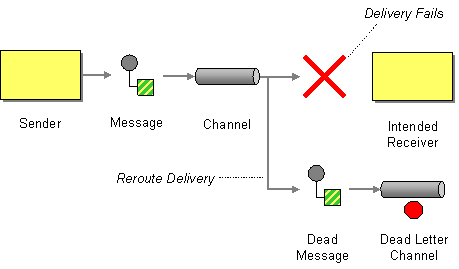
Creating a dead letter channel in Java DSL
errorHandler(deadLetterChannel("seda:errors"));
from("seda:a").to("seda:b");
errorHandler(deadLetterChannel("seda:errors"));
from("seda:a").to("seda:b");errorHandler() method is a Java DSL interceptor, which implies that all of the routes defined in the current route builder are affected by this setting. The deadLetterChannel() method is a Java DSL command that creates a new dead letter channel with the specified destination endpoint, seda:errors.
errorHandler() interceptor provides a catch-all mechanism for handling all error types. If you want to apply a more fine-grained approach to exception handling, you can use the onException clauses instead(see the section called “onException clause”).
XML DSL example
Redelivery policy
errorHandler(deadLetterChannel("seda:errors").maximumRedeliveries(2).useExponentialBackOff());
from("seda:a").to("seda:b");
errorHandler(deadLetterChannel("seda:errors").maximumRedeliveries(2).useExponentialBackOff());
from("seda:a").to("seda:b");RedeliveryPolicy object). Table 5.1, “Redelivery Policy Settings” summarizes the methods that you can use to set redelivery policies.
| Method Signature | Default | Description |
|---|---|---|
backOffMultiplier(double multiplier) | 2 |
If exponential backoff is enabled, let
m be the backoff multiplier and let d be the initial delay. The sequence of redelivery attempts are then timed as follows:
d, m*d, m*m*d, m*m*m*d, ... |
collisionAvoidancePercent(double collisionAvoidancePercent) | 15 | If collision avoidance is enabled, let p be the collision avoidance percent. The collision avoidance policy then tweaks the next delay by a random amount, up to plus/minus p% of its current value. |
delayPattern(String delayPattern) | None | Apache Camel 2.0: |
disableRedelivery() | true | Apache Camel 2.0: Disables the redelivery feature. To enable redelivery, set maximumRedeliveries() to a positive integer value. |
handled(boolean handled) | true | Apache Camel 2.0: If true, the current exception is cleared when the message is moved to the dead letter channel; if false, the exception is propagated back to the client. |
initialRedeliveryDelay(long initialRedeliveryDelay) | 1000 | Specifies the delay (in milliseconds) before attempting the first redelivery. |
logStackTrace(boolean logStackTrace) | false | Apache Camel 2.0: If true, the JVM stack trace is included in the error logs. |
maximumRedeliveries(int maximumRedeliveries) | 0 | Apache Camel 2.0: Maximum number of delivery attempts. |
maximumRedeliveryDelay(long maxDelay) | 60000 | Apache Camel 2.0: When using an exponential backoff strategy (see useExponentialBackOff()), it is theoretically possible for the redelivery delay to increase without limit. This property imposes an upper limit on the redelivery delay (in milliseconds) |
onRedelivery(Processor processor) | None | Apache Camel 2.0: Configures a processor that gets called before every redelivery attempt. |
redeliveryDelay(long int) | 0 | Apache Camel 2.0: Specifies the delay (in milliseconds) between redelivery attempts. |
retriesExhaustedLogLevel(LoggingLevel logLevel) | LoggingLevel.ERROR | Apache Camel 2.0: Specifies the logging level at which to log delivery failure (specified as an org.apache.camel.LoggingLevel constant). |
retryAttemptedLogLevel(LoggingLevel logLevel) | LoggingLevel.DEBUG | Apache Camel 2.0: Specifies the logging level at which to redelivery attempts (specified as an org.apache.camel.LoggingLevel constant). |
useCollisionAvoidance() | false | Enables collision avoidence, which adds some randomization to the backoff timings to reduce contention probability. |
useOriginalMessage() | false | Apache Camel 2.0: If this feature is enabled, the message sent to the dead letter channel is a copy of the original message exchange, as it existed at the beginning of the route (in the from() node). |
useExponentialBackOff() | false | Enables exponential backoff. |
Redelivery headers
| Header Name | Type | Description |
|---|---|---|
CamelRedeliveryCounter | Integer | Apache Camel 2.0: Counts the number of unsuccessful delivery attempts. This value is also set in Exchange.REDELIVERY_COUNTER. |
CamelRedelivered | Boolean | Apache Camel 2.0: True, if one or more redelivery attempts have been made. This value is also set in Exchange.REDELIVERED. |
CamelRedeliveryMaxCounter | Integer | Apache Camel 2.6: Holds the maximum redelivery setting (also set in the Exchange.REDELIVERY_MAX_COUNTER exchange property). This header is absent if you use retryWhile or have unlimited maximum redelivery configured. |
Using the original message
from("jms:queue:order:input")
.to("bean:validateOrder");
.to("bean:transformOrder")
.to("bean:handleOrder");
from("jms:queue:order:input")
.to("bean:validateOrder");
.to("bean:transformOrder")
.to("bean:handleOrder");validateOrder, transformOrder, and handleOrder. But when an error occurs, we do not know in which state the message is in. Did the error happen before the transformOrder bean or after? We can ensure that the original message from jms:queue:order:input is logged to the dead letter channel by enabling the useOriginalMessage option as follows:
// will use original body
errorHandler(deadLetterChannel("jms:queue:dead")
.useOriginalMessage().maximumRedeliveries(5).redeliveryDelay(5000);
// will use original body
errorHandler(deadLetterChannel("jms:queue:dead")
.useOriginalMessage().maximumRedeliveries(5).redeliveryDelay(5000);Redeliver delay pattern
delayPattern option is used to specify delays for particular ranges of the redelivery count. The delay pattern has the following syntax: limit1:delay1;limit2:delay2;limit3:delay3;..., where each delayN is applied to redeliveries in the range limitN <= redeliveryCount < limitN+1
5:1000;10:5000;20:20000, which defines three groups and results in the following redelivery delays:
- Attempt number 1–4 = 0 milliseconds (as the first group starts with 5).
- Attempt number 5–9 = 1000 milliseconds (the first group).
- Attempt number 10–19 = 5000 milliseconds (the second group).
- Attempt number 20– = 20000 milliseconds (the last group).
1:1000;5:5000 results in the following redelivery delays:
- Attempt number 1–4 = 1000 millis (the first group)
- Attempt number 5– = 5000 millis (the last group)
1:5000;3:1000, starts with a 5 second delay and then reduces the delay to 1 second.
Which endpoint failed?
// Java String lastEndpointUri = exchange.getProperty(Exchange.TO_ENDPOINT, String.class);
// Java
String lastEndpointUri = exchange.getProperty(Exchange.TO_ENDPOINT, String.class);Exchange.TO_ENDPOINT is a string constant equal to CamelToEndpoint. This property is updated whenever Camel sends a message to any endpoint.
CamelFailureEndpoint, which identifies the last destination the exchange was sent to before the error occcured. Hence, you can access the failure endpoint from within a dead letter queue using the following code:
// Java String failedEndpointUri = exchange.getProperty(Exchange.FAILURE_ENDPOINT, String.class);
// Java
String failedEndpointUri = exchange.getProperty(Exchange.FAILURE_ENDPOINT, String.class);Exchange.FAILURE_ENDPOINT is a string constant equal to CamelFailureEndpoint.
from("activemq:queue:foo")
.to("http://someserver/somepath")
.beanRef("foo");
from("activemq:queue:foo")
.to("http://someserver/somepath")
.beanRef("foo");foo bean. In this case the Exchange.TO_ENDPOINT property and the Exchange.FAILURE_ENDPOINT property still contain the value, http://someserver/somepath.
onRedelivery processor
Processor that is executed just before every redelivery attempt. This can be used for situations where you need to alter the message before it is redelivered.
MyRedeliverProcessor before redelivering exchanges:
MyRedeliveryProcessor process is implemented as follows:
onException clause
errorHandler() interceptor in your route builder, you can define a series of onException() clauses that define different redelivery policies and different dead letter channels for various exception types. For example, to define distinct behavior for each of the NullPointerException, IOException, and Exception types, you can define the following rules in your route builder using Java DSL:
to() DSL command. You can also call other Java DSL commands in the onException() clauses. For example, the preceding example calls setHeader() to record some error details in a message header named, messageInfo.
NullPointerException and the IOException exception types are configured specially. All other exception types are handled by the generic Exception exception interceptor. By default, Apache Camel applies the exception interceptor that most closely matches the thrown exception. If it fails to find an exact match, it tries to match the closest base type, and so on. Finally, if no other interceptor matches, the interceptor for the Exception type matches all remaining exceptions.
5.4. Guaranteed Delivery
Overview
Figure 5.4. Guaranteed Delivery Pattern
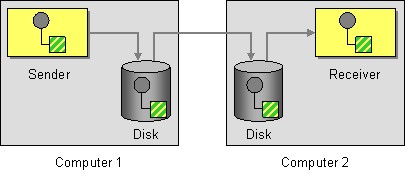
Components that support guaranteed delivery
JMS
deliveryPersistent query option indicates whether or not persistent storage of messages is enabled. Usually it is unnecessary to set this option, because the default behavior is to enable persistent delivery. To configure all the details of guaranteed delivery, it is necessary to set configuration options on the JMS provider. These details vary, depending on what JMS provider you are using. For example, MQSeries, TibCo, BEA, Sonic, and others, all provide various qualities of service to support guaranteed delivery.
ActiveMQ
META-INF/spring/camel-context.xml, you can configure the ActiveMQ component to connect to the central broker using the OpenWire/TCP protocol as follows:
camel-context.xml configuration file, you can configure the ActiveMQ component to connect to all of the peers in group, GroupA, as follows:
broker1 is the broker name of the embedded broker (other peers in the group should use different broker names). One limiting feature of the Peer-to-Peer protocol is that it relies on IP multicast to locate the other peers in its group. This makes it unsuitable for use in wide area networks (and in some local area networks that do not have IP multicast enabled).
activemq.xml is an ActiveMQ file which configures the embedded broker instance. Within the ActiveMQ configuration file, you can choose to enable one of the following persistence mechanisms:
- AMQ persistence(the default) — A fast and reliable message store that is native to ActiveMQ. For details, see amqPersistenceAdapter and AMQ Message Store.
- JDBC persistence — Uses JDBC to store messages in any JDBC-compatible database. For details, see jdbcPersistenceAdapter and ActiveMQ Persistence.
- Journal persistence — A fast persistence mechanism that stores messages in a rolling log file. For details, see journalPersistenceAdapter and ActiveMQ Persistence.
- Kaha persistence — A persistence mechanism developed specifically for ActiveMQ. For details, see kahaPersistenceAdapter and ActiveMQ Persistence.
ActiveMQ Journal
5.5. Message Bus
Overview
Figure 5.5. Message Bus Pattern
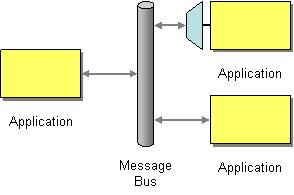
- Common communication infrastructure — The router itself provides the core of the common communication infrastructure in Apache Camel. However, in contrast to some message bus architectures, Apache Camel provides a heterogeneous infrastructure: messages can be sent into the bus using a wide variety of different transports and using a wide variety of different message formats.
- Adapters — Where necessary, Apache Camel can translate message formats and propagate messages using different transports. In effect, Apache Camel is capable of behaving like an adapter, so that external applications can hook into the message bus without refactoring their messaging protocols.In some cases, it is also possible to integrate an adapter directly into an external application. For example, if you develop an application using Apache CXF, where the service is implemented using JAX-WS and JAXB mappings, it is possible to bind a variety of different transports to the service. These transport bindings function as adapters.
Chapter 6. Message Construction
Abstract
6.1. Correlation Identifier
Overview
JMSCorrelationID. You can add your own correlation identifier to any message exchange to help correlate messages together in a single conversation (or business process). A correlation identifier is usually stored in a Apache Camel message header.
Exchange.CORRELATION_ID, which links back to the source Exchange. For example, the Splitter, Multicast, Recipient List, and Wire Tap EIPs do this.
Figure 6.1. Correlation Identifier Pattern
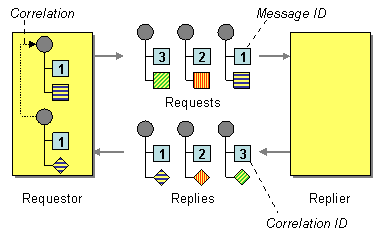
6.2. Event Message
Event Message

Explicitly specifying InOnly
foo:bar?exchangePattern=InOnly
foo:bar?exchangePattern=InOnlyfrom("mq:someQueue").
inOnly().
bean(Foo.class);
from("mq:someQueue").
inOnly().
bean(Foo.class);from("mq:someQueue").
inOnly("mq:anotherQueue");
from("mq:someQueue").
inOnly("mq:anotherQueue");<route>
<from uri="mq:someQueue"/>
<inOnly uri="bean:foo"/>
</route>
<route>
<from uri="mq:someQueue"/>
<inOnly uri="bean:foo"/>
</route><route>
<from uri="mq:someQueue"/>
<inOnly uri="mq:anotherQueue"/>
</route>
<route>
<from uri="mq:someQueue"/>
<inOnly uri="mq:anotherQueue"/>
</route>6.3. Return Address
Return Address
JMSReplyTo header.

JMSReplyTo.
Example
getMockEndpoint("mock:bar").expectedBodiesReceived("Bye World");
template.sendBodyAndHeader("direct:start", "World", "JMSReplyTo", "queue:bar");
getMockEndpoint("mock:bar").expectedBodiesReceived("Bye World");
template.sendBodyAndHeader("direct:start", "World", "JMSReplyTo", "queue:bar"); from("direct:start").to("activemq:queue:foo?preserveMessageQos=true");
from("activemq:queue:foo").transform(body().prepend("Bye "));
from("activemq:queue:bar?disableReplyTo=true").to("mock:bar");
from("direct:start").to("activemq:queue:foo?preserveMessageQos=true");
from("activemq:queue:foo").transform(body().prepend("Bye "));
from("activemq:queue:bar?disableReplyTo=true").to("mock:bar");Chapter 7. Message Routing
Abstract
7.1. Content-Based Router
Overview
Figure 7.1. Content-Based Router Pattern
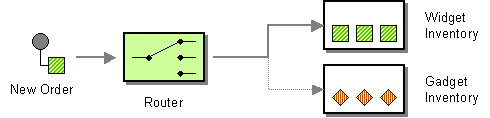
Java DSL example
seda:a, endpoint to either seda:b, queue:c, or seda:d depending on the evaluation of various predicate expressions:
XML configuration example
7.2. Message Filter
Overview
filter() Java DSL command. The filter() command takes a single predicate argument, which controls the filter. When the predicate is true, the incoming message is allowed to proceed, and when the predicate is false, the incoming message is blocked.
Figure 7.2. Message Filter Pattern

Java DSL example
seda:a, to endpoint, seda:b, that blocks all messages except for those messages whose foo header have the value, bar:
RouteBuilder builder = new RouteBuilder() {
public void configure() {
from("seda:a").filter(header("foo").isEqualTo("bar")).to("seda:b");
}
};
RouteBuilder builder = new RouteBuilder() {
public void configure() {
from("seda:a").filter(header("foo").isEqualTo("bar")).to("seda:b");
}
};person element whose name attribute is equal to James:
from("direct:start").
filter().xpath("/person[@name='James']").
to("mock:result");
from("direct:start").
filter().xpath("/person[@name='James']").
to("mock:result");XML configuration example
<to uri="seda:b"/>) before the closing </filter> tag or the filter will not be applied (in 2.8+, omitting this will result in an error).
Filtering with beans
Using stop()
Bye in the message body to propagate any further in the route. We prevent this in the when() predicate using .stop().
Knowing if Exchange was filtered or not
Exchannge.FILTER_MATCHED which has the String value of CamelFilterMatched. Its value is a boolean indicating true or false. If the value is true then the Exchange was routed in the filter block.
7.3. Recipient List
Overview
Figure 7.3. Recipient List Pattern
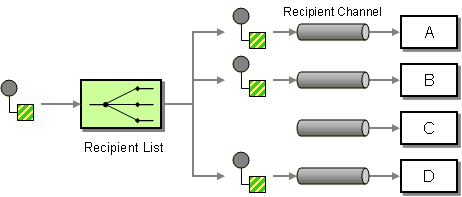
Recipient list with fixed destinations
to() Java DSL command.
Java DSL example
queue:a, to a fixed list of destinations:
from("seda:a").to("seda:b", "seda:c", "seda:d");
from("seda:a").to("seda:b", "seda:c", "seda:d");XML configuration example
Recipient list calculated at run time
recipientList() processor, which takes a list of destinations as its sole argument. Because Apache Camel applies a type converter to the list argument, it should be possible to use most standard Java list types (for example, a collection, a list, or an array). For more details about type converters, see section "Built-In Type Converters" in "Programming EIP Components".
Java DSL example
recipientListHeader, where the header value is a comma-separated list of endpoint URIs:
from("direct:a").recipientList(header("recipientListHeader").tokenize(","));
from("direct:a").recipientList(header("recipientListHeader").tokenize(","));recipientList(). For example:
from("seda:a").recipientList(header("recipientListHeader"));
from("seda:a").recipientList(header("recipientListHeader"));XML configuration example
Sending to multiple recipients in parallel
parallelProcessing, which is similar to the corresponding feature in Splitter. Use the parallel processing feature to send the exchange to multiple recipients concurrently—for example:
from("direct:a").recipientList(header("myHeader")).parallelProcessing();
from("direct:a").recipientList(header("myHeader")).parallelProcessing();recipientList tag—for example:
Stop on exception
stopOnException feature, which you can use to stop sending to any further recipients, if any recipient fails.
from("direct:a").recipientList(header("myHeader")).stopOnException();
from("direct:a").recipientList(header("myHeader")).stopOnException();recipientList tag—for example:
parallelProcessing and stopOnException in the same route.
Ignore invalid endpoints
ignoreInvalidEndpoints option, which enables the recipient list to skip invalid endpoints (Routing Slip also supports this option). For example:
from("direct:a").recipientList(header("myHeader")).ignoreInvalidEndpoints();
from("direct:a").recipientList(header("myHeader")).ignoreInvalidEndpoints();ignoreInvalidEndpoints attribute on the recipientList tag, as follows
myHeader contains the two endpoints, direct:foo,xxx:bar. The first endpoint is valid and works. The second is invalid and, therefore, ignored. Apache Camel logs at INFO level whenever an invalid endpoint is encountered.
Using custom AggregationStrategy
AggregationStrategy with the Recipient List, which is useful for aggregating replies from the recipients in the list. By default, Apache Camel uses the UseLatestAggregationStrategy aggregation strategy, which keeps just the last received reply. For a more sophisticated aggregation strategy, you can define your own implementation of the AggregationStrategy interface—see Aggregator EIP for details. For example, to apply the custom aggregation strategy, MyOwnAggregationStrategy, to the reply messages, you can define a Java DSL route as follows:
from("direct:a")
.recipientList(header("myHeader")).aggregationStrategy(new MyOwnAggregationStrategy())
.to("direct:b");
from("direct:a")
.recipientList(header("myHeader")).aggregationStrategy(new MyOwnAggregationStrategy())
.to("direct:b");recipientList tag, as follows:
Using custom thread pool
parallelProcessing. By default Camel uses a thread pool with 10 threads. Notice this is subject to change when we overhaul thread pool management and configuration later (hopefully in Camel 2.2).
Using method call as recipient list
from("activemq:queue:test").recipientList().method(MessageRouter.class, "routeTo");
from("activemq:queue:test").recipientList().method(MessageRouter.class, "routeTo");MessageRouter bean is defined as follows:
Bean as recipient list
@RecipientList annotation to a methods that returns a list of recipients. For example:
recipientList DSL command in the route. Define the route as follows:
from("activemq:queue:test").bean(MessageRouter.class, "routeTo");
from("activemq:queue:test").bean(MessageRouter.class, "routeTo");Using timeout
parallelProcessing, you can configure a total timeout value in milliseconds. Camel will then process the messages in parallel until the timeout is hit. This allows you to continue processing if one message is slow.
recipientlist header has the value, direct:a,direct:b,direct:c, so that the message is sent to three recipients. We have a timeout of 250 milliseconds, which means only the last two messages can be completed within the timeframe. The aggregation therefore yields the string result, BC.
timeout feature is also supported by splitter and both multicast and recipientList.
AggregationStrategy is not invoked. However you can implement a specialized version
AggregationStrategy if you really need to.
timeout method in the TimeoutAwareAggregationStrategy once, for the first index which caused the timeout.
Apply custom processing to the outgoing messages
recipientList sends a message to one of the recipient endpoints, it creates a message replica, which is a shallow copy of the original message. If you want to perform some custom processing on each message replica before the replica is sent to its endpoint, you can invoke the onPrepare DSL command in the recipientList clause. The onPrepare command inserts a custom processor just after the message has been shallow-copied and just before the message is dispatched to its endpoint. For example, in the following route, the CustomProc processor is invoked on the message replica for each recipient endpoint:
from("direct:start")
.recipientList().onPrepare(new CustomProc());
from("direct:start")
.recipientList().onPrepare(new CustomProc());onPrepare DSL command is to perform a deep copy of some or all elements of a message. This allows each message replica to be modified independently of the others. For example, the following CustomProc processor class performs a deep copy of the message body, where the message body is presumed to be of type, BodyType, and the deep copy is performed by the method, BodyType.deepCopy().
Options
recipientList DSL command supports the following options:
| Name | Default Value | Description |
|---|---|---|
delimiter
|
,
|
Delimiter used if the Expression returned multiple endpoints. |
strategyRef
|
Refers to an AggregationStrategy to be used to assemble the replies from the recipients, into a single outgoing message from the Recipient List. By default Camel will use the last reply as the outgoing message. | |
parallelProcessing
|
false
|
Camel 2.2: If enables then sending messages to the recipients occurs concurrently. Note the caller thread will still wait until all messages has been fully processed, before it continues. Its only the sending and processing the replies from the recipients which happens concurrently. |
executorServiceRef
|
Camel 2.2: Refers to a custom Thread Pool to be used for parallel processing. Notice if you set this option, then parallel processing is automatic implied, and you do not have to enable that option as well. | |
stopOnException
|
false
|
Camel 2.2: Whether or not to stop continue processing immediately when an exception occurred. If disable, then Camel will send the message to all recipients regardless if one of them failed. You can deal with exceptions in the AggregationStrategy class where you have full control how to handle that. |
ignoreInvalidEndpoints
|
false
|
Camel 2.3: If an endpoint uri could not be resolved, should it be ignored. Otherwise Camel will thrown an exception stating the endpoint uri is not valid. |
streaming
|
false
|
Camel 2.5: If enabled then Camel will process replies out-of-order, eg in the order they come back. If disabled, Camel will process replies in the same order as the Expression specified. |
timeout
|
Camel 2.5: Sets a total timeout specified in millis. If the Recipient List hasn't been able to send and process all replies within the given timeframe, then the timeout triggers and the Recipient List breaks out and continues. Notice if you provide a TimeoutAwareAggregationStrategy then the timeout method is invoked before breaking out.
|
|
onPrepareRef
|
Camel 2.8: Refers to a custom Processor to prepare the copy of the Exchange each recipient will receive. This allows you to do any custom logic, such as deep-cloning the message payload if that's needed etc. | |
shareUnitOfWork
|
false
|
Camel 2.8: Whether the unit of work should be shared. See the same option on Splitter for more details. |
7.4. Splitter
Overview
split() Java DSL command.
Figure 7.4. Splitter Pattern
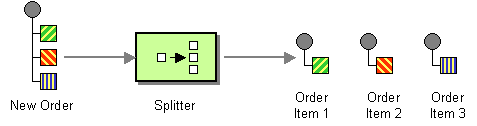
- Simple splitter—implements the splitter pattern on its own.
- Splitter/aggregator—combines the splitter pattern with the aggregator pattern, such that the pieces of the message are recombined after they have been processed.
Java DSL example
seda:a to seda:b that splits messages by converting each line of an incoming message into a separate outgoing message:
bar elements from an incoming message and insert them into separate outgoing messages:
from("activemq:my.queue")
.split(xpath("//foo/bar"))
.to("file://some/directory")
from("activemq:my.queue")
.split(xpath("//foo/bar"))
.to("file://some/directory")XML configuration example
tokenize element. In the following example, the message body is tokenized using the \n separator character. To use a regular expression pattern, set regex=true in the tokenize element.
Splitting into groups of lines
from("file:inbox")
.split().tokenize("\n", 1000).streaming()
.to("activemq:queue:order");
from("file:inbox")
.split().tokenize("\n", 1000).streaming()
.to("activemq:queue:order");tokenize specifies the number of lines that should be grouped into a single chunk. The streaming() clause directs the splitter not to read the whole file at once (resulting in much better performance if the file is large).
group option is always of java.lang.String type.
Splitter reply
Parallel execution
XPathBuilder xPathBuilder = new XPathBuilder("//foo/bar");
from("activemq:my.queue").split(xPathBuilder).parallelProcessing().to("activemq:my.parts");
XPathBuilder xPathBuilder = new XPathBuilder("//foo/bar");
from("activemq:my.queue").split(xPathBuilder).parallelProcessing().to("activemq:my.parts");ThreadPoolExecutor used in the parallel splitter. For example, you can specify a custom executor in the Java DSL as follows:
Using a bean to perform splitting
method() expression. The bean should return an iterable value such as: java.util.Collection, java.util.Iterator, or an array.
method() expression that calls a method on the mySplitterBean bean instance:
mySplitterBean is an instance of the MySplitterBean class, which is defined as follows:
Exchange properties
| header | type | description |
|---|---|---|
CamelSplitIndex
|
int
|
Apache Camel 2.0: A split counter that increases for each Exchange being split. The counter starts from 0. |
CamelSplitSize
|
int
|
Apache Camel 2.0: The total number of Exchanges that was split. This header is not applied for stream based splitting. |
CamelSplitComplete
|
boolean
|
Apache Camel 2.4: Whether or not this Exchange is the last. |
Splitter/aggregator pattern
split() DSL command lets you provide an AggregationStrategy object as the second argument.
Java DSL example
AggregationStrategy implementation
MyOrderStrategy, used in the preceding route is implemented as follows:
Stream based processing
Stream based processing with XML
tokenizeXML sub-command in streaming mode.
order elements, you can split the file into order elements using a route like the following:
from("file:inbox")
.split().tokenizeXML("order").streaming()
.to("activemq:queue:order");
from("file:inbox")
.split().tokenizeXML("order").streaming()
.to("activemq:queue:order");tokenizeXML. For example, to inherit namespace definitions from the enclosing orders element:
from("file:inbox")
.split().tokenizeXML("order", "orders").streaming()
.to("activemq:queue:order");
from("file:inbox")
.split().tokenizeXML("order", "orders").streaming()
.to("activemq:queue:order");inheritNamespaceTagName attribute. For example:
Options
split DSL command supports the following options:
| Name | Default Value | Description |
|---|---|---|
strategyRef
|
Refers to an AggregationStrategy to be used to assemble the replies from the sub-messages, into a single outgoing message from the Splitter. See the section titled What does the splitter return below for whats used by default. | |
parallelProcessing
|
false
|
If enables then processing the sub-messages occurs concurrently. Note the caller thread will still wait until all sub-messages has been fully processed, before it continues. |
executorServiceRef
|
Refers to a custom Thread Pool to be used for parallel processing. Notice if you set this option, then parallel processing is automatic implied, and you do not have to enable that option as well. | |
stopOnException
|
false
|
Camel 2.2: Whether or not to stop continue processing immediately when an exception occurred. If disable, then Camel continue splitting and process the sub-messages regardless if one of them failed. You can deal with exceptions in the AggregationStrategy class where you have full control how to handle that. |
streaming
|
false
|
If enabled then Camel will split in a streaming fashion, which means it will split the input message in chunks. This reduces the memory overhead. For example if you split big messages its recommended to enable streaming. If streaming is enabled then the sub-message replies will be aggregated out-of-order, eg in the order they come back. If disabled, Camel will process sub-message replies in the same order as they where splitted. |
timeout
|
Camel 2.5: Sets a total timeout specified in millis. If the Recipient List hasn't been able to split and process all replies within the given timeframe, then the timeout triggers and the Splitter breaks out and continues. Notice if you provide a TimeoutAwareAggregationStrategy then the timeout method is invoked before breaking out.
|
|
onPrepareRef
|
Camel 2.8: Refers to a custom Processor to prepare the sub-message of the Exchange, before its processed. This allows you to do any custom logic, such as deep-cloning the message payload if that's needed etc. | |
shareUnitOfWork
|
false
|
Camel 2.8: Whether the unit of work should be shared. See further below for more details. |
7.5. Aggregator
Overview
Figure 7.5. Aggregator Pattern
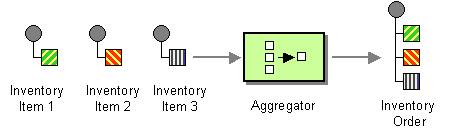
- Correlation expression — Determines which messages should be aggregated together. The correlation expression is evaluated on each incoming message to produce a correlation key. Incoming messages with the same correlation key are then grouped into the same batch. For example, if you want to aggregate all incoming messages into a single message, you can use a constant expression.
- Completeness condition — Determines when a batch of messages is complete. You can specify this either as a simple size limit or, more generally, you can specify a predicate condition that flags when the batch is complete.
- Aggregation algorithm — Combines the message exchanges for a single correlation key into a single message exchange.
How the aggregator works
Figure 7.6. Aggregator Implementation
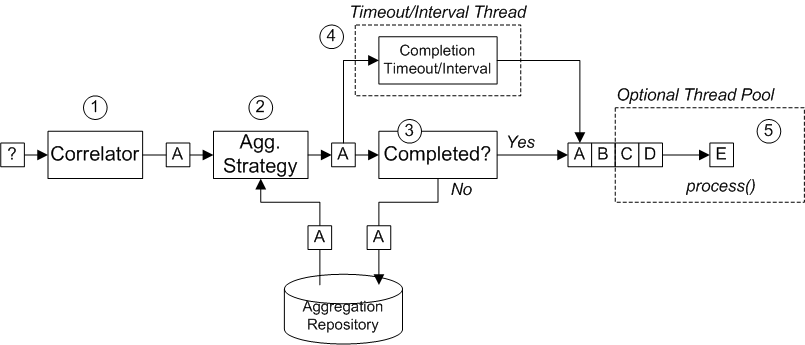
- The correlator is responsible for sorting exchanges based on the correlation key. For each incoming exchange, the correlation expression is evaluated, yielding the correlation key. For example, for the exchange shown in Figure 7.6, “Aggregator Implementation”, the correlation key evaluates to A.
- The aggregation strategy is responsible for merging exchanges with the same correlation key. When a new exchange, A, comes in, the aggregator looks up the corresponding aggregate exchange, A', in the aggregation repository and combines it with the new exchange.Until a particular aggregation cycle is completed, incoming exchanges are continuously aggregated with the corresponding aggregate exchange. An aggregation cycle lasts until terminated by one of the completion mechanisms.
- If a completion predicate is specified on the aggregator, the aggregate exchange is tested to determine whether it is ready to be sent to the next processor in the route. Processing continues as follows:
- If complete, the aggregate exchange is processed by the latter part of the route. There are two alternative models for this: synchronous (the default), which causes the calling thread to block, or asynchronous (if parallel processing is enabled), where the aggregate exchange is submitted to an executor thread pool (as shown in Figure 7.6, “Aggregator Implementation”).
- If not complete, the aggregate exchange is saved back to the aggregation repository.
- In parallel with the synchronous completion tests, it is possible to enable an asynchronous completion test by enabling either the
completionTimeoutoption or thecompletionIntervaloption. These completion tests run in a separate thread and, whenever the completion test is satisfied, the corresponding exchange is marked as complete and starts to be processed by the latter part of the route (either synchronously or asynchronously, depending on whether parallel processing is enabled or not). - If parallel processing is enabled, a thread pool is responsible for processing exchanges in the latter part of the route. By default, this thread pool contains ten threads, but you have the option of customizing the pool (the section called “Threading options”).
Java DSL example
StockSymbol header value, using the UseLatestAggregationStrategy aggregation strategy. For a given StockSymbol value, if more than three seconds elapse since the last exchange with that correlation key was received, the aggregated exchange is deemed to be complete and is sent to the mock endpoint.
from("direct:start")
.aggregate(header("id"), new UseLatestAggregationStrategy())
.completionTimeout(3000)
.to("mock:aggregated");
from("direct:start")
.aggregate(header("id"), new UseLatestAggregationStrategy())
.completionTimeout(3000)
.to("mock:aggregated");XML DSL example
Specifying the correlation expression
aggregate() DSL command. You are not limited to using the Simple expression language here. You can specify a correlation expression using any of the expression languages or scripting languages, such as XPath, XQuery, SQL, and so on.
from("direct:start")
.aggregate(xpath("/stockQuote/@symbol"), new UseLatestAggregationStrategy())
.completionTimeout(3000)
.to("mock:aggregated");
from("direct:start")
.aggregate(xpath("/stockQuote/@symbol"), new UseLatestAggregationStrategy())
.completionTimeout(3000)
.to("mock:aggregated");CamelExchangeException by default. You can suppress this exception by setting the ignoreInvalidCorrelationKeys option. For example, in the Java DSL:
from(...).aggregate(...).ignoreInvalidCorrelationKeys()
from(...).aggregate(...).ignoreInvalidCorrelationKeys()ignoreInvalidCorrelationKeys option is set as an attribute, as follows:
<aggregate strategyRef="aggregatorStrategy"
ignoreInvalidCorrelationKeys="true"
...>
...
</aggregate>
<aggregate strategyRef="aggregatorStrategy"
ignoreInvalidCorrelationKeys="true"
...>
...
</aggregate>Specifying the aggregation strategy
aggregate() DSL command or specify it using the aggregationStrategy() clause. For example, you can use the aggregationStrategy() clause as follows:
from("direct:start")
.aggregate(header("id"))
.aggregationStrategy(new UseLatestAggregationStrategy())
.completionTimeout(3000)
.to("mock:aggregated");
from("direct:start")
.aggregate(header("id"))
.aggregationStrategy(new UseLatestAggregationStrategy())
.completionTimeout(3000)
.to("mock:aggregated");org.apache.camel.processor.aggregate Java package):
UseLatestAggregationStrategy- Return the last exchange for a given correlation key, discarding all earlier exchanges with this key. For example, this strategy could be useful for throttling the feed from a stock exchange, where you just want to know the latest price of a particular stock symbol.
UseOriginalAggregationStrategy- Return the first exchange for a given correlation key, discarding all later exchanges with this key. You must set the first exchange by calling
UseOriginalAggregationStrategy.setOriginal()before you can use this strategy. GroupedExchangeAggregationStrategy- Concatenates all of the exchanges for a given correlation key into a list, which is stored in the
Exchange.GROUPED_EXCHANGEexchange property. See the section called “Grouped exchanges”.
Implementing a custom aggregation strategy
org.apache.camel.processor.aggregate.AggregationStrategy- The basic aggregation strategy interface.
org.apache.camel.processor.aggregate.TimeoutAwareAggregationStrategy- Implement this interface, if you want your implementation to receive a notification when an aggregation cycle times out. The
timeoutnotification method has the following signature:void timeout(Exchange oldExchange, int index, int total, long timeout)
void timeout(Exchange oldExchange, int index, int total, long timeout)Copy to Clipboard Copied! Toggle word wrap Toggle overflow org.apache.camel.processor.aggregate.CompletionAwareAggregationStrategy- Implement this interface, if you want your implementation to receive a notification when an aggregation cycle completes normally. The notification method has the following signature:
void onCompletion(Exchange exchange)
void onCompletion(Exchange exchange)Copy to Clipboard Copied! Toggle word wrap Toggle overflow
StringAggregationStrategy and ArrayListAggregationStrategy::
AggregationStrategy.aggregate() callback method is also invoked for the very first exchange. On the first invocation of the aggregate method, the oldExchange parameter is null and the newExchange parameter contains the first incoming exchange.
ArrayListAggregationStrategy, define a route like the following:
from("direct:start")
.aggregate(header("StockSymbol"), new ArrayListAggregationStrategy())
.completionTimeout(3000)
.to("mock:result");
from("direct:start")
.aggregate(header("StockSymbol"), new ArrayListAggregationStrategy())
.completionTimeout(3000)
.to("mock:result");Exchange properties
| Header | Type | Description |
|---|---|---|
Exchange.AGGREGATED_SIZE
|
int
|
The total number of exchanges aggregated into this exchange. |
Exchange.AGGREGATED_COMPLETED_BY
|
String
|
Indicates the mechanism responsible for completing the aggregate exchange. Possible values are: predicate, size, timeout, interval, or consumer.
|
| Header | Type | Description |
|---|---|---|
Exchange.REDELIVERY_COUNTER
|
int
|
Sequence number of the current redelivery attempt (starting at 1).
|
Specifying a completion condition
completionPredicate- Evaluates a predicate after each exchange is aggregated in order to determine completeness. A value of
trueindicates that the aggregate exchange is complete. completionSize- Completes the aggregate exchange after the specified number of incoming exchanges are aggregated.
completionTimeout- (Incompatible with
completionInterval) Completes the aggregate exchange, if no incoming exchanges are aggregated within the specified timeout.In other words, the timeout mechanism keeps track of a timeout for each correlation key value. The clock starts ticking after the latest exchange with a particular key value is received. If another exchange with the same key value is not received within the specified timeout, the corresponding aggregate exchange is marked complete and sent to the next node on the route. completionInterval- (Incompatible with
completionTimeout) Completes all outstanding aggregate exchanges, after each time interval (of specified length) has elapsed.The time interval is not tailored to each aggregate exchange. This mechanism forces simultaneous completion of all outstanding aggregate exchanges. Hence, in some cases, this mechanism could complete an aggregate exchange immediately after it started aggregating. completionFromBatchConsumer- When used in combination with a consumer endpoint that supports the batch consumer mechanism, this completion option automatically figures out when the current batch of exchanges is complete, based on information it receives from the consumer endpoint. See the section called “Batch consumer”.
forceCompletionOnStop- When this option is enabled, it forces completion of all outstanding aggregate exchanges when the current route context is stopped.
completionTimeout and completionInterval conditions, which cannot be simultaneously enabled. When conditions are used in combination, the general rule is that the first completion condition to trigger is the effective completion condition.
Specifying the completion predicate
- On the latest aggregate exchange—this is the default behavior.
- On the latest incoming exchange—this behavior is selected when you enable the
eagerCheckCompletionoption.
ALERT message (as indicated by the value of a MsgType header in the latest incoming exchange), you can define a route like the following:
Specifying a dynamic completion timeout
timeout header in each incoming exchange, you could define a route as follows:
from("direct:start")
.aggregate(header("StockSymbol"), new UseLatestAggregationStrategy())
.completionTimeout(header("timeout"))
.to("mock:aggregated");
from("direct:start")
.aggregate(header("StockSymbol"), new UseLatestAggregationStrategy())
.completionTimeout(header("timeout"))
.to("mock:aggregated");
null or 0.
Specifying a dynamic completion size
mySize header in each incoming exchange, you could define a route as follows:
from("direct:start")
.aggregate(header("StockSymbol"), new UseLatestAggregationStrategy())
.completionSize(header("mySize"))
.to("mock:aggregated");
from("direct:start")
.aggregate(header("StockSymbol"), new UseLatestAggregationStrategy())
.completionSize(header("mySize"))
.to("mock:aggregated");null or 0.
Forcing completion with a special message
Exchange.AGGREGATION_COMPLETE_ALL_GROUPS header set to true. This message acts like a signal to the aggregator: the remaining content of the message is ignored and the message is not processed any further.
Enforcing unique correlation keys
closeCorrelationKeyOnCompletion option. In order to suppress duplicate correlation key values, it is necessary for the aggregator to record previous correlation key values in a cache. The size of this cache (the number of cached correlation keys) is specified as an argument to the closeCorrelationKeyOnCompletion() DSL command. To specify a cache of unlimited size, you can pass a value of zero or a negative integer. For example, to specify a cache size of 10000 key values:
from("direct:start")
.aggregate(header("UniqueBatchID"), new MyConcatenateStrategy())
.completionSize(header("mySize"))
.closeCorrelationKeyOnCompletion(10000)
.to("mock:aggregated");
from("direct:start")
.aggregate(header("UniqueBatchID"), new MyConcatenateStrategy())
.completionSize(header("mySize"))
.closeCorrelationKeyOnCompletion(10000)
.to("mock:aggregated");ClosedCorrelationKeyException exception.
Grouped exchanges
org.apache.camel.impl.GroupedExchange holder class. To enable grouped exchanges, specify the groupExchanges() option, as shown in the following Java DSL route:
from("direct:start")
.aggregate(header("StockSymbol"))
.completionTimeout(3000)
.groupExchanges()
.to("mock:result");
from("direct:start")
.aggregate(header("StockSymbol"))
.completionTimeout(3000)
.groupExchanges()
.to("mock:result");mock:result contains the list of aggregated exchanges stored in the exchange property, Exchange.GROUPED_EXCHANGE. The following line of code shows how a subsequent processor can access the contents of the grouped exchange in the form of a list:
// Java List<Exchange> grouped = ex.getProperty(Exchange.GROUPED_EXCHANGE, List.class);
// Java
List<Exchange> grouped = ex.getProperty(Exchange.GROUPED_EXCHANGE, List.class);Batch consumer
CamelBatchSize, CamelBatchIndex , and CamelBatchComplete properties on the incoming exchange). For example, to aggregate all of the files found by a File consumer endpoint, you could use a route like the following:
from("file://inbox")
.aggregate(xpath("//order/@customerId"), new AggregateCustomerOrderStrategy())
.completionFromBatchConsumer()
.to("bean:processOrder");
from("file://inbox")
.aggregate(xpath("//order/@customerId"), new AggregateCustomerOrderStrategy())
.completionFromBatchConsumer()
.to("bean:processOrder");Persistent aggregation repository
camel-hawtdb component in your Maven POM. You can then configure a route to use the HawtDB aggregation repository as follows:
Figure 7.7. Recoverable Aggregation Repository
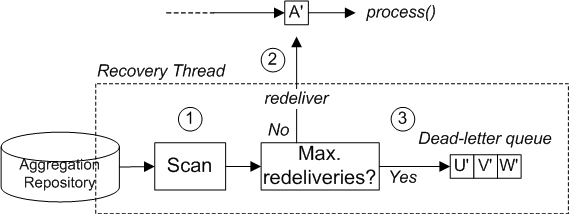
- The aggregator creates a dedicated recovery thread, which runs in the background, scanning the aggregation repository to find any failed exchanges.
- Each failed exchange is checked to see whether its current redelivery count exceeds the maximum redelivery limit. If it is under the limit, the recovery task resubmits the exchange for processing in the latter part of the route.
- If the current redelivery count is over the limit, the failed exchange is passed to the dead letter queue.
Threading options
parallelProcessing option, as follows:
from("direct:start")
.aggregate(header("id"), new UseLatestAggregationStrategy())
.completionTimeout(3000)
.parallelProcessing()
.to("mock:aggregated");
from("direct:start")
.aggregate(header("id"), new UseLatestAggregationStrategy())
.completionTimeout(3000)
.parallelProcessing()
.to("mock:aggregated");java.util.concurrent.ExecutorService instance using the executorService option (in which case it is unnecessary to enable the parallelProcessing option).
Aggregator options
| Option | Default | Description |
|---|---|---|
correlationExpression | Mandatory Expression which evaluates the correlation key to use for aggregation. The Exchange which has the same correlation key is aggregated together. If the correlation key could not be evaluated an Exception is thrown. You can disable this by using the ignoreBadCorrelationKeys option. | |
aggregationStrategy | Mandatory AggregationStrategy which is used to merge the incoming Exchange with the existing already merged exchanges. At first call the oldExchange parameter is null. On subsequent invocations the oldExchange contains the merged exchanges and newExchange is of course the new incoming Exchange. From Camel 2.9.2 onwards, the strategy can optionally be a TimeoutAwareAggregationStrategy implementation, which supports a timeout callback | |
strategyRef | A reference to lookup the AggregationStrategy in the Registry. | |
completionSize | Number of messages aggregated before the aggregation is complete. This option can be set as either a fixed value or using an Expression which allows you to evaluate a size dynamically - will use Integer as result. If both are set Camel will fallback to use the fixed value if the Expression result was null or 0. | |
completionTimeout | Time in millis that an aggregated exchange should be inactive before its complete. This option can be set as either a fixed value or using an Expression which allows you to evaluate a timeout dynamically - will use Long as result. If both are set Camel will fallback to use the fixed value if the Expression result was null or 0. You cannot use this option together with completionInterval, only one of the two can be used. | |
completionInterval | A repeating period in millis by which the aggregator will complete all current aggregated exchanges. Camel has a background task which is triggered every period. You cannot use this option together with completionTimeout, only one of them can be used. | |
completionPredicate | A Predicate to indicate when an aggregated exchange is complete. | |
completionFromBatchConsumer | false | This option is if the exchanges are coming from a Batch Consumer. Then when enabled the Aggregator will use the batch size determined by the Batch Consumer in the message header CamelBatchSize. See more details at Batch Consumer. This can be used to aggregate all files consumed from a File endpoint in that given poll. |
eagerCheckCompletion | false | Whether or not to eager check for completion when a new incoming Exchange has been received. This option influences the behavior of the completionPredicate option as the Exchange being passed in changes accordingly. When false the Exchange passed in the Predicate is the aggregated Exchange which means any information you may store on the aggregated Exchange from the AggregationStrategy is available for the Predicate. When true the Exchange passed in the Predicate is the incoming Exchange, which means you can access data from the incoming Exchange. |
forceCompletionOnStop | false | If true, complete all aggregated exchanges when the current route context is stopped. |
groupExchanges | false | If enabled then Camel will group all aggregated Exchanges into a single combined org.apache.camel.impl.GroupedExchange holder class that holds all the aggregated Exchanges. And as a result only one Exchange is being sent out from the aggregator. Can be used to combine many incoming Exchanges into a single output Exchange without coding a custom AggregationStrategy yourself. |
ignoreInvalidCorrelationKeys | false | Whether or not to ignore correlation keys which could not be evaluated to a value. By default Camel will throw an Exception, but you can enable this option and ignore the situation instead. |
closeCorrelationKeyOnCompletion | Whether or not late Exchanges should be accepted or not. You can enable this to indicate that if a correlation key has already been completed, then any new exchanges with the same correlation key be denied. Camel will then throw a closedCorrelationKeyException exception. When using this option you pass in a integer which is a number for a LRUCache which keeps that last X number of closed correlation keys. You can pass in 0 or a negative value to indicate a unbounded cache. By passing in a number you are ensured that cache wont grown too big if you use a log of different correlation keys. | |
discardOnCompletionTimeout | false | Camel 2.5: Whether or not exchanges which complete due to a timeout should be discarded. If enabled, then when a timeout occurs the aggregated message will not be sent out but dropped (discarded). |
aggregationRepository | Allows you to plug in you own implementation of org.apache.camel.spi.AggregationRepository which keeps track of the current inflight aggregated exchanges. Camel uses by default a memory based implementation. | |
aggregationRepositoryRef | Reference to lookup a aggregationRepository in the Registry. | |
parallelProcessing | false | When aggregated are completed they are being send out of the aggregator. This option indicates whether or not Camel should use a thread pool with multiple threads for concurrency. If no custom thread pool has been specified then Camel creates a default pool with 10 concurrent threads. |
executorService | If using parallelProcessing you can specify a custom thread pool to be used. In fact also if you are not using parallelProcessing this custom thread pool is used to send out aggregated exchanges as well. | |
executorServiceRef | Reference to lookup a executorService in the Registry | |
timeoutCheckerExecutorService | If using one of the completionTimeout, completionTimeoutExpression, or completionInterval options, a background thread is created to check for the completion for every aggregator. Set this option to provide a custom thread pool to be used rather than creating a new thread for every aggregator. | |
timeoutCheckerExecutorServiceRef | Reference to look up a timeoutCheckerExecutorService in the registry. |
7.6. Resequencer
Overview
Figure 7.8. Resequencer Pattern
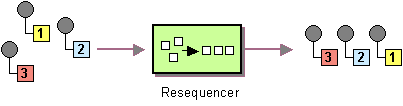
- Batch resequencing — Collects messages into a batch, sorts the messages and sends them to their output.
- Stream resequencing — Re-orders (continuous) message streams based on the detection of gaps between messages.
Batch resequencing
TimeStamp header, you can define the following route in Java DSL:
from("direct:start").resequence(header("TimeStamp")).to("mock:result");
from("direct:start").resequence(header("TimeStamp")).to("mock:result");batch() DSL command, which takes a BatchResequencerConfig instance as its sole argument. For example, to modify the preceding route so that the batch consists of messages collected in a 4000 millisecond time window, up to a maximum of 300 messages, you can define the Java DSL route as follows:
Batch options
| Java DSL | XML DSL | Default | Description |
|---|---|---|---|
allowDuplicates() | batch-config/@allowDuplicates | false | If true, do not discard duplicate messages from the batch (where duplicate means that the message expression evaluates to the same value). |
reverse() | batch-config/@reverse | false | If true, put the messages in reverse order (where the default ordering applied to a message expression is based on Java's string lexical ordering, as defined by String.compareTo()). |
JMSPriority, you would need to combine the options, allowDuplicates and reverse, as follows:
Stream resequencing
stream() to the resequence() DSL command. For example, to resequence incoming messages based on the value of a sequence number in the seqnum header, you define a DSL route as follows:
from("direct:start").resequence(header("seqnum")).stream().to("mock:result");
from("direct:start").resequence(header("seqnum")).stream().to("mock:result");3 has a predecessor message with the sequence number 2 and a successor message with the sequence number 4. The message sequence 2,3,5 has a gap because the successor of 3 is missing. The resequencer therefore must retain message 5 until message 4 arrives (or a timeout occurs).
StreamResequencerConfig object as an argument to stream(). For example, to configure a stream resequencer with a message capacity of 5000 and a timeout of 4000 milliseconds, you define a route as follows:
long, you would must define a custom comparator, as follows:
// Java
ExpressionResultComparator<Exchange> comparator = new MyComparator();
StreamResequencerConfig config = new StreamResequencerConfig(5000, 4000L, comparator);
from("direct:start").resequence(header("seqnum")).stream(config).to("mock:result");
// Java
ExpressionResultComparator<Exchange> comparator = new MyComparator();
StreamResequencerConfig config = new StreamResequencerConfig(5000, 4000L, comparator);
from("direct:start").resequence(header("seqnum")).stream(config).to("mock:result");Ignore invalid exchanges
CamelExchangeException exception, if the incoming exchange is not valid—that is, if the sequencing expression cannot be evaluated for some reason (for example, due to a missing header). You can use the ignoreInvalidExchanges option to ignore these exceptions, which means the resequencer will skip any invalid exchanges.
from("direct:start")
.resequence(header("seqno")).batch().timeout(1000)
// ignore invalid exchanges (they are discarded)
.ignoreInvalidExchanges()
.to("mock:result");
from("direct:start")
.resequence(header("seqno")).batch().timeout(1000)
// ignore invalid exchanges (they are discarded)
.ignoreInvalidExchanges()
.to("mock:result");7.7. Routing Slip
Overview
Figure 7.9. Routing Slip Pattern
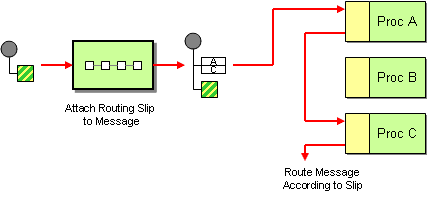
The slip header
cxf:bean:decrypt,cxf:bean:authenticate,cxf:bean:dedup
cxf:bean:decrypt,cxf:bean:authenticate,cxf:bean:dedupThe current endpoint property
Exchange.SLIP_ENDPOINT) on the exchange which contains the current endpoint as it advanced though the slip. This enables you to find out how far the exchange has progressed through the slip.
Java DSL example
direct:a endpoint and reads a routing slip from the aRoutingSlipHeader header:
from("direct:b").routingSlip("aRoutingSlipHeader");
from("direct:b").routingSlip("aRoutingSlipHeader");routingSlip(). The following example defines a route that uses the aRoutingSlipHeader header key for the routing slip and uses the # character as the URI delimiter:
from("direct:c").routingSlip("aRoutingSlipHeader", "#");
from("direct:c").routingSlip("aRoutingSlipHeader", "#");XML configuration example
Ignore invalid endpoints
ignoreInvalidEndpoints, which the Recipient List pattern also supports. You can use it to skip endpoints that are invalid. For example:
from("direct:a").routingSlip("myHeader").ignoreInvalidEndpoints();
from("direct:a").routingSlip("myHeader").ignoreInvalidEndpoints();ignoreInvalidEndpoints attribute on the <routingSlip> tag:
myHeader contains the two endpoints, direct:foo,xxx:bar. The first endpoint is valid and works. The second is invalid and, therefore, ignored. Apache Camel logs at INFO level whenever an invalid endpoint is encountered.
Options
routingSlip DSL command supports the following options:
| Name | Default Value | Description |
|---|---|---|
uriDelimiter
|
,
|
Delimiter used if the Expression returned multiple endpoints. |
ignoreInvalidEndpoints
|
false
|
If an endpoint uri could not be resolved, should it be ignored. Otherwise Camel will thrown an exception stating the endpoint uri is not valid. |
7.8. Throttler
Overview
throttle() Java DSL command.
Java DSL example
from("seda:a").throttle(100).to("seda:b");
from("seda:a").throttle(100).to("seda:b");timePeriodMillis() DSL command. For example, to limit the flow rate to 3 messages per 30000 milliseconds, define a route as follows:
from("seda:a").throttle(3).timePeriodMillis(30000).to("mock:result");
from("seda:a").throttle(3).timePeriodMillis(30000).to("mock:result");XML configuration example
Dynamically changing maximum requests per period
java.lang.Long type. In the example below we use a header from the message to determine the maximum requests per period. If the header is absent, then the Throttler uses the old value. So that allows you to only provide a header if the value is to be changed:
Asynchronous delaying
from("seda:a").throttle(100).asyncDelayed().to("seda:b");
from("seda:a").throttle(100).asyncDelayed().to("seda:b");Options
throttle DSL command supports the following options:
| Name | Default Value | Description |
|---|---|---|
maximumRequestsPerPeriod
|
Maximum number of requests per period to throttle. This option must be provided and a positive number. Notice, in the XML DSL, from Camel 2.8 onwards this option is configured using an Expression instead of an attribute. | |
timePeriodMillis
|
1000
|
The time period in millis, in which the throttler will allow at most maximumRequestsPerPeriod number of messages.
|
asyncDelayed
|
false
|
Camel 2.4: If enabled then any messages which is delayed happens asynchronously using a scheduled thread pool. |
executorServiceRef
|
Camel 2.4: Refers to a custom Thread Pool to be used if asyncDelay has been enabled.
|
|
callerRunsWhenRejected
|
true
|
Camel 2.4: Is used if asyncDelayed was enabled. This controls if the caller thread should execute the task if the thread pool rejected the task.
|
7.9. Delayer
Overview
Java DSL example
delay() command to add a relative time delay, in units of milliseconds, to incoming messages. For example, the following route delays all incoming messages by 2 seconds:
from("seda:a").delay(2000).to("mock:result");
from("seda:a").delay(2000).to("mock:result");from("seda:a").delay(header("MyDelay")).to("mock:result");
from("seda:a").delay(header("MyDelay")).to("mock:result");delay() are interpreted as sub-clauses of delay(). Hence, in some contexts it is necessary to terminate the sub-clauses of delay() by inserting the end() command. For example, when delay() appears inside an onException() clause, you would terminate it as follows:
XML configuration example
Creating a custom delay
from("activemq:foo").
delay().expression().method("someBean", "computeDelay").
to("activemq:bar");
from("activemq:foo").
delay().expression().method("someBean", "computeDelay").
to("activemq:bar");Asynchronous delaying
from("activemq:queue:foo")
.delay(1000)
.asyncDelayed()
.to("activemq:aDelayedQueue");
from("activemq:queue:foo")
.delay(1000)
.asyncDelayed()
.to("activemq:aDelayedQueue");Options
| Name | Default Value | Description |
|---|---|---|
asyncDelayed
|
false
|
Camel 2.4: If enabled then delayed messages happens asynchronously using a scheduled thread pool. |
executorServiceRef
|
Camel 2.4: Refers to a custom Thread Pool to be used if asyncDelay has been enabled.
|
|
callerRunsWhenRejected
|
true
|
Camel 2.4: Is used if asyncDelayed was enabled. This controls if the caller thread should execute the task if the thread pool rejected the task.
|
7.10. Load Balancer
Overview
Java DSL example
mock:x, mock:y, mock:z, using a round robin load-balancing policy:
from("direct:start").loadBalance().roundRobin().to("mock:x", "mock:y", "mock:z");
from("direct:start").loadBalance().roundRobin().to("mock:x", "mock:y", "mock:z");XML configuration example
Load-balancing policies
Round robin
mock:x, mock:y, mock:z, then the incoming messages are sent to the following sequence of endpoints: mock:x, mock:y, mock:z, mock:x, mock:y, mock:z, and so on.
from("direct:start").loadBalance().roundRobin().to("mock:x", "mock:y", "mock:z");
from("direct:start").loadBalance().roundRobin().to("mock:x", "mock:y", "mock:z");Random
from("direct:start").loadBalance().random().to("mock:x", "mock:y", "mock:z");
from("direct:start").loadBalance().random().to("mock:x", "mock:y", "mock:z");Sticky
from("direct:start").loadBalance().sticky(header("username")).to("mock:x", "mock:y", "mock:z");
from("direct:start").loadBalance().sticky(header("username")).to("mock:x", "mock:y", "mock:z");Topic
from("direct:start").loadBalance().topic().to("mock:x", "mock:y", "mock:z");
from("direct:start").loadBalance().topic().to("mock:x", "mock:y", "mock:z");Failover
failover load balancer is capable of trying the next processor in case an Exchange failed with an exception during processing. You can configure the failover with a list of specific exceptions that trigger failover. If you do not specify any exceptions, failover is triggered by any exception. The failover load balancer uses the same strategy for matching exceptions as the onException exception clause.
failover load balancer supports the following options:
| Option | Type | Default | Description |
|---|---|---|---|
inheritErrorHandler
|
boolean
|
true
|
Camel 2.3: Specifies whether to use the
errorHandler configured on the route. If you want to fail over immediately to the next endpoint, you should disable this option (value of false). If you enable this option, Apache Camel will first attempt to process the message using the errorHandler.
For example, the
errorHandler might be configured to redeliver messages and use delays between attempts. Apache Camel will initially try to redeliver to the original endpoint, and only fail over to the next endpoint when the errorHandler is exhausted.
|
maximumFailoverAttempts
|
int
|
-1
|
Camel 2.3: Specifies the maximum number of attempts to fail over to a new endpoint. The value,
0, implies that no failover attempts are made and the value, -1, implies an infinite number of failover attempts.
|
roundRobin
|
boolean
|
false
|
Camel 2.3: Specifies whether the
failover load balancer should operate in round robin mode or not. If not, it will always start from the first endpoint when a new message is to be processed. In other words it restarts from the top for every message. If round robin is enabled, it keeps state and continues with the next endpoint in a round robin fashion. When using round robin it will not stick to last known good endpoint, it will always pick the next endpoint to use.
|
IOException exception is thrown:
Weighted round robin and weighted random
| Option | Type | Default | Description |
|---|---|---|---|
roundRobin
|
boolean
|
false
|
The default value for round-robin is false. In the absence of this setting or parameter, the load-balancing algorithm used is random.
|
distributionRatioDelimiter
|
String
|
, |
The distributionRatioDelimiter is the delimiter used to specify the distributionRatio. If this attribute is not specified, comma , is the default delimiter.
|
Custom Load Balancer
from("direct:start")
// using our custom load balancer
.loadBalance(new MyLoadBalancer())
.to("mock:x", "mock:y", "mock:z");
from("direct:start")
// using our custom load balancer
.loadBalance(new MyLoadBalancer())
.to("mock:x", "mock:y", "mock:z");LoadBalancerSupport and SimpleLoadBalancerSupport. The former supports the asynchronous routing engine, and the latter does not. Here is an example:
7.11. Multicast
Overview
Figure 7.10. Multicast Pattern
Multicast with a custom aggregation strategy
multicast() DSL command, as follows:
from("cxf:bean:offer").multicast(new HighestBidAggregationStrategy()).
to("cxf:bean:Buyer1", "cxf:bean:Buyer2", "cxf:bean:Buyer3");
from("cxf:bean:offer").multicast(new HighestBidAggregationStrategy()).
to("cxf:bean:Buyer1", "cxf:bean:Buyer2", "cxf:bean:Buyer3");cxf:bean:offer, and the buyers are represented by the endpoints, cxf:bean:Buyer1, cxf:bean:Buyer2, cxf:bean:Buyer3. To consolidate the bids received from the various buyers, the multicast processor uses the aggregation strategy, HighestBidAggregationStrategy. You can implement the HighestBidAggregationStrategy in Java, as follows:
Bid. For more details about custom aggregation strategies, see Section 7.5, “Aggregator”.
Parallel processing
to() command). In some cases, this might cause unacceptably long latency. To avoid these long latency times, you have the option of enabling parallel processing by adding the parallelProcessing() clause. For example, to enable parallel processing in the electronic auction example, define the route as follows:
from("cxf:bean:offer")
.multicast(new HighestBidAggregationStrategy())
.parallelProcessing()
.to("cxf:bean:Buyer1", "cxf:bean:Buyer2", "cxf:bean:Buyer3");
from("cxf:bean:offer")
.multicast(new HighestBidAggregationStrategy())
.parallelProcessing()
.to("cxf:bean:Buyer1", "cxf:bean:Buyer2", "cxf:bean:Buyer3");executorService() method to specify your own custom executor service. For example:
from("cxf:bean:offer")
.multicast(new HighestBidAggregationStrategy())
.executorService(MyExecutor)
.to("cxf:bean:Buyer1", "cxf:bean:Buyer2", "cxf:bean:Buyer3");
from("cxf:bean:offer")
.multicast(new HighestBidAggregationStrategy())
.executorService(MyExecutor)
.to("cxf:bean:Buyer1", "cxf:bean:Buyer2", "cxf:bean:Buyer3");MyAggregationStrategy, is used to aggregate the replies from the endpoints, direct:a, direct:b, and direct:c:
XML configuration example
parallelProcessing attribute and the threadPoolRef attribute are optional. It is only necessary to set them if you want to customize the threading behavior of the multicast processor.
Apply custom processing to the outgoing messages
onPrepare DSL command in the multicast clause. The onPrepare command inserts a custom processor just after the message has been shallow-copied and just before the message is dispatched to its endpoint. For example, in the following route, the CustomProc processor is invoked on the message sent to direct:a and the CustomProc processor is also invoked on the message sent to direct:b.
from("direct:start")
.multicast().onPrepare(new CustomProc())
.to("direct:a").to("direct:b");
from("direct:start")
.multicast().onPrepare(new CustomProc())
.to("direct:a").to("direct:b");onPrepare DSL command is to perform a deep copy of some or all elements of a message. For example, the following CustomProc processor class performs a deep copy of the message body, where the message body is presumed to be of type, BodyType, and the deep copy is performed by the method, BodyType.deepCopy().
multicast syntax allows you to invoke the process DSL command in the multicast clause, this does not make sense semantically and it does not have the same effect as onPrepare (in fact, in this context, the process DSL command has no effect).
Using onPrepare to execute custom logic when preparing messages
onPrepare which allows you to do this using the Processor interface.
onPrepare can be used for any kind of custom logic which you would like to execute before the Exchange is being multicasted.
onPrepare option as shown:
from("direct:start")
.multicast().onPrepare(new AnimalDeepClonePrepare()).to("direct:a").to("direct:b");
from("direct:start")
.multicast().onPrepare(new AnimalDeepClonePrepare()).to("direct:a").to("direct:b");Options
multicast DSL command supports the following options:
| Name | Default Value | Description |
|---|---|---|
strategyRef
|
Refers to an AggregationStrategy to be used to assemble the replies from the multicasts, into a single outgoing message from the Multicast. By default Camel will use the last reply as the outgoing message. | |
parallelProcessing
|
false
|
If enables then sending messages to the multicasts occurs concurrently. Note the caller thread will still wait until all messages has been fully processed, before it continues. Its only the sending and processing the replies from the multicasts which happens concurrently. |
executorServiceRef
|
Refers to a custom Thread Pool to be used for parallel processing. Notice if you set this option, then parallel processing is automatic implied, and you do not have to enable that option as well. | |
stopOnException
|
false
|
Camel 2.2: Whether or not to stop continue processing immediately when an exception occurred. If disable, then Camel will send the message to all multicasts regardless if one of them failed. You can deal with exceptions in the AggregationStrategy class where you have full control how to handle that. |
streaming
|
false
|
If enabled then Camel will process replies out-of-order, eg in the order they come back. If disabled, Camel will process replies in the same order as multicasted. |
timeout
|
Camel 2.5: Sets a total timeout specified in millis. If the Multicast hasn't been able to send and process all replies within the given timeframe, then the timeout triggers and the Multicast breaks out and continues. Notice if you provide a TimeoutAwareAggregationStrategy then the timeout method is invoked before breaking out.
|
|
onPrepareRef
|
Camel 2.8: Refers to a custom Processor to prepare the copy of the Exchange each multicast will receive. This allows you to do any custom logic, such as deep-cloning the message payload if that's needed etc. | |
shareUnitOfWork
|
false
|
Camel 2.8: Whether the unit of work should be shared. See the same option on Splitter for more details. |
7.12. Composed Message Processor
Composed Message Processor
Figure 7.11. Composed Message Processor Pattern
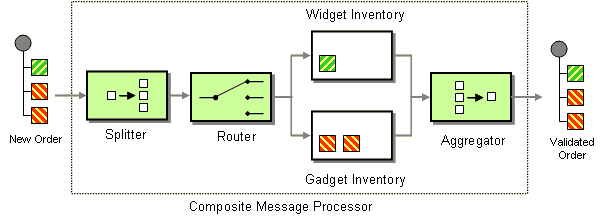
Java DSL example
XML DSL example
Processing steps
OrderItems to a Content Based Router, which routes messages based on the item type. Widget items get sent for checking in the widgetInventory bean and gadget items get sent to the gadgetInventory bean. Once these OrderItems have been validated by the appropriate bean, they are sent on to the Aggregator which collects and re-assembles the validated OrderItems into an order again.
.header("orderId") qualifier on the aggregate() DSL command instructs the aggregator to use the header with the key, orderId, as the correlation expression.
7.13. Scatter-Gather
Scatter-Gather
Figure 7.12. Scatter-Gather Pattern
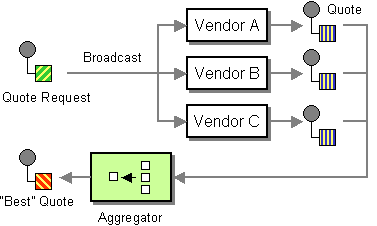
Dynamic scatter-gather example
listOfVendors header to obtain the list of recipients. Hence, the client that sends messages to this application needs to add a listOfVendors header to the message. Example 7.1, “Messaging Client Sample” shows some sample code from a messaging client that adds the relevant header data to outgoing messages.
Example 7.1. Messaging Client Sample
Map<String, Object> headers = new HashMap<String, Object>();
headers.put("listOfVendors", "bean:vendor1, bean:vendor2, bean:vendor3");
headers.put("quoteRequestId", "quoteRequest-1");
template.sendBodyAndHeaders("direct:start", "<quote_request item=\"beer\"/>", headers);
Map<String, Object> headers = new HashMap<String, Object>();
headers.put("listOfVendors", "bean:vendor1, bean:vendor2, bean:vendor3");
headers.put("quoteRequestId", "quoteRequest-1");
template.sendBodyAndHeaders("direct:start", "<quote_request item=\"beer\"/>", headers);bean:vendor1, bean:vendor2, and bean:vendor3. These beans are all implemented by the following class:
vendor1, vendor2, and vendor3, are instantiated using Spring XML syntax, as follows:
MyVendor.getQuote method. This method does a simple check to see whether this quote request is for beer and then sets the price of beer on the exchange for retrieval at a later step. The message is forwarded to the next step using POJO Producing (see the @Produce annotation).
quoteRequestId header (passed to the correlationExpression). As shown in Example 7.1, “Messaging Client Sample”, the correlation ID is set to quoteRequest-1 (the correlation ID should be unique). To pick the lowest quote out of the set, you can use a custom aggregation strategy like the following:
Static scatter-gather example
7.14. Loop
Loop
Exchange properties
| Property | Description |
|---|---|
CamelLoopSize
|
Apache Camel 2.0: Total number of loops |
CamelLoopIndex
|
Apache Camel 2.0: Index of the current iteration (0 based) |
Java DSL examples
direct:x endpoint and then send the message repeatedly to mock:result. The number of loop iterations is specified either as an argument to loop() or by evaluating an expression at run time, where the expression must evaluate to an int (or else a RuntimeCamelException is thrown).
from("direct:a").loop(8).to("mock:result");
from("direct:a").loop(8).to("mock:result");from("direct:b").loop(header("loop")).to("mock:result");
from("direct:b").loop(header("loop")).to("mock:result");from("direct:c").loop().xpath("/hello/@times").to("mock:result");
from("direct:c").loop().xpath("/hello/@times").to("mock:result");
XML configuration example
Using copy mode
direct:start endpoint containing the letter A. The output of processing this route will be that, each mock:loop endpoint will receive AB as message.
mock:loop will receive AB, ABB, ABBB messages.
Options
loop DSL command supports the following options:
| Name | Default Value | Description |
|---|---|---|
copy
|
false
|
Camel 2.8: Whether or not copy mode is used. If false then the same Exchange is being used throughout the looping. So the result from the previous iteration will be visible for the next iteration. Instead you can enable copy mode, and then each iteration is restarting with a fresh copy of the input Exchange.
|
7.15. Sampling
Sampling Throttler
Java DSL example
sample() DSL command to invoke the sampler as follows:
Spring XML example
samplePeriod and units attributes:
Options
sample DSL command supports the following options:
| Name | Default Value | Description |
|---|---|---|
messageFrequency
|
Samples the message every N'th message. You can only use either frequency or period. | |
samplePeriod
|
1
|
Samples the message every N'th period. You can only use either frequency or period. |
units
|
SECOND
|
Time unit as an enum of java.util.concurrent.TimeUnit from the JDK.
|
7.16. Dynamic Router
Dynamic Router
Figure 7.13. Dynamic Router Pattern
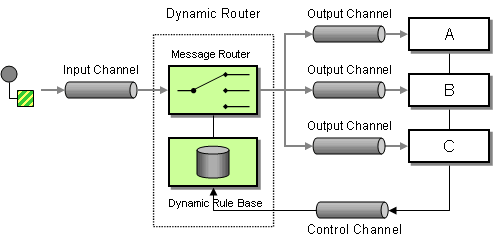
dynamicRouter in the DSL, which is like a dynamic Routing Slip that evaluates the slip on-the-fly.
dynamicRouter (such as a bean), returns null to indicate the end. Otherwise, the dynamicRouter will continue in an endless loop.
Dynamic Router in Camel 2.5 onwards
Exchange.SLIP_ENDPOINT, with the current endpoint as it advances through the slip. This enables you to find out how far the exchange has progressed through the slip. (It's a slip because the Dynamic Router implementation is based on Routing Slip).
Java DSL
dynamicRouter as follows:
from("direct:start")
// use a bean as the dynamic router
.dynamicRouter(bean(DynamicRouterTest.class, "slip"));
from("direct:start")
// use a bean as the dynamic router
.dynamicRouter(bean(DynamicRouterTest.class, "slip"));Exchange to ensure thread safety.
Spring XML
Options
dynamicRouter DSL command supports the following options:
| Name | Default Value | Description |
|---|---|---|
uriDelimiter
|
,
|
Delimiter used if the Expression returned multiple endpoints. |
ignoreInvalidEndpoints
|
false
|
If an endpoint uri could not be resolved, should it be ignored. Otherwise Camel will thrown an exception stating the endpoint uri is not valid. |
@DynamicRouter annotation
@DynamicRouter annotation. For example:
route method is invoked repeatedly as the message progresses through the slip. The idea is to return the endpoint URI of the next destination. Return null to indicate the end. You can return multiple endpoints if you like, just as the Routing Slip, where each endpoint is separated by a delimiter.
Chapter 8. Message Transformation
Abstract
8.1. Content Enricher
Overview
Figure 8.1. Content Enricher Pattern
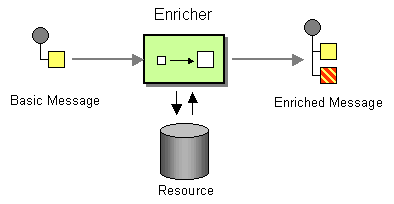
Models of content enrichment
enrich()—obtains additional data from the resource by sending a copy of the current exchange to a producer endpoint and then using the data from the resulting reply (the exchange created by the enricher is always an InOut exchange).pollEnrich()—obtains the additional data by polling a consumer endpoint for data. Effectively, the consumer endpoint from the main route and the consumer endpoint inpollEnrich()are coupled, such that exchanges incoming on the main route trigger a poll of thepollEnrich()endpoint.
Content enrichment using enrich()
enrich) retrieves additional data from a resource endpoint in order to enrich an incoming message (contained in the orginal exchange). An aggregation strategy combines the original exchange and the resource exchange. The first parameter of the AggregationStrategy.aggregate(Exchange, Exchange) method corresponds to the the original exchange, and the second parameter corresponds to the resource exchange. The results from the resource endpoint are stored in the resource exchange's Out message. Here is a sample template for implementing your own aggregation strategy class:
Spring XML enrich example
Default aggregation strategy
from("direct:start")
.enrich("direct:resource")
.to("direct:result");
from("direct:start")
.enrich("direct:resource")
.to("direct:result");direct:result endpoint contains the output from the direct:resource, because this example does not use any custom aggregation.
strategyRef attribute, as follows:
<route>
<from uri="direct:start"/>
<enrich uri="direct:resource"/>
<to uri="direct:result"/>
</route>
<route>
<from uri="direct:start"/>
<enrich uri="direct:resource"/>
<to uri="direct:result"/>
</route>Enrich Options
enrich DSL command supports the following options:
| Name | Default Value | Description |
|---|---|---|
uri
|
The endpoint uri for the external servie to enrich from. You must use either uri or ref.
|
|
ref
|
Refers to the endpoint for the external servie to enrich from. You must use either uri or ref.
|
|
strategyRef
|
Refers to an AggregationStrategy to be used to merge the reply from the external service, into a single outgoing message. By default Camel will use the reply from the external service as outgoing message. |
Content enrich using pollEnrich
pollEnrich command treats the resource endpoint as a consumer. Instead of sending an exchange to the resource endpoint, it polls the endpoint. By default, the poll returns immediately, if there is no exchange available from the resource endpoint. For example, the following route reads a file whose name is extracted from the header of an incoming JMS message:
from("activemq:queue:order")
.pollEnrich("file://order/data/additional?fileName=orderId")
.to("bean:processOrder");
from("activemq:queue:order")
.pollEnrich("file://order/data/additional?fileName=orderId")
.to("bean:processOrder");from("activemq:queue:order")
.pollEnrich("file://order/data/additional?fileName=orderId", 20000) // timeout is in milliseconds
.to("bean:processOrder");
from("activemq:queue:order")
.pollEnrich("file://order/data/additional?fileName=orderId", 20000) // timeout is in milliseconds
.to("bean:processOrder");pollEnrich, as follows:
.pollEnrich("file://order/data/additional?fileName=orderId", 20000, aggregationStrategy)
.pollEnrich("file://order/data/additional?fileName=orderId", 20000, aggregationStrategy)aggregate() method might be null, if the poll times out before an exchange is received.
pollEnrich does not access any data from the current Exchange, so that, when polling, it cannot use any of the existing headers you may have set on the Exchange. For example, you cannot set a filename in the Exchange.FILE_NAME header and use pollEnrich to consume only that file. For that, you must set the filename in the endpoint URI.
Polling methods used by pollEnrich()
pollEnrich() enricher polls the consumer endpoint using one of the following polling methods:
receiveNoWait()(used by default)receive()receive(long timeout)
pollEnrich() command's timeout argument (specified in milliseconds) determines which method gets called, as follows:
- Timeout is
0or not specified,receiveNoWaitis called. - Timeout is negative,
receiveis called. - Otherwise,
receive(timeout)is called.
pollEnrich example
from("direct:start")
.pollEnrich("file:inbox?fileName=data.txt")
.to("direct:result");
from("direct:start")
.pollEnrich("file:inbox?fileName=data.txt")
.to("direct:result");
<route>
<from uri="direct:start"/>
<pollEnrich uri="file:inbox?fileName=data.txt"/>
<to uri="direct:result"/>
</route>
<route>
<from uri="direct:start"/>
<pollEnrich uri="file:inbox?fileName=data.txt"/>
<to uri="direct:result"/>
</route> <route>
<from uri="direct:start"/>
<pollEnrich uri="file:inbox?fileName=data.txt" timeout="5000"/>
<to uri="direct:result"/>
</route>
<route>
<from uri="direct:start"/>
<pollEnrich uri="file:inbox?fileName=data.txt" timeout="5000"/>
<to uri="direct:result"/>
</route>PollEnrich Options
pollEnrich DSL command supports the following options:
| Name | Default Value | Description |
|---|---|---|
uri
|
The endpoint uri for the external servie to enrich from. You must use either uri or ref.
|
|
ref
|
Refers to the endpoint for the external servie to enrich from. You must use either uri or ref.
|
|
strategyRef
|
Refers to an AggregationStrategy to be used to merge the reply from the external service, into a single outgoing message. By default Camel will use the reply from the external service as outgoing message. | |
timeout
|
0
|
Timeout in millis to use when polling from the external service. See below for important details about the timeout. |
8.2. Content Filter
Overview
Figure 8.2. Content Filter Pattern
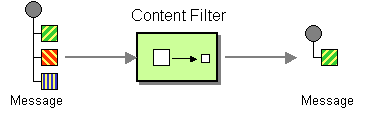
Implementing a content filter
- Message translator—see message translators.
XML configuration example
Using an XPath filter
<route> <from uri="activemq:Input"/> <setBody><xpath resultType="org.w3c.dom.Document">//foo:bar</xpath></setBody> <to uri="activemq:Output"/> </route>
<route>
<from uri="activemq:Input"/>
<setBody><xpath resultType="org.w3c.dom.Document">//foo:bar</xpath></setBody>
<to uri="activemq:Output"/>
</route>8.3. Normalizer
Overview
Figure 8.3. Normalizer Pattern
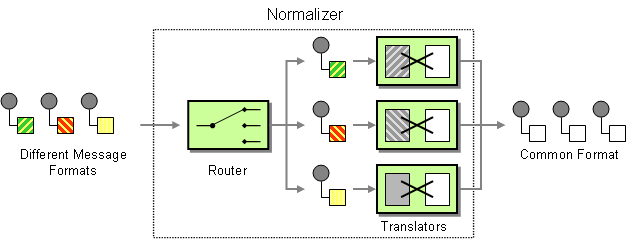
Java DSL example
XML configuration example
8.4. Claim Check
Claim Check
Figure 8.4. Claim Check Pattern
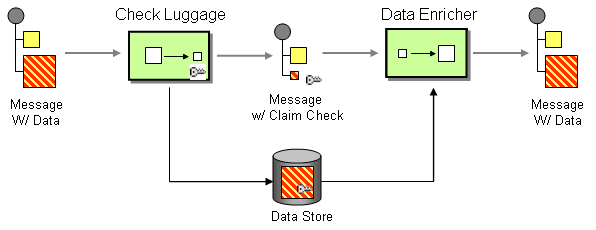
Java DSL example
from("direct:start").to("bean:checkLuggage", "mock:testCheckpoint", "bean:dataEnricher", "mock:result");
from("direct:start").to("bean:checkLuggage", "mock:testCheckpoint", "bean:dataEnricher", "mock:result");mock:testCheckpoint endpoint, which checks that the message body has been removed, the claim check added, and so on.
XML DSL example
checkLuggage bean
checkLuggage bean which is implemented as follows:
custId as the claim check. In this example, we are using a HashMap to store the message body; in a real application you would use a database or the file system. The claim check is added as a message header for later use and, finally, we remove the body from the message and pass it down the pipeline.
testCheckpoint endpoint
mock:testCheckpoint endpoint.
dataEnricher bean
dataEnricher bean, which is implemented as follows:
claimCheck header from the message.
8.5. Sort
Sort
java.util.List).
Java DSL example
from("file://inbox").sort(body().tokenize("\n")).to("bean:MyServiceBean.processLine");
from("file://inbox").sort(body().tokenize("\n")).to("bean:MyServiceBean.processLine");sort():
from("file://inbox").sort(body().tokenize("\n"), new MyReverseComparator()).to("bean:MyServiceBean.processLine");
from("file://inbox").sort(body().tokenize("\n"), new MyReverseComparator()).to("bean:MyServiceBean.processLine");XML configuration example
<simple>, you can supply an expression using any language you like, so long as it returns a list.
Options
sort DSL command supports the following options:
| Name | Default Value | Description |
|---|---|---|
comparatorRef
|
Refers to a custom java.util.Comparator to use for sorting the message body. Camel will by default use a comparator which does a A..Z sorting.
|
8.6. Validate
Overview
true, the route continues processing normally; if the predicate evaluates to false, a PredicateValidationException is thrown.
Java DSL example
from("jms:queue:incoming")
.validate(body(String.class).regex("^\\w{10}\\,\\d{2}\\,\\w{24}$"))
.to("bean:MyServiceBean.processLine");
from("jms:queue:incoming")
.validate(body(String.class).regex("^\\w{10}\\,\\d{2}\\,\\w{24}$"))
.to("bean:MyServiceBean.processLine");from("jms:queue:incoming")
.validate(header("bar").isGreaterThan(100))
.to("bean:MyServiceBean.processLine");
from("jms:queue:incoming")
.validate(header("bar").isGreaterThan(100))
.to("bean:MyServiceBean.processLine");from("jms:queue:incoming")
.validate(simple("${in.header.bar} == 100"))
.to("bean:MyServiceBean.processLine");
from("jms:queue:incoming")
.validate(simple("${in.header.bar} == 100"))
.to("bean:MyServiceBean.processLine");XML DSL example
Chapter 9. Messaging Endpoints
Abstract
9.1. Messaging Mapper
Overview
- The canonical message format used to transmit domain objects should be suitable for consumption by non-object oriented applications.
- The mapper code should be implemented separately from both the domain object code and the messaging infrastructure. Apache Camel helps fulfill this requirement by providing hooks that can be used to insert mapper code into a route.
- The mapper might need to find an effective way of dealing with certain object-oriented concepts such as inheritance, object references, and object trees. The complexity of these issues varies from application to application, but the aim of the mapper implementation must always be to create messages that can be processed effectively by non-object-oriented applications.
Finding objects to map
- Find a registered bean. — For singleton objects and small numbers of objects, you could use the
CamelContextregistry to store references to beans. For example, if a bean instance is instantiated using Spring XML, it is automatically entered into the registry, where the bean is identified by the value of itsidattribute. - Select objects using the JoSQL language. — If all of the objects you want to access are already instantiated at runtime, you could use the JoSQL language to locate a specific object (or objects). For example, if you have a class,
org.apache.camel.builder.sql.Person, with anamebean property and the incoming message has aUserNameheader, you could select the object whosenameproperty equals the value of theUserNameheader using the following code:import static org.apache.camel.builder.sql.SqlBuilder.sql; import org.apache.camel.Expression; ... Expression expression = sql("SELECT * FROM org.apache.camel.builder.sql.Person where name = :UserName"); Object value = expression.evaluate(exchange);import static org.apache.camel.builder.sql.SqlBuilder.sql; import org.apache.camel.Expression; ... Expression expression = sql("SELECT * FROM org.apache.camel.builder.sql.Person where name = :UserName"); Object value = expression.evaluate(exchange);Copy to Clipboard Copied! Toggle word wrap Toggle overflow Where the syntax,:HeaderName, is used to substitute the value of a header in a JoSQL expression. - Dynamic — For a more scalable solution, it might be necessary to read object data from a database. In some cases, the existing object-oriented application might already provide a finder object that can load objects from the database. In other cases, you might have to write some custom code to extract objects from a database, and in these cases the JDBC component and the SQL component might be useful.
9.2. Event Driven Consumer
Overview
Figure 9.1. Event Driven Consumer Pattern
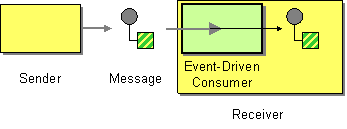
9.3. Polling Consumer
Overview
receive(), receive(long timeout), and receiveNoWait() that return a new exchange object, if one is available from the monitored resource. A polling consumer implementation must provide its own thread pool to perform the polling.
Figure 9.2. Polling Consumer Pattern
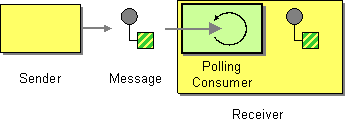
Scheduled poll consumer
Quartz component
9.4. Competing Consumers
Overview
Figure 9.3. Competing Consumers Pattern
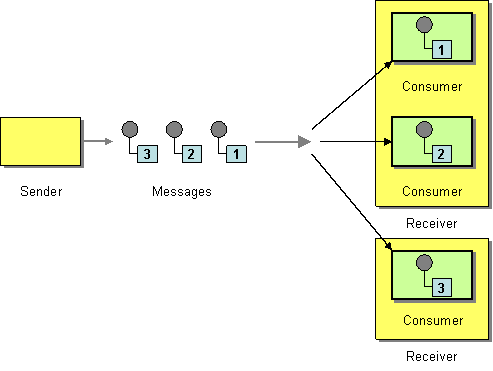
JMS based competing consumers
HighVolumeQ, as follows:
from("jms:HighVolumeQ").to("cxf:bean:replica01");
from("jms:HighVolumeQ").to("cxf:bean:replica02");
from("jms:HighVolumeQ").to("cxf:bean:replica03");
from("jms:HighVolumeQ").to("cxf:bean:replica01");
from("jms:HighVolumeQ").to("cxf:bean:replica02");
from("jms:HighVolumeQ").to("cxf:bean:replica03");replica01, replica02, and replica03, process messages from the HighVolumeQ queue in parallel.
concurrentConsumers, to create a thread pool of competing consumers. For example, the following route creates a pool of three competing threads that pick messages from the specified queue:
from("jms:HighVolumeQ?concurrentConsumers=3").to("cxf:bean:replica01");
from("jms:HighVolumeQ?concurrentConsumers=3").to("cxf:bean:replica01");concurrentConsumers option can also be specified in XML DSL, as follows:
<route> <from uri="jms:HighVolumeQ?concurrentConsumers=3"/> <to uri="cxf:bean:replica01"/> </route>
<route>
<from uri="jms:HighVolumeQ?concurrentConsumers=3"/>
<to uri="cxf:bean:replica01"/>
</route>SEDA based competing consumers
java.util.concurrent.BlockingQueue). Therefore, you can use a SEDA endpoint to break a route into stages, where each stage might use multiple threads. For example, you can define a SEDA route consisting of two stages, as follows:
file://var/messages, and routes them to a SEDA endpoint, seda:fanout. The second stage contains three threads: a thread that routes exchanges to cxf:bean:replica01, a thread that routes exchanges to cxf:bean:replica02, and a thread that routes exchanges to cxf:bean:replica03. These three threads compete to take exchange instances from the SEDA endpoint, which is implemented using a blocking queue. Because the blocking queue uses locking to prevent more than one thread from accessing the queue at a time, you are guaranteed that each exchange instance can only be consumed once.
thread(), see chapter "SEDA" in "EIP Component Reference".
9.5. Message Dispatcher
Overview
Figure 9.4. Message Dispatcher Pattern
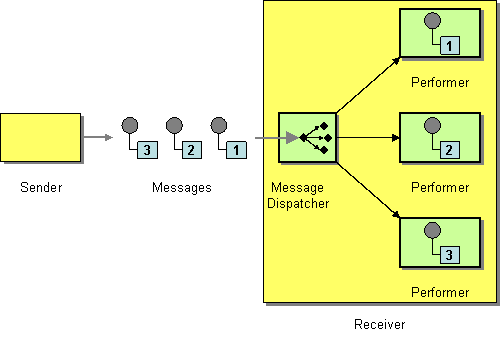
JMS selectors
true, the JMS message is allowed to reach the consumer, and if the selector evaluates to false, the JMS message is blocked. In many respects, a JMS selector is like a filter processor, but it has the additional advantage that the filtering is implemented inside the JMS provider. This means that a JMS selector can block messages before they are transmitted to the Apache Camel application. This provides a significant efficiency advantage.
selector query option on a JMS endpoint URI. For example:
from("jms:dispatcher?selector=CountryCode='US'").to("cxf:bean:replica01");
from("jms:dispatcher?selector=CountryCode='IE'").to("cxf:bean:replica02");
from("jms:dispatcher?selector=CountryCode='DE'").to("cxf:bean:replica03");
from("jms:dispatcher?selector=CountryCode='US'").to("cxf:bean:replica01");
from("jms:dispatcher?selector=CountryCode='IE'").to("cxf:bean:replica02");
from("jms:dispatcher?selector=CountryCode='DE'").to("cxf:bean:replica03");CountryCode.
application/x-www-form-urlencoded MIME format (see the HTML specification). In practice, the &(ampersand) character might cause difficulties because it is used to delimit each query option in the URI. For more complex selector strings that might need to embed the & character, you can encode the strings using the java.net.URLEncoder utility class. For example:
from("jms:dispatcher?selector=" + java.net.URLEncoder.encode("CountryCode='US'","UTF-8")).
to("cxf:bean:replica01");
from("jms:dispatcher?selector=" + java.net.URLEncoder.encode("CountryCode='US'","UTF-8")).
to("cxf:bean:replica01");JMS selectors in ActiveMQ
from("activemq:dispatcher?selector=CountryCode='US'").to("cxf:bean:replica01");
from("activemq:dispatcher?selector=CountryCode='IE'").to("cxf:bean:replica02");
from("activemq:dispatcher?selector=CountryCode='DE'").to("cxf:bean:replica03");
from("activemq:dispatcher?selector=CountryCode='US'").to("cxf:bean:replica01");
from("activemq:dispatcher?selector=CountryCode='IE'").to("cxf:bean:replica02");
from("activemq:dispatcher?selector=CountryCode='DE'").to("cxf:bean:replica03");Content-based router
9.6. Selective Consumer
Overview
Figure 9.5. Selective Consumer Pattern
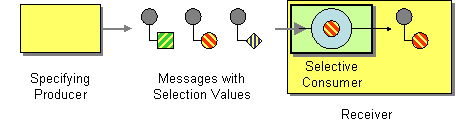
JMS selector
true, the JMS message is allowed to reach the consumer, and if the selector evaluates to false, the JMS message is blocked. For example, to consume messages from the queue, selective, and select only those messages whose country code property is equal to US, you can use the following Java DSL route:
from("jms:selective?selector=" + java.net.URLEncoder.encode("CountryCode='US'","UTF-8")).
to("cxf:bean:replica01");
from("jms:selective?selector=" + java.net.URLEncoder.encode("CountryCode='US'","UTF-8")).
to("cxf:bean:replica01");CountryCode='US', must be URL encoded (using UTF-8 characters) to avoid trouble with parsing the query options. This example presumes that the JMS property, CountryCode, is set by the sender. For more details about JMS selectors, see the section called “JMS selectors”.
JMS selector in ActiveMQ
from("acivemq:selective?selector=" + java.net.URLEncoder.encode("CountryCode='US'","UTF-8")).
to("cxf:bean:replica01");
from("acivemq:selective?selector=" + java.net.URLEncoder.encode("CountryCode='US'","UTF-8")).
to("cxf:bean:replica01");Message filter
from("seda:a").filter(header("CountryCode").isEqualTo("US")).process(myProcessor);
from("seda:a").filter(header("CountryCode").isEqualTo("US")).process(myProcessor);9.7. Durable Subscriber
Overview
- non-durable subscriber—Can have two states: connected and disconnected. While a non-durable subscriber is connected to a topic, it receives all of the topic's messages in real time. However, a non-durable subscriber never receives messages sent to the topic while the subscriber is disconnected.
- durable subscriber—Can have two states: connected and inactive. The inactive state means that the durable subscriber is disconnected from the topic, but wants to receive the messages that arrive in the interim. When the durable subscriber reconnects to the topic, it receives a replay of all the messages sent while it was inactive.
Figure 9.6. Durable Subscriber Pattern
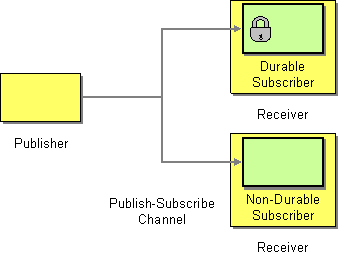
JMS durable subscriber
news, with a client ID of conn01 and a durable subscription name of John.Doe:
from("jms:topic:news?clientId=conn01&durableSubscriptionName=John.Doe").
to("cxf:bean:newsprocessor");
from("jms:topic:news?clientId=conn01&durableSubscriptionName=John.Doe").
to("cxf:bean:newsprocessor");from("activemq:topic:news?clientId=conn01&durableSubscriptionName=John.Doe").
to("cxf:bean:newsprocessor");
from("activemq:topic:news?clientId=conn01&durableSubscriptionName=John.Doe").
to("cxf:bean:newsprocessor");Alternative example
from("direct:start").to("activemq:topic:foo");
from("activemq:topic:foo?clientId=1&durableSubscriptionName=bar1").to("mock:result1");
from("activemq:topic:foo?clientId=2&durableSubscriptionName=bar2").to("mock:result2");
from("direct:start").to("activemq:topic:foo");
from("activemq:topic:foo?clientId=1&durableSubscriptionName=bar1").to("mock:result1");
from("activemq:topic:foo?clientId=2&durableSubscriptionName=bar2").to("mock:result2"); from("direct:start").to("activemq:topic:VirtualTopic.foo");
from("activemq:queue:Consumer.1.VirtualTopic.foo").to("mock:result1");
from("activemq:queue:Consumer.2.VirtualTopic.foo").to("mock:result2");
from("direct:start").to("activemq:topic:VirtualTopic.foo");
from("activemq:queue:Consumer.1.VirtualTopic.foo").to("mock:result1");
from("activemq:queue:Consumer.2.VirtualTopic.foo").to("mock:result2");9.8. Idempotent Consumer
Overview
MemoryIdempotentRepository
Idempotent consumer with in-memory cache
idempotentConsumer() processor, which takes two arguments:
messageIdExpression— An expression that returns a message ID string for the current message.messageIdRepository— A reference to a message ID repository, which stores the IDs of all the messages received.
TransactionID header to filter out duplicates.
Example 9.1. Filtering Duplicate Messages with an In-memory Cache
memoryMessageIdRepository(200) creates an in-memory cache that can hold up to 200 message IDs.
Idempotent consumer with JPA repository
JpaTemplateinstance—Provides the handle for the JPA database.- processor name—Identifies the current idempotent consumer processor.
SpringRouteBuilder.bean() method is a shortcut that references a bean defined in the Spring XML file. The JpaTemplate bean provides a handle to the underlying JPA database. See the JPA documentation for details of how to configure this bean.
Spring XML example
myMessageId header to filter out duplicates:
Idempotent consumer with JDBC repository
camel-sql artifact.
SingleConnectionDataSource JDBC wrapper class from the Spring persistence API in order to instantiate the connection to a SQL database. For example, to instantiate a JDBC connection to a HyperSQL database instance, you could define the following JDBC data source:
mem protocol, which creates a memory-only database instance. This is a toy implementation of the HyperSQL database which is not actually persistent.
How to handle duplicate messages in the route
skipDuplicate option to false which instructs the idempotent consumer to route duplicate messages as well. However the duplicate message has been marked as duplicate by having a property on the Exchange set to true. We can leverage this fact by using a Content-Based Router or Message Filter to detect this and handle duplicate messages.
How to handle duplicate message in a clustered environment with a data grid
HazelcastIdempotentRepository idempotentRepo = new HazelcastIdempotentRepository("myrepo");
from("direct:in").idempotentConsumer(header("messageId"), idempotentRepo).to("mock:out");
HazelcastIdempotentRepository idempotentRepo = new HazelcastIdempotentRepository("myrepo");
from("direct:in").idempotentConsumer(header("messageId"), idempotentRepo).to("mock:out");Options
| Option | Default | Description |
|---|---|---|
eager
|
true
|
Camel 2.0: Eager controls whether Camel adds the message to the repository before or after the exchange has been processed. If enabled before then Camel will be able to detect duplicate messages even when messages are currently in progress. By disabling Camel will only detect duplicates when a message has successfully been processed. |
messageIdRepositoryRef
|
null
|
A reference to a IdempotentRepository to lookup in the registry. This option is mandatory when using XML DSL.
|
skipDuplicate
|
true
|
Camel 2.8: Sets whether to skip duplicate messages. If set to false then the message will be continued. However the Exchange has been marked as a duplicate by having the Exchange.DUPLICATE_MESSAG exchange property set to a Boolean.TRUE value.
|
9.9. Transactional Client
Overview
Figure 9.7. Transactional Client Pattern
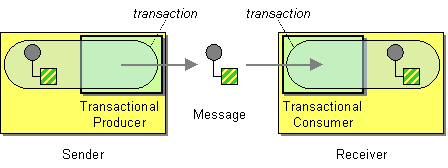
Transaction oriented endpoints
CamelContext. This entails writing code to initialize your transactional components explicitly.
References
9.10. Messaging Gateway
Overview
Figure 9.8. Messaging Gateway Pattern
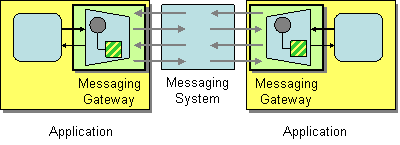
9.11. Service Activator
Overview
Figure 9.9. Service Activator Pattern
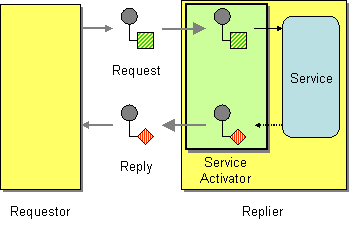
Bean integration
bean() and beanRef() that you can insert into a route to invoke methods on a registered Java bean. The detailed mapping of message data to Java method parameters is determined by the bean binding, which can be implemented by adding annotations to the bean class.
BankBean.getUserAccBalance(), to service requests incoming on a JMS/ActiveMQ queue:
from("activemq:BalanceQueries")
.setProperty("userid", xpath("/Account/BalanceQuery/UserID").stringResult())
.beanRef("bankBean", "getUserAccBalance")
.to("velocity:file:src/scripts/acc_balance.vm")
.to("activemq:BalanceResults");
from("activemq:BalanceQueries")
.setProperty("userid", xpath("/Account/BalanceQuery/UserID").stringResult())
.beanRef("bankBean", "getUserAccBalance")
.to("velocity:file:src/scripts/acc_balance.vm")
.to("activemq:BalanceResults");activemq:BalanceQueries, have a simple XML format that provides the user ID of a bank account. For example:
setProperty(), extracts the user ID from the In message and stores it in the userid exchange property. This is preferable to storing it in a header, because the In headers are not available after invoking the bean.
beanRef() processor, which binds the incoming message to the getUserAccBalance() method on the Java object identified by the bankBean bean ID. The following code shows a sample implementation of the BankBean class:
@XPath annotation, which injects the content of the UserID XML element into the user method parameter. On completion of the call, the return value is inserted into the body of the Out message which is then copied into the In message for the next step in the route. In order for the bean to be accessible to the beanRef() processor, you must instantiate an instance in Spring XML. For example, you can add the following lines to the META-INF/spring/camel-context.xml configuration file to instantiate the bean:
<?xml version="1.0" encoding="UTF-8"?> <beans ... > ... <bean id="bankBean" class="tutorial.BankBean"/> </beans>
<?xml version="1.0" encoding="UTF-8"?>
<beans ... >
...
<bean id="bankBean" class="tutorial.BankBean"/>
</beans>bankBean, identifes this bean instance in the registry.
velocity:file:src/scripts/acc_balance.vm, specifies the location of a velocity script with the following contents:
exchange, which enables you to retrieve the userid exchange property, using ${exchange.getProperty("userid")}. The body of the current In message, ${body}, contains the result of the getUserAccBalance() method invocation.
Chapter 10. System Management
Abstract
10.1. Detour
Detour

Example
from("direct:start").to("mock:result") with a conditional detour to the mock:detour endpoint in the middle of the route..
from("direct:start").choice()
.when().method("controlBean", "isDetour").to("mock:detour").end()
.to("mock:result");
from("direct:start").choice()
.when().method("controlBean", "isDetour").to("mock:detour").end()
.to("mock:result");
ControlBean. So, when the detour is on the message is routed to mock:detour and then mock:result. When the detour is off, the message is routed to mock:result.
10.2. LogEIP
Overview
log DSL is much lighter and meant for logging human logs such as Starting to do .... It can only log a message based on the Simple language. In contrast, the Log component is a fully featured logging component. The Log component is capable of logging the message itself and you have many URI options to control the logging.
Java DSL example
log DSL command to construct a log message at run time using the Simple expression language. For example, you can create a log message within a route, as follows:
from("direct:start").log("Processing ${id}").to("bean:foo");
from("direct:start").log("Processing ${id}").to("bean:foo");String format message at run time. The log message will by logged at INFO level, using the route ID as the log name. By default, routes are named consecutively, route-1, route-2 and so on. But you can use the DSL command, routeId("myCoolRoute"), to specify a custom route ID.
LoggingLevel.DEBUG, you can invoke the log DSL as follows:
from("direct:start").log(LoggingLevel.DEBUG, "Processing ${id}").to("bean:foo");
from("direct:start").log(LoggingLevel.DEBUG, "Processing ${id}").to("bean:foo");fileRoute, you can invoke the log DSL as follows:
from("file://target/files").log(LoggingLevel.DEBUG, "fileRoute", "Processing file ${file:name}").to("bean:foo");
from("file://target/files").log(LoggingLevel.DEBUG, "fileRoute", "Processing file ${file:name}").to("bean:foo");XML DSL example
log element and the log message is specified by setting the message attribute to a Simple expression, as follows:
<route id="foo">
<from uri="direct:foo"/>
<log message="Got ${body}"/>
<to uri="mock:foo"/>
</route>
<route id="foo">
<from uri="direct:foo"/>
<log message="Got ${body}"/>
<to uri="mock:foo"/>
</route>log element supports the message, loggingLevel and logName attributes. For example:
<route id="baz">
<from uri="direct:baz"/>
<log message="Me Got ${body}" loggingLevel="FATAL" logName="cool"/>
<to uri="mock:baz"/>
</route>
<route id="baz">
<from uri="direct:baz"/>
<log message="Me Got ${body}" loggingLevel="FATAL" logName="cool"/>
<to uri="mock:baz"/>
</route>10.3. Wire Tap
Wire Tap
Figure 10.1. Wire Tap Pattern
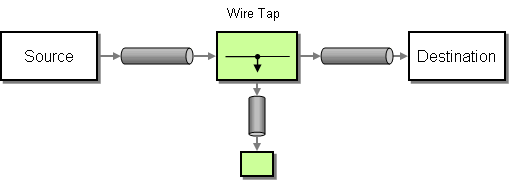
WireTap node
wireTap node for doing wire taps. The wireTap node copies the original exchange to a tapped exchange, whose exchange pattern is set to InOnly, because the tapped exchange should be propagated in a oneway style. The tapped exchange is processed in a separate thread, so that it can run concurrently with the main route.
wireTap supports two different approaches to tapping an exchange:
- Tap a copy of the original exchange.
- Tap a new exchange instance, enabling you to customize the tapped exchange.
Tap a copy of the original exchange
from("direct:start")
.to("log:foo")
.wireTap("direct:tap")
.to("mock:result");
from("direct:start")
.to("log:foo")
.wireTap("direct:tap")
.to("mock:result");
Tap and modify a copy of the original exchange
from("direct:start")
.wireTap("direct:foo", constant("Bye World"))
.to("mock:result");
from("direct:foo").to("mock:foo");
from("direct:start")
.wireTap("direct:foo", constant("Bye World"))
.to("mock:result");
from("direct:foo").to("mock:foo");processorRef attribute references a spring bean with the myProcessor ID:
<route>
<from uri="direct:start2"/>
<wireTap uri="direct:foo" processorRef="myProcessor"/>
<to uri="mock:result"/>
</route>
<route>
<from uri="direct:start2"/>
<wireTap uri="direct:foo" processorRef="myProcessor"/>
<to uri="mock:result"/>
</route>Tap a new exchange instance
false (the default is true). In this case, an initially empty exchange is created for the wiretap.
wireTap argument sets the copy flag to false, indicating that the original exchange is not copied and an empty exchange is created instead.
from("direct:start")
.wireTap("direct:foo", false, constant("Bye World"))
.to("mock:result");
from("direct:foo").to("mock:foo");
from("direct:start")
.wireTap("direct:foo", false, constant("Bye World"))
.to("mock:result");
from("direct:foo").to("mock:foo");wireTap element's copy attribute to false.
processorRef attribute references a spring bean with the myProcessor ID, as follows:
<route>
<from uri="direct:start2"/>
<wireTap uri="direct:foo" processorRef="myProcessor" copy="false"/>
<to uri="mock:result"/>
</route>
<route>
<from uri="direct:start2"/>
<wireTap uri="direct:foo" processorRef="myProcessor" copy="false"/>
<to uri="mock:result"/>
</route>Sending a new Exchange and set headers in DSL
- "Bye World" as message body
- a header with key "id" with the value 123
- a header with key "date" which has current date as value
Java DSL
XML DSL
Using onPrepare to execute custom logic when preparing messages
Options
wireTap DSL command supports the following options:
| Name | Default Value | Description |
|---|---|---|
uri
|
The endpoint uri where to send the wire tapped message. You should use either uri or ref.
|
|
ref
|
Refers to the endpoint where to send the wire tapped message. You should use either uri or ref.
|
|
executorServiceRef
|
Refers to a custom Thread Pool to be used when processing the wire tapped messages. If not set then Camel uses a default thread pool. | |
processorRef
|
Refers to a custom Processor to be used for creating a new message (eg the send a new message mode). See below. | |
copy
|
true
|
Camel 2.3: Should a copy of the Exchange to used when wire tapping the message. |
onPrepareRef
|
Camel 2.8: Refers to a custom Processor to prepare the copy of the Exchange to be wire tapped. This allows you to do any custom logic, such as deep-cloning the message payload if that's needed etc. |
Appendix A. Migrating from ServiceMix EIP
Abstract
A.1. Migrating Endpoints
Overview
- Connect to an existing ServiceMix service/endpoint through the ServiceMix Camel module (which integrates Apache Camel with the NMR).
- If the existing ServiceMix service/endpoint represents a ServiceMix binding component, you can replace the ServiceMix binding component with an equivalent Apache Camel component (thus bypassing the NMR).
The ServiceMix Camel module
servicemix-camel module. This module is provided with ServiceMix, but actually implements a plug-in for the Apache Camel product: the JBI component (see chapter "JBI" in "EIP Component Reference" and JBI Component).
servicemix-camel JAR file is included on your Classpath or, if you are using Maven, include a dependency on the servicemix-camel artifact in your project POM. You can then access the JBI component by defining Apache Camel endpoint URIs with the jbi: component prefix.
Translating ServiceMix URIs into Apache Camel endpoint URIs
- If the ServiceMix URI contains a namespace prefix, replace the prefix by its corresponding namespace.For example, after modifying the ServiceMix URI,
service:test:messageFilter, wheretestcorresponds to the namespace,http://progress.com/demos/test, you getservice:http://progress.com/demos/test:messageFilter. - Modify the separator character, depending on what kind of namespace appears in the URI:
- If the namespace starts with
http://, use the/character as the separator between namespace, service name, and endpoint name (if present).For example, the URI,service:http://progress.com/demos/test:messageFilter, would be modified toservice:http://progress.com/demos/test/messageFilter. - If the namespace starts with
urn:, use the:character as the separator between namespace, service name, and endpoint name (if present).For example,service:urn:progress:com:demos:test:messageFilter.
- Create a JBI endpoint URI by adding the
jbi:prefix.For example,jbi:service:http://progress.com/demos/test/messageFilter.
Example of mapping ServiceMix URIs
eip:exchange-target elements define some targets using the ServiceMix URI format.
<route> <from uri="jbi:endpoint:http://progress.com/demos/test/recipients/endpoint"/> <to uri="jbi:service:http://progress.com/demos/test/messageFilter"/> <to uri="jbi:service:http://progress.com/demos/test/trace4"/> </route>
<route>
<from uri="jbi:endpoint:http://progress.com/demos/test/recipients/endpoint"/>
<to uri="jbi:service:http://progress.com/demos/test/messageFilter"/>
<to uri="jbi:service:http://progress.com/demos/test/trace4"/>
</route>Replacing ServiceMix bindings with Apache Camel components
A.2. Common Elements
Overview
Exchange target
eip:exchange-target element to specify JBI target endpoints. Table A.1, “Mapping the Exchange Target Element” shows examples of how to map sample eip:exchange-target elements to Apache Camel endpoint URIs, where it is assumed that the test prefix maps to the http://progress.com/demos/test namespace.
| ServiceMix EIP Target | Apache Camel Endpoint URI |
|---|---|
<eip:exchange-target interface="HelloWorld" /> | jbi:interface:HelloWorld |
<eip:exchange-target service="test:HelloWorldService" /> | jbi:service:http://progress.com/demos/test/HelloWorldService |
<eip:exchange-target service="test:HelloWorldService" endpoint="secure" /> | jbi:service:http://progress.com/demos/test/HelloWorldService/secure |
<eip:exchange-target uri="service:test:HelloWorldService" /> | jbi:service:http://progress.com/demos/test/HelloWorldService |
Predicates
eip:xpath-predicate elements or in eip:xpath-splitter elements, where the XPath predicate is specified using an xpath attribute.
xpath element (in XML configuration) or the xpath() command (in Java DSL). For example, the message filter pattern in Apache Camel can incorporate an XPath predicate as follows:
xpath element specifies that only messages containing the test:world element will pass through the filter.
Namespace contexts
eip:namespace-context element. The namespace is then referenced using a namespaceContext attribute.
eip:namespace-context elements when you migrate to Apache Camel.
A.3. ServiceMix EIP Patterns
|
| Content-Based Router | How we handle a situation where the implementation of a single logical function (e.g., inventory check) is spread across multiple physical systems. |
|
| Content Enricher | How we communicate with another system if the message originator does not have all the required data items available. |
|
| Message Filter | How a component avoids receiving uninteresting messages. |
|
| Pipeline | How we perform complex processing on a message while maintaining independence and flexibility. |
|
| Resequencer | How we get a stream of related but out-of-sequence messages back into the correct order. |
|
| Static Recipient List | How we route a message to a list of specified recipients. |
| Static Routing Slip | How we route a message consecutively through a series of processing steps. | |
|
| Wire Tap | How you inspect messages that travel on a point-to-point channel. |
|
| XPath Splitter | How we process a message if it contains multiple elements, each of which may have to be processed in a different way. |
A.4. Content-based Router
Overview
Figure A.1. Content-based Router Pattern
Example ServiceMix EIP route
test:echo element is present in the message body, the message is routed to the http://test/pipeline/endpoint endpoint. Otherwise, the message is routed to the test:recipients endpoint.
Example A.1. ServiceMix EIP Content-based Route
Equivalent Apache Camel XML route
Example A.2. Apache Camel Content-based Router Using XML Configuration
Equivalent Apache Camel Java DSL route
Example A.3. Apache Camel Content-based Router Using Java DSL
from("jbi:endpoint:http://progress.com/demos/test/router/endpoint").
choice().when(xpath("count(/test:echo) = 1")).to("jbi:endpoint:http://progress.com/demos/test/pipeline/endpoint").
otherwise().to("jbi:service:http://progress.com/demos/test/recipients");
from("jbi:endpoint:http://progress.com/demos/test/router/endpoint").
choice().when(xpath("count(/test:echo) = 1")).to("jbi:endpoint:http://progress.com/demos/test/pipeline/endpoint").
otherwise().to("jbi:service:http://progress.com/demos/test/recipients");A.5. Content Enricher
Overview
Figure A.2. Content Enricher Pattern
Example ServiceMix EIP route
test:additionalInformationExtracter, which adds missing data to the message. The message is then sent on to its ultimate destination, test:myTarget.
Example A.4. ServiceMix EIP Content Enricher
Equivalent Apache Camel XML route
Example A.5. Apache Camel Content Enricher using XML Configuration
<route> <from uri="jbi:endpoint:http://progress.com/demos/test/contentEnricher/endpoint"/> <to uri="jbi:service:http://progress.com/demos/test/additionalInformationExtracter"/> <to uri="jbi:service:http://progress.com/demos/test/myTarget"/> </route>
<route>
<from uri="jbi:endpoint:http://progress.com/demos/test/contentEnricher/endpoint"/>
<to uri="jbi:service:http://progress.com/demos/test/additionalInformationExtracter"/>
<to uri="jbi:service:http://progress.com/demos/test/myTarget"/>
</route>Equivalent Apache Camel Java DSL route
Example A.6. Apache Camel Content Enricher using Java DSL
from("jbi:endpoint:http://progress.com/demos/test/contentEnricher/endpoint").
to("jbi:service:http://progress.com/demos/test/additionalInformationExtracter").
to("jbi:service:http://progress.com/demos/test/myTarget");
from("jbi:endpoint:http://progress.com/demos/test/contentEnricher/endpoint").
to("jbi:service:http://progress.com/demos/test/additionalInformationExtracter").
to("jbi:service:http://progress.com/demos/test/myTarget");A.6. Message Filter
Overview
true, the incoming message is allowed to pass; otherwise, it is blocked. This pattern maps to the corresponding message filter pattern in Apache Camel.
Figure A.3. Message Filter Pattern
Example ServiceMix EIP route
test:world element.
Example A.7. ServiceMix EIP Message Filter
Equivalent Apache Camel XML route
Example A.8. Apache Camel Message Filter Using XML
Equivalent Apache Camel Java DSL route
Example A.9. Apache Camel Message Filter Using Java DSL
from("jbi:endpoint:http://progress.com/demos/test/messageFilter/endpoint").
filter(xpath("count(/test:world) = 1")).
to("jbi:service:http://progress.com/demos/test/trace3");
from("jbi:endpoint:http://progress.com/demos/test/messageFilter/endpoint").
filter(xpath("count(/test:world) = 1")).
to("jbi:service:http://progress.com/demos/test/trace3");A.7. Pipeline
Overview
Figure A.4. Pipes and Filters Pattern
Example ServiceMix EIP route
test:decrypt, and the output from the transformer endpoint is then passed into the target endpoint, test:plaintextOrder.
Example A.10. ServiceMix EIP Pipeline
Equivalent Apache Camel XML route
Example A.11. Apache Camel Pipeline Using XML
<route> <from uri="jbi:endpoint:http://progress.com/demos/test/pipeline/endpoint"/> <to uri="jbi:service:http://progress.com/demos/test/decrypt"/> <to uri="jbi:service:http://progress.com/demos/test/plaintextOrder"/> </route>
<route>
<from uri="jbi:endpoint:http://progress.com/demos/test/pipeline/endpoint"/>
<to uri="jbi:service:http://progress.com/demos/test/decrypt"/>
<to uri="jbi:service:http://progress.com/demos/test/plaintextOrder"/>
</route>Equivalent Apache Camel Java DSL route
Example A.12. Apache Camel Pipeline Using Java DSL
from("jbi:endpoint:http://progress.com/demos/test/pipeline/endpoint").
pipeline("jbi:service:http://progress.com/demos/test/decrypt", "jbi:service:http://progress.com/demos/test/plaintextOrder");
from("jbi:endpoint:http://progress.com/demos/test/pipeline/endpoint").
pipeline("jbi:service:http://progress.com/demos/test/decrypt", "jbi:service:http://progress.com/demos/test/plaintextOrder");A.8. Resequencer
Overview
Figure A.5. Resequencer Pattern
Sequence number property
org.apache.servicemix.eip.sequence.number property in ServiceMix, but you can customize the name of this property using the eip:default-comparator element in ServiceMix.
seqnum header, you can use the simple expression, header.seqnum.
Example ServiceMix EIP route
Example A.13. ServiceMix EIP Resequncer
Equivalent Apache Camel XML route
Example A.14. Apache Camel Resequencer Using XML
Equivalent Apache Camel Java DSL route
Example A.15. Apache Camel Resequencer Using Java DSL
from("jbi:endpoint:sample:Resequencer:ResequencerEndpoint").
resequencer(header("seqnum")).
stream(new StreamResequencerConfig(100, 2000L)).
to("jbi:service:sample:SampleTarget");
from("jbi:endpoint:sample:Resequencer:ResequencerEndpoint").
resequencer(header("seqnum")).
stream(new StreamResequencerConfig(100, 2000L)).
to("jbi:service:sample:SampleTarget");A.9. Static Recipient List
Overview
Figure A.6. Static Recipient List Pattern
Example ServiceMix EIP route
test:messageFilter endpoint and to the test:trace4 endpoint.
Example A.16. ServiceMix EIP Static Recipient List
Equivalent Apache Camel XML route
Example A.17. Apache Camel Static Recipient List Using XML
<route> <from uri="jbi:endpoint:http://progress.com/demos/test/recipients/endpoint"/> <to uri="jbi:service:http://progress.com/demos/test/messageFilter"/> <to uri="jbi:service:http://progress.com/demos/test/trace4"/> </route>
<route>
<from uri="jbi:endpoint:http://progress.com/demos/test/recipients/endpoint"/>
<to uri="jbi:service:http://progress.com/demos/test/messageFilter"/>
<to uri="jbi:service:http://progress.com/demos/test/trace4"/>
</route>Equivalent Apache Camel Java DSL route
Example A.18. Apache Camel Static Recipient List Using Java DSL
from("jbi:endpoint:http://progress.com/demos/test/recipients/endpoint").
to("jbi:service:http://progress.com/demos/test/messageFilter", "jbi:service:http://progress.com/demos/test/trace4");
from("jbi:endpoint:http://progress.com/demos/test/recipients/endpoint").
to("jbi:service:http://progress.com/demos/test/messageFilter", "jbi:service:http://progress.com/demos/test/trace4");A.10. Static Routing Slip
Overview
Example ServiceMix EIP route
test:procA, test:procB, and test:procC, where the output of each endpoint is connected to the input of the next endpoint in the chain. The final endpoint, test:procC, sends its output (Out message) back to the caller.
Example A.19. ServiceMix EIP Static Routing Slip
Equivalent Apache Camel XML route
Example A.20. Apache Camel Static Routing Slip Using XML
Equivalent Apache Camel Java DSL route
Example A.21. Apache Camel Static Routing Slip Using Java DSL
from("jbi:endpoint:http://progress.com/demos/test/routingSlip/endpoint").
pipeline("jbi:service:http://progress.com/demos/test/procA",
"jbi:service:http://progress.com/demos/test/procB",
"jbi:service:http://progress.com/demos/test/procC");
from("jbi:endpoint:http://progress.com/demos/test/routingSlip/endpoint").
pipeline("jbi:service:http://progress.com/demos/test/procA",
"jbi:service:http://progress.com/demos/test/procB",
"jbi:service:http://progress.com/demos/test/procC");A.11. Wire Tap
Overview
Figure A.7. Wire Tap Pattern
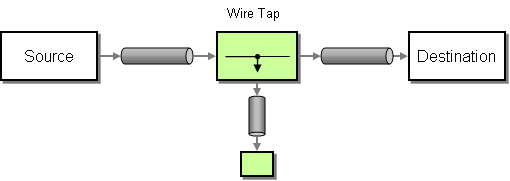
Example ServiceMix EIP route
eip:outListner element) and a Fault listener (using the eip:faultListener element).
Example A.22. ServiceMix EIP Wire Tap
Equivalent Apache Camel XML route
Example A.23. Apache Camel Wire Tap Using XML
<route> <from uri="jbi:endpoint:http://progress.com/demos/test/wireTap/endpoint"/> <to uri="jbi:service:http://progress.com/demos/test/trace1"/> <to uri="jbi:service:http://progress.com/demos/test/target"/> </route>
<route>
<from uri="jbi:endpoint:http://progress.com/demos/test/wireTap/endpoint"/>
<to uri="jbi:service:http://progress.com/demos/test/trace1"/>
<to uri="jbi:service:http://progress.com/demos/test/target"/>
</route>Equivalent Apache Camel Java DSL route
Example A.24. Apache Camel Wire Tap Using Java DSL
from("jbi:endpoint:http://progress.com/demos/test/wireTap/endpoint")
.to("jbi:service:http://progress.com/demos/test/trace1",
"jbi:service:http://progress.com/demos/test/target");
from("jbi:endpoint:http://progress.com/demos/test/wireTap/endpoint")
.to("jbi:service:http://progress.com/demos/test/trace1",
"jbi:service:http://progress.com/demos/test/target");A.12. XPath Splitter
Overview
Figure A.8. XPath Splitter Pattern
Forwarding NMR attachments and properties
eip:xpath-splitter element supports a forwardAttachments attribute and a forwardProperties attribute, either of which can be set to true, if you want the splitter to copy the incoming message's attachments or properties to the outgoing messages. The corresponding splitter pattern in Apache Camel does not support any such attributes. By default, the incoming message's headers are copied to each of the outgoing messages by the Apache Camel splitter.
Example ServiceMix EIP route
/*/*, causes an incoming message to split at every occurrence of a nested XML element (for example, the /foo/bar and /foo/car elements are split into distinct messages).
Example A.25. ServiceMix EIP XPath Splitter
Equivalent Apache Camel XML route
Example A.26. Apache Camel XPath Splitter Using XML
Equivalent Apache Camel Java DSL route
Example A.27. Apache Camel XPath Splitter Using Java DSL
from("jbi:endpoint:http://progress.com/demos/test/xpathSplitter/endpoint").
splitter(xpath("/*/*")).to("jbi:service:http://test/router");
from("jbi:endpoint:http://progress.com/demos/test/xpathSplitter/endpoint").
splitter(xpath("/*/*")).to("jbi:service:http://test/router");Index
P
- performer, Overview
W
- wire tap pattern, System Management
Legal Notice
Trademark Disclaimer
Legal Notice
Third Party Acknowledgements
- JLine (http://jline.sourceforge.net) jline:jline:jar:1.0License: BSD (LICENSE.txt) - Copyright (c) 2002-2006, Marc Prud'hommeaux
mwp1@cornell.eduAll rights reserved.Redistribution and use in source and binary forms, with or without modification, are permitted provided that the following conditions are met:- Redistributions of source code must retain the above copyright notice, this list of conditions and the following disclaimer.
- Redistributions in binary form must reproduce the above copyright notice, this list of conditions and the following disclaimer in the documentation and/or other materials provided with the distribution.
- Neither the name of JLine nor the names of its contributors may be used to endorse or promote products derived from this software without specific prior written permission.
THIS SOFTWARE IS PROVIDED BY THE COPYRIGHT HOLDERS AND CONTRIBUTORS "AS IS" AND ANY EXPRESS OR IMPLIED WARRANTIES, INCLUDING, BUT NOT LIMITED TO, THE IMPLIED WARRANTIES OF MERCHANTABILITY AND FITNESS FOR A PARTICULAR PURPOSE ARE DISCLAIMED. IN NO EVENT SHALL THE COPYRIGHT OWNER OR CONTRIBUTORS BE LIABLE FOR ANY DIRECT, INDIRECT, INCIDENTAL, SPECIAL, EXEMPLARY, OR CONSEQUENTIAL DAMAGES (INCLUDING, BUT NOT LIMITED TO, PROCUREMENT OF SUBSTITUTE GOODS OR SERVICES; LOSS OF USE, DATA, OR PROFITS; OR BUSINESS INTERRUPTION) HOWEVER CAUSED AND ON ANY THEORY OF LIABILITY, WHETHER IN CONTRACT, STRICT LIABILITY, OR TORT (INCLUDING NEGLIGENCE OR OTHERWISE) ARISING IN ANY WAY OUT OF THE USE OF THIS SOFTWARE, EVEN IF ADVISED OF THE POSSIBILITY OF SUCH DAMAGE. - Stax2 API (http://woodstox.codehaus.org/StAX2) org.codehaus.woodstox:stax2-api:jar:3.1.1License: The BSD License (http://www.opensource.org/licenses/bsd-license.php)Copyright (c) <YEAR>, <OWNER> All rights reserved.Redistribution and use in source and binary forms, with or without modification, are permitted provided that the following conditions are met:
- Redistributions of source code must retain the above copyright notice, this list of conditions and the following disclaimer.
- Redistributions in binary form must reproduce the above copyright notice, this list of conditions and the following disclaimer in the documentation and/or other materials provided with the distribution.
THIS SOFTWARE IS PROVIDED BY THE COPYRIGHT HOLDERS AND CONTRIBUTORS "AS IS" AND ANY EXPRESS OR IMPLIED WARRANTIES, INCLUDING, BUT NOT LIMITED TO, THE IMPLIED WARRANTIES OF MERCHANTABILITY AND FITNESS FOR A PARTICULAR PURPOSE ARE DISCLAIMED. IN NO EVENT SHALL THE COPYRIGHT HOLDER OR CONTRIBUTORS BE LIABLE FOR ANY DIRECT, INDIRECT, INCIDENTAL, SPECIAL, EXEMPLARY, OR CONSEQUENTIAL DAMAGES (INCLUDING, BUT NOT LIMITED TO, PROCUREMENT OF SUBSTITUTE GOODS OR SERVICES; LOSS OF USE, DATA, OR PROFITS; OR BUSINESS INTERRUPTION) HOWEVER CAUSED AND ON ANY THEORY OF LIABILITY, WHETHER IN CONTRACT, STRICT LIABILITY, OR TORT (INCLUDING NEGLIGENCE OR OTHERWISE) ARISING IN ANY WAY OUT OF THE USE OF THIS SOFTWARE, EVEN IF ADVISED OF THE POSSIBILITY OF SUCH DAMAGE. - jibx-run - JiBX runtime (http://www.jibx.org/main-reactor/jibx-run) org.jibx:jibx-run:bundle:1.2.3License: BSD (http://jibx.sourceforge.net/jibx-license.html) Copyright (c) 2003-2010, Dennis M. Sosnoski.All rights reserved.Redistribution and use in source and binary forms, with or without modification, are permitted provided that the following conditions are met:
- Redistributions of source code must retain the above copyright notice, this list of conditions and the following disclaimer.
- Redistributions in binary form must reproduce the above copyright notice, this list of conditions and the following disclaimer in the documentation and/or other materials provided with the distribution.
- Neither the name of JiBX nor the names of its contributors may be used to endorse or promote products derived from this software without specific prior written permission.
THIS SOFTWARE IS PROVIDED BY THE COPYRIGHT HOLDERS AND CONTRIBUTORS "AS IS" AND ANY EXPRESS OR IMPLIED WARRANTIES, INCLUDING, BUT NOT LIMITED TO, THE IMPLIED WARRANTIES OF MERCHANTABILITY AND FITNESS FOR A PARTICULAR PURPOSE ARE DISCLAIMED. IN NO EVENT SHALL THE COPYRIGHT OWNER OR CONTRIBUTORS BE LIABLE FOR ANY DIRECT, INDIRECT, INCIDENTAL, SPECIAL, EXEMPLARY, OR CONSEQUENTIAL DAMAGES (INCLUDING, BUT NOT LIMITED TO, PROCUREMENT OF SUBSTITUTE GOODS OR SERVICES; LOSS OF USE, DATA, OR PROFITS; OR BUSINESS INTERRUPTION) HOWEVER CAUSED AND ON ANY THEORY OF LIABILITY, WHETHER IN CONTRACT, STRICT LIABILITY, OR TORT (INCLUDING NEGLIGENCE OR OTHERWISE) ARISING IN ANY WAY OUT OF THE USE OF THIS SOFTWARE, EVEN IF ADVISED OF THE POSSIBILITY OF SUCH DAMAGE. - JavaAssist (http://www.jboss.org/javassist) org.jboss.javassist:com.springsource.javassist:jar:3.9.0.GA:compileLicense: MPL (http://www.mozilla.org/MPL/MPL-1.1.html)
- HAPI-OSGI-Base Module (http://hl7api.sourceforge.net/hapi-osgi-base/) ca.uhn.hapi:hapi-osgi-base:bundle:1.2License: Mozilla Public License 1.1 (http://www.mozilla.org/MPL/MPL-1.1.txt)

'%20d='M201.5%20305.5c-13.8%200-24.9-11.1-24.9-24.6%200-13.8%2011.1-24.9%2024.9-24.9%2013.6%200%2024.6%2011.1%2024.6%2024.9%200%2013.6-11.1%2024.6-24.6%2024.6zM504%20256c0%20137-111%20248-248%20248S8%20393%208%20256%20119%208%20256%208s248%20111%20248%20248zm-132.3-41.2c-9.4%200-17.7%203.9-23.8%2010-22.4-15.5-52.6-25.5-86.1-26.6l17.4-78.3%2055.4%2012.5c0%2013.6%2011.1%2024.6%2024.6%2024.6%2013.8%200%2024.9-11.3%2024.9-24.9s-11.1-24.9-24.9-24.9c-9.7%200-18%205.8-22.1%2013.8l-61.2-13.6c-3-.8-6.1%201.4-6.9%204.4l-19.1%2086.4c-33.2%201.4-63.1%2011.3-85.5%2026.8-6.1-6.4-14.7-10.2-24.1-10.2-34.9%200-46.3%2046.9-14.4%2062.8-1.1%205-1.7%2010.2-1.7%2015.5%200%2052.6%2059.2%2095.2%20132%2095.2%2073.1%200%20132.3-42.6%20132.3-95.2%200-5.3-.6-10.8-1.9-15.8%2031.3-16%2019.8-62.5-14.9-62.5zM302.8%20331c-18.2%2018.2-76.1%2017.9-93.6%200-2.2-2.2-6.1-2.2-8.3%200-2.5%202.5-2.5%206.4%200%208.6%2022.8%2022.8%2087.3%2022.8%20110.2%200%202.5-2.2%202.5-6.1%200-8.6-2.2-2.2-6.1-2.2-8.3%200zm7.7-75c-13.6%200-24.6%2011.1-24.6%2024.9%200%2013.6%2011.1%2024.6%2024.6%2024.6%2013.8%200%2024.9-11.1%2024.9-24.6%200-13.8-11-24.9-24.9-24.9z'/%3e%3c/svg%3e)