 Red Hat Summit
Este contenido no está disponible en el idioma seleccionado.
Chapter 6. Policy
6.1. About Policy
Copiar enlaceEnlace copiado en el portapapeles!
Policy enables you to verify the runtime behavior of a service in a declarative manner, free of the service implementation and binding details. For example, if you require a service to always participate in a global transaction only, you can add logic to your service implementation which checks the current transaction state, associates with an active global transaction, and handles error cases. Also, ensure that the gateway used to expose the service is transactional and that it propagates the transaction to the service implementation.
The SwitchYard runtime reads these policy definitions during deployment and enforces them on a per-message basis as services are invoked.
6.2. Configuring Policy
Copiar enlaceEnlace copiado en el portapapeles!
The Policy definition is comprised of two aspects:
- Policy that the service provider requires
- Policy support that the service consumer provides
You can define the policy that a service requires by annotating the service's configuration in the SwitchYard application descriptor. You can also define how a service is consumed through a gateway binding, which effectively determines how the policy requirements are satisfied or provided. The SwitchYard runtime takes care of determining whether the consumer satisfies the policy requirements by evaluating the configuration of the application and the runtime state of the messages exchanged between the consumer and provider. Here is an example configuration:
<composite name="policy-transaction">
   <service name="WorkService" promote="WorkService">
      <camel:binding.camel configURI="jms://policyQSTransacted?connectionFactory=%23JmsXA&transactionManager=%23jtaTransactionManager&transacted=true"/>
      <camel:binding.camel configURI="jms://policyQSNonTransacted?connectionFactory=#ConnectionFactory"/>
   </service>
   <component name="WorkService">
      <implementation.bean class="org.switchyard.quickstarts.demo.policy.transaction.WorkServiceBean" requires="managedTransaction.Global"/>
      <service name="WorkService" requires="propagatesTransaction">
         <interface.java interface="org.switchyard.quickstarts.demo.policy.transaction.WorkService"/>
      </service>
      <reference name="TaskAService" requires="propagatesTransaction">
         <interface.java interface="org.switchyard.quickstarts.demo.policy.transaction.TaskAService"/>
      </reference>
   </component>
</composite>
6.3. Interaction Policy
Copiar enlaceEnlace copiado en el portapapeles!
In SwitchYard, the component service and component reference both are marked by policies using
requires attribute. You can use the Interaction policy on component service and component reference and is not allowed to be marked on component implementation. This policy enables you to manage the communication between the service provider and consumer.
6.4. Implementation Policy
Copiar enlaceEnlace copiado en el portapapeles!
In SwitchYard, the component service and component reference both are marked by policies using
requires attribute. You can use the Implementation policy on component implementation and is not allowed to be marked on component service nor component reference.
6.5. Transaction Policy
Copiar enlaceEnlace copiado en el portapapeles!
Transaction Policy defines implementation and interaction policies that relate to transactional quality of service in components and their interactions. The transaction policies are specified as intents which represent the transaction quality of service behavior offered by specific component implementations or bindings.
6.5.1. Transaction Interaction Policy
Copiar enlaceEnlace copiado en el portapapeles!
You can specify the Transaction Interaction Policy by using a component service or component reference definition's
requires attribute. Here is an example:
<service name="WorkService" requires="propagatesTransaction">
Valid values for the Transaction Interaction Policy intents are:
propagatesTransaction: Indicates that a global transaction is required when a service is invoked. If no transaction is present, the SwitchYard generates an error at runtime.suspendsTransaction: Indicates that if a transaction exists, the SwitchYard runtime suspends it before the service implementation is invoked and resumes it after the service invocation. This setting allows you to separate a gateway binding's transactional context from the transactional context of the service implementation.
You can attach the mutually exclusive
propagatesTransaction and suspendsTransaction intents either to an interface or explicitly to a service and reference XML element in order to describe how any client transaction context is made available and used by the target service component.
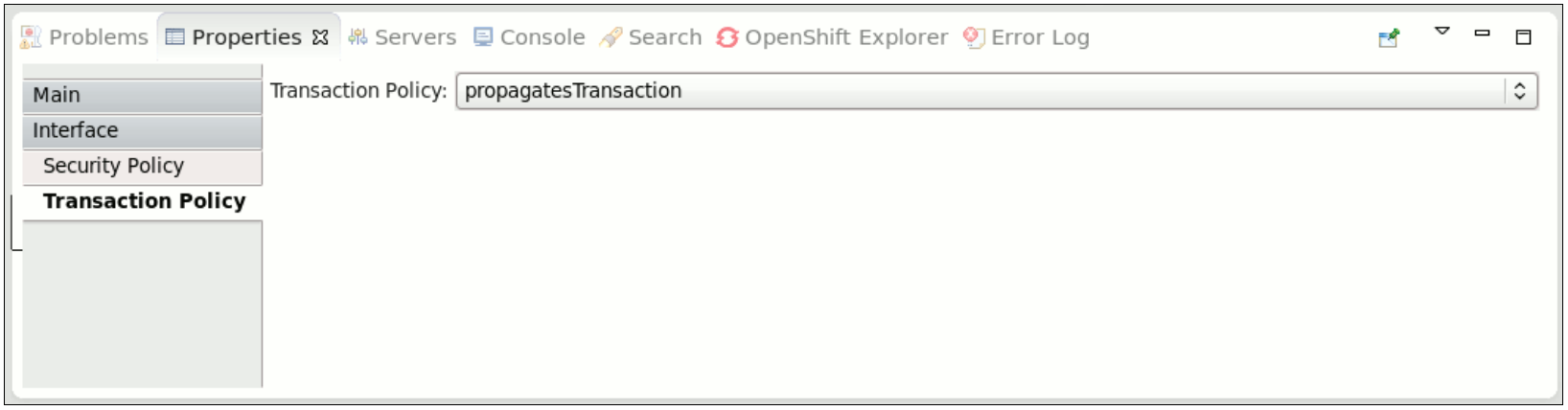
Figure 6.1. Transaction Interaction Policy
6.5.2. Transaction Implementation Policy
Copiar enlaceEnlace copiado en el portapapeles!
You can specify the Implementation Interaction Policy by using a component service or component reference definition's
requires attribute. Here is an example:
<implementation.bean class="org.switchyard.quickstarts.demo.policy.transaction.WorkServiceBean" requires="managedTransaction.Global">
Valid values for Transaction Implementation Policy intents are:
managedTransaction.Global: Indicates that this service implementation runs under a global transaction. If no transaction is present, the SwitchYard runtime creates a new JTA transaction before the execution. The SwitchYard runtime commits this newly created transaction at the end of service execution.managedTransaction.Local: Indicates that this service implementation runs under a local transaction. If a transaction exists, the SwitchYard runtime suspends it. SwitchYard always creates a new JTA transaction before execution. The SwitchYard runtime commits this newly created transaction and resumes the suspended transcation after the service invocation.Note
As the local transaction does not propagate its transaction through the reference, you must mark all of the component reference assuspendsTransaction. If not, the SwitchYard runtime generates an error.noManagedTransaction: Indicates that this service implementation does not run under any managed transaction. If a transaction exists, the SwitchYard runtime suspends it before the service implementation is invoked and resumes it after the service invocation.
You can use the mutually exclusive
managedTransaction and noManagedTransaction intents to describe the transactional environment required by a service component.
Scope of Support
Currently, the following gateways are transaction aware:
- Camel JMS Gateway (binding.jms)
- Camel JPA Gateway (binding.jpa)
- Camel SQL Gateway (binding.sql)
- JCA Gateway (binding.jca)
- SCA Gateway (binding.sca)
Note
BPM service (implementation.bpm) always need a JTA transaction if the persistence is enabled. It synchronizes with incoming transaction if exists, otherwise it begins a new JTA Transaction and commit/rollback by itself.
Note
If your application has multiple camel-jms bindings which are bound to the same JMS provider, you need to define distinct connection factory for each binding to get Transaction Policy working. otherwise, transaction can't be suspended as expected. Similarly, distinct xa-datasource is needed to get Transaction Policy working on camel-jpa and camel-sql. (https://issues.jboss.org/browse/SWITCHYARD-1285)
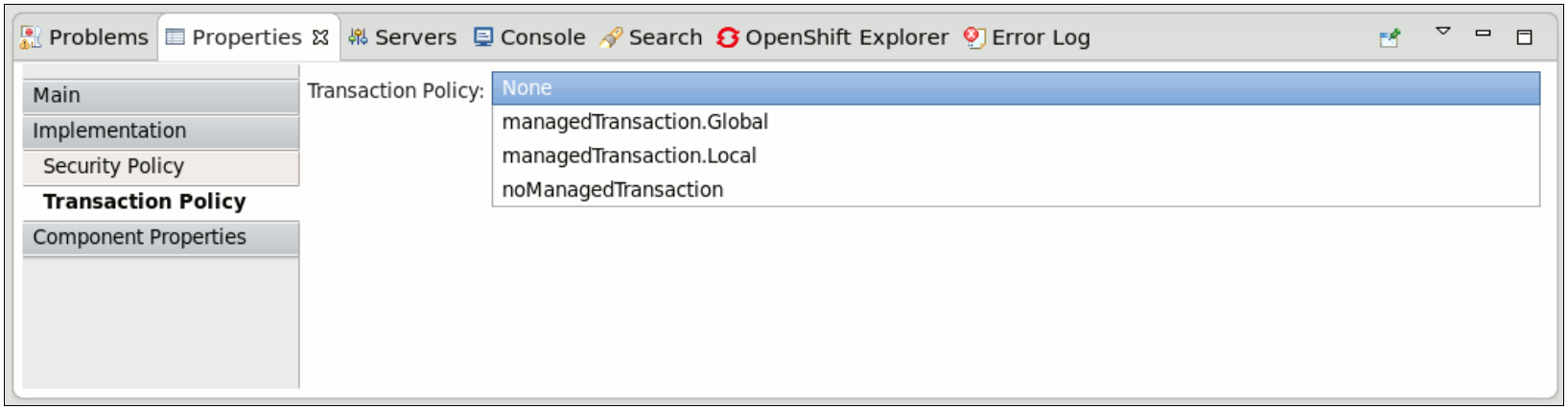
Figure 6.2. Transaction Implementation Policy
6.6. Security Policy
Copiar enlaceEnlace copiado en el portapapeles!
SwitchYard services can be secured by specifying a list of security policies that are required for that service and configuring the security processing details for the services within a domain.
Note
The security manager gets enabled with additional security policies if you select the Runtime Governance component during installation. Following are the security policies included in JBoss Fuse Service Works:
- security.policy- It defines a JVM level permitAll policy.
- kie.policy- It is used by Rule-based services.
- rtgov.policy- It is used for the Runtime Governance REST API.
Note
Support for security policy is limited to bean services (implementation.bean), SOAP endpoints via the SOAP gateway (binding.soap), and HTTP endpoints via the HTTP gateway (binding.http).
6.6.1. Security Interaction Policy
Copiar enlaceEnlace copiado en el portapapeles!
The Security Interaction Policy is defined using the
requires attribute of a component service definition.
<service name="WorkService" requires="authorization clientAuthentication confidentiality">
Valid values for Security Interaction policy are:
- clientAuthentication: indicates that the client has been authenticated when a service is invoked. If the associated authenticated user principal is not available, SwitchYard runtime generates an error.
- confidentiality: indicates that the request has been made over a secure channel. When a SOAP request is made over SSL and its confidentiality is not verified, SwitchYard runtime generates an error,
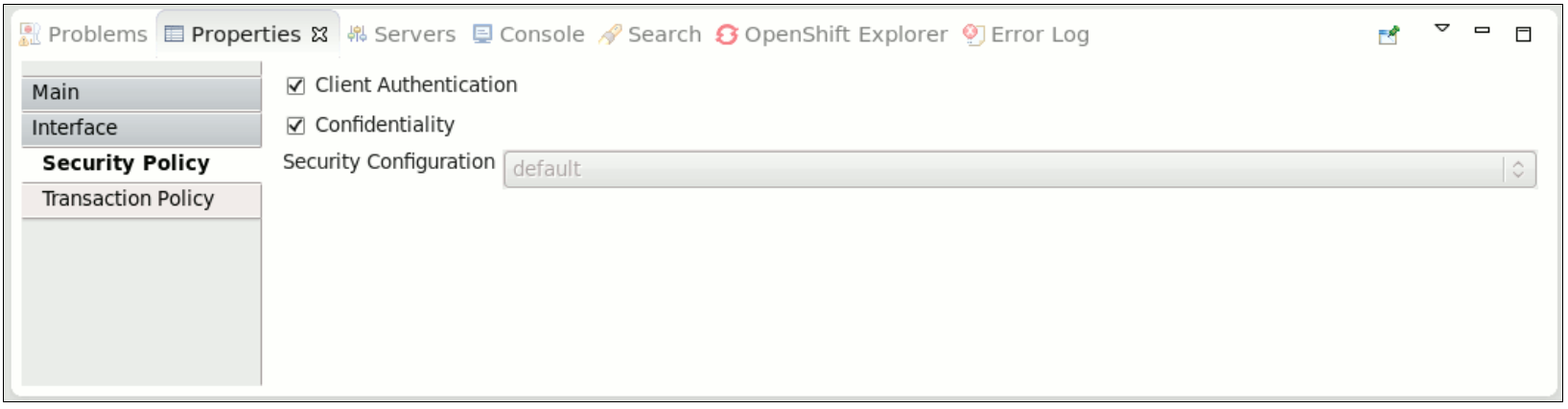
Figure 6.3. Security Interaction Policy
6.6.2. Security Implementation Policy
Copiar enlaceEnlace copiado en el portapapeles!
Security Implementation Policy is specified using the requires attribute of a component implementation definition.
Valid values for Security Implementation policy are:
- authorization: indicates that the client is authorized to invoke the service. If the associated authenticated subject does not have an allowed role, SwitchYard runtime generates an error.
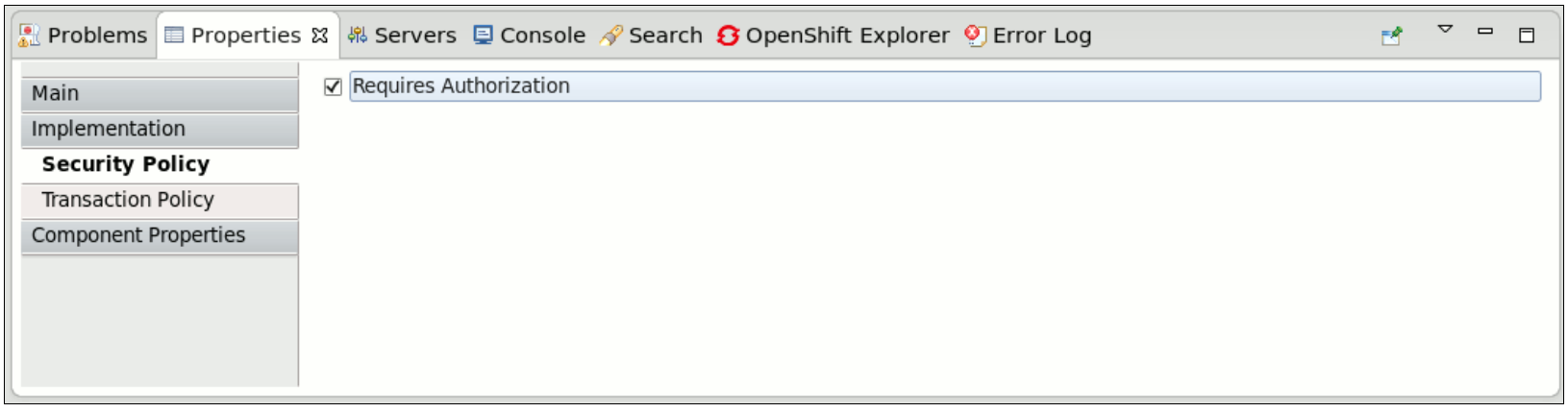
Figure 6.4. Security Implementation Policy
6.6.3. Setting Security Policy
Copiar enlaceEnlace copiado en el portapapeles!
You can define the Security Policy in the following ways:
- Edit the SwitchYard application descriptor (
switchyard.xml) and add therequiresattribute to a service definition.
- Use the
@Requiresattribute in your service implementation to declare security policy for the service. When the application project is built, the SwitchYard application finds@Requiresannotations and automatically generates the required configuration.
6.6.4. Security Processing
Copiar enlaceEnlace copiado en el portapapeles!
When the container does not automatically provide certain security policies, the SwitchYard application can be configured to process security credentials extracted from the binding-specific data, then provide certain security policies itself (like clientAuthentication). All services within a domain share the same security configuration, which is specified in the
switchyard.xml.
<switchyard>
  <domain>
    <security callbackHandler="callback-handler-class-name" moduleName"="jaas-domain-name" rolesAllowed="users, administrators" runAs="leaders">
       <properties>
          <property name="property-name" value="property-value"/>
       </properties>
    </security>
  </domain>
</switchyard>
Note
Support for security policy is limited to bean services (implementation.bean), SOAP endpoints via the SOAP gateway (binding.soap), and HTTP endpoints via the HTTP gateway (binding.http).

'%20d='M201.5%20305.5c-13.8%200-24.9-11.1-24.9-24.6%200-13.8%2011.1-24.9%2024.9-24.9%2013.6%200%2024.6%2011.1%2024.6%2024.9%200%2013.6-11.1%2024.6-24.6%2024.6zM504%20256c0%20137-111%20248-248%20248S8%20393%208%20256%20119%208%20256%208s248%20111%20248%20248zm-132.3-41.2c-9.4%200-17.7%203.9-23.8%2010-22.4-15.5-52.6-25.5-86.1-26.6l17.4-78.3%2055.4%2012.5c0%2013.6%2011.1%2024.6%2024.6%2024.6%2013.8%200%2024.9-11.3%2024.9-24.9s-11.1-24.9-24.9-24.9c-9.7%200-18%205.8-22.1%2013.8l-61.2-13.6c-3-.8-6.1%201.4-6.9%204.4l-19.1%2086.4c-33.2%201.4-63.1%2011.3-85.5%2026.8-6.1-6.4-14.7-10.2-24.1-10.2-34.9%200-46.3%2046.9-14.4%2062.8-1.1%205-1.7%2010.2-1.7%2015.5%200%2052.6%2059.2%2095.2%20132%2095.2%2073.1%200%20132.3-42.6%20132.3-95.2%200-5.3-.6-10.8-1.9-15.8%2031.3-16%2019.8-62.5-14.9-62.5zM302.8%20331c-18.2%2018.2-76.1%2017.9-93.6%200-2.2-2.2-6.1-2.2-8.3%200-2.5%202.5-2.5%206.4%200%208.6%2022.8%2022.8%2087.3%2022.8%20110.2%200%202.5-2.2%202.5-6.1%200-8.6-2.2-2.2-6.1-2.2-8.3%200zm7.7-75c-13.6%200-24.6%2011.1-24.6%2024.9%200%2013.6%2011.1%2024.6%2024.6%2024.6%2013.8%200%2024.9-11.1%2024.9-24.6%200-13.8-11-24.9-24.9-24.9z'/%3e%3c/svg%3e)