 Red Hat Summit
Este contenido no está disponible en el idioma seleccionado.
Chapter 5. Setting up your development environment
You can follow the procedures in this section to set up your development environment to create automation execution environments.
5.1. Installing Ansible Builder
Prerequisites
- You have installed the Podman container runtime.
-
You have valid subscriptions attached on the host. Doing so allows you to access the subscription-only resources needed to install
ansible-builder, and ensures that the necessary repository foransible-builderis automatically enabled. See Attaching your Red Hat Ansible Automation Platform subscription for more information.
Procedure
In your terminal, run the following command to activate your Ansible Automation Platform repo:
# dnf install --enablerepo=ansible-automation-platform-2.4-for-rhel-9-x86_64-rpms ansible-builder
5.2. Installing automation content navigator on RHEL from an RPM
You can install automation content navigator on Red Hat Enterprise Linux (RHEL) from an RPM.
Prerequisites
- You have installed Python 3.10 or later.
- You have installed RHEL 8.6 or later.
- You registered your system with Red Hat Subscription Manager.
Ensure that you only install the navigator matching your current Red Hat Ansible Automation Platform environment.
Procedure
Attach the Red Hat Ansible Automation Platform SKU:
$ subscription-manager attach --pool=<sku-pool-id>Install automation content navigator with the following command:
v.2.4 for RHEL 8 for x86_64
$ sudo dnf install --enablerepo=ansible-automation-platform-2.4-for-rhel-8-x86_64-rpms ansible-navigatorv.2.4 for RHEL 9 for x86-64
$ sudo dnf install --enablerepo=ansible-automation-platform-2.4-for-rhel-9-x86_64-rpms ansible-navigator
Verification
Verify your automation content navigator installation:
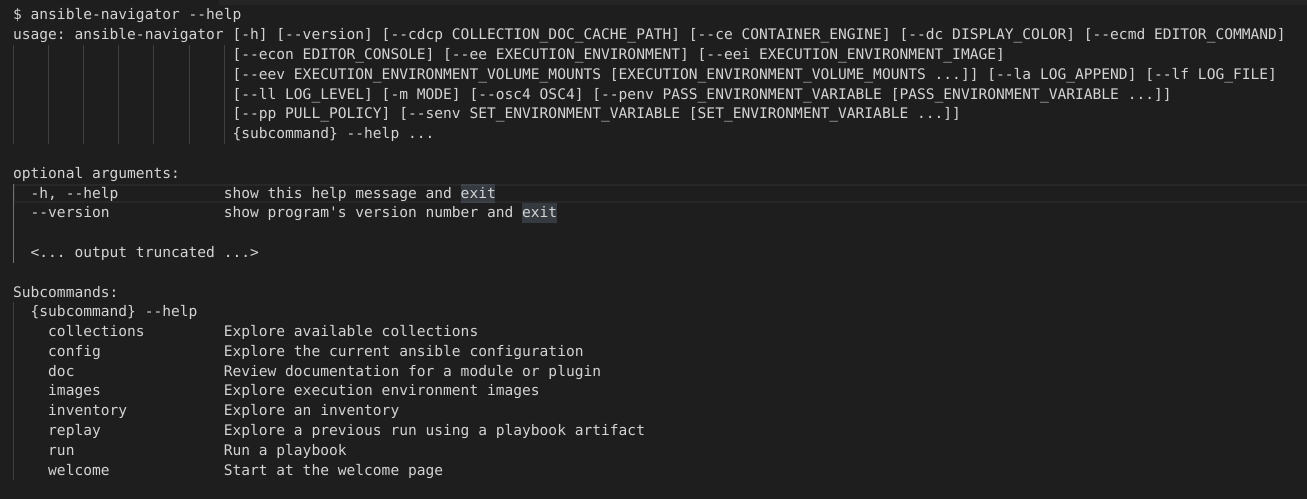
$ ansible-navigator --help
The following example demonstrates a successful installation:
5.3. Downloading base automation execution environments
Base images that ship with Ansible Automation Platform 2.0 are hosted on the Red Hat Ecosystem Catalog (registry.redhat.io).
Prerequisites
- You have a valid Red Hat Ansible Automation Platform subscription.
Procedure
Log in to registry.redhat.io
$ podman login registry.redhat.ioPull the base images from the registry
$ podman pull registry.redhat.io/aap/<image name>

'%20d='M201.5%20305.5c-13.8%200-24.9-11.1-24.9-24.6%200-13.8%2011.1-24.9%2024.9-24.9%2013.6%200%2024.6%2011.1%2024.6%2024.9%200%2013.6-11.1%2024.6-24.6%2024.6zM504%20256c0%20137-111%20248-248%20248S8%20393%208%20256%20119%208%20256%208s248%20111%20248%20248zm-132.3-41.2c-9.4%200-17.7%203.9-23.8%2010-22.4-15.5-52.6-25.5-86.1-26.6l17.4-78.3%2055.4%2012.5c0%2013.6%2011.1%2024.6%2024.6%2024.6%2013.8%200%2024.9-11.3%2024.9-24.9s-11.1-24.9-24.9-24.9c-9.7%200-18%205.8-22.1%2013.8l-61.2-13.6c-3-.8-6.1%201.4-6.9%204.4l-19.1%2086.4c-33.2%201.4-63.1%2011.3-85.5%2026.8-6.1-6.4-14.7-10.2-24.1-10.2-34.9%200-46.3%2046.9-14.4%2062.8-1.1%205-1.7%2010.2-1.7%2015.5%200%2052.6%2059.2%2095.2%20132%2095.2%2073.1%200%20132.3-42.6%20132.3-95.2%200-5.3-.6-10.8-1.9-15.8%2031.3-16%2019.8-62.5-14.9-62.5zM302.8%20331c-18.2%2018.2-76.1%2017.9-93.6%200-2.2-2.2-6.1-2.2-8.3%200-2.5%202.5-2.5%206.4%200%208.6%2022.8%2022.8%2087.3%2022.8%20110.2%200%202.5-2.2%202.5-6.1%200-8.6-2.2-2.2-6.1-2.2-8.3%200zm7.7-75c-13.6%200-24.6%2011.1-24.6%2024.9%200%2013.6%2011.1%2024.6%2024.6%2024.6%2013.8%200%2024.9-11.1%2024.9-24.6%200-13.8-11-24.9-24.9-24.9z'/%3e%3c/svg%3e)