 Red Hat Summit
Este contenido no está disponible en el idioma seleccionado.
Chapter 1. Business Resource Planner Introduction
1.1. What is Business Resource Planner
Business Resource Planner is a lightweight, embeddable planning engine that optimizes planning problems. It helps normal Java™ programmers solve planning problems efficiently, and it combines optimization heuristics and metaheuristics with very efficient score calculations.
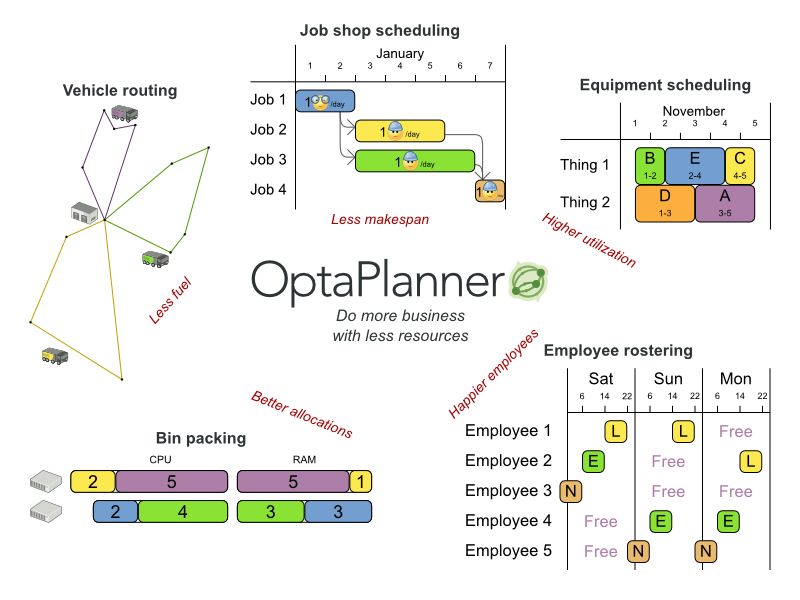
Business Resource Planner helps solve various use cases like the following:
- Employee/Patient Rosters. It helps create timetables for nurses and keeps track of patient bed management.
- Educational Timetables. It helps schedule lessons, courses, exams, and conference presentations.
- Shop Schedules: It tracks car assembly lines, machine queue planning, and workforce task planning.
- Cutting Stock: It minimizes waste by reducing the consumption of resources such as paper and steel.
Every organization faces planning problems; that is, they provide products and services with a limited set of constrained resources (employees, assets, time, and money).
Figure 1.1. Use Case Overview
Business Resource Planner is open source software under the Apache Software License 2.0. It is 100% pure Java™ and runs on any Java virtual machine.
1.2. Download Business Resource Planner
Business Resource Planner is production ready. The API is stable but backward incompatible changes can occur. With the recipe called UpgradeFromPreviousVersionRecipe.txt, you can easily upgrade to a newer version and quickly deal with any backwards incompatible changes. This recipe file is included in every release.
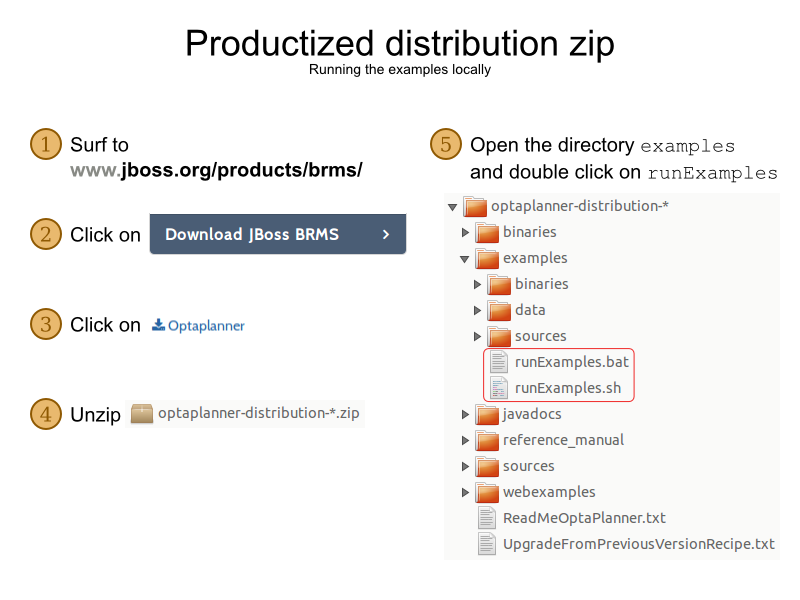
Procedure: Get the release ZIP and run the examples
- Navigate to the Red Hat Customer Portal and log in with your user credentials.
-
Select Downloads
Red Hat JBoss Middleware Download Software. - From the Products drop-down menu, select BPM Suite or BRMS Platform.
- From the Version drop-down menu, select the product version 6.4.
- Select the Standalone or Deployable file and then click download.
- Unzip the files.
Open the directory
examplesand run the following script:Linux or Mac:
$ cd examples
$ ./runExamples.sh
Windows:
$ cd examples
$ runExamples.bat
Figure 1.2. Download Business Resource Planner
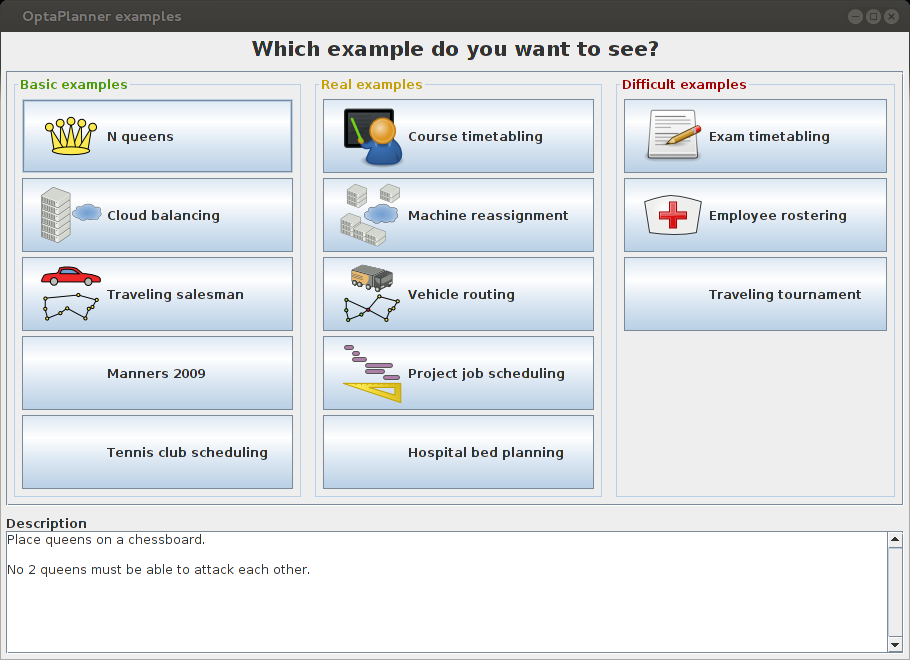
The Examples GUI application will open. Just pick an example:
Business Resource Planner itself has no GUI dependencies. It runs just as well on a server or a mobile JVM as it does on the desktop.
1.3. Run the Examples
Procedure: To run the examples in your favorite IDE:
Configure your IDE:
-
In IntelliJ and NetBeans, just open the file
examples/sources/pom.xmlas a new project, the Maven integration will take care of the rest. -
In Eclipse, open a new project for the directory
examples/sources. -
Add all the JARs to the classpath from the directory
binariesand the directoryexamples/binaries, except for the fileexamples/binaries/optaplanner-examples-*.jar. -
Add the Java source directory
src/main/javaand the Java resources directorysrc/main/resources.
-
In IntelliJ and NetBeans, just open the file
Next, create a run configuration:
-
Main class:
org.optaplanner.examples.app.OptaPlannerExamplesApp -
VM parameters (optional):
-Xmx512M -server -
Working directory:
examples(this is the directory that contains the directorydata)
-
Main class:
- Run that run configuration.
Procedure: Use Business Resource Planner with Maven, Gradle, Ivy, Buildr or Ant:
- Get the Business Resource Planner JARs at the Central Repository (and also at the JBoss Nexus Repository).
If you use Maven, add a dependency to
optaplanner-corein your project’spom.xml:<dependency> <groupId>org.optaplanner</groupId> <artifactId>optaplanner-core</artifactId> <version>...</version> </dependency>To identify the latest version, check the Central Repository. This is similar for Gradle, Ivy, and Buildr.
-
If you’re still using Ant (without Ivy), copy all the JARs from the downloaded ZIP’s
binariesdirectory and manually verify that your classpath doesn’t contain duplicate JARs.
The downloaded ZIP’s binaries directory contains far more JARs then optaplanner-core actually uses. It also contains the JARs used by other modules, such as optaplanner-benchmark.
Check the Maven repository pom.xml files to determine the minimal dependency set for a specific version of a specific module.
Examples are not a part of supported distribution. Customers can use them for learning purposes but Red Hat does not provide support for example code.
Business Resource Planner will be known as Planner for the rest of this book.

'%20d='M201.5%20305.5c-13.8%200-24.9-11.1-24.9-24.6%200-13.8%2011.1-24.9%2024.9-24.9%2013.6%200%2024.6%2011.1%2024.6%2024.9%200%2013.6-11.1%2024.6-24.6%2024.6zM504%20256c0%20137-111%20248-248%20248S8%20393%208%20256%20119%208%20256%208s248%20111%20248%20248zm-132.3-41.2c-9.4%200-17.7%203.9-23.8%2010-22.4-15.5-52.6-25.5-86.1-26.6l17.4-78.3%2055.4%2012.5c0%2013.6%2011.1%2024.6%2024.6%2024.6%2013.8%200%2024.9-11.3%2024.9-24.9s-11.1-24.9-24.9-24.9c-9.7%200-18%205.8-22.1%2013.8l-61.2-13.6c-3-.8-6.1%201.4-6.9%204.4l-19.1%2086.4c-33.2%201.4-63.1%2011.3-85.5%2026.8-6.1-6.4-14.7-10.2-24.1-10.2-34.9%200-46.3%2046.9-14.4%2062.8-1.1%205-1.7%2010.2-1.7%2015.5%200%2052.6%2059.2%2095.2%20132%2095.2%2073.1%200%20132.3-42.6%20132.3-95.2%200-5.3-.6-10.8-1.9-15.8%2031.3-16%2019.8-62.5-14.9-62.5zM302.8%20331c-18.2%2018.2-76.1%2017.9-93.6%200-2.2-2.2-6.1-2.2-8.3%200-2.5%202.5-2.5%206.4%200%208.6%2022.8%2022.8%2087.3%2022.8%20110.2%200%202.5-2.2%202.5-6.1%200-8.6-2.2-2.2-6.1-2.2-8.3%200zm7.7-75c-13.6%200-24.6%2011.1-24.6%2024.9%200%2013.6%2011.1%2024.6%2024.6%2024.6%2013.8%200%2024.9-11.1%2024.9-24.6%200-13.8-11-24.9-24.9-24.9z'/%3e%3c/svg%3e)