 Red Hat Summit
Ce contenu n'est pas disponible dans la langue sélectionnée.
6.5. Creating Distributed Volumes
This type of volume spreads files across the bricks in the volume.
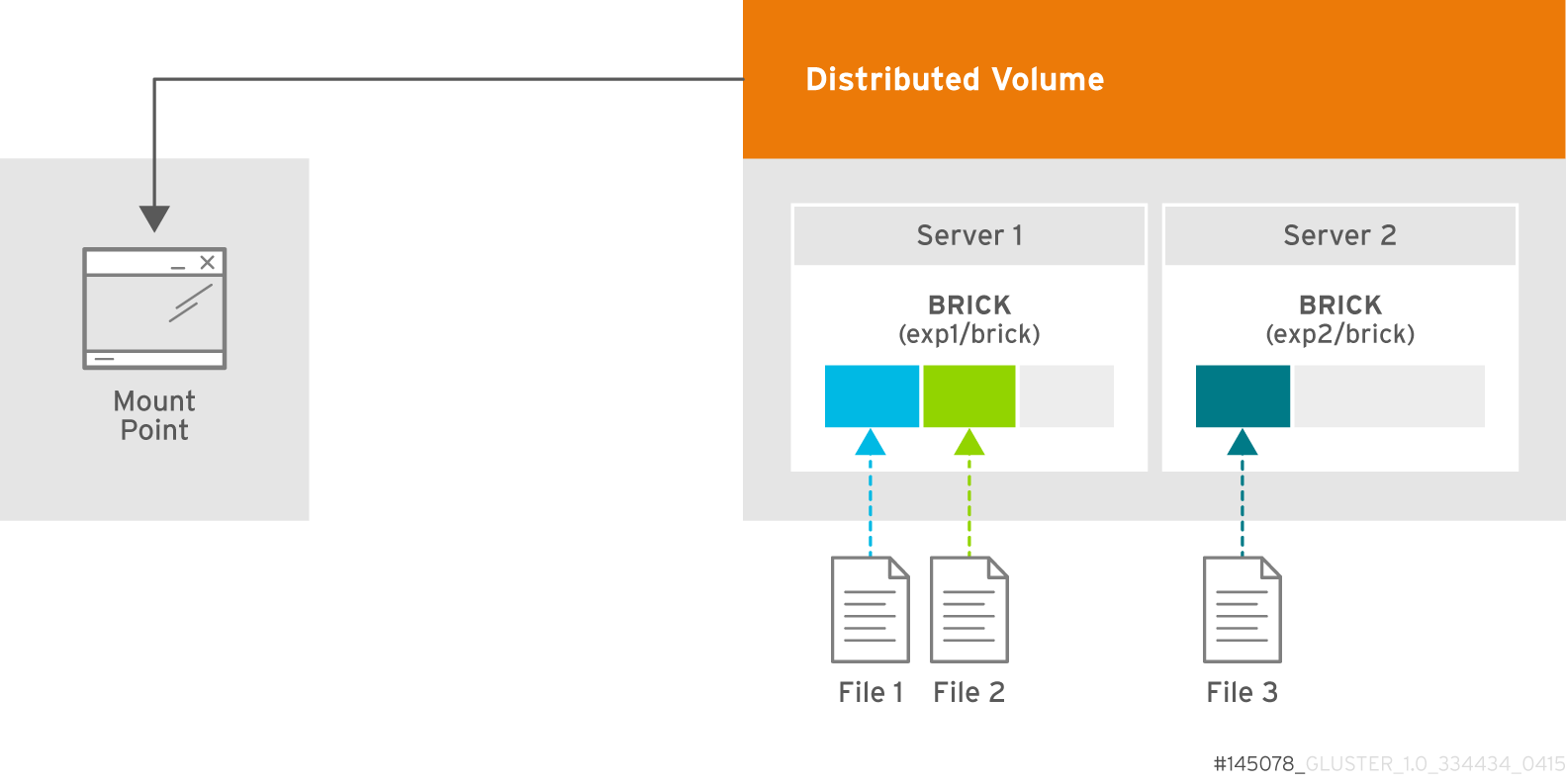
Figure 6.2. Illustration of a Distributed Volume
Warning
Distributed volumes can suffer significant data loss during a disk or server failure because directory contents are spread randomly across the bricks in the volume.
Use distributed volumes where scalable storage and redundancy is either not important, or is provided by other hardware or software layers.
Create a Distributed Volume
Use
gluster volume create command to create different types of volumes, and gluster volume info command to verify successful volume creation.
Pre-requisites
- A trusted storage pool has been created, as described in Section 5.1, “Adding Servers to the Trusted Storage Pool”.
- Understand how to start and stop volumes, as described in Section 6.10, “Starting Volumes”.
- Run the
gluster volume createcommand to create the distributed volume.The syntax isgluster volume create NEW-VOLNAME [transport tcp | rdma | tcp,rdma] NEW-BRICK...The default value for transport istcp. Other options can be passed such asauth.alloworauth.reject. See Section 10.1, “Configuring Volume Options” for a full list of parameters.Example 6.1. Distributed Volume with Two Storage Servers
# gluster volume create test-volume server1:/exp1/brick server2:/exp2/brick
Creation of test-volume has been successful
Please start the volume to access data.
Example 6.2. Distributed Volume over InfiniBand with Four Servers
# gluster volume create test-volume transport rdma server1:/exp1/brick server2:/exp2/brick server3:/exp3/brick server4:/exp4/brick Creation of test-volume has been successful Please start the volume to access data. - Run
# gluster volume start VOLNAMEto start the volume.# gluster volume start test-volume Starting test-volume has been successful - Run
gluster volume infocommand to optionally display the volume information.The following output is the result of Example 6.1, “Distributed Volume with Two Storage Servers”.# gluster volume info Volume Name: test-volume Type: Distribute Status: Created Number of Bricks: 2 Transport-type: tcp Bricks: Brick1: server1:/exp1/brick Brick2: server2:/exp2/brick

'%20d='M201.5%20305.5c-13.8%200-24.9-11.1-24.9-24.6%200-13.8%2011.1-24.9%2024.9-24.9%2013.6%200%2024.6%2011.1%2024.6%2024.9%200%2013.6-11.1%2024.6-24.6%2024.6zM504%20256c0%20137-111%20248-248%20248S8%20393%208%20256%20119%208%20256%208s248%20111%20248%20248zm-132.3-41.2c-9.4%200-17.7%203.9-23.8%2010-22.4-15.5-52.6-25.5-86.1-26.6l17.4-78.3%2055.4%2012.5c0%2013.6%2011.1%2024.6%2024.6%2024.6%2013.8%200%2024.9-11.3%2024.9-24.9s-11.1-24.9-24.9-24.9c-9.7%200-18%205.8-22.1%2013.8l-61.2-13.6c-3-.8-6.1%201.4-6.9%204.4l-19.1%2086.4c-33.2%201.4-63.1%2011.3-85.5%2026.8-6.1-6.4-14.7-10.2-24.1-10.2-34.9%200-46.3%2046.9-14.4%2062.8-1.1%205-1.7%2010.2-1.7%2015.5%200%2052.6%2059.2%2095.2%20132%2095.2%2073.1%200%20132.3-42.6%20132.3-95.2%200-5.3-.6-10.8-1.9-15.8%2031.3-16%2019.8-62.5-14.9-62.5zM302.8%20331c-18.2%2018.2-76.1%2017.9-93.6%200-2.2-2.2-6.1-2.2-8.3%200-2.5%202.5-2.5%206.4%200%208.6%2022.8%2022.8%2087.3%2022.8%20110.2%200%202.5-2.2%202.5-6.1%200-8.6-2.2-2.2-6.1-2.2-8.3%200zm7.7-75c-13.6%200-24.6%2011.1-24.6%2024.9%200%2013.6%2011.1%2024.6%2024.6%2024.6%2013.8%200%2024.9-11.1%2024.9-24.6%200-13.8-11-24.9-24.9-24.9z'/%3e%3c/svg%3e)