 Red Hat Summit
このコンテンツは選択した言語では利用できません。
Chapter 2. Approving Developers
This section shows how to make approvals for any step in the signup workflow.
Once you’ve implemented the signup workflow with manual approval steps, you have a few options. The approval process is slightly different depending on the trigger and what is being approved. If you receive an email notification, follow the instructions in the following section. Otherwise, it depends on whether you want to approve an account, a service, or an application.
2.1. Approve from email notification
If you (as admin) receive an email notification that one of your developers has an item pending approval, you can copy/paste the URL for the item into your browser, and it will take you directly to the page to make the approval.
2.2. Account approval
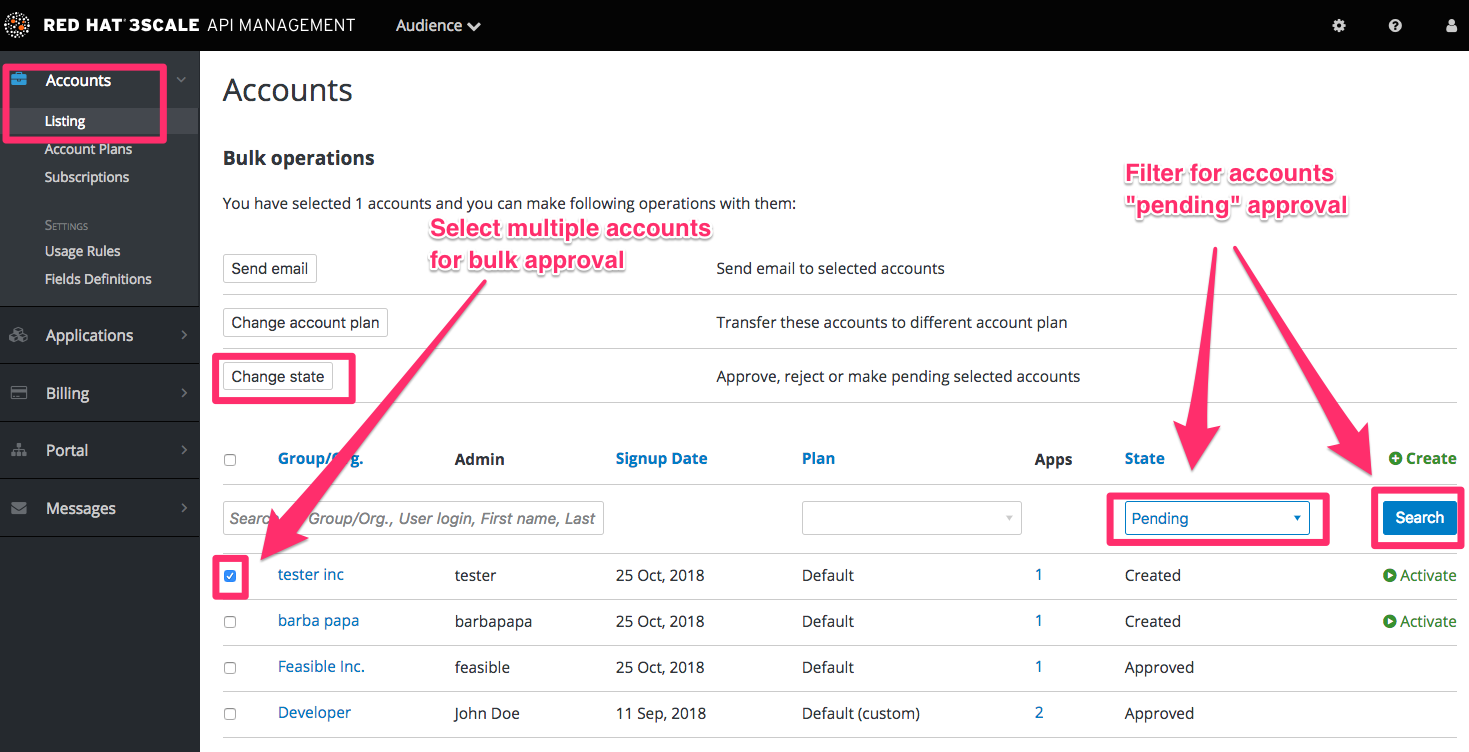
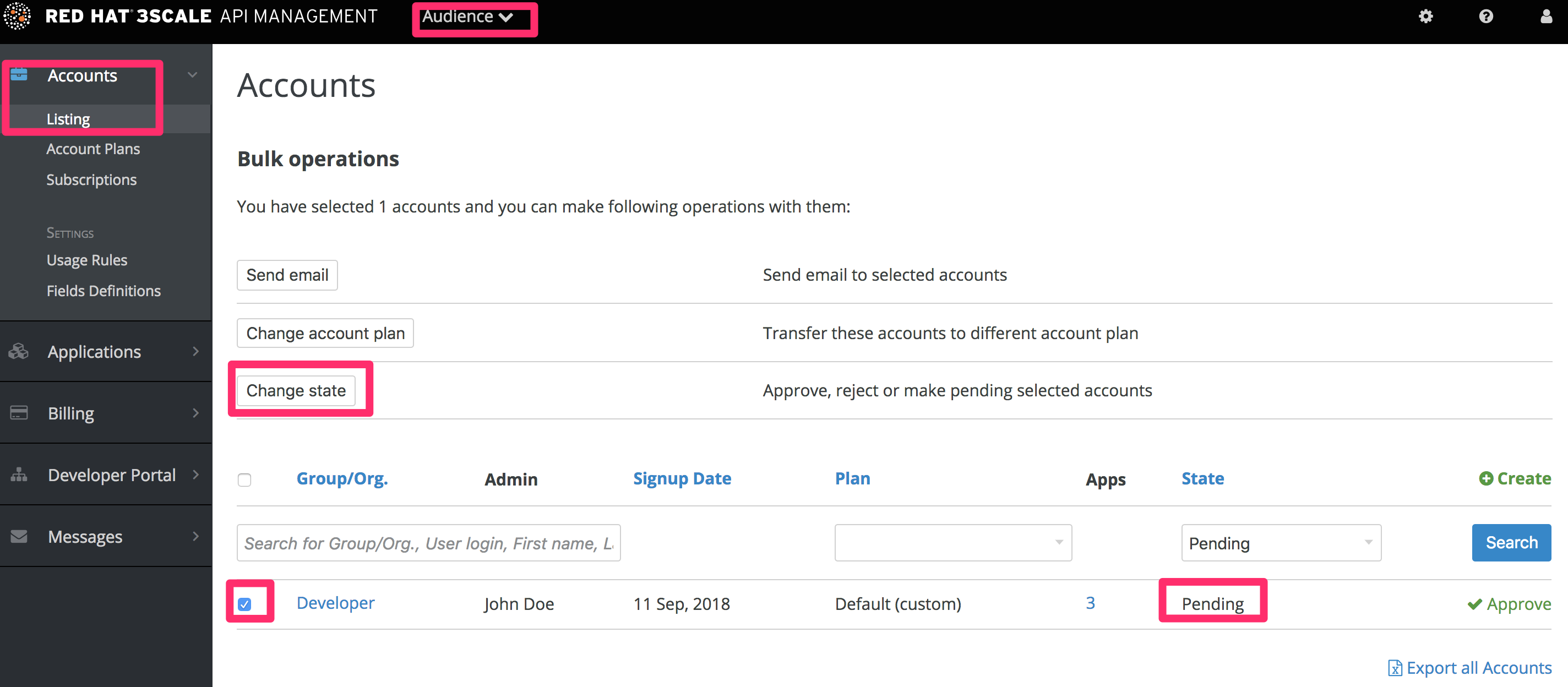
To search for specific accounts or filter all accounts that are in a “pending” (for approval) state, navigate to Audience > Accounts > Listing. To show only the pending accounts, select "Pending" in the dropdown list State and click Search.
You can make individual approvals directly on each row, or select several rows at a time and perform a bulk approval.
2.3. Service approval
To search for specific subscriptions to a service or filter all subscriptions that are in a “pending” (for approval) state, navigate to Audience > Accounts > Subscriptions.
To view Subscriptions, enable Service Plans in Audience > Accounts > Usage Rules.
You can select one subscription or several at a time and perform a bulk approval.
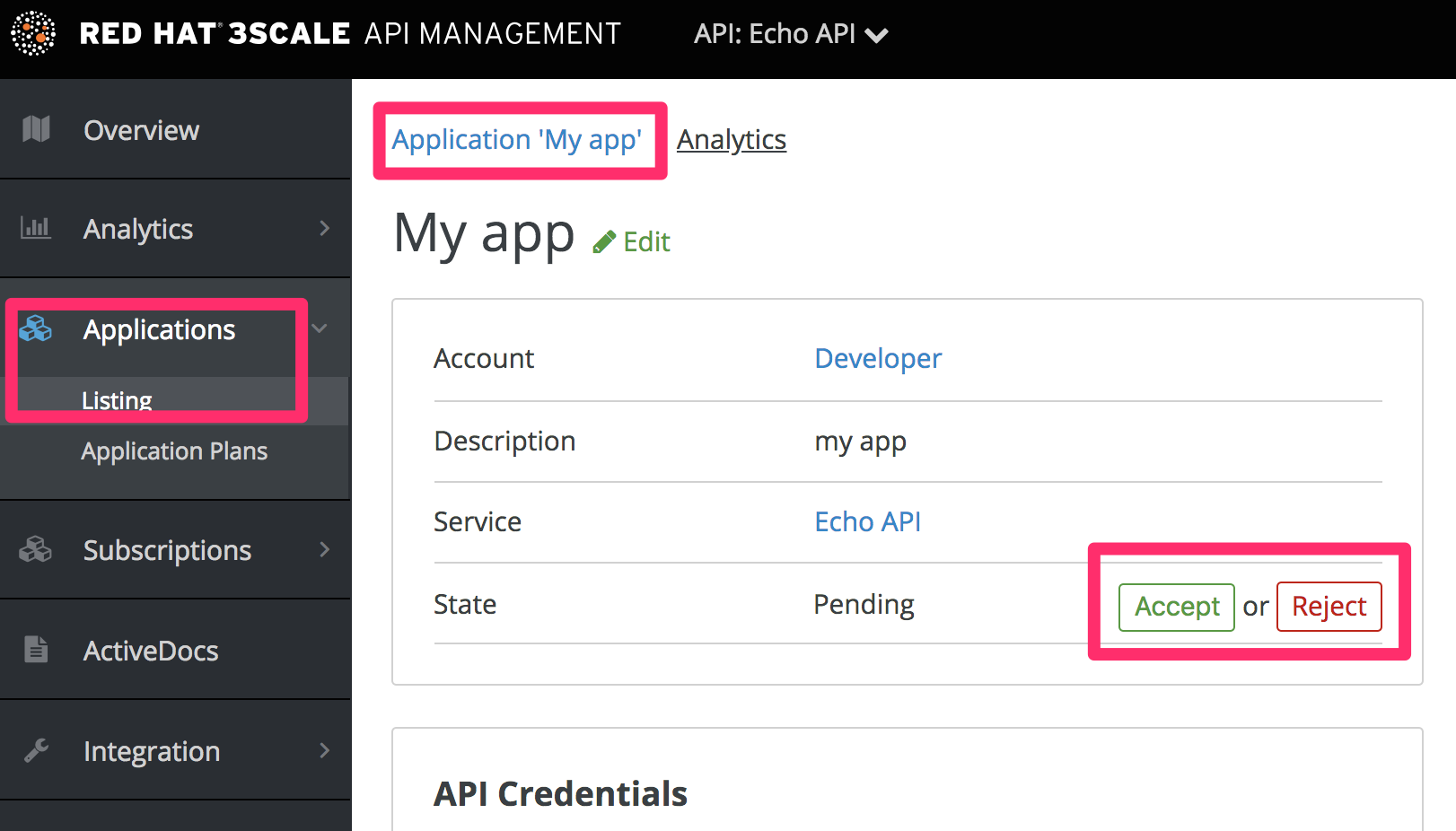
2.4. Application approval
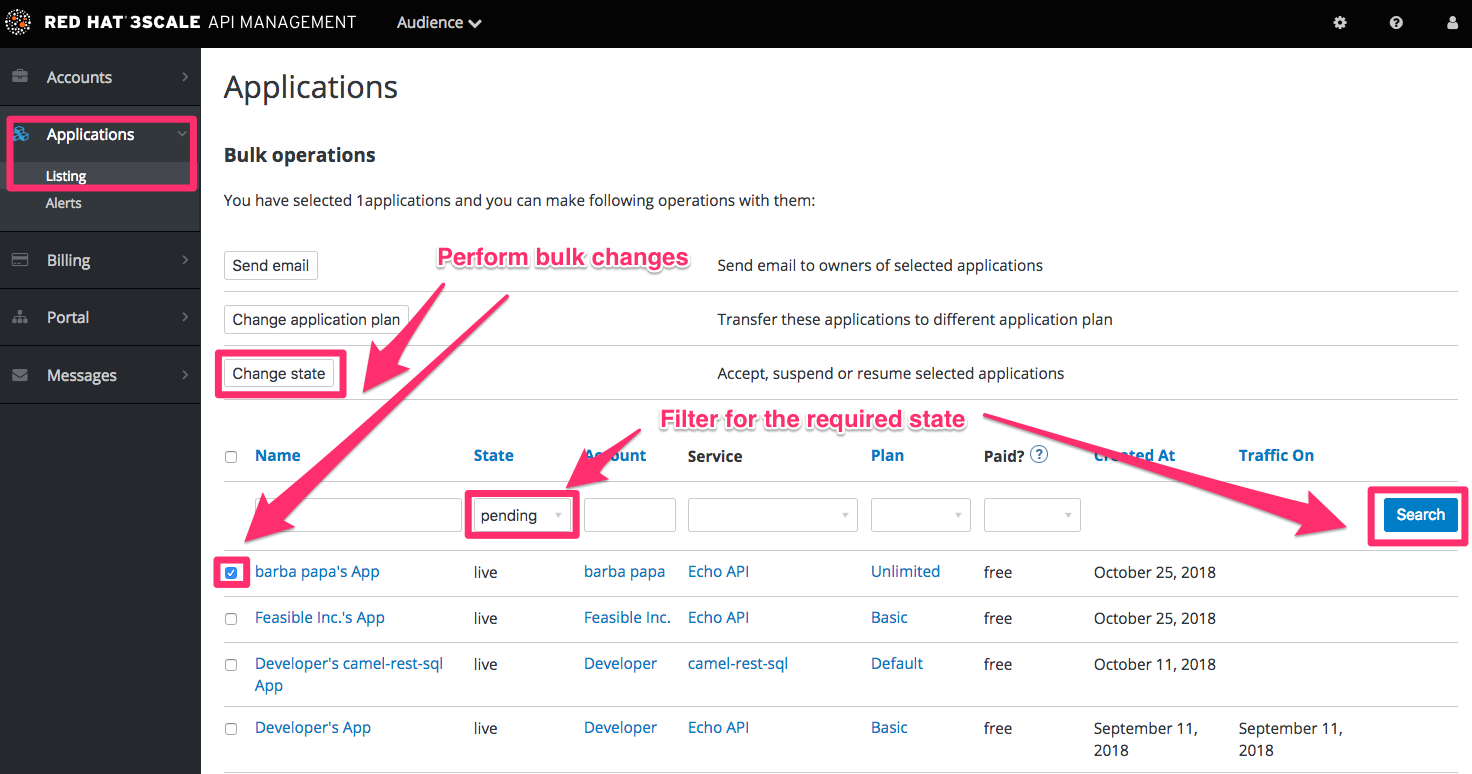
To search for applications or filter all applications that are in a “pending” (for approval) state:
- Navigate to Audience > Applications > Listing.
- Select "pending" in the dropdown list State and click Search.
You can select one application or several at a time and perform a bulk approval.
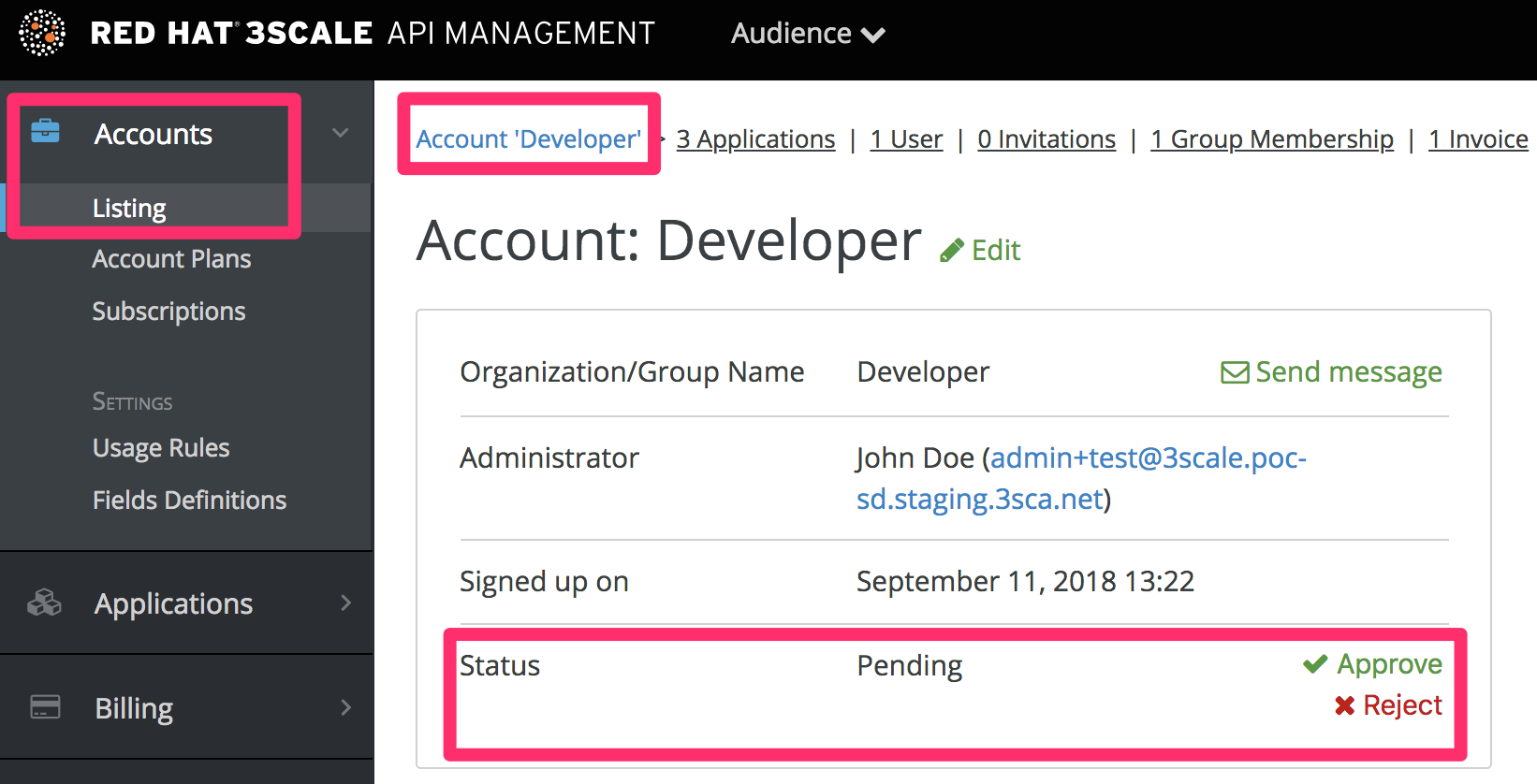
You can also start from the details page for a developer account, select which application you wish to approve from there, and make the approval on the application details page.

'%20d='M201.5%20305.5c-13.8%200-24.9-11.1-24.9-24.6%200-13.8%2011.1-24.9%2024.9-24.9%2013.6%200%2024.6%2011.1%2024.6%2024.9%200%2013.6-11.1%2024.6-24.6%2024.6zM504%20256c0%20137-111%20248-248%20248S8%20393%208%20256%20119%208%20256%208s248%20111%20248%20248zm-132.3-41.2c-9.4%200-17.7%203.9-23.8%2010-22.4-15.5-52.6-25.5-86.1-26.6l17.4-78.3%2055.4%2012.5c0%2013.6%2011.1%2024.6%2024.6%2024.6%2013.8%200%2024.9-11.3%2024.9-24.9s-11.1-24.9-24.9-24.9c-9.7%200-18%205.8-22.1%2013.8l-61.2-13.6c-3-.8-6.1%201.4-6.9%204.4l-19.1%2086.4c-33.2%201.4-63.1%2011.3-85.5%2026.8-6.1-6.4-14.7-10.2-24.1-10.2-34.9%200-46.3%2046.9-14.4%2062.8-1.1%205-1.7%2010.2-1.7%2015.5%200%2052.6%2059.2%2095.2%20132%2095.2%2073.1%200%20132.3-42.6%20132.3-95.2%200-5.3-.6-10.8-1.9-15.8%2031.3-16%2019.8-62.5-14.9-62.5zM302.8%20331c-18.2%2018.2-76.1%2017.9-93.6%200-2.2-2.2-6.1-2.2-8.3%200-2.5%202.5-2.5%206.4%200%208.6%2022.8%2022.8%2087.3%2022.8%20110.2%200%202.5-2.2%202.5-6.1%200-8.6-2.2-2.2-6.1-2.2-8.3%200zm7.7-75c-13.6%200-24.6%2011.1-24.6%2024.9%200%2013.6%2011.1%2024.6%2024.6%2024.6%2013.8%200%2024.9-11.1%2024.9-24.6%200-13.8-11-24.9-24.9-24.9z'/%3e%3c/svg%3e)