 Red Hat Summit
このコンテンツは選択した言語では利用できません。
Chapter 6. Asset repository
Business Rules, Process definition files and other assets and resources created in Business Central are stored in Asset repository, which is otherwise known as the Knowledge Store.
Knowledge store is a centralized repository for your business knowledge. It connects with the GIT repository that allows you to store different kinds of knowledge assets and artifacts at a single location. Business Central provides a web front-end that allows users to view and update the stored content. You can access it using the
Project Explorer from the unified environment of Red Hat JBoss BPM Suite.
6.1. Creating a repository
リンクのコピーリンクがクリップボードにコピーされました!
Important
Note that only user with the
ADMIN role can create a repository.
Procedure 6.1. Creating a New Repository
- Open the Administration perspective: on the main menu, click
. - On the perspective menu, click
. - The Create Repository pop-up window is displayed.
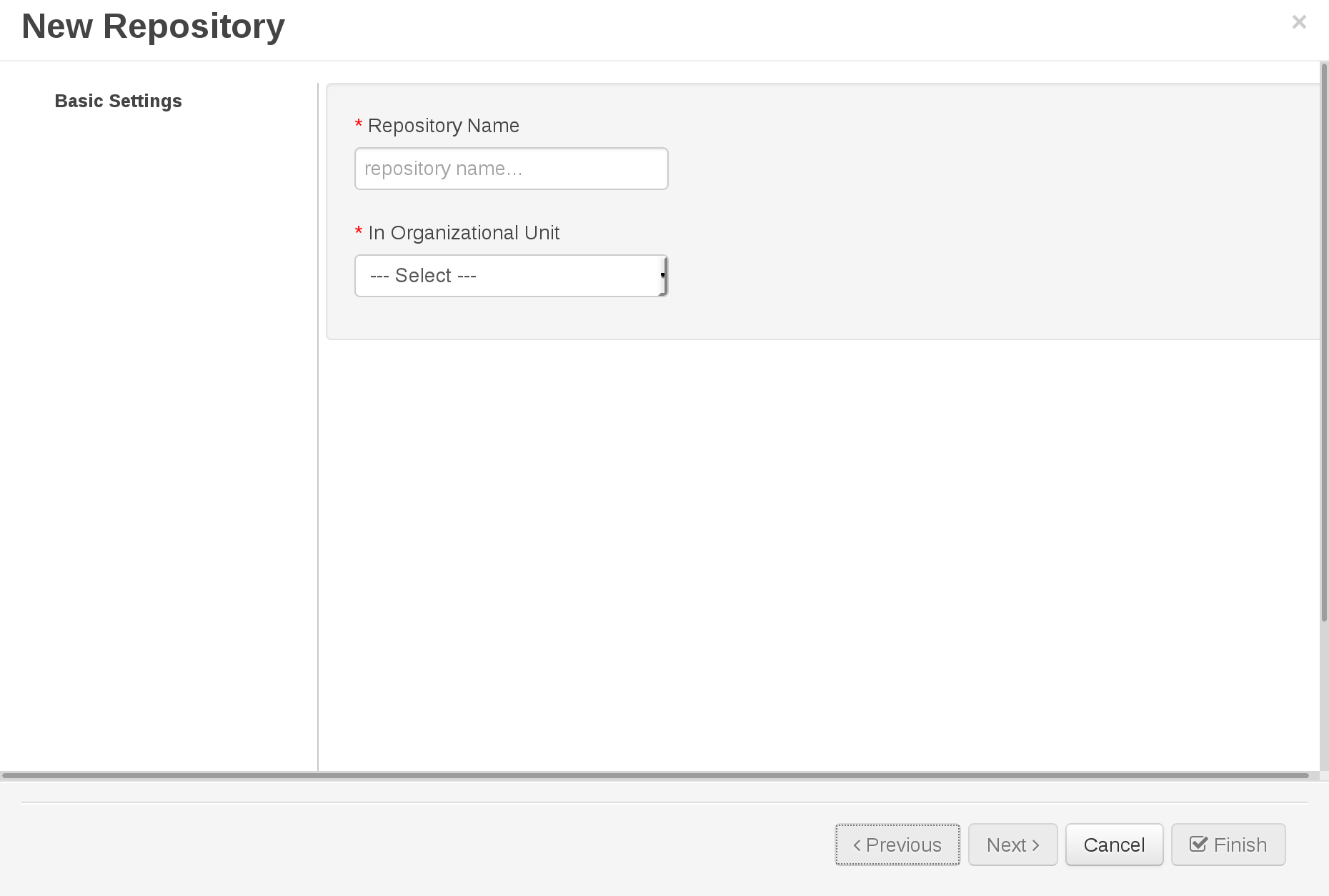
Figure 6.1. Create Repository Pop-up
- Enter the mandatory details:
- Repository name.
Note
Note that the repository name should be a valid filename. Avoid using a space or any special character that might lead to an invalid folder name. - Select an organizational unit in which the repository is to be created from the Organizational Unit drop-down option.
- Click Finish
The new repository can be viewed either in the File Explorer or Project Explorer views.

'%20d='M201.5%20305.5c-13.8%200-24.9-11.1-24.9-24.6%200-13.8%2011.1-24.9%2024.9-24.9%2013.6%200%2024.6%2011.1%2024.6%2024.9%200%2013.6-11.1%2024.6-24.6%2024.6zM504%20256c0%20137-111%20248-248%20248S8%20393%208%20256%20119%208%20256%208s248%20111%20248%20248zm-132.3-41.2c-9.4%200-17.7%203.9-23.8%2010-22.4-15.5-52.6-25.5-86.1-26.6l17.4-78.3%2055.4%2012.5c0%2013.6%2011.1%2024.6%2024.6%2024.6%2013.8%200%2024.9-11.3%2024.9-24.9s-11.1-24.9-24.9-24.9c-9.7%200-18%205.8-22.1%2013.8l-61.2-13.6c-3-.8-6.1%201.4-6.9%204.4l-19.1%2086.4c-33.2%201.4-63.1%2011.3-85.5%2026.8-6.1-6.4-14.7-10.2-24.1-10.2-34.9%200-46.3%2046.9-14.4%2062.8-1.1%205-1.7%2010.2-1.7%2015.5%200%2052.6%2059.2%2095.2%20132%2095.2%2073.1%200%20132.3-42.6%20132.3-95.2%200-5.3-.6-10.8-1.9-15.8%2031.3-16%2019.8-62.5-14.9-62.5zM302.8%20331c-18.2%2018.2-76.1%2017.9-93.6%200-2.2-2.2-6.1-2.2-8.3%200-2.5%202.5-2.5%206.4%200%208.6%2022.8%2022.8%2087.3%2022.8%20110.2%200%202.5-2.2%202.5-6.1%200-8.6-2.2-2.2-6.1-2.2-8.3%200zm7.7-75c-13.6%200-24.6%2011.1-24.6%2024.9%200%2013.6%2011.1%2024.6%2024.6%2024.6%2013.8%200%2024.9-11.1%2024.9-24.6%200-13.8-11-24.9-24.9-24.9z'/%3e%3c/svg%3e)