 Red Hat Summit
이 콘텐츠는 선택한 언어로 제공되지 않습니다.
Chapter 5. Tools for administration of Red Hat Satellite
You can use multiple tools to manage Red Hat Satellite.
5.1. Satellite web UI overview
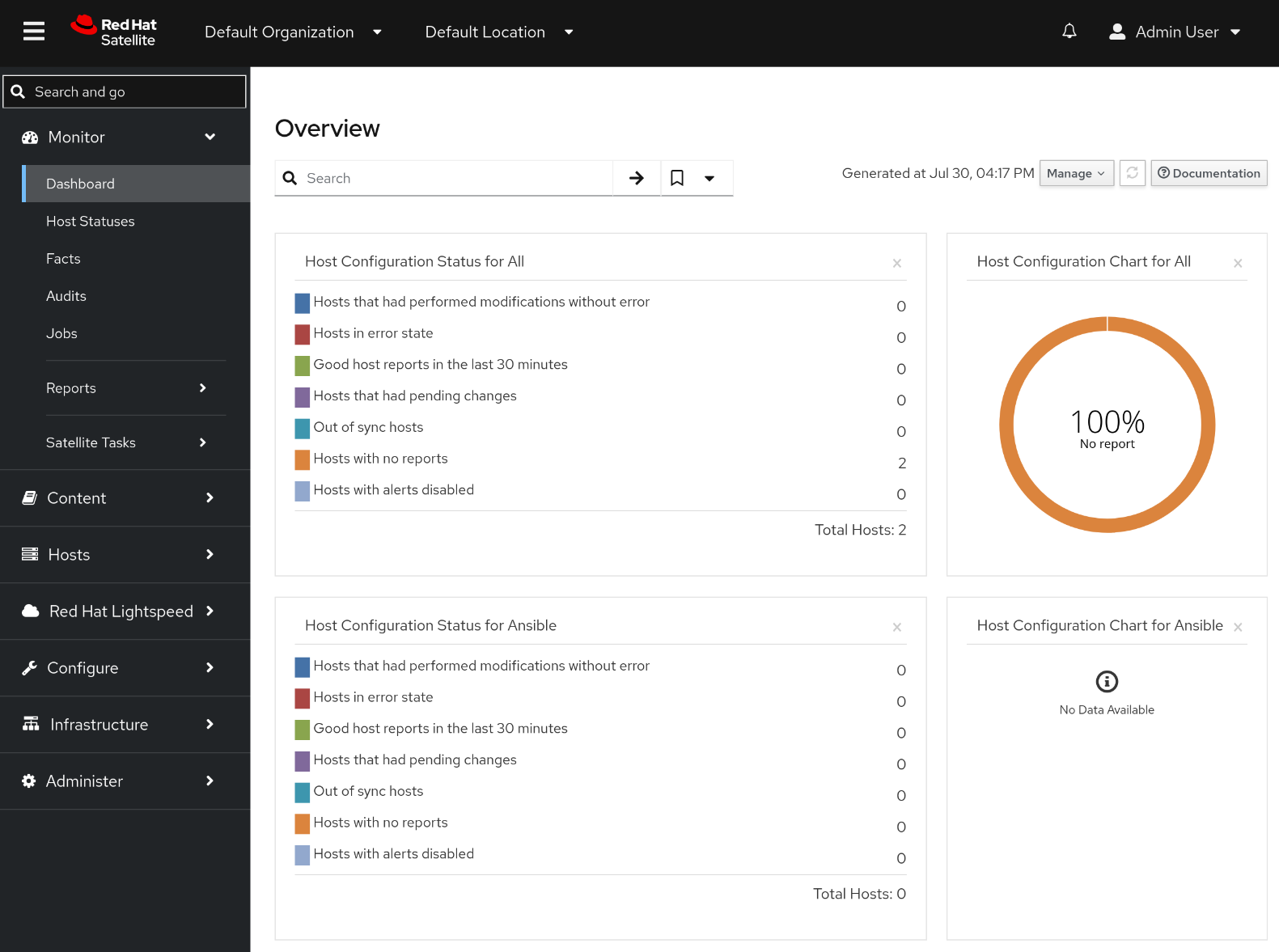
You can manage and monitor your Satellite infrastructure from a browser with the Satellite web UI. Satellite supports recent versions of the Mozilla Firefox and Google Chrome browsers.
The Satellite web UI and command-line interface support English, French, Japanese, Korean, and Simplified Chinese.
5.2. Hammer CLI overview
You can configure and manage your Satellite Server with CLI commands by using Hammer.
Using Hammer has the following benefits:
- Create shell scripts based on Hammer commands for basic task automation.
- Redirect output from Hammer to other tools.
-
Use the
--debugoption with Hammer to test responses to API calls before applying the API calls in a script. For example:hammer --debug organization list.
To issue Hammer commands, a user must have access to your Satellite Server.
To ensure a user-friendly and intuitive experience, the Satellite web UI takes priority when developing new functionality. Therefore, some features that are available in the Satellite web UI might not yet be available for Hammer.
In the background, each Hammer command first establishes a binding to the API, then sends a request. This can have performance implications when executing a large number of Hammer commands in sequence. In contrast, scripts that use API commands communicate directly with the Satellite API and they establish the binding only once.
Additional resources
5.3. Satellite API overview
You can write custom scripts and external applications that access the Satellite API over HTTP with the Representational State Transfer (REST) API provided by Satellite Server.
Using the REST API has the following benefits:
- Configure any programming language, framework, or system with support for HTTP protocol to use the API.
- Create client applications that require minimal knowledge of the Satellite infrastructure because users discover many details at runtime.
- Adopt the resource-based REST model for intuitively managing a virtualization platform.
Scripts based on API commands communicate directly with the Satellite API, which makes them faster than scripts based on Hammer commands or Ansible Playbooks relying on modules within redhat.satellite.
API commands differ between versions of Satellite. When you prepare to upgrade Satellite Server, update all the scripts that contain Satellite API commands.
Additional resources
5.4. Remote execution in Red Hat Satellite
With remote execution, you can run jobs on hosts from Capsules by using shell scripts or Ansible roles and playbooks.
Use remote execution for the following benefits in Satellite:
- Run jobs on multiple hosts at once.
- Use variables in your commands for more granular control over the jobs you run.
- Use host facts and parameters to populate the variable values.
- Specify custom values for templates when you run the command.
Communication for remote execution occurs through Capsule Server, which means that Satellite Server does not require direct access to the target host, and can scale to manage many hosts.
To use remote execution, you must define a job template. A job template is a command that you want to apply to remote hosts. You can execute a job template multiple times.
Satellite uses ERB syntax job templates. For more information, see Template writing reference in Managing hosts.
By default, Satellite includes several job templates for shell scripts and Ansible.
5.5. Automating Satellite management with Satellite Ansible Collection
Satellite Ansible Collection is a set of Ansible modules that interact with the Satellite API. You can use these modules to automate many aspects of Satellite administration.
5.6. Kickstart workflow
You can automate the installation process of a Satellite Server or Capsule Server by creating a Kickstart file that contains all the information that is required for the installation.
When you run a Red Hat Satellite Kickstart script, the script performs the following actions:
- It specifies the installation location of a Satellite Server or a Capsule Server.
- It installs the predefined packages.
- It installs Subscription Manager.
- It uses Activation Keys to subscribe the hosts to Red Hat Satellite.
-
It installs Puppet, and configures a
puppet.conffile to indicate the Red Hat Satellite or Capsule instance. - It enables Puppet to run and request a certificate.
- It runs user defined snippets.
Additional resources

'%20d='M201.5%20305.5c-13.8%200-24.9-11.1-24.9-24.6%200-13.8%2011.1-24.9%2024.9-24.9%2013.6%200%2024.6%2011.1%2024.6%2024.9%200%2013.6-11.1%2024.6-24.6%2024.6zM504%20256c0%20137-111%20248-248%20248S8%20393%208%20256%20119%208%20256%208s248%20111%20248%20248zm-132.3-41.2c-9.4%200-17.7%203.9-23.8%2010-22.4-15.5-52.6-25.5-86.1-26.6l17.4-78.3%2055.4%2012.5c0%2013.6%2011.1%2024.6%2024.6%2024.6%2013.8%200%2024.9-11.3%2024.9-24.9s-11.1-24.9-24.9-24.9c-9.7%200-18%205.8-22.1%2013.8l-61.2-13.6c-3-.8-6.1%201.4-6.9%204.4l-19.1%2086.4c-33.2%201.4-63.1%2011.3-85.5%2026.8-6.1-6.4-14.7-10.2-24.1-10.2-34.9%200-46.3%2046.9-14.4%2062.8-1.1%205-1.7%2010.2-1.7%2015.5%200%2052.6%2059.2%2095.2%20132%2095.2%2073.1%200%20132.3-42.6%20132.3-95.2%200-5.3-.6-10.8-1.9-15.8%2031.3-16%2019.8-62.5-14.9-62.5zM302.8%20331c-18.2%2018.2-76.1%2017.9-93.6%200-2.2-2.2-6.1-2.2-8.3%200-2.5%202.5-2.5%206.4%200%208.6%2022.8%2022.8%2087.3%2022.8%20110.2%200%202.5-2.2%202.5-6.1%200-8.6-2.2-2.2-6.1-2.2-8.3%200zm7.7-75c-13.6%200-24.6%2011.1-24.6%2024.9%200%2013.6%2011.1%2024.6%2024.6%2024.6%2013.8%200%2024.9-11.1%2024.9-24.6%200-13.8-11-24.9-24.9-24.9z'/%3e%3c/svg%3e)