 Red Hat Summit
Este conteúdo não está disponível no idioma selecionado.
Chapter 3. Adding ActiveDocs to 3scale
3scale offers a framework to create interactive documentation for your API.
With OpenAPI Specification (OAS), you have functional documentation for your API, which will help your developers explore, test, and integrate with your API.
3.1. Setting up ActiveDocs in 3scale
You can add ActiveDocs to your API in the 3scale user interface to obtain a framework for creating interactive documentation for your API.
Prerequisites
- An OpenAPI document that defines your API.
-
A 3scale 2.11 instance tenant’s credentials (
tokenorprovider_key).
Procedure
Navigate to [your_API_name]
ActiveDocs in your Admin Portal. 3scale displays the list of your service specifications for your API. This is initially empty. You can add as many service specifications as you want. Typically, each service specification corresponds to one of your APIs. For example, 3scale has specifications for each 3scale API, such as Service Management, Account Management, Analytics, and Billing.
Click Create a new spec.
When you add a new service specification, provide the following:
- Name
- System name. This is required to reference the service specification from the Developer Portal.
Choose whether you want the specification to be published or not. If you do not publish, the new specification will not be available in the Developer Portal.
NoteIf you create, but do not publish your new specification, it will remain available to you for publication at a later time of your choosing.
- Add a description that is meant for only your consumption.
Add the API JSON specification.
Generate the specification of your API according to the specification proposed by OpenAPI Specification (OAS). In this tutorial we assume that you already have a valid OAS-compliant specification of your API.
Working with your first ActiveDoc
After you add your first ActiveDoc, you can see it listed in [your_API_name]
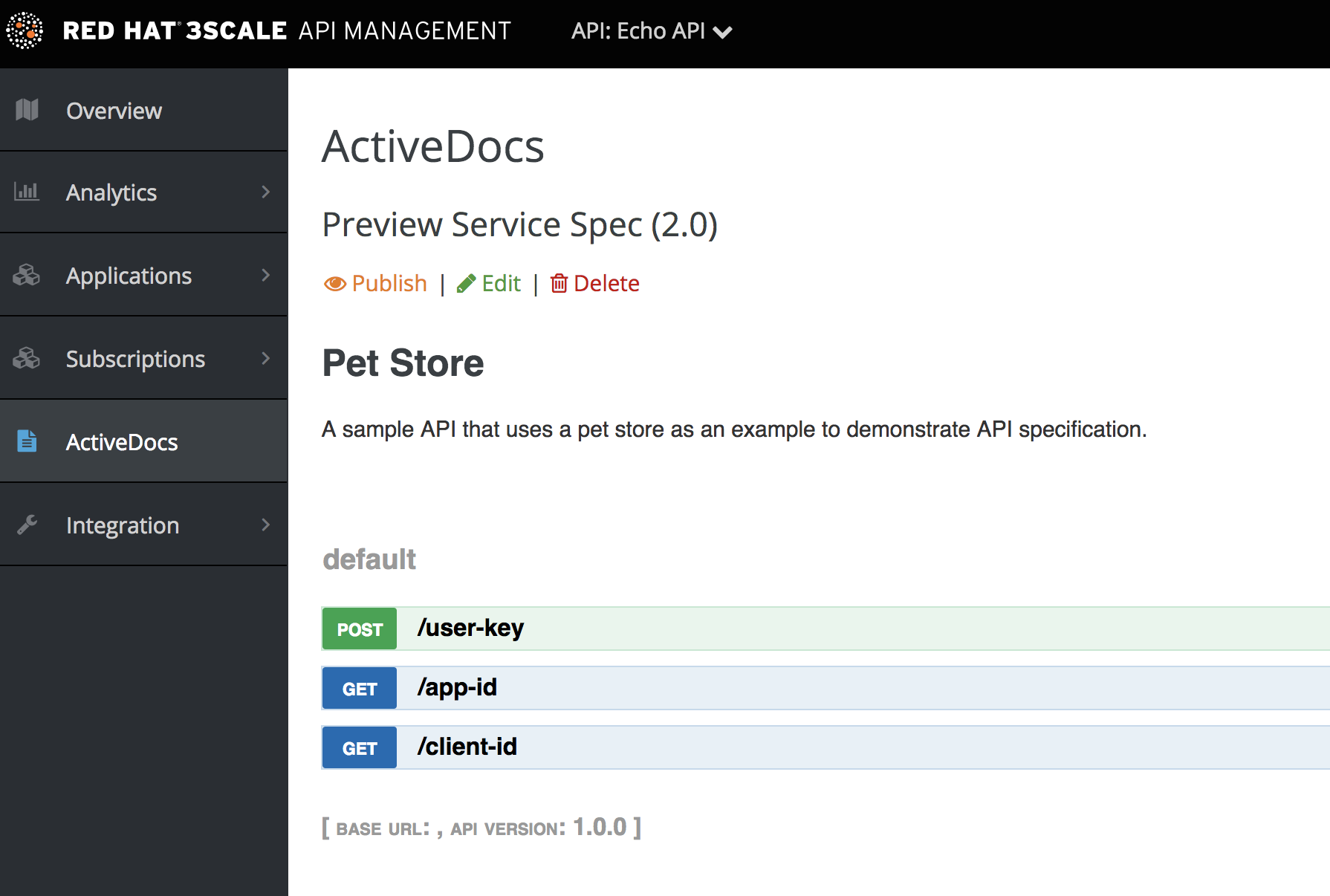
You can preview what your ActiveDocs looks like by clicking the name you gave the service specification, for example, Pet Store. You can do this even if the specification is not published yet.
This is what an ActiveDoc looks like:

'%20d='M201.5%20305.5c-13.8%200-24.9-11.1-24.9-24.6%200-13.8%2011.1-24.9%2024.9-24.9%2013.6%200%2024.6%2011.1%2024.6%2024.9%200%2013.6-11.1%2024.6-24.6%2024.6zM504%20256c0%20137-111%20248-248%20248S8%20393%208%20256%20119%208%20256%208s248%20111%20248%20248zm-132.3-41.2c-9.4%200-17.7%203.9-23.8%2010-22.4-15.5-52.6-25.5-86.1-26.6l17.4-78.3%2055.4%2012.5c0%2013.6%2011.1%2024.6%2024.6%2024.6%2013.8%200%2024.9-11.3%2024.9-24.9s-11.1-24.9-24.9-24.9c-9.7%200-18%205.8-22.1%2013.8l-61.2-13.6c-3-.8-6.1%201.4-6.9%204.4l-19.1%2086.4c-33.2%201.4-63.1%2011.3-85.5%2026.8-6.1-6.4-14.7-10.2-24.1-10.2-34.9%200-46.3%2046.9-14.4%2062.8-1.1%205-1.7%2010.2-1.7%2015.5%200%2052.6%2059.2%2095.2%20132%2095.2%2073.1%200%20132.3-42.6%20132.3-95.2%200-5.3-.6-10.8-1.9-15.8%2031.3-16%2019.8-62.5-14.9-62.5zM302.8%20331c-18.2%2018.2-76.1%2017.9-93.6%200-2.2-2.2-6.1-2.2-8.3%200-2.5%202.5-2.5%206.4%200%208.6%2022.8%2022.8%2087.3%2022.8%20110.2%200%202.5-2.2%202.5-6.1%200-8.6-2.2-2.2-6.1-2.2-8.3%200zm7.7-75c-13.6%200-24.6%2011.1-24.6%2024.9%200%2013.6%2011.1%2024.6%2024.6%2024.6%2013.8%200%2024.9-11.1%2024.9-24.6%200-13.8-11-24.9-24.9-24.9z'/%3e%3c/svg%3e)