 Red Hat Summit
Este conteúdo não está disponível no idioma selecionado.
Chapter 6. Generating a catalog
6.1. Overview
By default, every Kaoto release includes the latest Camel version available at the moment of the build, nevertheless, generating a different set of catalogs is possible.
6.2. Catalog generator CLI
Kaoto provides a Camel catalog generator CLI to ease this process, it supports the following runtimes:
- Main
- Quarkus
- Springboot
6.2.1. Using Camel catalog
- Clone the Kaoto project
- Navigate to the packages/catalog-generator directory
Install the project dependencies:
./mvnw install
./mvnw installCopy to Clipboard Copied! Toggle word wrap Toggle overflow Run the project with the following command:
./mvnw package; java -jar ./target/catalog-generator-0.0.1-SNAPSHOT.jar -o ./dist/camel-catalog -k 4.6.0 -m 4.6.0 -n "My Catalog"
./mvnw package; java -jar ./target/catalog-generator-0.0.1-SNAPSHOT.jar -o ./dist/camel-catalog -k 4.6.0 -m 4.6.0 -n "My Catalog"Copy to Clipboard Copied! Toggle word wrap Toggle overflow This will generate a Catalog library containing:
- Camel Main 4.6.0
- Camel Kamelets 4.6.0
-
The resulting files will be in the
packages/catalog-generator/dist/camel-catalogfolder - Providing that folder through a http server will make it available for using it in Kaoto
6.2.2. Creating a Catalog library with different runtimes
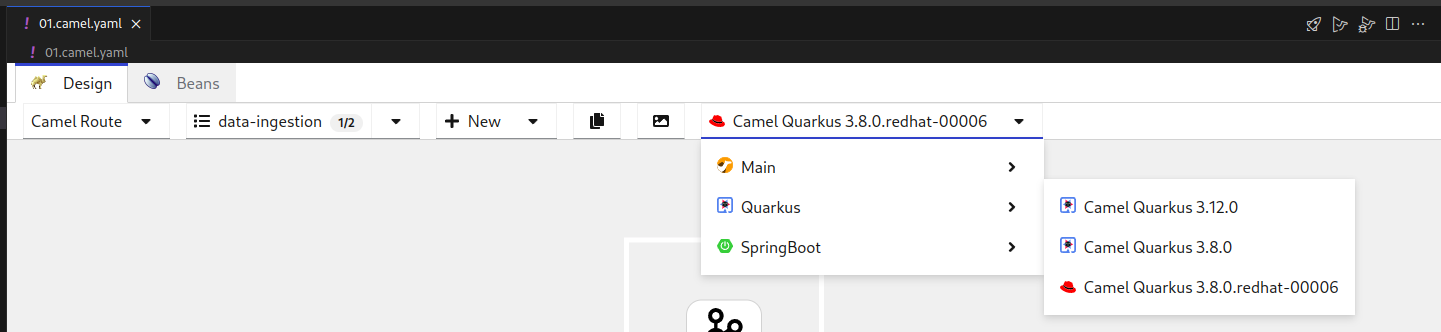
In order to add multiple runtimes to the Catalog library, we can provide each runtime with its version using the following flags:
 -m,--main <version>               Camel Main version. If not specified,
                                   it will use the generator installed
                                   version
 -q,--quarkus <version>            Camel Extensions for Quarkus version
 -s,--springboot <version>         Camel SpringBoot version
-m,--main <version> Camel Main version. If not specified, it will use the generator installed version -q,--quarkus <version> Camel Extensions for Quarkus version -s,--springboot <version> Camel SpringBoot versionCopy to Clipboard Copied! Toggle word wrap Toggle overflow For instance, running the following command will create a Catalog library with Camel Main 4.6.0 and Camel extensions for Quarkus 3.8.0:
./mvnw package; java -jar ./target/catalog-generator-0.0.1-SNAPSHOT.jar -o ./dist/camel-catalog -k 4.6.0 -m 4.6.0 -q 3.8.0 -n "My Catalog"
./mvnw package; java -jar ./target/catalog-generator-0.0.1-SNAPSHOT.jar -o ./dist/camel-catalog -k 4.6.0 -m 4.6.0 -q 3.8.0 -n "My Catalog"Copy to Clipboard Copied! Toggle word wrap Toggle overflow For a different Kamelets catalog version, the
--kamelets or -kflag can be specified../mvnw package; java -jar ./target/catalog-generator-0.0.1-SNAPSHOT.jar -o ./dist/camel-catalog -k 4.5.0 -m 4.6.0 -n "My Catalog"
./mvnw package; java -jar ./target/catalog-generator-0.0.1-SNAPSHOT.jar -o ./dist/camel-catalog -k 4.5.0 -m 4.6.0 -n "My Catalog"Copy to Clipboard Copied! Toggle word wrap Toggle overflow
6.2.3. Instructing Kaoto to use a specific Catalog library
In VSCode, go to the settings page and look for “Kaoto”
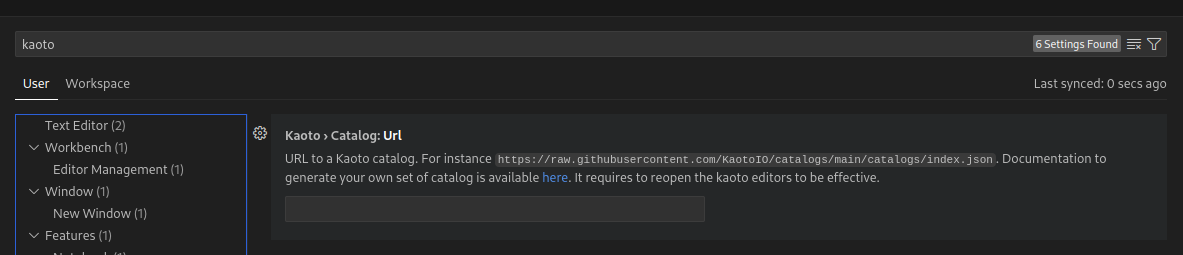
In the
TextField, provide the URL of theindex.jsonfile that specifies the location of the subsequent catalogs, for instance, the public Kaoto catalog can be used:
Restart Kaoto for the changes to have effect

'%20d='M201.5%20305.5c-13.8%200-24.9-11.1-24.9-24.6%200-13.8%2011.1-24.9%2024.9-24.9%2013.6%200%2024.6%2011.1%2024.6%2024.9%200%2013.6-11.1%2024.6-24.6%2024.6zM504%20256c0%20137-111%20248-248%20248S8%20393%208%20256%20119%208%20256%208s248%20111%20248%20248zm-132.3-41.2c-9.4%200-17.7%203.9-23.8%2010-22.4-15.5-52.6-25.5-86.1-26.6l17.4-78.3%2055.4%2012.5c0%2013.6%2011.1%2024.6%2024.6%2024.6%2013.8%200%2024.9-11.3%2024.9-24.9s-11.1-24.9-24.9-24.9c-9.7%200-18%205.8-22.1%2013.8l-61.2-13.6c-3-.8-6.1%201.4-6.9%204.4l-19.1%2086.4c-33.2%201.4-63.1%2011.3-85.5%2026.8-6.1-6.4-14.7-10.2-24.1-10.2-34.9%200-46.3%2046.9-14.4%2062.8-1.1%205-1.7%2010.2-1.7%2015.5%200%2052.6%2059.2%2095.2%20132%2095.2%2073.1%200%20132.3-42.6%20132.3-95.2%200-5.3-.6-10.8-1.9-15.8%2031.3-16%2019.8-62.5-14.9-62.5zM302.8%20331c-18.2%2018.2-76.1%2017.9-93.6%200-2.2-2.2-6.1-2.2-8.3%200-2.5%202.5-2.5%206.4%200%208.6%2022.8%2022.8%2087.3%2022.8%20110.2%200%202.5-2.2%202.5-6.1%200-8.6-2.2-2.2-6.1-2.2-8.3%200zm7.7-75c-13.6%200-24.6%2011.1-24.6%2024.9%200%2013.6%2011.1%2024.6%2024.6%2024.6%2013.8%200%2024.9-11.1%2024.9-24.6%200-13.8-11-24.9-24.9-24.9z'/%3e%3c/svg%3e)