 红帽全球峰会
Storage Administration Guide
Deploying and configuring single-node storage in Red Hat Enterprise Linux 6
摘要
第 1 章 Overview
1.1. What's New in Red Hat Enterprise Linux 6
File System Encryption (Technology Preview)
File System Caching (Technology Preview)
Btrfs (Technology Preview)
I/O Limit Processing
ext4 Support
Network Block Storage
部分 I. File Systems
第 2 章 File System Structure and Maintenance
- Shareable versus unshareable files
- Variable versus static files
2.1. Overview of Filesystem Hierarchy Standard (FHS)
- Compatibility with other FHS-compliant systems
- The ability to mount a
/usr/partition as read-only. This is especially crucial, since/usr/contains common executables and should not be changed by users. In addition, since/usr/is mounted as read-only, it should be mountable from the CD-ROM drive or from another machine via a read-only NFS mount.
2.1.1. FHS Organization
2.1.1.1. Gathering File System Information
df command reports the system's disk space usage. Its output looks similar to the following:
例 2.1. df command output
df shows the partition size in 1 kilobyte blocks and the amount of used and available disk space in kilobytes. To view the information in megabytes and gigabytes, use the command df -h. The -h argument stands for "human-readable" format. The output for df -h looks similar to the following:
例 2.2. df -h command output
注意
/dev/shm represents the system's virtual memory file system.
du command displays the estimated amount of space being used by files in a directory, displaying the disk usage of each subdirectory. The last line in the output of du shows the total disk usage of the directory; to see only the total disk usage of a directory in human-readable format, use du -hs. For more options, refer to man du.
gnome-system-monitor. Select the File Systems tab to view the system's partitions. The figure below illustrates the File Systems tab.
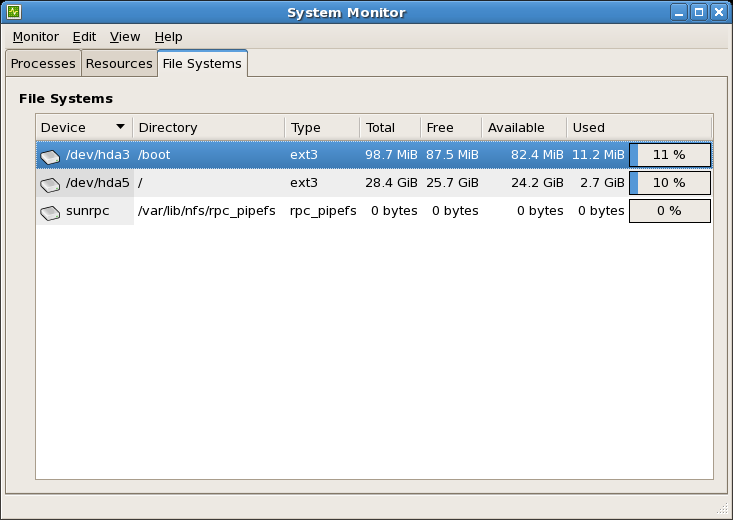
图 2.1. GNOME System Monitor File Systems tab
2.1.1.2. The /boot/ Directory
/boot/ directory contains static files required to boot the system, for example, the Linux kernel. These files are essential for the system to boot properly.
警告
/boot/ directory. Doing so renders the system unbootable.
2.1.1.3. The /dev/ Directory
/dev/ directory contains device nodes that represent the following device types:
- devices attached to the system;
- virtual devices provided by the kernel.
udevd daemon creates and removes device nodes in /dev/ as needed.
/dev/ directory and subdirectories are defined as either character (providing only a serial stream of input and output, for example, mouse or keyboard) or block (accessible randomly, for example, a hard drive or a floppy drive). If GNOME or KDE is installed, some storage devices are automatically detected when connected (such as with a USB) or inserted (such as a CD or DVD drive), and a pop-up window displaying the contents appears.
| File | Description |
|---|---|
| /dev/hda | The master device on the primary IDE channel. |
| /dev/hdb | The slave device on the primary IDE channel. |
| /dev/tty0 | The first virtual console. |
| /dev/tty1 | The second virtual console. |
| /dev/sda | The first device on the primary SCSI or SATA channel. |
| /dev/lp0 | The first parallel port. |
| /dev/ttyS0 | Serial port. |
2.1.1.4. The /etc/ Directory
/etc/ directory is reserved for configuration files that are local to the machine. It should contain no binaries; any binaries should be moved to /bin/ or /sbin/.
/etc/skel/ directory stores "skeleton" user files, which are used to populate a home directory when a user is first created. Applications also store their configuration files in this directory and may reference them when executed. The /etc/exports file controls which file systems export to remote hosts.
2.1.1.5. The /lib/ Directory
/lib/ directory should only contain libraries needed to execute the binaries in /bin/ and /sbin/. These shared library images are used to boot the system or execute commands within the root file system.
2.1.1.6. The /media/ Directory
/media/ directory contains subdirectories used as mount points for removable media, such as USB storage media, DVDs, and CD-ROMs.
2.1.1.7. The /mnt/ Directory
/mnt/ directory is reserved for temporarily mounted file systems, such as NFS file system mounts. For all removable storage media, use the /media/ directory. Automatically detected removable media will be mounted in the /media directory.
重要
/mnt directory must not be used by installation programs.
2.1.1.8. The /opt/ Directory
/opt/ directory is normally reserved for software and add-on packages that are not part of the default installation. A package that installs to /opt/ creates a directory bearing its name, for example /opt/packagename/. In most cases, such packages follow a predictable subdirectory structure; most store their binaries in /opt/packagename/bin/ and their man pages in /opt/packagename/man/.
2.1.1.9. The /proc/ Directory
/proc/ directory contains special files that either extract information from the kernel or send information to it. Examples of such information include system memory, CPU information, and hardware configuration. For more information about /proc/, refer to 第 2.3 节 “The /proc Virtual File System”.
2.1.1.10. The /sbin/ Directory
/sbin/ directory stores binaries essential for booting, restoring, recovering, or repairing the system. The binaries in /sbin/ require root privileges to use. In addition, /sbin/ contains binaries used by the system before the /usr/ directory is mounted; any system utilities used after /usr/ is mounted are typically placed in /usr/sbin/.
/sbin/:
arpclockhaltinitfsck.*grubifconfigmingettymkfs.*mkswaprebootrouteshutdownswapoffswapon
2.1.1.11. The /srv/ Directory
/srv/ directory contains site-specific data served by a Red Hat Enterprise Linux system. This directory gives users the location of data files for a particular service, such as FTP, WWW, or CVS. Data that only pertains to a specific user should go in the /home/ directory.
注意
/var/www/html for served content.
2.1.1.12. The /sys/ Directory
/sys/ directory utilizes the new sysfs virtual file system specific to the 2.6 kernel. With the increased support for hot plug hardware devices in the 2.6 kernel, the /sys/ directory contains information similar to that held by /proc/, but displays a hierarchical view of device information specific to hot plug devices.
2.1.1.13. The /usr/ Directory
/usr/ directory is for files that can be shared across multiple machines. The /usr/ directory is often on its own partition and is mounted read-only. The /usr/ directory usually contains the following subdirectories:
/usr/bin- This directory is used for binaries.
/usr/etc- This directory is used for system-wide configuration files.
/usr/games- This directory stores games.
/usr/include- This directory is used for C header files.
/usr/kerberos- This directory is used for Kerberos-related binaries and files.
/usr/lib- This directory is used for object files and libraries that are not designed to be directly utilized by shell scripts or users. This directory is for 32-bit systems.
/usr/lib64- This directory is used for object files and libraries that are not designed to be directly utilized by shell scripts or users. This directory is for 64-bit systems.
/usr/libexec- This directory contains small helper programs called by other programs.
/usr/sbin- This directory stores system administration binaries that do not belong to
/sbin/. /usr/share- This directory stores files that are not architecture-specific.
/usr/src- This directory stores source code.
/usr/tmplinked to/var/tmp- This directory stores temporary files.
/usr/ directory should also contain a /local/ subdirectory. As per the FHS, this subdirectory is used by the system administrator when installing software locally, and should be safe from being overwritten during system updates. The /usr/local directory has a structure similar to /usr/, and contains the following subdirectories:
/usr/local/bin/usr/local/etc/usr/local/games/usr/local/include/usr/local/lib/usr/local/libexec/usr/local/sbin/usr/local/share/usr/local/src
/usr/local/ differs slightly from the FHS. The FHS states that /usr/local/ should be used to store software that should remain safe from system software upgrades. Since the RPM Package Manager can perform software upgrades safely, it is not necessary to protect files by storing them in /usr/local/.
/usr/local/ for software local to the machine. For instance, if the /usr/ directory is mounted as a read-only NFS share from a remote host, it is still possible to install a package or program under the /usr/local/ directory.
2.1.1.14. The /var/ Directory
/usr/ as read-only, any programs that write log files or need spool/ or lock/ directories should write them to the /var/ directory. The FHS states /var/ is for variable data, which includes spool directories and files, logging data, transient and temporary files.
/var/ directory depending on what is installed on the system:
/var/account//var/arpwatch//var/cache//var/crash//var/db//var/empty//var/ftp//var/gdm//var/kerberos//var/lib//var/local//var/lock//var/log//var/maillinked to/var/spool/mail//var/mailman//var/named//var/nis//var/opt//var/preserve//var/run//var/spool//var/tmp//var/tux//var/www//var/yp/
messages and lastlog, go in the /var/log/ directory. The /var/lib/rpm/ directory contains RPM system databases. Lock files go in the /var/lock/ directory, usually in directories for the program using the file. The /var/spool/ directory has subdirectories that store data files for some programs. These subdirectories may include:
/var/spool/at//var/spool/clientmqueue//var/spool/cron//var/spool/cups//var/spool/exim//var/spool/lpd//var/spool/mail//var/spool/mailman//var/spool/mqueue//var/spool/news//var/spool/postfix//var/spool/repackage//var/spool/rwho//var/spool/samba//var/spool/squid//var/spool/squirrelmail//var/spool/up2date//var/spool/uucp//var/spool/uucppublic//var/spool/vbox/
2.2. Special Red Hat Enterprise Linux File Locations
/var/lib/rpm/ directory. For more information on RPM, refer to man rpm.
/var/cache/yum/ directory contains files used by the Package Updater, including RPM header information for the system. This location may also be used to temporarily store RPMs downloaded while updating the system. For more information about the Red Hat Network, refer to the documentation online at https://rhn.redhat.com/.
/etc/sysconfig/ directory. This directory stores a variety of configuration information. Many scripts that run at boot time use the files in this directory.
2.3. The /proc Virtual File System
/proc contains neither text nor binary files. Instead, it houses virtual files; as such, /proc is normally referred to as a virtual file system. These virtual files are typically zero bytes in size, even if they contain a large amount of information.
/proc file system is not used for storage. Its main purpose is to provide a file-based interface to hardware, memory, running processes, and other system components. Real-time information can be retrieved on many system components by viewing the corresponding /proc file. Some of the files within /proc can also be manipulated (by both users and applications) to configure the kernel.
/proc files are relevant in managing and monitoring system storage:
- /proc/devices
- Displays various character and block devices that are currently configured.
- /proc/filesystems
- Lists all file system types currently supported by the kernel.
- /proc/mdstat
- Contains current information on multiple-disk or RAID configurations on the system, if they exist.
- /proc/mounts
- Lists all mounts currently used by the system.
- /proc/partitions
- Contains partition block allocation information.
/proc file system, refer to the Red Hat Enterprise Linux 6 Deployment Guide.
2.4. Discard unused blocks
fstrim command. This command discards all unused blocks in a file system that match the user's criteria. Both operation types are supported for use with ext4 file systems as of Red Hat Enterprise Linux 6.2 and later, so long as the block device underlying the file system supports physical discard operations. This is also the case with XFS file systems as of Red Hat Enterprise Linux 6.4 and later. Physical discard operations are supported if the value of /sys/block/device/queue/discard_max_bytes is not zero.
-o discard option (either in /etc/fstab or as part of the mount command), and run in realtime without user intervention. Online discard operations only discard blocks that are transitioning from used to free. Online discard operations are supported on ext4 file systems as of Red Hat Enterprise Linux 6.2 and later, and on XFS file systems as of Red Hat Enterprise Linux 6.4 and later.
第 3 章 Encrypted File System
mkfs. Instead, eCryptfs is initiated by issuing a special mount command. To manage file systems protected by eCryptfs, the ecryptfs-utils package must be installed first.
3.1. Mounting a File System as Encrypted
mount -t ecryptfs /source /destination
# mount -t ecryptfs /source /destination/source in the above example) with eCryptfs means mounting it to a mount point encrypted by eCryptfs (/destination in the example above). All file operations to /destination will be passed encrypted to the underlying /source file system. In some cases, however, it may be possible for a file operation to modify /source directly without passing through the eCryptfs layer; this could lead to inconsistencies.
/source and /destination be identical. For example:
mount -t ecryptfs /home /home
# mount -t ecryptfs /home /home/home pass through the eCryptfs layer.
mount will allow the following settings to be configured:
- Encryption key type
openssl,tspi, orpassphrase. When choosingpassphrase,mountwill ask for one.- Cipher
aes,blowfish,des3_ede,cast6, orcast5.- Key bytesize
16,32, or24.plaintext passthrough- Enabled or disabled.
filename encryption- Enabled or disabled.
mount will display all the selections made and perform the mount. This output consists of the command-line option equivalents of each chosen setting. For example, mounting /home with a key type of passphrase, aes cipher, key bytesize of 16 with both plaintext passthrough and filename encryption disabled, the output would be:
-o option of mount. For example:
mount -t ecryptfs /home /home -o ecryptfs_unlink_sigs \
 ecryptfs_key_bytes=16 ecryptfs_cipher=aes ecryptfs_sig=c7fed37c0a341e19[2]
# mount -t ecryptfs /home /home -o ecryptfs_unlink_sigs \
ecryptfs_key_bytes=16 ecryptfs_cipher=aes ecryptfs_sig=c7fed37c0a341e19[2]3.2. Additional Information
man ecryptfs (provided by the ecryptfs-utils package). The following Kernel document (provided by the kernel-doc package) also provides additional information on eCryptfs:
/usr/share/doc/kernel-doc-version/Documentation/filesystems/ecryptfs.txt
第 4 章 Btrfs
Btrfs) is a local file system that aims to provide better performance and scalability. Btrfs was introduced in Red Hat Enterprise Linux 6 as a Technology Preview, available on AMD64 and Intel 64 architectures. The Btrfs Technology Preview ended as of Red Hat Enterprise Linux 6.6 and will not be updated in the future. Btrfs will be included in future releases of Red Hat Enterprise Linux 6, but will not be supported in any way.
Btrfs Features
- Built-in System Rollback
- File system snapshots make it possible to roll a system back to a prior, known-good state if something goes wrong.
- Built-in Compression
- This makes saving space easier.
- Checksum Functionality
- This improves error detection.
- dynamic, online addition or removal of new storage devices
- internal support for RAID across the component devices
- the ability to use different RAID levels for meta or user data
- full checksum functionality for all meta and user data.
第 5 章 The Ext3 File System
- Availability
- After an unexpected power failure or system crash (also called an unclean system shutdown), each mounted ext2 file system on the machine must be checked for consistency by the
e2fsckprogram. This is a time-consuming process that can delay system boot time significantly, especially with large volumes containing a large number of files. During this time, any data on the volumes is unreachable.It is possible to runfsck -non a live filesystem. However, it will not make any changes and may give misleading results if partially written metadata is encountered.If LVM is used in the stack, another option is to take an LVM snapshot of the filesystem and runfsckon it instead.Finally, there is the option to remount the filesystem as read only. All pending metadata updates (and writes) are then forced to the disk prior to the remount. This ensures the filesystem is in a consistent state, provided there is no previous corruption. It is now possible to runfsck -n.The journaling provided by the ext3 file system means that this sort of file system check is no longer necessary after an unclean system shutdown. The only time a consistency check occurs using ext3 is in certain rare hardware failure cases, such as hard drive failures. The time to recover an ext3 file system after an unclean system shutdown does not depend on the size of the file system or the number of files; rather, it depends on the size of the journal used to maintain consistency. The default journal size takes about a second to recover, depending on the speed of the hardware.注意
The only journaling mode in ext3 supported by Red Hat isdata=ordered(default). - Data Integrity
- The ext3 file system prevents loss of data integrity in the event that an unclean system shutdown occurs. The ext3 file system allows you to choose the type and level of protection that your data receives. With regard to the state of the file system, ext3 volumes are configured to keep a high level of data consistency by default.
- Speed
- Despite writing some data more than once, ext3 has a higher throughput in most cases than ext2 because ext3's journaling optimizes hard drive head motion. You can choose from three journaling modes to optimize speed, but doing so means trade-offs in regards to data integrity if the system was to fail.
- Easy Transition
- It is easy to migrate from ext2 to ext3 and gain the benefits of a robust journaling file system without reformatting. Refer to 第 5.2 节 “Converting to an Ext3 File System” for more information on how to perform this task.
The default size of the on-disk inode has increased for more efficient storage of extended attributes, for example, ACLs or SELinux attributes. Along with this change, the default number of inodes created on a file system of a given size has been decreased. The inode size may be selected with the mke2fs -I option or specified in /etc/mke2fs.conf to set system wide defaults for mke2fs.
注意
data_err
A new mount option has been added: data_err=abort. This option instructs ext3 to abort the journal if an error occurs in a file data (as opposed to metadata) buffer in data=ordered mode. This option is disabled by default (set as data_err=ignore).
When creating a file system (that is, mkfs), mke2fs will attempt to "discard" or "trim" blocks not used by the file system metadata. This helps to optimize SSDs or thinly-provisioned storage. To suppress this behavior, use the mke2fs -K option.
5.1. Creating an Ext3 File System
过程 5.1. Create an ext3 file system
- Format the partition with the ext3 file system using
mkfs. - Label the file system using
e2label.
5.2. Converting to an Ext3 File System
tune2fs command converts an ext2 file system to ext3.
注意
e2fsck utility to check your file system before and after using tune2fs. Before trying to convert ext2 to ext3, back up all file systems in case any errors occur.
ext2 file system to ext3, log in as root and type the following command in a terminal:
tune2fs -j block_device
# tune2fs -j block_device- A mapped device
- A logical volume in a volume group, for example,
/dev/mapper/VolGroup00-LogVol02. - A static device
- A traditional storage volume, for example,
/dev/sdbX, where sdb is a storage device name and X is the partition number.
df command to display mounted file systems.
5.3. Reverting to an Ext2 File System
/dev/mapper/VolGroup00-LogVol02
过程 5.2. Revert from ext3 to ext2
- Unmount the partition by logging in as root and typing:
umount /dev/mapper/VolGroup00-LogVol02
# umount /dev/mapper/VolGroup00-LogVol02Copy to Clipboard Copied! Toggle word wrap Toggle overflow - Change the file system type to ext2 by typing the following command:
tune2fs -O ^has_journal /dev/mapper/VolGroup00-LogVol02
# tune2fs -O ^has_journal /dev/mapper/VolGroup00-LogVol02Copy to Clipboard Copied! Toggle word wrap Toggle overflow - Check the partition for errors by typing the following command:
e2fsck -y /dev/mapper/VolGroup00-LogVol02
# e2fsck -y /dev/mapper/VolGroup00-LogVol02Copy to Clipboard Copied! Toggle word wrap Toggle overflow - Then mount the partition again as ext2 file system by typing:
mount -t ext2 /dev/mapper/VolGroup00-LogVol02 /mount/point
# mount -t ext2 /dev/mapper/VolGroup00-LogVol02 /mount/pointCopy to Clipboard Copied! Toggle word wrap Toggle overflow In the above command, replace /mount/point with the mount point of the partition.注意
If a.journalfile exists at the root level of the partition, delete it.
/etc/fstab file, otherwise it will revert back after booting.
第 6 章 The Ext4 File System
注意
fsck. For more information, see 第 5 章 The Ext3 File System.
- Main Features
- Ext4 uses extents (as opposed to the traditional block mapping scheme used by ext2 and ext3), which improves performance when using large files and reduces metadata overhead for large files. In addition, ext4 also labels unallocated block groups and inode table sections accordingly, which allows them to be skipped during a file system check. This makes for quicker file system checks, which becomes more beneficial as the file system grows in size.
- Allocation Features
- The ext4 file system features the following allocation schemes:
- Persistent pre-allocation
- Delayed allocation
- Multi-block allocation
- Stripe-aware allocation
Because of delayed allocation and other performance optimizations, ext4's behavior of writing files to disk is different from ext3. In ext4, when a program writes to the file system, it is not guaranteed to be on-disk unless the program issues anfsync()call afterwards.By default, ext3 automatically forces newly created files to disk almost immediately even withoutfsync(). This behavior hid bugs in programs that did not usefsync()to ensure that written data was on-disk. The ext4 file system, on the other hand, often waits several seconds to write out changes to disk, allowing it to combine and reorder writes for better disk performance than ext3.警告
Unlike ext3, the ext4 file system does not force data to disk on transaction commit. As such, it takes longer for buffered writes to be flushed to disk. As with any file system, use data integrity calls such asfsync()to ensure that data is written to permanent storage. - Other Ext4 Features
- The ext4 file system also supports the following:
- Extended attributes (
xattr) — This allows the system to associate several additional name and value pairs per file. - Quota journaling — This avoids the need for lengthy quota consistency checks after a crash.
注意
The only supported journaling mode in ext4 isdata=ordered(default). - Subsecond timestamps — This gives timestamps to the subsecond.
6.1. Creating an Ext4 File System
mkfs.ext4 command. In general, the default options are optimal for most usage scenarios:
mkfs.ext4 /dev/device
# mkfs.ext4 /dev/device例 6.1. mkfs.ext4 command output
mkfs.ext4 chooses an optimal geometry. This may also be true on some hardware RAIDs which export geometry information to the operating system.
-E option of mkfs.ext4 (that is, extended file system options) with the following sub-options:
- stride=value
- Specifies the RAID chunk size.
- stripe-width=value
- Specifies the number of data disks in a RAID device, or the number of stripe units in the stripe.
value must be specified in file system block units. For example, to create a file system with a 64k stride (that is, 16 x 4096) on a 4k-block file system, use the following command:
mkfs.ext4 -E stride=16,stripe-width=64 /dev/device
# mkfs.ext4 -E stride=16,stripe-width=64 /dev/deviceman mkfs.ext4.
重要
tune2fs to enable some ext4 features on ext3 file systems, and to use the ext4 driver to mount an ext3 file system. These actions, however, are not supported in Red Hat Enterprise Linux 6, as they have not been fully tested. Because of this, Red Hat cannot guarantee consistent performance and predictable behavior for ext3 file systems converted or mounted in this way.
6.2. Mounting an Ext4 File System
mount /dev/device /mount/point
# mount /dev/device /mount/pointacl parameter enables access control lists, while the user_xattr parameter enables user extended attributes. To enable both options, use their respective parameters with -o, as in:
mount -o acl,user_xattr /dev/device /mount/point
# mount -o acl,user_xattr /dev/device /mount/pointtune2fs utility also allows administrators to set default mount options in the file system superblock. For more information on this, refer to man tune2fs.
Write Barriers
nobarrier option, as in:
mount -o nobarrier /dev/device /mount/point
# mount -o nobarrier /dev/device /mount/point6.3. Resizing an Ext4 File System
resize2fs command:
resize2fs /mount/device node
# resize2fs /mount/device noderesize2fs command can also decrease the size of an unmounted ext4 file system:
resize2fs /dev/device size
# resize2fs /dev/device sizeresize2fs utility reads the size in units of file system block size, unless a suffix indicating a specific unit is used. The following suffixes indicate specific units:
s— 512 byte sectorsK— kilobytesM— megabytesG— gigabytes
注意
resize2fs automatically expands to fill all available space of the container, usually a logical volume or partition.
man resize2fs.
6.4. Backup ext2/3/4 File Systems
过程 6.1. Backup ext2/3/4 File Systems Example
- All data must be backed up before attempting any kind of restore operation. Data backups should be made on a regular basis. In addition to data, there is configuration information that should be saved, including
/etc/fstaband the output offdisk -l. Running an sosreport/sysreport will capture this information and is strongly recommended.Copy to Clipboard Copied! Toggle word wrap Toggle overflow In this example, we will use the/dev/sda6partition to save backup files, and we assume that/dev/sda6is mounted on/backup-files. - If the partition being backed up is an operating system partition, bootup your system into Single User Mode. This step is not necessary for normal data partitions.
- Use
dumpto backup the contents of the partitions:注意
- If the system has been running for a long time, it is advisable to run
e2fsckon the partitions before backup. dumpshould not be used on heavily loaded and mounted filesystem as it could backup corrupted version of files. This problem has been mentioned on dump.sourceforge.net.重要
When backing up operating system partitions, the partition must be unmounted.While it is possible to back up an ordinary data partition while it is mounted, it is adviseable to unmount it where possible. The results of attempting to back up a mounted data partition can be unpredicteable.
dump -0uf /backup-files/sda1.dump /dev/sda1
dump -0uf /backup-files/sda2.dump /dev/sda2
dump -0uf /backup-files/sda3.dump /dev/sda3
# dump -0uf /backup-files/sda1.dump /dev/sda1
# dump -0uf /backup-files/sda2.dump /dev/sda2
# dump -0uf /backup-files/sda3.dump /dev/sda3
Copy to Clipboard Copied! Toggle word wrap Toggle overflow If you want to do a remote backup, you can use both ssh or configure a non-password login.注意
If using standard redirection, the '-f' option must be passed separately.dump -0u -f - /dev/sda1 | ssh root@remoteserver.example.com dd of=/tmp/sda1.dump
# dump -0u -f - /dev/sda1 | ssh root@remoteserver.example.com dd of=/tmp/sda1.dumpCopy to Clipboard Copied! Toggle word wrap Toggle overflow
6.5. Restore an ext2/3/4 File System
过程 6.2. Restore an ext2/3/4 File System Example
- If you are restoring an operating system partition, bootup your system into Rescue Mode. This step is not required for ordinary data partitions.
- Rebuild sda1/sda2/sda3/sda4/sda5 by using the
fdiskcommand.注意
If necessary, create the partitions to contain the restored file systems. The new partitions must be large enough to contain the restored data. It is important to get the start and end numbers right; these are the starting and ending sector numbers of the partitions. - Format the destination partitions by using the
mkfscommand, as shown below.重要
DO NOT format/dev/sda6in the above example because it saves backup files.mkfs.ext3 /dev/sda1 mkfs.ext3 /dev/sda2 mkfs.ext3 /dev/sda3
# mkfs.ext3 /dev/sda1
# mkfs.ext3 /dev/sda2
# mkfs.ext3 /dev/sda3
Copy to Clipboard Copied! Toggle word wrap Toggle overflow - If creating new partitions, re-label all the partitions so they match the
fstabfile. This step is not required if the partitions are not being recreated.e2label /dev/sda1 /boot1 e2label /dev/sda2 / e2label /dev/sda3 /data mkswap -L SWAP-sda5 /dev/sda5
# e2label /dev/sda1 /boot1
# e2label /dev/sda2 /
# e2label /dev/sda3 /data
# mkswap -L SWAP-sda5 /dev/sda5
Copy to Clipboard Copied! Toggle word wrap Toggle overflow - Prepare the working directories.
Copy to Clipboard Copied! Toggle word wrap Toggle overflow - Restore the data.
Copy to Clipboard Copied! Toggle word wrap Toggle overflow If you want to restore from a remote host or restore from a backup file on a remote host you can use either ssh or rsh. You will need to configure a password-less login for the following examples:Login into 10.0.0.87, and restore sda1 from local sda1.dump file:ssh 10.0.0.87 "cd /mnt/sda1 && cat /backup-files/sda1.dump | restore -rf -"
# ssh 10.0.0.87 "cd /mnt/sda1 && cat /backup-files/sda1.dump | restore -rf -"Copy to Clipboard Copied! Toggle word wrap Toggle overflow Login into 10.0.0.87, and restore sda1 from a remote 10.66.0.124 sda1.dump file:ssh 10.0.0.87 "cd /mnt/sda1 && RSH=/usr/bin/ssh restore -r -f 10.66.0.124:/tmp/sda1.dump"
# ssh 10.0.0.87 "cd /mnt/sda1 && RSH=/usr/bin/ssh restore -r -f 10.66.0.124:/tmp/sda1.dump"Copy to Clipboard Copied! Toggle word wrap Toggle overflow - Reboot.
6.6. Other Ext4 File System Utilities
- e2fsck
- Used to repair an ext4 file system. This tool checks and repairs an ext4 file system more efficiently than ext3, thanks to updates in the ext4 disk structure.
- e2label
- Changes the label on an ext4 file system. This tool also works on ext2 and ext3 file systems.
- quota
- Controls and reports on disk space (blocks) and file (inode) usage by users and groups on an ext4 file system. For more information on using
quota, refer toman quotaand 第 16.1 节 “Configuring Disk Quotas”.
tune2fs utility can also adjust configurable file system parameters for ext2, ext3, and ext4 file systems. In addition, the following tools are also useful in debugging and analyzing ext4 file systems:
- debugfs
- Debugs ext2, ext3, or ext4 file systems.
- e2image
- Saves critical ext2, ext3, or ext4 file system metadata to a file.
man pages.
第 7 章 Global File System 2
fsck command on a very large file system can take a long time and consume a large amount of memory. Additionally, in the event of a disk or disk-subsystem failure, recovery time is limited by the speed of backup media.
clvmd, and running in a Red Hat Cluster Suite cluster. The daemon makes it possible to use LVM2 to manage logical volumes across a cluster, allowing all nodes in the cluster to share the logical volumes. For information on the Logical Volume Manager, see Red Hat's Logical Volume Manager Administration guide.
gfs2.ko kernel module implements the GFS2 file system and is loaded on GFS2 cluster nodes.
第 8 章 The XFS File System
- Main Features
- XFS supports metadata journaling, which facilitates quicker crash recovery. The XFS file system can also be defragmented and enlarged while mounted and active. In addition, Red Hat Enterprise Linux 6 supports backup and restore utilities specific to XFS.
- Allocation Features
- XFS features the following allocation schemes:
- Extent-based allocation
- Stripe-aware allocation policies
- Delayed allocation
- Space pre-allocation
Delayed allocation and other performance optimizations affect XFS the same way that they do ext4. Namely, a program's writes to an XFS file system are not guaranteed to be on-disk unless the program issues anfsync()call afterwards.For more information on the implications of delayed allocation on a file system, refer to Allocation Features in 第 6 章 The Ext4 File System. The workaround for ensuring writes to disk applies to XFS as well. - Other XFS Features
- The XFS file system also supports the following:
- Extended attributes (
xattr) - This allows the system to associate several additional name/value pairs per file.
- Quota journaling
- This avoids the need for lengthy quota consistency checks after a crash.
- Project/directory quotas
- This allows quota restrictions over a directory tree.
- Subsecond timestamps
- This allows timestamps to go to the subsecond.
- Extended attributes (
8.1. Creating an XFS File System
mkfs.xfs /dev/device command. In general, the default options are optimal for common use.
mkfs.xfs on a block device containing an existing file system, use the -f option to force an overwrite of that file system.
例 8.1. mkfs.xfs command output
mkfs.xfs command:
注意
xfs_growfs command (refer to 第 8.4 节 “Increasing the Size of an XFS File System”).
mkfs.xfs chooses an optimal geometry. This may also be true on some hardware RAIDs that export geometry information to the operating system.
mkfs.xfs sub-options:
- su=value
- Specifies a stripe unit or RAID chunk size. The
valuemust be specified in bytes, with an optionalk,m, orgsuffix. - sw=value
- Specifies the number of data disks in a RAID device, or the number of stripe units in the stripe.
mkfs.xfs -d su=64k,sw=4 /dev/device
# mkfs.xfs -d su=64k,sw=4 /dev/deviceman mkfs.xfs.
8.2. Mounting an XFS File System
mount /dev/device /mount/point
# mount /dev/device /mount/pointinode64 mount option. This option configures XFS to allocate inodes and data across the entire file system, which can improve performance:
mount -o inode64 /dev/device /mount/point
# mount -o inode64 /dev/device /mount/pointWrite Barriers
nobarrier option:
mount -o nobarrier /dev/device /mount/point
# mount -o nobarrier /dev/device /mount/point8.3. XFS Quota Management
noenforce; this will allow usage reporting without enforcing any limits. Valid quota mount options are:
uquota/uqnoenforce- User quotasgquota/gqnoenforce- Group quotaspquota/pqnoenforce- Project quota
xfs_quota tool can be used to set limits and report on disk usage. By default, xfs_quota is run interactively, and in basic mode. Basic mode sub-commands simply report usage, and are available to all users. Basic xfs_quota sub-commands include:
- quota username/userID
- Show usage and limits for the given
usernameor numericuserID - df
- Shows free and used counts for blocks and inodes.
xfs_quota also has an expert mode. The sub-commands of this mode allow actual configuration of limits, and are available only to users with elevated privileges. To use expert mode sub-commands interactively, run xfs_quota -x. Expert mode sub-commands include:
- report /path
- Reports quota information for a specific file system.
- limit
- Modify quota limits.
help.
-c option, with -x for expert sub-commands.
例 8.2. Display a sample quota report
/home (on /dev/blockdevice), use the command xfs_quota -x -c 'report -h' /home. This will display output similar to the following:
john (whose home directory is /home/john), use the following command:
xfs_quota -x -c 'limit isoft=500 ihard=700 /home/john'
# xfs_quota -x -c 'limit isoft=500 ihard=700 /home/john'limit sub-command recognizes targets as users. When configuring the limits for a group, use the -g option (as in the previous example). Similarly, use -p for projects.
bsoft or bhard instead of isoft or ihard.
例 8.3. Set a soft and hard block limit
accounting on the /target/path file system, use the following command:
xfs_quota -x -c 'limit -g bsoft=1000m bhard=1200m accounting' /target/path
# xfs_quota -x -c 'limit -g bsoft=1000m bhard=1200m accounting' /target/path重要
rtbhard/rtbsoft) are described in man xfs_quota as valid units when setting quotas, the real-time sub-volume is not enabled in this release. As such, the rtbhard and rtbsoft options are not applicable.
Setting Project Limits
/etc/projects. Project names can be added to/etc/projectid to map project IDs to project names. Once a project is added to /etc/projects, initialize its project directory using the following command:
xfs_quota -c 'project -s projectname'
# xfs_quota -c 'project -s projectname'xfs_quota -x -c 'limit -p bsoft=1000m bhard=1200m projectname'
# xfs_quota -x -c 'limit -p bsoft=1000m bhard=1200m projectname'quota, repquota, and edquota for example) may also be used to manipulate XFS quotas. However, these tools cannot be used with XFS project quotas.
man xfs_quota.
8.4. Increasing the Size of an XFS File System
xfs_growfs command:
xfs_growfs /mount/point -D size
# xfs_growfs /mount/point -D size-D size option grows the file system to the specified size (expressed in file system blocks). Without the -D size option, xfs_growfs will grow the file system to the maximum size supported by the device.
-D size, ensure that the underlying block device is of an appropriate size to hold the file system later. Use the appropriate resizing methods for the affected block device.
注意
man xfs_growfs.
8.5. Repairing an XFS File System
xfs_repair:
xfs_repair /dev/device
# xfs_repair /dev/devicexfs_repair utility is highly scalable and is designed to repair even very large file systems with many inodes efficiently. Unlike other Linux file systems, xfs_repair does not run at boot time, even when an XFS file system was not cleanly unmounted. In the event of an unclean unmount, xfs_repair simply replays the log at mount time, ensuring a consistent file system.
警告
xfs_repair utility cannot repair an XFS file system with a dirty log. To clear the log, mount and unmount the XFS file system. If the log is corrupt and cannot be replayed, use the -L option ("force log zeroing") to clear the log, that is, xfs_repair -L /dev/device. Be aware that this may result in further corruption or data loss.
man xfs_repair.
8.6. Suspending an XFS File System
xfs_freeze. Suspending write activity allows hardware-based device snapshots to be used to capture the file system in a consistent state.
注意
xfs_freeze utility is provided by the xfsprogs package, which is only available on x86_64.
xfs_freeze -f /mount/point
# xfs_freeze -f /mount/pointxfs_freeze -u /mount/point
# xfs_freeze -u /mount/pointxfs_freeze to suspend the file system first. Rather, the LVM management tools will automatically suspend the XFS file system before taking the snapshot.
注意
xfs_freeze utility can also be used to freeze or unfreeze an ext3, ext4, GFS2, XFS, and BTRFS, file system. The syntax for doing so is the same.
man xfs_freeze.
8.7. Backup and Restoration of XFS File Systems
xfsdump and xfsrestore.
xfsdump utility. Red Hat Enterprise Linux 6 supports backups to tape drives or regular file images, and also allows multiple dumps to be written to the same tape. The xfsdump utility also allows a dump to span multiple tapes, although only one dump can be written to a regular file. In addition, xfsdump supports incremental backups, and can exclude files from a backup using size, subtree, or inode flags to filter them.
xfsdump uses dump levels to determine a base dump to which a specific dump is relative. The -l option specifies a dump level (0-9). To perform a full backup, perform a level 0 dump on the file system (that is, /path/to/filesystem), as in:
xfsdump -l 0 -f /dev/device /path/to/filesystem
# xfsdump -l 0 -f /dev/device /path/to/filesystem注意
-f option specifies a destination for a backup. For example, the /dev/st0 destination is normally used for tape drives. An xfsdump destination can be a tape drive, regular file, or remote tape device.
xfsdump -l 1 -f /dev/st0 /path/to/filesystem
# xfsdump -l 1 -f /dev/st0 /path/to/filesystemxfsrestore utility restores file systems from dumps produced by xfsdump. The xfsrestore utility has two modes: a default simple mode, and a cumulative mode. Specific dumps are identified by session ID or session label. As such, restoring a dump requires its corresponding session ID or label. To display the session ID and labels of all dumps (both full and incremental), use the -I option:
xfsrestore -I
# xfsrestore -I例 8.4. Session ID and labels of all dumps
Simple Mode for xfsrestore
session-ID), restore it fully to /path/to/destination using:
xfsrestore -f /dev/st0 -S session-ID /path/to/destination
# xfsrestore -f /dev/st0 -S session-ID /path/to/destination注意
-f option specifies the location of the dump, while the -S or -L option specifies which specific dump to restore. The -S option is used to specify a session ID, while the -L option is used for session labels. The -I option displays both session labels and IDs for each dump.
Cumulative Mode for xfsrestore
xfsrestore allows file system restoration from a specific incremental backup, for example, level 1 to level 9. To restore a file system from an incremental backup, simply add the -r option:
xfsrestore -f /dev/st0 -S session-ID -r /path/to/destination
# xfsrestore -f /dev/st0 -S session-ID -r /path/to/destinationInteractive Operation
xfsrestore utility also allows specific files from a dump to be extracted, added, or deleted. To use xfsrestore interactively, use the -i option, as in:
xfsrestore -f /dev/st0 -i
xfsrestore finishes reading the specified device. Available commands in this dialogue include cd, ls, add, delete, and extract; for a complete list of commands, use help.
man xfsdump and man xfsrestore.
8.8. Other XFS File System Utilities
- xfs_fsr
- Used to defragment mounted XFS file systems. When invoked with no arguments,
xfs_fsrdefragments all regular files in all mounted XFS file systems. This utility also allows users to suspend a defragmentation at a specified time and resume from where it left off later.In addition,xfs_fsralso allows the defragmentation of only one file, as inxfs_fsr /path/to/file. Red Hat advises against periodically defragmenting an entire file system, as this is normally not warranted. - xfs_bmap
- Prints the map of disk blocks used by files in an XFS filesystem. This map lists each extent used by a specified file, as well as regions in the file with no corresponding blocks (that is, holes).
- xfs_info
- Prints XFS file system information.
- xfs_admin
- Changes the parameters of an XFS file system. The
xfs_adminutility can only modify parameters of unmounted devices or file systems. - xfs_copy
- Copies the contents of an entire XFS file system to one or more targets in parallel.
- xfs_metadump
- Copies XFS file system metadata to a file. The
xfs_metadumputility should only be used to copy unmounted, read-only, or frozen/suspended file systems; otherwise, generated dumps could be corrupted or inconsistent. - xfs_mdrestore
- Restores an XFS metadump image (generated using
xfs_metadump) to a file system image. - xfs_db
- Debugs an XFS file system.
man pages.
第 9 章 Network File System (NFS)
9.1. How NFS Works
rpcbind service, supports ACLs, and utilizes stateful operations. Red Hat Enterprise Linux 6 supports NFSv2, NFSv3, and NFSv4 clients. When mounting a file system via NFS, Red Hat Enterprise Linux uses NFSv4 by default, if the server supports it.
rpcbind [3], lockd, and rpc.statd daemons. The rpc.mountd daemon is required on the NFS server to set up the exports.
注意
'-p' command line option that can set the port, making firewall configuration easier.
/etc/exports configuration file to determine whether the client is allowed to access any exported file systems. Once verified, all file and directory operations are available to the user.
重要
rpc.nfsd process now allow binding to any specified port during system start up. However, this can be error-prone if the port is unavailable, or if it conflicts with another daemon.
9.1.1. Required Services
rpcbind service. To share or mount NFS file systems, the following services work together depending on which version of NFS is implemented:
注意
portmap service was used to map RPC program numbers to IP address port number combinations in earlier versions of Red Hat Enterprise Linux. This service is now replaced by rpcbind in Red Hat Enterprise Linux 6 to enable IPv6 support.
- nfs
service nfs startstarts the NFS server and the appropriate RPC processes to service requests for shared NFS file systems.- nfslock
service nfslock startactivates a mandatory service that starts the appropriate RPC processes allowing NFS clients to lock files on the server.- rpcbind
rpcbindaccepts port reservations from local RPC services. These ports are then made available (or advertised) so the corresponding remote RPC services can access them.rpcbindresponds to requests for RPC services and sets up connections to the requested RPC service. This is not used with NFSv4.- rpc.nfsd
rpc.nfsdallows explicit NFS versions and protocols the server advertises to be defined. It works with the Linux kernel to meet the dynamic demands of NFS clients, such as providing server threads each time an NFS client connects. This process corresponds to thenfsservice.注意
As of Red Hat Enterprise Linux 6.3, only the NFSv4 server usesrpc.idmapd. The NFSv4 client uses the keyring-based idmappernfsidmap.nfsidmapis a stand-alone program that is called by the kernel on-demand to perform ID mapping; it is not a daemon. If there is a problem withnfsidmapdoes the client fall back to usingrpc.idmapd. More information regardingnfsidmapcan be found on the nfsidmap man page.
- rpc.mountd
- This process is used by an NFS server to process
MOUNTrequests from NFSv2 and NFSv3 clients. It checks that the requested NFS share is currently exported by the NFS server, and that the client is allowed to access it. If the mount request is allowed, the rpc.mountd server replies with aSuccessstatus and provides theFile-Handlefor this NFS share back to the NFS client. - lockd
lockdis a kernel thread which runs on both clients and servers. It implements the Network Lock Manager (NLM) protocol, which allows NFSv2 and NFSv3 clients to lock files on the server. It is started automatically whenever the NFS server is run and whenever an NFS file system is mounted.- rpc.statd
- This process implements the Network Status Monitor (NSM) RPC protocol, which notifies NFS clients when an NFS server is restarted without being gracefully brought down.
rpc.statdis started automatically by thenfslockservice, and does not require user configuration. This is not used with NFSv4. - rpc.rquotad
- This process provides user quota information for remote users.
rpc.rquotadis started automatically by thenfsservice and does not require user configuration. - rpc.idmapd
rpc.idmapdprovides NFSv4 client and server upcalls, which map between on-the-wire NFSv4 names (strings in the form ofuser@domain) and local UIDs and GIDs. Foridmapdto function with NFSv4, the/etc/idmapd.conffile must be configured. At a minimum, the "Domain" parameter should be specified, which defines the NFSv4 mapping domain. If the NFSv4 mapping domain is the same as the DNS domain name, this parameter can be skipped. The client and server must agree on the NFSv4 mapping domain for ID mapping to function properly.
重要
9.2. pNFS
-o v4.1 mount option on mounts from a pNFS-enabled server.
nfs_layout_nfsv41_files kernel is automatically loaded on the first mount. If the module is successfully loaded, the following message is logged in the /var/log/messages file:
kernel: nfs4filelayout_init: NFSv4 File Layout Driver Registering...
kernel: nfs4filelayout_init: NFSv4 File Layout Driver Registering...mount | grep /proc/mounts
$ mount | grep /proc/mounts重要
files, blocks, objects, flexfiles, and SCSI.
9.3. NFS Client Configuration
mount command mounts NFS shares on the client side. Its format is as follows:
mount -t nfs -o options server:/remote/export /local/directory
# mount -t nfs -o options server:/remote/export /local/directory- options
- A comma-delimited list of mount options; refer to 第 9.5 节 “Common NFS Mount Options” for details on valid NFS mount options.
- server
- The hostname, IP address, or fully qualified domain name of the server exporting the file system you wish to mount
- /remote/export
- The file system or directory being exported from the server, that is, the directory you wish to mount
- /local/directory
- The client location where /remote/export is mounted
mount options nfsvers or vers. By default, mount will use NFSv4 with mount -t nfs. If the server does not support NFSv4, the client will automatically step down to a version supported by the server. If the nfsvers/vers option is used to pass a particular version not supported by the server, the mount will fail. The file system type nfs4 is also available for legacy reasons; this is equivalent to running mount -t nfs -o nfsvers=4 host:/remote/export /local/directory.
man mount for more details.
/etc/fstab file and the autofs service. Refer to 第 9.3.1 节 “Mounting NFS File Systems using /etc/fstab” and 第 9.4 节 “autofs” for more information.
9.3.1. Mounting NFS File Systems using /etc/fstab
/etc/fstab file. The line must state the hostname of the NFS server, the directory on the server being exported, and the directory on the local machine where the NFS share is to be mounted. You must be root to modify the /etc/fstab file.
例 9.1. Syntax example
/etc/fstab is as follows:
server:/usr/local/pub /pub nfs defaults 0 0
server:/usr/local/pub /pub nfs defaults 0 0/pub must exist on the client machine before this command can be executed. After adding this line to /etc/fstab on the client system, use the command mount /pub, and the mount point /pub is mounted from the server.
/etc/fstab file is referenced by the netfs service at boot time, so lines referencing NFS shares have the same effect as manually typing the mount command during the boot process.
/etc/fstab entry to mount an NFS export should contain the following information:
server:/remote/export /local/directory nfs options 0 0
server:/remote/export /local/directory nfs options 0 0注意
/etc/fstab is read. Otherwise, the mount will fail.
/etc/fstab, refer to man fstab.
9.4. autofs
/etc/fstab is that, regardless of how infrequently a user accesses the NFS mounted file system, the system must dedicate resources to keep the mounted file system in place. This is not a problem with one or two mounts, but when the system is maintaining mounts to many systems at one time, overall system performance can be affected. An alternative to /etc/fstab is to use the kernel-based automount utility. An automounter consists of two components:
- a kernel module that implements a file system, and
- a user-space daemon that performs all of the other functions.
automount utility can mount and unmount NFS file systems automatically (on-demand mounting), therefore saving system resources. It can be used to mount other file systems including AFS, SMBFS, CIFS, and local file systems.
重要
autofs uses /etc/auto.master (master map) as its default primary configuration file. This can be changed to use another supported network source and name using the autofs configuration (in /etc/sysconfig/autofs) in conjunction with the Name Service Switch (NSS) mechanism. An instance of the autofs version 4 daemon was run for each mount point configured in the master map and so it could be run manually from the command line for any given mount point. This is not possible with autofs version 5, because it uses a single daemon to manage all configured mount points; as such, all automounts must be configured in the master map. This is in line with the usual requirements of other industry standard automounters. Mount point, hostname, exported directory, and options can all be specified in a set of files (or other supported network sources) rather than configuring them manually for each host.
9.4.1. Improvements in autofs Version 5 over Version 4
autofs version 5 features the following enhancements over version 4:
- Direct map support
- Direct maps in
autofsprovide a mechanism to automatically mount file systems at arbitrary points in the file system hierarchy. A direct map is denoted by a mount point of/-in the master map. Entries in a direct map contain an absolute path name as a key (instead of the relative path names used in indirect maps). - Lazy mount and unmount support
- Multi-mount map entries describe a hierarchy of mount points under a single key. A good example of this is the
-hostsmap, commonly used for automounting all exports from a host under/net/hostas a multi-mount map entry. When using the-hostsmap, anlsof/net/hostwill mount autofs trigger mounts for each export from host. These will then mount and expire them as they are accessed. This can greatly reduce the number of active mounts needed when accessing a server with a large number of exports. - Enhanced LDAP support
- The
autofsconfiguration file (/etc/sysconfig/autofs) provides a mechanism to specify theautofsschema that a site implements, thus precluding the need to determine this via trial and error in the application itself. In addition, authenticated binds to the LDAP server are now supported, using most mechanisms supported by the common LDAP server implementations. A new configuration file has been added for this support:/etc/autofs_ldap_auth.conf. The default configuration file is self-documenting, and uses an XML format. - Proper use of the Name Service Switch (
nsswitch) configuration. - The Name Service Switch configuration file exists to provide a means of determining from where specific configuration data comes. The reason for this configuration is to allow administrators the flexibility of using the back-end database of choice, while maintaining a uniform software interface to access the data. While the version 4 automounter is becoming increasingly better at handling the NSS configuration, it is still not complete. Autofs version 5, on the other hand, is a complete implementation.Refer to
man nsswitch.conffor more information on the supported syntax of this file. Not all NSS databases are valid map sources and the parser will reject ones that are invalid. Valid sources are files,yp,nis,nisplus,ldap, andhesiod. - Multiple master map entries per autofs mount point
- One thing that is frequently used but not yet mentioned is the handling of multiple master map entries for the direct mount point
/-. The map keys for each entry are merged and behave as one map.例 9.2. Multiple master map entries per autofs mount point
An example is seen in the connectathon test maps for the direct mounts below:/- /tmp/auto_dcthon /- /tmp/auto_test3_direct /- /tmp/auto_test4_direct
/- /tmp/auto_dcthon /- /tmp/auto_test3_direct /- /tmp/auto_test4_directCopy to Clipboard Copied! Toggle word wrap Toggle overflow
9.4.2. autofs Configuration
/etc/auto.master, also referred to as the master map which may be changed as described in the 第 9.4.1 节 “Improvements in autofs Version 5 over Version 4”. The master map lists autofs-controlled mount points on the system, and their corresponding configuration files or network sources known as automount maps. The format of the master map is as follows:
mount-point map-name options
mount-point map-name options- mount-point
- The
autofsmount point,/home, for example. - map-name
- The name of a map source which contains a list of mount points, and the file system location from which those mount points should be mounted. The syntax for a map entry is described below.
- options
- If supplied, these will apply to all entries in the given map provided they don't themselves have options specified. This behavior is different from
autofsversion 4 where options were cumulative. This has been changed to implement mixed environment compatibility.
例 9.3. /etc/auto.master file
/etc/auto.master file (displayed with cat /etc/auto.master):
/home /etc/auto.misc
/home /etc/auto.miscmount-point [options] location
mount-point [options] location- mount-point
- This refers to the
autofsmount point. This can be a single directory name for an indirect mount or the full path of the mount point for direct mounts. Each direct and indirect map entry key (mount-pointabove) may be followed by a space separated list of offset directories (sub directory names each beginning with a "/") making them what is known as a multi-mount entry. - options
- Whenever supplied, these are the mount options for the map entries that do not specify their own options.
- location
- This refers to the file system location such as a local file system path (preceded with the Sun map format escape character ":" for map names beginning with "/"), an NFS file system or other valid file system location.
/etc/auto.misc):
payroll -fstype=nfs personnel:/exports/payroll
sales -fstype=ext3 :/dev/hda4
payroll -fstype=nfs personnel:/exports/payroll
sales -fstype=ext3 :/dev/hda4autofs mount point (sales and payroll from the server called personnel). The second column indicates the options for the autofs mount while the third column indicates the source of the mount. Following the above configuration, the autofs mount points will be /home/payroll and /home/sales. The -fstype= option is often omitted and is generally not needed for correct operation.
service autofs start(if the automount daemon has stopped)service autofs restart
autofs unmounted directory such as /home/payroll/2006/July.sxc, the automount daemon automatically mounts the directory. If a timeout is specified, the directory will automatically be unmounted if the directory is not accessed for the timeout period.
service autofs status
# service autofs status9.4.3. Overriding or Augmenting Site Configuration Files
- Automounter maps are stored in NIS and the
/etc/nsswitch.conffile has the following directive:automount: files nis
automount: files nisCopy to Clipboard Copied! Toggle word wrap Toggle overflow - The
auto.masterfile contains the following+auto.master
+auto.masterCopy to Clipboard Copied! Toggle word wrap Toggle overflow - The NIS
auto.mastermap file contains the following:/home auto.home
/home auto.homeCopy to Clipboard Copied! Toggle word wrap Toggle overflow - The NIS
auto.homemap contains the following:beth fileserver.example.com:/export/home/beth joe fileserver.example.com:/export/home/joe * fileserver.example.com:/export/home/&
beth fileserver.example.com:/export/home/beth joe fileserver.example.com:/export/home/joe * fileserver.example.com:/export/home/&Copy to Clipboard Copied! Toggle word wrap Toggle overflow - The file map
/etc/auto.homedoes not exist.
auto.home and mount home directories from a different server. In this case, the client will need to use the following /etc/auto.master map:
/home /etc/auto.home +auto.master
/home /etc/auto.home
+auto.master/etc/auto.home map contains the entry:
* labserver.example.com:/export/home/&
* labserver.example.com:/export/home/&/home will contain the contents of /etc/auto.home instead of the NIS auto.home map.
auto.home map with just a few entries, create an /etc/auto.home file map, and in it put the new entries. At the end, include the NIS auto.home map. Then the /etc/auto.home file map will look similar to:
mydir someserver:/export/mydir
+auto.home
mydir someserver:/export/mydir
+auto.homeauto.home map listed above, ls /home would now output:
beth joe mydir
beth joe mydirautofs does not include the contents of a file map of the same name as the one it is reading. As such, autofs moves on to the next map source in the nsswitch configuration.
9.4.4. Using LDAP to Store Automounter Maps
openldap package should be installed automatically as a dependency of the automounter. To configure LDAP access, modify /etc/openldap/ldap.conf. Ensure that BASE, URI, and schema are set appropriately for your site.
rfc2307bis. To use this schema it is necessary to set it in the autofs configuration /etc/autofs.conf by removing the comment characters from the schema definition.
例 9.4. Setting autofs configuration
注意
/etc/autofs.conf file instead of the /etc/systemconfig/autofs file as was the case in previous releases.
automountKey replaces the cn attribute in the rfc2307bis schema. An LDIF of a sample configuration is described below:
例 9.5. LDIF configuration
9.5. Common NFS Mount Options
mount commands, /etc/fstab settings, and autofs.
- intr
- Allows NFS requests to be interrupted if the server goes down or cannot be reached.
- lookupcache=mode
- Specifies how the kernel should manage its cache of directory entries for a given mount point. Valid arguments for mode are
all,none, orpos/positive. - nfsvers=version
- Specifies which version of the NFS protocol to use, where version is 2, 3, or 4. This is useful for hosts that run multiple NFS servers. If no version is specified, NFS uses the highest version supported by the kernel and
mountcommand.The optionversis identical tonfsvers, and is included in this release for compatibility reasons. - noacl
- Turns off all ACL processing. This may be needed when interfacing with older versions of Red Hat Enterprise Linux, Red Hat Linux, or Solaris, since the most recent ACL technology is not compatible with older systems.
- nolock
- Disables file locking. This setting is occasionally required when connecting to older NFS servers.
- noexec
- Prevents execution of binaries on mounted file systems. This is useful if the system is mounting a non-Linux file system containing incompatible binaries.
- nosuid
- Disables
set-user-identifierorset-group-identifierbits. This prevents remote users from gaining higher privileges by running asetuidprogram. - port=num
port=num— Specifies the numeric value of the NFS server port. Ifnumis0(the default), thenmountqueries the remote host'srpcbindservice for the port number to use. If the remote host's NFS daemon is not registered with itsrpcbindservice, the standard NFS port number of TCP 2049 is used instead.- rsize=num and wsize=num
- These settings speed up NFS communication for reads (
rsize) and writes (wsize) by setting a larger data block size (num, in bytes), to be transferred at one time. Be careful when changing these values; some older Linux kernels and network cards do not work well with larger block sizes.注意
If an rsize value is not specified, or if the specified value is larger than the maximum that either client or server can support, then the client and server negotiate the largest resize value they can both support. - sec=mode
- Specifies the type of security to utilize when authenticating an NFS connection. Its default setting is
sec=sys, which uses local UNIX UIDs and GIDs by usingAUTH_SYSto authenticate NFS operations.sec=krb5uses Kerberos V5 instead of local UNIX UIDs and GIDs to authenticate users.sec=krb5iuses Kerberos V5 for user authentication and performs integrity checking of NFS operations using secure checksums to prevent data tampering.sec=krb5puses Kerberos V5 for user authentication, integrity checking, and encrypts NFS traffic to prevent traffic sniffing. This is the most secure setting, but it also involves the most performance overhead. - tcp
- Instructs the NFS mount to use the TCP protocol.
- udp
- Instructs the NFS mount to use the UDP protocol.
man mount and man nfs.
9.6. Starting and Stopping NFS
rpcbind[3] service must be running. To verify that rpcbind is active, use the following command:
service rpcbind status
# service rpcbind statusrpcbind service is running, then the nfs service can be started. To start an NFS server, use the following command:
service nfs start
# service nfs startnfslock must also be started for both the NFS client and server to function properly. To start NFS locking, use the following command:
service nfslock start
# service nfslock startnfslock also starts by running chkconfig --list nfslock. If nfslock is not set to on, this implies that you will need to manually run the service nfslock start each time the computer starts. To set nfslock to automatically start on boot, use chkconfig nfslock on.
nfslock is only needed for NFSv2 and NFSv3.
service nfs stop
# service nfs stoprestart option is a shorthand way of stopping and then starting NFS. This is the most efficient way to make configuration changes take effect after editing the configuration file for NFS. To restart the server type:
service nfs restart
# service nfs restartcondrestart (conditional restart) option only starts nfs if it is currently running. This option is useful for scripts, because it does not start the daemon if it is not running. To conditionally restart the server type:
service nfs condrestart
# service nfs condrestartservice nfs reload
# service nfs reload9.7. NFS Server Configuration
- Manually editing the NFS configuration file, that is,
/etc/exports, and - through the command line, that is, by using the command
exportfs
9.7.1. The /etc/exports Configuration File
/etc/exports file controls which file systems are exported to remote hosts and specifies options. It follows the following syntax rules:
- Blank lines are ignored.
- To add a comment, start a line with the hash mark (
#). - You can wrap long lines with a backslash (
\). - Each exported file system should be on its own individual line.
- Any lists of authorized hosts placed after an exported file system must be separated by space characters.
- Options for each of the hosts must be placed in parentheses directly after the host identifier, without any spaces separating the host and the first parenthesis.
export host(options)
export host(options)- export
- The directory being exported
- host
- The host or network to which the export is being shared
- options
- The options to be used for host
export host1(options1) host2(options2) host3(options3)
export host1(options1) host2(options2) host3(options3)/etc/exports file only specifies the exported directory and the hosts permitted to access it, as in the following example:
例 9.6. The /etc/exports file
/exported/directory bob.example.com
/exported/directory bob.example.combob.example.com can mount /exported/directory/ from the NFS server. Because no options are specified in this example, NFS will use default settings.
- ro
- The exported file system is read-only. Remote hosts cannot change the data shared on the file system. To allow hosts to make changes to the file system (that is, read/write), specify the
rwoption. - sync
- The NFS server will not reply to requests before changes made by previous requests are written to disk. To enable asynchronous writes instead, specify the option
async. - wdelay
- The NFS server will delay writing to the disk if it suspects another write request is imminent. This can improve performance as it reduces the number of times the disk must be accesses by separate write commands, thereby reducing write overhead. To disable this, specify the
no_wdelay.no_wdelayis only available if the defaultsyncoption is also specified. - root_squash
- This prevents root users connected remotely (as opposed to locally) from having root privileges; instead, the NFS server will assign them the user ID
nfsnobody. This effectively "squashes" the power of the remote root user to the lowest local user, preventing possible unauthorized writes on the remote server. To disable root squashing, specifyno_root_squash.
all_squash. To specify the user and group IDs that the NFS server should assign to remote users from a particular host, use the anonuid and anongid options, respectively, as in:
export host(anonuid=uid,anongid=gid)
export host(anonuid=uid,anongid=gid)anonuid and anongid options allow you to create a special user and group account for remote NFS users to share.
no_acl option when exporting the file system.
rw option is not specified, then the exported file system is shared as read-only. The following is a sample line from /etc/exports which overrides two default options:
/another/exported/directory 192.168.0.3(rw,async)
192.168.0.3 can mount /another/exported/directory/ read/write and all writes to disk are asynchronous. For more information on exporting options, refer to man exportfs.
man exports for details on these less-used options.
重要
/etc/exports file is very precise, particularly in regards to use of the space character. Remember to always separate exported file systems from hosts and hosts from one another with a space character. However, there should be no other space characters in the file except on comment lines.
/home bob.example.com(rw)
/home bob.example.com (rw)
/home bob.example.com(rw)
/home bob.example.com (rw)bob.example.com read/write access to the /home directory. The second line allows users from bob.example.com to mount the directory as read-only (the default), while the rest of the world can mount it read/write.
9.7.2. The exportfs Command
/etc/exports file. When the nfs service starts, the /usr/sbin/exportfs command launches and reads this file, passes control to rpc.mountd (if NFSv2 or NFSv3) for the actual mounting process, then to rpc.nfsd where the file systems are then available to remote users.
/usr/sbin/exportfs command allows the root user to selectively export or unexport directories without restarting the NFS service. When given the proper options, the /usr/sbin/exportfs command writes the exported file systems to /var/lib/nfs/etab. Since rpc.mountd refers to the etab file when deciding access privileges to a file system, changes to the list of exported file systems take effect immediately.
/usr/sbin/exportfs:
- -r
- Causes all directories listed in
/etc/exportsto be exported by constructing a new export list in/etc/lib/nfs/etab. This option effectively refreshes the export list with any changes made to/etc/exports. - -a
- Causes all directories to be exported or unexported, depending on what other options are passed to
/usr/sbin/exportfs. If no other options are specified,/usr/sbin/exportfsexports all file systems specified in/etc/exports. - -o file-systems
- Specifies directories to be exported that are not listed in
/etc/exports. Replace file-systems with additional file systems to be exported. These file systems must be formatted in the same way they are specified in/etc/exports. This option is often used to test an exported file system before adding it permanently to the list of file systems to be exported. Refer to 第 9.7.1 节 “The/etc/exportsConfiguration File” for more information on/etc/exportssyntax. - -i
- Ignores
/etc/exports; only options given from the command line are used to define exported file systems. - -u
- Unexports all shared directories. The command
/usr/sbin/exportfs -uasuspends NFS file sharing while keeping all NFS daemons up. To re-enable NFS sharing, useexportfs -r. - -v
- Verbose operation, where the file systems being exported or unexported are displayed in greater detail when the
exportfscommand is executed.
exportfs command, it displays a list of currently exported file systems. For more information about the exportfs command, refer to man exportfs.
9.7.2.1. Using exportfs with NFSv4
RPCNFSDARGS= -N 4 in /etc/sysconfig/nfs.
9.7.3. Running NFS Behind a Firewall
rpcbind, which dynamically assigns ports for RPC services and can cause problems for configuring firewall rules. To allow clients to access NFS shares behind a firewall, edit the /etc/sysconfig/nfs configuration file to control which ports the required RPC services run on.
/etc/sysconfig/nfs may not exist by default on all systems. If it does not exist, create it and add the following variables, replacing port with an unused port number (alternatively, if the file exists, un-comment and change the default entries as required):
MOUNTD_PORT=port- Controls which TCP and UDP port
mountd(rpc.mountd) uses. STATD_PORT=port- Controls which TCP and UDP port status (
rpc.statd) uses. LOCKD_TCPPORT=port- Controls which TCP port
nlockmgr(lockd) uses. LOCKD_UDPPORT=port- Controls which UDP port
nlockmgr(lockd) uses.
/var/log/messages. Normally, NFS will fail to start if you specify a port number that is already in use. After editing /etc/sysconfig/nfs, restart the NFS service using service nfs restart. Run the rpcinfo -p command to confirm the changes.
过程 9.1. Configure a firewall to allow NFS
- Allow TCP and UDP port 2049 for NFS.
- Allow TCP and UDP port 111 (
rpcbind/sunrpc). - Allow the TCP and UDP port specified with
MOUNTD_PORT="port" - Allow the TCP and UDP port specified with
STATD_PORT="port" - Allow the TCP port specified with
LOCKD_TCPPORT="port" - Allow the UDP port specified with
LOCKD_UDPPORT="port"
注意
/proc/sys/fs/nfs/nfs_callback_tcpport and allow the server to connect to that port on the client.
mountd, statd, and lockd are not required in a pure NFSv4 environment.
9.7.3.1. Discovering NFS exports
showmount command:
showmount -e myserver
$ showmount -e myserver
Export list for mysever
/exports/foo
/exports/bar/ and look around.
注意
9.7.4. Hostname Formats
- Single machine
- A fully-qualified domain name (that can be resolved by the server), hostname (that can be resolved by the server), or an IP address.
- Series of machines specified with wildcards
- Use the
*or?character to specify a string match. Wildcards are not to be used with IP addresses; however, they may accidentally work if reverse DNS lookups fail. When specifying wildcards in fully qualified domain names, dots (.) are not included in the wildcard. For example,*.example.comincludesone.example.combut does notinclude one.two.example.com. - IP networks
- Use a.b.c.d/z, where a.b.c.d is the network and z is the number of bits in the netmask (for example 192.168.0.0/24). Another acceptable format is a.b.c.d/netmask, where a.b.c.d is the network and netmask is the netmask (for example, 192.168.100.8/255.255.255.0).
- Netgroups
- Use the format @group-name, where group-name is the NIS netgroup name.
9.7.5. NFS over RDMA
过程 9.2. Enabling RDMA transport in the NFS server
- Ensure the RDMA RPM is installed and the RDMA service is enabled:
yum install rdma; chkconfig --level 2345 rdma on
# yum install rdma; chkconfig --level 2345 rdma onCopy to Clipboard Copied! Toggle word wrap Toggle overflow - Ensure the package that provides the
nfs-rdmaservice is installed and the service is enabled:yum install rdma; chkconfig --level 345 nfs-rdma on
# yum install rdma; chkconfig --level 345 nfs-rdma onCopy to Clipboard Copied! Toggle word wrap Toggle overflow - Ensure that the RDMA port is set to the preferred port (default for Red Hat Enterprise Linux 6 is
2050): edit the/etc/rdma/rdma.conffile to setNFSoRDMA_LOAD=yesandNFSoRDMA_PORTto the desired port. - Set up the exported file system as normal for NFS mounts.
过程 9.3. Enabling RDMA from the client
- Ensure the RDMA RPM is installed and the RDMA service is enabled:
yum install rdma; chkconfig --level 2345 rdma on
# yum install rdma; chkconfig --level 2345 rdma onCopy to Clipboard Copied! Toggle word wrap Toggle overflow - Mount the NFS exported partition using the RDMA option on the mount call. The port option can optionally be added to the call.
mount -t nfs -o rdma,port=port_number
# mount -t nfs -o rdma,port=port_numberCopy to Clipboard Copied! Toggle word wrap Toggle overflow
9.8. Securing NFS
9.8.1. NFS Security with AUTH_SYS and export controls
AUTH_SYS (also called AUTH_UNIX) which relies on the client to state the UID and GID's of the user. Be aware that this means a malicious or misconfigured client can easily get this wrong and allow a user access to files that it should not.
rpcbind[3] service with TCP wrappers. Creating rules with iptables can also limit access to ports used by rpcbind, rpc.mountd, and rpc.nfsd.
rpcbind, refer to man iptables.
9.8.2. NFS security with AUTH_GSS
注意
过程 9.4. Set up RPCSEC_GSS
- Create
nfs/client.mydomain@MYREALMandnfs/server.mydomain@MYREALMprincipals. - Add the corresponding keys to keytabs for the client and server.
- On the server side, add
sec=krb5,krb5i,krb5pto the export. To continue allowing AUTH_SYS, addsec=sys,krb5,krb5i,krb5pinstead. - On the client side, add
sec=krb5(orsec=krb5i, orsec=krb5pdepending on the set up) to the mount options.
krb5, krb5i, and krb5p, refer to the exports and nfs man pages or to 第 9.5 节 “Common NFS Mount Options”.
RPCSEC_GSS framework, including how rpc.svcgssd and rpc.gssd inter-operate, refer to http://www.citi.umich.edu/projects/nfsv4/gssd/.
9.8.2.1. NFS security with NFSv4
MOUNT protocol for mounting file systems. This protocol presented possible security holes because of the way that it processed file handles.
9.8.3. File Permissions
su - command to access any files with the NFS share.
nobody. Root squashing is controlled by the default option root_squash; for more information about this option, refer to 第 9.7.1 节 “The /etc/exports Configuration File”. If possible, never disable root squashing.
all_squash option. This option makes every user accessing the exported file system take the user ID of the nfsnobody user.
9.9. NFS and rpcbind
注意
rpcbind service for backward compatibility.
rpcbind[3] utility maps RPC services to the ports on which they listen. RPC processes notify rpcbind when they start, registering the ports they are listening on and the RPC program numbers they expect to serve. The client system then contacts rpcbind on the server with a particular RPC program number. The rpcbind service redirects the client to the proper port number so it can communicate with the requested service.
rpcbind to make all connections with incoming client requests, rpcbind must be available before any of these services start.
rpcbind service uses TCP wrappers for access control, and access control rules for rpcbind affect all RPC-based services. Alternatively, it is possible to specify access control rules for each of the NFS RPC daemons. The man pages for rpc.mountd and rpc.statd contain information regarding the precise syntax for these rules.
9.9.1. Troubleshooting NFS and rpcbind
rpcbind[3] provides coordination between RPC services and the port numbers used to communicate with them, it is useful to view the status of current RPC services using rpcbind when troubleshooting. The rpcinfo command shows each RPC-based service with port numbers, an RPC program number, a version number, and an IP protocol type (TCP or UDP).
rpcbind, issue the following command:
rpcinfo -p
# rpcinfo -p例 9.7. rpcinfo -p command output
rpcbind will be unable to map RPC requests from clients for that service to the correct port. In many cases, if NFS is not present in rpcinfo output, restarting NFS causes the service to correctly register with rpcbind and begin working.
rpcinfo, refer to its man page.
9.10. References
Installed Documentation
man mount— Contains a comprehensive look at mount options for both NFS server and client configurations.man fstab— Gives details for the format of the/etc/fstabfile used to mount file systems at boot-time.man nfs— Provides details on NFS-specific file system export and mount options.man exports— Shows common options used in the/etc/exportsfile when exporting NFS file systems.man 8 nfsidmap— Explains thenfsidmapcammand and lists common options.
Useful Websites
- http://linux-nfs.org — The current site for developers where project status updates can be viewed.
- http://nfs.sourceforge.net/ — The old home for developers which still contains a lot of useful information.
- http://www.citi.umich.edu/projects/nfsv4/linux/ — An NFSv4 for Linux 2.6 kernel resource.
- http://www.vanemery.com/Linux/NFSv4/NFSv4-no-rpcsec.html — Describes the details of NFSv4 with Fedora Core 2, which includes the 2.6 kernel.
- http://citeseer.ist.psu.edu/viewdoc/summary?doi=10.1.1.111.4086 — An excellent whitepaper on the features and enhancements of the NFS Version 4 protocol.
rpcbind service replaces portmap, which was used in previous versions of Red Hat Enterprise Linux to map RPC program numbers to IP address port number combinations. For more information, refer to 第 9.1.1 节 “Required Services”.
第 10 章 FS-Cache
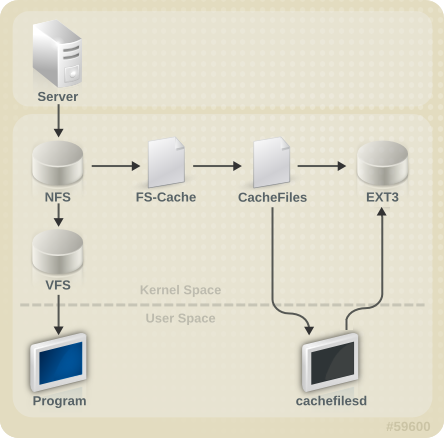
图 10.1. FS-Cache Overview
cachefs on Solaris, FS-Cache allows a file system on a server to interact directly with a client's local cache without creating an overmounted file system. With NFS, a mount option instructs the client to mount the NFS share with FS-cache enabled.
cachefiles). In this case, FS-Cache requires a mounted block-based file system that supports bmap and extended attributes (e.g. ext3) as its cache back-end.
注意
cachefilesd is not installed by default and needs to be installed manually.
10.1. Performance Guarantee
10.2. Setting Up a Cache
cachefiles caching back-end. The cachefilesd daemon initiates and manages cachefiles. The /etc/cachefilesd.conf file controls how cachefiles provides caching services. To configure a cache back-end of this type, the cachefilesd package must be installed.
dir /path/to/cache
$ dir /path/to/cache/etc/cachefilesd.conf as /var/cache/fscache, as in:
dir /var/cache/fscache
$ dir /var/cache/fscache/path/to/cache. On a laptop, it is advisable to use the root file system (/) as the host file system, but for a desktop machine it would be more prudent to mount a disk partition specifically for the cache.
- ext3 (with extended attributes enabled)
- ext4
- BTRFS
- XFS
device), use:
tune2fs -o user_xattr /dev/device
# tune2fs -o user_xattr /dev/devicemount /dev/device /path/to/cache -o user_xattr
# mount /dev/device /path/to/cache -o user_xattrcachefilesd daemon:
service cachefilesd start
# service cachefilesd startcachefilesd to start at boot time, execute the following command as root:
chkconfig cachefilesd on
# chkconfig cachefilesd on10.3. Using the Cache With NFS
-o fsc option to the mount command:
mount nfs-share:/ /mount/point -o fsc
# mount nfs-share:/ /mount/point -o fsc/mount/point will go through the cache, unless the file is opened for direct I/O or writing (refer to 第 10.3.2 节 “Cache Limitations With NFS” for more information). NFS indexes cache contents using NFS file handle, not the file name; this means that hard-linked files share the cache correctly.
10.3.1. Cache Sharing
- Level 1: Server details
- Level 2: Some mount options; security type; FSID; uniquifier
- Level 3: File Handle
- Level 4: Page number in file
例 10.1. Cache sharing
mount commands:
mount home0:/disk0/fred /home/fred -o fsc
mount home0:/disk0/jim /home/jim -o fsc
/home/fred and /home/jim will likely share the superblock as they have the same options, especially if they come from the same volume/partition on the NFS server (home0). Now, consider the next two subsequent mount commands:
mount home0:/disk0/fred /home/fred -o fsc,rsize=230
mount home0:/disk0/jim /home/jim -o fsc,rsize=231
/home/fred and /home/jim will not share the superblock as they have different network access parameters, which are part of the Level 2 key. The same goes for the following mount sequence:
mount home0:/disk0/fred /home/fred1 -o fsc,rsize=230
mount home0:/disk0/fred /home/fred2 -o fsc,rsize=231
/home/fred1 and /home/fred2) will be cached twice.
nosharecache parameter. Using the same example:
mount home0:/disk0/fred /home/fred -o nosharecache,fsc
mount home0:/disk0/jim /home/jim -o nosharecache,fsc
home0:/disk0/fred and home0:/disk0/jim. To address this, add a unique identifier on at least one of the mounts, i.e. fsc=unique-identifier. For example:
mount home0:/disk0/fred /home/fred -o nosharecache,fsc
mount home0:/disk0/jim /home/jim -o nosharecache,fsc=jim
jim will be added to the Level 2 key used in the cache for /home/jim.
10.3.2. Cache Limitations With NFS
10.4. Setting Cache Cull Limits
cachefilesd daemon works by caching remote data from shared file systems to free space on the disk. This could potentially consume all available free space, which could be bad if the disk also housed the root partition. To control this, cachefilesd tries to maintain a certain amount of free space by discarding old objects (i.e. accessed less recently) from the cache. This behavior is known as cache culling.
/etc/cachefilesd.conf:
- brun N% (percentage of blocks) , frun N% (percentage of files)
- If the amount of free space and the number of available files in the cache rises above both these limits, then culling is turned off.
- bcull N% (percentage of blocks), fcull N% (percentage of files)
- If the amount of available space or the number of files in the cache falls below either of these limits, then culling is started.
- bstop N% (percentage of blocks), fstop N% (percentage of files)
- If the amount of available space or the number of available files in the cache falls below either of these limits, then no further allocation of disk space or files is permitted until culling has raised things above these limits again.
N for each setting is as follows:
brun/frun- 10%bcull/fcull- 7%bstop/fstop- 3%
bstop < bcull < brun < 100
fstop < fcull < frun < 100
df program.
重要
10.5. Statistical Information
cat /proc/fs/fscache/stats
/usr/share/doc/kernel-doc-version/Documentation/filesystems/caching/fscache.txt
10.6. References
cachefilesd and how to configure it, refer to man cachefilesd and man cachefilesd.conf. The following kernel documents also provide additional information:
/usr/share/doc/cachefilesd-version-number/README/usr/share/man/man5/cachefilesd.conf.5.gz/usr/share/man/man8/cachefilesd.8.gz
/usr/share/doc/kernel-doc-version/Documentation/filesystems/caching/fscache.txt
部分 II. Storage Administration
第 11 章 Storage Considerations During Installation
Anaconda can now configure FCoE storage devices during installation.
Anaconda now has improved control over which storage devices are used during installation. You can now control which devices are available/visible to the installer, in addition to which devices are actually used for system storage. There are two paths through device filtering:
- Basic Path
- For systems that only use locally attached disks and firmware RAID arrays as storage devices
- Advanced Path
- For systems that use SAN (e.g. multipath, iSCSI, FCoE) devices
Auto-partitioning now creates a separate logical volume for the /home file system when 50GB or more is available for allocation of LVM physical volumes. The root file system (/) will be limited to a maximum of 50GB when creating a separate /home logical volume, but the /home logical volume will grow to occupy all remaining space in the volume group.
11.2. Overview of Supported File Systems
| File System | Max Supported Size | Max File Offset | Max Subdirectories (per directory) | Max Depth of Symbolic Links | ACL Support | Details |
|---|---|---|---|---|---|---|
| Ext2 | 8TB | 2TB | 32,000 | 8 | Yes | N/A |
| Ext3 | 16TB | 2TB | 32,000 | 8 | Yes | 第 5 章 The Ext3 File System |
| Ext4 | 16TB | 16TB[a] | Unlimited[b] | 8 | Yes | 第 6 章 The Ext4 File System |
| XFS | 100TB | 100TB[c] | Unlimited | 8 | Yes | 第 8 章 The XFS File System |
[a]
This maximum file size is based on a 64-bit machine. On a 32-bit machine, the maximum files size is 8TB.
[b]
When the link count exceeds 65,000, it is reset to 1 and no longer increases.
[c]
This maximum file size is only on 64-bit machines. Red Hat Enterprise Linux does not support XFS on 32-bit machines.
| ||||||
注意
11.3. Special Considerations
Separate Partitions for /home, /opt, /usr/local
/home, /opt, and /usr/local on a separate device. This will allow you to reformat the devices/file systems containing the operating system while preserving your user and application data.
DASD and zFCP Devices on IBM System Z
DASD= parameter at the boot command line or in a CMS configuration file.
FCP_x= lines on the boot command line (or in a CMS configuration file) allow you to specify this information for the installer.
Encrypting Block Devices Using LUKS
dm-crypt will destroy any existing formatting on that device. As such, you should decide which devices to encrypt (if any) before the new system's storage configuration is activated as part of the installation process.
Stale BIOS RAID Metadata
警告
dmraid -r -E /device/
man dmraid and 第 17 章 Redundant Array of Independent Disks (RAID).
iSCSI Detection and Configuration
FCoE Detection and Configuration
DASD
Block Devices with DIF/DIX Enabled
mmap(2)-based I/O will not work reliably, as there are no interlocks in the buffered write path to prevent buffered data from being overwritten after the DIF/DIX checksum has been calculated.
mmap(2) I/O, so it is not possible to work around these errors caused by overwrites.
O_DIRECT. Such applications should use the raw block device. Alternatively, it is also safe to use the XFS file system on a DIF/DIX enabled block device, as long as only O_DIRECT I/O is issued through the file system. XFS is the only file system that does not fall back to buffered I/O when doing certain allocation operations.
O_DIRECT I/O and DIF/DIX hardware should use DIF/DIX.
第 12 章 File System Check
fsck tools, where fsck is a shortened version of file system check.
注意
/etc/fstab at boot-time. For journaling filesystems, this is usually a very short operation, because the filesystem's metadata journaling ensures consistency even after a crash.
重要
/etc/fstab to 0.
12.1. Best Practices for fsck
- Dry run
- Most filesystem checkers have a mode of operation which checks but does not repair the filesystem. In this mode, the checker will print any errors that it finds and actions that it would have taken, without actually modifying the filesystem.
注意
Later phases of consistency checking may print extra errors as it discovers inconsistencies which would have been fixed in early phases if it were running in repair mode. - Operate first on a filesystem image
- Most filesystems support the creation of a metadata image, a sparse copy of the filesystem which contains only metadata. Because filesystem checkers operate only on metadata, such an image can be used to perform a dry run of an actual filesystem repair, to evaluate what changes would actually be made. If the changes are acceptable, the repair can then be performed on the filesystem itself.
注意
Severely damaged filesystems may cause problems with metadata image creation. - Save a filesystem image for support investigations
- A pre-repair filesystem metadata image can often be useful for support investigations if there is a possibility that the corruption was due to a software bug. Patterns of corruption present in the pre-repair image may aid in root-cause analysis.
- Operate only on unmounted filesystems
- A filesystem repair must be run only on unmounted filesystems. The tool must have sole access to the filesystem or further damage may result. Most filesystem tools enforce this requirement in repair mode, although some only support check-only mode on a mounted filesystem. If check-only mode is run on a mounted filesystem, it may find spurious errors that would not be found when run on an unmounted filesystem.
- Disk errors
- Filesystem check tools cannot repair hardware problems. A filesystem must be fully readable and writable if repair is to operate successfully. If a filesystem was corrupted due to a hardware error, the filesystem must first be moved to a good disk, for example with the
dd(8)utility.
12.2. Filesystem-Specific Information for fsck
12.2.1. ext2, ext3, and ext4
e2fsck binary to perform filesystem checks and repairs. The filenames fsck.ext2, fsck.ext3, and fsck.ext4 are hardlinks to this same binary. These binaries are run automatically at boot time and their behavior differs based on the filesystem being checked and the state of the filesystem.
e2fsck finds that a filesystem is marked with such an error e2fsck will perform a full check after replaying the journal (if present).
e2fsck may ask for user input during the run if the -p option is not specified. The -p option tells e2fsck to automatically do all repairs that may be done safely. If user intervention is required, e2fsck will indicate the unfixed problem in its output and reflect this status in the exit code.
e2fsck run-time options include:
-n- No-modify mode. Check-only operation.
-bsuperblock- Specify block number of an alternate superblock if the primary one is damaged.
-f- Force full check even if the superblock has no recorded errors.
-jjournal-dev- Specify the external journal device, if any.
-p- Automatically repair or "preen" the filesystem with no user input.
-y- Assume an answer of "yes" to all questions.
e2fsck are specified in the e2fsck(8) manual page.
e2fsck while running:
- Inode, block, and size checks.
- Directory structure checks.
- Directory connectivity checks.
- Reference count checks.
- Group summary info checks.
e2image(8) utility can be used to create a metadata image prior to repair for diagnostic or testing purposes. The -r option should be used for testing purposes in order to create a sparse file of the same size as the filesystem itself. e2fsck can then operate directly on the resulting file. The -Q option should be specified if the image is to be archived or provided for diagnostic. This creates a more compact file format suitable for transfer.
12.2.2. XFS
xfs_repair tool is used.
注意
fsck.xfs binary is present in the xfsprogs package, this is present only to satisfy initscripts that look for an fsck.filesystem binary at boot time. fsck.xfs immediately exits with an exit code of 0.
xfs_check tool. This tool is very slow and does not scale well for large filesystems. As such, it has been depreciated in favor of xfs_repair -n.
xfs_repair to operate. If the filesystem was not cleanly unmounted, it should be mounted and unmounted prior to using xfs_repair. If the log is corrupt and cannot be replayed, the -L option may be used to zero the log.
重要
-L option must only be used if the log cannot be replayed. The option discards all metadata updates in the log and will result in further inconsistencies.
xfs_repair in a dry run, check-only mode by using the -n option. No changes will be made to the filesystem when this option is specified.
xfs_repair takes very few options. Commonly used options include:
-n- No modify mode. Check-only operation.
-L- Zero metadata log. Use only if log cannot be replayed with mount.
-mmaxmem- Limit memory used during run to maxmem MB. 0 can be specified to obtain a rough estimate of the minimum memory required.
-llogdev- Specify the external log device, if present.
xfs_repair are specified in the xfs_repair(8) manual page.
xfs_repair while running:
- Inode and inode blockmap (addressing) checks.
- Inode allocation map checks.
- Inode size checks.
- Directory checks.
- Pathname checks.
- Link count checks.
- Freemap checks.
- Superblock checks.
xfs_repair(8) manual page.
xfs_repair is not interactive. All operations are performed automatically with no input from the user.
xfs_metadump(8) and xfs_mdrestore(8) utilities may be used.
12.2.3. Btrfs
btrfsck tool is used to check and repair btrfs filesystems. This tool is still in early development and may not detect or repair all types of filesystem corruption.
btrfsck does not make changes to the filesystem; that is, it runs check-only mode by default. If repairs are desired the --repair option must be specified.
btrfsck while running:
- Extent checks.
- Filesystem root checks.
- Root reference count checks.
btrfs-image(8) utility can be used to create a metadata image prior to repair for diagnostic or testing purposes.
第 13 章 Partitions
parted allows users to:
- View the existing partition table
- Change the size of existing partitions
- Add partitions from free space or additional hard drives
parted package is included when installing Red Hat Enterprise Linux. To start parted, log in as root and type the command parted /dev/sda at a shell prompt (where /dev/sda is the device name for the drive you want to configure).
umount command and turn off all the swap space on the hard drive with the swapoff command.
parted commands” contains a list of commonly used parted commands. The sections that follow explain some of these commands and arguments in more detail.
| Command | Description |
|---|---|
check minor-num | Perform a simple check of the file system |
cp from to | Copy file system from one partition to another; from and to are the minor numbers of the partitions |
help | Display list of available commands |
mklabel label | Create a disk label for the partition table |
mkfs minor-num file-system-type | Create a file system of type file-system-type |
mkpart part-type fs-type start-mb end-mb | Make a partition without creating a new file system |
mkpartfs part-type fs-type start-mb end-mb | Make a partition and create the specified file system |
move minor-num start-mb end-mb | Move the partition |
name minor-num name | Name the partition for Mac and PC98 disklabels only |
print | Display the partition table |
quit | Quit parted |
rescue start-mb end-mb | Rescue a lost partition from start-mb to end-mb |
resize minor-num start-mb end-mb | Resize the partition from start-mb to end-mb |
rm minor-num | Remove the partition |
select device | Select a different device to configure |
set minor-num flag state | Set the flag on a partition; state is either on or off |
toggle [NUMBER [FLAG] | Toggle the state of FLAG on partition NUMBER |
unit UNIT | Set the default unit to UNIT |
13.1. Viewing the Partition Table
parted, use the command print to view the partition table. A table similar to the following appears:
例 13.1. Partition table
number. For example, the partition with minor number 1 corresponds to /dev/sda1. The Start and End values are in megabytes. Valid Type are metadata, free, primary, extended, or logical. The Filesystem is the file system type, which can be any of the following:
- ext2
- ext3
- fat16
- fat32
- hfs
- jfs
- linux-swap
- ntfs
- reiserfs
- hp-ufs
- sun-ufs
- xfs
Filesystem of a device shows no value, this means that its file system type is unknown.
13.2. Creating a Partition
警告
过程 13.1. Creating a partition
- Before creating a partition, boot into rescue mode (or unmount any partitions on the device and turn off any swap space on the device).
- Start
parted, where/dev/sdais the device on which to create the partition:parted /dev/sda
# parted /dev/sdaCopy to Clipboard Copied! Toggle word wrap Toggle overflow - View the current partition table to determine if there is enough free space:
print
# printCopy to Clipboard Copied! Toggle word wrap Toggle overflow
13.2.1. Making the Partition
mkpart primary ext3 1024 2048
# mkpart primary ext3 1024 2048注意
mkpartfs command instead, the file system is created after the partition is created. However, parted does not support creating an ext3 file system. Thus, if you wish to create an ext3 file system, use mkpart and create the file system with the mkfs command as described later.
print command to confirm that it is in the partition table with the correct partition type, file system type, and size. Also remember the minor number of the new partition so that you can label any file systems on it. You should also view the output of cat /proc/partitions after parted is closed to make sure the kernel recognizes the new partition.
13.2.2. Formatting and Labeling the Partition
过程 13.2. Format and label the partition
- The partition still does not have a file system. To create one use the following command:
# /sbin/mkfs -t ext3 /dev/sda6警告
Formatting the partition permanently destroys any data that currently exists on the partition. - Next, give the file system on the partition a label. For example, if the file system on the new partition is
/dev/sda6and you want to label it/work, use:e2label /dev/sda6 /work
# e2label /dev/sda6 /workCopy to Clipboard Copied! Toggle word wrap Toggle overflow
/work) as root.
13.2.3. Add to /etc/fstab
/etc/fstab file to include the new partition using the partition's UUID. Use the command blkid -o list for a complete list of the partition's UUID, or blkid device for individual device details.
UUID= followed by the file system's UUID. The second column should contain the mount point for the new partition, and the next column should be the file system type (for example, ext3 or swap). If you need more information about the format, read the man page with the command man fstab.
defaults, the partition is mounted at boot time. To mount the partition without rebooting, as root, type the command:
mount /work
13.3. Removing a Partition
警告
过程 13.3. Remove a partition
- Before removing a partition, boot into rescue mode (or unmount any partitions on the device and turn off any swap space on the device).
- Start
parted, where/dev/sdais the device on which to remove the partition:parted /dev/sda
# parted /dev/sdaCopy to Clipboard Copied! Toggle word wrap Toggle overflow - View the current partition table to determine the minor number of the partition to remove:
print
# printCopy to Clipboard Copied! Toggle word wrap Toggle overflow - Remove the partition with the command
rm. For example, to remove the partition with minor number 3:rm 3
# rm 3Copy to Clipboard Copied! Toggle word wrap Toggle overflow The changes start taking place as soon as you press Enter, so review the command before committing to it. - After removing the partition, use the
printcommand to confirm that it is removed from the partition table. You should also view the output of/proc/partitionsto make sure the kernel knows the partition is removed.cat /proc/partitions
# cat /proc/partitionsCopy to Clipboard Copied! Toggle word wrap Toggle overflow - The last step is to remove it from the
/etc/fstabfile. Find the line that declares the removed partition, and remove it from the file.
13.4. Resizing a Partition
警告
过程 13.4. Resize a partition
- Before resizing a partition, boot into rescue mode (or unmount any partitions on the device and turn off any swap space on the device).
- Start
parted, where/dev/sdais the device on which to resize the partition:parted /dev/sda
# parted /dev/sdaCopy to Clipboard Copied! Toggle word wrap Toggle overflow - View the current partition table to determine the minor number of the partition to resize as well as the start and end points for the partition:
print
# printCopy to Clipboard Copied! Toggle word wrap Toggle overflow - To resize the partition, use the
resizecommand followed by the minor number for the partition, the starting place in megabytes, and the end place in megabytes.例 13.2. Resize a partition
For example:resize 3 1024 2048警告
A partition cannot be made larger than the space available on the device - After resizing the partition, use the
printcommand to confirm that the partition has been resized correctly, is the correct partition type, and is the correct file system type. - After rebooting the system into normal mode, use the command
dfto make sure the partition was mounted and is recognized with the new size.
第 14 章 LVM (Logical Volume Manager)
/boot/ partition. The /boot/ partition cannot be on a logical volume group because the boot loader cannot read it. If the root (/) partition is on a logical volume, create a separate /boot/ partition which is not a part of a volume group.
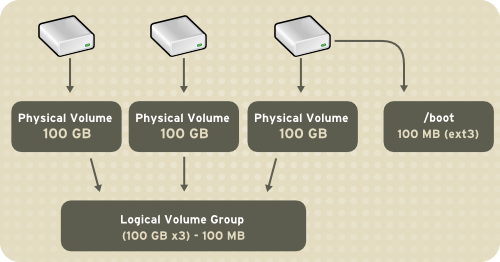
图 14.1. Logical Volumes
/home and / and file system types, such as ext2 or ext3. When "partitions" reach their full capacity, free space from the volume group can be added to the logical volume to increase the size of the partition. When a new hard drive is added to the system, it can be added to the volume group, and partitions that are logical volumes can be increased in size.
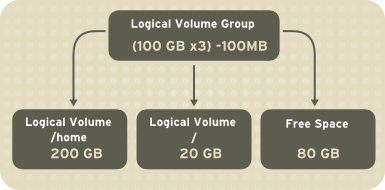
图 14.2. Logical Volumes
重要
system-config-lvm. For comprehensive information on the creation and configuration of LVM partitions in clustered and non-clustered storage, refer to the Logical Volume Manager Administration guide also provided by Red Hat.
14.1. What is LVM2?
14.2. Using system-config-lvm
yum install system-config-lvm
# yum install system-config-lvmsystem-config-lvm from a terminal.
例 14.1. Creating a volume group at installation
/boot - (Ext3) file system. Displayed under 'Uninitialized Entities'. (DO NOT initialize this partition).
LogVol00 - (LVM) contains the (/) directory (312 extents).
LogVol02 - (LVM) contains the (/home) directory (128 extents).
LogVol03 - (LVM) swap (28 extents).
/boot - (Ext3) file system. Displayed under 'Uninitialized Entities'. (DO NOT initialize this partition).
LogVol00 - (LVM) contains the (/) directory (312 extents).
LogVol02 - (LVM) contains the (/home) directory (128 extents).
LogVol03 - (LVM) swap (28 extents).
/dev/hda2 while /boot was created in /dev/hda1. The system also consists of 'Uninitialised Entities' which are illustrated in 例 14.2 “Uninitialized entries”. The figure below illustrates the main window in the LVM utility. The logical and the physical views of the above configuration are illustrated below. The three logical volumes exist on the same physical volume (hda2).
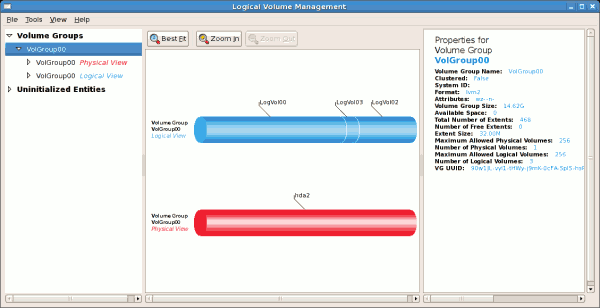
图 14.3. Main LVM Window
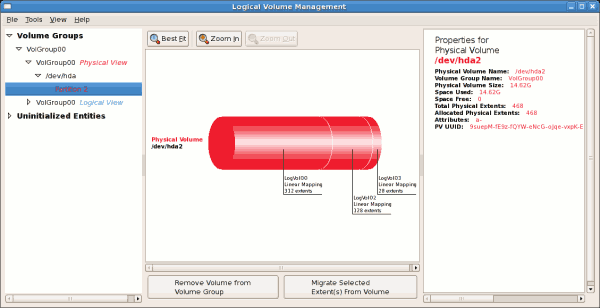
图 14.4. Physical View Window
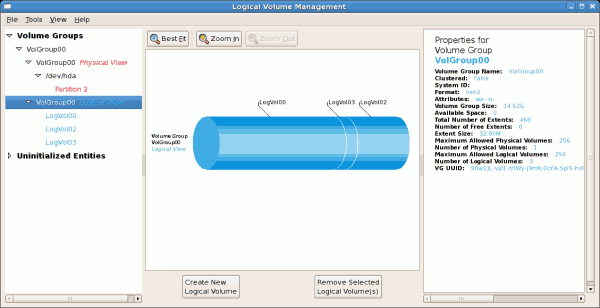
图 14.5. Logical View Window
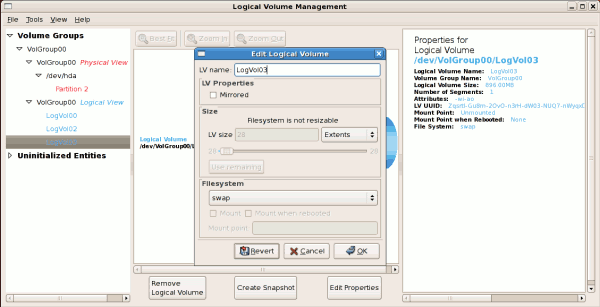
图 14.6. Edit Logical Volume
14.2.1. Utilizing Uninitialized Entities
/boot. Uninitialized entities are illustrated below.
例 14.2. Uninitialized entries

14.2.2. Adding Unallocated Volumes to a Volume Group
- create a new volume group,
- add the unallocated volume to an existing volume group,
- remove the volume from LVM.
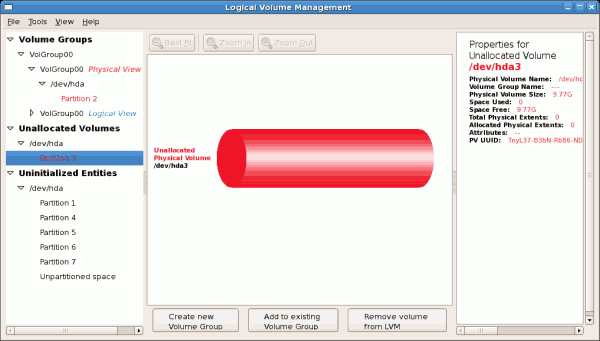
图 14.7. Unallocated Volumes
例 14.3. Add a physical volume to volume group
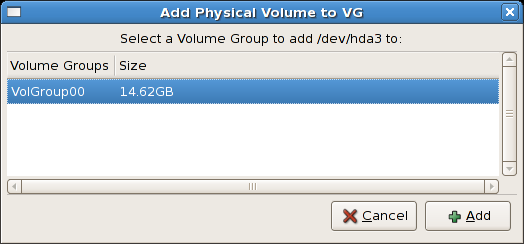
- create a new logical volume (click on the button),
- select one of the existing logical volumes and increase the extents (see 第 14.2.6 节 “Extending a Volume Group”),
- select an existing logical volume and remove it from the volume group by clicking on the button. You cannot select unused space to perform this operation.
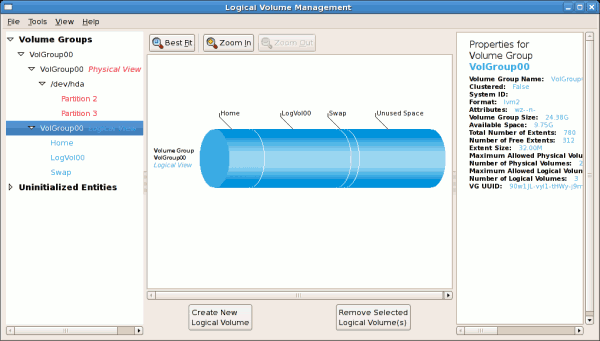
图 14.8. Logical view of volume group
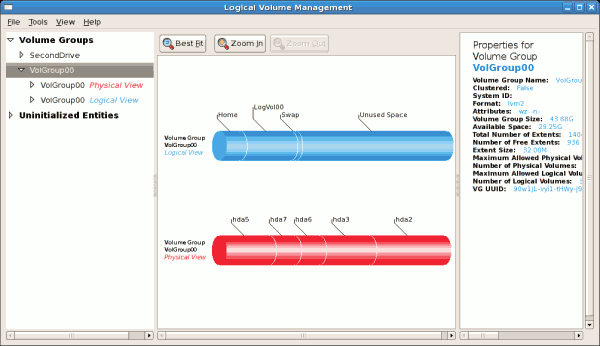
图 14.9. Logical view of volume group
14.2.3. Migrating Extents
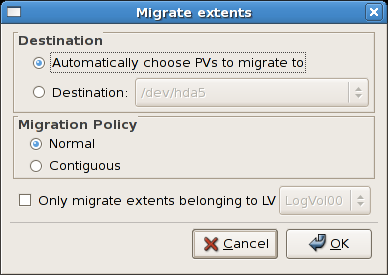
图 14.10. Migrate Extents
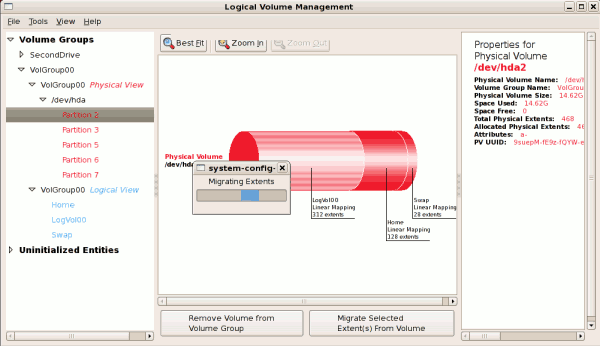
图 14.11. Migrating extents in progress
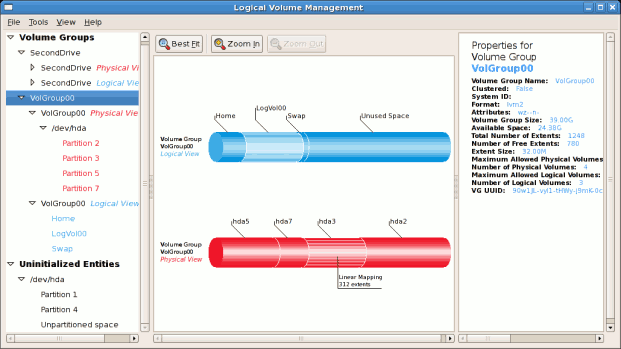
图 14.12. Logical and physical view of volume group
14.2.4. Adding a New Hard Disk Using LVM
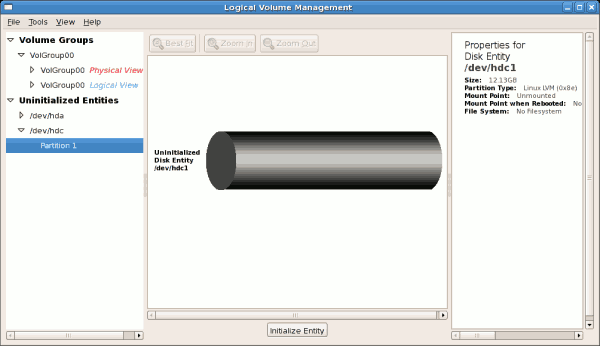
图 14.13. Uninitialized hard disk
14.2.5. Adding a New Volume Group
例 14.4. Create a new volume group
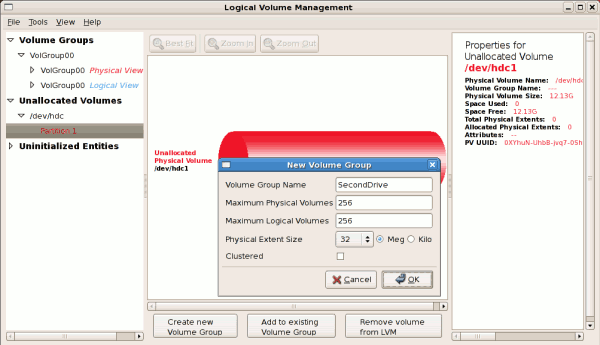
例 14.5. Select the extents
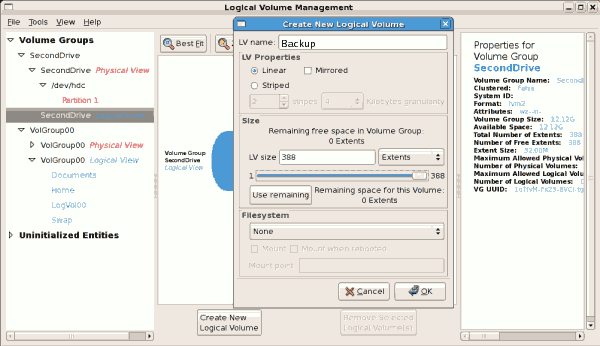
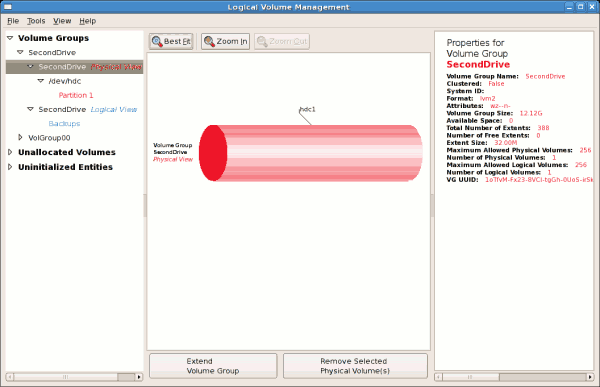
图 14.14. Physical view of new volume group
14.2.6. Extending a Volume Group
/dev/hda6 was selected as illustrated below.
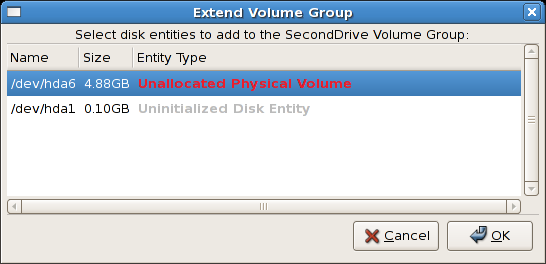
图 14.15. Select disk entities
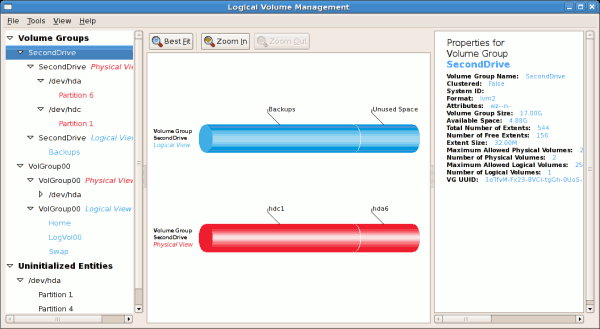
图 14.16. Logical and physical view of an extended volume group
14.2.7. Editing a Logical Volume
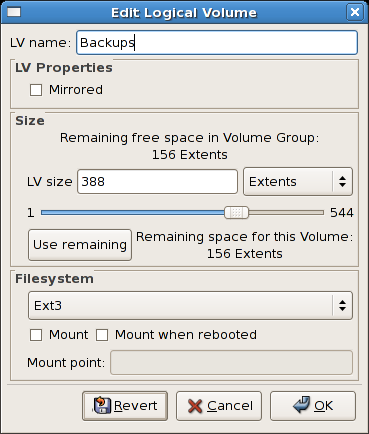
图 14.17. Edit logical volume
/mnt/backups. This is illustrated in the figure below.
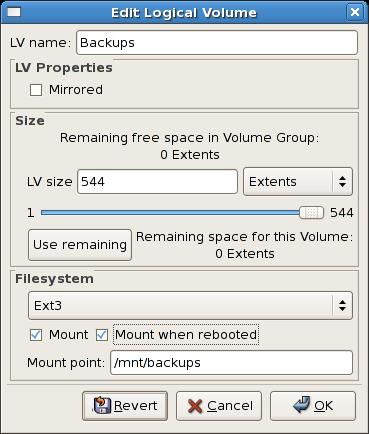
图 14.18. Edit logical volume - specifying mount options
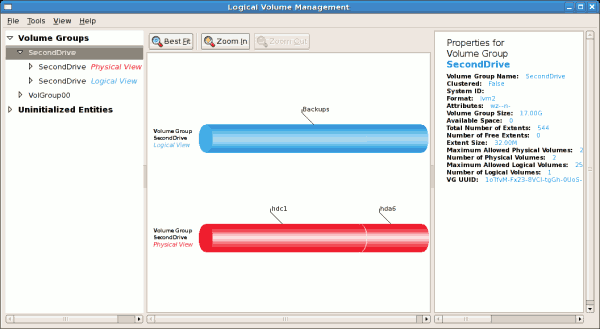
图 14.19. Edit logical volume
14.3. LVM References
Installed Documentation
rpm -qd lvm2— This command shows all the documentation available from thelvmpackage, including man pages.lvm help— This command shows all LVM commands available.
Useful Websites
- http://sources.redhat.com/lvm2 — LVM2 webpage, which contains an overview, link to the mailing lists, and more.
- http://tldp.org/HOWTO/LVM-HOWTO/ — LVM HOWTO from the Linux Documentation Project.
第 15 章 Swap Space
重要
| Amount of RAM in the system | Recommended swap space | Recommended swap space if allowing for hibernation |
|---|---|---|
| ⩽ 2 GB | 2 times the amount of RAM | 3 times the amount of RAM |
| > 2 GB – 8 GB | Equal to the amount of RAM | 2 times the amount of RAM |
| > 8 GB – 64 GB | At least 4 GB | 1.5 times the amount of RAM |
| > 64 GB | At least 4 GB | Hibernation not recommended |
重要
free and cat /proc/swaps commands to verify how much and where swap is in use.
rescue mode, see Booting Your Computer with the Rescue Mode in the Red Hat Enterprise Linux 6 Installation Guide. When prompted to mount the file system, select .
15.1. Adding Swap Space
15.1.1. Extending Swap on an LVM2 Logical Volume
/dev/VolGroup00/LogVol01 is the volume you want to extend by 2 GB):
过程 15.1. Extending Swap on an LVM2 Logical Volume
- Disable swapping for the associated logical volume:
swapoff -v /dev/VolGroup00/LogVol01
# swapoff -v /dev/VolGroup00/LogVol01Copy to Clipboard Copied! Toggle word wrap Toggle overflow - Resize the LVM2 logical volume by 2 GB:
lvresize /dev/VolGroup00/LogVol01 -L +2G
# lvresize /dev/VolGroup00/LogVol01 -L +2GCopy to Clipboard Copied! Toggle word wrap Toggle overflow - Format the new swap space:
mkswap /dev/VolGroup00/LogVol01
# mkswap /dev/VolGroup00/LogVol01Copy to Clipboard Copied! Toggle word wrap Toggle overflow - Enable the extended logical volume:
swapon -v /dev/VolGroup00/LogVol01
# swapon -v /dev/VolGroup00/LogVol01Copy to Clipboard Copied! Toggle word wrap Toggle overflow
cat /proc/swaps or free to inspect the swap space.
15.1.2. Creating an LVM2 Logical Volume for Swap
/dev/VolGroup00/LogVol02 is the swap volume you want to add):
- Create the LVM2 logical volume of size 2 GB:
lvcreate VolGroup00 -n LogVol02 -L 2G
# lvcreate VolGroup00 -n LogVol02 -L 2GCopy to Clipboard Copied! Toggle word wrap Toggle overflow - Format the new swap space:
mkswap /dev/VolGroup00/LogVol02
# mkswap /dev/VolGroup00/LogVol02Copy to Clipboard Copied! Toggle word wrap Toggle overflow - Add the following entry to the
/etc/fstabfile:/dev/VolGroup00/LogVol02 swap swap defaults 0 0
# /dev/VolGroup00/LogVol02 swap swap defaults 0 0Copy to Clipboard Copied! Toggle word wrap Toggle overflow - Enable the extended logical volume:
swapon -v /dev/VolGroup00/LogVol02
# swapon -v /dev/VolGroup00/LogVol02Copy to Clipboard Copied! Toggle word wrap Toggle overflow
cat /proc/swaps or free to inspect the swap space.
15.1.3. Creating a Swap File
过程 15.2. Add a swap file
- Determine the size of the new swap file in megabytes and multiply by 1024 to determine the number of blocks. For example, the block size of a 64 MB swap file is 65536.
- Type the following command with
countbeing equal to the desired block size:dd if=/dev/zero of=/swapfile bs=1024 count=65536
# dd if=/dev/zero of=/swapfile bs=1024 count=65536Copy to Clipboard Copied! Toggle word wrap Toggle overflow - Setup the swap file with the command:
mkswap /swapfile
# mkswap /swapfileCopy to Clipboard Copied! Toggle word wrap Toggle overflow - It is recommended that the permissions are changed to prevent the swap being world readable.
chmod 0600 /swapfile
# chmod 0600 /swapfileCopy to Clipboard Copied! Toggle word wrap Toggle overflow - To enable the swap file immediately but not automatically at boot time:
swapon /swapfile
# swapon /swapfileCopy to Clipboard Copied! Toggle word wrap Toggle overflow - To enable it at boot time, edit
/etc/fstabto include the following entry:/swapfile swap swap defaults 0 0The next time the system boots, it enables the new swap file.
cat /proc/swaps or free to inspect the swap space.
15.2. Removing Swap Space
15.2.1. Reducing Swap on an LVM2 Logical Volume
/dev/VolGroup00/LogVol01 is the volume you want to reduce):
过程 15.3. Reducing an LVM2 swap logical volume
- Disable swapping for the associated logical volume:
swapoff -v /dev/VolGroup00/LogVol01
# swapoff -v /dev/VolGroup00/LogVol01Copy to Clipboard Copied! Toggle word wrap Toggle overflow - Reduce the LVM2 logical volume by 512 MB:
lvreduce /dev/VolGroup00/LogVol01 -L -512M
# lvreduce /dev/VolGroup00/LogVol01 -L -512MCopy to Clipboard Copied! Toggle word wrap Toggle overflow - Format the new swap space:
mkswap /dev/VolGroup00/LogVol01
# mkswap /dev/VolGroup00/LogVol01Copy to Clipboard Copied! Toggle word wrap Toggle overflow - Enable the extended logical volume:
swapon -v /dev/VolGroup00/LogVol01
# swapon -v /dev/VolGroup00/LogVol01Copy to Clipboard Copied! Toggle word wrap Toggle overflow
cat /proc/swaps or free to inspect the swap space.
15.2.2. Removing an LVM2 Logical Volume for Swap
/dev/VolGroup00/LogVol02 is the swap volume you want to remove):
过程 15.4. Remove a swap volume group
- Disable swapping for the associated logical volume:
swapoff -v /dev/VolGroup00/LogVol02
# swapoff -v /dev/VolGroup00/LogVol02Copy to Clipboard Copied! Toggle word wrap Toggle overflow - Remove the LVM2 logical volume of size 512 MB:
lvremove /dev/VolGroup00/LogVol02
# lvremove /dev/VolGroup00/LogVol02Copy to Clipboard Copied! Toggle word wrap Toggle overflow - Remove the following entry from the
/etc/fstabfile:/dev/VolGroup00/LogVol02 swap swap defaults 0 0
cat /proc/swaps or free to inspect the swap space.
15.2.3. Removing a Swap File
过程 15.5. Remove a swap file
- At a shell prompt, execute the following command to disable the swap file (where
/swapfileis the swap file):swapoff -v /swapfile
# swapoff -v /swapfileCopy to Clipboard Copied! Toggle word wrap Toggle overflow - Remove its entry from the
/etc/fstabfile. - Remove the actual file:
rm /swapfile
# rm /swapfileCopy to Clipboard Copied! Toggle word wrap Toggle overflow
15.3. Moving Swap Space
第 16 章 Disk Quotas
quota RPM must be installed to implement disk quotas.
16.1. Configuring Disk Quotas
- Enable quotas per file system by modifying the
/etc/fstabfile. - Remount the file system(s).
- Create the quota database files and generate the disk usage table.
- Assign quota policies.
16.1.1. Enabling Quotas
/etc/fstab file.
例 16.1. Edit /etc/fstab
vim type the following:
vim /etc/fstab
# vim /etc/fstabusrquota and/or grpquota options to the file systems that require quotas:
例 16.2. Add quotas
/home file system has both user and group quotas enabled.
注意
/home partition was created during the installation of Red Hat Enterprise Linux. The root (/) partition can be used for setting quota policies in the /etc/fstab file.
16.1.2. Remounting the File Systems
usrquota and/or grpquota options, remount each file system whose fstab entry has been modified. If the file system is not in use the following commands:
umount /mount-point
umount /work.
mount /file-system /mount-point
mount /dev/vdb1 /work.
16.1.3. Creating the Quota Database Files
quotacheck command.
quotacheck command examines quota-enabled file systems and builds a table of the current disk usage per file system. The table is then used to update the operating system's copy of disk usage. In addition, the file system's disk quota files are updated.
aquota.user and aquota.group) on the file system, use the -c option of the quotacheck command.
例 16.3. Create quota files
/home file system, create the files in the /home directory:
quotacheck -cug /home
# quotacheck -cug /home-c option specifies that the quota files should be created for each file system with quotas enabled, the -u option specifies to check for user quotas, and the -g option specifies to check for group quotas.
-u or -g options are specified, only the user quota file is created. If only -g is specified, only the group quota file is created.
quotacheck -avug
# quotacheck -avug- a
- Check all quota-enabled, locally-mounted file systems
- v
- Display verbose status information as the quota check proceeds
- u
- Check user disk quota information
- g
- Check group disk quota information
quotacheck has finished running, the quota files corresponding to the enabled quotas (user and/or group) are populated with data for each quota-enabled locally-mounted file system such as /home.
16.1.4. Assigning Quotas per User
edquota command.
edquota username
# edquota username/etc/fstab for the /home partition (/dev/VolGroup00/LogVol02 in the example below) and the command edquota testuser is executed, the following is shown in the editor configured as the default for the system:
Disk quotas for user testuser (uid 501):
Filesystem                blocks     soft     hard    inodes   soft   hard
/dev/VolGroup00/LogVol02  440436        0        0     37418      0      0
Disk quotas for user testuser (uid 501):
Filesystem                blocks     soft     hard    inodes   soft   hard
/dev/VolGroup00/LogVol02 440436 0 0 37418 0 0注意
EDITOR environment variable is used by edquota. To change the editor, set the EDITOR environment variable in your ~/.bash_profile file to the full path of the editor of your choice.
inodes column shows how many inodes the user is currently using. The last two columns are used to set the soft and hard inode limits for the user on the file system.
例 16.4. Change desired limits
Disk quotas for user testuser (uid 501):
Filesystem                blocks     soft     hard   inodes   soft   hard
/dev/VolGroup00/LogVol02  440436   500000   550000    37418      0      0
Disk quotas for user testuser (uid 501):
Filesystem                blocks     soft     hard   inodes   soft   hard
/dev/VolGroup00/LogVol02 440436 500000 550000 37418 0 0quota username
# quota username
Disk quotas for user username (uid 501):
   Filesystem  blocks   quota   limit   grace   files   quota   limit   grace
     /dev/sdb    1000*   1000    1000               0       0       0
16.1.5. Assigning Quotas per Group
devel group (the group must exist prior to setting the group quota), use the command:
edquota -g devel
# edquota -g develDisk quotas for group devel (gid 505): Filesystem blocks soft hard inodes soft hard /dev/VolGroup00/LogVol02 440400 0 0 37418 0 0
Disk quotas for group devel (gid 505):
Filesystem                blocks    soft     hard    inodes    soft    hard
/dev/VolGroup00/LogVol02 440400 0 0 37418 0 0quota -g devel
# quota -g devel16.1.6. Setting the Grace Period for Soft Limits
edquota -t
# edquota -t重要
edquota commands operate on quotas for a particular user or group, the -t option operates on every file system with quotas enabled.
16.2. Managing Disk Quotas
16.2.1. Enabling and Disabling
quotaoff -vaug
# quotaoff -vaug-u or -g options are specified, only the user quotas are disabled. If only -g is specified, only group quotas are disabled. The -v switch causes verbose status information to display as the command executes.
quotaon command with the same options.
quotaon -vaug
# quotaon -vaug/home, use the following command:
quotaon -vug /home
# quotaon -vug /home-u or -g options are specified, only the user quotas are enabled. If only -g is specified, only group quotas are enabled.
16.2.2. Reporting on Disk Quotas
repquota utility.
例 16.5. Output of repquota command
repquota /home produces this output:
-a) quota-enabled file systems, use the command:
repquota -a
# repquota -a-- displayed after each user is a quick way to determine whether the block or inode limits have been exceeded. If either soft limit is exceeded, a + appears in place of the corresponding -; the first - represents the block limit, and the second represents the inode limit.
grace columns are normally blank. If a soft limit has been exceeded, the column contains a time specification equal to the amount of time remaining on the grace period. If the grace period has expired, none appears in its place.
16.2.3. Keeping Quotas Accurate
quotacheck. However, quotacheck can be run on a regular basis, even if the system has not crashed. Safe methods for periodically running quotacheck include:
- Ensuring quotacheck runs on next reboot
注意
This method works best for (busy) multiuser systems which are periodically rebooted.As root, place a shell script into the/etc/cron.daily/or/etc/cron.weekly/directory—or schedule one using thecrontab -ecommand—that contains thetouch /forcequotacheckcommand. This creates an emptyforcequotacheckfile in the root directory, which the system init script looks for at boot time. If it is found, the init script runsquotacheck. Afterward, the init script removes the/forcequotacheckfile; thus, scheduling this file to be created periodically withcronensures thatquotacheckis run during the next reboot.For more information aboutcron, refer toman cron.- Running quotacheck in single user mode
- An alternative way to safely run
quotacheckis to boot the system into single-user mode to prevent the possibility of data corruption in quota files and run the following commands:quotaoff -vaug /file_system
# quotaoff -vaug /file_systemCopy to Clipboard Copied! Toggle word wrap Toggle overflow quotacheck -vaug /file_system
# quotacheck -vaug /file_systemCopy to Clipboard Copied! Toggle word wrap Toggle overflow quotaon -vaug /file_system
# quotaon -vaug /file_systemCopy to Clipboard Copied! Toggle word wrap Toggle overflow - Running quotacheck on a running system
- If necessary, it is possible to run
quotacheckon a machine during a time when no users are logged in, and thus have no open files on the file system being checked. Run the commandquotacheck -vaug file_system; this command will fail ifquotacheckcannot remount the given file_system as read-only. Note that, following the check, the file system will be remounted read-write.警告
Runningquotacheckon a live file system mounted read-write is not recommended due to the possibility of quota file corruption.
man cron for more information about configuring cron.
16.3. Disk Quota References
man pages of the following commands:
quotacheckedquotarepquotaquotaquotaonquotaoff
第 17 章 Redundant Array of Independent Disks (RAID)
- Enhances speed
- Increases storage capacity using a single virtual disk
- Minimizes data loss from disk failure
17.1. RAID Types
Firmware RAID
Hardware RAID
Software RAID
- Multi-threaded design
- Portability of arrays between Linux machines without reconstruction
- Backgrounded array reconstruction using idle system resources
- Hot-swappable drive support
- Automatic CPU detection to take advantage of certain CPU features such as streaming SIMD support
- Automatic correction of bad sectors on disks in an array
- Regular consistency checks of RAID data to ensure the health of the array
- Proactive monitoring of arrays with email alerts sent to a designated email address on important events
- Write-intent bitmaps which drastically increase the speed of resync events by allowing the kernel to know precisely which portions of a disk need to be resynced instead of having to resync the entire array
- Resync checkpointing so that if you reboot your computer during a resync, at startup the resync will pick up where it left off and not start all over again
- The ability to change parameters of the array after installation. For example, you can grow a 4-disk RAID5 array to a 5-disk RAID5 array when you have a new disk to add. This grow operation is done live and does not require you to reinstall on the new array.
17.2. RAID Levels and Linear Support
- Level 0
- RAID level 0, often called "striping," is a performance-oriented striped data mapping technique. This means the data being written to the array is broken down into strips and written across the member disks of the array, allowing high I/O performance at low inherent cost but provides no redundancy.Many RAID level 0 implementations will only stripe the data across the member devices up to the size of the smallest device in the array. This means that if you have multiple devices with slightly different sizes, each device will get treated as though it is the same size as the smallest drive. Therefore, the common storage capacity of a level 0 array is equal to the capacity of the smallest member disk in a Hardware RAID or the capacity of smallest member partition in a Software RAID multiplied by the number of disks or partitions in the array.
- Level 1
- RAID level 1, or "mirroring," has been used longer than any other form of RAID. Level 1 provides redundancy by writing identical data to each member disk of the array, leaving a "mirrored" copy on each disk. Mirroring remains popular due to its simplicity and high level of data availability. Level 1 operates with two or more disks, and provides very good data reliability and improves performance for read-intensive applications but at a relatively high cost. [5]The storage capacity of the level 1 array is equal to the capacity of the smallest mirrored hard disk in a Hardware RAID or the smallest mirrored partition in a Software RAID. Level 1 redundancy is the highest possible among all RAID types, with the array being able to operate with only a single disk present.
- Level 4
- Level 4 uses parity [6] concentrated on a single disk drive to protect data. Because the dedicated parity disk represents an inherent bottleneck on all write transactions to the RAID array, level 4 is seldom used without accompanying technologies such as write-back caching, or in specific circumstances where the system administrator is intentionally designing the software RAID device with this bottleneck in mind (such as an array that will have little to no write transactions once the array is populated with data). RAID level 4 is so rarely used that it is not available as an option in Anaconda. However, it could be created manually by the user if truly needed.The storage capacity of Hardware RAID level 4 is equal to the capacity of the smallest member partition multiplied by the number of partitions minus one. Performance of a RAID level 4 array will always be asymmetrical, meaning reads will outperform writes. This is because writes consume extra CPU and main memory bandwidth when generating parity, and then also consume extra bus bandwidth when writing the actual data to disks because you are writing not only the data, but also the parity. Reads need only read the data and not the parity unless the array is in a degraded state. As a result, reads generate less traffic to the drives and across the busses of the computer for the same amount of data transfer under normal operating conditions.
- Level 5
- This is the most common type of RAID. By distributing parity across all of an array's member disk drives, RAID level 5 eliminates the write bottleneck inherent in level 4. The only performance bottleneck is the parity calculation process itself. With modern CPUs and Software RAID, that is usually not a bottleneck at all since modern CPUs can generate parity very fast. However, if you have a sufficiently large number of member devices in a software RAID5 array such that the combined aggregate data transfer speed across all devices is high enough, then this bottleneck can start to come into play.As with level 4, level 5 has asymmetrical performance, with reads substantially outperforming writes. The storage capacity of RAID level 5 is calculated the same way as with level 4.
- Level 6
- This is a common level of RAID when data redundancy and preservation, and not performance, are the paramount concerns, but where the space inefficiency of level 1 is not acceptable. Level 6 uses a complex parity scheme to be able to recover from the loss of any two drives in the array. This complex parity scheme creates a significantly higher CPU burden on software RAID devices and also imposes an increased burden during write transactions. As such, level 6 is considerably more asymmetrical in performance than levels 4 and 5.The total capacity of a RAID level 6 array is calculated similarly to RAID level 5 and 4, except that you must subtract 2 devices (instead of 1) from the device count for the extra parity storage space.
- Level 10
- This RAID level attempts to combine the performance advantages of level 0 with the redundancy of level 1. It also helps to alleviate some of the space wasted in level 1 arrays with more than 2 devices. With level 10, it is possible to create a 3-drive array configured to store only 2 copies of each piece of data, which then allows the overall array size to be 1.5 times the size of the smallest devices instead of only equal to the smallest device (like it would be with a 3-device, level 1 array).The number of options available when creating level 10 arrays (as well as the complexity of selecting the right options for a specific use case) make it impractical to create during installation. It is possible to create one manually using the command line
mdadmtool. For details on the options and their respective performance trade-offs, refer toman md. - Linear RAID
- Linear RAID is a simple grouping of drives to create a larger virtual drive. In linear RAID, the chunks are allocated sequentially from one member drive, going to the next drive only when the first is completely filled. This grouping provides no performance benefit, as it is unlikely that any I/O operations will be split between member drives. Linear RAID also offers no redundancy and, in fact, decreases reliability — if any one member drive fails, the entire array cannot be used. The capacity is the total of all member disks.
17.3. Linux RAID Subsystems
Linux Hardware RAID controller drivers
mdraid
mdraid subsystem was designed as a software RAID solution for Linux; it is also the preferred solution for software RAID under Linux. This subsystem uses its own metadata format, generally referred to as native mdraid metadata.
mdraid also supports other metadata formats, known as external metadata. Red Hat Enterprise Linux 6 uses mdraid with external metadata to access ISW / IMSM (Intel firmware RAID) sets. mdraid sets are configured and controlled through the mdadm utility.
dmraid
dmraid refers to device-mapper kernel code that offers the mechanism to piece disks together into a RAID set. This same kernel code does not provide any RAID configuration mechanism.
dmraid is configured entirely in user-space, making it easy to support various on-disk metadata formats. As such, dmraid is used on a wide variety of firmware RAID implementations. dmraid also supports Intel firmware RAID, although Red Hat Enterprise Linux 6 uses mdraid to access Intel firmware RAID sets.
17.4.
RAID Support in the Installer
mdraid, and can recognize existing mdraid sets.
initrd which RAID set(s) to activate before searching for the root file system.
17.5.
Configuring RAID Sets
mdadm
mdadm command-line tool is used to manage software RAID in Linux, i.e. mdraid. For information on the different mdadm modes and options, refer to man mdadm. The man page also contains useful examples for common operations like creating, monitoring, and assembling software RAID arrays.
dmraid
dmraid is used to manage device-mapper RAID sets. The dmraid tool finds ATARAID devices using multiple metadata format handlers, each supporting various formats. For a complete list of supported formats, run dmraid -l.
dmraid tool cannot configure RAID sets after creation. For more information about using dmraid, refer to man dmraid.
17.6. Advanced RAID Device Creation
/boot or root file system arrays on a complex RAID device; in such cases, you may need to use array options that are not supported by Anaconda. To work around this, perform the following procedure:
过程 17.1. Advanced RAID device creation
- Insert the install disk as you normally would.
- During the initial boot up, select instead of or . When the system fully boots into Rescue mode, the user will be presented with a command line terminal.
- From this terminal, use
partedto create RAID partitions on the target hard drives. Then, usemdadmto manually create raid arrays from those partitions using any and all settings and options available. For more information on how to do these, refer to 第 13 章 Partitions,man parted, andman mdadm. - Once the arrays are created, you can optionally create file systems on the arrays as well. Refer to 第 11.2 节 “Overview of Supported File Systems” for basic technical information on file systems supported by Red Hat Enterprise Linux 6.
- Reboot the computer and this time select or to install as normal. As Anaconda searches the disks in the system, it will find the pre-existing RAID devices.
- When asked about how to use the disks in the system, select and click . In the device listing, the pre-existing MD RAID devices will be listed.
- Select a RAID device, click and configure its mount point and (optionally) the type of file system it should use (if you did not create one earlier) then click . Anaconda will perform the install to this pre-existing RAID device, preserving the custom options you selected when you created it in Rescue Mode.
注意
man pages. Both the man mdadm and man md contain useful information for creating custom RAID arrays, and may be needed throughout the workaround. As such, it can be helpful to either have access to a machine with these man pages present, or to print them out prior to booting into Rescue Mode and creating your custom arrays.
第 18 章 Using the mount Command
mount or umount command respectively. This chapter describes the basic use of these commands, as well as some advanced topics, such as moving a mount point or creating shared subtrees.
18.1. Listing Currently Mounted File Systems
mount command with no additional arguments:
mount
mountdevice on directory type type (options)
findmnt utility, which allows users to list mounted file systems in a tree-like form, is also available from Red Hat Enterprise Linux 6.1. To display all currently attached file systems, run the findmnt command with no additional arguments:
findmnt
findmnt18.1.1. Specifying the File System Type
mount command includes various virtual file systems such as sysfs and tmpfs. To display only the devices with a certain file system type, supply the -t option on the command line:
mount -t type
mount -t typefindmnt command, type:
findmnt -t type
findmnt -t typeext4 File Systems”.
例 18.1. Listing Currently Mounted ext4 File Systems
/ and /boot partitions are formatted to use ext4. To display only the mount points that use this file system, type the following at a shell prompt:
mount -t ext4
~]$ mount -t ext4
/dev/sda2 on / type ext4 (rw)
/dev/sda1 on /boot type ext4 (rw)
findmnt command, type:
findmnt -t ext4
~]$ findmnt -t ext4
TARGET SOURCE    FSTYPE OPTIONS
/      /dev/sda2 ext4   rw,realtime,seclabel,barrier=1,data=ordered
/boot  /dev/sda1 ext4   rw,realtime,seclabel,barrier=1,data=ordered
18.2. Mounting a File System
mount command in the following form:
mount [option…] device directory
mount [option…] device directory重要
findmnt utility with the directory as its argument and verify the exit code:
findmnt directory; echo $?
findmnt directory; echo $?1.
mount command is run without all required information (that is, without the device name, the target directory, or the file system type), it reads the content of the /etc/fstab configuration file to see if the given file system is listed. This file contains a list of device names and the directories in which the selected file systems should be mounted, as well as the file system type and mount options. Because of this, when mounting a file system that is specified in this file, you can use one of the following variants of the command:
mount [option…] directory
mount [option…] device
mount [option…] directory
mount [option…] deviceroot (see 第 18.2.2 节 “Specifying the Mount Options”).
注意
blkid command in the following form:
blkid device
blkid device/dev/sda3, type:
blkid /dev/sda3
~]# blkid /dev/sda3
/dev/sda3: LABEL="home" UUID="34795a28-ca6d-4fd8-a347-73671d0c19cb" TYPE="ext3"
18.2.1. Specifying the File System Type
mount detects the file system automatically. However, there are certain file systems, such as NFS (Network File System) or CIFS (Common Internet File System), that are not recognized, and need to be specified manually. To specify the file system type, use the mount command in the following form:
mount -t type device directory
mount -t type device directorymount command. For a complete list of all available file system types, consult the relevant manual page as referred to in 第 18.4.1 节 “Manual Page Documentation”.
| Type | Description |
|---|---|
ext2 | The ext2 file system. |
ext3 | The ext3 file system. |
ext4 | The ext4 file system. |
iso9660 | The ISO 9660 file system. It is commonly used by optical media, typically CDs. |
nfs | The NFS file system. It is commonly used to access files over the network. |
nfs4 | The NFSv4 file system. It is commonly used to access files over the network. |
udf | The UDF file system. It is commonly used by optical media, typically DVDs. |
vfat | The FAT file system. It is commonly used on machines that are running the Windows operating system, and on certain digital media such as USB flash drives or floppy disks. |
例 18.2. Mounting a USB Flash Drive
/dev/sdc1 device and that the /media/flashdisk/ directory exists, mount it to this directory by typing the following at a shell prompt as root:
mount -t vfat /dev/sdc1 /media/flashdisk
~]# mount -t vfat /dev/sdc1 /media/flashdisk18.2.2. Specifying the Mount Options
mount -o options device directory
mount -o options device directorymount will incorrectly interpret the values following spaces as additional parameters.
| Option | Description |
|---|---|
async | Allows the asynchronous input/output operations on the file system. |
auto | Allows the file system to be mounted automatically using the mount -a command. |
defaults | Provides an alias for async,auto,dev,exec,nouser,rw,suid. |
exec | Allows the execution of binary files on the particular file system. |
loop | Mounts an image as a loop device. |
noauto | Default behavior disallows the automatic mount of the file system using the mount -a command. |
noexec | Disallows the execution of binary files on the particular file system. |
nouser | Disallows an ordinary user (that is, other than root) to mount and unmount the file system. |
remount | Remounts the file system in case it is already mounted. |
ro | Mounts the file system for reading only. |
rw | Mounts the file system for both reading and writing. |
user | Allows an ordinary user (that is, other than root) to mount and unmount the file system. |
例 18.3. Mounting an ISO Image
/media/cdrom/ directory exists, mount the image to this directory by running the following command as root:
mount -o ro,loop Fedora-14-x86_64-Live-Desktop.iso /media/cdrom
~]# mount -o ro,loop Fedora-14-x86_64-Live-Desktop.iso /media/cdrom18.2.3. Sharing Mounts
mount command implements the --bind option that provides a means for duplicating certain mounts. Its usage is as follows:
mount --bind old_directory new_directory
mount --bind old_directory new_directorymount --rbind old_directory new_directory
mount --rbind old_directory new_directory- Shared Mount
- A shared mount allows the creation of an exact replica of a given mount point. When a mount point is marked as a shared mount, any mount within the original mount point is reflected in it, and vice versa. To change the type of a mount point to a shared mount, type the following at a shell prompt:
mount --make-shared mount_point
mount --make-shared mount_pointCopy to Clipboard Copied! Toggle word wrap Toggle overflow Alternatively, to change the mount type for the selected mount point and all mount points under it, type:mount --make-rshared mount_point
mount --make-rshared mount_pointCopy to Clipboard Copied! Toggle word wrap Toggle overflow See 例 18.4 “Creating a Shared Mount Point” for an example usage. - Slave Mount
- A slave mount allows the creation of a limited duplicate of a given mount point. When a mount point is marked as a slave mount, any mount within the original mount point is reflected in it, but no mount within a slave mount is reflected in its original. To change the type of a mount point to a slave mount, type the following at a shell prompt:
mount --make-slave mount_point
mount --make-slave mount_pointCopy to Clipboard Copied! Toggle word wrap Toggle overflow Alternatively, it is possible to change the mount type for the selected mount point and all mount points under it by typing:mount --make-rslave mount_point
mount --make-rslave mount_pointCopy to Clipboard Copied! Toggle word wrap Toggle overflow See 例 18.5 “Creating a Slave Mount Point” for an example usage.例 18.5. Creating a Slave Mount Point
This example shows how to get the content of the/mediadirectory to appear in/mntas well, but without any mounts in the/mntdirectory to be reflected in/media. Asroot, first mark the/mediadirectory as “shared”:mount --bind /media /media mount --make-shared /media
~]# mount --bind /media /media
~]# mount --make-shared /media
Copy to Clipboard Copied! Toggle word wrap Toggle overflow Then create its duplicate in/mnt, but mark it as “slave”:mount --bind /media /mnt mount --make-slave /mnt
~]# mount --bind /media /mnt ~]# mount --make-slave /mntCopy to Clipboard Copied! Toggle word wrap Toggle overflow Now verify that a mount within/mediaalso appears in/mnt. For example, if the CD-ROM drive contains non-empty media and the/media/cdrom/directory exists, run the following commands:Copy to Clipboard Copied! Toggle word wrap Toggle overflow Also verify that file systems mounted in the/mntdirectory are not reflected in/media. For instance, if a non-empty USB flash drive that uses the/dev/sdc1device is plugged in and the/mnt/flashdisk/directory is present, type:mount /dev/sdc1 /mnt/flashdisk ls /media/flashdisk ls /mnt/flashdisk
~]# mount /dev/sdc1 /mnt/flashdisk ~]# ls /media/flashdisk ~]# ls /mnt/flashdisk en-US publican.cfgCopy to Clipboard Copied! Toggle word wrap Toggle overflow - Private Mount
- A private mount is the default type of mount, and unlike a shared or slave mount, it does not receive or forward any propagation events. To explicitly mark a mount point as a private mount, type the following at a shell prompt:
mount --make-private mount_point
mount --make-private mount_pointCopy to Clipboard Copied! Toggle word wrap Toggle overflow Alternatively, it is possible to change the mount type for the selected mount point and all mount points under it:mount --make-rprivate mount_point
mount --make-rprivate mount_pointCopy to Clipboard Copied! Toggle word wrap Toggle overflow See 例 18.6 “Creating a Private Mount Point” for an example usage.例 18.6. Creating a Private Mount Point
Taking into account the scenario in 例 18.4 “Creating a Shared Mount Point”, assume that a shared mount point has been previously created by using the following commands asroot:mount --bind /media /media mount --make-shared /media mount --bind /media /mnt
~]# mount --bind /media /media ~]# mount --make-shared /media ~]# mount --bind /media /mntCopy to Clipboard Copied! Toggle word wrap Toggle overflow To mark the/mntdirectory as “private”, type:mount --make-private /mnt
~]# mount --make-private /mntCopy to Clipboard Copied! Toggle word wrap Toggle overflow It is now possible to verify that none of the mounts within/mediaappears in/mnt. For example, if the CD-ROM drives contains non-empty media and the/media/cdrom/directory exists, run the following commands:Copy to Clipboard Copied! Toggle word wrap Toggle overflow It is also possible to verify that file systems mounted in the/mntdirectory are not reflected in/media. For instance, if a non-empty USB flash drive that uses the/dev/sdc1device is plugged in and the/mnt/flashdisk/directory is present, type:mount /dev/sdc1 /mnt/flashdisk ls /media/flashdisk ls /mnt/flashdisk
~]# mount /dev/sdc1 /mnt/flashdisk
~]# ls /media/flashdisk
~]# ls /mnt/flashdisk
en-US  publican.cfg
Copy to Clipboard Copied! Toggle word wrap Toggle overflow - Unbindable Mount
- In order to prevent a given mount point from being duplicated whatsoever, an unbindable mount is used. To change the type of a mount point to an unbindable mount, type the following at a shell prompt:
mount --make-unbindable mount_point
mount --make-unbindable mount_pointCopy to Clipboard Copied! Toggle word wrap Toggle overflow Alternatively, it is possible to change the mount type for the selected mount point and all mount points under it:mount --make-runbindable mount_point
mount --make-runbindable mount_pointCopy to Clipboard Copied! Toggle word wrap Toggle overflow See 例 18.7 “Creating an Unbindable Mount Point” for an example usage.例 18.7. Creating an Unbindable Mount Point
To prevent the/mediadirectory from being shared, asroot, type the following at a shell prompt:mount --bind /media /media mount --make-unbindable /media
~]# mount --bind /media /media
~]# mount --make-unbindable /media
Copy to Clipboard Copied! Toggle word wrap Toggle overflow This way, any subsequent attempt to make a duplicate of this mount will fail with an error:Copy to Clipboard Copied! Toggle word wrap Toggle overflow
18.2.4. Moving a Mount Point
mount --move old_directory new_directory
mount --move old_directory new_directory例 18.8. Moving an Existing NFS Mount Point
/mnt/userdirs/. As root, move this mount point to /home by using the following command:
mount --move /mnt/userdirs /home
~]# mount --move /mnt/userdirs /homels /mnt/userdirs ls /home
~]# ls /mnt/userdirs
~]# ls /home
jill  joe
18.3. Unmounting a File System
umount command:
umount directory
umount device
umount directory
umount deviceroot, the correct permissions must be available to unmount the file system (see 第 18.2.2 节 “Specifying the Mount Options”). See 例 18.9 “Unmounting a CD” for an example usage.
重要
umount command will fail with an error. To determine which processes are accessing the file system, use the fuser command in the following form:
fuser -m directory
fuser -m directory/media/cdrom/ directory, type:
fuser -m /media/cdrom
~]$ fuser -m /media/cdrom
/media/cdrom:         1793  2013  2022  2435 10532c 10672c
例 18.9. Unmounting a CD
/media/cdrom/ directory, type the following at a shell prompt:
umount /media/cdrom
~]$ umount /media/cdrom18.4. mount Command References
18.4.1. Manual Page Documentation
man 8 mount— The manual page for themountcommand that provides a full documentation on its usage.man 8 umount— The manual page for theumountcommand that provides a full documentation on its usage.man 8 findmnt— The manual page for thefindmntcommand that provides a full documentation on its usage.man 5 fstab— The manual page providing a thorough description of the/etc/fstabfile format.
18.4.2. Useful Websites
- Shared subtrees — An LWN article covering the concept of shared subtrees.
第 19 章 The volume_key function
volume_key. libvolume_key is a library for manipulating storage volume encryption keys and storing them separately from volumes. volume_key is an associated command line tool used to extract keys and passphrases in order to restore access to an encrypted hard drive.
volume_key to back up the encryption keys before handing over the computer to the end user.
volume_key only supports the LUKS volume encryption format.
注意
volume_key is not included in a standard install of Red Hat Enterprise Linux 6 server. For information on installing it, refer to http://fedoraproject.org/wiki/Disk_encryption_key_escrow_use_cases.
19.1. Commands
volume_key is:
volume_key [OPTION]... OPERAND
volume_key [OPTION]... OPERANDvolume_key are determined by specifying one of the following options:
--save- This command expects the operand volume [packet]. If a packet is provided then
volume_keywill extract the keys and passphrases from it. If packet is not provided, thenvolume_keywill extract the keys and passphrases from the volume, prompting the user where necessary. These keys and passphrases will then be stored in one or more output packets. --restore- This command expects the operands volume packet. It then opens the volume and uses the keys and passphrases in the packet to make the volume accessible again, prompting the user where necessary, such as allowing the user to enter a new passphrase, for example.
--setup-volume- This command expects the operands volume packet name. It then opens the volume and uses the keys and passphrases in the packet to set up the volume for use of the decrypted data as name.Name is the name of a dm-crypt volume. This operation makes the decrypted volume available as
/dev/mapper/name.This operation does not permanently alter the volume by adding a new passphrase, for example. The user can access and modify the decrypted volume, modifying volume in the process. --reencrypt,--secrets, and--dump- These three commands perform similar functions with varying output methods. They each require the operand packet, and each opens the packet, decrypting it where necessary.
--reencryptthen stores the information in one or more new output packets.--secretsoutputs the keys and passphrases contained in the packet.--dumpoutputs the content of the packet, though the keys and passphrases are not output by default. This can be changed by appending--with-secretsto the command. It is also possible to only dump the unencrypted parts of the packet, if any, by using the--unencryptedcommand. This does not require any passphrase or private key access.
-o,--output packet- This command writes the default key or passphrase to the packet. The default key or passphrase depends on the volume format. Ensure it is one that is unlikely to expire, and will allow
--restoreto restore access to the volume. --output-format format- This command uses the specified format for all output packets. Currently, format can be one of the following:
asymmetric: uses CMS to encrypt the whole packet, and requires a certificateasymmetric_wrap_secret_only: wraps only the secret, or keys and passphrases, and requires a certificatepassphrase: uses GPG to encrypt the whole packet, and requires a passphrase
--create-random-passphrase packet- This command generates a random alphanumeric passphrase, adds it to the volume (without affecting other passphrases), and then stores this random passphrase into the packet.
19.2. Using volume_key as an individual user
volume_key can be used to save encryption keys by using the following procedure.
注意
/path/to/volume is a LUKS device, not the plaintext device contained within. blkid -s type /path/to/volume should report type="crypto_LUKS".
过程 19.1. Using volume_key stand-alone
- Run:A prompt will then appear requiring an escrow packet passphrase to protect the key.
volume_key --save /path/to/volume -o escrow-packet
volume_key --save /path/to/volume -o escrow-packetCopy to Clipboard Copied! Toggle word wrap Toggle overflow - Save the generated
escrow-packetfile, ensuring that the passphrase is not forgotten.
过程 19.2. Restore access to data with escrow packet
- Boot the system in an environment where
volume_keycan be run and the escrow packet is available (a rescue mode, for example). - Run:A prompt will appear for the escrow packet passphrase that was used when creating the escrow packet, and for the new passphrase for the volume.
volume_key --restore /path/to/volume escrow-packet
volume_key --restore /path/to/volume escrow-packetCopy to Clipboard Copied! Toggle word wrap Toggle overflow - Mount the volume using the chosen passphrase.
cryptsetup luksKillSlot.
19.3. Using volume_key in a larger organization
volume_key can use asymmetric cryptography to minimize the number of people who know the password required to access encrypted data on any computer.
19.3.1. Preparation for saving encryption keys
过程 19.3. Preparation
- Create an X509 certificate/private pair.
- Designate trusted users who are trusted not to compromise the private key. These users will be able to decrypt the escrow packets.
- Choose which systems will be used to decrypt the escrow packets. On these systems, set up an NSS database that contains the private key.If the private key was not created in an NSS database, follow these steps:
- Store the certificate and private key in an
PKCS#12file. - Run:
certutil -d /the/nss/directory -N
certutil -d /the/nss/directory -NCopy to Clipboard Copied! Toggle word wrap Toggle overflow At this point it is possible to choose an NSS database password. Each NSS database can have a different password so the designated users do not need to share a single password if a separate NSS database is used by each user. - Run:
pk12util -d /the/nss/directory -i the-pkcs12-file
pk12util -d /the/nss/directory -i the-pkcs12-fileCopy to Clipboard Copied! Toggle word wrap Toggle overflow
- Distribute the certificate to anyone installing systems or saving keys on existing systems.
- For saved private keys, prepare storage that allows them to be looked up by machine and volume. For example, this can be a simple directory with one subdirectory per machine, or a database used for other system management tasks as well.
19.3.2. Saving encryption keys
注意
/path/to/volume is a LUKS device, not the plaintext device contained within; blkid -s type /path/to/volume should report type="crypto_LUKS".
过程 19.4. Saving encryption keys
- Run:
volume_key --save /path/to/volume -c /path/to/cert escrow-packet
volume_key --save /path/to/volume -c /path/to/cert escrow-packetCopy to Clipboard Copied! Toggle word wrap Toggle overflow - Save the generated
escrow-packetfile in the prepared storage, associating it with the system and the volume.
19.3.3. Restoring access to a volume
过程 19.5. Restoring access to a volume
- Get the escrow packet for the volume from the packet storage and send it to one of the designated users for decryption.
- The designated user runs:
volume_key --reencrypt -d /the/nss/directory escrow-packet-in -o escrow-packet-out
volume_key --reencrypt -d /the/nss/directory escrow-packet-in -o escrow-packet-outCopy to Clipboard Copied! Toggle word wrap Toggle overflow After providing the NSS database password, the designated user chooses a passphrase for encryptingescrow-packet-out. This passphrase can be different every time and only protects the encryption keys while they are moved from the designated user to the target system. - Obtain the
escrow-packet-outfile and the passphrase from the designated user. - Boot the target system in an environment that can run
volume_keyand have theescrow-packet-outfile available, such as in a rescue mode. - Run:
volume_key --restore /path/to/volume escrow-packet-out
volume_key --restore /path/to/volume escrow-packet-outCopy to Clipboard Copied! Toggle word wrap Toggle overflow A prompt will appear for the packet passphrase chosen by the designated user, and for a new passphrase for the volume. - Mount the volume using the chosen volume passphrase.
cryptsetup luksKillSlot, for example, to free up the passphrase slot in the LUKS header of the encrypted volume. This is done with the command cryptsetup luksKillSlot device key-slot. For more information and examples see cryptsetup --help.
19.3.4. Setting up emergency passphrases
volume_key can work with passphrases as well as encryption keys.
volume_key --save /path/to/volume -c /path/to/ert --create-random-passphrase passphrase-packet
volume_key --save /path/to/volume -c /path/to/ert --create-random-passphrase passphrase-packetpassphrase-packet. It is also possible to combine the --create-random-passphrase and -o options to generate both packets at the same time.
volume_key --secrets -d /your/nss/directory passphrase-packet
volume_key --secrets -d /your/nss/directory passphrase-packet19.4. volume_key References
volume_key can be found:
- in the readme file located at
/usr/share/doc/volume_key-*/README - on
volume_key's manpage usingman volume_key
第 20 章 Access Control Lists
acl package is required to implement ACLs. It contains the utilities used to add, modify, remove, and retrieve ACL information.
cp and mv commands copy or move any ACLs associated with files and directories.
20.1. Mounting File Systems
mount -t ext3 -o acl device-name partition
mount -t ext3 -o acl /dev/VolGroup00/LogVol02 /work
/etc/fstab file, the entry for the partition can include the acl option:
LABEL=/work /work ext3 acl 1 2
LABEL=/work /work ext3 acl 1 2
--with-acl-support option. No special flags are required when accessing or mounting a Samba share.
20.1.1. NFS
noacl option with the command line.
20.2. Setting Access ACLs
- Per user
- Per group
- Via the effective rights mask
- For users not in the user group for the file
setfacl utility sets ACLs for files and directories. Use the -m option to add or modify the ACL of a file or directory:
setfacl -m rules files
# setfacl -m rules filesu:uid:perms- Sets the access ACL for a user. The user name or UID may be specified. The user may be any valid user on the system.
g:gid:perms- Sets the access ACL for a group. The group name or GID may be specified. The group may be any valid group on the system.
m:perms- Sets the effective rights mask. The mask is the union of all permissions of the owning group and all of the user and group entries.
o:perms- Sets the access ACL for users other than the ones in the group for the file.
r, w, and x for read, write, and execute.
setfacl command is used, the additional rules are added to the existing ACL or the existing rule is modified.
例 20.1. Give read and write permissions
setfacl -m u:andrius:rw /project/somefile
# setfacl -m u:andrius:rw /project/somefile
-x option and do not specify any permissions:
setfacl -x rules files
# setfacl -x rules files例 20.2. Remove all permissions
setfacl -x u:500 /project/somefile
# setfacl -x u:500 /project/somefile
20.3. Setting Default ACLs
d: before the rule and specify a directory instead of a file name.
例 20.3. Setting default ACLs
/share/ directory to read and execute for users not in the user group (an access ACL for an individual file can override it):
setfacl -m d:o:rx /share
# setfacl -m d:o:rx /share
20.4. Retrieving ACLs
getfacl command. In the example below, the getfacl is used to determine the existing ACLs for a file.
例 20.4. Retrieving ACLs
getfacl home/john/picture.png
# getfacl home/john/picture.png
getfacl home/sales/ will display similar output:
20.5. Archiving File Systems With ACLs
dump command now preserves ACLs during a backup operation. When archiving a file or file system with tar, use the --acls option to preserve ACLs. Similarly, when using cp to copy files with ACLs, include the --preserve=mode option to ensure that ACLs are copied across too. In addition, the -a option (equivalent to -dR --preserve=all) of cp also preserves ACLs during a backup along with other information such as timestamps, SELinux contexts, and the like. For more information about dump, tar, or cp, refer to their respective man pages.
star utility is similar to the tar utility in that it can be used to generate archives of files; however, some of its options are different. Refer to 表 20.1 “Command Line Options for star” for a listing of more commonly used options. For all available options, refer to man star. The star package is required to use this utility.
| Option | Description |
|---|---|
-c | Creates an archive file. |
-n | Do not extract the files; use in conjunction with -x to show what extracting the files does. |
-r | Replaces files in the archive. The files are written to the end of the archive file, replacing any files with the same path and file name. |
-t | Displays the contents of the archive file. |
-u | Updates the archive file. The files are written to the end of the archive provided the following are true:
|
-x | Extracts the files from the archive. If used with -U and a file in the archive is older than the corresponding file on the file system, the file is not extracted. |
-help | Displays the most important options. |
-xhelp | Displays the least important options. |
-/ | Do not strip leading slashes from file names when extracting the files from an archive. By default, they are stripped when files are extracted. |
-acl | When creating or extracting, archives or restores any ACLs associated with the files and directories. |
20.6. Compatibility with Older Systems
ext_attr attribute. This attribute can be seen using the following command:
tune2fs -l filesystem-device
# tune2fs -l filesystem-deviceext_attr attribute can be mounted with older kernels, but those kernels do not enforce any ACLs which have been set.
e2fsck utility included in version 1.22 and higher of the e2fsprogs package (including the versions in Red Hat Enterprise Linux 2.1 and 4) can check a file system with the ext_attr attribute. Older versions refuse to check it.
20.7. ACL References
man acl— Description of ACLsman getfacl— Discusses how to get file access control listsman setfacl— Explains how to set file access control listsman star— Explains more about thestarutility and its many options
第 21 章 Solid-State Disk Deployment Guidelines
TRIM command for ATA, and WRITE SAME with UNMAP set, or UNMAP command for SCSI).
discard support is most useful when there is available free space on the file system, but the file system has already written to most logical blocks on the underlying storage device. For more information about TRIM, refer to its Data Set Management T13 Specifications from the following link:
UNMAP, refer to section 4.7.3.4 of the SCSI Block Commands 3 T10 Specification from the following link:
注意
discard support. To determine if your solid-state device has discard support check for /sys/block/sda/queue/discard_granularity.
21.1. Deployment Considerations
mdadm) write to all of the blocks on the storage device to ensure that checksums operate properly. This will cause the performance of the SSD to degrade quickly.
注意
--nosync option on RAID1, RAID10, and parity RAIDs as parity will be calculated for that stripe the minute the first write is made, therefore remaining consistent. However, when performing scrubbing operations, the portions that have not been written will be counted as mismatched/inconsistent.
discard. Previous versions of Red Hat Enterprise Linux 6 only ext4 fully supported discard. To enable discard commands on a device, use the mount option discard. For example, to mount /dev/sda2 to /mnt with discard enabled, run:
mount -t ext4 -o discard /dev/sda2 /mnt
# mount -t ext4 -o discard /dev/sda2 /mnt
discard command. This is mostly to avoid problems on devices which may not properly implement the discard command. The Linux swap code will issue discard commands to discard-enabled devices, and there is no option to control this behavior.
21.2. Tuning Considerations
I/O Scheduler
/usr/share/doc/kernel-version/Documentation/block/switching-sched.txt
Virtual Memory
vm_dirty_background_ratio and vm_dirty_ratio settings, as increased write-out activity should not negatively impact the latency of other operations on the disk. However, this can generate more overall I/O and so is not generally recommended without workload-specific testing.
Swap
第 22 章 Write Barriers
fsync() is persistent throughout a power loss.
fsync() heavily or create and delete many small files will likely run much slower.
22.1. Importance of Write Barriers
- First, the file system sends the body of the transaction to the storage device.
- Then, the file system sends a commit block.
- If the transaction and its corresponding commit block are written to disk, the file system assumes that the transaction will survive any power failure.
How Write Barriers Work
- The disk contains all the data.
- No re-ordering has occurred.
fsync() call will also issue a storage cache flush. This guarantees that file data is persistent on disk even if power loss occurs shortly after fsync() returns.
22.2. Enabling/Disabling Write Barriers
-o nobarrier option for mount. However, some devices do not support write barriers; such devices will log an error message to /var/log/messages (refer to 表 22.1 “Write barrier error messages per file system”).
| File System | Error Message |
|---|---|
| ext3/ext4 | JBD: barrier-based sync failed on device - disabling barriers |
| XFS | Filesystem device - Disabling barriers, trial barrier write failed |
| btrfs | btrfs: disabling barriers on dev device |
注意
nobarrier is no longer recommended in Red Hat Enterprise Linux 6 as the negative performance impact of write barriers is negligible (approximately 3%). The benefits of write barriers typically outweigh the performance benefits of disabling them. Additionally, the nobarrier option should never be used on storage configured on virtual machines.
22.3. Write Barrier Considerations
Disabling Write Caches
hdparm command, as in:
hdparm -W0 /device/
# hdparm -W0 /device/
Battery-Backed Write Caches
MegaCli64 tool to manage target drives. To show the state of all back-end drives for LSI Megaraid SAS, use:
MegaCli64 -LDGetProp -DskCache -LAll -aALL
# MegaCli64 -LDGetProp -DskCache -LAll -aALL
MegaCli64 -LDSetProp -DisDskCache -Lall -aALL
# MegaCli64 -LDSetProp -DisDskCache -Lall -aALL
注意
High-End Arrays
NFS
第 23 章 Storage I/O Alignment and Size
parted, lvm, mkfs.*, and the like) to optimize data placement and access. If a legacy device does not export I/O alignment and size data, then storage management tools in Red Hat Enterprise Linux 6 will conservatively align I/O on a 4k (or larger power of 2) boundary. This will ensure that 4k-sector devices operate correctly even if they do not indicate any required/preferred I/O alignment and size.
23.1. Parameters for Storage Access
- physical_block_size
- Smallest internal unit on which the device can operate
- logical_block_size
- Used externally to address a location on the device
- alignment_offset
- The number of bytes that the beginning of the Linux block device (partition/MD/LVM device) is offset from the underlying physical alignment
- minimum_io_size
- The device’s preferred minimum unit for random I/O
- optimal_io_size
- The device’s preferred unit for streaming I/O
physical_block_size internally but expose a more granular 512-byte logical_block_size to Linux. This discrepancy introduces potential for misaligned I/O. To address this, the Red Hat Enterprise Linux 6 I/O stack will attempt to start all data areas on a naturally-aligned boundary (physical_block_size) by making sure it accounts for any alignment_offset if the beginning of the block device is offset from the underlying physical alignment.
minimum_io_size) and streaming I/O (optimal_io_size) of a device. For example, minimum_io_size and optimal_io_size may correspond to a RAID device's chunk size and stripe size respectively.
23.2. Userspace Access
logical_block_size boundary, and in multiples of the logical_block_size.
logical_block_size is 4K) it is now critical that applications perform direct I/O in multiples of the device's logical_block_size. This means that applications will fail with native 4k devices that perform 512-byte aligned I/O rather than 4k-aligned I/O.
sysfs and block device ioctl interfaces.
man libblkid. This man page is provided by the libblkid-devel package.
sysfs Interface
- /sys/block/
disk/alignment_offset - /sys/block/
disk/partition/alignment_offset - /sys/block/
disk/queue/physical_block_size - /sys/block/
disk/queue/logical_block_size - /sys/block/
disk/queue/minimum_io_size - /sys/block/
disk/queue/optimal_io_size
sysfs attributes for "legacy" devices that do not provide I/O parameters information, for example:
例 23.1. sysfs interface
alignment_offset:    0
physical_block_size: 512
logical_block_size:  512
minimum_io_size:     512
optimal_io_size:     0
alignment_offset:    0
physical_block_size: 512
logical_block_size:  512
minimum_io_size:     512
optimal_io_size: 0Block Device ioctls
BLKALIGNOFF:alignment_offsetBLKPBSZGET:physical_block_sizeBLKSSZGET:logical_block_sizeBLKIOMIN:minimum_io_sizeBLKIOOPT:optimal_io_size
23.3. Standards
ATA
IDENTIFY DEVICE command. ATA devices only report I/O parameters for physical_block_size, logical_block_size, and alignment_offset. The additional I/O hints are outside the scope of the ATA Command Set.
SCSI
BLOCK LIMITS VPD page) and READ CAPACITY(16) command to devices which claim compliance with SPC-3.
READ CAPACITY(16) command provides the block sizes and alignment offset:
LOGICAL BLOCK LENGTH IN BYTESis used to derive/sys/block/disk/queue/physical_block_sizeLOGICAL BLOCKS PER PHYSICAL BLOCK EXPONENTis used to derive/sys/block/disk/queue/logical_block_sizeLOWEST ALIGNED LOGICAL BLOCK ADDRESSis used to derive:/sys/block/disk/alignment_offset/sys/block/disk/partition/alignment_offset
BLOCK LIMITS VPD page (0xb0) provides the I/O hints. It also uses OPTIMAL TRANSFER LENGTH GRANULARITY and OPTIMAL TRANSFER LENGTH to derive:
/sys/block/disk/queue/minimum_io_size/sys/block/disk/queue/optimal_io_size
sg3_utils package provides the sg_inq utility, which can be used to access the BLOCK LIMITS VPD page. To do so, run:
sg_inq -p 0xb0 disk
# sg_inq -p 0xb0 disk23.4. Stacking I/O Parameters
- Only one layer in the I/O stack should adjust for a non-zero
alignment_offset; once a layer adjusts accordingly, it will export a device with analignment_offsetof zero. - A striped Device Mapper (DM) device created with LVM must export a
minimum_io_sizeandoptimal_io_sizerelative to the stripe count (number of disks) and user-provided chunk size.
logical_block_size of 4K. File systems layered on such a hybrid device assume that 4K will be written atomically, but in reality it will span 8 logical block addresses when issued to the 512-byte device. Using a 4K logical_block_size for the higher-level DM device increases potential for a partial write to the 512-byte device if there is a system crash.
23.5. Logical Volume Manager
alignment_offset associated with any device managed by LVM. This means logical volumes will be properly aligned (alignment_offset=0).
alignment_offset, but this behavior can be disabled by setting data_alignment_offset_detection to 0 in /etc/lvm/lvm.conf. Disabling this is not recommended.
minimum_io_size or optimal_io_size exposed in sysfs. LVM will use the minimum_io_size if optimal_io_size is undefined (i.e. 0).
data_alignment_detection to 0 in /etc/lvm/lvm.conf. Disabling this is not recommended.
23.6. Partition and File System Tools
util-linux-ng's libblkid and fdisk
libblkid library provided with the util-linux-ng package includes a programmatic API to access a device's I/O parameters. libblkid allows applications, especially those that use Direct I/O, to properly size their I/O requests. The fdisk utility from util-linux-ng uses libblkid to determine the I/O parameters of a device for optimal placement of all partitions. The fdisk utility will align all partitions on a 1MB boundary.
parted and libparted
libparted library from parted also uses the I/O parameters API of libblkid. The Red Hat Enterprise Linux 6 installer (Anaconda) uses libparted, which means that all partitions created by either the installer or parted will be properly aligned. For all partitions created on a device that does not appear to provide I/O parameters, the default alignment will be 1MB.
parted uses are as follows:
- Always use the reported
alignment_offsetas the offset for the start of the first primary partition. - If
optimal_io_sizeis defined (i.e. not0), align all partitions on anoptimal_io_sizeboundary. - If
optimal_io_sizeis undefined (i.e.0),alignment_offsetis0, andminimum_io_sizeis a power of 2, use a 1MB default alignment.This is the catch-all for "legacy" devices which don't appear to provide I/O hints. As such, by default all partitions will be aligned on a 1MB boundary.注意
Red Hat Enterprise Linux 6 cannot distinguish between devices that don't provide I/O hints and those that do so withalignment_offset=0andoptimal_io_size=0. Such a device might be a single SAS 4K device; as such, at worst 1MB of space is lost at the start of the disk.
File System tools
mkfs.filesystem utilities have also been enhanced to consume a device's I/O parameters. These utilities will not allow a file system to be formatted to use a block size smaller than the logical_block_size of the underlying storage device.
mkfs.gfs2, all other mkfs.filesystem utilities also use the I/O hints to layout on-disk data structure and data areas relative to the minimum_io_size and optimal_io_size of the underlying storage device. This allows file systems to be optimally formatted for various RAID (striped) layouts.
第 24 章 Setting Up A Remote Diskless System
system-config-netboot) is no longer available in Red Hat Enterprise Linux 6. Deploying diskless systems is now possible in this release without the use of system-config-netboot.
tftp-serverxinetddhcpsyslinuxdracut-network
tftp service (provided by tftp-server) and a DHCP service (provided by dhcp). The tftp service is used to retrieve kernel image and initrd over the network via the PXE loader.
24.1. Configuring a tftp Service for Diskless Clients
tftp service is disabled by default. To enable it and allow PXE booting via the network, set the Disabled option in /etc/xinetd.d/tftp to no. To configure tftp, perform the following steps:
过程 24.1. To configure tftp
- The
tftproot directory (chroot) is located in/var/lib/tftpboot. Copy/usr/share/syslinux/pxelinux.0to/var/lib/tftpboot/, as in:cp /usr/share/syslinux/pxelinux.0 /var/lib/tftpboot/ - Create a
pxelinux.cfgdirectory inside thetftproot directory:mkdir -p /var/lib/tftpboot/pxelinux.cfg/
tftp traffic; as tftp supports TCP wrappers, you can configure host access to tftp via /etc/hosts.allow. For more information on configuring TCP wrappers and the /etc/hosts.allow configuration file, refer to the Red Hat Enterprise Linux 6 Security Guide; man hosts_access also provides information about /etc/hosts.allow.
tftp for diskless clients, configure DHCP, NFS, and the exported file system accordingly. Refer to 第 24.2 节 “Configuring DHCP for Diskless Clients” and 第 24.3 节 “Configuring an Exported File System for Diskless Clients” for instructions on how to do so.
24.2. Configuring DHCP for Diskless Clients
tftp server, you need to set up a DHCP service on the same host machine. Refer to the Red Hat Enterprise Linux 6 Deployment Guide for instructions on how to set up a DHCP server. In addition, you should enable PXE booting on the DHCP server; to do this, add the following configuration to /etc/dhcp/dhcp.conf:
server-ip with the IP address of the host machine on which the tftp and DHCP services reside. Now that tftp and DHCP are configured, all that remains is to configure NFS and the exported file system; refer to 第 24.3 节 “Configuring an Exported File System for Diskless Clients” for instructions.
/etc/exports. For instructions on how to do so, refer to 第 9.7.1 节 “The /etc/exports Configuration File”.
rsync, as in:
rsync -a -e ssh --exclude='/proc/*' --exclude='/sys/*' hostname.com:/ /exported/root/directory
# rsync -a -e ssh --exclude='/proc/*' --exclude='/sys/*' hostname.com:/ /exported/root/directoryhostname.com with the hostname of the running system with which to synchronize via rsync. The /exported/root/directory is the path to the exported file system.
yum with the --installroot option to install Red Hat Enterprise Linux to a specific location. For example:
yum groupinstall Base --installroot=/exported/root/directory
yum groupinstall Base --installroot=/exported/root/directory过程 24.2. Configure file system
- Configure the exported file system's
/etc/fstabto contain (at least) the following configuration:none /tmp tmpfs defaults 0 0 tmpfs /dev/shm tmpfs defaults 0 0 sysfs /sys sysfs defaults 0 0 proc /proc proc defaults 0 0
none /tmp tmpfs defaults 0 0 tmpfs /dev/shm tmpfs defaults 0 0 sysfs /sys sysfs defaults 0 0 proc /proc proc defaults 0 0Copy to Clipboard Copied! Toggle word wrap Toggle overflow - Select the kernel that diskless clients should use (
vmlinuz-kernel-version) and copy it to thetftpboot directory:cp /boot/vmlinuz-kernel-version /var/lib/tftpboot/
# cp /boot/vmlinuz-kernel-version /var/lib/tftpboot/Copy to Clipboard Copied! Toggle word wrap Toggle overflow - Create the
initrd(i.e.initramfs-kernel-version.img) with network support:dracut initramfs-kernel-version.img kernel-version
# dracut initramfs-kernel-version.img kernel-versionCopy to Clipboard Copied! Toggle word wrap Toggle overflow Copy the resultinginitramfs-kernel-version.imginto thetftpboot directory as well. - Edit the default boot configuration to use the
initrdand kernel inside/var/lib/tftpboot. This configuration should instruct the diskless client's root to mount the exported file system (/exported/root/directory) as read-write. To do this, configure/var/lib/tftpboot/pxelinux.cfg/defaultwith the following:default rhel6 label rhel6 kernel vmlinuz-kernel-version append initrd=initramfs-kernel-version.img root=nfs:server-ip:/exported/root/directory rw
default rhel6 label rhel6 kernel vmlinuz-kernel-version append initrd=initramfs-kernel-version.img root=nfs:server-ip:/exported/root/directory rwCopy to Clipboard Copied! Toggle word wrap Toggle overflow Replaceserver-ipwith the IP address of the host machine on which thetftpand DHCP services reside.
第 25 章 Device Mapper Multipathing and Virtual Storage
25.1. Virtual Storage
- Fibre Channel
- iSCSI
- NFS
- GFS2
libvirt to manage virtual instances. The libvirt utility uses the concept of storage pools to manage storage for virtualized guests. A storage pool is storage that can be divided up into smaller volumes or allocated directly to a guest. Volumes of a storage pool can be allocated to virtualized guests. There are two categories of storage pools available:
- Local storage pools
- Local storage covers storage devices, files or directories directly attached to a host. Local storage includes local directories, directly attached disks, and LVM Volume Groups.
- Networked (shared) storage pools
- Networked storage covers storage devices shared over a network using standard protocols. It includes shared storage devices using Fibre Channel, iSCSI, NFS, GFS2, and SCSI RDMA protocols, and is a requirement for migrating guest virtualized guests between hosts.
重要
25.2. DM-Multipath
- Redundancy
- DM-Multipath can provide failover in an active/passive configuration. In an active/passive configuration, only half the paths are used at any time for I/O. If any element of an I/O path (the cable, switch, or controller) fails, DM-Multipath switches to an alternate path.
- Improved Performance
- DM-Multipath can be configured in active/active mode, where I/O is spread over the paths in a round-robin fashion. In some configurations, DM-Multipath can detect loading on the I/O paths and dynamically re-balance the load.
重要
部分 III. Online Storage
第 26 章 Fibre Channel
26.1. Fibre Channel API
/sys/class/ directories that contain files used to provide the userspace API. In each item, host numbers are designated by H, bus numbers are B, targets are T, logical unit numbers (LUNs) are L, and remote port numbers are R.
重要
- Transport:
/sys/class/fc_transport/targetH:B:T/ port_id— 24-bit port ID/addressnode_name— 64-bit node nameport_name— 64-bit port name
- Remote Port:
/sys/class/fc_remote_ports/rport-H:B-R/ port_idnode_nameport_namedev_loss_tmo: controls when the scsi device gets removed from the system. Afterdev_loss_tmotriggers, the scsi device is removed.Inmultipath.conf, you can setdev_loss_tmotoinfinity, which sets its value to 2,147,483,647 seconds, or 68 years, and is the maximumdev_loss_tmovalue.In Red Hat Enterprise Linux 6,fast_io_fail_tmois not set by default, hencedev_loss_tmovalue is capped to 600 seconds.fast_io_fail_tmo: specifies the number of seconds to wait before it marks a link as "bad". Once a link is marked bad, existing running I/O or any new I/O on its corresponding path fails.If I/O is in a blocked queue, it will not be failed untildev_loss_tmoexpires and the queue is unblocked.Iffast_io_fail_tmois set to any value exceptoff,dev_loss_tmois uncapped. Iffast_io_fail_tmois set tooff, no I/O fails until the device is removed from the system. Iffast_io_fail_tmois set to a number, I/O fails immediately whenfast_io_fail_tmotriggers.
- Host:
/sys/class/fc_host/hostH/ port_idissue_lip: instructs the driver to rediscover remote ports.
26.2. Native Fibre Channel Drivers and Capabilities
lpfcqla2xxxzfcpmptfcbfa
lpfc | qla2xxx | zfcp | mptfc | bfa | |
|---|---|---|---|---|---|
Transport port_id | X | X | X | X | X |
Transport node_name | X | X | X | X | X |
Transport port_name | X | X | X | X | X |
Remote Port dev_loss_tmo | X | X | X | X | X |
Remote Port fast_io_fail_tmo | X | X [a] | X [b] | X | |
Host port_id | X | X | X | X | X |
Host issue_lip | X | X | X | ||
[a]
Supported as of Red Hat Enterprise Linux 5.4
[b]
Supported as of Red Hat Enterprise Linux 6.0
| |||||
第 27 章 Set up an iSCSI Target and Initiator
注意
--child-timeout option should be used in order to avoid boot failures. The --child-timeout option sets the number of seconds to wait for all disk probes to run. For example, to force the hal daemon to wait 10 minutes and 30 seconds, the option would read --child-timeout=630. The default time is 250 seconds. While this means the hal daemon will take longer to start, it will give enough time for all disk devices to be recognized and avoid boot failures.
27.1. iSCSI Target Creation
过程 27.1. Create an iSCSI Target
- Install
scsi-target-utils.yum install scsi-target-utils
~]# yum install scsi-target-utilsCopy to Clipboard Copied! Toggle word wrap Toggle overflow - Open port 3260 in the firewall.
iptables -I INPUT -p tcp -m tcp --dport 3260 -j ACCEPT
service iptables save
~]# iptables -I INPUT -p tcp -m tcp --dport 3260 -j ACCEPT
~]# service iptables save
Copy to Clipboard Copied! Toggle word wrap Toggle overflow - Start and enable the target service.
service tgtd start
chkconfig tgtd on
~]# service tgtd start
~]# chkconfig tgtd on
Copy to Clipboard Copied! Toggle word wrap Toggle overflow - Allocate storage for the LUNs. In this example a new partition is being created for block storage.
Copy to Clipboard Copied! Toggle word wrap Toggle overflow - Edit the
/etc/tgt/targets.conffile to create the target.Copy to Clipboard Copied! Toggle word wrap Toggle overflow In the above example a simple target containing one backing store and one allowed initiator has been created. It must be named with an iqn name in the format ofiqn.YYYY-MM.reverse.domain.name:OptionalIdentifier. The backing store is the device the storage is located on. The initiator-address is the IP address of the initiator to access the storage. - Restart the target service.
service tgtd restart
~]# service tgtd restart
Stopping SCSI target daemon:     [ OK ]
Starting SCSI target daemon:     [ OK ]
Copy to Clipboard Copied! Toggle word wrap Toggle overflow - Check the configuration.
Copy to Clipboard Copied! Toggle word wrap Toggle overflow
27.2. iSCSI Initiator Creation
过程 27.2. Create an iSCSI Initiator
- Install
iscsi-initiator-utils.yum install iscsi-initiator-utils
~]# yum install iscsi-initiator-utilsCopy to Clipboard Copied! Toggle word wrap Toggle overflow - Discover the target. Use the target's IP address, the one used below serves only as an example.
iscsiadm -m discovery -t sendtargets -p 192.168.1.1
~]# iscsiadm -m discovery -t sendtargets -p 192.168.1.1
Starting iscsid:     [ OK ]
192.168.1.1:3260,1 iqn.2015-06.com.example.test:target1
Copy to Clipboard Copied! Toggle word wrap Toggle overflow The above shows the target's IP address and IQN address. It is the IQN address that is needed for future steps. - Connect to the target.
iscsiadm -m node -T iqn.2015-06.com.example:target1 --login
~]# iscsiadm -m node -T iqn.2015-06.com.example:target1 --login
Logging in to [iface: default, target: iqn.2015-06.com.example:target1, portal: 192.168.1.1,3260] (multiple)
Login in to [iface: default, target: iqn.2015-06.com.example:target1, portal: 192.168.1.1,3260] successful.
Copy to Clipboard Copied! Toggle word wrap Toggle overflow - Find the iSCSI disk name.
grep "Attached SCSI" /var/log/messages
~]# grep "Attached SCSI" /var/log/messages
Jun 19 01:30:26 test kernel: sd 7:0:0:1 [sdb] Attached SCSI disk
Copy to Clipboard Copied! Toggle word wrap Toggle overflow - Create a file system on that disk.
mkfs.ext4 /dev/sdb
~]# mkfs.ext4 /dev/sdbCopy to Clipboard Copied! Toggle word wrap Toggle overflow - Mount the file system.
mkdir /mnt/iscsiTest
mount /dev/sdb /mnt/iscsiTest
~]# mkdir /mnt/iscsiTest
~]# mount /dev/sdb /mnt/iscsiTest
Copy to Clipboard Copied! Toggle word wrap Toggle overflow - Make it persistent across reboots by editing the
/etc/fstabfile.blkid /dev/sdb vim /etc/fstab
~]# blkid /dev/sdb
/dev/sdb: UUID="766a3bf4-beeb-4157-8a9a-9007be1b9e78" TYPE="ext4"
~]# vim /etc/fstab
UUID=766a3bf4-beeb-4157-8a9a-9007be1b9e78	/mnt/iscsiTest	ext4	_netdev	0 0
Copy to Clipboard Copied! Toggle word wrap Toggle overflow
第 28 章 Persistent Naming
- PCI identifier of the host bus adapter (HBA)
- channel number on that HBA
- the remote SCSI target address
- the Logical Unit Number (LUN)
/dev/sd name; another is the major:minor number. A third is a symlink maintained in the /dev/disk/by-path/ directory. This symlink maps from the path identifier to the current /dev/sd name. For example, for a Fibre Channel device, the PCI info and Host:BusTarget:LUN info may appear as follows:
pci-0000:02:0e.0-scsi-0:0:0:0 -> ../../sda
pci-0000:02:0e.0-scsi-0:0:0:0 -> ../../sda
by-path/ names map from the target name and portal information to the sd name.
28.1. WWID
0x83) or Unit Serial Number (page 0x80). The mappings from these WWIDs to the current /dev/sd names can be seen in the symlinks maintained in the /dev/disk/by-id/ directory.
例 28.1. WWID
0x83 identifier would have:
scsi-3600508b400105e210000900000490000 -> ../../sda
scsi-3600508b400105e210000900000490000 -> ../../sda0x80 identifier would have:
scsi-SSEAGATE_ST373453LW_3HW1RHM6 -> ../../sda
scsi-SSEAGATE_ST373453LW_3HW1RHM6 -> ../../sda/dev/sd name on that system. Applications can use the /dev/disk/by-id/ name to reference the data on the disk, even if the path to the device changes, and even when accessing the device from different systems.
/dev/mapper/wwid, such as /dev/mapper/3600508b400105df70000e00000ac0000.
multipath -l shows the mapping to the non-persistent identifiers: Host:Channel:Target:LUN, /dev/sd name, and the major:minor number.
/dev/sd name on the system. These names are persistent across path changes, and they are consistent when accessing the device from different systems.
user_friendly_names feature (of device-mapper-multipath) is used, the WWID is mapped to a name of the form /dev/mapper/mpathn. By default, this mapping is maintained in the file /etc/multipath/bindings. These mpathn names are persistent as long as that file is maintained.
重要
user_friendly_names, then additional steps are required to obtain consistent names in a cluster. Refer to the Consistent Multipath Device Names in a Cluster section in the Using DM Multipath Configuration and Administration book.
udev rules to implement persistent names of your own, mapped to the WWID of the storage. For more information about this, refer to http://kbase.redhat.com/faq/docs/DOC-7319.
28.2. UUID and Other Persistent Identifiers
- Universally Unique Identifier (UUID)
- File system label
/dev/disk/by-label/ (e.g. boot -> ../../sda1) and /dev/disk/by-uuid/ (e.g. f8bf09e3-4c16-4d91-bd5e-6f62da165c08 -> ../../sda1) directories.
md and LVM write metadata on the storage device, and read that data when they scan devices. In each case, the metadata contains a UUID, so that the device can be identified regardless of the path (or system) used to access it. As a result, the device names presented by these facilities are persistent, as long as the metadata remains unchanged.
第 29 章 Removing a Storage Device
vmstat 1 100; device removal is not recommended if:
- Free memory is less than 5% of the total memory in more than 10 samples per 100 (the command
freecan also be used to display the total memory). - Swapping is active (non-zero
siandsocolumns in thevmstatoutput).
过程 29.1. Ensuring a Clean Device Removal
- Close all users of the device and backup device data as needed.
- Use
umountto unmount any file systems that mounted the device. - Remove the device from any
mdand LVM volume using it. If the device is a member of an LVM Volume group, then it may be necessary to move data off the device using thepvmovecommand, then use thevgreducecommand to remove the physical volume, and (optionally)pvremoveto remove the LVM metadata from the disk. - If the device uses multipathing, run
multipath -land note all the paths to the device. Afterwards, remove the multipathed device usingmultipath -f device. - Run
blockdev --flushbufs deviceto flush any outstanding I/O to all paths to the device. This is particularly important for raw devices, where there is noumountorvgreduceoperation to cause an I/O flush. - Remove any reference to the device's path-based name, like
/dev/sd,/dev/disk/by-pathor themajor:minornumber, in applications, scripts, or utilities on the system. This is important in ensuring that different devices added in the future will not be mistaken for the current device. - Finally, remove each path to the device from the SCSI subsystem. To do so, use the command
echo 1 > /sys/block/device-name/device/deletewheredevice-namemay besde, for example.Another variation of this operation isecho 1 > /sys/class/scsi_device/h:c:t:l/device/delete, wherehis the HBA number,cis the channel on the HBA,tis the SCSI target ID, andlis the LUN.注意
The older form of these commands,echo "scsi remove-single-device 0 0 0 0" > /proc/scsi/scsi, is deprecated.
device-name, HBA number, HBA channel, SCSI target ID and LUN for a device from various commands, such as lsscsi, scsi_id, multipath -l, and ls -l /dev/disk/by-*.
第 30 章 Removing a Path to a Storage Device
过程 30.1. Removing a Path to a Storage Device
- Remove any reference to the device's path-based name, like
/dev/sdor/dev/disk/by-pathor themajor:minornumber, in applications, scripts, or utilities on the system. This is important in ensuring that different devices added in the future will not be mistaken for the current device. - Take the path offline using
echo offline > /sys/block/sda/device/state.This will cause any subsequent I/O sent to the device on this path to be failed immediately. Device-mapper-multipath will continue to use the remaining paths to the device. - Remove the path from the SCSI subsystem. To do so, use the command
echo 1 > /sys/block/device-name/device/deletewheredevice-namemay besde, for example (as described in 过程 29.1, “Ensuring a Clean Device Removal”).
第 31 章 Adding a Storage Device or Path
/dev/sd name, major:minor number, and /dev/disk/by-path name, for example) the system assigns to the new device may have been previously in use by a device that has since been removed. As such, ensure that all old references to the path-based device name have been removed. Otherwise, the new device may be mistaken for the old device.
过程 31.1. Add a storage device or path
- The first step in adding a storage device or path is to physically enable access to the new storage device, or a new path to an existing device. This is done using vendor-specific commands at the Fibre Channel or iSCSI storage server. When doing so, note the LUN value for the new storage that will be presented to your host. If the storage server is Fibre Channel, also take note of the World Wide Node Name (WWNN) of the storage server, and determine whether there is a single WWNN for all ports on the storage server. If this is not the case, note the World Wide Port Name (WWPN) for each port that will be used to access the new LUN.
- Next, make the operating system aware of the new storage device, or path to an existing device. The recommended command to use is:
echo "c t l" > /sys/class/scsi_host/hosth/scan
$ echo "c t l" > /sys/class/scsi_host/hosth/scanCopy to Clipboard Copied! Toggle word wrap Toggle overflow In the previous command,his the HBA number,cis the channel on the HBA,tis the SCSI target ID, andlis the LUN.注意
The older form of this command,echo "scsi add-single-device 0 0 0 0" > /proc/scsi/scsi, is deprecated.- In some Fibre Channel hardware, a newly created LUN on the RAID array may not be visible to the operating system until a Loop Initialization Protocol (LIP) operation is performed. Refer to 第 34 章 Scanning Storage Interconnects for instructions on how to do this.
重要
It will be necessary to stop I/O while this operation is executed if an LIP is required. - If a new LUN has been added on the RAID array but is still not being configured by the operating system, confirm the list of LUNs being exported by the array using the
sg_lunscommand, part of the sg3_utils package. This will issue theSCSI REPORT LUNScommand to the RAID array and return a list of LUNs that are present.
For Fibre Channel storage servers that implement a single WWNN for all ports, you can determine the correcth,c,andtvalues (i.e. HBA number, HBA channel, and SCSI target ID) by searching for the WWNN insysfs.例 31.1. Determin correct
h,c, andtvaluesFor example, if the WWNN of the storage server is0x5006016090203181, use:grep 5006016090203181 /sys/class/fc_transport/*/node_name
$ grep 5006016090203181 /sys/class/fc_transport/*/node_nameCopy to Clipboard Copied! Toggle word wrap Toggle overflow This should display output similar to the following:/sys/class/fc_transport/target5:0:2/node_name:0x5006016090203181 /sys/class/fc_transport/target5:0:3/node_name:0x5006016090203181 /sys/class/fc_transport/target6:0:2/node_name:0x5006016090203181 /sys/class/fc_transport/target6:0:3/node_name:0x5006016090203181
/sys/class/fc_transport/target5:0:2/node_name:0x5006016090203181 /sys/class/fc_transport/target5:0:3/node_name:0x5006016090203181 /sys/class/fc_transport/target6:0:2/node_name:0x5006016090203181 /sys/class/fc_transport/target6:0:3/node_name:0x5006016090203181Copy to Clipboard Copied! Toggle word wrap Toggle overflow This indicates there are four Fibre Channel routes to this target (two single-channel HBAs, each leading to two storage ports). Assuming a LUN value is56, then the following command will configure the first path:echo "0 2 56" > /sys/class/scsi_host/host5/scan
$ echo "0 2 56" > /sys/class/scsi_host/host5/scanCopy to Clipboard Copied! Toggle word wrap Toggle overflow This must be done for each path to the new device.For Fibre Channel storage servers that do not implement a single WWNN for all ports, you can determine the correct HBA number, HBA channel, and SCSI target ID by searching for each of the WWPNs insysfs.Another way to determine the HBA number, HBA channel, and SCSI target ID is to refer to another device that is already configured on the same path as the new device. This can be done with various commands, such aslsscsi,scsi_id,multipath -l, andls -l /dev/disk/by-*. This information, plus the LUN number of the new device, can be used as shown above to probe and configure that path to the new device. - After adding all the SCSI paths to the device, execute the
multipathcommand, and check to see that the device has been properly configured. At this point, the device can be added tomd, LVM,mkfs, ormount, for example.
fcoe-utilslldpad
过程 32.1. Configuring an Ethernet interface to use FCoE
- Configure a new VLAN by copying an existing network script (e.g.
/etc/fcoe/cfg-eth0) to the name of the Ethernet device that supports FCoE. This will provide you with a default file to configure. Given that the FCoE device isethX, run:cp /etc/fcoe/cfg-eth0 /etc/fcoe/cfg-ethX
# cp /etc/fcoe/cfg-eth0 /etc/fcoe/cfg-ethXCopy to Clipboard Copied! Toggle word wrap Toggle overflow Modify the contents ofcfg-ethXas necessary. Of note,DCB_REQUIREDshould be set tonofor networking interfaces that implement a hardware DCBX client. - If you want the device to automatically load during boot time, set
ONBOOT=yesin the corresponding/etc/sysconfig/network-scripts/ifcfg-ethXfile. For example, if the FCoE device is eth2, then edit/etc/sysconfig/network-scripts/ifcfg-eth2accordingly. - Start the data center bridging daemon (
dcbd) using the following command:/etc/init.d/lldpad start
# /etc/init.d/lldpad startCopy to Clipboard Copied! Toggle word wrap Toggle overflow - For networking interfaces that implement a hardware DCBX client, skip this step and move on to the next.For interfaces that require a software DCBX client, enable data center bridging on the Ethernet interface using the following commands:
dcbtool sc ethX dcb on
# dcbtool sc ethX dcb onCopy to Clipboard Copied! Toggle word wrap Toggle overflow Then, enable FCoE on the Ethernet interface by running:dcbtool sc ethX app:fcoe e:1
# dcbtool sc ethX app:fcoe e:1Copy to Clipboard Copied! Toggle word wrap Toggle overflow 注意
These commands will only work if thedcbdsettings for the Ethernet interface were not changed. - Load the FCoE device now using:
ifconfig ethX up
# ifconfig ethX upCopy to Clipboard Copied! Toggle word wrap Toggle overflow - Start FCoE using:
service fcoe start
# service fcoe startCopy to Clipboard Copied! Toggle word wrap Toggle overflow The FCoE device should appear shortly, assuming all other settings on the fabric are correct. To view configured FCoE devices, run:fcoeadm -i
# fcoeadm -iCopy to Clipboard Copied! Toggle word wrap Toggle overflow
lldpad to run at startup. To do so, use chkconfig, as in:
chkconfig lldpad on
# chkconfig lldpad on
chkconfig fcoe on
# chkconfig fcoe on
警告
32.1. Fibre-Channel over Ethernet (FCoE) Target Set up
重要
fcoeadm -i displays configured FCoE interfaces.
过程 32.2. Configure FCoE target
- Setting up an FCoE target requires the installation of the
fcoe-target-utilspackage, along with its dependencies.yum install fcoe-target-utils
# yum install fcoe-target-utilsCopy to Clipboard Copied! Toggle word wrap Toggle overflow - FCoE target support is based on the LIO kernel target and does not require a userspace daemon. However, it is still necessary to enable the fcoe-target service to load the needed kernel modules and maintain the configuration across reboots.
service fcoe-target start
# service fcoe-target startCopy to Clipboard Copied! Toggle word wrap Toggle overflow chkconfig fcoe-target on
# chkconfig fcoe-target onCopy to Clipboard Copied! Toggle word wrap Toggle overflow - Configuration of an FCoE target is performed using the
targetcliutility, rather than by editing a.confas may be expected. The settings are then saved so they may be restored if the system restarts.targetcli
# targetcliCopy to Clipboard Copied! Toggle word wrap Toggle overflow targetcliis a hierarchical configuration shell. Moving between nodes in the shell usescd, andlsshows the contents at or below the current configuration node. To get more options, the commandhelpis also available. - Define the file, block device, or pass-through SCSI device to export as a backstore.
例 32.1. Example 1 of defining a device
/> backstores/block create example1 /dev/sda4
/> backstores/block create example1 /dev/sda4Copy to Clipboard Copied! Toggle word wrap Toggle overflow This creates a backstore calledexample1that maps to the/dev/sda4block device.例 32.2. Example 2 of defining a device
/> backstores/fileio create example2 /srv/example2.img 100M
/> backstores/fileio create example2 /srv/example2.img 100MCopy to Clipboard Copied! Toggle word wrap Toggle overflow This creates a backstore calledexample2which maps to the given file. If the file does not exist, it will be created. File size may use K, M, or G abbreviations and is only needed when the backing file does not exist.注意
If the globalauto_cd_after_createoption is on (the default), executing a create command will change the current configuration node to the newly created object. This can be disabled withset global auto_cd_after_create=false. Returning to the root node is possible withcd /. - Create an FCoE target instance on an FCoE interface.
/> tcm_fc/ create 00:11:22:33:44:55:66:77
/> tcm_fc/ create 00:11:22:33:44:55:66:77Copy to Clipboard Copied! Toggle word wrap Toggle overflow If FCoE interfaces are present on the system, tab-completing aftercreatewill list available interfaces. If not, ensurefcoeadm -ishows active interfaces. - Map a backstore to the target instance.
例 32.3. Example of mapping a backstore to the target instance
/> cd tcm_fc/00:11:22:33:44:55:66:77
/> cd tcm_fc/00:11:22:33:44:55:66:77Copy to Clipboard Copied! Toggle word wrap Toggle overflow /> luns/ create /backstores/fileio/example2
/> luns/ create /backstores/fileio/example2Copy to Clipboard Copied! Toggle word wrap Toggle overflow - Allow access to the LUN from an FCoE initiator.
/> acls/ create 00:99:88:77:66:55:44:33
/> acls/ create 00:99:88:77:66:55:44:33Copy to Clipboard Copied! Toggle word wrap Toggle overflow The LUN should now be accessible to that initiator. - Exit
targetcliby typingexitor entering ctrl+D.
targetcli will save the configuration by default. However it may be explicitly saved with the saveconfig command.
targetcli manpage for more information.
注意
/usr/share/doc/fcoe-utils-version/README as of Red Hat Enterprise Linux 6.1. Refer to that document for any possible changes throughout minor releases.
udev rules, autofs, and other similar methods. Sometimes, however, a specific service might require the FCoE disk to be mounted at boot-time. In such cases, the FCoE disk should be mounted as soon as the fcoe service runs and before the initiation of any service that requires the FCoE disk.
fcoe service. The fcoe startup script is /etc/init.d/fcoe.
例 33.1. FCoE mounting code
/etc/fstab:
mount_fcoe_disks_from_fstab function should be invoked after the fcoe service script starts the fcoemon daemon. This will mount FCoE disks specified by the following paths in /etc/fstab:
/dev/disk/by-path/fc-0xXX:0xXX /mnt/fcoe-disk1 ext3  defaults,_netdev    0 0
/dev/disk/by-path/fc-0xYY:0xYY /mnt/fcoe-disk2 ext3  defaults,_netdev    0 0
/dev/disk/by-path/fc-0xXX:0xXX /mnt/fcoe-disk1 ext3  defaults,_netdev    0 0
/dev/disk/by-path/fc-0xYY:0xYY /mnt/fcoe-disk2 ext3 defaults,_netdev 0 0fc- and _netdev sub-strings enable the mount_fcoe_disks_from_fstab function to identify FCoE disk mount entries. For more information on /etc/fstab entries, refer to man 5 fstab.
注意
fcoe service does not implement a timeout for FCoE disk discovery. As such, the FCoE mounting code should implement its own timeout period.
第 34 章 Scanning Storage Interconnects
- All I/O on the effected interconnects must be paused and flushed before executing the procedure, and the results of the scan checked before I/O is resumed.
- As with removing a device, interconnect scanning is not recommended when the system is under memory pressure. To determine the level of memory pressure, run the
vmstat 1 100command. Interconnect scanning is not recommended if free memory is less than 5% of the total memory in more than 10 samples per 100. Also, interconnect scanning is not recommended if swapping is active (non-zerosiandsocolumns in thevmstatoutput). Thefreecommand can also display the total memory.
echo "1" > /sys/class/fc_host/hostN/issue_lip- (Replace N with the host number.)This operation performs a Loop Initialization Protocol (LIP), scans the interconnect, and causes the SCSI layer to be updated to reflect the devices currently on the bus. Essentially, an LIP is a bus reset, and causes device addition and removal. This procedure is necessary to configure a new SCSI target on a Fibre Channel interconnect.Note that
issue_lipis an asynchronous operation. The command can complete before the entire scan has completed. You must monitor/var/log/messagesto determine whenissue_lipfinishes.Thelpfc,qla2xxx, andbnx2fcdrivers supportissue_lip. For more information about the API capabilities supported by each driver in Red Hat Enterprise Linux, see 表 26.1 “Fibre-Channel API Capabilities”. /usr/bin/rescan-scsi-bus.sh- The
/usr/bin/rescan-scsi-bus.shscript was introduced in Red Hat Enterprise Linux 5.4. By default, this script scans all the SCSI buses on the system, and updates the SCSI layer to reflect new devices on the bus. The script provides additional options to allow device removal, and the issuing of LIPs. For more information about this script, including known issues, see 第 38 章 Adding/Removing a Logical Unit Through rescan-scsi-bus.sh. echo "- - -" > /sys/class/scsi_host/hosth/scan- This is the same command as described in 第 31 章 Adding a Storage Device or Path to add a storage device or path. In this case, however, the channel number, SCSI target ID, and LUN values are replaced by wildcards. Any combination of identifiers and wildcards is allowed, so you can make the command as specific or broad as needed. This procedure adds LUNs, but does not remove them.
modprobe --remove driver-name,modprobe driver-name- Running the
modprobe --remove driver-namecommand followed by themodprobe driver-namecommand completely re-initializes the state of all interconnects controlled by the driver. Despite being rather extreme, using the described commands can be appropriate in certain situations. The commands can be used, for example, to restart the driver with a different module parameter value.
第 35 章 Configuring iSCSI Offload and Interface Binding
ping -I ethX target_IP
$ ping -I ethX target_IPping fails, then you will not be able to bind a session to a NIC. If this is the case, check the network settings first.
35.1. Viewing Available iface Configurations
- Software iSCSI — like the
scsi_tcpandib_isermodules, this stack allocates an iSCSI host instance (i.e.scsi_host) per session, with a single connection per session. As a result,/sys/class_scsi_hostand/proc/scsiwill report ascsi_hostfor each connection/session you are logged into. - Offload iSCSI — like the Chelsio
cxgb3i, Broadcombnx2iand ServerEnginesbe2iscsimodules, this stack allocates ascsi_hostfor each PCI device. As such, each port on a host bus adapter will show up as a different PCI device, with a differentscsi_hostper HBA port.
iscsiadm uses the iface structure. With this structure, an iface configuration must be entered in /var/lib/iscsi/ifaces for each HBA port, software iSCSI, or network device (ethX) used to bind sessions.
iface configurations, run iscsiadm -m iface. This will display iface information in the following format:
iface_name transport_name,hardware_address,ip_address,net_ifacename,initiator_name
iface_name transport_name,hardware_address,ip_address,net_ifacename,initiator_name| Setting | Description |
|---|---|
iface_name | iface configuration name. |
transport_name | Name of driver |
hardware_address | MAC address |
ip_address | IP address to use for this port |
net_iface_name | Name used for the vlan or alias binding of a software iSCSI session. For iSCSI offloads, net_iface_name will be <empty> because this value is not persistent across reboots. |
initiator_name | This setting is used to override a default name for the initiator, which is defined in /etc/iscsi/initiatorname.iscsi |
例 35.1. Sample output of the iscsiadm -m iface command
iscsiadm -m iface command:
iface0 qla4xxx,00:c0:dd:08:63:e8,20.15.0.7,default,iqn.2005-06.com.redhat:madmax
iface1 qla4xxx,00:c0:dd:08:63:ea,20.15.0.9,default,iqn.2005-06.com.redhat:madmax
iface0 qla4xxx,00:c0:dd:08:63:e8,20.15.0.7,default,iqn.2005-06.com.redhat:madmax
iface1 qla4xxx,00:c0:dd:08:63:ea,20.15.0.9,default,iqn.2005-06.com.redhat:madmaxiface configuration must have a unique name (with less than 65 characters). The iface_name for network devices that support offloading appears in the format transport_name.hardware_name.
例 35.2. iscsiadm -m iface output with a Chelsio network card
iscsiadm -m iface on a system using a Chelsio network card might appear as:
default tcp,<empty>,<empty>,<empty>,<empty>
iser iser,<empty>,<empty>,<empty>,<empty>
cxgb3i.00:07:43:05:97:07 cxgb3i,00:07:43:05:97:07,<empty>,<empty>,<empty>
default tcp,<empty>,<empty>,<empty>,<empty>
iser iser,<empty>,<empty>,<empty>,<empty>
cxgb3i.00:07:43:05:97:07 cxgb3i,00:07:43:05:97:07,<empty>,<empty>,<empty>iface configuration in a more friendly way. To do so, use the option -I iface_name. This will display the settings in the following format:
iface.setting = value
iface.setting = value例 35.3. Using iface settings with a Chelsio converged network adapter
iface settings of the same Chelsio converged network adapter (i.e. iscsiadm -m iface -I cxgb3i.00:07:43:05:97:07) would appear as:
35.2. Configuring an iface for Software iSCSI
iface configuration is required for each network object that will be used to bind a session.
iface configuration for software iSCSI, run the following command:
iscsiadm -m iface -I iface_name --op=new
# iscsiadm -m iface -I iface_name --op=new
iface configuration with a specified iface_name. If an existing iface configuration already has the same iface_name, then it will be overwritten with a new, empty one.
iface configuration, use the following command:
iscsiadm -m iface -I iface_name --op=update -n iface.setting -v hw_address
# iscsiadm -m iface -I iface_name --op=update -n iface.setting -v hw_address例 35.4. Set MAC address of iface0
hardware_address) of iface0 to 00:0F:1F:92:6B:BF, run:
iscsiadm -m iface -I iface0 --op=update -n iface.hwaddress -v 00:0F:1F:92:6B:BF
# iscsiadm -m iface -I iface0 --op=update -n iface.hwaddress -v 00:0F:1F:92:6B:BF
警告
default or iser as iface names. Both strings are special values used by iscsiadm for backward compatibility. Any manually-created iface configurations named default or iser will disable backwards compatibility.
35.3. Configuring an iface for iSCSI Offload
iscsiadm will create an iface configuration for each Chelsio, Broadcom, and ServerEngines port. To view available iface configurations, use the same command for doing so in software iSCSI, i.e. iscsiadm -m iface.
iface of a network card for iSCSI offload, first set the IP address (target_IP) that the device should use. For ServerEngines devices that use the be2iscsi driver (i.e. ServerEngines iSCSI HBAs), the IP address is configured in the ServerEngines BIOS set up screen.
iface setting. So to configure the IP address of the iface, use:
iscsiadm -m iface -I iface_name -o update -n iface.ipaddress -v target_IP
# iscsiadm -m iface -I iface_name -o update -n iface.ipaddress -v target_IP例 35.5. Set the iface IP address of a Chelsio card
iface IP address of a Chelsio card (with iface name cxgb3i.00:07:43:05:97:07) to 20.15.0.66, use:
iscsiadm -m iface -I cxgb3i.00:07:43:05:97:07 -o update -n iface.ipaddress -v 20.15.0.66
# iscsiadm -m iface -I cxgb3i.00:07:43:05:97:07 -o update -n iface.ipaddress -v 20.15.0.66
35.4. Binding/Unbinding an iface to a Portal
iscsiadm is used to scan for interconnects, it will first check the iface.transport settings of each iface configuration in /var/lib/iscsi/ifaces. The iscsiadm utility will then bind discovered portals to any iface whose iface.transport is tcp.
-I iface_name to specify which portal to bind to an iface, as in:
iscsiadm -m discovery -t st -p target_IP:port -I iface_name -P 1
# iscsiadm -m discovery -t st -p target_IP:port -I iface_name -P 1
iscsiadm utility will not automatically bind any portals to iface configurations that use offloading. This is because such iface configurations will not have iface.transport set to tcp. As such, the iface configurations of Chelsio, Broadcom, and ServerEngines ports need to be manually bound to discovered portals.
iface. To do so, use default as the iface_name, as in:
iscsiadm -m discovery -t st -p IP:port -I default -P 1
# iscsiadm -m discovery -t st -p IP:port -I default -P 1
iface, use:
iscsiadm -m node -targetname proper_target_name -I iface0 --op=delete[7]
# iscsiadm -m node -targetname proper_target_name -I iface0 --op=delete[7]iface, use:
iscsiadm -m node -I iface_name --op=delete
# iscsiadm -m node -I iface_name --op=delete
iscsiadm -m node -p IP:port -I iface_name --op=delete
# iscsiadm -m node -p IP:port -I iface_name --op=delete
注意
iface configurations defined in /var/lib/iscsi/iface and the -I option is not used, iscsiadm will allow the network subsystem to decide which device a specific portal should use.
proper_target_name.
sendtargets command to the host first to find new portals on the target. Then, rescan the existing sessions using:
iscsiadm -m session --rescan
# iscsiadm -m session --rescan
SID value, as in:
iscsiadm -m session -r SID --rescan[8]
# iscsiadm -m session -r SID --rescan[8]sendtargets command to the hosts to find new portals for each target. Then, rescan existing sessions to discover new logical units on existing sessions (i.e. using the --rescan option).
重要
sendtargets command used to retrieve --targetname and --portal values overwrites the contents of the /var/lib/iscsi/nodes database. This database will then be repopulated using the settings in /etc/iscsi/iscsid.conf. However, this will not occur if a session is currently logged in and in use.
-o new or -o delete options, respectively. For example, to add new targets/portals without overwriting /var/lib/iscsi/nodes, use the following command:
iscsiadm -m discovery -t st -p target_IP -o new
iscsiadm -m discovery -t st -p target_IP -o new
/var/lib/iscsi/nodes entries that the target did not display during discovery, use:
iscsiadm -m discovery -t st -p target_IP -o delete
iscsiadm -m discovery -t st -p target_IP -o delete
iscsiadm -m discovery -t st -p target_IP -o delete -o new
iscsiadm -m discovery -t st -p target_IP -o delete -o new
sendtargets command will yield the following output:
ip:port,target_portal_group_tag proper_target_name
ip:port,target_portal_group_tag proper_target_name例 36.1. Output of the sendtargets command
equallogic-iscsi1 as your target_name, the output should appear similar to the following:
10.16.41.155:3260,0 iqn.2001-05.com.equallogic:6-8a0900-ac3fe0101-63aff113e344a4a2-dl585-03-1
10.16.41.155:3260,0 iqn.2001-05.com.equallogic:6-8a0900-ac3fe0101-63aff113e344a4a2-dl585-03-1
proper_target_name and ip:port,target_portal_group_tag are identical to the values of the same name in 第 27.2 节 “iSCSI Initiator Creation”.
--targetname and --portal values needed to manually scan for iSCSI devices. To do so, run the following command:
iscsiadm --mode node --targetname proper_target_name --portal ip:port,target_portal_group_tag \ --login
# iscsiadm --mode node --targetname proper_target_name --portal ip:port,target_portal_group_tag \ --login
[9]例 36.2. Full iscsiadm command
proper_target_name is equallogic-iscsi1), the full command would be:
iscsiadm --mode node --targetname \ iqn.2001-05.com.equallogic:6-8a0900-ac3fe0101-63aff113e344a4a2-dl585-03-1 \ --portal 10.16.41.155:3260,0 --login[9]
# iscsiadm --mode node --targetname \ iqn.2001-05.com.equallogic:6-8a0900-ac3fe0101-63aff113e344a4a2-dl585-03-1 \ --portal 10.16.41.155:3260,0 --login[9]第 37 章 Resizing an Online Logical Unit
注意
37.1. Resizing Fibre Channel Logical Units
echo 1 > /sys/block/sdX/device/rescan
$ echo 1 > /sys/block/sdX/device/rescan
重要
sd1, sd2, and so on) that represents a path for the multipathed logical unit. To determine which devices are paths for a multipath logical unit, use multipath -ll; then, find the entry that matches the logical unit being resized. It is advisable that you refer to the WWID of each entry to make it easier to find which one matches the logical unit being resized.
37.2. Resizing an iSCSI Logical Unit
iscsiadm -m node --targetname target_name -R
# iscsiadm -m node --targetname target_name -R
target_name with the name of the target where the device is located.
注意
iscsiadm -m node -R -I interface
# iscsiadm -m node -R -I interfaceinterface with the corresponding interface name of the resized logical unit (for example, iface0). This command performs two operations:
- It scans for new devices in the same way that the command
echo "- - -" > /sys/class/scsi_host/host/scandoes (refer to 第 36 章 Scanning iSCSI Targets with Multiple LUNs or Portals). - It re-scans for new/modified logical units the same way that the command
echo 1 > /sys/block/sdX/device/rescandoes. Note that this command is the same one used for re-scanning fibre-channel logical units.
37.3. Updating the Size of Your Multipath Device
multipathd. To do so, first ensure that multipathd is running using service multipathd status. Once you've verified that multipathd is operational, run the following command:
multipathd -k"resize map multipath_device"
# multipathd -k"resize map multipath_device"multipath_device variable is the corresponding multipath entry of your device in /dev/mapper. Depending on how multipathing is set up on your system, multipath_device can be either of two formats:
mpathX, whereXis the corresponding entry of your device (for example,mpath0)- a WWID; for example,
3600508b400105e210000900000490000
multipath -ll. This displays a list of all existing multipath entries in the system, along with the major and minor numbers of their corresponding devices.
重要
multipathd -k"resize map multipath_device" if there are any commands queued to multipath_device. That is, do not use this command when the no_path_retry parameter (in /etc/multipath.conf) is set to "queue", and there are no active paths to the device.
multipathd daemon to recognize (and adjust to) the changes you made to the resized logical unit:
过程 37.1. Resizing the Corresponding Multipath Device (Required for Red Hat Enterprise Linux 5.0 - 5.2)
- Dump the device mapper table for the multipathed device using:
dmsetup table multipath_device - Save the dumped device mapper table as
table_name. This table will be re-loaded and edited later. - Examine the device mapper table. Note that the first two numbers in each line correspond to the start and end sectors of the disk, respectively.
- Suspend the device mapper target:
dmsetup suspend multipath_device - Open the device mapper table you saved earlier (i.e.
table_name). Change the second number (i.e. the disk end sector) to reflect the new number of 512 byte sectors in the disk. For example, if the new disk size is 2GB, change the second number to 4194304. - Reload the modified device mapper table:
dmsetup reload multipath_device table_name - Resume the device mapper target:
dmsetup resume multipath_device
blockdev --getro /dev/sdXYZ
# blockdev --getro /dev/sdXYZcat /sys/block/sdXYZ/ro 1 = read-only 0 = read-write
# cat /sys/block/sdXYZ/ro 1 = read-only 0 = read-writemultipath -ll command. For example:
过程 37.2. Change the R/W state
- To move the device from RO to R/W, see step 2.To move the device from R/W to RO, ensure no further writes will be issued. Do this by stopping the application, or through the use of an appropriate, application-specific action.Ensure that all outstanding write I/Os are complete with the following command:
blockdev --flushbufs /dev/device
# blockdev --flushbufs /dev/deviceCopy to Clipboard Copied! Toggle word wrap Toggle overflow Replace device with the desired designator; for a device mapper multipath, this is the entry for your device indev/mapper. For example,/dev/mapper/mpath3. - Use the management interface of the storage device to change the state of the logical unit from R/W to RO, or from RO to R/W. The procedure for this differs with each array. Consult applicable storage array vendor documentation for more information.
- Perform a re-scan of the device to update the operating system's view of the R/W state of the device. If using a device mapper multipath, perform this re-scan for each path to the device before issuing the command telling multipath to reload its device maps.This process is explained in further detail in 第 37.4.1 节 “Rescanning logical units”.
37.4.1. Rescanning logical units
echo 1 > /sys/block/sdX/device/rescan
# echo 1 > /sys/block/sdX/device/rescanmultipath -ll, then find the entry that matches the logical unit to be changed.
例 37.1. Use of the multipath -ll command
multipath -ll above shows the path for the LUN with WWID 36001438005deb4710000500000640000. In this case, enter:
echo 1 > /sys/block/sdax/device/rescan
echo 1 > /sys/block/sday/device/rescan
echo 1 > /sys/block/sdaz/device/rescan
echo 1 > /sys/block/sdba/device/rescan
# echo 1 > /sys/block/sdax/device/rescan
# echo 1 > /sys/block/sday/device/rescan
# echo 1 > /sys/block/sdaz/device/rescan
# echo 1 > /sys/block/sdba/device/rescan37.4.2. Updating the R/W state of a multipath device
multipath -r
# multipath -rmultipath -ll command can then be used to confirm the change.
37.4.3. Documentation
sg3_utils package provides the rescan-scsi-bus.sh script, which can automatically update the logical unit configuration of the host as needed (after a device has been added to the system). The rescan-scsi-bus.sh script can also perform an issue_lip on supported devices. For more information about how to use this script, refer to rescan-scsi-bus.sh --help.
sg3_utils package, run yum install sg3_utils.
Known Issues With rescan-scsi-bus.sh
rescan-scsi-bus.sh script, take note of the following known issues:
- In order for
rescan-scsi-bus.shto work properly,LUN0must be the first mapped logical unit. Therescan-scsi-bus.shcan only detect the first mapped logical unit if it isLUN0. Therescan-scsi-bus.shwill not be able to scan any other logical unit unless it detects the first mapped logical unit even if you use the--nooptscanoption. - A race condition requires that
rescan-scsi-bus.shbe run twice if logical units are mapped for the first time. During the first scan,rescan-scsi-bus.shonly addsLUN0; all other logical units are added in the second scan. - A bug in the
rescan-scsi-bus.shscript incorrectly executes the functionality for recognizing a change in logical unit size when the--removeoption is used. - The
rescan-scsi-bus.shscript does not recognize ISCSI logical unit removals.
第 39 章 Modifying Link Loss Behavior
39.1. Fibre Channel
dev_loss_tmo callback, access attempts to a device through a link will be blocked when a transport problem is detected. To verify if a device is blocked, run the following command:
cat /sys/block/device/device/state
$ cat /sys/block/device/device/stateblocked if the device is blocked. If the device is operating normally, this command will return running.
过程 39.1. Determining The State of a Remote Port
- To determine the state of a remote port, run the following command:
cat
/sys/class/fc_remote_port/rport-H:B:R/port_state
$ cat
/sys/class/fc_remote_port/rport-H:B:R/port_state
Copy to Clipboard Copied! Toggle word wrap Toggle overflow - This command will return
Blockedwhen the remote port (along with devices accessed through it) are blocked. If the remote port is operating normally, the command will returnOnline. - If the problem is not resolved within
dev_loss_tmoseconds, the rport and devices will be unblocked and all I/O running on that device (along with any new I/O sent to that device) will be failed.
过程 39.2. Changing dev_loss_tmo
- To change the
dev_loss_tmovalue,echoin the desired value to the file. For example, to setdev_loss_tmoto 30 seconds, run:echo 30 >
$ echo 30 >
/sys/class/fc_remote_port/rport-H:B:R/dev_loss_tmo
Copy to Clipboard Copied! Toggle word wrap Toggle overflow
dev_loss_tmo, refer to 第 26.1 节 “Fibre Channel API”.
dev_loss_tmo, the scsi_device and sdN devices are removed. The target port SCSI ID binding is saved. When the target returns, the SCSI address and sdNassignments may be changed. The SCSI address will change if there has been any LUN configuration changes behind the target port. The sdN names may change depending on timing variations during the LUN discovery process or due to LUN configuration change within storage. These assignments are not persistent as described in 第 28 章 Persistent Naming. Refer to section 第 28 章 Persistent Naming for alternative device naming methods that are persistent.
39.2. iSCSI Settings With dm-multipath
dm-multipath is implemented, it is advisable to set iSCSI timers to immediately defer commands to the multipath layer. To configure this, nest the following line under device { in /etc/multipath.conf:
features "1 queue_if_no_path"
features "1 queue_if_no_path"
dm-multipath layer.
replacement_timeout, which are discussed in the following sections.
39.2.1. NOP-Out Interval/Timeout
dm-multipath is being used, the SCSI layer will fail those running commands and defer them to the multipath layer. The multipath layer then retries those commands on another path. If dm-multipath is not being used, those commands are retried five times before failing altogether.
/etc/iscsi/iscsid.conf and edit the following line:
node.conn[0].timeo.noop_out_interval = [interval value]
node.conn[0].timeo.noop_out_interval = [interval value]/etc/iscsi/iscsid.conf and edit the following line:
node.conn[0].timeo.noop_out_timeout = [timeout value]
node.conn[0].timeo.noop_out_timeout = [timeout value]SCSI Error Handler
replacement_timeout seconds. For more information about replacement_timeout, refer to 第 39.2.2 节 “replacement_timeout”.
iscsiadm -m session -P 3
# iscsiadm -m session -P 339.2.2. replacement_timeout
replacement_timeout controls how long the iSCSI layer should wait for a timed-out path/session to reestablish itself before failing any commands on it. The default replacement_timeout value is 120 seconds.
replacement_timeout, open /etc/iscsi/iscsid.conf and edit the following line:
node.session.timeo.replacement_timeout = [replacement_timeout]
node.session.timeo.replacement_timeout = [replacement_timeout]1 queue_if_no_path option in /etc/multipath.conf sets iSCSI timers to immediately defer commands to the multipath layer (refer to 第 39.2 节 “iSCSI Settings With dm-multipath”). This setting prevents I/O errors from propagating to the application; because of this, you can set replacement_timeout to 15-20 seconds.
replacement_timeout, I/O is quickly sent to a new path and executed (in the event of a NOP-Out timeout) while the iSCSI layer attempts to re-establish the failed path/session. If all paths time out, then the multipath and device mapper layer will internally queue I/O based on the settings in /etc/multipath.conf instead of /etc/iscsi/iscsid.conf.
重要
replacement_timeout will depend on other factors. These factors include the network, target, and system workload. As such, it is recommended that you thoroughly test any new configurations to replacements_timeout before applying it to a mission-critical system.
39.3. iSCSI Root
dm-multipath is implemented.
/etc/iscsi/iscsid.conf and edit as follows:
node.conn[0].timeo.noop_out_interval = 0
node.conn[0].timeo.noop_out_timeout = 0
node.conn[0].timeo.noop_out_interval = 0
node.conn[0].timeo.noop_out_timeout = 0
replacement_timeout should be set to a high number. This will instruct the system to wait a long time for a path/session to reestablish itself. To adjust replacement_timeout, open /etc/iscsi/iscsid.conf and edit the following line:
node.session.timeo.replacement_timeout = replacement_timeout
node.session.timeo.replacement_timeout = replacement_timeout/etc/iscsi/iscsid.conf, you must perform a re-discovery of the affected storage. This will allow the system to load and use any new values in /etc/iscsi/iscsid.conf. For more information on how to discover iSCSI devices, refer to 第 36 章 Scanning iSCSI Targets with Multiple LUNs or Portals.
Configuring Timeouts for a Specific Session
/etc/iscsi/iscsid.conf). To do so, run the following command (replace the variables accordingly):
iscsiadm -m node -T target_name -p target_IP:port -o update -n node.session.timeo.replacement_timeout -v $timeout_value
# iscsiadm -m node -T target_name -p target_IP:port -o update -n node.session.timeo.replacement_timeout -v $timeout_value重要
dm-multipath), refer to 第 39.2 节 “iSCSI Settings With dm-multipath”.
- Abort the command.
- Reset the device.
- Reset the bus.
- Reset the host.
offline state. When this occurs, all I/O to that device will be failed, until the problem is corrected and the user sets the device to running.
rport is blocked. In such cases, the drivers wait for several seconds for the rport to become online again before activating the error handler. This prevents devices from becoming offline due to temporary transport problems.
Device States
cat /sys/block/device-name/device/state
$ cat /sys/block/device-name/device/staterunning state, use:
echo running > /sys/block/device-name/device/state
$ echo running > /sys/block/device-name/device/stateCommand Timer
/sys/block/device-name/device/timeout. To do so, run:
echo value /sys/block/device-name/device/timeout
value is the timeout value (in seconds) you want to implement.
第 41 章 Online Storage Configuration Troubleshooting
- Logical unit removal status is not reflected on the host.
- When a logical unit is deleted on a configured filer, the change is not reflected on the host. In such cases,
lvmcommands will hang indefinitely whendm-multipathis used, as the logical unit has now become stale.To work around this, perform the following procedure:过程 41.1. Working Around Stale Logical Units
- Determine which
mpathlink entries in/etc/lvm/cache/.cacheare specific to the stale logical unit. To do this, run the following command:ls -l /dev/mpath | grep stale-logical-unit
$ ls -l /dev/mpath | grep stale-logical-unitCopy to Clipboard Copied! Toggle word wrap Toggle overflow 例 41.1. Determine specific
mpathlink entriesFor example, ifstale-logical-unitis 3600d0230003414f30000203a7bc41a00, the following results may appear:lrwxrwxrwx 1 root root 7 Aug 2 10:33 /3600d0230003414f30000203a7bc41a00 -> ../dm-4 lrwxrwxrwx 1 root root 7 Aug 2 10:33 /3600d0230003414f30000203a7bc41a00p1 -> ../dm-5
lrwxrwxrwx 1 root root 7 Aug 2 10:33 /3600d0230003414f30000203a7bc41a00 -> ../dm-4 lrwxrwxrwx 1 root root 7 Aug 2 10:33 /3600d0230003414f30000203a7bc41a00p1 -> ../dm-5Copy to Clipboard Copied! Toggle word wrap Toggle overflow This means that 3600d0230003414f30000203a7bc41a00 is mapped to twompathlinks:dm-4anddm-5. - Next, open
/etc/lvm/cache/.cache. Delete all lines containingstale-logical-unitand thempathlinks thatstale-logical-unitmaps to.例 41.2. Delete relevant lines
Using the same example in the previous step, the lines you need to delete are:Copy to Clipboard Copied! Toggle word wrap Toggle overflow
附录 A. 修订历史
| 修订历史 | ||||
|---|---|---|---|---|
| 修订 2-82 | Mon Jun 4 2018 | |||
| ||||
| 修订 2-81 | Wed Mar 21 2018 | |||
| ||||
| 修订 2-70 | Mon Mar 13 2017 | |||
| ||||
| 修订 2-64 | Thu May 10 2016 | |||
| ||||
| 修订 2-63 | Thu Mar 31 2016 | |||
| ||||
| 修订 2-52 | Wed Mar 25 2015 | |||
| ||||
| 修订 2-51 | Thu Oct 9 2014 | |||
| ||||
| 修订 2-38 | Mon Nov 18 2013 | |||
| ||||
| 修订 2-35 | Thu Sep 05 2013 | |||
| ||||
| 修订 2-11 | Mon Feb 18 2013 | |||
| ||||
| 修订 2-1 | Fri Oct 19 2012 | |||
| ||||
| 修订 1-45 | Mon Jun 18 2012 | |||
| ||||
| 修订 0.0-0.1 | Tue Sep 14 2021 | |||
| ||||

'%20d='M201.5%20305.5c-13.8%200-24.9-11.1-24.9-24.6%200-13.8%2011.1-24.9%2024.9-24.9%2013.6%200%2024.6%2011.1%2024.6%2024.9%200%2013.6-11.1%2024.6-24.6%2024.6zM504%20256c0%20137-111%20248-248%20248S8%20393%208%20256%20119%208%20256%208s248%20111%20248%20248zm-132.3-41.2c-9.4%200-17.7%203.9-23.8%2010-22.4-15.5-52.6-25.5-86.1-26.6l17.4-78.3%2055.4%2012.5c0%2013.6%2011.1%2024.6%2024.6%2024.6%2013.8%200%2024.9-11.3%2024.9-24.9s-11.1-24.9-24.9-24.9c-9.7%200-18%205.8-22.1%2013.8l-61.2-13.6c-3-.8-6.1%201.4-6.9%204.4l-19.1%2086.4c-33.2%201.4-63.1%2011.3-85.5%2026.8-6.1-6.4-14.7-10.2-24.1-10.2-34.9%200-46.3%2046.9-14.4%2062.8-1.1%205-1.7%2010.2-1.7%2015.5%200%2052.6%2059.2%2095.2%20132%2095.2%2073.1%200%20132.3-42.6%20132.3-95.2%200-5.3-.6-10.8-1.9-15.8%2031.3-16%2019.8-62.5-14.9-62.5zM302.8%20331c-18.2%2018.2-76.1%2017.9-93.6%200-2.2-2.2-6.1-2.2-8.3%200-2.5%202.5-2.5%206.4%200%208.6%2022.8%2022.8%2087.3%2022.8%20110.2%200%202.5-2.2%202.5-6.1%200-8.6-2.2-2.2-6.1-2.2-8.3%200zm7.7-75c-13.6%200-24.6%2011.1-24.6%2024.9%200%2013.6%2011.1%2024.6%2024.6%2024.6%2013.8%200%2024.9-11.1%2024.9-24.6%200-13.8-11-24.9-24.9-24.9z'/%3e%3c/svg%3e)