 红帽全球峰会
此内容没有您所选择的语言版本。
Chapter 4. BPMN2 tasks in process designer
A task is an automatic activity that is defined in the process model and the smallest unit of work in a process flow. The following task types defined in the BPMN2 specification are available in the Red Hat Process Automation Manager process designer palette:
- Business rule tasks: Used to make decisions through a Decision Model and Notation (DMN) model or rule flow group
- Script tasks: Used to execute a piece of code written in Java, JavaScript, or MVEL
- User tasks: Used to include human actions as input to the business process
| Business rule task |
|
| Script task |
|
| User task |
|
In additions, the BPMN2 specification provides the ability to create custom tasks. The following predefined custom tasks are included with Red Hat Process Automation Manager:
- Rest service tasks: Used to invoke a remote RESTful service
- Email service tasks: Used to send an email
- Log service tasks: Used to log a message
- WebService service tasks: Used to invoke a remote WebService call
- DecisionTask tasks: Used to execute a DMN diagram
Business rule task
A business rule task defines a way to make a decision either through a DMN model or a rule flow group.
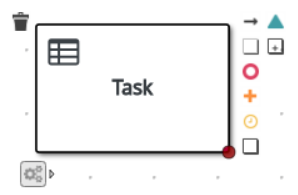
When a process reaches a business rule task defined by a DMN model, the process engine executes the DMN model decision with the inputs provided.
When a process reaches a business rule task defined by a rule flow group, the process engine begins executing the rules in the defined rule flow group. When there are no more active rules in the rule flow group, the execution continues to the next element. During the rule flow group execution, new activations belonging to the active rule flow group can be added to the agenda because these activations are changed by other rules.
Script task
A script task represents a script to be executed during the process execution.
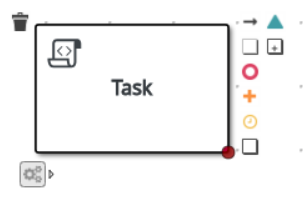
The associated script can access process variables and global variables. Review the following list before using a script task:
- Avoid low-level implementation details in the process. A script task can be used to manipulate variables, but consider using a service task when modelling more complex operations.
- Ensure that the script is executed immediately, otherwise use an asynchronous service task.
- Avoid contacting external services through a script task. Use a service task to model communication with an external service.
- Ensure scripts do not throw exceptions. Runtime exceptions should be caught and managed, for example, inside the script or transformed into signals or errors that can then be handled inside the process.
When a script task is reached during execution, the script is executed and the outgoing flow is taken.
User task
User tasks are tasks in the process workflow that cannot be performed automatically by the system and therefore require the intervention of a human user, the actor.
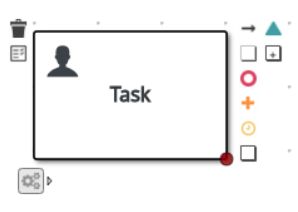
On execution, the User task element is instantiated as a task that appears in the list of tasks of one or more actors. If a User task element defines the Groups attribute, it is displayed in task lists of all users that are members of the group. Any user who is a member of the group can claim the task.
After it is claimed, the task disappears from the task list of the other users.
User tasks are implemented as domain-specific tasks and serve as a base for custom tasks.

'%20d='M201.5%20305.5c-13.8%200-24.9-11.1-24.9-24.6%200-13.8%2011.1-24.9%2024.9-24.9%2013.6%200%2024.6%2011.1%2024.6%2024.9%200%2013.6-11.1%2024.6-24.6%2024.6zM504%20256c0%20137-111%20248-248%20248S8%20393%208%20256%20119%208%20256%208s248%20111%20248%20248zm-132.3-41.2c-9.4%200-17.7%203.9-23.8%2010-22.4-15.5-52.6-25.5-86.1-26.6l17.4-78.3%2055.4%2012.5c0%2013.6%2011.1%2024.6%2024.6%2024.6%2013.8%200%2024.9-11.3%2024.9-24.9s-11.1-24.9-24.9-24.9c-9.7%200-18%205.8-22.1%2013.8l-61.2-13.6c-3-.8-6.1%201.4-6.9%204.4l-19.1%2086.4c-33.2%201.4-63.1%2011.3-85.5%2026.8-6.1-6.4-14.7-10.2-24.1-10.2-34.9%200-46.3%2046.9-14.4%2062.8-1.1%205-1.7%2010.2-1.7%2015.5%200%2052.6%2059.2%2095.2%20132%2095.2%2073.1%200%20132.3-42.6%20132.3-95.2%200-5.3-.6-10.8-1.9-15.8%2031.3-16%2019.8-62.5-14.9-62.5zM302.8%20331c-18.2%2018.2-76.1%2017.9-93.6%200-2.2-2.2-6.1-2.2-8.3%200-2.5%202.5-2.5%206.4%200%208.6%2022.8%2022.8%2087.3%2022.8%20110.2%200%202.5-2.2%202.5-6.1%200-8.6-2.2-2.2-6.1-2.2-8.3%200zm7.7-75c-13.6%200-24.6%2011.1-24.6%2024.9%200%2013.6%2011.1%2024.6%2024.6%2024.6%2013.8%200%2024.9-11.1%2024.9-24.6%200-13.8-11-24.9-24.9-24.9z'/%3e%3c/svg%3e)