 红帽全球峰会
2.2. 部署 Red Hat Single Sign-On 镜像
2.2.1. 准备部署
复制链接链接已复制到粘贴板!
流程
- 使用包含 cluster:admin 角色的用户登录 OpenShift CLI。
创建一个新项目
$ oc new-project sso-app-demo将
view角色添加到default服务帐户。这可让服务帐户查看 sso-app-demo 命名空间中的所有资源,这是管理集群所必需的。$ oc policy add-role-to-user view system:serviceaccount:$(oc project -q):default
2.2.2. 使用应用程序模板部署 Red Hat Single Sign-On 镜像
复制链接链接已复制到粘贴板!
您可以使用以下接口之一部署模板:
2.2.2.1. 使用 OpenShift CLI 部署模板
复制链接链接已复制到粘贴板!
先决条件
流程
列出可用的红帽单点登录应用程序模板:
$ oc get templates -n openshift -o name | grep -o 'sso76.\+' | sort
sso76-ocp3-https
sso76-ocp3-postgresql
sso76-ocp3-postgresql-persistent
sso76-ocp3-x509-https
sso76-ocp3-x509-postgresql-persistent
sso76-ocp4-https
sso76-ocp4-postgresql
sso76-ocp4-postgresql-persistent
sso76-ocp4-x509-https
sso76-ocp4-x509-postgresql-persistent
部署所选选项:
$ oc new-app --template=sso76-ocp4-x509-https
--> Deploying template "openshift/sso76-ocp4-x509-https" to project sso-app-demo

     Red Hat Single Sign-On 7.6 (Ephemeral)
     ---------
     An example Red Hat Single Sign-On 7 application. For more information about using this template, see <link xlink:href="https://github.com/jboss-openshift/application-templates">https://github.com/jboss-openshift/application-templates</link>.

     A new Red Hat Single Sign-On service has been created in your project. The admin username/password for accessing the master realm using the Red Hat Single Sign-On console is IACfQO8v/nR7llVSVb4Dye3TNRbXoXhRpAKTmiCRc. The HTTPS keystore used for serving secure content, the JGroups keystore used for securing JGroups communications, and server truststore used for securing Red Hat Single Sign-On requests were automatically created using OpenShift's service serving x509 certificate secrets.

     * With parameters:
        * Application Name=sso
        * JGroups Cluster Password=jg0Rssom0gmHBnooDF3Ww7V4Mu5RymmB # generated
        * Datasource Minimum Pool Size=
        * Datasource Maximum Pool Size=
        * Datasource Transaction Isolation=
        * ImageStream Namespace=openshift
        * Red Hat Single Sign-On Administrator Username=IACfQO8v # generated
        * Red Hat Single Sign-On Administrator Password=nR7llVSVb4Dye3TNRbXoXhRpAKTmiCRc # generated
        * Red Hat Single Sign-On Realm=
        * Red Hat Single Sign-On Service Username=
        * Red Hat Single Sign-On Service Password=
        * Container Memory Limit=1Gi

--> Creating resources ...
    service "sso" created
    service "secure-sso" created
    service "sso-ping" created
    route "sso" created
    route "secure-sso" created
    deploymentconfig "sso" created
--> Success
    Run 'oc status' to view your app.
2.2.2.2. 使用 OpenShift 3.x Web 控制台部署模板
复制链接链接已复制到粘贴板!
先决条件
流程
- 登录 OpenShift Web 控制台,再选择 sso-app-demo 项目空间。
- 单击 Add to Project,然后单击 Browse Catalog 以列出默认镜像流和模板。
- 使用 Filter by Keyword 搜索栏,将列表限制为与 sso 匹配的列表。您可能需要单击 中间件,然后 集成 以显示所需的应用程序模板。
- 选择 Red Hat Single Sign-On 应用模板。本例使用 Red Hat Single Sign-On 7.6(Ephemeral)。
- 在 Information 步骤中点 Next。
- 从 Add to Project 下拉菜单中,选择 sso-app-demo 项目空间。然后单击"下一步"。
- 在 绑定 步骤中选择 Do not bind。点 Create 来继续。
- 在 结果 步骤中,单击 Continue to the project overview 链接以验证部署的状态。
2.2.2.3. 使用 OpenShift 4.x Web 控制台部署模板
复制链接链接已复制到粘贴板!
先决条件
流程
- 登录 OpenShift Web 控制台,再选择 sso-app-demo 项目空间。
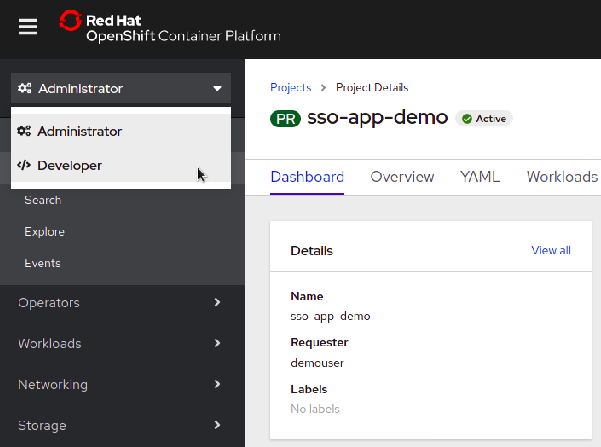
在左侧边栏中,单击 Administrator 选项卡,然后单击 < /> Developer。
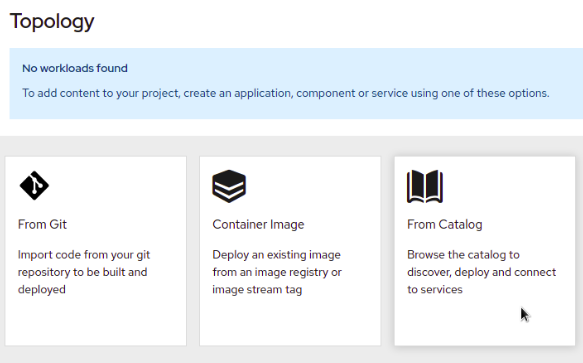
单击 From Catalog。
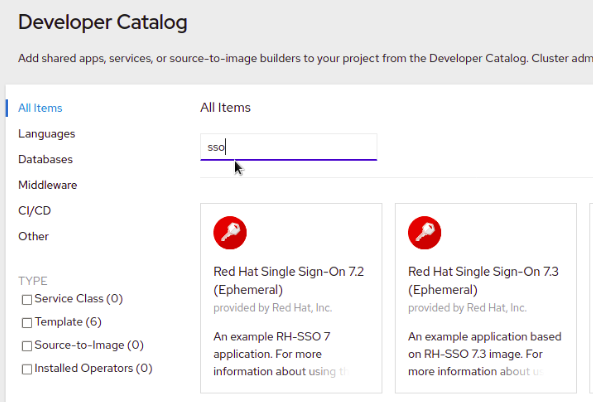
搜索 sso。
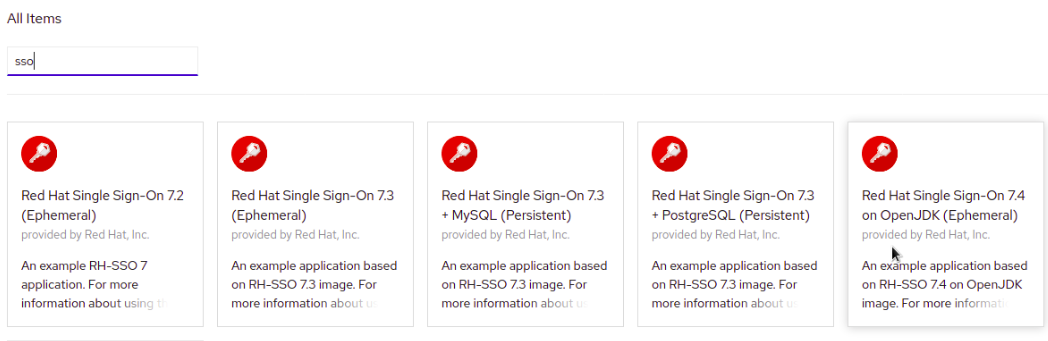
在 OpenJDK(Ephemeral)上选择一个模板,如 Red Hat Single Sign-On 7.6。
点 Instantiate Template。
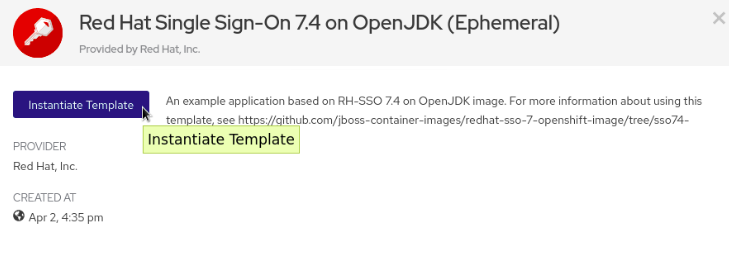
- 如果需要,调整模板参数并点 Create。
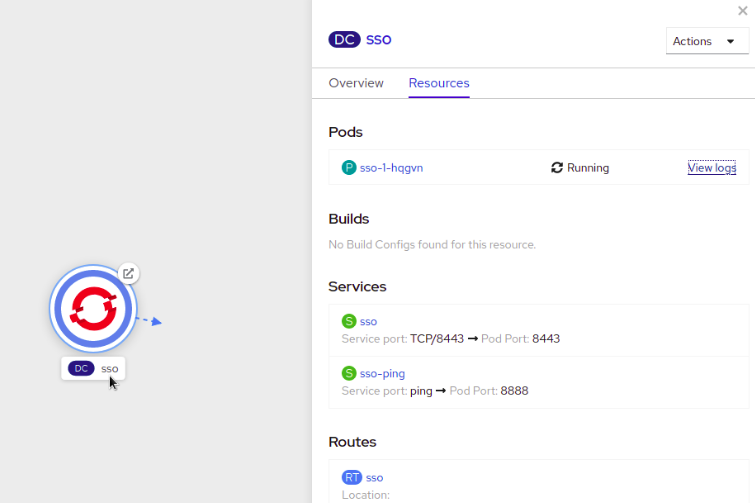
验证已部署了用于 OpenShift 镜像的 Red Hat Single Sign-On。

'%20d='M201.5%20305.5c-13.8%200-24.9-11.1-24.9-24.6%200-13.8%2011.1-24.9%2024.9-24.9%2013.6%200%2024.6%2011.1%2024.6%2024.9%200%2013.6-11.1%2024.6-24.6%2024.6zM504%20256c0%20137-111%20248-248%20248S8%20393%208%20256%20119%208%20256%208s248%20111%20248%20248zm-132.3-41.2c-9.4%200-17.7%203.9-23.8%2010-22.4-15.5-52.6-25.5-86.1-26.6l17.4-78.3%2055.4%2012.5c0%2013.6%2011.1%2024.6%2024.6%2024.6%2013.8%200%2024.9-11.3%2024.9-24.9s-11.1-24.9-24.9-24.9c-9.7%200-18%205.8-22.1%2013.8l-61.2-13.6c-3-.8-6.1%201.4-6.9%204.4l-19.1%2086.4c-33.2%201.4-63.1%2011.3-85.5%2026.8-6.1-6.4-14.7-10.2-24.1-10.2-34.9%200-46.3%2046.9-14.4%2062.8-1.1%205-1.7%2010.2-1.7%2015.5%200%2052.6%2059.2%2095.2%20132%2095.2%2073.1%200%20132.3-42.6%20132.3-95.2%200-5.3-.6-10.8-1.9-15.8%2031.3-16%2019.8-62.5-14.9-62.5zM302.8%20331c-18.2%2018.2-76.1%2017.9-93.6%200-2.2-2.2-6.1-2.2-8.3%200-2.5%202.5-2.5%206.4%200%208.6%2022.8%2022.8%2087.3%2022.8%20110.2%200%202.5-2.2%202.5-6.1%200-8.6-2.2-2.2-6.1-2.2-8.3%200zm7.7-75c-13.6%200-24.6%2011.1-24.6%2024.9%200%2013.6%2011.1%2024.6%2024.6%2024.6%2013.8%200%2024.9-11.1%2024.9-24.6%200-13.8-11-24.9-24.9-24.9z'/%3e%3c/svg%3e)