Launch workflow templates
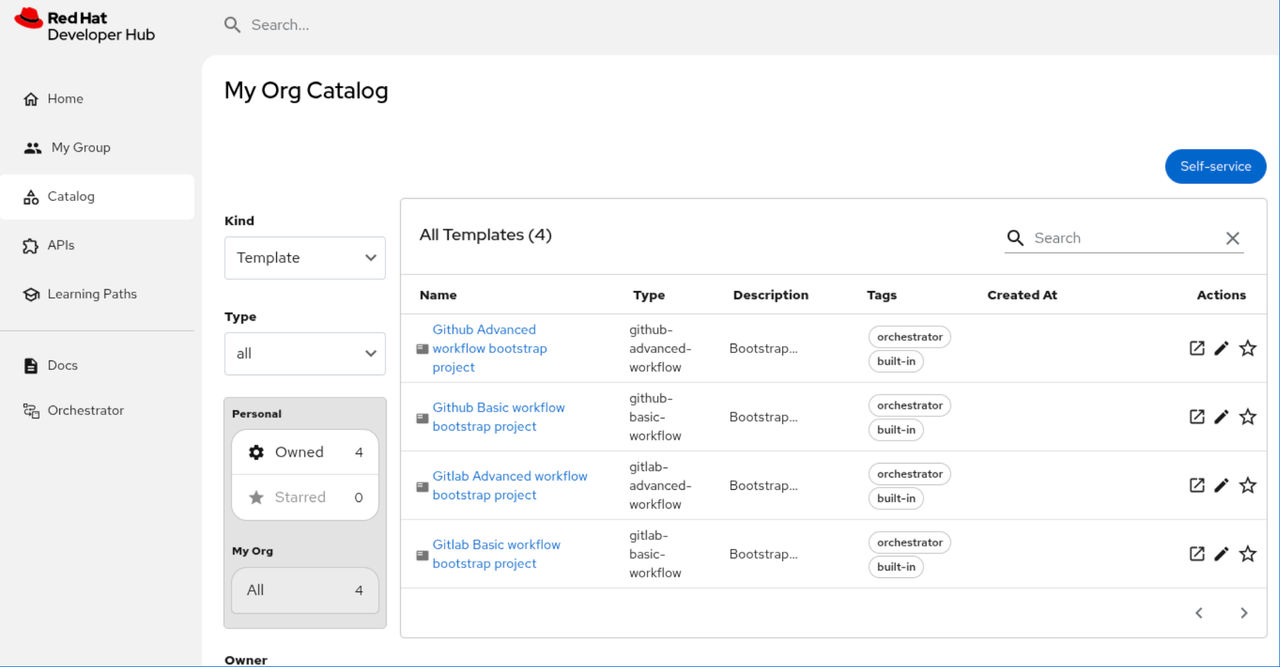
Use the Orchestrator software templates to generate a project that includes workflow definitions, Kustomize configurations, and CI/CD pipelines.
Before you begin
- You have installed
orchestrator-software-templates-infraandorchestrator-software-templatesHelm charts to enable templates. - You have installed RHDH and the Orchestrator plugin by using the Helm chart.
- You have a
Quay.ioorganization and repository for storing the workflow images. - You have a GitHub or Gitlab personal access token with repository creation permissions.
- You have configured a GitOps secret for the target cluster.
- You have set the target namespace for both the pipeline and the workflow to the
rhdhnamespace.
Procedure
-
Open the Red Hat Developer Hub Catalog.
-
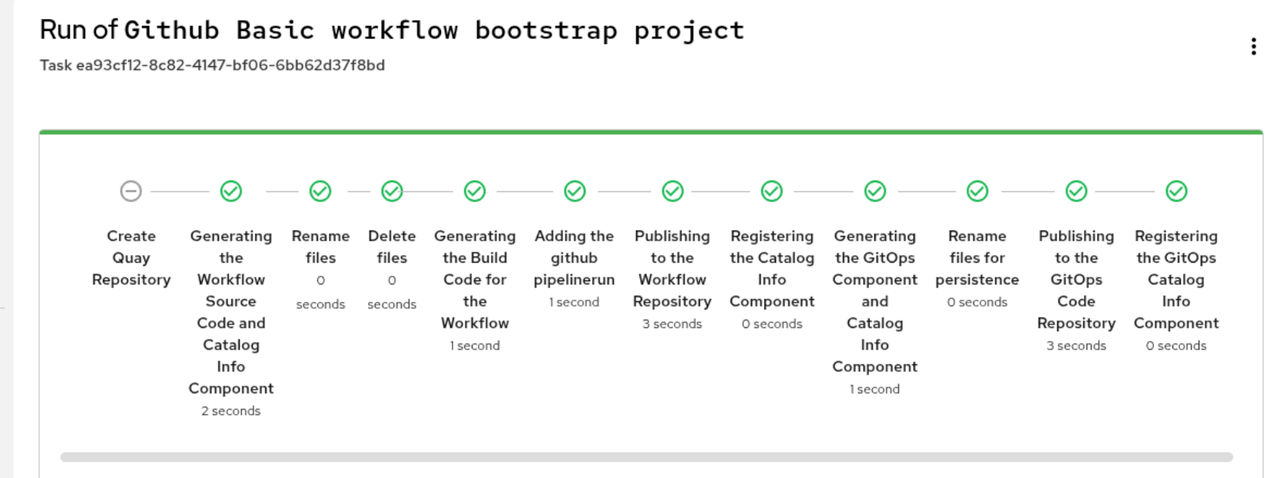
Click Review, then click Create.
Results
- The system creates the following repositories:
- Source code repository: Contains the serverless workflow project.
- GitOps repository: Contains GitOps configurations, Tekton pipeline templates, and bootstrap instructions.

