 Red Hat Summit
Questo contenuto non è disponibile nella lingua selezionata.
Chapter 6. Management Jobs
Management Jobs assist in the cleaning of old data from automation controller, including system tracking information, tokens, job histories, and activity streams. You can use this if you have specific retention policies or need to decrease the storage used by your automation controller database.
From the navigation panel, select
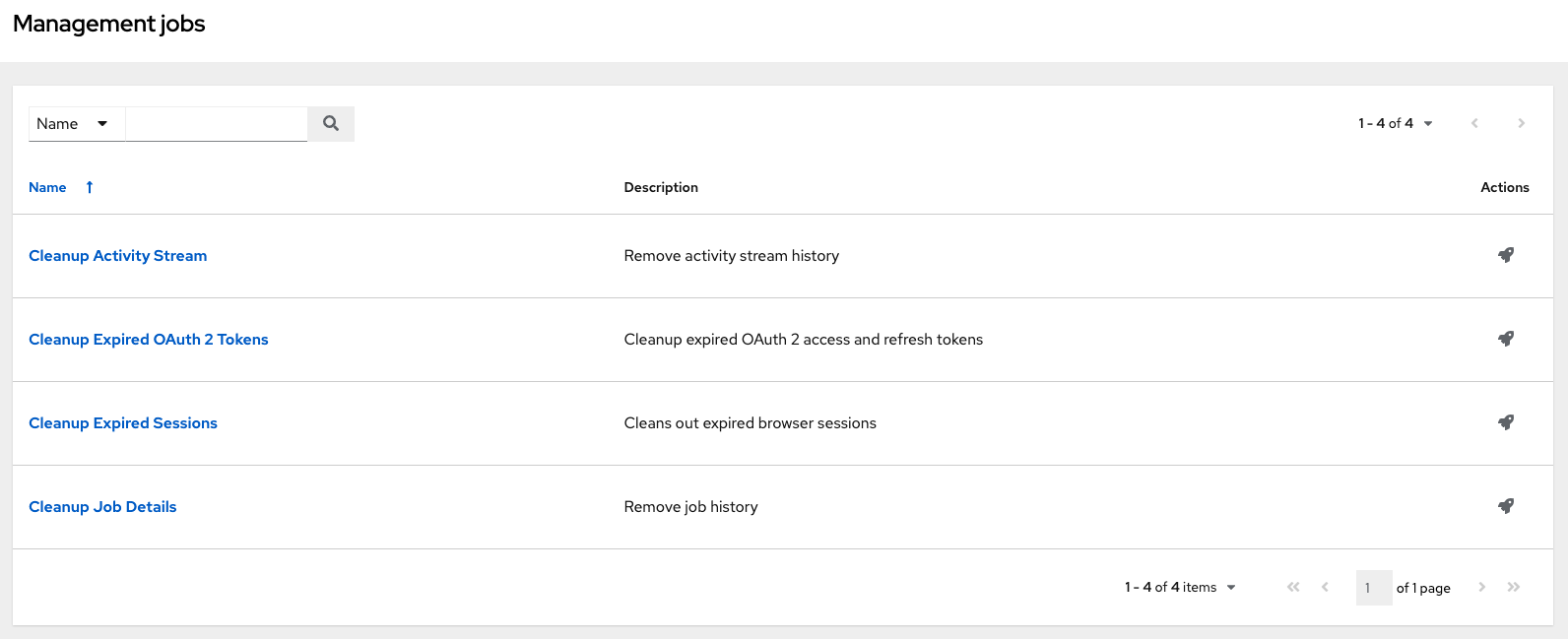
The following job types are available for you to schedule and launch:
- Cleanup Activity Stream: Remove activity stream history older than a specified number of days
- Cleanup Expired Sessions: Remove expired browser sessions from the database
- Cleanup Job Details: Remove job history older than a specified number of days
6.1. Removing Old Activity Stream Data
To remove older activity stream data, click the launch
 icon beside Cleanup Activity Stream.
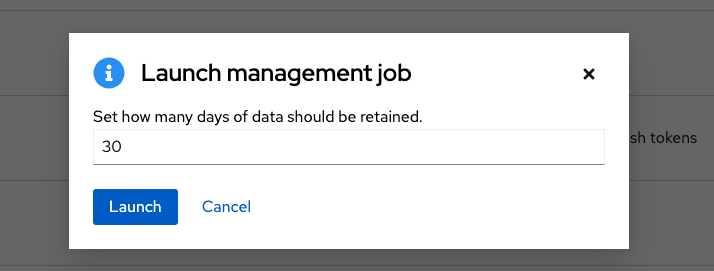
Enter the number of days of data you would like to save and click .
6.1.1. Scheduling deletion
Use the following procedure to review or set a schedule for purging data marked for deletion:
Procedure
For a particular cleanup job, click the Schedules tab.
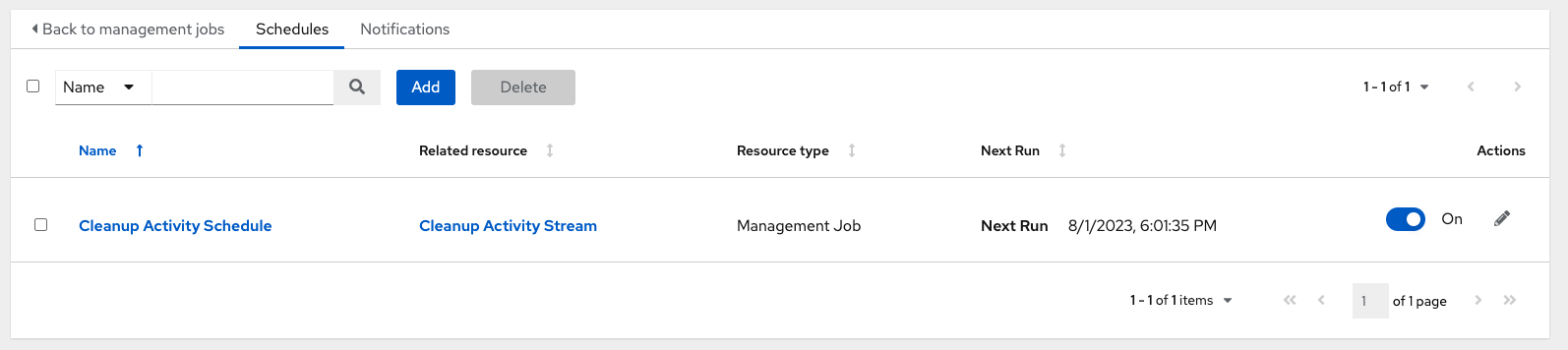
Note that you can turn this scheduled management job on and off using the ON/OFF toggle button.
- Click the name of the job, "Cleanup Activity Schedule" in this example, to review the schedule settings.
Click to modify them. You can also click to create a new schedule for this management job.
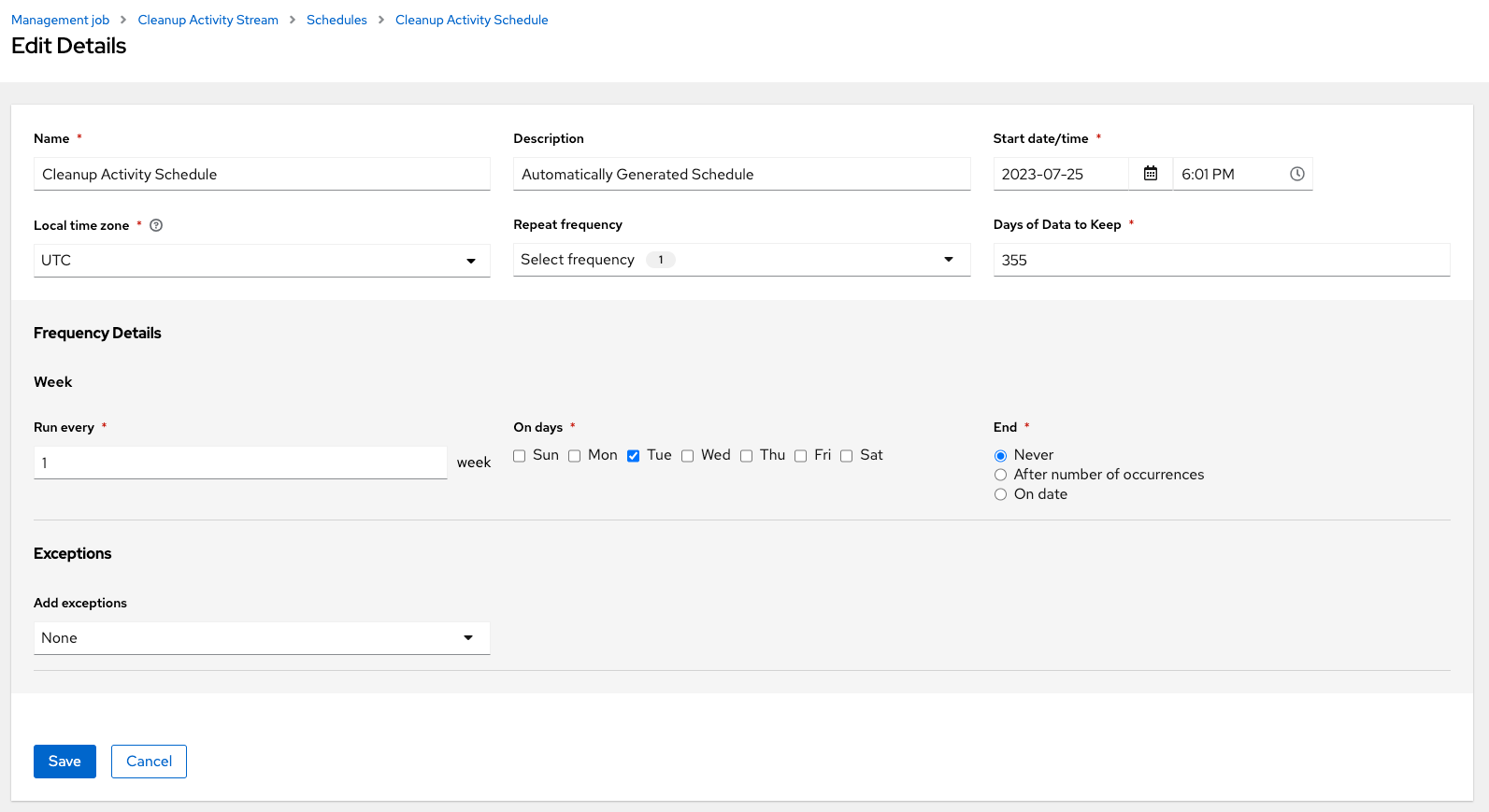
Enter the appropriate details into the following fields and click Save:
- Name required
- Start Date required
- Start Time required
- Local time zone the entered Start Time should be in this timezone.
- Repeat frequency the appropriate options display as the update frequency is modified including data you do not want to include by specifying exceptions.
- Days of Data to Keep required - specify how much data you want to retain.
The Details tab displays a description of the schedule and a list of the scheduled occurrences in the selected Local Time Zone.
Jobs are scheduled in UTC. Repeating jobs that run at a specific time of day can move relative to a local timezone when Daylight Saving Time shifts occur.
6.1.2. Setting notifications
Use the following procedure to review or set notifications associated with a management job:
Procedure
- For a particular cleanup job, select the Notifications tab.
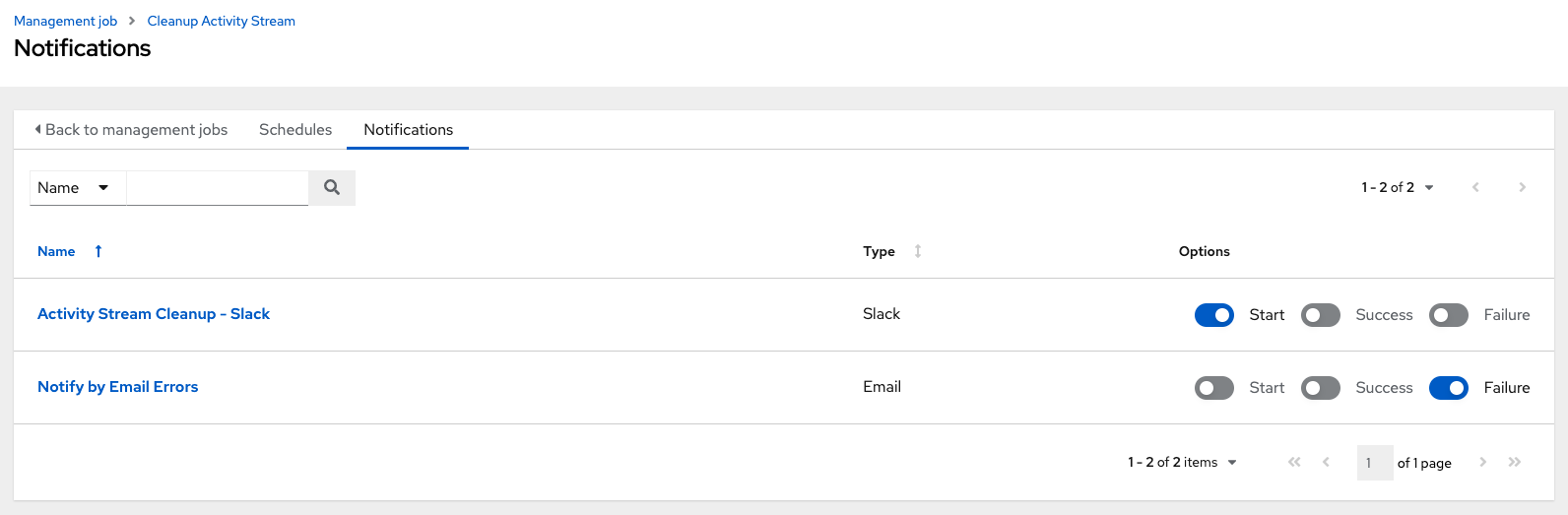
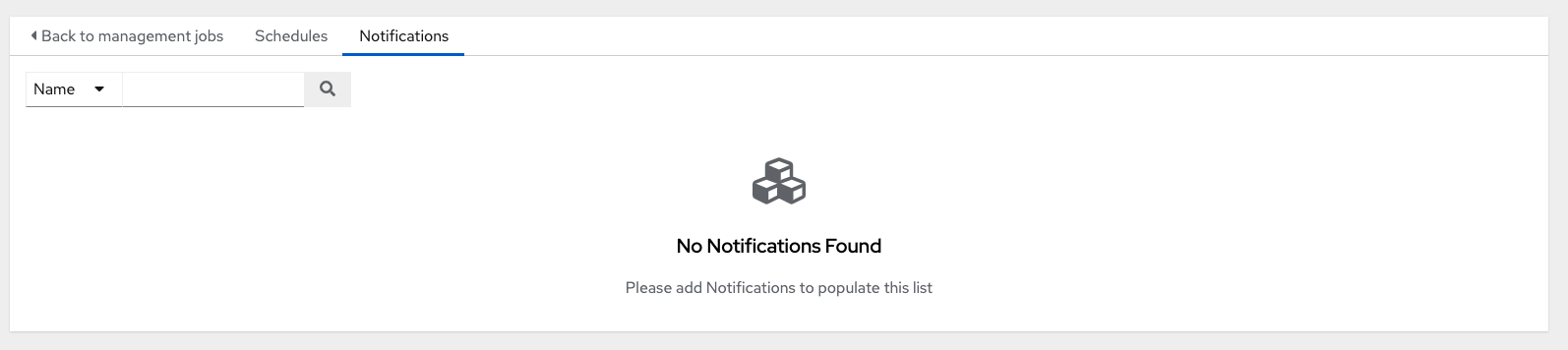
If none exist, for more information, see Notifications in the Automation controller User Guide.
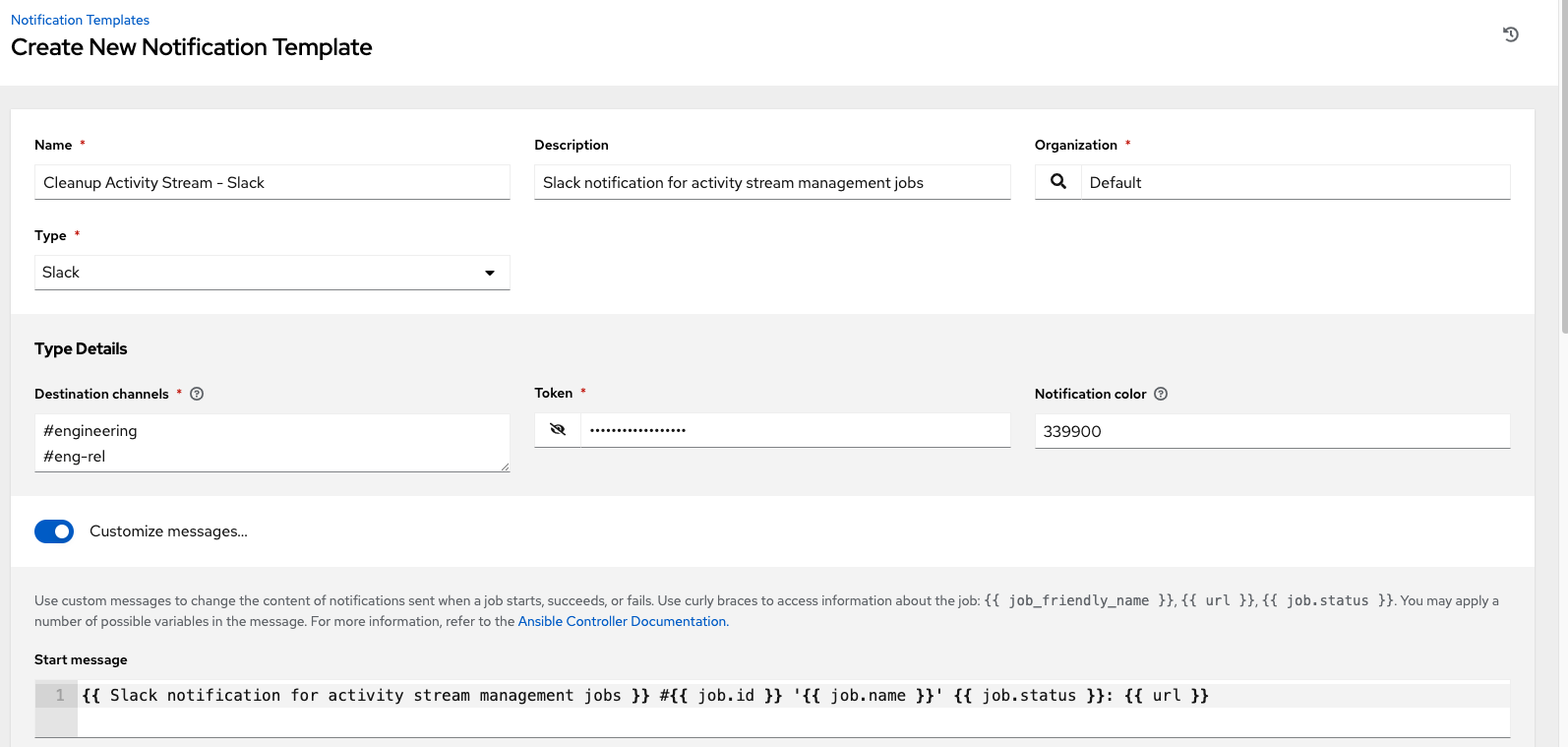
The following shows an example of a notification with details specified:
6.2. Cleanup Expired OAuth2 Tokens
To remove expired OAuth2 tokens, click the launch
icon next to Cleanup Expired OAuth2 Tokens.
You can review or set a schedule for cleaning up expired OAuth2 tokens by performing the same procedure described for activity stream management jobs.
For more information, see Scheduling deletion.
You can also set or review notifications associated with this management job the same way as described in setting notifications for activity stream management jobs.
For more information, see Notifications in the Automation controller User Guide.
6.2.1. Cleanup Expired Sessions
To remove expired sessions, click the launch
icon beside Cleanup Expired Sessions.
You can review or set a schedule for cleaning up expired sessions by performing the same procedure described for activity stream management jobs. For more information, see Scheduling deletion.
You can also set or review notifications associated with this management job the same way as described in Notifications for activity stream management jobs.
For more information, see Notifications in the Automation controller User Guide.
6.2.2. Removing Old Job History
To remove job history older than a specified number of days, click the launch
icon beside Cleanup Job Details.
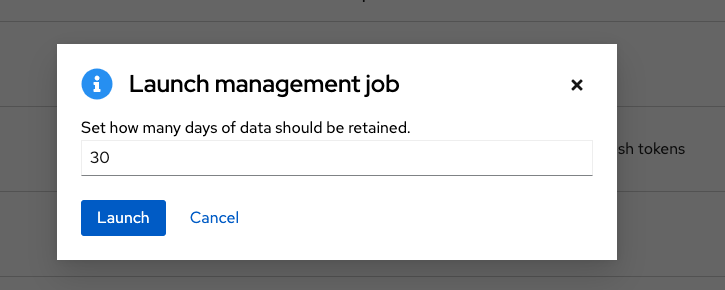
Enter the number of days of data you would like to save and click .
The initial job run for an automation controller resource, such as Projects, or Job Templates, are excluded from Cleanup Job Details, regardless of retention value.
You can review or set a schedule for cleaning up old job history by performing the same procedure described for activity stream management jobs.
For more information, see Scheduling deletion.
You can also set or review notifications associated with this management job in the same way as described in Notifications for activity stream management jobs, or for more information, see Notifications in the Automation controller User Guide.

'%20d='M201.5%20305.5c-13.8%200-24.9-11.1-24.9-24.6%200-13.8%2011.1-24.9%2024.9-24.9%2013.6%200%2024.6%2011.1%2024.6%2024.9%200%2013.6-11.1%2024.6-24.6%2024.6zM504%20256c0%20137-111%20248-248%20248S8%20393%208%20256%20119%208%20256%208s248%20111%20248%20248zm-132.3-41.2c-9.4%200-17.7%203.9-23.8%2010-22.4-15.5-52.6-25.5-86.1-26.6l17.4-78.3%2055.4%2012.5c0%2013.6%2011.1%2024.6%2024.6%2024.6%2013.8%200%2024.9-11.3%2024.9-24.9s-11.1-24.9-24.9-24.9c-9.7%200-18%205.8-22.1%2013.8l-61.2-13.6c-3-.8-6.1%201.4-6.9%204.4l-19.1%2086.4c-33.2%201.4-63.1%2011.3-85.5%2026.8-6.1-6.4-14.7-10.2-24.1-10.2-34.9%200-46.3%2046.9-14.4%2062.8-1.1%205-1.7%2010.2-1.7%2015.5%200%2052.6%2059.2%2095.2%20132%2095.2%2073.1%200%20132.3-42.6%20132.3-95.2%200-5.3-.6-10.8-1.9-15.8%2031.3-16%2019.8-62.5-14.9-62.5zM302.8%20331c-18.2%2018.2-76.1%2017.9-93.6%200-2.2-2.2-6.1-2.2-8.3%200-2.5%202.5-2.5%206.4%200%208.6%2022.8%2022.8%2087.3%2022.8%20110.2%200%202.5-2.2%202.5-6.1%200-8.6-2.2-2.2-6.1-2.2-8.3%200zm7.7-75c-13.6%200-24.6%2011.1-24.6%2024.9%200%2013.6%2011.1%2024.6%2024.6%2024.6%2013.8%200%2024.9-11.1%2024.9-24.6%200-13.8-11-24.9-24.9-24.9z'/%3e%3c/svg%3e)