 Red Hat Summit
이 콘텐츠는 선택한 언어로 제공되지 않습니다.
6.2. Setting up a Server
Teiid Designer is installed as a component of JBoss Developer Studio hence connection to a JBoss Data Virtualization Server requires the setting up and configuration of its parent JBoss Server. This is achieved using the Server View, see Server View section, displayed as part of the Teiid Designer perspective.
If no servers have been previously created then the Server View will display a new server hyperlink. To create a new JBoss Server configuration, click the hyperlink.
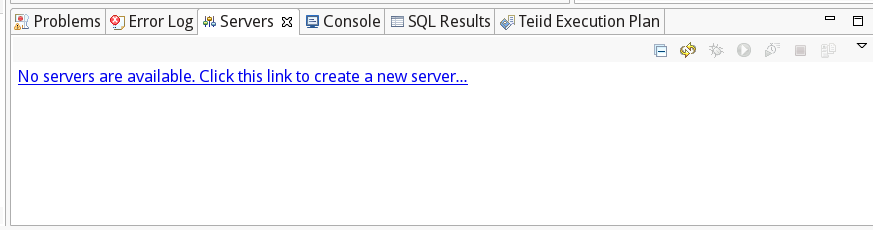
Figure 6.4. Server View with no created servers
Navigate through the wizard, configuring the details of the JBoss Server including its Runtime location, hostname and whether its externally managed. The final property determines whether the server is instantiated within the IDE or whether it is installed and started independently. Should the latter be the case then the Server View merely assumes connection to the independent server.
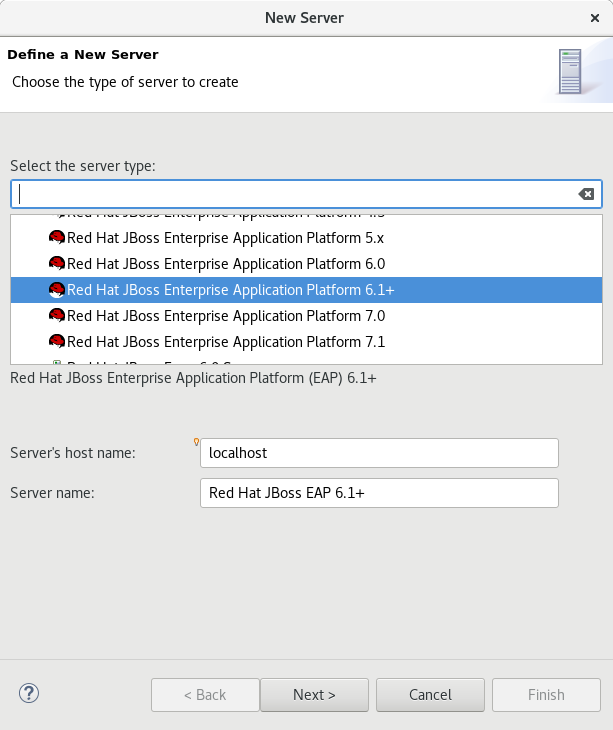
Figure 6.5. New Server Configuration
The server has been installed with a JBoss Data Virtualization Server and on clicking the green start button, Teiid Designer is successfully connected to the server, resulting in the display of the JBoss Data Virtualization Server's configuration.

Figure 6.6. Server View with a single server
JBoss Tools provides an editor for the configuration of the JBoss Data Virtualization Server. In addition, Designer provides an extra tab to this editor that displays the configuration of the JBoss Data Virtualization Server. Only a few options can be modified since most of the configuration is determined by the parent JBoss Server. This editor can be displayed by double-clicking on any node in the JBoss Server tree.
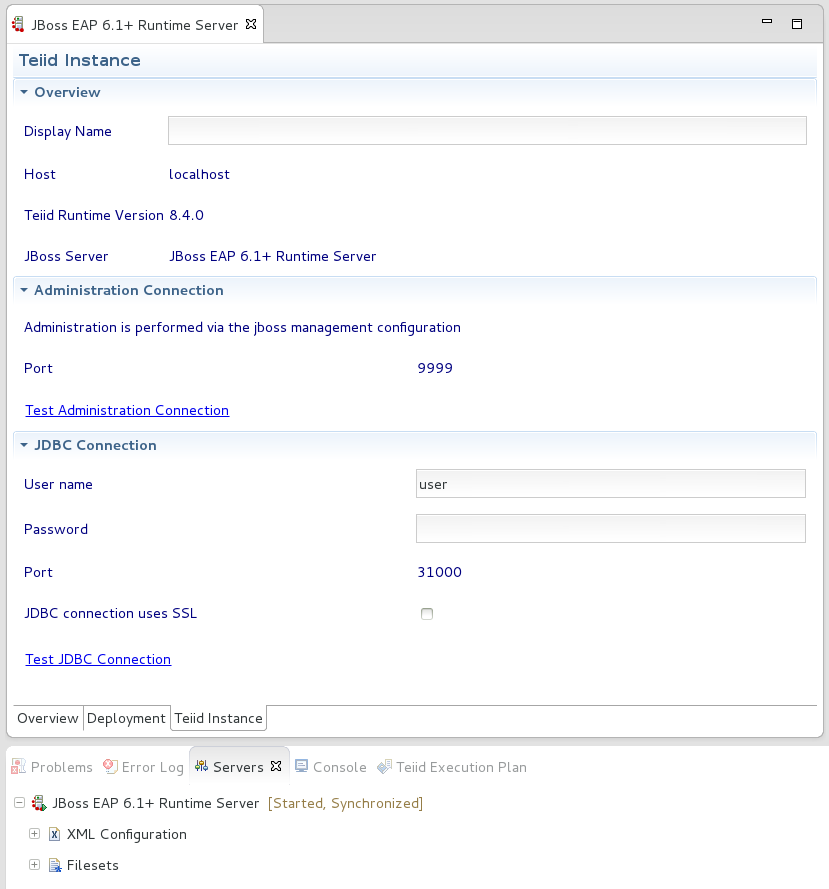
Figure 6.7. Editor for Configuring the Teiid Server

'%20d='M201.5%20305.5c-13.8%200-24.9-11.1-24.9-24.6%200-13.8%2011.1-24.9%2024.9-24.9%2013.6%200%2024.6%2011.1%2024.6%2024.9%200%2013.6-11.1%2024.6-24.6%2024.6zM504%20256c0%20137-111%20248-248%20248S8%20393%208%20256%20119%208%20256%208s248%20111%20248%20248zm-132.3-41.2c-9.4%200-17.7%203.9-23.8%2010-22.4-15.5-52.6-25.5-86.1-26.6l17.4-78.3%2055.4%2012.5c0%2013.6%2011.1%2024.6%2024.6%2024.6%2013.8%200%2024.9-11.3%2024.9-24.9s-11.1-24.9-24.9-24.9c-9.7%200-18%205.8-22.1%2013.8l-61.2-13.6c-3-.8-6.1%201.4-6.9%204.4l-19.1%2086.4c-33.2%201.4-63.1%2011.3-85.5%2026.8-6.1-6.4-14.7-10.2-24.1-10.2-34.9%200-46.3%2046.9-14.4%2062.8-1.1%205-1.7%2010.2-1.7%2015.5%200%2052.6%2059.2%2095.2%20132%2095.2%2073.1%200%20132.3-42.6%20132.3-95.2%200-5.3-.6-10.8-1.9-15.8%2031.3-16%2019.8-62.5-14.9-62.5zM302.8%20331c-18.2%2018.2-76.1%2017.9-93.6%200-2.2-2.2-6.1-2.2-8.3%200-2.5%202.5-2.5%206.4%200%208.6%2022.8%2022.8%2087.3%2022.8%20110.2%200%202.5-2.2%202.5-6.1%200-8.6-2.2-2.2-6.1-2.2-8.3%200zm7.7-75c-13.6%200-24.6%2011.1-24.6%2024.9%200%2013.6%2011.1%2024.6%2024.6%2024.6%2013.8%200%2024.9-11.1%2024.9-24.6%200-13.8-11-24.9-24.9-24.9z'/%3e%3c/svg%3e)