 红帽全球峰会
此内容没有您所选择的语言版本。
6.11. Reloading the Server Configuration
Some configuration changes require that the EAP 6 server be restarted before they take effect. The server is marked internally as being in a requires-reload state. JBoss ON does not force a reload, but it does inform administrators if changes have been made that require a reload before they can be applied.
Note
Because JBoss ON does not automatically reload configuration every time a configuration change is made, administrators can make multiple changes and then schedule a time for them to be applied by scheduling the reload operation during a maintenance window (through JBoss ON) or by setting up a cron job on the local system.
Clicking any Configuration > Current tab, for any resource within the server tree, brings up a message box that the server must be reloaded.
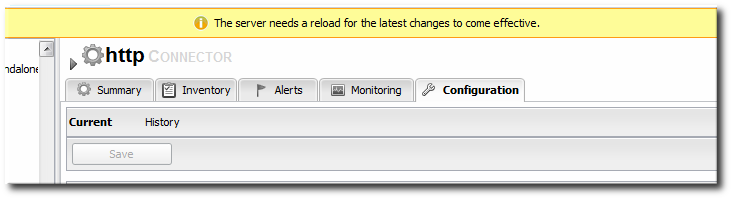
Figure 6.3. Reload Configuration Message
Note
Changes that require the configuration to be reloaded typically involve changing the way that connections are handled, such as resetting port numbers or changing connection protocols for an interface.
Note
If the agent goes offline and a user views a Configuration tab in the UI, the message box is displayed, even if the server has been reloaded. This is because the agent was not able to communicate to the server that the reload state has changed, so the server displays outdated information.
- Click the Inventory tab in the top menu.
- Select Servers - Top Level Imports in the Resources menu table on the left. Select the JBoss EAP 6 server.
- In the inventory tree, select the top resource entry for the server.
- Open the Operations tab.
- Click the New button at the bottom of the page.
- Select the Reload) option from the drop-down menu.

- Click the Schedule button.

'%20d='M201.5%20305.5c-13.8%200-24.9-11.1-24.9-24.6%200-13.8%2011.1-24.9%2024.9-24.9%2013.6%200%2024.6%2011.1%2024.6%2024.9%200%2013.6-11.1%2024.6-24.6%2024.6zM504%20256c0%20137-111%20248-248%20248S8%20393%208%20256%20119%208%20256%208s248%20111%20248%20248zm-132.3-41.2c-9.4%200-17.7%203.9-23.8%2010-22.4-15.5-52.6-25.5-86.1-26.6l17.4-78.3%2055.4%2012.5c0%2013.6%2011.1%2024.6%2024.6%2024.6%2013.8%200%2024.9-11.3%2024.9-24.9s-11.1-24.9-24.9-24.9c-9.7%200-18%205.8-22.1%2013.8l-61.2-13.6c-3-.8-6.1%201.4-6.9%204.4l-19.1%2086.4c-33.2%201.4-63.1%2011.3-85.5%2026.8-6.1-6.4-14.7-10.2-24.1-10.2-34.9%200-46.3%2046.9-14.4%2062.8-1.1%205-1.7%2010.2-1.7%2015.5%200%2052.6%2059.2%2095.2%20132%2095.2%2073.1%200%20132.3-42.6%20132.3-95.2%200-5.3-.6-10.8-1.9-15.8%2031.3-16%2019.8-62.5-14.9-62.5zM302.8%20331c-18.2%2018.2-76.1%2017.9-93.6%200-2.2-2.2-6.1-2.2-8.3%200-2.5%202.5-2.5%206.4%200%208.6%2022.8%2022.8%2087.3%2022.8%20110.2%200%202.5-2.2%202.5-6.1%200-8.6-2.2-2.2-6.1-2.2-8.3%200zm7.7-75c-13.6%200-24.6%2011.1-24.6%2024.9%200%2013.6%2011.1%2024.6%2024.6%2024.6%2013.8%200%2024.9-11.1%2024.9-24.6%200-13.8-11-24.9-24.9-24.9z'/%3e%3c/svg%3e)