 红帽全球峰会
此内容没有您所选择的语言版本。
Chapter 5. Provisioning Rate Limits
Rate limits allow you to throttle access to your API resources. You can configure different limits for separate developer segments through the use of application plans.
Once you have rate limits in place, these limits will control the responses a developer receives when they make authorization request calls to the 3scale back end.
5.1. Step 1: Go to the application plan
If you do not have an application plan defined yet, create one first. Otherwise, select the plan you want to set rate limits for and click edit.
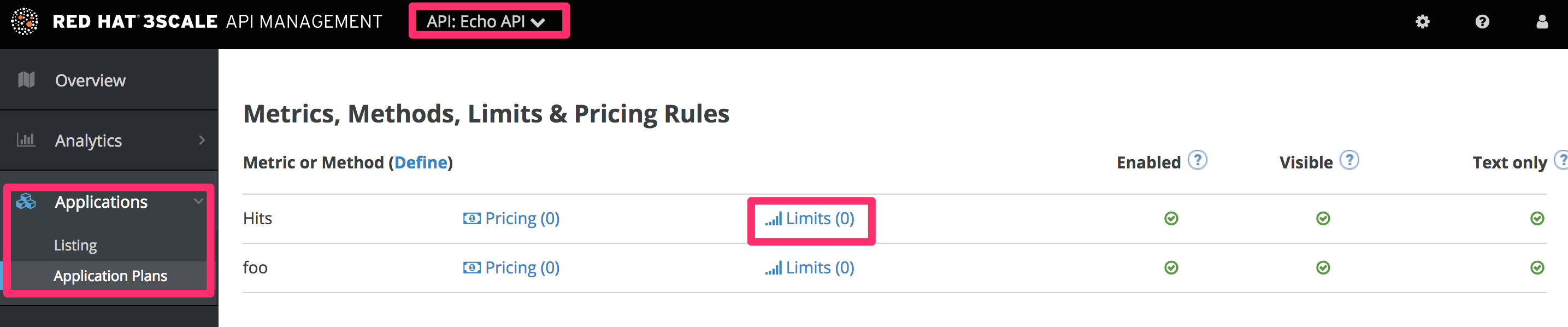
5.2. Step 2: Set the rate limits
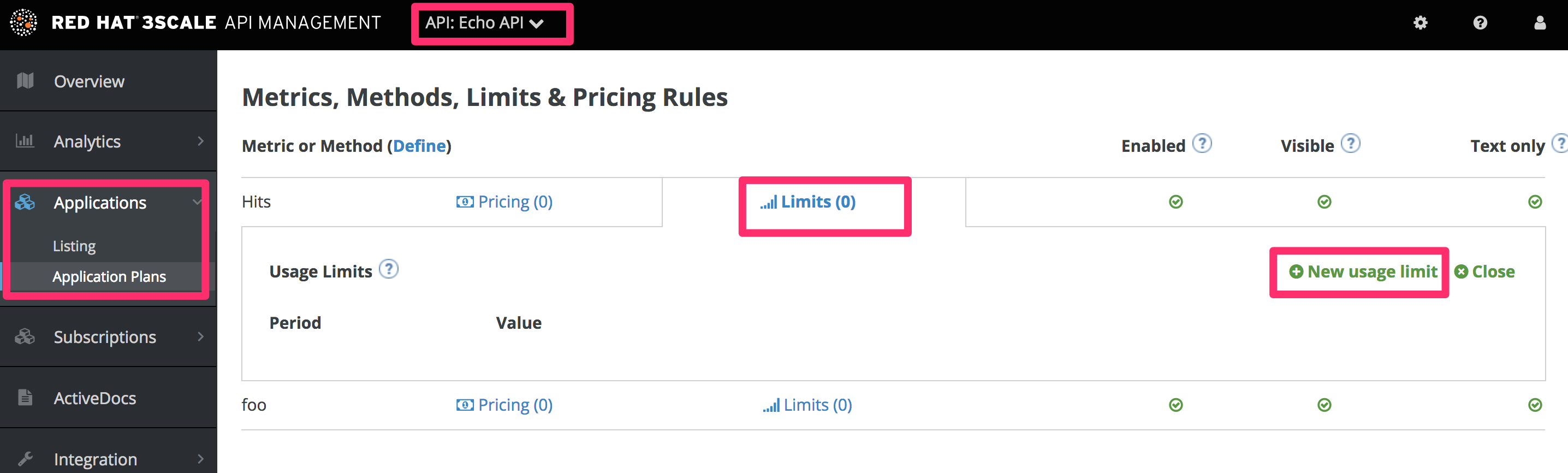
5.3. Step 3: Update the application plan
When you are finished setting the limits you require, save your changes by clicking Update Application plan.
5.4. Step 4: Put the new rate limits into action
Now that you have your rate limits defined, the following will happen:
- If you have alerts configured, the new limits will be used to decide when notifications are sent.
-
When you make authorization calls to the 3scale back end, the limits will be taken into account and the response will be with status code
409. In this case the APIcast API gateway sends a response to the client with the status code429 Too Many Requestsand the message,Limits exceeded.
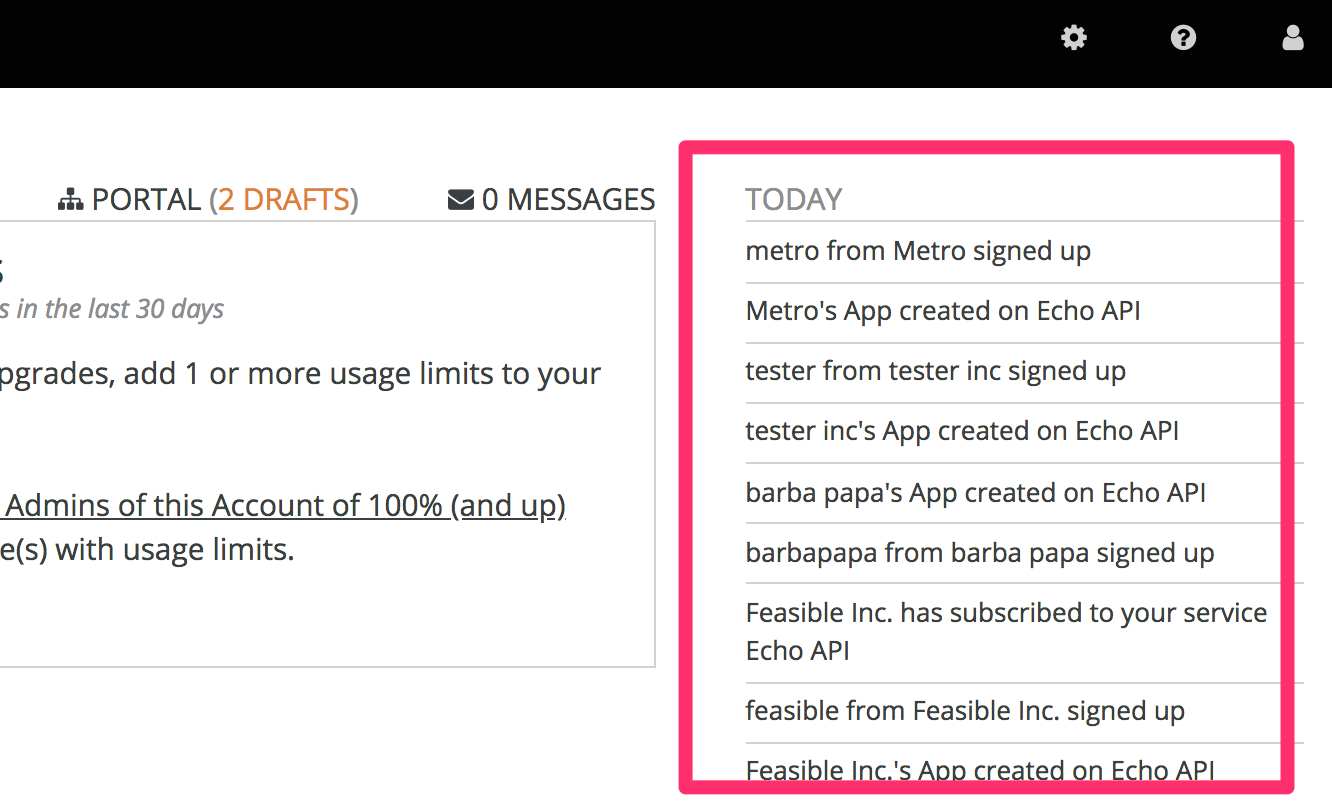
Once your rate limits are operational, you will see the users who are reaching the limits on your dashboard, making it quick and easy to check for potential plan upgrade candidates.
For more information about soft and hard limits, you should read 1.1.3.2. Configure your API access policies with application plans, window="_blank" in our Quickstart guide.
5.5. More information
Besides setting rate limits, you can also set variable pricing rules for the same metrics – see provision paid plans

'%20d='M201.5%20305.5c-13.8%200-24.9-11.1-24.9-24.6%200-13.8%2011.1-24.9%2024.9-24.9%2013.6%200%2024.6%2011.1%2024.6%2024.9%200%2013.6-11.1%2024.6-24.6%2024.6zM504%20256c0%20137-111%20248-248%20248S8%20393%208%20256%20119%208%20256%208s248%20111%20248%20248zm-132.3-41.2c-9.4%200-17.7%203.9-23.8%2010-22.4-15.5-52.6-25.5-86.1-26.6l17.4-78.3%2055.4%2012.5c0%2013.6%2011.1%2024.6%2024.6%2024.6%2013.8%200%2024.9-11.3%2024.9-24.9s-11.1-24.9-24.9-24.9c-9.7%200-18%205.8-22.1%2013.8l-61.2-13.6c-3-.8-6.1%201.4-6.9%204.4l-19.1%2086.4c-33.2%201.4-63.1%2011.3-85.5%2026.8-6.1-6.4-14.7-10.2-24.1-10.2-34.9%200-46.3%2046.9-14.4%2062.8-1.1%205-1.7%2010.2-1.7%2015.5%200%2052.6%2059.2%2095.2%20132%2095.2%2073.1%200%20132.3-42.6%20132.3-95.2%200-5.3-.6-10.8-1.9-15.8%2031.3-16%2019.8-62.5-14.9-62.5zM302.8%20331c-18.2%2018.2-76.1%2017.9-93.6%200-2.2-2.2-6.1-2.2-8.3%200-2.5%202.5-2.5%206.4%200%208.6%2022.8%2022.8%2087.3%2022.8%20110.2%200%202.5-2.2%202.5-6.1%200-8.6-2.2-2.2-6.1-2.2-8.3%200zm7.7-75c-13.6%200-24.6%2011.1-24.6%2024.9%200%2013.6%2011.1%2024.6%2024.6%2024.6%2013.8%200%2024.9-11.1%2024.9-24.6%200-13.8-11-24.9-24.9-24.9z'/%3e%3c/svg%3e)