Display the front-end plugin
To gather user feedback directly within Red Hat Developer Hub, install and display the Entity Feedback plugin in the Red Hat Developer Hub UI.
About this task
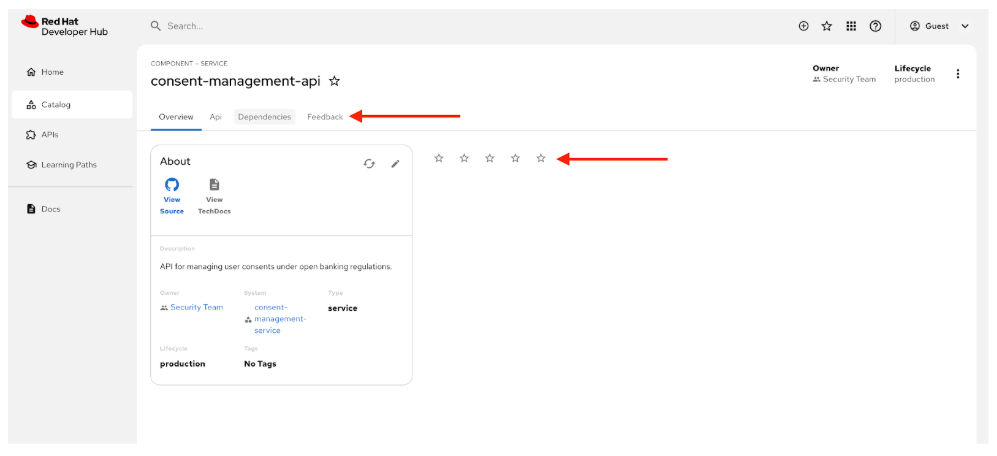
After you install the Entity Feedback plugin, the Feedback entity tab and a ratings card appear in the Red Hat Developer Hub UI by default. The ratings card is added to the Overview tab and shows like and dislike buttons, and the Feedback tab loads the feedback response table directly. To show a starred rating instead of like and dislike buttons, set variant: starred under the app.extensions section. For more information, see the extensions configuration in the plugin README.
Old front-end system (OFS) configuration examples do not apply to Red Hat Developer Hub 2.1, and direct replacements might not exist for every option. In Red Hat Developer Hub 2.1, the new front-end system removes the previous dynamicPlugins.frontend configuration. The plugin provides the Feedback entity tab and feedback cards through extension blueprints, so you do not wire them manually.
For documented configuration changes, see Configuration key mapping from old to new front-end system. If you develop custom plugins, see Migrate custom plugins to ensure compatibility after upgrade.
Procedure
Results
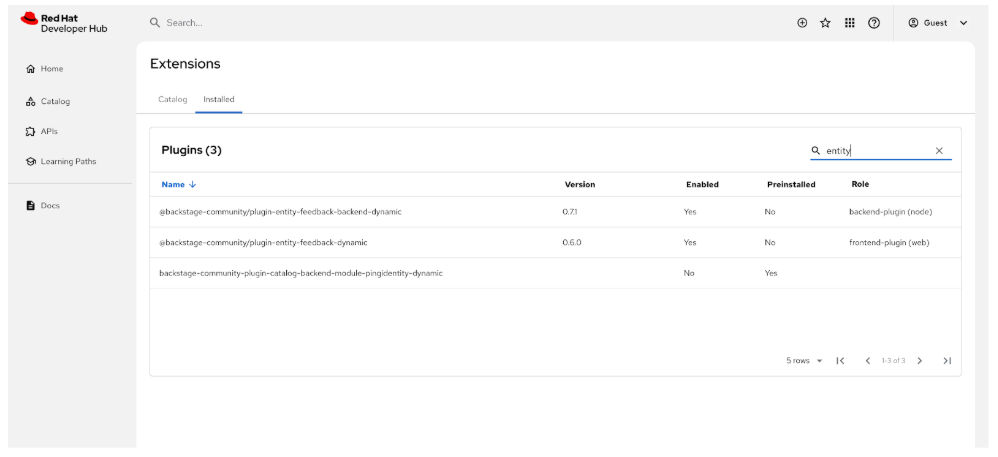
When your new instance of Red Hat Developer Hub has started, you can check that your plugins install and enable by visiting the Administration > Extensions screen and searching for “entity” on the Installed tab.
When you click Catalog, you should see the new Feedback tab, and the ratings card with like and dislike buttons displayed on the Overview tab, as follows:
Selecting a dislike rating prompts the user to offer feedback, as follows:
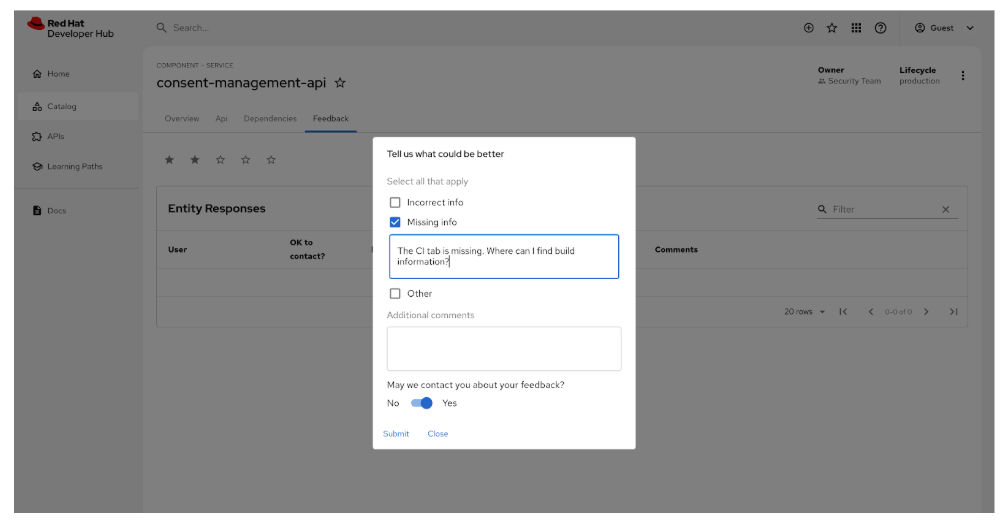
The system does not save user feedback if you log in as the Guest user.

