 红帽全球峰会
此内容没有您所选择的语言版本。
5.2. Creating Affinity Groups
An affinity group sets a preference for which JBoss ON servers manage which JBoss ON agents. An affinity group only sets a preference or hint for which server will manage the agent, not an absolute requirement. All agents are still managed within the JBoss ON server cloud, so any JBoss ON server can, theoretically, manage any JBoss ON agent based on the current load and performance.
Important
Only agents have an affinity preference in high availability. This means that agents have a preference in which server they attempt to contact. JBoss ON uses two-way communication, however, so servers also contact agents. Servers — regardless of the partition or the agent affinity configuration — can contact any agent in JBoss ON even if the server is not in that agent's affinity group or if the server does not manage the agent.
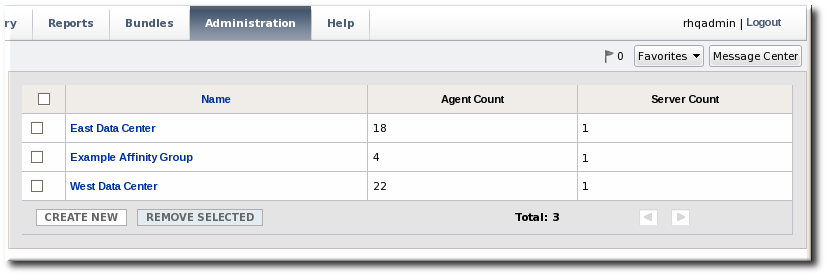
The affinity groups page shows the number of agents and servers assigned to each affinity group.
Note
An agent and a server can only belong to a single affinity group.
To create a new affinity group:
Note
To edit an affinity group, click its name, then manage it the same as creating a new affinity group.
- Click the Administration tab in the top menu.

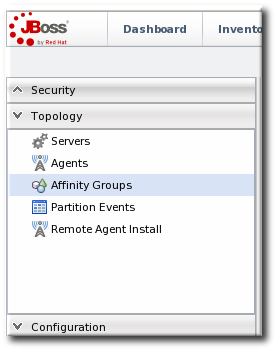
- In the menu table on the left, select the item.
- Click the button.
- Enter a name for the new affinity group, and click .

- In the new affinity group's details page, click the button.
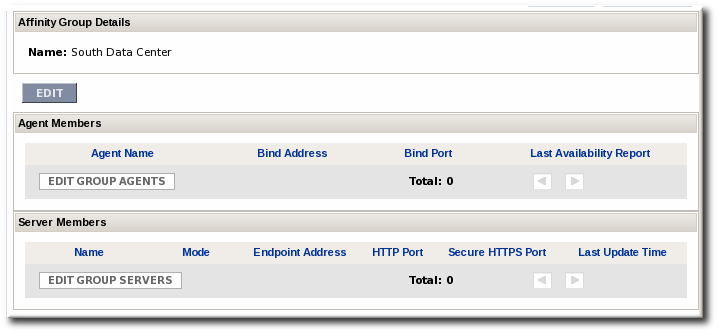
- In the lower section, Agents not part of an affinity group, click the checkboxes by the agent names to add to the group, and click .
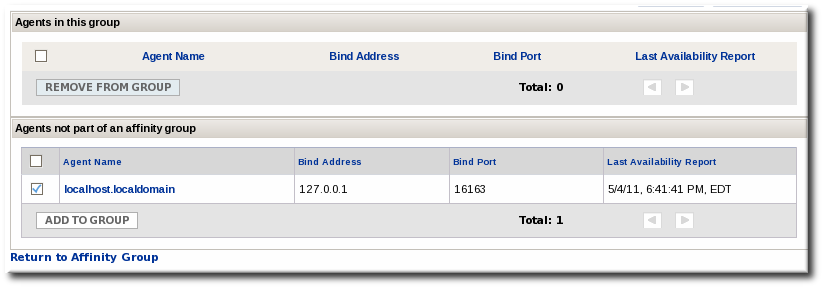
- Click the Return to Affinity Group Link.
- As with the agents, click the button to open the server lists and look at the list in the lower section of servers which do not currently belong to the affinity group. Click the checkboxes by the server names to add to the group, and click .
Once both servers and agents have been added to the affinity group, the group is fully configured.

'%20d='M201.5%20305.5c-13.8%200-24.9-11.1-24.9-24.6%200-13.8%2011.1-24.9%2024.9-24.9%2013.6%200%2024.6%2011.1%2024.6%2024.9%200%2013.6-11.1%2024.6-24.6%2024.6zM504%20256c0%20137-111%20248-248%20248S8%20393%208%20256%20119%208%20256%208s248%20111%20248%20248zm-132.3-41.2c-9.4%200-17.7%203.9-23.8%2010-22.4-15.5-52.6-25.5-86.1-26.6l17.4-78.3%2055.4%2012.5c0%2013.6%2011.1%2024.6%2024.6%2024.6%2013.8%200%2024.9-11.3%2024.9-24.9s-11.1-24.9-24.9-24.9c-9.7%200-18%205.8-22.1%2013.8l-61.2-13.6c-3-.8-6.1%201.4-6.9%204.4l-19.1%2086.4c-33.2%201.4-63.1%2011.3-85.5%2026.8-6.1-6.4-14.7-10.2-24.1-10.2-34.9%200-46.3%2046.9-14.4%2062.8-1.1%205-1.7%2010.2-1.7%2015.5%200%2052.6%2059.2%2095.2%20132%2095.2%2073.1%200%20132.3-42.6%20132.3-95.2%200-5.3-.6-10.8-1.9-15.8%2031.3-16%2019.8-62.5-14.9-62.5zM302.8%20331c-18.2%2018.2-76.1%2017.9-93.6%200-2.2-2.2-6.1-2.2-8.3%200-2.5%202.5-2.5%206.4%200%208.6%2022.8%2022.8%2087.3%2022.8%20110.2%200%202.5-2.2%202.5-6.1%200-8.6-2.2-2.2-6.1-2.2-8.3%200zm7.7-75c-13.6%200-24.6%2011.1-24.6%2024.9%200%2013.6%2011.1%2024.6%2024.6%2024.6%2013.8%200%2024.9-11.1%2024.9-24.6%200-13.8-11-24.9-24.9-24.9z'/%3e%3c/svg%3e)