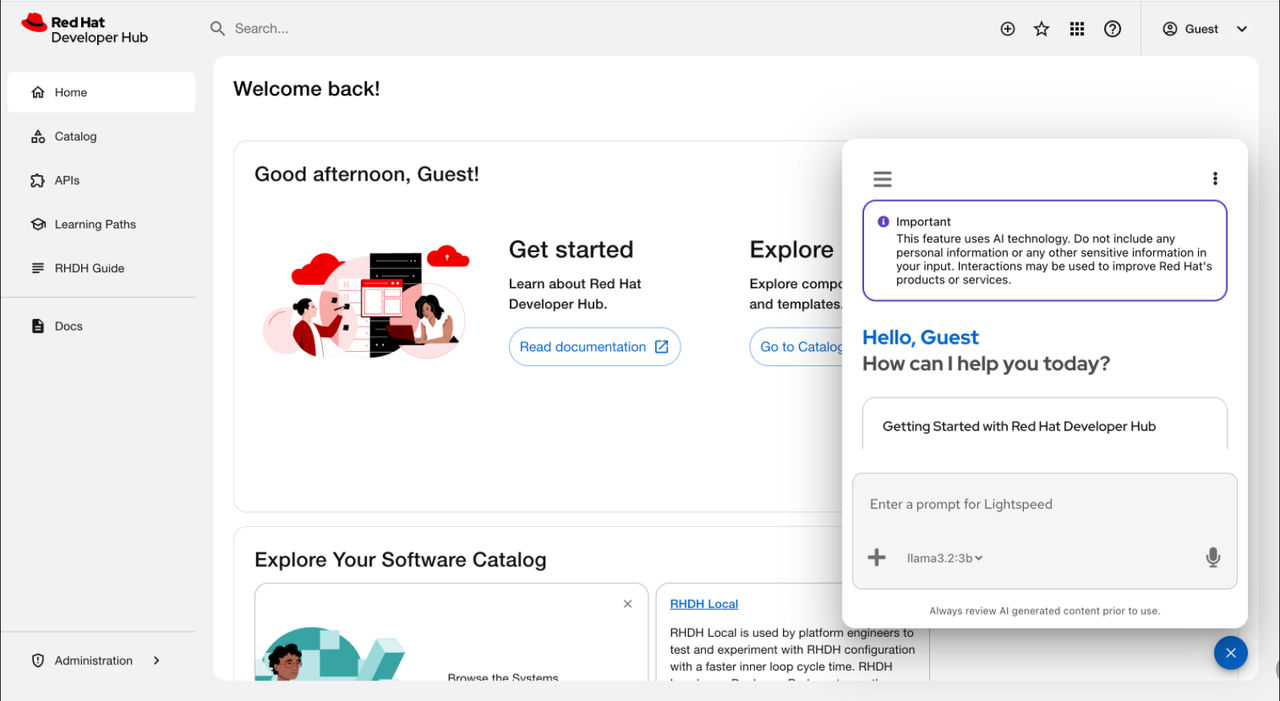
Intelligent Assistant AI virtual assistant capabilities through Lightspeed Core Service
Understand the Red Hat Developer Hub Intelligent Assistant (Formerly Red Hat Developer Lightspeed for Red Hat Developer Hub) AI assistant architecture and system design to plan backend deployment and integration with Red Hat Developer Hub.
Review the core components managed by the Lightspeed Core Service (LCORE) sidecar container to plan integrations with large language models (LLM) and tool runtime providers.
- Large language model (LLM) inference providers
-
Model Context Protocol (MCP) or Retrieval Augmented Generation (RAG) tool runtime providers
Note Verify that your model supports tool calling before you enable MCP features. Using an incompatible model results in error messages. - Safety providers
- Vector database settings
- User feedback collection
- MCP server configuration
- Chat history
System architecture for the AI virtual assistant
Review the Developer Hub Intelligent Assistant component architecture to plan your system layout and coordinate connections with your artificial intelligence (AI) backend deployment.
Developer Hub Intelligent Assistant uses a floating action button (FAB) instead of a sidebar navigation item. If your environment uses another global FAB, you must move the existing button or disable it to prevent interface elements from overlapping. In your dynamic plugin configuration file, make the following update:
- package: oci://quay.io/rhdh/red-hat-developer-hub-backstage-plugin-bulk-import@sha256:<digest>
  disabled: true
  pluginConfig:
    dynamicPlugins:
      frontend:
        red-hat-developer-hub.backstage-plugin-bulk-import:
          mountPoints:
            - mountPoint: global.floatingactionbutton/config
              importName: BulkImportPage # Example
              config:
                slot: 'bottom-left'
                icon: BulkImportIcon
                label: 'Bulk import'
                toolTip: 'Register multiple repositories in bulk'
                to: /bulk-import
          translationResources:
          - importName: bulkImportTranslations
            module: Alpha
            ref: bulkImportTranslationRef
          appIcons:
          - name: bulkImportIcon
            importName: BulkImportIcon
          dynamicRoutes:
          - path: /bulk-import
            importName: BulkImportPage
            menuItem:
              icon: bulkImportIcon
              text: Bulk import
              textKey: menuItem.bulkImport
The architecture relies on the Lightspeed Core Service (LCORE) container, which operates as the primary intermediary layer to manage Developer Hub Intelligent Assistant functionality and console user interactions. After you enable the plugin, the interface appears as the Intelligent Assistant floating action button (FAB) on all platforms that host RHDH.
Developer Hub Intelligent Assistant connects only to LCORE. LCORE manages the configuration for the model inference, query validation, tool calling, and the vector store. You configure these capabilities through LCORE, and Developer Hub Intelligent Assistant consumes them through LCORE APIs.
Open GenAI Stack (OGX) is an internal implementation detail of LCORE and is not a customer-facing component. Do not configure OGX directly, call OGX APIs, or edit the generated /tmp/.generated/run.yaml file. Configure LCORE instead, so that your deployment stays stable across OGX changes.