Remove a bookmark
You can delete an existing bookmark in the Files application.
Procedure
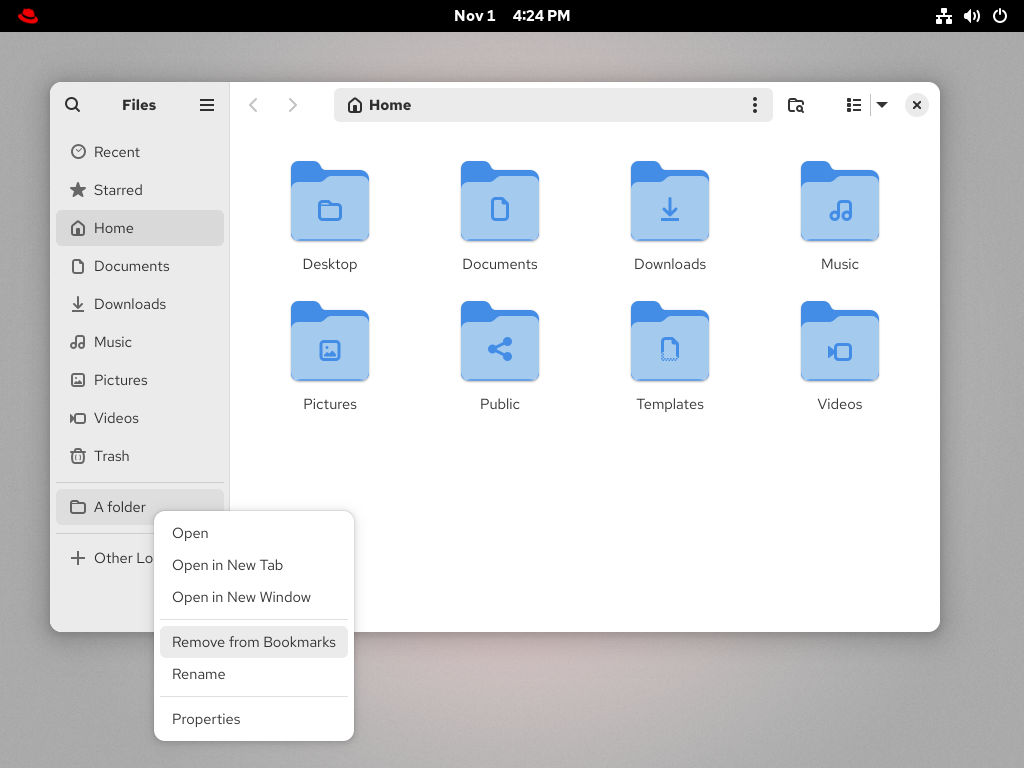
- Right-click the bookmark in the side bar.
-
Select Remove from the menu.
Results
- Check that the bookmark no longer appears in the side bar.
You can delete an existing bookmark in the Files application.


Red Hat は、企業がコアとなるデータセンターからネットワークエッジに至るまで、各種プラットフォームや環境全体で作業を簡素化できるように、強化されたソリューションを提供しています。
Red Hat では、コード、ドキュメント、Web プロパティーにおける配慮に欠ける用語の置き換えに取り組んでいます。このような変更は、段階的に実施される予定です。詳細情報: Red Hat ブログ.