 Red Hat Summit
Ce contenu n'est pas disponible dans la langue sélectionnée.
17.2. remote-viewer
The
remote-viewer is a simple remote desktop display client that supports SPICE and VNC. It shares most of the features and limitations with virt-viewer.
However, unlike virt-viewer, remote-viewer does not require libvirt to connect to the remote guest display. As such, remote-viewer can be used for example to connect to a virtual machine on a remote host that does not provide permissions to interact with libvirt or to use SSH connections.
To install the
remote-viewer utility, run:
# sudo yum install virt-viewerSyntax
The basic remote-viewer command-line syntax is as follows:
# remote-viewer [OPTIONS] {guest-name|id|uuid}
To see the full list of options available for use with remote-viewer, use
man remote-viewer.
Connecting to a guest virtual machine
If used without any options, remote-viewer lists guests that it can connect to on the default URI of the local system.
To connect to a specific guest using remote-viewer, use the VNC/SPICE URI. For information about obtaining the URI, see Section 14.5.19, “Displaying a URI for Connection to a Graphical Display”.
Example 17.3. Connecting to a guest display using SPICE
Use the following to connect to a SPICE server on a machine called "testguest" that uses port 5900 for SPICE communication:
# remote-viewer spice://testguest:5900Example 17.4. Connecting to a guest display using VNC
Use the following to connect to a VNC server on a machine called
testguest2 that uses port 5900 for VNC communication:
# remote-viewer vnc://testguest2:5900Interface
By default, the remote-viewer interface provides only the basic tools for interacting with the guest:
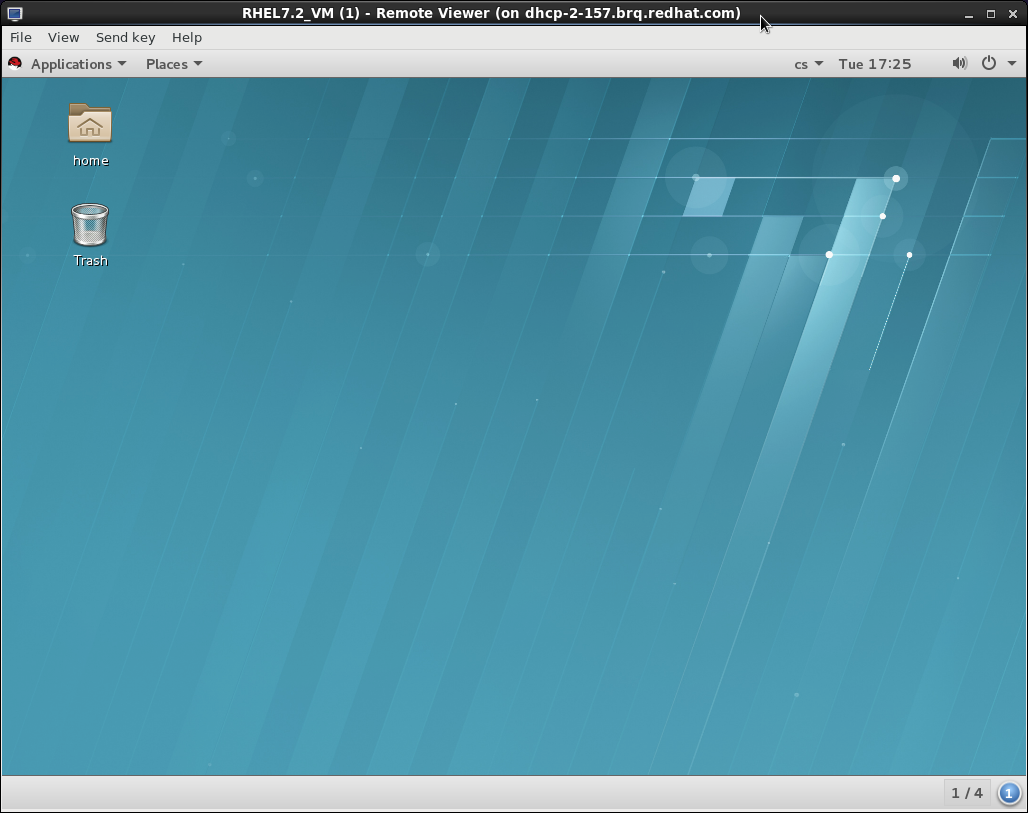
Figure 17.2. Sample remote-viewer interface

'%20d='M201.5%20305.5c-13.8%200-24.9-11.1-24.9-24.6%200-13.8%2011.1-24.9%2024.9-24.9%2013.6%200%2024.6%2011.1%2024.6%2024.9%200%2013.6-11.1%2024.6-24.6%2024.6zM504%20256c0%20137-111%20248-248%20248S8%20393%208%20256%20119%208%20256%208s248%20111%20248%20248zm-132.3-41.2c-9.4%200-17.7%203.9-23.8%2010-22.4-15.5-52.6-25.5-86.1-26.6l17.4-78.3%2055.4%2012.5c0%2013.6%2011.1%2024.6%2024.6%2024.6%2013.8%200%2024.9-11.3%2024.9-24.9s-11.1-24.9-24.9-24.9c-9.7%200-18%205.8-22.1%2013.8l-61.2-13.6c-3-.8-6.1%201.4-6.9%204.4l-19.1%2086.4c-33.2%201.4-63.1%2011.3-85.5%2026.8-6.1-6.4-14.7-10.2-24.1-10.2-34.9%200-46.3%2046.9-14.4%2062.8-1.1%205-1.7%2010.2-1.7%2015.5%200%2052.6%2059.2%2095.2%20132%2095.2%2073.1%200%20132.3-42.6%20132.3-95.2%200-5.3-.6-10.8-1.9-15.8%2031.3-16%2019.8-62.5-14.9-62.5zM302.8%20331c-18.2%2018.2-76.1%2017.9-93.6%200-2.2-2.2-6.1-2.2-8.3%200-2.5%202.5-2.5%206.4%200%208.6%2022.8%2022.8%2087.3%2022.8%20110.2%200%202.5-2.2%202.5-6.1%200-8.6-2.2-2.2-6.1-2.2-8.3%200zm7.7-75c-13.6%200-24.6%2011.1-24.6%2024.9%200%2013.6%2011.1%2024.6%2024.6%2024.6%2013.8%200%2024.9-11.1%2024.9-24.6%200-13.8-11-24.9-24.9-24.9z'/%3e%3c/svg%3e)