 Red Hat Summit
Dieser Inhalt ist in der von Ihnen ausgewählten Sprache nicht verfügbar.
Chapter 4. OADP Application backup and restore
4.1. Introduction to OpenShift API for Data Protection
The OpenShift API for Data Protection (OADP) product safeguards customer applications on OpenShift Container Platform. It offers comprehensive disaster recovery protection, covering OpenShift Container Platform applications, application-related cluster resources, persistent volumes, and internal images. OADP is also capable of backing up both containerized applications and virtual machines (VMs).
However, OADP does not serve as a disaster recovery solution for etcd or {OCP-short} Operators.
OADP support is provided to customer workload namespaces, and cluster scope resources.
Full cluster backup and restore are not supported.
4.1.1. OpenShift API for Data Protection APIs
OpenShift API for Data Protection (OADP) provides APIs that enable multiple approaches to customizing backups and preventing the inclusion of unnecessary or inappropriate resources.
OADP provides the following APIs:
4.2. OADP release notes
4.2.1. OADP 1.3 release notes
The release notes for OpenShift API for Data Protection (OADP) 1.3 describe new features and enhancements, deprecated features, product recommendations, known issues, and resolved issues.
4.2.1.1. OADP 1.3.9 release notes
OpenShift API for Data Protection (OADP) 1.3.9 is a Container Grade Only (CGO) release, which is released to refresh the health grades of the containers. No code was changed in the product itself compared to that of OADP 1.3.8. OADP 1.3.9 fixes several Common Vulnerabilities and Exposures (CVEs).
4.2.1.1.1. Resolved issues
- OADP 1.3.9 fixes the following CVEs
4.2.1.2. OADP 1.3.8 release notes
OpenShift API for Data Protection (OADP) 1.3.8 is a Container Grade Only (CGO) release, which is released to refresh the health grades of the containers. No code was changed in the product itself compared to that of OADP 1.3.7.
4.2.1.3. OADP 1.3.7 release notes
OpenShift API for Data Protection (OADP) 1.3.7 is a Container Grade Only (CGO) release, which is released to refresh the health grades of the containers. No code was changed in the product itself compared to that of OADP 1.3.6.
The following Common Vulnerabilities and Exposures (CVEs) have been fixed in OADP 1.3.7
4.2.1.3.1. New features
Collecting logs with the must-gather tool has been improved with a Markdown summary
You can collect logs and information about OADP custom resources by using the must-gather tool. The must-gather data must be attached to all customer cases. This tool generates a Markdown output file with the collected information, which is located in the must-gather logs clusters directory. OADP-5384
4.2.1.4. OADP 1.3.6 release notes
OpenShift API for Data Protection (OADP) 1.3.6 is a Container Grade Only (CGO) release, which is released to refresh the health grades of the containers. No code was changed in the product itself compared to that of OADP 1.3.5.
4.2.1.5. OADP 1.3.5 release notes
OpenShift API for Data Protection (OADP) 1.3.5 is a Container Grade Only (CGO) release, which is released to refresh the health grades of the containers. No code was changed in the product itself compared to that of OADP 1.3.4.
4.2.1.6. OADP 1.3.4 release notes
The OpenShift API for Data Protection (OADP) 1.3.4 release notes list resolved issues and known issues.
4.2.1.6.1. Resolved issues
The backup spec.resourcepolicy.kind parameter is now case-insensitive
Previously, the backup spec.resourcepolicy.kind parameter was only supported with a lower-level string. With this fix, it is now case-insensitive. OADP-2944
Use olm.maxOpenShiftVersion to prevent cluster upgrade to OCP 4.16 version
The cluster operator-lifecycle-manager operator must not be upgraded between minor OpenShift Container Platform versions. Using the olm.maxOpenShiftVersion parameter prevents upgrading to OpenShift Container Platform 4.16 version when OADP 1.3 is installed. To upgrade to OpenShift Container Platform 4.16 version, upgrade OADP 1.3 on OCP 4.15 version to OADP 1.4. OADP-4803
BSL and VSL are removed from the cluster
Previously, when any Data Protection Application (DPA) was modified to remove the Backup Storage Locations (BSL) or Volume Snapshot Locations (VSL) from the backupLocations or snapshotLocations section, BSL or VSL were not removed from the cluster until the DPA was deleted. With this update, BSL/VSL are removed from the cluster. OADP-3050
DPA reconciles and validates the secret key
Previously, the Data Protection Application (DPA) reconciled successfully on the wrong Volume Snapshot Locations (VSL) secret key name. With this update, DPA validates the secret key name before reconciling on any VSL. OADP-3052
Velero’s cloud credential permissions are now restrictive
Previously, Velero’s cloud credential permissions were mounted with the 0644 permissions. As a consequence, any one could read the /credentials/cloud file apart from the owner and group making it easier to access sensitive information such as storage access keys. With this update, the permissions of this file are updated to 0640, and this file cannot be accessed by other users except the owner and group.
Warning is displayed when ArgoCD managed namespace is included in the backup
A warning is displayed during the backup operation when ArgoCD and Velero manage the same namespace. OADP-4736
The list of security fixes that are included in this release is documented in the RHSA-2024:9960 advisory.
For a complete list of all issues resolved in this release, see the list of OADP 1.3.4 resolved issues in Jira.
4.2.1.6.2. Known issues
Cassandra application pods enter into the CrashLoopBackoff status after restore
After OADP restores, the Cassandra application pods might enter the CrashLoopBackoff status. To work around this problem, delete the StatefulSet pods that are returning an error or the CrashLoopBackoff state after restoring OADP. The StatefulSet controller recreates these pods and it runs normally. OADP-3767
defaultVolumesToFSBackup and defaultVolumesToFsBackup flags are not identical
The dpa.spec.configuration.velero.defaultVolumesToFSBackup flag is not identical to the backup.spec.defaultVolumesToFsBackup flag, which can lead to confusion. OADP-3692
PodVolumeRestore works even though the restore is marked as failed
The podvolumerestore continues the data transfer even though the restore is marked as failed. OADP-3039
Velero is unable to skip restoring of initContainer spec
Velero might restore the restore-wait init container even though it is not required. OADP-3759
4.2.1.7. OADP 1.3.3 release notes
The OpenShift API for Data Protection (OADP) 1.3.3 release notes list resolved issues and known issues.
4.2.1.7.1. Resolved issues
OADP fails when its namespace name is longer than 37 characters
When installing the OADP Operator in a namespace with more than 37 characters and when creating a new DPA, labeling the cloud-credentials secret fails. With this release, the issue has been fixed. OADP-4211
OADP image PullPolicy set to Always
In previous versions of OADP, the image PullPolicy of the adp-controller-manager and Velero pods was set to Always. This was problematic in edge scenarios where there could be limited network bandwidth to the registry, resulting in slow recovery time following a pod restart. In OADP 1.3.3, the image PullPolicy of the openshift-adp-controller-manager and Velero pods is set to IfNotPresent.
The list of security fixes that are included in this release is documented in the RHSA-2024:4982 advisory.
For a complete list of all issues resolved in this release, see the list of OADP 1.3.3 resolved issues in Jira.
4.2.1.7.2. Known issues
Cassandra application pods enter into the CrashLoopBackoff status after restoring OADP
After OADP restores, the Cassandra application pods might enter in the CrashLoopBackoff status. To work around this problem, delete the StatefulSet pods that are returning an error or the CrashLoopBackoff state after restoring OADP. The StatefulSet controller recreates these pods and it runs normally.
4.2.1.8. OADP 1.3.2 release notes
The OpenShift API for Data Protection (OADP) 1.3.2 release notes list resolved issues and known issues.
4.2.1.8.1. Resolved issues
DPA fails to reconcile if a valid custom secret is used for BSL
DPA fails to reconcile if a valid custom secret is used for Backup Storage Location (BSL), but the default secret is missing. The workaround is to create the required default cloud-credentials initially. When the custom secret is re-created, it can be used and checked for its existence.
CVE-2023-45290: oadp-velero-container: Golang net/http: Memory exhaustion in Request.ParseMultipartForm
A flaw was found in the net/http Golang standard library package, which impacts previous versions of OADP. When parsing a multipart form, either explicitly with Request.ParseMultipartForm or implicitly with Request.FormValue, Request.PostFormValue, or Request.FormFile, limits on the total size of the parsed form are not applied to the memory consumed while reading a single form line. This permits a maliciously crafted input containing long lines to cause the allocation of arbitrarily large amounts of memory, potentially leading to memory exhaustion. This flaw has been resolved in OADP 1.3.2.
For more details, see CVE-2023-45290.
CVE-2023-45289: oadp-velero-container: Golang net/http/cookiejar: Incorrect forwarding of sensitive headers and cookies on HTTP redirect
A flaw was found in the net/http/cookiejar Golang standard library package, which impacts previous versions of OADP. When following an HTTP redirect to a domain that is not a subdomain match or exact match of the initial domain, an http.Client does not forward sensitive headers such as Authorization or Cookie. A maliciously crafted HTTP redirect could cause sensitive headers to be unexpectedly forwarded. This flaw has been resolved in OADP 1.3.2.
For more details, see CVE-2023-45289.
CVE-2024-24783: oadp-velero-container: Golang crypto/x509: Verify panics on certificates with an unknown public key algorithm
A flaw was found in the crypto/x509 Golang standard library package, which impacts previous versions of OADP. Verifying a certificate chain that contains a certificate with an unknown public key algorithm causes Certificate.Verify to panic. This affects all crypto/tls clients and servers that set Config.ClientAuth to VerifyClientCertIfGiven or RequireAndVerifyClientCert. The default behavior is for TLS servers to not verify client certificates. This flaw has been resolved in OADP 1.3.2.
For more details, see CVE-2024-24783.
CVE-2024-24784: oadp-velero-plugin-container: Golang net/mail: Comments in display names are incorrectly handled
A flaw was found in the net/mail Golang standard library package, which impacts previous versions of OADP. The ParseAddressList function incorrectly handles comments, text in parentheses, and display names. Because this is a misalignment with conforming address parsers, it can result in different trust decisions being made by programs using different parsers. This flaw has been resolved in OADP 1.3.2.
For more details, see CVE-2024-24784.
CVE-2024-24785: oadp-velero-container: Golang: html/template: errors returned from MarshalJSON methods may break template escaping
A flaw was found in the html/template Golang standard library package, which impacts previous versions of OADP. If errors returned from MarshalJSON methods contain user-controlled data, they may be used to break the contextual auto-escaping behavior of the HTML/template package, allowing subsequent actions to inject unexpected content into the templates. This flaw has been resolved in OADP 1.3.2.
For more details, see CVE-2024-24785.
For a complete list of all issues resolved in this release, see the list of OADP 1.3.2 resolved issues in Jira.
4.2.1.8.2. Known issues
Cassandra application pods enter into the CrashLoopBackoff status after restoring OADP
After OADP restores, the Cassandra application pods might enter in the CrashLoopBackoff status. To work around this problem, delete the StatefulSet pods that are returning an error or the CrashLoopBackoff state after restoring OADP. The StatefulSet controller recreates these pods and it runs normally.
4.2.1.9. OADP 1.3.1 release notes
The OpenShift API for Data Protection (OADP) 1.3.1 release notes lists new features and resolved issues.
4.2.1.9.1. New features
OADP 1.3.0 Data Mover is now fully supported
The OADP built-in Data Mover, introduced in OADP 1.3.0 as a Technology Preview, is now fully supported for both containerized and virtual machine workloads.
4.2.1.9.2. Resolved issues
IBM Cloud(R) Object Storage is now supported as a backup storage provider
IBM Cloud® Object Storage is one of the AWS S3 compatible backup storage providers, which was unsupported previously. With this update, IBM Cloud® Object Storage is now supported as an AWS S3 compatible backup storage provider.
OADP operator now correctly reports the missing region error
Previously, when you specified profile:default without specifying the region in the AWS Backup Storage Location (BSL) configuration, the OADP operator failed to report the missing region error on the Data Protection Application (DPA) custom resource (CR). This update corrects validation of DPA BSL specification for AWS. As a result, the OADP Operator reports the missing region error.
Custom labels are not removed from the openshift-adp namespace
Previously, the openshift-adp-controller-manager pod would reset the labels attached to the openshift-adp namespace. This caused synchronization issues for applications requiring custom labels such as Argo CD, leading to improper functionality. With this update, this issue is fixed and custom labels are not removed from the openshift-adp namespace.
OADP must-gather image collects CRDs
Previously, the OADP must-gather image did not collect the custom resource definitions (CRDs) shipped by OADP. Consequently, you could not use the omg tool to extract data in the support shell. With this fix, the must-gather image now collects CRDs shipped by OADP and can use the omg tool to extract data.
Garbage collection has the correct description for the default frequency value
Previously, the garbage-collection-frequency field had a wrong description for the default frequency value. With this update, garbage-collection-frequency has a correct value of one hour for the gc-controller reconciliation default frequency.
FIPS Mode flag is available in OperatorHub
By setting the fips-compliant flag to true, the FIPS mode flag is now added to the OADP Operator listing in OperatorHub. This feature was enabled in OADP 1.3.0 but did not show up in the Red Hat Container catalog as being FIPS enabled.
CSI plugin does not panic with a nil pointer when csiSnapshotTimeout is set to a short duration
Previously, when the csiSnapshotTimeout parameter was set to a short duration, the CSI plugin encountered the following error: plugin panicked: runtime error: invalid memory address or nil pointer dereference.
With this fix, the backup fails with the following error: Timed out awaiting reconciliation of volumesnapshot.
For a complete list of all issues resolved in this release, see the list of OADP 1.3.1 resolved issues in Jira.
4.2.1.9.3. Known issues
Backup and storage restrictions for Single-node OpenShift clusters deployed on IBM Power(R) and IBM Z(R) platforms
Review the following backup and storage related restrictions for Single-node OpenShift clusters that are deployed on IBM Power® and IBM Z® platforms:
- Storage
- Only NFS storage is currently compatible with single-node OpenShift clusters deployed on IBM Power® and IBM Z® platforms.
- Backup
-
Only the backing up applications with File System Backup such as
kopiaandresticare supported for backup and restore operations.
Cassandra application pods enter in the CrashLoopBackoff status after restoring OADP
After OADP restores, the Cassandra application pods might enter in the CrashLoopBackoff status. To work around this problem, delete the StatefulSet pods with any error or the CrashLoopBackoff state after restoring OADP. The StatefulSet controller recreates these pods and it runs normally.
4.2.1.10. OADP 1.3.0 release notes
The OpenShift API for Data Protection (OADP) 1.3.0 release notes lists new features, resolved issues and bugs, and known issues.
4.2.1.10.1. New features
Velero built-in DataMover is a Technology Preview feature only. Technology Preview features are not supported with Red Hat production service level agreements (SLAs) and might not be functionally complete. Red Hat does not recommend using them in production. These features provide early access to upcoming product features, enabling customers to test functionality and provide feedback during the development process.
For more information about the support scope of Red Hat Technology Preview features, see Technology Preview Features Support Scope.
OADP 1.3 includes a built-in Data Mover that you can use to move Container Storage Interface (CSI) volume snapshots to a remote object store. The built-in Data Mover allows you to restore stateful applications from the remote object store if a failure, accidental deletion, or corruption of the cluster occurs. It uses Kopia as the uploader mechanism to read the snapshot data and to write to the Unified Repository.
Backing up applications with File System Backup: Kopia or Restic
Velero’s File System Backup (FSB) supports two backup libraries: the Restic path and the Kopia path.
Velero allows users to select between the two paths.
For backup, specify the path during the installation through the uploader-type flag. The valid value is either restic or kopia. This field defaults to kopia if the value is not specified. The selection cannot be changed after the installation.
Google Cloud authentication
Google Cloud authentication enables you to use short-lived Google credentials.
Google Cloud with Workload Identity Federation enables you to use Identity and Access Management (IAM) to grant external identities IAM roles, including the ability to impersonate service accounts. This eliminates the maintenance and security risks associated with service account keys.
AWS ROSA STS authentication
You can use OpenShift API for Data Protection (OADP) with Red Hat OpenShift Service on AWS (ROSA) clusters to backup and restore application data.
ROSA provides seamless integration with a wide range of AWS compute, database, analytics, machine learning, networking, mobile, and other services to speed up the building and delivering of differentiating experiences to your customers.
You can subscribe to the service directly from your AWS account.
After the clusters are created, you can operate your clusters by using the OpenShift web console. The ROSA service also uses OpenShift APIs and command-line interface (CLI) tools.
4.2.1.10.2. Resolved issues
ACM applications were removed and re-created on managed clusters after restore
Applications on managed clusters were deleted and re-created upon restore activation. OpenShift API for Data Protection (OADP 1.2) backup and restore process is faster than the older versions. The OADP performance change caused this behavior when restoring ACM resources. Therefore, some resources were restored before other resources, which caused the removal of the applications from managed clusters. OADP-2686
Restic restore was partially failing due to Pod Security standard
During interoperability testing, OpenShift Container Platform 4.14 had the pod Security mode set to enforce, which caused the pod to be denied. This was caused due to the restore order. The pod was getting created before the security context constraints (SCC) resource, since the pod violated the podSecurity standard, it denied the pod. When setting the restore priority field on the Velero server, restore is successful. OADP-2688
Possible pod volume backup failure if Velero is installed in several namespaces
There was a regression in Pod Volume Backup (PVB) functionality when Velero was installed in several namespaces. The PVB controller was not properly limiting itself to PVBs in its own namespace. OADP-2308
OADP Velero plugins returning "received EOF, stopping recv loop" message
In OADP, Velero plugins were started as separate processes. When the Velero operation completes, either successfully or not, they exit. Therefore, if you see a received EOF, stopping recv loop messages in debug logs, it does not mean an error occurred, it means that a plugin operation has completed. OADP-2176
CVE-2023-39325 Multiple HTTP/2 enabled web servers are vulnerable to a DDoS attack (Rapid Reset Attack)
In previous releases of OADP, the HTTP/2 protocol was susceptible to a denial of service attack because request cancellation could reset multiple streams quickly. The server had to set up and tear down the streams while not hitting any server-side limit for the maximum number of active streams per connection. This resulted in a denial of service due to server resource consumption.
For more information, see CVE-2023-39325 (Rapid Reset Attack)
For a complete list of all issues resolved in this release, see the list of OADP 1.3.0 resolved issues in Jira.
4.2.1.10.3. Known issues
CSI plugin errors on nil pointer when csiSnapshotTimeout is set to a short duration
The CSI plugin errors on nil pointer when csiSnapshotTimeout is set to a short duration. Sometimes it succeeds to complete the snapshot within a short duration, but often it panics with the backup PartiallyFailed with the following error: plugin panicked: runtime error: invalid memory address or nil pointer dereference.
Backup is marked as PartiallyFailed when volumeSnapshotContent CR has an error
If any of the VolumeSnapshotContent CRs have an error related to removing the VolumeSnapshotBeingCreated annotation, it moves the backup to the WaitingForPluginOperationsPartiallyFailed phase. OADP-2871
Performance issues when restoring 30,000 resources for the first time
When restoring 30,000 resources for the first time, without an existing-resource-policy, it takes twice as long to restore them, than it takes during the second and third try with an existing-resource-policy set to update. OADP-3071
Post restore hooks might start running before Datadownload operation has released the related PV
Due to the asynchronous nature of the Data Mover operation, a post-hook might be attempted before the related pods persistent volumes (PVs) are released by the Data Mover persistent volume claim (PVC).
Google Cloud Workload Identity Federation VSL backup PartiallyFailed
VSL backup PartiallyFailed when Google Cloud workload identity is configured on Google Cloud.
For a complete list of all known issues in this release, see the list of OADP 1.3.0 known issues in Jira.
4.2.1.10.4. Upgrade notes
Always upgrade to the next minor version. Do not skip versions. To update to a later version, upgrade only one channel at a time. For example, to upgrade from OpenShift API for Data Protection (OADP) 1.1 to 1.3, upgrade first to 1.2, and then to 1.3.
4.2.1.10.4.1. Changes from OADP 1.2 to 1.3
The Velero server has been updated from version 1.11 to 1.12.
OpenShift API for Data Protection (OADP) 1.3 uses the Velero built-in Data Mover instead of the VolumeSnapshotMover (VSM) or the Volsync Data Mover.
This changes the following:
-
The
spec.features.dataMoverfield and the VSM plugin are not compatible with OADP 1.3, and you must remove the configuration from theDataProtectionApplication(DPA) configuration. - The Volsync Operator is no longer required for Data Mover functionality, and you can remove it.
-
The custom resource definitions
volumesnapshotbackups.datamover.oadp.openshift.ioandvolumesnapshotrestores.datamover.oadp.openshift.ioare no longer required, and you can remove them. - The secrets used for the OADP-1.2 Data Mover are no longer required, and you can remove them.
OADP 1.3 supports Kopia, which is an alternative file system backup tool to Restic.
To employ Kopia, use the new
spec.configuration.nodeAgentfield as shown in the following example:Example
spec:
  configuration:
    nodeAgent:
      enable: true
      uploaderType: kopia
# ...
The
spec.configuration.resticfield is deprecated in OADP 1.3 and will be removed in a future version of OADP. To avoid seeing deprecation warnings, remove therestickey and its values, and use the following new syntax:Example
spec:
  configuration:
    nodeAgent:
      enable: true
      uploaderType: restic
# ...
In a future OADP release, it is planned that the kopia tool will become the default uploaderType value.
4.2.1.10.4.2. Upgrading from OADP 1.2 Technology Preview Data Mover
OpenShift API for Data Protection (OADP) 1.2 Data Mover backups cannot be restored with OADP 1.3. To prevent a gap in the data protection of your applications, complete the following steps before upgrading to OADP 1.3:
Procedure
- If your cluster backups are sufficient and Container Storage Interface (CSI) storage is available, back up the applications with a CSI backup.
If you require off cluster backups:
-
Back up the applications with a file system backup that uses the
--default-volumes-to-fs-backup=true or backup.spec.defaultVolumesToFsBackupoptions. -
Back up the applications with your object storage plugins, for example,
velero-plugin-for-aws.
-
Back up the applications with a file system backup that uses the
To restore OADP 1.2 Data Mover backup, you must uninstall OADP, and install and configure OADP 1.2.
4.2.1.10.4.3. Backing up the DPA configuration
You must back up your current DataProtectionApplication (DPA) configuration.
Procedure
Save your current DPA configuration by running the following command:
Example
$ oc get dpa -n openshift-adp -o yaml > dpa.orig.backup
4.2.1.10.4.4. Upgrading the OADP Operator
Use the following sequence when upgrading the OpenShift API for Data Protection (OADP) Operator.
Procedure
-
Change your subscription channel for the OADP Operator from
stable-1.2tostable-1.3. - Allow time for the Operator and containers to update and restart.
4.2.1.10.4.5. Converting DPA to the new version
If you need to move backups off cluster with the Data Mover, reconfigure the DataProtectionApplication (DPA) manifest as follows.
Procedure
-
Click Operators
Installed Operators and select the OADP Operator. - In the Provided APIs section, click View more.
- Click Create instance in the DataProtectionApplication box.
Click YAML View to display the current DPA parameters.
Example current DPA
spec:
  configuration:
    features:
      dataMover:
      enable: true
      credentialName: dm-credentials
    velero:
      defaultPlugins:
      - vsm
      - csi
      - openshift
# ...
Update the DPA parameters:
-
Remove the
features.dataMoverkey and values from the DPA. - Remove the VolumeSnapshotMover (VSM) plugin.
Add the
nodeAgentkey and values.Example updated DPA
spec:
  configuration:
    nodeAgent:
      enable: true
      uploaderType: kopia
    velero:
      defaultPlugins:
      - csi
      - openshift
# ...
-
Remove the
- Wait for the DPA to reconcile successfully.
4.2.1.10.4.6. Verifying the upgrade
Use the following procedure to verify the upgrade.
Procedure
Verify the installation by viewing the OpenShift API for Data Protection (OADP) resources by running the following command:
$ oc get all -n openshift-adpExample output
NAME                                                     READY   STATUS    RESTARTS   AGE
pod/oadp-operator-controller-manager-67d9494d47-6l8z8    2/2     Running   0          2m8s
pod/node-agent-9cq4q                                     1/1     Running   0          94s
pod/node-agent-m4lts                                     1/1     Running   0          94s
pod/node-agent-pv4kr                                     1/1     Running   0          95s
pod/velero-588db7f655-n842v                              1/1     Running   0          95s

NAME                                                       TYPE        CLUSTER-IP       EXTERNAL-IP   PORT(S)    AGE
service/oadp-operator-controller-manager-metrics-service   ClusterIP   172.30.70.140    <none>        8443/TCP   2m8s
service/openshift-adp-velero-metrics-svc                   ClusterIP   172.30.10.0      <none>        8085/TCP   8h

NAME                        DESIRED   CURRENT   READY   UP-TO-DATE   AVAILABLE   NODE SELECTOR   AGE
daemonset.apps/node-agent    3         3         3       3            3           <none>          96s

NAME                                                READY   UP-TO-DATE   AVAILABLE   AGE
deployment.apps/oadp-operator-controller-manager    1/1     1            1           2m9s
deployment.apps/velero                              1/1     1            1           96s

NAME                                                           DESIRED   CURRENT   READY   AGE
replicaset.apps/oadp-operator-controller-manager-67d9494d47    1         1         1       2m9s
replicaset.apps/velero-588db7f655                              1         1         1       96s
Verify that the
DataProtectionApplication(DPA) is reconciled by running the following command:$ oc get dpa dpa-sample -n openshift-adp -o jsonpath='{.status}'Example output
{"conditions":[{"lastTransitionTime":"2023-10-27T01:23:57Z","message":"Reconcile complete","reason":"Complete","status":"True","type":"Reconciled"}]}-
Verify the
typeis set toReconciled. Verify the backup storage location and confirm that the
PHASEisAvailableby running the following command:$ oc get backupStorageLocation -n openshift-adpExample output
NAME           PHASE       LAST VALIDATED   AGE     DEFAULT
dpa-sample-1   Available   1s               3d16h   true
In OADP 1.3 you can start data movement off cluster per backup versus creating a DataProtectionApplication (DPA) configuration.
Example command
$ velero backup create example-backup --include-namespaces mysql-persistent --snapshot-move-data=trueExample configuration file
apiVersion: velero.io/v1
kind: Backup
metadata:
  name: example-backup
  namespace: openshift-adp
spec:
  snapshotMoveData: true
  includedNamespaces:
  - mysql-persistent
  storageLocation: dpa-sample-1
  ttl: 720h0m0s
# ...
4.2.2. OADP 1.2 release notes
The release notes for OpenShift API for Data Protection (OADP) 1.2 describe new features and enhancements, deprecated features, product recommendations, known issues, and resolved issues.
4.2.2.1. OADP 1.2.5 release notes
OpenShift API for Data Protection (OADP) 1.2.5 is a Container Grade Only (CGO) release, released to refresh the health grades of the containers, with no changes to any code in the product itself compared to that of OADP 1.2.4.
4.2.2.1.1. Resolved issues
CVE-2023-2431: oadp-velero-plugin-for-microsoft-azure-container: Bypass of seccomp profile enforcement
A flaw was found in Kubernetes, which impacts earlier versions of OADP. This flaw arises when Kubernetes allows a local authenticated attacker to bypass security restrictions, caused by a flaw when using the localhost type for a seccomp profile but specifying an empty profile field. An attacker can bypass the seccomp profile enforcement by sending a specially crafted request. This flaw has been resolved in OADP 1.2.5.
For more details, see (CVE-2023-2431).
CSI restore ended with 'PartiallyFailed' status and PVCs not created
CSI restore ended with PartiallyFailed status. PVCs are not created, pod are in Pending status. This issue has been resolved in OADP 1.2.5.
PodVolumeBackup fails on completed pod volumes
In earlier versions of OADP 1.2, when there is a completed pod that mounted volumes in a namespace used by the Restic podvolumebackup or Velero backup, the backup does not complete successfully. This occurs when defaultVolumesToFsBackup is set to true. This issue has been resolved in OADP 1.2.5.
4.2.2.1.2. Known issues
Data Protection Application (DPA) does not reconcile when the credentials secret is updated
Currently, the OADP Operator does not reconcile when you update the cloud-credentials secret. This occurs because there are no OADP specific labels or owner references on the cloud-credentials secret. If you create a cloud-credentials secret with incorrect credentials, such as empty data, the Operator reconciles and creates a backup storage location (BSL) and registry deployment with the empty data. As a result, when you update the cloud-credentials secret with the correct credentials, the OADP Operator does not immediately reconcile to catch the new credentials.
Workaround: Update to OADP 1.3.
4.2.2.2. OADP 1.2.4 release notes
OpenShift API for Data Protection (OADP) 1.2.4 is a Container Grade Only (CGO) release, released to refresh the health grades of the containers, with no changes to any code in the product itself compared to that of OADP 1.2.3.
4.2.2.2.1. Resolved issues
There are no resolved issues in OADP 1.2.4.
4.2.2.2.2. Known issues
The OADP 1.2.4 has the following known issue:
Data Protection Application (DPA) does not reconcile when the credentials secret is updated
Currently, the OADP Operator does not reconcile when you update the cloud-credentials secret. This occurs because there are no OADP specific labels or owner references on the cloud-credentials secret. If you create a cloud-credentials secret with incorrect credentials, such as empty data, the Operator reconciles and creates a Backup Storage Location (BSL) and registry deployment with the empty data. As a result, when you update the cloud-credentials secret with the correct credentials, the Operator does not immediately reconcile to catch the new credentials.
Workaround: Update to OADP 1.3.
4.2.2.3. OADP 1.2.3 release notes
4.2.2.3.1. New features
There are no new features in the release of OpenShift API for Data Protection (OADP) 1.2.3.
4.2.2.3.2. Resolved issues
The following highlighted issues are resolved in OADP 1.2.3:
Multiple HTTP/2 enabled web servers are vulnerable to a DDoS attack (Rapid Reset Attack)
In previous releases of OADP 1.2, the HTTP/2 protocol was susceptible to a denial of service attack because request cancellation could reset multiple streams quickly. The server had to set up and tear down the streams while not hitting any server-side limit for the maximum number of active streams per connection. This resulted in a denial of service due to server resource consumption. For a list of all OADP issues associated with this CVE, see the following Jira list.
For more information, see CVE-2023-39325 (Rapid Reset Attack).
For a complete list of all issues resolved in the release of OADP 1.2.3, see the list of OADP 1.2.3 resolved issues in Jira.
4.2.2.3.3. Known issues
The OADP 1.2.3 has the following known issue:
Data Protection Application (DPA) does not reconcile when the credentials secret is updated
Currently, the OADP Operator does not reconcile when you update the cloud-credentials secret. This occurs because there are no OADP specific labels or owner references on the cloud-credentials secret. If you create a cloud-credentials secret with incorrect credentials, such as empty data, the Operator reconciles and creates a Backup Storage Location (BSL) and registry deployment with the empty data. As a result, when you update the cloud-credentials secret with the correct credentials, the Operator does not immediately reconcile to catch the new credentials.
Workaround: Update to OADP 1.3.
4.2.2.4. OADP 1.2.2 release notes
4.2.2.4.1. New features
There are no new features in the release of OpenShift API for Data Protection (OADP) 1.2.2.
4.2.2.4.2. Resolved issues
The following highlighted issues are resolved in OADP 1.2.2:
Restic restore partially failed due to a Pod Security standard
In previous releases of OADP 1.2, OpenShift Container Platform 4.14 enforced a pod security admission (PSA) policy that hindered the readiness of pods during a Restic restore process.
This issue has been resolved in the release of OADP 1.2.2, and also OADP 1.1.6. Therefore, it is recommended that users upgrade to these releases.
For more information, see Restic restore partially failing on OCP 4.14 due to changed PSA policy. (OADP-2094)
Backup of an app with internal images partially failed with plugin panicked error
In previous releases of OADP 1.2, the backup of an application with internal images partially failed with plugin panicked error returned. The backup partially fails with this error in the Velero logs:
time="2022-11-23T15:40:46Z" level=info msg="1 errors encountered backup up item" backup=openshift-adp/django-persistent-67a5b83d-6b44-11ed-9cba-902e163f806c logSource="/remote-source/velero/app/pkg/backup/backup.go:413" name=django-psql-persistent
time="2022-11-23T15:40:46Z" level=error msg="Error backing up item" backup=openshift-adp/django-persistent-67a5b83d-6b44-11ed-9cba-902e163f8
This issue has been resolved in OADP 1.2.2. (OADP-1057).
ACM cluster restore was not functioning as expected due to restore order
In previous releases of OADP 1.2, ACM cluster restore was not functioning as expected due to restore order. ACM applications were removed and re-created on managed clusters after restore activation. (OADP-2505)
VM’s using filesystemOverhead failed when backing up and restoring due to volume size mismatch
In previous releases of OADP 1.2, due to storage provider implementation choices, whenever there was a difference between the application persistent volume claims (PVCs) storage request and the snapshot size of the same PVC, VM’s using filesystemOverhead failed when backing up and restoring. This issue has been resolved in the Data Mover of OADP 1.2.2. (OADP-2144)
OADP did not contain an option to set VolSync replication source prune interval
In previous releases of OADP 1.2, there was no option to set the VolSync replication source pruneInterval. (OADP-2052)
Possible pod volume backup failure if Velero was installed in multiple namespaces
In previous releases of OADP 1.2, there was a possibility of pod volume backup failure if Velero was installed in multiple namespaces. (OADP-2409)
Backup Storage Locations moved to unavailable phase when VSL uses custom secret
In previous releases of OADP 1.2, Backup Storage Locations moved to unavailable phase when Volume Snapshot Location used custom secret. (OADP-1737)
For a complete list of all issues resolved in the release of OADP 1.2.2, see the list of OADP 1.2.2 resolved issues in Jira.
4.2.2.4.3. Known issues
The following issues have been highlighted as known issues in the release of OADP 1.2.2:
Must-gather command fails to remove ClusterRoleBinding resources
The oc adm must-gather command fails to remove ClusterRoleBinding resources, which are left on cluster due to admission webhook. Therefore, requests for the removal of the ClusterRoleBinding resources are denied. (OADP-27730)
admission webhook "clusterrolebindings-validation.managed.openshift.io" denied the request: Deleting ClusterRoleBinding must-gather-p7vwj is not allowedFor a complete list of all known issues in this release, see the list of OADP 1.2.2 known issues in Jira.
4.2.2.5. OADP 1.2.1 release notes
4.2.2.5.1. New features
There are no new features in the release of OpenShift API for Data Protection (OADP) 1.2.1.
4.2.2.5.2. Resolved issues
For a complete list of all issues resolved in the release of OADP 1.2.1, see the list of OADP 1.2.1 resolved issues in Jira.
4.2.2.5.3. Known issues
The following issues have been highlighted as known issues in the release of OADP 1.2.1:
DataMover Restic retain and prune policies do not work as expected
The retention and prune features provided by VolSync and Restic are not working as expected. Because there is no working option to set the prune interval on VolSync replication, you have to manage and prune remotely stored backups on S3 storage outside of OADP. For more details, see:
OADP Data Mover is a Technology Preview feature only. Technology Preview features are not supported with Red Hat production service level agreements (SLAs) and might not be functionally complete. Red Hat does not recommend using them in production. These features provide early access to upcoming product features, enabling customers to test functionality and provide feedback during the development process.
For more information about the support scope of Red Hat Technology Preview features, see Technology Preview Features Support Scope.
For a complete list of all known issues in this release, see the list of OADP 1.2.1 known issues in Jira.
4.2.2.6. OADP 1.2.0 release notes
The OADP 1.2.0 release notes include information about new features, bug fixes, and known issues.
4.2.2.6.1. New features
Resource timeouts
The new resourceTimeout option specifies the timeout duration in minutes for waiting on various Velero resources. This option applies to resources such as Velero CRD availability, volumeSnapshot deletion, and backup repository availability. The default duration is 10 minutes.
AWS S3 compatible backup storage providers
You can back up objects and snapshots on AWS S3 compatible providers.
4.2.2.6.1.1. Technical preview features
Data Mover
The OADP Data Mover enables you to back up Container Storage Interface (CSI) volume snapshots to a remote object store. When you enable Data Mover, you can restore stateful applications using CSI volume snapshots pulled from the object store in case of accidental cluster deletion, cluster failure, or data corruption.
OADP Data Mover is a Technology Preview feature only. Technology Preview features are not supported with Red Hat production service level agreements (SLAs) and might not be functionally complete. Red Hat does not recommend using them in production. These features provide early access to upcoming product features, enabling customers to test functionality and provide feedback during the development process.
For more information about the support scope of Red Hat Technology Preview features, see Technology Preview Features Support Scope.
4.2.2.6.2. Resolved issues
For a complete list of all issues resolved in this release, see the list of OADP 1.2.0 resolved issues in Jira.
4.2.2.6.3. Known issues
The following issues have been highlighted as known issues in the release of OADP 1.2.0:
Multiple HTTP/2 enabled web servers are vulnerable to a DDoS attack (Rapid Reset Attack)
The HTTP/2 protocol is susceptible to a denial of service attack because request cancellation can reset multiple streams quickly. The server has to set up and tear down the streams while not hitting any server-side limit for the maximum number of active streams per connection. This results in a denial of service due to server resource consumption.
It is advised to upgrade to OADP 1.2.3, which resolves this issue.
For more information, see CVE-2023-39325 (Rapid Reset Attack).
An incorrect hostname can be created when changing a hostname in a generated route.
By default, the OpenShift Container Platform cluster makes sure that the openshift.io/host.generated: true annotation is turned on and fills in the field for both the routes that are generated and those that are not generated.
You cannot modify the value for the .spec.host field based on the base domain name of your cluster in the generated and non-generated routes.
If you modify the value for the .spec.host field, it is not possible to restore the default value that was generated by the OpenShift Container Platform cluster. After you restore your OpenShift Container Platform cluster, the Operator resets the value for the field.
4.2.2.6.4. Upgrade notes
Always upgrade to the next minor version. Do not skip versions. To update to a later version, upgrade only one channel at a time. For example, to upgrade from OpenShift API for Data Protection (OADP) 1.1 to 1.3, upgrade first to 1.2, then to 1.3.
4.2.2.6.4.1. Changes from OADP 1.1 to 1.2
The Velero server was updated from version 1.9 to 1.11.
In OADP 1.2, the DataProtectionApplication (DPA) configuration dpa.spec.configuration.velero.args has the following changes:
-
The
default-volumes-to-resticfield was renamed todefault-volumes-to-fs-backup. If you usedpa.spec.configuration.velero.args, you must add it again with the new name to your DPA after upgrading OADP. -
The
restic-timeoutfield was renamed tofs-backup-timeout. If you usedpa.spec.configuration.velero.args, you must add it again with the new name to your DPA after upgrading OADP. -
The
resticdaemon set was renamed tonode-agent. OADP automatically updates the name of the daemon set. -
The custom resource definition
resticrepositories.velero.iowas renamed tobackuprepositories.velero.io. -
The custom resource definition
resticrepositories.velero.iocan be removed from the cluster.
4.2.2.6.5. Upgrading steps
4.2.2.6.5.1. Backing up the DPA configuration
You must back up your current DataProtectionApplication (DPA) configuration.
Procedure
Save your current DPA configuration by running the following command:
Example
$ oc get dpa -n openshift-adp -o yaml > dpa.orig.backup
4.2.2.6.5.2. Upgrading the OADP Operator
Use the following sequence when upgrading the OpenShift API for Data Protection (OADP) Operator.
Procedure
-
Change your subscription channel for the OADP Operator from
stable-1.1tostable-1.2. - Allow time for the Operator and containers to update and restart.
4.2.2.6.5.3. Converting DPA to the new version
If you use the fields that were updated in the spec.configuration.velero.args stanza, you must configure your DataProtectionApplication (DPA) manifest to use the new parameter names.
Procedure
-
Click Operators
Installed Operators and select the OADP Operator. - Select Provided APIs, click Create instance in the DataProtectionApplication box.
Click YAML View to display the current DPA parameters.
Example current DPA
spec: configuration: velero: args: default-volumes-to-fs-backup: true default-restic-prune-frequency: 6000 fs-backup-timeout: 600 # ...- Update the DPA parameters:
Update the DPA parameter names without changing their values:
-
Change the
default-volumes-to-restickey todefault-volumes-to-fs-backup. -
Change the
default-restic-prune-frequencykey todefault-repo-maintain-frequency. -
Change the
restic-timeoutkey tofs-backup-timeout.
Example updated DPA
spec: configuration: velero: args: default-volumes-to-fs-backup: true default-repo-maintain-frequency: 6000 fs-backup-timeout: 600 # ...-
Change the
- Wait for the DPA to reconcile successfully.
4.2.2.6.5.4. Verifying the upgrade
Use the following procedure to verify the upgrade.
Procedure
Verify the installation by viewing the OpenShift API for Data Protection (OADP) resources by running the following command:
$ oc get all -n openshift-adpExample output
NAME                                                     READY   STATUS    RESTARTS   AGE
pod/oadp-operator-controller-manager-67d9494d47-6l8z8    2/2     Running   0          2m8s
pod/restic-9cq4q                                         1/1     Running   0          94s
pod/restic-m4lts                                         1/1     Running   0          94s
pod/restic-pv4kr                                         1/1     Running   0          95s
pod/velero-588db7f655-n842v                              1/1     Running   0          95s

NAME                                                       TYPE        CLUSTER-IP       EXTERNAL-IP   PORT(S)    AGE
service/oadp-operator-controller-manager-metrics-service   ClusterIP   172.30.70.140    <none>        8443/TCP   2m8s

NAME                    DESIRED   CURRENT   READY   UP-TO-DATE   AVAILABLE   NODE SELECTOR   AGE
daemonset.apps/restic   3         3         3       3            3           <none>          96s

NAME                                                READY   UP-TO-DATE   AVAILABLE   AGE
deployment.apps/oadp-operator-controller-manager    1/1     1            1           2m9s
deployment.apps/velero                              1/1     1            1           96s

NAME                                                           DESIRED   CURRENT   READY   AGE
replicaset.apps/oadp-operator-controller-manager-67d9494d47    1         1         1       2m9s
replicaset.apps/velero-588db7f655                              1         1         1       96s
Verify that the
DataProtectionApplication(DPA) is reconciled by running the following command:$ oc get dpa dpa-sample -n openshift-adp -o jsonpath='{.status}'Example output
{"conditions":[{"lastTransitionTime":"2023-10-27T01:23:57Z","message":"Reconcile complete","reason":"Complete","status":"True","type":"Reconciled"}]}-
Verify the
typeis set toReconciled. Verify the backup storage location and confirm that the
PHASEisAvailableby running the following command:$ oc get backupStorageLocation -n openshift-adpExample output
NAME           PHASE       LAST VALIDATED   AGE     DEFAULT
dpa-sample-1   Available   1s               3d16h   true
4.2.3. OADP 1.1 release notes
The release notes for OpenShift API for Data Protection (OADP) 1.1 describe new features and enhancements, deprecated features, product recommendations, known issues, and resolved issues.
4.2.3.1. OADP 1.1.8 release notes
The OpenShift API for Data Protection (OADP) 1.1.8 release notes lists any known issues. There are no resolved issues in this release.
4.2.3.1.1. Known issues
For a complete list of all known issues in OADP 1.1.8, see the list of OADP 1.1.8 known issues in Jira.
4.2.3.2. OADP 1.1.7 release notes
The OADP 1.1.7 release notes lists any resolved issues and known issues.
4.2.3.2.1. Resolved issues
The following highlighted issues are resolved in OADP 1.1.7:
Multiple HTTP/2 enabled web servers are vulnerable to a DDoS attack (Rapid Reset Attack)
In previous releases of OADP 1.1, the HTTP/2 protocol was susceptible to a denial of service attack because request cancellation could reset multiple streams quickly. The server had to set up and tear down the streams while not hitting any server-side limit for the maximum number of active streams per connection. This resulted in a denial of service due to server resource consumption. For a list of all OADP issues associated with this CVE, see the following Jira list.
For more information, see CVE-2023-39325 (Rapid Reset Attack).
For a complete list of all issues resolved in the release of OADP 1.1.7, see the list of OADP 1.1.7 resolved issues in Jira.
4.2.3.2.2. Known issues
There are no known issues in the release of OADP 1.1.7.
4.2.3.3. OADP 1.1.6 release notes
The OADP 1.1.6 release notes lists any new features, resolved issues and bugs, and known issues.
4.2.3.3.1. Resolved issues
Restic restore partially failing due to Pod Security standard
OCP 4.14 introduced pod security standards that meant the privileged profile is enforced. In previous releases of OADP, this profile caused the pod to receive permission denied errors. This issue was caused because of the restore order. The pod was created before the security context constraints (SCC) resource. As this pod violated the pod security standard, the pod was denied and subsequently failed. OADP-2420
Restore partially failing for job resource
In previous releases of OADP, the restore of job resource was partially failing in OCP 4.14. This issue was not seen in older OCP versions. The issue was caused by an additional label being to the job resource, which was not present in older OCP versions. OADP-2530
For a complete list of all issues resolved in this release, see the list of OADP 1.1.6 resolved issues in Jira.
4.2.3.3.2. Known issues
For a complete list of all known issues in this release, see the list of OADP 1.1.6 known issues in Jira.
4.2.3.4. OADP 1.1.5 release notes
The OADP 1.1.5 release notes lists any new features, resolved issues and bugs, and known issues.
4.2.3.4.1. New features
This version of OADP is a service release. No new features are added to this version.
4.2.3.4.2. Resolved issues
For a complete list of all issues resolved in this release, see the list of OADP 1.1.5 resolved issues in Jira.
4.2.3.4.3. Known issues
For a complete list of all known issues in this release, see the list of OADP 1.1.5 known issues in Jira.
4.2.3.5. OADP 1.1.4 release notes
The OADP 1.1.4 release notes lists any new features, resolved issues and bugs, and known issues.
4.2.3.5.1. New features
This version of OADP is a service release. No new features are added to this version.
4.2.3.5.2. Resolved issues
Add support for all the velero deployment server arguments
In previous releases of OADP, OADP did not facilitate the support of all the upstream Velero server arguments. This issue has been resolved in OADP 1.1.4 and all the upstream Velero server arguments are supported. OADP-1557
Data Mover can restore from an incorrect snapshot when there was more than one VSR for the restore name and pvc name
In previous releases of OADP, OADP Data Mover could restore from an incorrect snapshot if there was more than one Volume Snapshot Restore (VSR) resource in the cluster for the same Velero restore name and PersistentVolumeClaim (pvc) name. OADP-1822
Cloud Storage API BSLs need OwnerReference
In previous releases of OADP, ACM BackupSchedules failed validation because of a missing OwnerReference on Backup Storage Locations (BSLs) created with dpa.spec.backupLocations.bucket. OADP-1511
For a complete list of all issues resolved in this release, see the list of OADP 1.1.4 resolved issues in Jira.
4.2.3.5.3. Known issues
This release has the following known issues:
OADP backups might fail because a UID/GID range might have changed on the cluster
OADP backups might fail because a UID/GID range might have changed on the cluster where the application has been restored, with the result that OADP does not back up and restore OpenShift Container Platform UID/GID range metadata. To avoid the issue, if the backed application requires a specific UUID, ensure the range is available when restored. An additional workaround is to allow OADP to create the namespace in the restore operation.
A restoration might fail if ArgoCD is used during the process due to a label used by ArgoCD
A restoration might fail if ArgoCD is used during the process due to a label used by ArgoCD, app.kubernetes.io/instance. This label identifies which resources ArgoCD needs to manage, which can create a conflict with OADP’s procedure for managing resources on restoration. To work around this issue, set .spec.resourceTrackingMethod on the ArgoCD YAML to annotation+label or annotation. If the issue continues to persist, then disable ArgoCD before beginning to restore, and enable it again when restoration is finished.
OADP Velero plugins returning "received EOF, stopping recv loop" message
Velero plugins are started as separate processes. When the Velero operation has completed, either successfully or not, they exit. Therefore if you see a received EOF, stopping recv loop messages in debug logs, it does not mean an error occurred. The message indicates that a plugin operation has completed. OADP-2176
For a complete list of all known issues in this release, see the list of OADP 1.1.4 known issues in Jira.
4.2.3.6. OADP 1.1.3 release notes
The OADP 1.1.3 release notes lists any new features, resolved issues and bugs, and known issues.
4.2.3.6.1. New features
This version of OADP is a service release. No new features are added to this version.
4.2.3.6.2. Resolved issues
For a complete list of all issues resolved in this release, see the list of OADP 1.1.3 resolved issues in Jira.
4.2.3.6.3. Known issues
For a complete list of all known issues in this release, see the list of OADP 1.1.3 known issues in Jira.
4.2.3.7. OADP 1.1.2 release notes
The OADP 1.1.2 release notes include product recommendations, a list of fixed bugs and descriptions of known issues.
4.2.3.7.1. Product recommendations
VolSync
To prepare for the upgrade from VolSync 0.5.1 to the latest version available from the VolSync stable channel, you must add this annotation in the openshift-adp namespace by running the following command:
$ oc annotate --overwrite namespace/openshift-adp volsync.backube/privileged-movers='true'Velero
In this release, Velero has been upgraded from version 1.9.2 to version 1.9.5.
Restic
In this release, Restic has been upgraded from version 0.13.1 to version 0.14.0.
4.2.3.7.2. Resolved issues
The following issues have been resolved in this release:
4.2.3.7.3. Known issues
This release has the following known issues:
- OADP currently does not support backup and restore of AWS EFS volumes using restic in Velero (OADP-778).
CSI backups might fail due to a Ceph limitation of
VolumeSnapshotContentsnapshots per PVC.You can create many snapshots of the same persistent volume claim (PVC) but cannot schedule periodic creation of snapshots:
For more information, see Volume Snapshots.
4.2.3.8. OADP 1.1.1 release notes
The OADP 1.1.1 release notes include product recommendations and descriptions of known issues.
4.2.3.8.1. Product recommendations
Before you install OADP 1.1.1, it is recommended to either install VolSync 0.5.1 or to upgrade to it.
4.2.3.8.2. Known issues
This release has the following known issues:
Multiple HTTP/2 enabled web servers are vulnerable to a DDoS attack (Rapid Reset Attack)
The HTTP/2 protocol is susceptible to a denial of service attack because request cancellation can reset multiple streams quickly. The server has to set up and tear down the streams while not hitting any server-side limit for the maximum number of active streams per connection. This results in a denial of service due to server resource consumption. For a list of all OADP issues associated with this CVE, see the following Jira list.
It is advised to upgrade to OADP 1.1.7 or 1.2.3, which resolve this issue.
For more information, see CVE-2023-39325 (Rapid Reset Attack).
- OADP currently does not support backup and restore of AWS EFS volumes using restic in Velero (OADP-778).
CSI backups might fail due to a Ceph limitation of
VolumeSnapshotContentsnapshots per PVC.You can create many snapshots of the same persistent volume claim (PVC) but cannot schedule periodic creation of snapshots:
- For CephFS, you can create up to 100 snapshots per PVC.
For RADOS Block Device (RBD), you can create up to 512 snapshots for each PVC. (OADP-804) and (OADP-975)
For more information, see Volume Snapshots.
4.3. OADP features and plugins
OpenShift API for Data Protection (OADP) features provide options for backing up and restoring applications.
The default plugins enable Velero to integrate with certain cloud providers and to back up and restore OpenShift Container Platform resources.
4.3.1. OADP features
OpenShift API for Data Protection (OADP) supports the following features:
- Backup
You can use OADP to back up all applications on the OpenShift Platform, or you can filter the resources by type, namespace, or label.
OADP backs up Kubernetes objects and internal images by saving them as an archive file on object storage. OADP backs up persistent volumes (PVs) by creating snapshots with the native cloud snapshot API or with the Container Storage Interface (CSI). For cloud providers that do not support snapshots, OADP backs up resources and PV data with Restic.
NoteYou must exclude Operators from the backup of an application for backup and restore to succeed.
- Restore
You can restore resources and PVs from a backup. You can restore all objects in a backup or filter the objects by namespace, PV, or label.
NoteYou must exclude Operators from the backup of an application for backup and restore to succeed.
- Schedule
- You can schedule backups at specified intervals.
- Hooks
-
You can use hooks to run commands in a container on a pod, for example,
fsfreezeto freeze a file system. You can configure a hook to run before or after a backup or restore. Restore hooks can run in an init container or in the application container.
4.3.2. OADP plugins
The OpenShift API for Data Protection (OADP) provides default Velero plugins that are integrated with storage providers to support backup and snapshot operations. You can create custom plugins based on the Velero plugins.
OADP also provides plugins for OpenShift Container Platform resource backups, OpenShift Virtualization resource backups, and Container Storage Interface (CSI) snapshots.
| OADP plugin | Function | Storage location |
|---|---|---|
|
| Backs up and restores Kubernetes objects. | AWS S3 |
| Backs up and restores volumes with snapshots. | AWS EBS | |
|
| Backs up and restores Kubernetes objects. | Microsoft Azure Blob storage |
| Backs up and restores volumes with snapshots. | Microsoft Azure Managed Disks | |
|
| Backs up and restores Kubernetes objects. | Google Cloud Storage |
| Backs up and restores volumes with snapshots. | Google Compute Engine Disks | |
|
| Backs up and restores OpenShift Container Platform resources. [1] | Object store |
|
| Backs up and restores OpenShift Virtualization resources. [2] | Object store |
|
| Backs up and restores volumes with CSI snapshots. [3] | Cloud storage that supports CSI snapshots |
|
| VolumeSnapshotMover relocates snapshots from the cluster into an object store to be used during a restore process to recover stateful applications, in situations such as cluster deletion. [4] | Object store |
- Mandatory.
- Virtual machine disks are backed up with CSI snapshots or Restic.
The
csiplugin uses the Kubernetes CSI snapshot API.-
OADP 1.1 or later uses
snapshot.storage.k8s.io/v1 -
OADP 1.0 uses
snapshot.storage.k8s.io/v1beta1
-
OADP 1.1 or later uses
- OADP 1.2 only.
4.3.3. About OADP Velero plugins
You can configure two types of plugins when you install Velero:
- Default cloud provider plugins
- Custom plugins
Both types of plugin are optional, but most users configure at least one cloud provider plugin.
4.3.3.1. Default Velero cloud provider plugins
You can install any of the following default Velero cloud provider plugins when you configure the oadp_v1alpha1_dpa.yaml file during deployment:
-
aws(Amazon Web Services) -
gcp(Google Cloud) -
azure(Microsoft Azure) -
openshift(OpenShift Velero plugin) -
csi(Container Storage Interface) -
kubevirt(KubeVirt)
You specify the desired default plugins in the oadp_v1alpha1_dpa.yaml file during deployment.
Example file
The following .yaml file installs the openshift, aws, azure, and gcp plugins:
 apiVersion: oadp.openshift.io/v1alpha1
 kind: DataProtectionApplication
 metadata:
   name: dpa-sample
 spec:
   configuration:
     velero:
       defaultPlugins:
       - openshift
       - aws
       - azure
       - gcp
4.3.3.2. Custom Velero plugins
You can install a custom Velero plugin by specifying the plugin image and name when you configure the oadp_v1alpha1_dpa.yaml file during deployment.
You specify the desired custom plugins in the oadp_v1alpha1_dpa.yaml file during deployment.
Example file
The following .yaml file installs the default openshift, azure, and gcp plugins and a custom plugin that has the name custom-plugin-example and the image quay.io/example-repo/custom-velero-plugin:
apiVersion: oadp.openshift.io/v1alpha1
kind: DataProtectionApplication
metadata:
 name: dpa-sample
spec:
 configuration:
   velero:
     defaultPlugins:
     - openshift
     - azure
     - gcp
     customPlugins:
     - name: custom-plugin-example
       image: quay.io/example-repo/custom-velero-plugin
4.3.3.3. Velero plugins returning "received EOF, stopping recv loop" message
Velero plugins are started as separate processes. After the Velero operation has completed, either successfully or not, they exit. Receiving a received EOF, stopping recv loop message in the debug logs indicates that a plugin operation has completed. It does not mean that an error has occurred.
4.3.4. Supported architectures for OADP
OpenShift API for Data Protection (OADP) supports the following architectures:
- AMD64
- ARM64
- PPC64le
- s390x
OADP 1.2.0 and later versions support the ARM64 architecture.
4.3.5. OADP support for IBM Power and IBM Z
OpenShift API for Data Protection (OADP) is platform neutral. The information that follows relates only to IBM Power and to IBM Z.
- OADP 1.1.7 was tested successfully against OpenShift Container Platform 4.11 for both IBM Power® and IBM Z®. The sections that follow give testing and support information for OADP 1.1.7 in terms of backup locations for these systems.
- OADP 1.2.3 was tested successfully against OpenShift Container Platform 4.12, 4.13, 4.14, and 4.15 for both IBM Power® and IBM Z®. The sections that follow give testing and support information for OADP 1.2.3 in terms of backup locations for these systems.
- OADP 1.3.9 was tested successfully against OpenShift Container Platform 4.12, 4.13, 4.14, and 4.15 for both IBM Power® and IBM Z®. The sections that follow give testing and support information for OADP 1.3.9 in terms of backup locations for these systems.
4.3.5.1. OADP support for target backup locations using IBM Power
- IBM Power® running with OpenShift Container Platform 4.11 and 4.12, and OpenShift API for Data Protection (OADP) 1.1.7 was tested successfully against an AWS S3 backup location target. Although the test involved only an AWS S3 target, Red Hat supports running IBM Power® with OpenShift Container Platform 4.11 and 4.12, and OADP 1.1.7 against all S3 backup location targets, which are not AWS, as well.
- IBM Power® running with OpenShift Container Platform 4.12, 4.13, 4.14, and 4.15, and OADP 1.2.3 was tested successfully against an AWS S3 backup location target. Although the test involved only an AWS S3 target, Red Hat supports running IBM Power® with OpenShift Container Platform 4.12, 4.13. 4.14, and 4.15, and OADP 1.2.3 against all S3 backup location targets, which are not AWS, as well.
- IBM Power® running with OpenShift Container Platform 4.12, 4.13, 4.14, and 4.15, and OADP 1.3.9 was tested successfully against an AWS S3 backup location target. Although the test involved only an AWS S3 target, Red Hat supports running IBM Power® with OpenShift Container Platform 4.12, 4.13, 4.14, and 4.15, and OADP 1.3.9 against all S3 backup location targets, which are not AWS, as well.
4.3.5.2. OADP testing and support for target backup locations using IBM Z
- IBM Z® running with OpenShift Container Platform 4.11 and 4.12, and OpenShift API for Data Protection (OADP) 1.1.7 was tested successfully against an AWS S3 backup location target. Although the test involved only an AWS S3 target, Red Hat supports running IBM Z® with OpenShift Container Platform 4.11 and 4.12, and OADP 1.1.7 against all S3 backup location targets, which are not AWS, as well.
- IBM Z® running with OpenShift Container Platform 4.12, 4.13, 4.14, and 4.15, and OADP 1.2.3 was tested successfully against an AWS S3 backup location target. Although the test involved only an AWS S3 target, Red Hat supports running IBM Z® with OpenShift Container Platform 4.12, 4.13, 4.14 and 4.15, and OADP 1.2.3 against all S3 backup location targets, which are not AWS, as well.
- IBM Z® running with OpenShift Container Platform 4.12, 4.13, 4.14, and 4.15, and 1.3.9 was tested successfully against an AWS S3 backup location target. Although the test involved only an AWS S3 target, Red Hat supports running IBM Z® with OpenShift Container Platform 4.12, 4.13 4.14, and 4.15, and 1.3.9 against all S3 backup location targets, which are not AWS, as well.
4.3.6. OADP plugins known issues
The following section describes known issues in OpenShift API for Data Protection (OADP) plugins:
4.3.6.1. Velero plugin panics during imagestream backups due to a missing secret
When the backup and the Backup Storage Location (BSL) are managed outside the scope of the Data Protection Application (DPA), the OADP controller, meaning the DPA reconciliation does not create the relevant oadp-<bsl_name>-<bsl_provider>-registry-secret.
When the backup is run, the OpenShift Velero plugin panics on the imagestream backup, with the following panic error:
024-02-27T10:46:50.028951744Z time="2024-02-27T10:46:50Z" level=error msg="Error backing up item"
backup=openshift-adp/<backup name> error="error executing custom action (groupResource=imagestreams.image.openshift.io,
namespace=<BSL Name>, name=postgres): rpc error: code = Aborted desc = plugin panicked:
runtime error: index out of range with length 1, stack trace: goroutine 94…
4.3.6.1.1. Workaround to avoid the panic error
To avoid the Velero plugin panic error, perform the following steps:
Label the custom BSL with the relevant label:
$ oc label BackupStorageLocation <bsl_name> app.kubernetes.io/component=bslAfter the BSL is labeled, wait until the DPA reconciles.
NoteYou can force the reconciliation by making any minor change to the DPA itself.
When the DPA reconciles, confirm that the relevant
oadp-<bsl_name>-<bsl_provider>-registry-secrethas been created and that the correct registry data has been populated into it:$ oc -n openshift-adp get secret/oadp-<bsl_name>-<bsl_provider>-registry-secret -o json | jq -r '.data'
4.3.6.2. OpenShift ADP Controller segmentation fault
If you configure a DPA with both cloudstorage and restic enabled, the openshift-adp-controller-manager pod crashes and restarts indefinitely until the pod fails with a crash loop segmentation fault.
You can have either velero or cloudstorage defined, because they are mutually exclusive fields.
-
If you have both
veleroandcloudstoragedefined, theopenshift-adp-controller-managerfails. -
If you have neither
veleronorcloudstoragedefined, theopenshift-adp-controller-managerfails.
For more information about this issue, see OADP-1054.
4.3.6.2.1. OpenShift ADP Controller segmentation fault workaround
You must define either velero or cloudstorage when you configure a DPA. If you define both APIs in your DPA, the openshift-adp-controller-manager pod fails with a crash loop segmentation fault.
4.4. Installing and configuring OADP
4.4.1. About installing OADP
As a cluster administrator, you install the OpenShift API for Data Protection (OADP) by installing the OADP Operator. The OADP Operator installs Velero 1.12.
Starting from OADP 1.0.4, all OADP 1.0.z versions can only be used as a dependency of the MTC Operator and are not available as a standalone Operator.
To back up Kubernetes resources and internal images, you must have object storage as a backup location, such as one of the following storage types:
- Amazon Web Services
- Microsoft Azure
- Google Cloud
- Multicloud Object Gateway
- AWS S3 compatible object storage, such as Multicloud Object Gateway or MinIO
You can configure multiple backup storage locations within the same namespace for each individual OADP deployment.
Unless specified otherwise, "NooBaa" refers to the open source project that provides lightweight object storage, while "Multicloud Object Gateway (MCG)" refers to the Red Hat distribution of NooBaa.
For more information on the MCG, see Accessing the Multicloud Object Gateway with your applications.
The CloudStorage API, which automates the creation of a bucket for object storage, is a Technology Preview feature only. Technology Preview features are not supported with Red Hat production service level agreements (SLAs) and might not be functionally complete. Red Hat does not recommend using them in production. These features provide early access to upcoming product features, enabling customers to test functionality and provide feedback during the development process.
For more information about the support scope of Red Hat Technology Preview features, see Technology Preview Features Support Scope.
You can back up persistent volumes (PVs) by using snapshots or Restic.
To back up PVs with snapshots, you must have a cloud provider that supports either a native snapshot API or Container Storage Interface (CSI) snapshots, such as one of the following cloud providers:
- Amazon Web Services
- Microsoft Azure
- Google Cloud
- CSI snapshot-enabled cloud provider, such as OpenShift Data Foundation
If you want to use CSI backup on OCP 4.11 and later, install OADP 1.1.x.
OADP 1.0.x does not support CSI backup on OCP 4.11 and later. OADP 1.0.x includes Velero 1.7.x and expects the API group snapshot.storage.k8s.io/v1beta1, which is not present on OCP 4.11 and later.
If your cloud provider does not support snapshots or if your storage is NFS, you can back up applications with Restic backups on object storage.
You create a default Secret and then you install the Data Protection Application.
4.4.1.1. AWS S3 compatible backup storage providers
OADP is compatible with many object storage providers for use with different backup and snapshot operations. Several object storage providers are fully supported, several are unsupported but known to work, and some have known limitations.
4.4.1.1.1. Supported backup storage providers
The following AWS S3 compatible object storage providers are fully supported by OADP through the AWS plugin for use as backup storage locations:
- MinIO
- Multicloud Object Gateway (MCG)
- Amazon Web Services (AWS) S3
- IBM Cloud® Object Storage S3
- Ceph RADOS Gateway (Ceph Object Gateway)
The following compatible object storage providers are supported and have their own Velero object store plugins:
- Google Cloud
- Microsoft Azure
4.4.1.1.2. Unsupported backup storage providers
The following AWS S3 compatible object storage providers, are known to work with Velero through the AWS plugin, for use as backup storage locations, however, they are unsupported and have not been tested by Red Hat:
- IBM Cloud
- Oracle Cloud
- DigitalOcean
- NooBaa, unless installed using Multicloud Object Gateway (MCG)
- Tencent Cloud
- Ceph RADOS v12.2.7
- Quobyte
- Cloudian HyperStore
Unless specified otherwise, "NooBaa" refers to the open source project that provides lightweight object storage, while "Multicloud Object Gateway (MCG)" refers to the Red Hat distribution of NooBaa.
For more information on the MCG, see Accessing the Multicloud Object Gateway with your applications.
4.4.1.1.3. Backup storage providers with known limitations
The following AWS S3 compatible object storage providers are known to work with Velero through the AWS plugin with a limited feature set:
- Swift - It works for use as a backup storage location for backup storage, but is not compatible with Restic for filesystem-based volume backup and restore.
4.4.1.2. Configuring Multicloud Object Gateway (MCG) for disaster recovery on OpenShift Data Foundation
If you use cluster storage for your MCG bucket backupStorageLocation on OpenShift Data Foundation, configure MCG as an external object store.
Failure to configure MCG as an external object store might lead to backups not being available.
Unless specified otherwise, "NooBaa" refers to the open source project that provides lightweight object storage, while "Multicloud Object Gateway (MCG)" refers to the Red Hat distribution of NooBaa.
For more information on the MCG, see Accessing the Multicloud Object Gateway with your applications.
Procedure
- Configure MCG as an external object store as described in Adding storage resources for hybrid or Multicloud.
4.4.1.3. About OADP update channels
When you install an OADP Operator, you choose an update channel. This channel determines which upgrades to the OADP Operator and to Velero you receive. You can switch channels at any time.
The following update channels are available:
-
The stable channel is now deprecated. The stable channel contains the patches (z-stream updates) of OADP
ClusterServiceVersionforOADP.v1.1.zand older versions fromOADP.v1.0.z. - The stable-1.0 channel is deprecated and is not supported.
- The stable-1.1 channel is deprecated and is not supported.
- The stable-1.2 channel is deprecated and is not supported.
-
The stable-1.3 channel contains
OADP.v1.3.z, the most recent OADP 1.3ClusterServiceVersion. -
The stable-1.4 channel contains
OADP.v1.4.z, the most recent OADP 1.4ClusterServiceVersion.
For more information, see OpenShift Operator Life Cycles.
Which update channel is right for you?
-
The stable channel is now deprecated. If you are already using the stable channel, you will continue to get updates from
OADP.v1.1.z. - Choose the stable-1.y update channel to install OADP 1.y and to continue receiving patches for it. If you choose this channel, you will receive all z-stream patches for version 1.y.z.
When must you switch update channels?
- If you have OADP 1.y installed, and you want to receive patches only for that y-stream, you must switch from the stable update channel to the stable-1.y update channel. You will then receive all z-stream patches for version 1.y.z.
- If you have OADP 1.0 installed, want to upgrade to OADP 1.1, and then receive patches only for OADP 1.1, you must switch from the stable-1.0 update channel to the stable-1.1 update channel. You will then receive all z-stream patches for version 1.1.z.
- If you have OADP 1.y installed, with y greater than 0, and want to switch to OADP 1.0, you must uninstall your OADP Operator and then reinstall it using the stable-1.0 update channel. You will then receive all z-stream patches for version 1.0.z.
You cannot switch from OADP 1.y to OADP 1.0 by switching update channels. You must uninstall the Operator and then reinstall it.
4.4.1.4. Installation of OADP on multiple namespaces
You can install OADP into multiple namespaces on the same cluster so that multiple project owners can manage their own OADP instance. This use case has been validated with Restic and CSI.
You install each instance of OADP as specified by the per-platform procedures contained in this document with the following additional requirements:
- All deployments of OADP on the same cluster must be the same version, for example, 1.1.4. Installing different versions of OADP on the same cluster is not supported.
-
Each individual deployment of OADP must have a unique set of credentials and at least one
BackupStorageLocationconfiguration. You can also use multipleBackupStorageLocationconfigurations within the same namespace. - By default, each OADP deployment has cluster-level access across namespaces. OpenShift Container Platform administrators need to review security and RBAC settings carefully and make any necessary changes to them to ensure that each OADP instance has the correct permissions.
4.4.1.5. Velero CPU and memory requirements based on collected data
The following recommendations are based on observations of performance made in the scale and performance lab. The backup and restore resources can be impacted by the type of plugin, the amount of resources required by that backup or restore, and the respective data contained in the persistent volumes (PVs) related to those resources.
4.4.1.5.1. CPU and memory requirement for configurations
| Configuration types | [1] Average usage | [2] Large usage | resourceTimeouts |
|---|---|---|---|
| CSI | Velero: CPU- Request 200m, Limits 1000m Memory - Request 256Mi, Limits 1024Mi | Velero: CPU- Request 200m, Limits 2000m Memory- Request 256Mi, Limits 2048Mi | N/A |
| Restic | [3] Restic: CPU- Request 1000m, Limits 2000m Memory - Request 16Gi, Limits 32Gi | [4] Restic: CPU - Request 2000m, Limits 8000m Memory - Request 16Gi, Limits 40Gi | 900m |
| [5] DataMover | N/A | N/A | 10m - average usage 60m - large usage |
- Average usage - use these settings for most usage situations.
- Large usage - use these settings for large usage situations, such as a large PV (500GB Usage), multiple namespaces (100+), or many pods within a single namespace (2000 pods+), and for optimal performance for backup and restore involving large datasets.
- Restic resource usage corresponds to the amount of data, and type of data. For example, many small files or large amounts of data can cause Restic to utilize large amounts of resources. The Velero documentation references 500m as a supplied default, for most of our testing we found 200m request suitable with 1000m limit. As cited in the Velero documentation, exact CPU and memory usage is dependent on the scale of files and directories, in addition to environmental limitations.
- Increasing the CPU has a significant impact on improving backup and restore times.
- DataMover - DataMover default resourceTimeout is 10m. Our tests show that for restoring a large PV (500GB usage), it is required to increase the resourceTimeout to 60m.
The resource requirements listed throughout the guide are for average usage only. For large usage, adjust the settings as described in the table above.
4.4.1.5.2. NodeAgent CPU for large usage
Testing shows that increasing NodeAgent CPU can significantly improve backup and restore times when using OpenShift API for Data Protection (OADP).
It is not recommended to use Kopia without limits in production environments on nodes running production workloads due to Kopia’s aggressive consumption of resources. However, running Kopia with limits that are too low results in CPU limiting and slow backups and restore situations. Testing showed that running Kopia with 20 cores and 32 Gi memory supported backup and restore operations of over 100 GB of data, multiple namespaces, or over 2000 pods in a single namespace.
Testing detected no CPU limiting or memory saturation with these resource specifications.
You can set these limits in Ceph MDS pods by following the procedure in Changing the CPU and memory resources on the rook-ceph pods.
You need to add the following lines to the storage cluster Custom Resource (CR) to set the limits:
   resources:
     mds:
       limits:
         cpu: "3"
         memory: 128Gi
       requests:
         cpu: "3"
         memory: 8Gi
4.4.2. Installing the OADP Operator
You can install the OpenShift API for Data Protection (OADP) Operator on OpenShift Container Platform 4.12 by using Operator Lifecycle Manager (OLM).
The OADP Operator installs Velero 1.12.
Prerequisites
-
You must be logged in as a user with
cluster-adminprivileges.
Procedure
-
In the OpenShift Container Platform web console, click Operators
OperatorHub. - Use the Filter by keyword field to find the OADP Operator.
- Select the OADP Operator and click Install.
-
Click Install to install the Operator in the
openshift-adpproject. -
Click Operators
Installed Operators to verify the installation.
4.4.2.1. OADP-Velero-OpenShift Container Platform version relationship
| OADP version | Velero version | OpenShift Container Platform version |
|---|---|---|
| 1.1.0 | 4.9 and later | |
| 1.1.1 | 4.9 and later | |
| 1.1.2 | 4.9 and later | |
| 1.1.3 | 4.9 and later | |
| 1.1.4 | 4.9 and later | |
| 1.1.5 | 4.9 and later | |
| 1.1.6 | 4.11 and later | |
| 1.1.7 | 4.11 and later | |
| 1.2.0 | 4.11 and later | |
| 1.2.1 | 4.11 and later | |
| 1.2.2 | 4.11 and later | |
| 1.2.3 | 4.11 and later | |
| 1.3.0 | 4.10 - 4.15 | |
| 1.3.1 | 4.10 - 4.15 | |
| 1.3.2 | 4.10 - 4.15 | |
| 1.3.3 | 4.10 - 4.15 |
4.4.3. Configuring the OpenShift API for Data Protection with Amazon Web Services
You install the OpenShift API for Data Protection (OADP) with Amazon Web Services (AWS) by installing the OADP Operator. The Operator installs Velero 1.12.
Starting from OADP 1.0.4, all OADP 1.0.z versions can only be used as a dependency of the MTC Operator and are not available as a standalone Operator.
You configure AWS for Velero, create a default Secret, and then install the Data Protection Application. For more details, see Installing the OADP Operator.
To install the OADP Operator in a restricted network environment, you must first disable the default OperatorHub sources and mirror the Operator catalog. See Using Operator Lifecycle Manager on restricted networks for details.
4.4.3.1. Configuring Amazon Web Services
You configure Amazon Web Services (AWS) for the OpenShift API for Data Protection (OADP).
Prerequisites
- You must have the AWS CLI installed.
Procedure
Set the
BUCKETvariable:$ BUCKET=<your_bucket>Set the
REGIONvariable:$ REGION=<your_region>Create an AWS S3 bucket:
$ aws s3api create-bucket \
    --bucket $BUCKET \
    --region $REGION \
    --create-bucket-configuration LocationConstraint=$REGION
1 - 1
us-east-1does not support aLocationConstraint. If your region isus-east-1, omit--create-bucket-configuration LocationConstraint=$REGION.
Create an IAM user:
$ aws iam create-user --user-name velero1 - 1
- If you want to use Velero to back up multiple clusters with multiple S3 buckets, create a unique user name for each cluster.
Create a
velero-policy.jsonfile:$ cat > velero-policy.json <<EOF { "Version": "2012-10-17", "Statement": [ { "Effect": "Allow", "Action": [ "ec2:DescribeVolumes", "ec2:DescribeSnapshots", "ec2:CreateTags", "ec2:CreateVolume", "ec2:CreateSnapshot", "ec2:DeleteSnapshot" ], "Resource": "*" }, { "Effect": "Allow", "Action": [ "s3:GetObject", "s3:DeleteObject", "s3:PutObject", "s3:AbortMultipartUpload", "s3:ListMultipartUploadParts" ], "Resource": [ "arn:aws:s3:::${BUCKET}/*" ] }, { "Effect": "Allow", "Action": [ "s3:ListBucket", "s3:GetBucketLocation", "s3:ListBucketMultipartUploads" ], "Resource": [ "arn:aws:s3:::${BUCKET}" ] } ] } EOFAttach the policies to give the
velerouser the minimum necessary permissions:$ aws iam put-user-policy \ --user-name velero \ --policy-name velero \ --policy-document file://velero-policy.jsonCreate an access key for the
velerouser:$ aws iam create-access-key --user-name veleroExample output
{
  "AccessKey": {
        "UserName": "velero",
        "Status": "Active",
        "CreateDate": "2017-07-31T22:24:41.576Z",
        "SecretAccessKey": <AWS_SECRET_ACCESS_KEY>,
        "AccessKeyId": <AWS_ACCESS_KEY_ID>
  }
}
Create a
credentials-velerofile:$ cat << EOF > ./credentials-velero [default] aws_access_key_id=<AWS_ACCESS_KEY_ID> aws_secret_access_key=<AWS_SECRET_ACCESS_KEY> EOFYou use the
credentials-velerofile to create aSecretobject for AWS before you install the Data Protection Application.
4.4.3.2. About backup and snapshot locations and their secrets
You specify backup and snapshot locations and their secrets in the DataProtectionApplication custom resource (CR).
Backup locations
You specify AWS S3-compatible object storage as a backup location, such as Multicloud Object Gateway; Ceph RADOS Gateway, also known as Ceph Object Gateway; or MinIO.
Velero backs up OpenShift Container Platform resources, Kubernetes objects, and internal images as an archive file on object storage.
Snapshot locations
If you use your cloud provider’s native snapshot API to back up persistent volumes, you must specify the cloud provider as the snapshot location.
If you use Container Storage Interface (CSI) snapshots, you do not need to specify a snapshot location because you will create a VolumeSnapshotClass CR to register the CSI driver.
If you use Restic, you do not need to specify a snapshot location because Restic backs up the file system on object storage.
Secrets
If the backup and snapshot locations use the same credentials or if you do not require a snapshot location, you create a default Secret.
If the backup and snapshot locations use different credentials, you create two secret objects:
-
Custom
Secretfor the backup location, which you specify in theDataProtectionApplicationCR. -
Default
Secretfor the snapshot location, which is not referenced in theDataProtectionApplicationCR.
The Data Protection Application requires a default Secret. Otherwise, the installation will fail.
If you do not want to specify backup or snapshot locations during the installation, you can create a default Secret with an empty credentials-velero file.
4.4.3.2.1. Creating a default Secret
You create a default Secret if your backup and snapshot locations use the same credentials or if you do not require a snapshot location.
The default name of the Secret is cloud-credentials.
The DataProtectionApplication custom resource (CR) requires a default Secret. Otherwise, the installation will fail. If the name of the backup location Secret is not specified, the default name is used.
If you do not want to use the backup location credentials during the installation, you can create a Secret with the default name by using an empty credentials-velero file.
Prerequisites
- Your object storage and cloud storage, if any, must use the same credentials.
- You must configure object storage for Velero.
-
You must create a
credentials-velerofile for the object storage in the appropriate format.
Procedure
Create a
Secretwith the default name:$ oc create secret generic cloud-credentials -n openshift-adp --from-file cloud=credentials-velero
The Secret is referenced in the spec.backupLocations.credential block of the DataProtectionApplication CR when you install the Data Protection Application.
4.4.3.2.2. Creating profiles for different credentials
If your backup and snapshot locations use different credentials, you create separate profiles in the credentials-velero file.
Then, you create a Secret object and specify the profiles in the DataProtectionApplication custom resource (CR).
Procedure
Create a
credentials-velerofile with separate profiles for the backup and snapshot locations, as in the following example:[backupStorage] aws_access_key_id=<AWS_ACCESS_KEY_ID> aws_secret_access_key=<AWS_SECRET_ACCESS_KEY> [volumeSnapshot] aws_access_key_id=<AWS_ACCESS_KEY_ID> aws_secret_access_key=<AWS_SECRET_ACCESS_KEY>Create a
Secretobject with thecredentials-velerofile:$ oc create secret generic cloud-credentials -n openshift-adp --from-file cloud=credentials-velero1 Add the profiles to the
DataProtectionApplicationCR, as in the following example:apiVersion: oadp.openshift.io/v1alpha1 kind: DataProtectionApplication metadata: name: <dpa_sample> namespace: openshift-adp spec: ... backupLocations: - name: default velero: provider: aws default: true objectStorage: bucket: <bucket_name> prefix: <prefix> config: region: us-east-1 profile: "backupStorage" credential: key: cloud name: cloud-credentials snapshotLocations: - velero: provider: aws config: region: us-west-2 profile: "volumeSnapshot"
4.4.3.3. Configuring the Data Protection Application
You can configure the Data Protection Application by setting Velero resource allocations or enabling self-signed CA certificates.
4.4.3.3.1. Setting Velero CPU and memory resource allocations
You set the CPU and memory resource allocations for the Velero pod by editing the DataProtectionApplication custom resource (CR) manifest.
Prerequisites
- You must have the OpenShift API for Data Protection (OADP) Operator installed.
Procedure
Edit the values in the
spec.configuration.velero.podConfig.ResourceAllocationsblock of theDataProtectionApplicationCR manifest, as in the following example:apiVersion: oadp.openshift.io/v1alpha1 kind: DataProtectionApplication metadata: name: <dpa_sample> spec: ... configuration: velero: podConfig: nodeSelector: <node_selector>1 resourceAllocations:2 limits: cpu: "1" memory: 1024Mi requests: cpu: 200m memory: 256Mi
Use the nodeSelector field to select which nodes can run the node agent. The nodeSelector field is the simplest recommended form of node selection constraint. Any label specified must match the labels on each node.
For more details, see Configuring node agents and node labels.
4.4.3.3.2. Enabling self-signed CA certificates
You must enable a self-signed CA certificate for object storage by editing the DataProtectionApplication custom resource (CR) manifest to prevent a certificate signed by unknown authority error.
Prerequisites
- You must have the OpenShift API for Data Protection (OADP) Operator installed.
Procedure
Edit the
spec.backupLocations.velero.objectStorage.caCertparameter andspec.backupLocations.velero.configparameters of theDataProtectionApplicationCR manifest:apiVersion: oadp.openshift.io/v1alpha1 kind: DataProtectionApplication metadata: name: <dpa_sample> spec: ... backupLocations: - name: default velero: provider: aws default: true objectStorage: bucket: <bucket> prefix: <prefix> caCert: <base64_encoded_cert_string>1 config: insecureSkipTLSVerify: "false"2 ...
4.4.3.4. Installing the Data Protection Application
You install the Data Protection Application (DPA) by creating an instance of the DataProtectionApplication API.
Prerequisites
- You must install the OADP Operator.
- You must configure object storage as a backup location.
- If you use snapshots to back up PVs, your cloud provider must support either a native snapshot API or Container Storage Interface (CSI) snapshots.
-
If the backup and snapshot locations use the same credentials, you must create a
Secretwith the default name,cloud-credentials. If the backup and snapshot locations use different credentials, you must create a
Secretwith the default name,cloud-credentials, which contains separate profiles for the backup and snapshot location credentials.NoteIf you do not want to specify backup or snapshot locations during the installation, you can create a default
Secretwith an emptycredentials-velerofile. If there is no defaultSecret, the installation will fail.NoteVelero creates a secret named
velero-repo-credentialsin the OADP namespace, which contains a default backup repository password. You can update the secret with your own password encoded as base64 before you run your first backup targeted to the backup repository. The value of the key to update isData[repository-password].After you create your DPA, the first time that you run a backup targeted to the backup repository, Velero creates a backup repository whose secret is
velero-repo-credentials, which contains either the default password or the one you replaced it with. If you update the secret password after the first backup, the new password will not match the password invelero-repo-credentials, and therefore, Velero will not be able to connect with the older backups.
Procedure
-
Click Operators
Installed Operators and select the OADP Operator. - Under Provided APIs, click Create instance in the DataProtectionApplication box.
Click YAML View and update the parameters of the
DataProtectionApplicationmanifest:apiVersion: oadp.openshift.io/v1alpha1 kind: DataProtectionApplication metadata: name: <dpa_sample> namespace: openshift-adp spec: configuration: velero: defaultPlugins: - openshift1 - aws resourceTimeout: 10m2 restic: enable: true3 podConfig: nodeSelector: <node_selector>4 backupLocations: - name: default velero: provider: aws default: true objectStorage: bucket: <bucket_name>5 prefix: <prefix>6 config: region: <region> profile: "default" credential: key: cloud name: cloud-credentials7 snapshotLocations:8 - velero: provider: aws config: region: <region>9 profile: "default"- 1
- The
openshiftplugin is mandatory. - 2
- Specify how many minutes to wait for several Velero resources before timeout occurs, such as Velero CRD availability, volumeSnapshot deletion, and backup repository availability. The default is 10m.
- 3
- Set this value to
falseif you want to disable the Restic installation. Restic deploys a daemon set, which means that Restic pods run on each working node. In OADP version 1.2 and later, you can configure Restic for backups by addingspec.defaultVolumesToFsBackup: trueto theBackupCR. In OADP version 1.1, addspec.defaultVolumesToRestic: trueto theBackupCR. - 4
- Specify on which nodes Restic is available. By default, Restic runs on all nodes.
- 5
- Specify a bucket as the backup storage location. If the bucket is not a dedicated bucket for Velero backups, you must specify a prefix.
- 6
- Specify a prefix for Velero backups, for example,
velero, if the bucket is used for multiple purposes. - 7
- Specify the name of the
Secretobject that you created. If you do not specify this value, the default name,cloud-credentials, is used. If you specify a custom name, the custom name is used for the backup location. - 8
- Specify a snapshot location, unless you use CSI snapshots or Restic to back up PVs.
- 9
- The snapshot location must be in the same region as the PVs.
- Click Create.
Verify the installation by viewing the OADP resources:
$ oc get all -n openshift-adpExample output
NAME                                                     READY   STATUS    RESTARTS   AGE
pod/oadp-operator-controller-manager-67d9494d47-6l8z8    2/2     Running   0          2m8s
pod/restic-9cq4q                                         1/1     Running   0          94s
pod/restic-m4lts                                         1/1     Running   0          94s
pod/restic-pv4kr                                         1/1     Running   0          95s
pod/velero-588db7f655-n842v                              1/1     Running   0          95s

NAME                                                       TYPE        CLUSTER-IP       EXTERNAL-IP   PORT(S)    AGE
service/oadp-operator-controller-manager-metrics-service   ClusterIP   172.30.70.140    <none>        8443/TCP   2m8s

NAME                    DESIRED   CURRENT   READY   UP-TO-DATE   AVAILABLE   NODE SELECTOR   AGE
daemonset.apps/restic   3         3         3       3            3           <none>          96s

NAME                                                READY   UP-TO-DATE   AVAILABLE   AGE
deployment.apps/oadp-operator-controller-manager    1/1     1            1           2m9s
deployment.apps/velero                              1/1     1            1           96s

NAME                                                           DESIRED   CURRENT   READY   AGE
replicaset.apps/oadp-operator-controller-manager-67d9494d47    1         1         1       2m9s
replicaset.apps/velero-588db7f655                              1         1         1       96s
4.4.3.4.1. Configuring node agents and node labels
The DPA of OADP uses the nodeSelector field to select which nodes can run the node agent. The nodeSelector field is the simplest recommended form of node selection constraint.
Any label specified must match the labels on each node.
The correct way to run the node agent on any node you choose is for you to label the nodes with a custom label:
$ oc label node/<node_name> node-role.kubernetes.io/nodeAgent=""
Use the same custom label in the DPA.spec.configuration.nodeAgent.podConfig.nodeSelector, which you used for labeling nodes. For example:
configuration:
  nodeAgent:
    enable: true
    podConfig:
      nodeSelector:
        node-role.kubernetes.io/nodeAgent: ""
The following example is an anti-pattern of nodeSelector and does not work unless both labels, 'node-role.kubernetes.io/infra: ""' and 'node-role.kubernetes.io/worker: ""', are on the node:
    configuration:
      nodeAgent:
        enable: true
        podConfig:
          nodeSelector:
            node-role.kubernetes.io/infra: ""
            node-role.kubernetes.io/worker: ""
4.4.3.4.2. Enabling CSI in the DataProtectionApplication CR
You enable the Container Storage Interface (CSI) in the DataProtectionApplication custom resource (CR) in order to back up persistent volumes with CSI snapshots.
Prerequisites
- The cloud provider must support CSI snapshots.
Procedure
Edit the
DataProtectionApplicationCR, as in the following example:apiVersion: oadp.openshift.io/v1alpha1 kind: DataProtectionApplication ... spec: configuration: velero: defaultPlugins: - openshift - csi1 - 1
- Add the
csidefault plugin.
4.4.4. Configuring the OpenShift API for Data Protection with Microsoft Azure
You install the OpenShift API for Data Protection (OADP) with Microsoft Azure by installing the OADP Operator. The Operator installs Velero 1.12.
Starting from OADP 1.0.4, all OADP 1.0.z versions can only be used as a dependency of the MTC Operator and are not available as a standalone Operator.
You configure Azure for Velero, create a default Secret, and then install the Data Protection Application. For more details, see Installing the OADP Operator.
To install the OADP Operator in a restricted network environment, you must first disable the default OperatorHub sources and mirror the Operator catalog. See Using Operator Lifecycle Manager on restricted networks for details.
4.4.4.1. Configuring Microsoft Azure
You configure Microsoft Azure for OpenShift API for Data Protection (OADP).
Prerequisites
- You must have the Azure CLI installed.
Tools that use Azure services should always have restricted permissions to make sure that Azure resources are safe. Therefore, instead of having applications sign in as a fully privileged user, Azure offers service principals. An Azure service principal is a name that can be used with applications, hosted services, or automated tools.
This identity is used for access to resources.
- Create a service principal
- Sign in using a service principal and password
- Sign in using a service principal and certificate
- Manage service principal roles
- Create an Azure resource using a service principal
- Reset service principal credentials
For more details, see Create an Azure service principal with Azure CLI.
4.4.4.2. About backup and snapshot locations and their secrets
You specify backup and snapshot locations and their secrets in the DataProtectionApplication custom resource (CR).
Backup locations
You specify AWS S3-compatible object storage as a backup location, such as Multicloud Object Gateway; Ceph RADOS Gateway, also known as Ceph Object Gateway; or MinIO.
Velero backs up OpenShift Container Platform resources, Kubernetes objects, and internal images as an archive file on object storage.
Snapshot locations
If you use your cloud provider’s native snapshot API to back up persistent volumes, you must specify the cloud provider as the snapshot location.
If you use Container Storage Interface (CSI) snapshots, you do not need to specify a snapshot location because you will create a VolumeSnapshotClass CR to register the CSI driver.
If you use Restic, you do not need to specify a snapshot location because Restic backs up the file system on object storage.
Secrets
If the backup and snapshot locations use the same credentials or if you do not require a snapshot location, you create a default Secret.
If the backup and snapshot locations use different credentials, you create two secret objects:
-
Custom
Secretfor the backup location, which you specify in theDataProtectionApplicationCR. -
Default
Secretfor the snapshot location, which is not referenced in theDataProtectionApplicationCR.
The Data Protection Application requires a default Secret. Otherwise, the installation will fail.
If you do not want to specify backup or snapshot locations during the installation, you can create a default Secret with an empty credentials-velero file.
4.4.4.2.1. Creating a default Secret
You create a default Secret if your backup and snapshot locations use the same credentials or if you do not require a snapshot location.
The default name of the Secret is cloud-credentials-azure.
The DataProtectionApplication custom resource (CR) requires a default Secret. Otherwise, the installation will fail. If the name of the backup location Secret is not specified, the default name is used.
If you do not want to use the backup location credentials during the installation, you can create a Secret with the default name by using an empty credentials-velero file.
Prerequisites
- Your object storage and cloud storage, if any, must use the same credentials.
- You must configure object storage for Velero.
-
You must create a
credentials-velerofile for the object storage in the appropriate format.
Procedure
Create a
Secretwith the default name:$ oc create secret generic cloud-credentials-azure -n openshift-adp --from-file cloud=credentials-velero
The Secret is referenced in the spec.backupLocations.credential block of the DataProtectionApplication CR when you install the Data Protection Application.
4.4.4.2.2. Creating secrets for different credentials
If your backup and snapshot locations use different credentials, you must create two Secret objects:
-
Backup location
Secretwith a custom name. The custom name is specified in thespec.backupLocationsblock of theDataProtectionApplicationcustom resource (CR). -
Snapshot location
Secretwith the default name,cloud-credentials-azure. ThisSecretis not specified in theDataProtectionApplicationCR.
Procedure
-
Create a
credentials-velerofile for the snapshot location in the appropriate format for your cloud provider. Create a
Secretfor the snapshot location with the default name:$ oc create secret generic cloud-credentials-azure -n openshift-adp --from-file cloud=credentials-velero-
Create a
credentials-velerofile for the backup location in the appropriate format for your object storage. Create a
Secretfor the backup location with a custom name:$ oc create secret generic <custom_secret> -n openshift-adp --from-file cloud=credentials-veleroAdd the
Secretwith the custom name to theDataProtectionApplicationCR, as in the following example:apiVersion: oadp.openshift.io/v1alpha1 kind: DataProtectionApplication metadata: name: <dpa_sample> namespace: openshift-adp spec: ... backupLocations: - velero: config: resourceGroup: <azure_resource_group> storageAccount: <azure_storage_account_id> subscriptionId: <azure_subscription_id> storageAccountKeyEnvVar: AZURE_STORAGE_ACCOUNT_ACCESS_KEY credential: key: cloud name: <custom_secret>1 provider: azure default: true objectStorage: bucket: <bucket_name> prefix: <prefix> snapshotLocations: - velero: config: resourceGroup: <azure_resource_group> subscriptionId: <azure_subscription_id> incremental: "true" provider: azure- 1
- Backup location
Secretwith custom name.
4.4.4.3. Configuring the Data Protection Application
You can configure the Data Protection Application by setting Velero resource allocations or enabling self-signed CA certificates.
4.4.4.3.1. Setting Velero CPU and memory resource allocations
You set the CPU and memory resource allocations for the Velero pod by editing the DataProtectionApplication custom resource (CR) manifest.
Prerequisites
- You must have the OpenShift API for Data Protection (OADP) Operator installed.
Procedure
Edit the values in the
spec.configuration.velero.podConfig.ResourceAllocationsblock of theDataProtectionApplicationCR manifest, as in the following example:apiVersion: oadp.openshift.io/v1alpha1 kind: DataProtectionApplication metadata: name: <dpa_sample> spec: ... configuration: velero: podConfig: nodeSelector: <node_selector>1 resourceAllocations:2 limits: cpu: "1" memory: 1024Mi requests: cpu: 200m memory: 256Mi
Use the nodeSelector field to select which nodes can run the node agent. The nodeSelector field is the simplest recommended form of node selection constraint. Any label specified must match the labels on each node.
For more details, see Configuring node agents and node labels.
4.4.4.3.2. Enabling self-signed CA certificates
You must enable a self-signed CA certificate for object storage by editing the DataProtectionApplication custom resource (CR) manifest to prevent a certificate signed by unknown authority error.
Prerequisites
- You must have the OpenShift API for Data Protection (OADP) Operator installed.
Procedure
Edit the
spec.backupLocations.velero.objectStorage.caCertparameter andspec.backupLocations.velero.configparameters of theDataProtectionApplicationCR manifest:apiVersion: oadp.openshift.io/v1alpha1 kind: DataProtectionApplication metadata: name: <dpa_sample> spec: ... backupLocations: - name: default velero: provider: aws default: true objectStorage: bucket: <bucket> prefix: <prefix> caCert: <base64_encoded_cert_string>1 config: insecureSkipTLSVerify: "false"2 ...
4.4.4.4. Installing the Data Protection Application
You install the Data Protection Application (DPA) by creating an instance of the DataProtectionApplication API.
Prerequisites
- You must install the OADP Operator.
- You must configure object storage as a backup location.
- If you use snapshots to back up PVs, your cloud provider must support either a native snapshot API or Container Storage Interface (CSI) snapshots.
-
If the backup and snapshot locations use the same credentials, you must create a
Secretwith the default name,cloud-credentials-azure. If the backup and snapshot locations use different credentials, you must create two
Secrets:-
Secretwith a custom name for the backup location. You add thisSecretto theDataProtectionApplicationCR. Secretwith the default name,cloud-credentials-azure, for the snapshot location. ThisSecretis not referenced in theDataProtectionApplicationCR.NoteIf you do not want to specify backup or snapshot locations during the installation, you can create a default
Secretwith an emptycredentials-velerofile. If there is no defaultSecret, the installation will fail.NoteVelero creates a secret named
velero-repo-credentialsin the OADP namespace, which contains a default backup repository password. You can update the secret with your own password encoded as base64 before you run your first backup targeted to the backup repository. The value of the key to update isData[repository-password].After you create your DPA, the first time that you run a backup targeted to the backup repository, Velero creates a backup repository whose secret is
velero-repo-credentials, which contains either the default password or the one you replaced it with. If you update the secret password after the first backup, the new password will not match the password invelero-repo-credentials, and therefore, Velero will not be able to connect with the older backups.
-
Procedure
-
Click Operators
Installed Operators and select the OADP Operator. - Under Provided APIs, click Create instance in the DataProtectionApplication box.
Click YAML View and update the parameters of the
DataProtectionApplicationmanifest:apiVersion: oadp.openshift.io/v1alpha1 kind: DataProtectionApplication metadata: name: <dpa_sample> namespace: openshift-adp spec: configuration: velero: defaultPlugins: - azure - openshift1 resourceTimeout: 10m2 restic: enable: true3 podConfig: nodeSelector: <node_selector>4 backupLocations: - velero: config: resourceGroup: <azure_resource_group>5 storageAccount: <azure_storage_account_id>6 subscriptionId: <azure_subscription_id>7 storageAccountKeyEnvVar: AZURE_STORAGE_ACCOUNT_ACCESS_KEY credential: key: cloud name: cloud-credentials-azure8 provider: azure default: true objectStorage: bucket: <bucket_name>9 prefix: <prefix>10 snapshotLocations:11 - velero: config: resourceGroup: <azure_resource_group> subscriptionId: <azure_subscription_id> incremental: "true" name: default provider: azure- 1
- The
openshiftplugin is mandatory. - 2
- Specify how many minutes to wait for several Velero resources before timeout occurs, such as Velero CRD availability, volumeSnapshot deletion, and backup repository availability. The default is 10m.
- 3
- Set this value to
falseif you want to disable the Restic installation. Restic deploys a daemon set, which means that Restic pods run on each working node. In OADP version 1.2 and later, you can configure Restic for backups by addingspec.defaultVolumesToFsBackup: trueto theBackupCR. In OADP version 1.1, addspec.defaultVolumesToRestic: trueto theBackupCR. - 4
- Specify on which nodes Restic is available. By default, Restic runs on all nodes.
- 5
- Specify the Azure resource group.
- 6
- Specify the Azure storage account ID.
- 7
- Specify the Azure subscription ID.
- 8
- If you do not specify this value, the default name,
cloud-credentials-azure, is used. If you specify a custom name, the custom name is used for the backup location. - 9
- Specify a bucket as the backup storage location. If the bucket is not a dedicated bucket for Velero backups, you must specify a prefix.
- 10
- Specify a prefix for Velero backups, for example,
velero, if the bucket is used for multiple purposes. - 11
- You do not need to specify a snapshot location if you use CSI snapshots or Restic to back up PVs.
- Click Create.
Verify the installation by viewing the OADP resources:
$ oc get all -n openshift-adpExample output
NAME                                                     READY   STATUS    RESTARTS   AGE
pod/oadp-operator-controller-manager-67d9494d47-6l8z8    2/2     Running   0          2m8s
pod/restic-9cq4q                                         1/1     Running   0          94s
pod/restic-m4lts                                         1/1     Running   0          94s
pod/restic-pv4kr                                         1/1     Running   0          95s
pod/velero-588db7f655-n842v                              1/1     Running   0          95s

NAME                                                       TYPE        CLUSTER-IP       EXTERNAL-IP   PORT(S)    AGE
service/oadp-operator-controller-manager-metrics-service   ClusterIP   172.30.70.140    <none>        8443/TCP   2m8s

NAME                    DESIRED   CURRENT   READY   UP-TO-DATE   AVAILABLE   NODE SELECTOR   AGE
daemonset.apps/restic   3         3         3       3            3           <none>          96s

NAME                                                READY   UP-TO-DATE   AVAILABLE   AGE
deployment.apps/oadp-operator-controller-manager    1/1     1            1           2m9s
deployment.apps/velero                              1/1     1            1           96s

NAME                                                           DESIRED   CURRENT   READY   AGE
replicaset.apps/oadp-operator-controller-manager-67d9494d47    1         1         1       2m9s
replicaset.apps/velero-588db7f655                              1         1         1       96s
4.4.4.4.1. Configuring node agents and node labels
The DPA of OADP uses the nodeSelector field to select which nodes can run the node agent. The nodeSelector field is the simplest recommended form of node selection constraint.
Any label specified must match the labels on each node.
The correct way to run the node agent on any node you choose is for you to label the nodes with a custom label:
$ oc label node/<node_name> node-role.kubernetes.io/nodeAgent=""
Use the same custom label in the DPA.spec.configuration.nodeAgent.podConfig.nodeSelector, which you used for labeling nodes. For example:
configuration:
  nodeAgent:
    enable: true
    podConfig:
      nodeSelector:
        node-role.kubernetes.io/nodeAgent: ""
The following example is an anti-pattern of nodeSelector and does not work unless both labels, 'node-role.kubernetes.io/infra: ""' and 'node-role.kubernetes.io/worker: ""', are on the node:
    configuration:
      nodeAgent:
        enable: true
        podConfig:
          nodeSelector:
            node-role.kubernetes.io/infra: ""
            node-role.kubernetes.io/worker: ""
4.4.4.4.2. Enabling CSI in the DataProtectionApplication CR
You enable the Container Storage Interface (CSI) in the DataProtectionApplication custom resource (CR) in order to back up persistent volumes with CSI snapshots.
Prerequisites
- The cloud provider must support CSI snapshots.
Procedure
Edit the
DataProtectionApplicationCR, as in the following example:apiVersion: oadp.openshift.io/v1alpha1 kind: DataProtectionApplication ... spec: configuration: velero: defaultPlugins: - openshift - csi1 - 1
- Add the
csidefault plugin.
4.4.5. Configuring the OpenShift API for Data Protection with Google Cloud
You install the OpenShift API for Data Protection (OADP) with Google Cloud by installing the OADP Operator. The Operator installs Velero 1.12.
Starting from OADP 1.0.4, all OADP 1.0.z versions can only be used as a dependency of the MTC Operator and are not available as a standalone Operator.
You configure Google Cloud for Velero, create a default Secret, and then install the Data Protection Application. For more details, see Installing the OADP Operator.
To install the OADP Operator in a restricted network environment, you must first disable the default OperatorHub sources and mirror the Operator catalog. See Using Operator Lifecycle Manager on restricted networks for details.
4.4.5.1. Configuring Google Cloud
Prerequisites
-
You must have the
gcloudandgsutilCLI tools installed. See the Google cloud documentation for details.
Procedure
Log in to Google Cloud:
$ gcloud auth loginSet the
BUCKETvariable:$ BUCKET=<bucket>1 - 1
- Specify your bucket name.
Create the storage bucket:
$ gsutil mb gs://$BUCKET/Set the
PROJECT_IDvariable to your active project:$ PROJECT_ID=$(gcloud config get-value project)Create a service account:
$ gcloud iam service-accounts create velero \
    --display-name "Velero service account"
List your service accounts:
$ gcloud iam service-accounts listSet the
SERVICE_ACCOUNT_EMAILvariable to match itsemailvalue:$ SERVICE_ACCOUNT_EMAIL=$(gcloud iam service-accounts list \ --filter="displayName:Velero service account" \ --format 'value(email)')Attach the policies to give the
velerouser the minimum necessary permissions:$ ROLE_PERMISSIONS=( compute.disks.get compute.disks.create compute.disks.createSnapshot compute.snapshots.get compute.snapshots.create compute.snapshots.useReadOnly compute.snapshots.delete compute.zones.get storage.objects.create storage.objects.delete storage.objects.get storage.objects.list iam.serviceAccounts.signBlob )Create the
velero.servercustom role:$ gcloud iam roles create velero.server \ --project $PROJECT_ID \ --title "Velero Server" \ --permissions "$(IFS=","; echo "${ROLE_PERMISSIONS[*]}")"Add IAM policy binding to the project:
$ gcloud projects add-iam-policy-binding $PROJECT_ID \
    --member serviceAccount:$SERVICE_ACCOUNT_EMAIL \
    --role projects/$PROJECT_ID/roles/velero.server
Update the IAM service account:
$ gsutil iam ch serviceAccount:$SERVICE_ACCOUNT_EMAIL:objectAdmin gs://${BUCKET}Save the IAM service account keys to the
credentials-velerofile in the current directory:$ gcloud iam service-accounts keys create credentials-velero \ --iam-account $SERVICE_ACCOUNT_EMAIL
4.4.5.2. About backup and snapshot locations and their secrets
You specify backup and snapshot locations and their secrets in the DataProtectionApplication custom resource (CR).
Backup locations
You specify AWS S3-compatible object storage as a backup location, such as Multicloud Object Gateway; Ceph RADOS Gateway, also known as Ceph Object Gateway; or MinIO.
Velero backs up OpenShift Container Platform resources, Kubernetes objects, and internal images as an archive file on object storage.
Snapshot locations
If you use your cloud provider’s native snapshot API to back up persistent volumes, you must specify the cloud provider as the snapshot location.
If you use Container Storage Interface (CSI) snapshots, you do not need to specify a snapshot location because you will create a VolumeSnapshotClass CR to register the CSI driver.
If you use Restic, you do not need to specify a snapshot location because Restic backs up the file system on object storage.
Secrets
If the backup and snapshot locations use the same credentials or if you do not require a snapshot location, you create a default Secret.
If the backup and snapshot locations use different credentials, you create two secret objects:
-
Custom
Secretfor the backup location, which you specify in theDataProtectionApplicationCR. -
Default
Secretfor the snapshot location, which is not referenced in theDataProtectionApplicationCR.
The Data Protection Application requires a default Secret. Otherwise, the installation will fail.
If you do not want to specify backup or snapshot locations during the installation, you can create a default Secret with an empty credentials-velero file.
4.4.5.2.1. Creating a default Secret
You create a default Secret if your backup and snapshot locations use the same credentials or if you do not require a snapshot location.
The DataProtectionApplication custom resource (CR) requires a default Secret. Otherwise, the installation will fail. If the name of the backup location Secret is not specified, the default name is used.
If you do not want to use the backup location credentials during the installation, you can create a Secret with the default name by using an empty credentials-velero file.
Prerequisites
- Your object storage and cloud storage, if any, must use the same credentials.
- You must configure object storage for Velero.
-
You must create a
credentials-velerofile for the object storage in the appropriate format.
Procedure
Create a
Secretwith the default name:$ oc create secret generic cloud-credentials-gcp -n openshift-adp --from-file cloud=credentials-velero
The Secret is referenced in the spec.backupLocations.credential block of the DataProtectionApplication CR when you install the Data Protection Application.
4.4.5.3. Configuring the Data Protection Application
You can configure the Data Protection Application by setting Velero resource allocations or enabling self-signed CA certificates.
4.4.5.3.1. Setting Velero CPU and memory resource allocations
You set the CPU and memory resource allocations for the Velero pod by editing the DataProtectionApplication custom resource (CR) manifest.
Prerequisites
- You must have the OpenShift API for Data Protection (OADP) Operator installed.
Procedure
Edit the values in the
spec.configuration.velero.podConfig.ResourceAllocationsblock of theDataProtectionApplicationCR manifest, as in the following example:apiVersion: oadp.openshift.io/v1alpha1 kind: DataProtectionApplication metadata: name: <dpa_sample> spec: ... configuration: velero: podConfig: nodeSelector: <node_selector>1 resourceAllocations:2 limits: cpu: "1" memory: 1024Mi requests: cpu: 200m memory: 256Mi
Use the nodeSelector field to select which nodes can run the node agent. The nodeSelector field is the simplest recommended form of node selection constraint. Any label specified must match the labels on each node.
For more details, see Configuring node agents and node labels.
4.4.5.3.2. Enabling self-signed CA certificates
You must enable a self-signed CA certificate for object storage by editing the DataProtectionApplication custom resource (CR) manifest to prevent a certificate signed by unknown authority error.
Prerequisites
- You must have the OpenShift API for Data Protection (OADP) Operator installed.
Procedure
Edit the
spec.backupLocations.velero.objectStorage.caCertparameter andspec.backupLocations.velero.configparameters of theDataProtectionApplicationCR manifest:apiVersion: oadp.openshift.io/v1alpha1 kind: DataProtectionApplication metadata: name: <dpa_sample> spec: ... backupLocations: - name: default velero: provider: aws default: true objectStorage: bucket: <bucket> prefix: <prefix> caCert: <base64_encoded_cert_string>1 config: insecureSkipTLSVerify: "false"2 ...
4.4.5.4. Installing the Data Protection Application
You install the Data Protection Application (DPA) by creating an instance of the DataProtectionApplication API.
Prerequisites
- You must install the OADP Operator.
- You must configure object storage as a backup location.
- If you use snapshots to back up PVs, your cloud provider must support either a native snapshot API or Container Storage Interface (CSI) snapshots.
If the backup and snapshot locations use the same credentials, you must create a
Secretwith the default name,cloud-credentials-gcp.NoteIf you do not want to specify backup or snapshot locations during the installation, you can create a default
Secretwith an emptycredentials-velerofile. If there is no defaultSecret, the installation will fail.NoteVelero creates a secret named
velero-repo-credentialsin the OADP namespace, which contains a default backup repository password. You can update the secret with your own password encoded as base64 before you run your first backup targeted to the backup repository. The value of the key to update isData[repository-password].After you create your DPA, the first time that you run a backup targeted to the backup repository, Velero creates a backup repository whose secret is
velero-repo-credentials, which contains either the default password or the one you replaced it with. If you update the secret password after the first backup, the new password will not match the password invelero-repo-credentials, and therefore, Velero will not be able to connect with the older backups.
Procedure
-
Click Operators
Installed Operators and select the OADP Operator. - Under Provided APIs, click Create instance in the DataProtectionApplication box.
-
Click YAML View and update the parameters of the
DataProtectionApplicationmanifest: - Click Create.
Verify the installation by viewing the OADP resources:
$ oc get all -n openshift-adpExample output
NAME                                                     READY   STATUS    RESTARTS   AGE
pod/oadp-operator-controller-manager-67d9494d47-6l8z8    2/2     Running   0          2m8s
pod/restic-9cq4q                                         1/1     Running   0          94s
pod/restic-m4lts                                         1/1     Running   0          94s
pod/restic-pv4kr                                         1/1     Running   0          95s
pod/velero-588db7f655-n842v                              1/1     Running   0          95s

NAME                                                       TYPE        CLUSTER-IP       EXTERNAL-IP   PORT(S)    AGE
service/oadp-operator-controller-manager-metrics-service   ClusterIP   172.30.70.140    <none>        8443/TCP   2m8s

NAME                    DESIRED   CURRENT   READY   UP-TO-DATE   AVAILABLE   NODE SELECTOR   AGE
daemonset.apps/restic   3         3         3       3            3           <none>          96s

NAME                                                READY   UP-TO-DATE   AVAILABLE   AGE
deployment.apps/oadp-operator-controller-manager    1/1     1            1           2m9s
deployment.apps/velero                              1/1     1            1           96s

NAME                                                           DESIRED   CURRENT   READY   AGE
replicaset.apps/oadp-operator-controller-manager-67d9494d47    1         1         1       2m9s
replicaset.apps/velero-588db7f655                              1         1         1       96s
4.4.5.4.1. Configuring node agents and node labels
The DPA of OADP uses the nodeSelector field to select which nodes can run the node agent. The nodeSelector field is the simplest recommended form of node selection constraint.
Any label specified must match the labels on each node.
The correct way to run the node agent on any node you choose is for you to label the nodes with a custom label:
$ oc label node/<node_name> node-role.kubernetes.io/nodeAgent=""
Use the same custom label in the DPA.spec.configuration.nodeAgent.podConfig.nodeSelector, which you used for labeling nodes. For example:
configuration:
  nodeAgent:
    enable: true
    podConfig:
      nodeSelector:
        node-role.kubernetes.io/nodeAgent: ""
The following example is an anti-pattern of nodeSelector and does not work unless both labels, 'node-role.kubernetes.io/infra: ""' and 'node-role.kubernetes.io/worker: ""', are on the node:
    configuration:
      nodeAgent:
        enable: true
        podConfig:
          nodeSelector:
            node-role.kubernetes.io/infra: ""
            node-role.kubernetes.io/worker: ""
4.4.5.4.2. Enabling CSI in the DataProtectionApplication CR
You enable the Container Storage Interface (CSI) in the DataProtectionApplication custom resource (CR) in order to back up persistent volumes with CSI snapshots.
Prerequisites
- The cloud provider must support CSI snapshots.
Procedure
Edit the
DataProtectionApplicationCR, as in the following example:apiVersion: oadp.openshift.io/v1alpha1 kind: DataProtectionApplication ... spec: configuration: velero: defaultPlugins: - openshift - csi1 - 1
- Add the
csidefault plugin.
4.4.6. Configuring the OpenShift API for Data Protection with Multicloud Object Gateway
You install the OpenShift API for Data Protection (OADP) with Multicloud Object Gateway (MCG) by installing the OADP Operator. The Operator installs Velero 1.12.
Starting from OADP 1.0.4, all OADP 1.0.z versions can only be used as a dependency of the MTC Operator and are not available as a standalone Operator.
You configure Multicloud Object Gateway as a backup location. MCG is a component of OpenShift Data Foundation. You configure MCG as a backup location in the DataProtectionApplication custom resource (CR).
The CloudStorage API, which automates the creation of a bucket for object storage, is a Technology Preview feature only. Technology Preview features are not supported with Red Hat production service level agreements (SLAs) and might not be functionally complete. Red Hat does not recommend using them in production. These features provide early access to upcoming product features, enabling customers to test functionality and provide feedback during the development process.
For more information about the support scope of Red Hat Technology Preview features, see Technology Preview Features Support Scope.
You create a Secret for the backup location and then you install the Data Protection Application. For more details, see Installing the OADP Operator.
To install the OADP Operator in a restricted network environment, you must first disable the default OperatorHub sources and mirror the Operator catalog. For details, see Using Operator Lifecycle Manager on restricted networks.
4.4.6.1. Retrieving Multicloud Object Gateway credentials
You must retrieve the Multicloud Object Gateway (MCG) credentials in order to create a Secret custom resource (CR) for the OpenShift API for Data Protection (OADP).
MCG is a component of OpenShift Data Foundation.
Prerequisites
- You must deploy OpenShift Data Foundation by using the appropriate OpenShift Data Foundation deployment guide.
Procedure
-
Obtain the S3 endpoint,
AWS_ACCESS_KEY_ID, andAWS_SECRET_ACCESS_KEYby running thedescribecommand on theNooBaacustom resource. Create a
credentials-velerofile:$ cat << EOF > ./credentials-velero [default] aws_access_key_id=<AWS_ACCESS_KEY_ID> aws_secret_access_key=<AWS_SECRET_ACCESS_KEY> EOFYou use the
credentials-velerofile to create aSecretobject when you install the Data Protection Application.
4.4.6.2. About backup and snapshot locations and their secrets
You specify backup and snapshot locations and their secrets in the DataProtectionApplication custom resource (CR).
Backup locations
You specify AWS S3-compatible object storage as a backup location, such as Multicloud Object Gateway; Ceph RADOS Gateway, also known as Ceph Object Gateway; or MinIO.
Velero backs up OpenShift Container Platform resources, Kubernetes objects, and internal images as an archive file on object storage.
Snapshot locations
If you use your cloud provider’s native snapshot API to back up persistent volumes, you must specify the cloud provider as the snapshot location.
If you use Container Storage Interface (CSI) snapshots, you do not need to specify a snapshot location because you will create a VolumeSnapshotClass CR to register the CSI driver.
If you use Restic, you do not need to specify a snapshot location because Restic backs up the file system on object storage.
Secrets
If the backup and snapshot locations use the same credentials or if you do not require a snapshot location, you create a default Secret.
If the backup and snapshot locations use different credentials, you create two secret objects:
-
Custom
Secretfor the backup location, which you specify in theDataProtectionApplicationCR. -
Default
Secretfor the snapshot location, which is not referenced in theDataProtectionApplicationCR.
The Data Protection Application requires a default Secret. Otherwise, the installation will fail.
If you do not want to specify backup or snapshot locations during the installation, you can create a default Secret with an empty credentials-velero file.
4.4.6.2.1. Creating a default Secret
You create a default Secret if your backup and snapshot locations use the same credentials or if you do not require a snapshot location.
The default name of the Secret is cloud-credentials.
The DataProtectionApplication custom resource (CR) requires a default Secret. Otherwise, the installation will fail. If the name of the backup location Secret is not specified, the default name is used.
If you do not want to use the backup location credentials during the installation, you can create a Secret with the default name by using an empty credentials-velero file.
Prerequisites
- Your object storage and cloud storage, if any, must use the same credentials.
- You must configure object storage for Velero.
-
You must create a
credentials-velerofile for the object storage in the appropriate format.
Procedure
Create a
Secretwith the default name:$ oc create secret generic cloud-credentials -n openshift-adp --from-file cloud=credentials-velero
The Secret is referenced in the spec.backupLocations.credential block of the DataProtectionApplication CR when you install the Data Protection Application.
4.4.6.2.2. Creating secrets for different credentials
If your backup and snapshot locations use different credentials, you must create two Secret objects:
-
Backup location
Secretwith a custom name. The custom name is specified in thespec.backupLocationsblock of theDataProtectionApplicationcustom resource (CR). -
Snapshot location
Secretwith the default name,cloud-credentials. ThisSecretis not specified in theDataProtectionApplicationCR.
Procedure
-
Create a
credentials-velerofile for the snapshot location in the appropriate format for your cloud provider. Create a
Secretfor the snapshot location with the default name:$ oc create secret generic cloud-credentials -n openshift-adp --from-file cloud=credentials-velero-
Create a
credentials-velerofile for the backup location in the appropriate format for your object storage. Create a
Secretfor the backup location with a custom name:$ oc create secret generic <custom_secret> -n openshift-adp --from-file cloud=credentials-veleroAdd the
Secretwith the custom name to theDataProtectionApplicationCR, as in the following example:apiVersion: oadp.openshift.io/v1alpha1 kind: DataProtectionApplication metadata: name: <dpa_sample> namespace: openshift-adp spec: ... backupLocations: - velero: config: profile: "default" region: minio s3Url: <url> insecureSkipTLSVerify: "true" s3ForcePathStyle: "true" provider: aws default: true credential: key: cloud name: <custom_secret>1 objectStorage: bucket: <bucket_name> prefix: <prefix>- 1
- Backup location
Secretwith custom name.
4.4.6.3. Configuring the Data Protection Application
You can configure the Data Protection Application by setting Velero resource allocations or enabling self-signed CA certificates.
4.4.6.3.1. Setting Velero CPU and memory resource allocations
You set the CPU and memory resource allocations for the Velero pod by editing the DataProtectionApplication custom resource (CR) manifest.
Prerequisites
- You must have the OpenShift API for Data Protection (OADP) Operator installed.
Procedure
Edit the values in the
spec.configuration.velero.podConfig.ResourceAllocationsblock of theDataProtectionApplicationCR manifest, as in the following example:apiVersion: oadp.openshift.io/v1alpha1 kind: DataProtectionApplication metadata: name: <dpa_sample> spec: ... configuration: velero: podConfig: nodeSelector: <node_selector>1 resourceAllocations:2 limits: cpu: "1" memory: 1024Mi requests: cpu: 200m memory: 256Mi
Use the nodeSelector field to select which nodes can run the node agent. The nodeSelector field is the simplest recommended form of node selection constraint. Any label specified must match the labels on each node.
For more details, see Configuring node agents and node labels.
4.4.6.3.2. Enabling self-signed CA certificates
You must enable a self-signed CA certificate for object storage by editing the DataProtectionApplication custom resource (CR) manifest to prevent a certificate signed by unknown authority error.
Prerequisites
- You must have the OpenShift API for Data Protection (OADP) Operator installed.
Procedure
Edit the
spec.backupLocations.velero.objectStorage.caCertparameter andspec.backupLocations.velero.configparameters of theDataProtectionApplicationCR manifest:apiVersion: oadp.openshift.io/v1alpha1 kind: DataProtectionApplication metadata: name: <dpa_sample> spec: ... backupLocations: - name: default velero: provider: aws default: true objectStorage: bucket: <bucket> prefix: <prefix> caCert: <base64_encoded_cert_string>1 config: insecureSkipTLSVerify: "false"2 ...
4.4.6.4. Installing the Data Protection Application
You install the Data Protection Application (DPA) by creating an instance of the DataProtectionApplication API.
Prerequisites
- You must install the OADP Operator.
- You must configure object storage as a backup location.
- If you use snapshots to back up PVs, your cloud provider must support either a native snapshot API or Container Storage Interface (CSI) snapshots.
-
If the backup and snapshot locations use the same credentials, you must create a
Secretwith the default name,cloud-credentials. If the backup and snapshot locations use different credentials, you must create two
Secrets:-
Secretwith a custom name for the backup location. You add thisSecretto theDataProtectionApplicationCR. Secretwith the default name,cloud-credentials, for the snapshot location. ThisSecretis not referenced in theDataProtectionApplicationCR.NoteIf you do not want to specify backup or snapshot locations during the installation, you can create a default
Secretwith an emptycredentials-velerofile. If there is no defaultSecret, the installation will fail.NoteVelero creates a secret named
velero-repo-credentialsin the OADP namespace, which contains a default backup repository password. You can update the secret with your own password encoded as base64 before you run your first backup targeted to the backup repository. The value of the key to update isData[repository-password].After you create your DPA, the first time that you run a backup targeted to the backup repository, Velero creates a backup repository whose secret is
velero-repo-credentials, which contains either the default password or the one you replaced it with. If you update the secret password after the first backup, the new password will not match the password invelero-repo-credentials, and therefore, Velero will not be able to connect with the older backups.
-
Procedure
-
Click Operators
Installed Operators and select the OADP Operator. - Under Provided APIs, click Create instance in the DataProtectionApplication box.
Click YAML View and update the parameters of the
DataProtectionApplicationmanifest:apiVersion: oadp.openshift.io/v1alpha1 kind: DataProtectionApplication metadata: name: <dpa_sample> namespace: openshift-adp spec: configuration: velero: defaultPlugins: - aws - openshift1 resourceTimeout: 10m2 restic: enable: true3 podConfig: nodeSelector: <node_selector>4 backupLocations: - velero: config: profile: "default" region: minio s3Url: <url>5 insecureSkipTLSVerify: "true" s3ForcePathStyle: "true" provider: aws default: true credential: key: cloud name: cloud-credentials6 objectStorage: bucket: <bucket_name>7 prefix: <prefix>8 - 1
- The
openshiftplugin is mandatory. - 2
- Specify how many minutes to wait for several Velero resources before timeout occurs, such as Velero CRD availability, volumeSnapshot deletion, and backup repository availability. The default is 10m.
- 3
- Set this value to
falseif you want to disable the Restic installation. Restic deploys a daemon set, which means that Restic pods run on each working node. In OADP version 1.2 and later, you can configure Restic for backups by addingspec.defaultVolumesToFsBackup: trueto theBackupCR. In OADP version 1.1, addspec.defaultVolumesToRestic: trueto theBackupCR. - 4
- Specify on which nodes Restic is available. By default, Restic runs on all nodes.
- 5
- Specify the URL of the S3 endpoint.
- 6
- If you do not specify this value, the default name,
cloud-credentials, is used. If you specify a custom name, the custom name is used for the backup location. - 7
- Specify a bucket as the backup storage location. If the bucket is not a dedicated bucket for Velero backups, you must specify a prefix.
- 8
- Specify a prefix for Velero backups, for example,
velero, if the bucket is used for multiple purposes.
- Click Create.
Verify the installation by viewing the OADP resources:
$ oc get all -n openshift-adpExample output
NAME                                                     READY   STATUS    RESTARTS   AGE
pod/oadp-operator-controller-manager-67d9494d47-6l8z8    2/2     Running   0          2m8s
pod/restic-9cq4q                                         1/1     Running   0          94s
pod/restic-m4lts                                         1/1     Running   0          94s
pod/restic-pv4kr                                         1/1     Running   0          95s
pod/velero-588db7f655-n842v                              1/1     Running   0          95s

NAME                                                       TYPE        CLUSTER-IP       EXTERNAL-IP   PORT(S)    AGE
service/oadp-operator-controller-manager-metrics-service   ClusterIP   172.30.70.140    <none>        8443/TCP   2m8s

NAME                    DESIRED   CURRENT   READY   UP-TO-DATE   AVAILABLE   NODE SELECTOR   AGE
daemonset.apps/restic   3         3         3       3            3           <none>          96s

NAME                                                READY   UP-TO-DATE   AVAILABLE   AGE
deployment.apps/oadp-operator-controller-manager    1/1     1            1           2m9s
deployment.apps/velero                              1/1     1            1           96s

NAME                                                           DESIRED   CURRENT   READY   AGE
replicaset.apps/oadp-operator-controller-manager-67d9494d47    1         1         1       2m9s
replicaset.apps/velero-588db7f655                              1         1         1       96s
4.4.6.4.1. Configuring node agents and node labels
The DPA of OADP uses the nodeSelector field to select which nodes can run the node agent. The nodeSelector field is the simplest recommended form of node selection constraint.
Any label specified must match the labels on each node.
The correct way to run the node agent on any node you choose is for you to label the nodes with a custom label:
$ oc label node/<node_name> node-role.kubernetes.io/nodeAgent=""
Use the same custom label in the DPA.spec.configuration.nodeAgent.podConfig.nodeSelector, which you used for labeling nodes. For example:
configuration:
  nodeAgent:
    enable: true
    podConfig:
      nodeSelector:
        node-role.kubernetes.io/nodeAgent: ""
The following example is an anti-pattern of nodeSelector and does not work unless both labels, 'node-role.kubernetes.io/infra: ""' and 'node-role.kubernetes.io/worker: ""', are on the node:
    configuration:
      nodeAgent:
        enable: true
        podConfig:
          nodeSelector:
            node-role.kubernetes.io/infra: ""
            node-role.kubernetes.io/worker: ""
4.4.6.4.2. Enabling CSI in the DataProtectionApplication CR
You enable the Container Storage Interface (CSI) in the DataProtectionApplication custom resource (CR) in order to back up persistent volumes with CSI snapshots.
Prerequisites
- The cloud provider must support CSI snapshots.
Procedure
Edit the
DataProtectionApplicationCR, as in the following example:apiVersion: oadp.openshift.io/v1alpha1 kind: DataProtectionApplication ... spec: configuration: velero: defaultPlugins: - openshift - csi1 - 1
- Add the
csidefault plugin.
4.4.7. Configuring the OpenShift API for Data Protection with OpenShift Data Foundation
You install the OpenShift API for Data Protection (OADP) with OpenShift Data Foundation by installing the OADP Operator and configuring a backup location and a snapshot location. Then, you install the Data Protection Application.
Starting from OADP 1.0.4, all OADP 1.0.z versions can only be used as a dependency of the MTC Operator and are not available as a standalone Operator.
You can configure Multicloud Object Gateway or any S3-compatible object storage as a backup location.
The CloudStorage API, which automates the creation of a bucket for object storage, is a Technology Preview feature only. Technology Preview features are not supported with Red Hat production service level agreements (SLAs) and might not be functionally complete. Red Hat does not recommend using them in production. These features provide early access to upcoming product features, enabling customers to test functionality and provide feedback during the development process.
For more information about the support scope of Red Hat Technology Preview features, see Technology Preview Features Support Scope.
You create a Secret for the backup location and then you install the Data Protection Application. For more details, see Installing the OADP Operator.
To install the OADP Operator in a restricted network environment, you must first disable the default OperatorHub sources and mirror the Operator catalog. For details, see Using Operator Lifecycle Manager on restricted networks.
4.4.7.1. About backup and snapshot locations and their secrets
You specify backup and snapshot locations and their secrets in the DataProtectionApplication custom resource (CR).
Backup locations
You specify AWS S3-compatible object storage as a backup location, such as Multicloud Object Gateway; Ceph RADOS Gateway, also known as Ceph Object Gateway; or MinIO.
Velero backs up OpenShift Container Platform resources, Kubernetes objects, and internal images as an archive file on object storage.
Snapshot locations
If you use your cloud provider’s native snapshot API to back up persistent volumes, you must specify the cloud provider as the snapshot location.
If you use Container Storage Interface (CSI) snapshots, you do not need to specify a snapshot location because you will create a VolumeSnapshotClass CR to register the CSI driver.
If you use Restic, you do not need to specify a snapshot location because Restic backs up the file system on object storage.
Secrets
If the backup and snapshot locations use the same credentials or if you do not require a snapshot location, you create a default Secret.
If the backup and snapshot locations use different credentials, you create two secret objects:
-
Custom
Secretfor the backup location, which you specify in theDataProtectionApplicationCR. -
Default
Secretfor the snapshot location, which is not referenced in theDataProtectionApplicationCR.
The Data Protection Application requires a default Secret. Otherwise, the installation will fail.
If you do not want to specify backup or snapshot locations during the installation, you can create a default Secret with an empty credentials-velero file.
4.4.7.1.1. Creating a default Secret
You create a default Secret if your backup and snapshot locations use the same credentials or if you do not require a snapshot location.
The default name of the Secret is cloud-credentials.
The DataProtectionApplication custom resource (CR) requires a default Secret. Otherwise, the installation will fail. If the name of the backup location Secret is not specified, the default name is used.
If you do not want to use the backup location credentials during the installation, you can create a Secret with the default name by using an empty credentials-velero file.
Prerequisites
- Your object storage and cloud storage, if any, must use the same credentials.
- You must configure object storage for Velero.
-
You must create a
credentials-velerofile for the object storage in the appropriate format.
Procedure
Create a
Secretwith the default name:$ oc create secret generic cloud-credentials -n openshift-adp --from-file cloud=credentials-velero
The Secret is referenced in the spec.backupLocations.credential block of the DataProtectionApplication CR when you install the Data Protection Application.
4.4.7.1.2. Creating secrets for different credentials
If your backup and snapshot locations use different credentials, you must create two Secret objects:
-
Backup location
Secretwith a custom name. The custom name is specified in thespec.backupLocationsblock of theDataProtectionApplicationcustom resource (CR). -
Snapshot location
Secretwith the default name,cloud-credentials. ThisSecretis not specified in theDataProtectionApplicationCR.
Procedure
-
Create a
credentials-velerofile for the snapshot location in the appropriate format for your cloud provider. Create a
Secretfor the snapshot location with the default name:$ oc create secret generic cloud-credentials -n openshift-adp --from-file cloud=credentials-velero-
Create a
credentials-velerofile for the backup location in the appropriate format for your object storage. Create a
Secretfor the backup location with a custom name:$ oc create secret generic <custom_secret> -n openshift-adp --from-file cloud=credentials-veleroAdd the
Secretwith the custom name to theDataProtectionApplicationCR, as in the following example:apiVersion: oadp.openshift.io/v1alpha1 kind: DataProtectionApplication metadata: name: <dpa_sample> namespace: openshift-adp spec: ... backupLocations: - velero: config: profile: "default" region: minio s3Url: <url> insecureSkipTLSVerify: "true" s3ForcePathStyle: "true" provider: gcp default: true credential: key: cloud name: <custom_secret>1 objectStorage: bucket: <bucket_name> prefix: <prefix>- 1
- Backup location
Secretwith custom name.
4.4.7.2. Configuring the Data Protection Application
You can configure the Data Protection Application by setting Velero resource allocations or enabling self-signed CA certificates.
4.4.7.2.1. Setting Velero CPU and memory resource allocations
You set the CPU and memory resource allocations for the Velero pod by editing the DataProtectionApplication custom resource (CR) manifest.
Prerequisites
- You must have the OpenShift API for Data Protection (OADP) Operator installed.
Procedure
Edit the values in the
spec.configuration.velero.podConfig.ResourceAllocationsblock of theDataProtectionApplicationCR manifest, as in the following example:apiVersion: oadp.openshift.io/v1alpha1 kind: DataProtectionApplication metadata: name: <dpa_sample> spec: ... configuration: velero: podConfig: nodeSelector: <node_selector>1 resourceAllocations:2 limits: cpu: "1" memory: 1024Mi requests: cpu: 200m memory: 256Mi
Use the nodeSelector field to select which nodes can run the node agent. The nodeSelector field is the simplest recommended form of node selection constraint. Any label specified must match the labels on each node.
For more details, see Configuring node agents and node labels.
4.4.7.2.1.1. Adjusting Ceph CPU and memory requirements based on collected data
The following recommendations are based on observations of performance made in the scale and performance lab. The changes are specifically related to {odf-first}. If working with {odf-short}, consult the appropriate tuning guides for official recommendations.
4.4.7.2.1.1.1. CPU and memory requirement for configurations
Backup and restore operations require large amounts of CephFS PersistentVolumes (PVs). To avoid Ceph MDS pods restarting with an out-of-memory (OOM) error, the following configuration is suggested:
| Configuration types | Request | Max limit |
|---|---|---|
| CPU | Request changed to 3 | Max limit to 3 |
| Memory | Request changed to 8 Gi | Max limit to 128 Gi |
4.4.7.2.2. Enabling self-signed CA certificates
You must enable a self-signed CA certificate for object storage by editing the DataProtectionApplication custom resource (CR) manifest to prevent a certificate signed by unknown authority error.
Prerequisites
- You must have the OpenShift API for Data Protection (OADP) Operator installed.
Procedure
Edit the
spec.backupLocations.velero.objectStorage.caCertparameter andspec.backupLocations.velero.configparameters of theDataProtectionApplicationCR manifest:apiVersion: oadp.openshift.io/v1alpha1 kind: DataProtectionApplication metadata: name: <dpa_sample> spec: ... backupLocations: - name: default velero: provider: aws default: true objectStorage: bucket: <bucket> prefix: <prefix> caCert: <base64_encoded_cert_string>1 config: insecureSkipTLSVerify: "false"2 ...
4.4.7.3. Installing the Data Protection Application
You install the Data Protection Application (DPA) by creating an instance of the DataProtectionApplication API.
Prerequisites
- You must install the OADP Operator.
- You must configure object storage as a backup location.
- If you use snapshots to back up PVs, your cloud provider must support either a native snapshot API or Container Storage Interface (CSI) snapshots.
-
If the backup and snapshot locations use the same credentials, you must create a
Secretwith the default name,cloud-credentials. If the backup and snapshot locations use different credentials, you must create two
Secrets:-
Secretwith a custom name for the backup location. You add thisSecretto theDataProtectionApplicationCR. Secretwith the default name,cloud-credentials, for the snapshot location. ThisSecretis not referenced in theDataProtectionApplicationCR.NoteIf you do not want to specify backup or snapshot locations during the installation, you can create a default
Secretwith an emptycredentials-velerofile. If there is no defaultSecret, the installation will fail.NoteVelero creates a secret named
velero-repo-credentialsin the OADP namespace, which contains a default backup repository password. You can update the secret with your own password encoded as base64 before you run your first backup targeted to the backup repository. The value of the key to update isData[repository-password].After you create your DPA, the first time that you run a backup targeted to the backup repository, Velero creates a backup repository whose secret is
velero-repo-credentials, which contains either the default password or the one you replaced it with. If you update the secret password after the first backup, the new password will not match the password invelero-repo-credentials, and therefore, Velero will not be able to connect with the older backups.
-
Procedure
-
Click Operators
Installed Operators and select the OADP Operator. - Under Provided APIs, click Create instance in the DataProtectionApplication box.
Click YAML View and update the parameters of the
DataProtectionApplicationmanifest:apiVersion: oadp.openshift.io/v1alpha1 kind: DataProtectionApplication metadata: name: <dpa_sample> namespace: openshift-adp spec: configuration: velero: defaultPlugins: - aws - openshift1 resourceTimeout: 10m2 restic: enable: true3 podConfig: nodeSelector: <node_selector>4 backupLocations: - velero: config: profile: "default" region: minio s3Url: <url>5 insecureSkipTLSVerify: "true" s3ForcePathStyle: "true" provider: gcp default: true credential: key: cloud name: cloud-credentials6 objectStorage: bucket: <bucket_name>7 prefix: <prefix>8 - 1
- The
openshiftplugin is mandatory. - 2
- Specify how many minutes to wait for several Velero resources before timeout occurs, such as Velero CRD availability, volumeSnapshot deletion, and backup repository availability. The default is 10m.
- 3
- Set this value to
falseif you want to disable the Restic installation. Restic deploys a daemon set, which means that Restic pods run on each working node. In OADP version 1.2 and later, you can configure Restic for backups by addingspec.defaultVolumesToFsBackup: trueto theBackupCR. In OADP version 1.1, addspec.defaultVolumesToRestic: trueto theBackupCR. - 4
- Specify on which nodes Restic is available. By default, Restic runs on all nodes.
- 5
- Specify the URL of the S3 endpoint.
- 6
- If you do not specify this value, the default name,
cloud-credentials, is used. If you specify a custom name, the custom name is used for the backup location. - 7
- Specify a bucket as the backup storage location. If the bucket is not a dedicated bucket for Velero backups, you must specify a prefix.
- 8
- Specify a prefix for Velero backups, for example,
velero, if the bucket is used for multiple purposes.
- Click Create.
Verify the installation by viewing the OADP resources:
$ oc get all -n openshift-adpExample output
NAME                                                     READY   STATUS    RESTARTS   AGE
pod/oadp-operator-controller-manager-67d9494d47-6l8z8    2/2     Running   0          2m8s
pod/restic-9cq4q                                         1/1     Running   0          94s
pod/restic-m4lts                                         1/1     Running   0          94s
pod/restic-pv4kr                                         1/1     Running   0          95s
pod/velero-588db7f655-n842v                              1/1     Running   0          95s

NAME                                                       TYPE        CLUSTER-IP       EXTERNAL-IP   PORT(S)    AGE
service/oadp-operator-controller-manager-metrics-service   ClusterIP   172.30.70.140    <none>        8443/TCP   2m8s

NAME                    DESIRED   CURRENT   READY   UP-TO-DATE   AVAILABLE   NODE SELECTOR   AGE
daemonset.apps/restic   3         3         3       3            3           <none>          96s

NAME                                                READY   UP-TO-DATE   AVAILABLE   AGE
deployment.apps/oadp-operator-controller-manager    1/1     1            1           2m9s
deployment.apps/velero                              1/1     1            1           96s

NAME                                                           DESIRED   CURRENT   READY   AGE
replicaset.apps/oadp-operator-controller-manager-67d9494d47    1         1         1       2m9s
replicaset.apps/velero-588db7f655                              1         1         1       96s
4.4.7.3.1. Configuring node agents and node labels
The DPA of OADP uses the nodeSelector field to select which nodes can run the node agent. The nodeSelector field is the simplest recommended form of node selection constraint.
Any label specified must match the labels on each node.
The correct way to run the node agent on any node you choose is for you to label the nodes with a custom label:
$ oc label node/<node_name> node-role.kubernetes.io/nodeAgent=""
Use the same custom label in the DPA.spec.configuration.nodeAgent.podConfig.nodeSelector, which you used for labeling nodes. For example:
configuration:
  nodeAgent:
    enable: true
    podConfig:
      nodeSelector:
        node-role.kubernetes.io/nodeAgent: ""
The following example is an anti-pattern of nodeSelector and does not work unless both labels, 'node-role.kubernetes.io/infra: ""' and 'node-role.kubernetes.io/worker: ""', are on the node:
    configuration:
      nodeAgent:
        enable: true
        podConfig:
          nodeSelector:
            node-role.kubernetes.io/infra: ""
            node-role.kubernetes.io/worker: ""
4.4.7.3.2. Creating an Object Bucket Claim for disaster recovery on OpenShift Data Foundation
If you use cluster storage for your Multicloud Object Gateway (MCG) bucket backupStorageLocation on OpenShift Data Foundation, create an Object Bucket Claim (OBC) using the OpenShift Web Console.
Failure to configure an Object Bucket Claim (OBC) might lead to backups not being available.
Unless specified otherwise, "NooBaa" refers to the open source project that provides lightweight object storage, while "Multicloud Object Gateway (MCG)" refers to the Red Hat distribution of NooBaa.
For more information on the MCG, see Accessing the Multicloud Object Gateway with your applications.
Procedure
- Create an Object Bucket Claim (OBC) using the OpenShift web console as described in Creating an Object Bucket Claim using the OpenShift Web Console.
4.4.7.3.3. Enabling CSI in the DataProtectionApplication CR
You enable the Container Storage Interface (CSI) in the DataProtectionApplication custom resource (CR) in order to back up persistent volumes with CSI snapshots.
Prerequisites
- The cloud provider must support CSI snapshots.
Procedure
Edit the
DataProtectionApplicationCR, as in the following example:apiVersion: oadp.openshift.io/v1alpha1 kind: DataProtectionApplication ... spec: configuration: velero: defaultPlugins: - openshift - csi1 - 1
- Add the
csidefault plugin.
4.5. Uninstalling OADP
4.5.1. Uninstalling the OpenShift API for Data Protection
You uninstall the OpenShift API for Data Protection (OADP) by deleting the OADP Operator. See Deleting Operators from a cluster for details.
4.6. OADP backing up
4.6.1. Backing up applications
You back up applications by creating a Backup custom resource (CR). See Creating a Backup CR.
-
The
BackupCR creates backup files for Kubernetes resources and internal images on S3 object storage. -
If your cloud provider has a native snapshot API or supports CSI snapshots, the
BackupCR backs up persistent volumes (PVs) by creating snapshots. For more information about working with CSI snapshots, see Backing up persistent volumes with CSI snapshots.
For more information about CSI volume snapshots, see CSI volume snapshots.
The CloudStorage API for S3 storage is a Technology Preview feature only. Technology Preview features are not supported with Red Hat production service level agreements (SLAs) and might not be functionally complete. Red Hat does not recommend using them in production. These features provide early access to upcoming product features, enabling customers to test functionality and provide feedback during the development process.
For more information about the support scope of Red Hat Technology Preview features, see Technology Preview Features Support Scope.
- If your cloud provider does not support snapshots or if your applications are on NFS data volumes, you can create backups by using Kopia or Restic. See Backing up applications with File System Backup: Kopia or Restic.
…/.snapshot: read-only file system error
The …/.snapshot directory is a snapshot copy directory, which is used by several NFS servers. This directory has read-only access by default, so Velero cannot restore to this directory.
Do not give Velero write access to the .snapshot directory, and disable client access to this directory.
The OpenShift API for Data Protection (OADP) does not support backing up volume snapshots that were created by other software.
You can create backup hooks to run commands before or after the backup operation. See Creating backup hooks.
You can schedule backups by creating a Schedule CR instead of a Backup CR. See Scheduling backups using Schedule CR].
4.6.1.1. Known issues
OpenShift Container Platform 4.14 enforces a pod security admission (PSA) policy that can hinder the readiness of pods during a Restic restore process.
This issue has been resolved in the OADP 1.1.6 and OADP 1.2.2 releases, therefore it is recommended that users upgrade to these releases.
For more information, see Restic restore partially failing on OCP 4.14 due to changed PSA policy.
4.6.2. Creating a Backup CR
You back up Kubernetes resources, internal images, and persistent volumes (PVs) by creating a Backup custom resource (CR).
Prerequisites
- You must install the OpenShift API for Data Protection (OADP) Operator.
-
The
DataProtectionApplicationCR must be in aReadystate. Backup location prerequisites:
- You must have S3 object storage configured for Velero.
-
You must have a backup location configured in the
DataProtectionApplicationCR.
Snapshot location prerequisites:
- Your cloud provider must have a native snapshot API or support Container Storage Interface (CSI) snapshots.
-
For CSI snapshots, you must create a
VolumeSnapshotClassCR to register the CSI driver. -
You must have a volume location configured in the
DataProtectionApplicationCR.
Procedure
Retrieve the
backupStorageLocationsCRs by entering the following command:$ oc get backupStorageLocations -n openshift-adpExample output
NAMESPACE       NAME              PHASE       LAST VALIDATED   AGE   DEFAULT
openshift-adp   velero-sample-1   Available   11s              31m
Create a
BackupCR, as in the following example:apiVersion: velero.io/v1 kind: Backup metadata: name: <backup> labels: velero.io/storage-location: default namespace: openshift-adp spec: hooks: {} includedNamespaces: - <namespace>1 includedResources: []2 excludedResources: []3 storageLocation: <velero-sample-1>4 ttl: 720h0m0s labelSelector:5 matchLabels: app: <label_1> app: <label_2> app: <label_3> orLabelSelectors:6 - matchLabels: app: <label_1> app: <label_2> app: <label_3>- 1
- Specify an array of namespaces to back up.
- 2
- Optional: Specify an array of resources to include in the backup. Resources might be shortcuts (for example, 'po' for 'pods') or fully-qualified. If unspecified, all resources are included.
- 3
- Optional: Specify an array of resources to exclude from the backup. Resources might be shortcuts (for example, 'po' for 'pods') or fully-qualified.
- 4
- Specify the name of the
backupStorageLocationsCR. - 5
- Map of {key,value} pairs of backup resources that have all the specified labels.
- 6
- Map of {key,value} pairs of backup resources that have one or more of the specified labels.
Verify that the status of the
BackupCR isCompleted:$ oc get backup -n openshift-adp <backup> -o jsonpath='{.status.phase}'
4.6.3. Backing up persistent volumes with CSI snapshots
You back up persistent volumes with Container Storage Interface (CSI) snapshots by editing the VolumeSnapshotClass custom resource (CR) of the cloud storage before you create the Backup CR, see CSI volume snapshots.
For more information, see Creating a Backup CR.
Prerequisites
- The cloud provider must support CSI snapshots.
-
You must enable CSI in the
DataProtectionApplicationCR.
Procedure
Add the
metadata.labels.velero.io/csi-volumesnapshot-class: "true"key-value pair to theVolumeSnapshotClassCR:apiVersion: snapshot.storage.k8s.io/v1 kind: VolumeSnapshotClass metadata: name: <volume_snapshot_class_name> labels: velero.io/csi-volumesnapshot-class: "true" driver: <csi_driver> deletionPolicy: Retain
You can now create a Backup CR.
4.6.4. Backing up applications with File System Backup: Kopia or Restic
You can use OADP to back up and restore Kubernetes volumes attached to pods from the file system of the volumes. This process is called File System Backup (FSB) or Pod Volume Backup (PVB). It is accomplished by using modules from the open source backup tools Restic or Kopia.
If your cloud provider does not support snapshots or if your applications are on NFS data volumes, you can create backups by using FSB.
FSB integration with OADP provides a solution for backing up and restoring almost any type of Kubernetes volumes. This integration is an additional capability of OADP and is not a replacement for existing functionality.
You back up Kubernetes resources, internal images, and persistent volumes with Kopia or Restic by editing the Backup custom resource (CR).
You do not need to specify a snapshot location in the DataProtectionApplication CR.
In OADP version 1.3 and later, you can use either Kopia or Restic for backing up applications.
For the Built-in DataMover, you must use Kopia.
In OADP version 1.2 and earlier, you can only use Restic for backing up applications.
FSB does not support backing up hostPath volumes. For more information, see FSB limitations.
…/.snapshot: read-only file system error
The …/.snapshot directory is a snapshot copy directory, which is used by several NFS servers. This directory has read-only access by default, so Velero cannot restore to this directory.
Do not give Velero write access to the .snapshot directory, and disable client access to this directory.
Prerequisites
- You must install the OpenShift API for Data Protection (OADP) Operator.
-
You must not disable the default
nodeAgentinstallation by settingspec.configuration.nodeAgent.enabletofalsein theDataProtectionApplicationCR. -
You must select Kopia or Restic as the uploader by setting
spec.configuration.nodeAgent.uploaderTypetokopiaorresticin theDataProtectionApplicationCR. -
The
DataProtectionApplicationCR must be in aReadystate.
Procedure
Create the
BackupCR, as in the following example:apiVersion: velero.io/v1 kind: Backup metadata: name: <backup> labels: velero.io/storage-location: default namespace: openshift-adp spec: defaultVolumesToFsBackup: true1 ...- 1
- In OADP version 1.2 and later, add the
defaultVolumesToFsBackup: truesetting within thespecblock. In OADP version 1.1, adddefaultVolumesToRestic: true.
4.6.5. Creating backup hooks
When performing a backup, it is possible to specify one or more commands to execute in a container within a pod, based on the pod being backed up.
The commands can be configured to performed before any custom action processing (Pre hooks), or after all custom actions have been completed and any additional items specified by the custom action have been backed up (Post hooks).
You create backup hooks to run commands in a container in a pod by editing the Backup custom resource (CR).
Procedure
Add a hook to the
spec.hooksblock of theBackupCR, as in the following example:apiVersion: velero.io/v1 kind: Backup metadata: name: <backup> namespace: openshift-adp spec: hooks: resources: - name: <hook_name> includedNamespaces: - <namespace>1 excludedNamespaces:2 - <namespace> includedResources: [] - pods3 excludedResources: []4 labelSelector:5 matchLabels: app: velero component: server pre:6 - exec: container: <container>7 command: - /bin/uname8 - -a onError: Fail9 timeout: 30s10 post:11 ...- 1
- Optional: You can specify namespaces to which the hook applies. If this value is not specified, the hook applies to all namespaces.
- 2
- Optional: You can specify namespaces to which the hook does not apply.
- 3
- Currently, pods are the only supported resource that hooks can apply to.
- 4
- Optional: You can specify resources to which the hook does not apply.
- 5
- Optional: This hook only applies to objects matching the label. If this value is not specified, the hook applies to all objects.
- 6
- Array of hooks to run before the backup.
- 7
- Optional: If the container is not specified, the command runs in the first container in the pod.
- 8
- This is the entry point for the
initcontainer being added. - 9
- Allowed values for error handling are
FailandContinue. The default isFail. - 10
- Optional: How long to wait for the commands to run. The default is
30s. - 11
- This block defines an array of hooks to run after the backup, with the same parameters as the pre-backup hooks.
4.6.6. Scheduling backups using Schedule CR
The schedule operation allows you to create a backup of your data at a particular time, specified by a Cron expression.
You schedule backups by creating a Schedule custom resource (CR) instead of a Backup CR.
Leave enough time in your backup schedule for a backup to finish before another backup is created.
For example, if a backup of a namespace typically takes 10 minutes, do not schedule backups more frequently than every 15 minutes.
Prerequisites
- You must install the OpenShift API for Data Protection (OADP) Operator.
-
The
DataProtectionApplicationCR must be in aReadystate.
Procedure
Retrieve the
backupStorageLocationsCRs:$ oc get backupStorageLocations -n openshift-adpExample output
NAMESPACE       NAME              PHASE       LAST VALIDATED   AGE   DEFAULT
openshift-adp   velero-sample-1   Available   11s              31m
Create a
ScheduleCR, as in the following example:$ cat << EOF | oc apply -f - apiVersion: velero.io/v1 kind: Schedule metadata: name: <schedule> namespace: openshift-adp spec: schedule: 0 7 * * *1 template: hooks: {} includedNamespaces: - <namespace>2 storageLocation: <velero-sample-1>3 defaultVolumesToFsBackup: true4 ttl: 720h0m0s EOF
- 1
cronexpression to schedule the backup, for example,0 7 * * *to perform a backup every day at 7:00.NoteTo schedule a backup at specific intervals, enter the
<duration_in_minutes>in the following format:schedule: "*/10 * * * *"Enter the minutes value between quotation marks (
" ").- 2
- Array of namespaces to back up.
- 3
- Name of the
backupStorageLocationsCR. - 4
- Optional: In OADP version 1.2 and later, add the
defaultVolumesToFsBackup: truekey-value pair to your configuration when performing backups of volumes with Restic. In OADP version 1.1, add thedefaultVolumesToRestic: truekey-value pair when you back up volumes with Restic.Verify that the status of the
ScheduleCR isCompletedafter the scheduled backup runs:$ oc get schedule -n openshift-adp <schedule> -o jsonpath='{.status.phase}'
4.6.7. Deleting backups
You can remove backup files by deleting the Backup custom resource (CR).
After you delete the Backup CR and the associated object storage data, you cannot recover the deleted data.
Prerequisites
-
You created a
BackupCR. -
You know the name of the
BackupCR and the namespace that contains it. - You downloaded the Velero CLI tool.
- You can access the Velero binary in your cluster.
Procedure
Choose one of the following actions to delete the
BackupCR:To delete the
BackupCR and keep the associated object storage data, run the following command:$ oc delete backup <backup_CR_name> -n <velero_namespace>To delete the
BackupCR and delete the associated object storage data, run the following command:$ velero backup delete <backup_CR_name> -n <velero_namespace>Where:
- <backup_CR_name>
-
The name of the
Backupcustom resource. - <velero_namespace>
-
The namespace that contains the
Backupcustom resource.
4.6.8. About Kopia
Kopia is a fast and secure open-source backup and restore tool that allows you to create encrypted snapshots of your data and save the snapshots to remote or cloud storage of your choice.
Kopia supports network and local storage locations, and many cloud or remote storage locations, including:
- Amazon S3 and any cloud storage that is compatible with S3
- Azure Blob Storage
- Google Cloud Storage platform
Kopia uses content-addressable storage for snapshots:
- Snapshots are always incremental; data that is already included in previous snapshots is not re-uploaded to the repository. A file is only uploaded to the repository again if it is modified.
- Stored data is deduplicated; if multiple copies of the same file exist, only one of them is stored.
- If files are moved or renamed, Kopia can recognize that they have the same content and does not upload them again.
4.6.8.1. OADP integration with Kopia
OADP 1.3 supports Kopia as the backup mechanism for pod volume backup in addition to Restic. You must choose one or the other at installation by setting the uploaderType field in the DataProtectionApplication custom resource (CR). The possible values are restic or kopia. If you do not specify an uploaderType, OADP 1.3 defaults to using Kopia as the backup mechanism. The data is written to and read from a unified repository.
The following example shows a DataProtectionApplication CR configured for using Kopia:
apiVersion: oadp.openshift.io/v1alpha1
kind: DataProtectionApplication
metadata:
  name: dpa-sample
spec:
  configuration:
    nodeAgent:
      enable: true
      uploaderType: kopia
# ...
4.7. OADP restoring
4.7.1. Restoring applications
You restore application backups by creating a Restore custom resource (CR). See Creating a Restore CR.
You can create restore hooks to run commands in a container in a pod by editing the Restore CR. See Creating restore hooks.
4.7.1.1. Creating a Restore CR
You restore a Backup custom resource (CR) by creating a Restore CR.
Prerequisites
- You must install the OpenShift API for Data Protection (OADP) Operator.
-
The
DataProtectionApplicationCR must be in aReadystate. -
You must have a Velero
BackupCR. - The persistent volume (PV) capacity must match the requested size at backup time. Adjust the requested size if needed.
Procedure
Create a
RestoreCR, as in the following example:apiVersion: velero.io/v1 kind: Restore metadata: name: <restore> namespace: openshift-adp spec: backupName: <backup>1 includedResources: []2 excludedResources: - nodes - events - events.events.k8s.io - backups.velero.io - restores.velero.io - resticrepositories.velero.io restorePVs: true3 - 1
- Name of the
BackupCR. - 2
- Optional: Specify an array of resources to include in the restore process. Resources might be shortcuts (for example,
poforpods) or fully-qualified. If unspecified, all resources are included. - 3
- Optional: The
restorePVsparameter can be set tofalseto turn off restore ofPersistentVolumesfromVolumeSnapshotof Container Storage Interface (CSI) snapshots or from native snapshots whenVolumeSnapshotLocationis configured.
Verify that the status of the
RestoreCR isCompletedby entering the following command:$ oc get restore -n openshift-adp <restore> -o jsonpath='{.status.phase}'Verify that the backup resources have been restored by entering the following command:
$ oc get all -n <namespace>1 - 1
- Namespace that you backed up.
If you use Restic to restore
DeploymentConfigobjects or if you use post-restore hooks, run thedc-restic-post-restore.shcleanup script by entering the following command:$ bash dc-restic-post-restore.sh <restore-name>NoteDuring the restore process, the OADP Velero plug-ins scale down the
DeploymentConfigobjects and restore the pods as standalone pods. This is done to prevent the cluster from deleting the restoredDeploymentConfigpods immediately on restore and to allow Restic and post-restore hooks to complete their actions on the restored pods. The cleanup script shown below removes these disconnected pods and scales anyDeploymentConfigobjects back up to the appropriate number of replicas.Example 4.1.
dc-restic-post-restore.shcleanup script#!/bin/bash set -e # if sha256sum exists, use it to check the integrity of the file if command -v sha256sum >/dev/null 2>&1; then CHECKSUM_CMD="sha256sum" else CHECKSUM_CMD="shasum -a 256" fi label_name () { if [ "${#1}" -le "63" ]; then echo $1 return fi sha=$(echo -n $1|$CHECKSUM_CMD) echo "${1:0:57}${sha:0:6}" } OADP_NAMESPACE=${OADP_NAMESPACE:=openshift-adp} if [[ $# -ne 1 ]]; then echo "usage: ${BASH_SOURCE} restore-name" exit 1 fi echo using OADP Namespace $OADP_NAMESPACE echo restore: $1 label=$(label_name $1) echo label: $label echo Deleting disconnected restore pods oc delete pods -l oadp.openshift.io/disconnected-from-dc=$label for dc in $(oc get dc --all-namespaces -l oadp.openshift.io/replicas-modified=$label -o jsonpath='{range .items[*]}{.metadata.namespace}{","}{.metadata.name}{","}{.metadata.annotations.oadp\.openshift\.io/original-replicas}{","}{.metadata.annotations.oadp\.openshift\.io/original-paused}{"\n"}') do IFS=',' read -ra dc_arr <<< "$dc" if [ ${#dc_arr[0]} -gt 0 ]; then echo Found deployment ${dc_arr[0]}/${dc_arr[1]}, setting replicas: ${dc_arr[2]}, paused: ${dc_arr[3]} cat <<EOF | oc patch dc -n ${dc_arr[0]} ${dc_arr[1]} --patch-file /dev/stdin spec: replicas: ${dc_arr[2]} paused: ${dc_arr[3]} EOF fi done
4.7.1.2. Creating restore hooks
You create restore hooks to run commands in a container in a pod by editing the Restore custom resource (CR).
You can create two types of restore hooks:
An
inithook adds an init container to a pod to perform setup tasks before the application container starts.If you restore a Restic backup, the
restic-waitinit container is added before the restore hook init container.-
An
exechook runs commands or scripts in a container of a restored pod.
Procedure
Add a hook to the
spec.hooksblock of theRestoreCR, as in the following example:apiVersion: velero.io/v1 kind: Restore metadata: name: <restore> namespace: openshift-adp spec: hooks: resources: - name: <hook_name> includedNamespaces: - <namespace>1 excludedNamespaces: - <namespace> includedResources: - pods2 excludedResources: [] labelSelector:3 matchLabels: app: velero component: server postHooks: - init: initContainers: - name: restore-hook-init image: alpine:latest volumeMounts: - mountPath: /restores/pvc1-vm name: pvc1-vm command: - /bin/ash - -c timeout:4 - exec: container: <container>5 command: - /bin/bash6 - -c - "psql < /backup/backup.sql" waitTimeout: 5m7 execTimeout: 1m8 onError: Continue9 - 1
- Optional: Array of namespaces to which the hook applies. If this value is not specified, the hook applies to all namespaces.
- 2
- Currently, pods are the only supported resource that hooks can apply to.
- 3
- Optional: This hook only applies to objects matching the label selector.
- 4
- Optional: Timeout specifies the maximum length of time Velero waits for
initContainersto complete. - 5
- Optional: If the container is not specified, the command runs in the first container in the pod.
- 6
- This is the entrypoint for the init container being added.
- 7
- Optional: How long to wait for a container to become ready. This should be long enough for the container to start and for any preceding hooks in the same container to complete. If not set, the restore process waits indefinitely.
- 8
- Optional: How long to wait for the commands to run. The default is
30s. - 9
- Allowed values for error handling are
FailandContinue:-
Continue: Only command failures are logged. -
Fail: No more restore hooks run in any container in any pod. The status of theRestoreCR will bePartiallyFailed.
-
4.8. OADP and ROSA
4.8.1. Backing up applications on ROSA clusters using OADP
You can use OpenShift API for Data Protection (OADP) with Red Hat OpenShift Service on AWS (ROSA) clusters to back up and restore application data.
ROSA is a fully-managed, turnkey application platform that allows you to deliver value to your customers by building and deploying applications.
ROSA provides seamless integration with a wide range of Amazon Web Services (AWS) compute, database, analytics, machine learning, networking, mobile, and other services to speed up the building and delivery of differentiating experiences to your customers.
You can subscribe to the service directly from your AWS account.
After you create your clusters, you can operate your clusters with the OpenShift Container Platform web console or through Red Hat OpenShift Cluster Manager. You can also use ROSA with OpenShift APIs and command-line interface (CLI) tools.
For additional information about ROSA installation, see Installing Red Hat OpenShift Service on AWS (ROSA) interactive walkthrough.
Before installing OpenShift API for Data Protection (OADP), you must set up role and policy credentials for OADP so that it can use the Amazon Web Services API.
This process is performed in the following two stages:
- Prepare AWS credentials
- Install the OADP Operator and give it an IAM role
4.8.1.1. Preparing AWS credentials for OADP
An Amazon Web Services account must be prepared and configured to accept an OpenShift API for Data Protection (OADP) installation.
Procedure
Create the following environment variables by running the following commands:
ImportantChange the cluster name to match your ROSA cluster, and ensure you are logged into the cluster as an administrator. Ensure that all fields are outputted correctly before continuing.
$ export CLUSTER_NAME=my-cluster1 export ROSA_CLUSTER_ID=$(rosa describe cluster -c ${CLUSTER_NAME} --output json | jq -r .id) export REGION=$(rosa describe cluster -c ${CLUSTER_NAME} --output json | jq -r .region.id) export OIDC_ENDPOINT=$(oc get authentication.config.openshift.io cluster -o jsonpath='{.spec.serviceAccountIssuer}' | sed 's|^https://||') export AWS_ACCOUNT_ID=$(aws sts get-caller-identity --query Account --output text) export CLUSTER_VERSION=$(rosa describe cluster -c ${CLUSTER_NAME} -o json | jq -r .version.raw_id | cut -f -2 -d '.') export ROLE_NAME="${CLUSTER_NAME}-openshift-oadp-aws-cloud-credentials" export SCRATCH="/tmp/${CLUSTER_NAME}/oadp" mkdir -p ${SCRATCH} echo "Cluster ID: ${ROSA_CLUSTER_ID}, Region: ${REGION}, OIDC Endpoint: ${OIDC_ENDPOINT}, AWS Account ID: ${AWS_ACCOUNT_ID}"- 1
- Replace
my-clusterwith your ROSA cluster name.
On the AWS account, create an IAM policy to allow access to AWS S3:
Check to see if the policy exists by running the following command:
$ POLICY_ARN=$(aws iam list-policies --query "Policies[?PolicyName=='RosaOadpVer1'].{ARN:Arn}" --output text)1 - 1
- Replace
RosaOadpwith your policy name.
Enter the following command to create the policy JSON file and then create the policy in ROSA:
NoteIf the policy ARN is not found, the command creates the policy. If the policy ARN already exists, the
ifstatement intentionally skips the policy creation.$ if [[ -z "${POLICY_ARN}" ]]; then cat << EOF > ${SCRATCH}/policy.json1 { "Version": "2012-10-17", "Statement": [ { "Effect": "Allow", "Action": [ "s3:CreateBucket", "s3:DeleteBucket", "s3:PutBucketTagging", "s3:GetBucketTagging", "s3:PutEncryptionConfiguration", "s3:GetEncryptionConfiguration", "s3:PutLifecycleConfiguration", "s3:GetLifecycleConfiguration", "s3:GetBucketLocation", "s3:ListBucket", "s3:GetObject", "s3:PutObject", "s3:DeleteObject", "s3:ListBucketMultipartUploads", "s3:AbortMultipartUploads", "s3:ListMultipartUploadParts", "s3:DescribeSnapshots", "ec2:DescribeVolumes", "ec2:DescribeVolumeAttribute", "ec2:DescribeVolumesModifications", "ec2:DescribeVolumeStatus", "ec2:CreateTags", "ec2:CreateVolume", "ec2:CreateSnapshot", "ec2:DeleteSnapshot" ], "Resource": "*" } ]} EOF POLICY_ARN=$(aws iam create-policy --policy-name "RosaOadpVer1" \ --policy-document file:///${SCRATCH}/policy.json --query Policy.Arn \ --tags Key=rosa_openshift_version,Value=${CLUSTER_VERSION} Key=rosa_role_prefix,Value=ManagedOpenShift Key=operator_namespace,Value=openshift-oadp Key=operator_name,Value=openshift-oadp \ --output text) fi- 1
SCRATCHis a name for a temporary directory created for the environment variables.
View the policy ARN by running the following command:
$ echo ${POLICY_ARN}
Create an IAM role trust policy for the cluster:
Create the trust policy file by running the following command:
$ cat <<EOF > ${SCRATCH}/trust-policy.json
  {
      "Version":2012-10-17",
      "Statement": [{
        "Effect": "Allow",
        "Principal": {
          "Federated": "arn:aws:iam::${AWS_ACCOUNT_ID}:oidc-provider/${OIDC_ENDPOINT}"
        },
        "Action": "sts:AssumeRoleWithWebIdentity",
        "Condition": {
          "StringEquals": {
            "${OIDC_ENDPOINT}:sub": [
              "system:serviceaccount:openshift-adp:openshift-adp-controller-manager",
              "system:serviceaccount:openshift-adp:velero"]
          }
        }
      }]
  }
EOF
Create the role by running the following command:
$ ROLE_ARN=$(aws iam create-role --role-name \
  "${ROLE_NAME}" \
  --assume-role-policy-document file://${SCRATCH}/trust-policy.json \
--tags Key=rosa_cluster_id,Value=${ROSA_CLUSTER_ID} Key=rosa_openshift_version,Value=${CLUSTER_VERSION} Key=rosa_role_prefix,Value=ManagedOpenShift Key=operator_namespace,Value=openshift-adp Key=operator_name,Value=openshift-oadp \
   --query Role.Arn --output text)
View the role ARN by running the following command:
$ echo ${ROLE_ARN}
Attach the IAM policy to the IAM role by running the following command:
$ aws iam attach-role-policy --role-name "${ROLE_NAME}" \
  --policy-arn ${POLICY_ARN}
4.8.1.2. Installing the OADP Operator and providing the IAM role
AWS Security Token Service (AWS STS) is a global web service that provides short-term credentials for IAM or federated users. OpenShift Container Platform (ROSA) with STS is the recommended credential mode for ROSA clusters. This document describes how to install OpenShift API for Data Protection (OADP) on ROSA with AWS STS.
Restic is unsupported.
Kopia file system backup (FSB) is supported when backing up file systems that do not have Container Storage Interface (CSI) snapshotting support.
Example file systems include the following:
- Amazon Elastic File System (EFS)
- Network File System (NFS)
-
emptyDirvolumes - Local volumes
For backing up volumes, OADP on ROSA with AWS STS supports only native snapshots and Container Storage Interface (CSI) snapshots.
In an Amazon ROSA cluster that uses STS authentication, restoring backed-up data in a different AWS region is not supported.
The Data Mover feature is not currently supported in ROSA clusters. You can use native AWS S3 tools for moving data.
Prerequisites
-
An OpenShift Container Platform ROSA cluster with the required access and tokens. For instructions, see the previous procedure Preparing AWS credentials for OADP. If you plan to use two different clusters for backing up and restoring, you must prepare AWS credentials, including
ROLE_ARN, for each cluster.
Procedure
Create an OpenShift Container Platform secret from your AWS token file by entering the following commands:
Create the credentials file:
$ cat <<EOF > ${SCRATCH}/credentials
  [default]
  role_arn = ${ROLE_ARN}
  web_identity_token_file = /var/run/secrets/openshift/serviceaccount/token
  region = <aws_region>
1 EOF- 1
- Replace
<aws_region>with the AWS region to use for the STS endpoint.
Create a namespace for OADP:
$ oc create namespace openshift-adpCreate the OpenShift Container Platform secret:
$ oc -n openshift-adp create secret generic cloud-credentials \ --from-file=${SCRATCH}/credentialsNoteIn OpenShift Container Platform versions 4.14 and later, the OADP Operator supports a new standardized STS workflow through the Operator Lifecycle Manager (OLM) and Cloud Credentials Operator (CCO). In this workflow, you do not need to create the above secret, you only need to supply the role ARN during the installation of OLM-managed operators using the OpenShift Container Platform web console, for more information see Installing from OperatorHub using the web console.
The preceding secret is created automatically by CCO.
Install the OADP Operator:
-
In the OpenShift Container Platform web console, browse to Operators
OperatorHub. - Search for the OADP Operator.
- In the role_ARN field, paste the role_arn that you created previously and click Install.
-
In the OpenShift Container Platform web console, browse to Operators
Create AWS cloud storage using your AWS credentials by entering the following command:
$ cat << EOF | oc create -f -
  apiVersion: oadp.openshift.io/v1alpha1
  kind: CloudStorage
  metadata:
    name: ${CLUSTER_NAME}-oadp
    namespace: openshift-adp
  spec:
    creationSecret:
      key: credentials
      name: cloud-credentials
    enableSharedConfig: true
    name: ${CLUSTER_NAME}-oadp
    provider: aws
    region: $REGION
EOF
Check your application’s storage default storage class by entering the following command:
$ oc get pvc -n <namespace>Example output
NAME     STATUS   VOLUME                                     CAPACITY   ACCESS MODES   STORAGECLASS   AGE
applog   Bound    pvc-351791ae-b6ab-4e8b-88a4-30f73caf5ef8   1Gi        RWO            gp3-csi        4d19h
mysql    Bound    pvc-16b8e009-a20a-4379-accc-bc81fedd0621   1Gi        RWO            gp3-csi        4d19h
Get the storage class by running the following command:
$ oc get storageclassExample output
NAME PROVISIONER RECLAIMPOLICY VOLUMEBINDINGMODE ALLOWVOLUMEEXPANSION AGE gp2 kubernetes.io/aws-ebs Delete WaitForFirstConsumer true 4d21h gp2-csi ebs.csi.aws.com Delete WaitForFirstConsumer true 4d21h gp3 ebs.csi.aws.com Delete WaitForFirstConsumer true 4d21h gp3-csi (default) ebs.csi.aws.com Delete WaitForFirstConsumer true 4d21hNoteThe following storage classes will work:
- gp3-csi
- gp2-csi
- gp3
- gp2
If the application or applications that are being backed up are all using persistent volumes (PVs) with Container Storage Interface (CSI), it is advisable to include the CSI plugin in the OADP DPA configuration.
Create the
DataProtectionApplicationresource to configure the connection to the storage where the backups and volume snapshots are stored:If you are using only CSI volumes, deploy a Data Protection Application by entering the following command:
$ cat << EOF | oc create -f -
  apiVersion: oadp.openshift.io/v1alpha1
  kind: DataProtectionApplication
  metadata:
    name: ${CLUSTER_NAME}-dpa
    namespace: openshift-adp
  spec:
    backupImages: true
1 features: dataMover: enable: false backupLocations: - bucket: cloudStorageRef: name: ${CLUSTER_NAME}-oadp credential: key: credentials name: cloud-credentials prefix: velero default: true config: region: ${REGION} configuration: velero: defaultPlugins: - openshift - aws - csi nodeAgent:2 enable: false uploaderType: kopia3 EOF- 1
- ROSA supports internal image backup. Set this field to
falseif you do not want to use image backup. - 2
- See the important note regarding the
nodeAgentattribute. - 3
- The type of uploader. The possible values are
resticorkopia. The built-in Data Mover uses Kopia as the default uploader mechanism regardless of the value of theuploaderTypefield.
If you are using CSI or non-CSI volumes, deploy a Data Protection Application by entering the following command:
$ cat << EOF | oc create -f -
  apiVersion: oadp.openshift.io/v1alpha1
  kind: DataProtectionApplication
  metadata:
    name: ${CLUSTER_NAME}-dpa
    namespace: openshift-adp
  spec:
    backupImages: true
1 backupLocations: - bucket: cloudStorageRef: name: ${CLUSTER_NAME}-oadp credential: key: credentials name: cloud-credentials prefix: velero default: true config: region: ${REGION} configuration: velero: defaultPlugins: - openshift - aws nodeAgent:2 enable: false uploaderType: restic snapshotLocations: - velero: config: credentialsFile: /tmp/credentials/openshift-adp/cloud-credentials-credentials3 enableSharedConfig: "true"4 profile: default5 region: ${REGION}6 provider: aws EOF- 1
- ROSA supports internal image backup. Set this field to false if you do not want to use image backup.
- 2
- See the important note regarding the
nodeAgentattribute. - 3
- The
credentialsFilefield is the mounted location of the bucket credential on the pod. - 4
- The
enableSharedConfigfield allows thesnapshotLocationsto share or reuse the credential defined for the bucket. - 5
- Use the profile name set in the AWS credentials file.
- 6
- Specify
regionas your AWS region. This must be the same as the cluster region.
You are now ready to back up and restore OpenShift Container Platform applications, as described in Backing up applications.
The enable parameter of restic is set to false in this configuration, because OADP does not support Restic in ROSA environments.
If you use OADP 1.2, replace this configuration:
nodeAgent:
  enable: false
  uploaderType: restic
with the following configuration:
restic:
  enable: false
If you want to use two different clusters for backing up and restoring, the two clusters must have the same AWS S3 storage names in both the cloud storage CR and the OADP DataProtectionApplication configuration.
4.8.1.3. Example: Backing up workload on OADP ROSA STS, with an optional cleanup
4.8.1.3.1. Performing a backup with OADP and ROSA STS
The following example hello-world application has no persistent volumes (PVs) attached. Perform a backup with OpenShift API for Data Protection (OADP) with Red Hat OpenShift Service on AWS (ROSA) STS.
Either Data Protection Application (DPA) configuration will work.
Create a workload to back up by running the following commands:
$ oc create namespace hello-world$ oc new-app -n hello-world --image=docker.io/openshift/hello-openshiftExpose the route by running the following command:
$ oc expose service/hello-openshift -n hello-worldCheck that the application is working by running the following command:
$ curl `oc get route/hello-openshift -n hello-world -o jsonpath='{.spec.host}'`Example output
Hello OpenShift!Back up the workload by running the following command:
$ cat << EOF | oc create -f -
  apiVersion: velero.io/v1
  kind: Backup
  metadata:
    name: hello-world
    namespace: openshift-adp
  spec:
    includedNamespaces:
    - hello-world
    storageLocation: ${CLUSTER_NAME}-dpa-1
    ttl: 720h0m0s
EOF
Wait until the backup is completed and then run the following command:
$ watch "oc -n openshift-adp get backup hello-world -o json | jq .status"Example output
{
  "completionTimestamp": "2022-09-07T22:20:44Z",
  "expiration": "2022-10-07T22:20:22Z",
  "formatVersion": "1.1.0",
  "phase": "Completed",
  "progress": {
    "itemsBackedUp": 58,
    "totalItems": 58
  },
  "startTimestamp": "2022-09-07T22:20:22Z",
  "version": 1
}
Delete the demo workload by running the following command:
$ oc delete ns hello-worldRestore the workload from the backup by running the following command:
$ cat << EOF | oc create -f -
  apiVersion: velero.io/v1
  kind: Restore
  metadata:
    name: hello-world
    namespace: openshift-adp
  spec:
    backupName: hello-world
EOF
Wait for the Restore to finish by running the following command:
$ watch "oc -n openshift-adp get restore hello-world -o json | jq .status"Example output
{
  "completionTimestamp": "2022-09-07T22:25:47Z",
  "phase": "Completed",
  "progress": {
    "itemsRestored": 38,
    "totalItems": 38
  },
  "startTimestamp": "2022-09-07T22:25:28Z",
  "warnings": 9
}
Check that the workload is restored by running the following command:
$ oc -n hello-world get podsExample output
NAME                              READY   STATUS    RESTARTS   AGE
hello-openshift-9f885f7c6-kdjpj   1/1     Running   0          90s
Check the JSONPath by running the following command:
$ curl `oc get route/hello-openshift -n hello-world -o jsonpath='{.spec.host}'`Example output
Hello OpenShift!
For troubleshooting tips, see the OADP team’s troubleshooting documentation.
4.8.1.3.2. Cleaning up a cluster after a backup with OADP and ROSA STS
If you need to uninstall the OpenShift API for Data Protection (OADP) Operator together with the backups and the S3 bucket from this example, follow these instructions.
Procedure
Delete the workload by running the following command:
$ oc delete ns hello-worldDelete the Data Protection Application (DPA) by running the following command:
$ oc -n openshift-adp delete dpa ${CLUSTER_NAME}-dpaDelete the cloud storage by running the following command:
$ oc -n openshift-adp delete cloudstorage ${CLUSTER_NAME}-oadpWarningIf this command hangs, you might need to delete the finalizer by running the following command:
$ oc -n openshift-adp patch cloudstorage ${CLUSTER_NAME}-oadp -p '{"metadata":{"finalizers":null}}' --type=mergeIf the Operator is no longer required, remove it by running the following command:
$ oc -n openshift-adp delete subscription oadp-operatorRemove the namespace from the Operator:
$ oc delete ns openshift-adpIf the backup and restore resources are no longer required, remove them from the cluster by running the following command:
$ oc delete backup hello-worldTo delete backup, restore and remote objects in AWS S3 run the following command:
$ velero backup delete hello-worldIf you no longer need the Custom Resource Definitions (CRD), remove them from the cluster by running the following command:
$ for CRD in `oc get crds | grep velero | awk '{print $1}'`; do oc delete crd $CRD; doneDelete the AWS S3 bucket by running the following commands:
$ aws s3 rm s3://${CLUSTER_NAME}-oadp --recursive$ aws s3api delete-bucket --bucket ${CLUSTER_NAME}-oadpDetach the policy from the role by running the following command:
$ aws iam detach-role-policy --role-name "${ROLE_NAME}" --policy-arn "${POLICY_ARN}"Delete the role by running the following command:
$ aws iam delete-role --role-name "${ROLE_NAME}"
4.9. OADP Data Mover
4.9.1. OADP Data Mover Introduction
OADP Data Mover allows you to restore stateful applications from the store if a failure, accidental deletion, or corruption of the cluster occurs.
The OADP 1.1 Data Mover is a Technology Preview feature.
The OADP 1.2 Data Mover has significantly improved features and performances, but is still a Technology Preview feature.
The OADP Data Mover is a Technology Preview feature only. Technology Preview features are not supported with Red Hat production service level agreements (SLAs) and might not be functionally complete. Red Hat does not recommend using them in production. These features provide early access to upcoming product features, enabling customers to test functionality and provide feedback during the development process.
For more information about the support scope of Red Hat Technology Preview features, see Technology Preview Features Support Scope.
- You can use OADP Data Mover to back up Container Storage Interface (CSI) volume snapshots to a remote object store. See Using Data Mover for CSI snapshots.
- You can use OADP 1.2 Data Mover to backup and restore application data for clusters that use CephFS, CephRBD, or both. See Using OADP 1.2 Data Mover with Ceph storage.
- You must perform a data cleanup after you perform a backup, if you are using OADP 1.1 Data Mover. See Cleaning up after a backup using OADP 1.1 Data Mover.
Post-migration hooks are not likely to work well with the OADP 1.3 Data Mover.
The OADP 1.1 and OADP 1.2 Data Movers use synchronous processes to back up and restore application data. Because the processes are synchronous, users can be sure that any post-restore hooks start only after the persistent volumes (PVs) of the related pods are released by the persistent volume claim (PVC) of the Data Mover.
However, the OADP 1.3 Data Mover uses an asynchronous process. As a result of this difference in sequencing, a post-restore hook might be called before the related PVs were released by the PVC of the Data Mover. If this happens, the pod remains in Pending status and cannot run the hook. The hook attempt might time out before the pod is released, leading to a PartiallyFailed restore operation.
4.9.1.1. OADP Data Mover prerequisites
- You have a stateful application running in a separate namespace.
- You have installed the OADP Operator by using Operator Lifecycle Manager (OLM).
-
You have created an appropriate
VolumeSnapshotClassandStorageClass. - You have installed the VolSync operator using OLM.
4.9.2. Using Data Mover for CSI snapshots
The OADP Data Mover enables customers to back up Container Storage Interface (CSI) volume snapshots to a remote object store. When Data Mover is enabled, you can restore stateful applications, using CSI volume snapshots pulled from the object store if a failure, accidental deletion, or corruption of the cluster occurs.
The Data Mover solution uses the Restic option of VolSync.
Data Mover supports backup and restore of CSI volume snapshots only.
In OADP 1.2 Data Mover VolumeSnapshotBackups (VSBs) and VolumeSnapshotRestores (VSRs) are queued using the VolumeSnapshotMover (VSM). The VSM’s performance is improved by specifying a concurrent number of VSBs and VSRs simultaneously InProgress. After all async plugin operations are complete, the backup is marked as complete.
The OADP 1.1 Data Mover is a Technology Preview feature.
The OADP 1.2 Data Mover has significantly improved features and performances, but is still a Technology Preview feature.
The OADP Data Mover is a Technology Preview feature only. Technology Preview features are not supported with Red Hat production service level agreements (SLAs) and might not be functionally complete. Red Hat does not recommend using them in production. These features provide early access to upcoming product features, enabling customers to test functionality and provide feedback during the development process.
For more information about the support scope of Red Hat Technology Preview features, see Technology Preview Features Support Scope.
Red Hat recommends that customers who use OADP 1.2 Data Mover in order to back up and restore ODF CephFS volumes, upgrade or install OpenShift Container Platform version 4.12 or later for improved performance. OADP Data Mover can leverage CephFS shallow volumes in OpenShift Container Platform version 4.12 or later, which based on our testing, can improve the performance of backup times.
Prerequisites
-
You have verified that the
StorageClassandVolumeSnapshotClasscustom resources (CRs) support CSI. You have verified that only one
VolumeSnapshotClassCR has the annotationsnapshot.storage.kubernetes.io/is-default-class: "true".NoteIn OpenShift Container Platform version 4.12 or later, verify that this is the only default
VolumeSnapshotClass.-
You have verified that
deletionPolicyof theVolumeSnapshotClassCR is set toRetain. -
You have verified that only one
StorageClassCR has the annotationstorageclass.kubernetes.io/is-default-class: "true". -
You have included the label
velero.io/csi-volumesnapshot-class: "true"in yourVolumeSnapshotClassCR. You have verified that the
OADP namespacehas the annotationoc annotate --overwrite namespace/openshift-adp volsync.backube/privileged-movers="true".NoteIn OADP 1.1 the above setting is mandatory.
In OADP 1.2 the
privileged-moverssetting is not required in most scenarios. The restoring container permissions should be adequate for the Volsync copy. In some user scenarios, there may be permission errors that theprivileged-mover=truesetting should resolve.You have installed the VolSync Operator by using the Operator Lifecycle Manager (OLM).
NoteThe VolSync Operator is required for using OADP Data Mover.
You have installed the OADP operator by using OLM.
NoteIf you format the volume by using XFS filesystem and the volume is at 100% capacity, the backup fails with a
no space left on deviceerror. For example:Error: relabel failed /var/lib/kubelet/pods/3ac..34/volumes/ \ kubernetes.io~csi/pvc-684..12c/mount: lsetxattr /var/lib/kubelet/ \ pods/3ac..34/volumes/kubernetes.io~csi/pvc-68..2c/mount/data-xfs-103: \ no space left on deviceIn this scenario, consider resizing the volume or using a different filesystem type, for example,
ext4, so that the backup completes successfully.
Procedure
Configure a Restic secret by creating a
.yamlfile as following:apiVersion: v1 kind: Secret metadata: name: <secret_name> namespace: openshift-adp type: Opaque stringData: RESTIC_PASSWORD: <secure_restic_password>NoteBy default, the Operator looks for a secret named
dm-credential. If you are using a different name, you need to specify the name through a Data Protection Application (DPA) CR usingdpa.spec.features.dataMover.credentialName.Create a DPA CR similar to the following example. The default plugins include CSI.
Example Data Protection Application (DPA) CR
apiVersion: oadp.openshift.io/v1alpha1
kind: DataProtectionApplication
metadata:
  name: velero-sample
  namespace: openshift-adp
spec:
  backupLocations:
    - velero:
        config:
          profile: default
          region: us-east-1
        credential:
          key: cloud
          name: cloud-credentials
        default: true
        objectStorage:
          bucket: <bucket_name>
          prefix: <bucket-prefix>
        provider: aws
  configuration:
    restic:
      enable: <true_or_false>
    velero:
       itemOperationSyncFrequency: "10s"
       defaultPlugins:
        - openshift
        - aws
        - csi
        - vsm
1 features: dataMover: credentialName: restic-secret enable: true maxConcurrentBackupVolumes: "3"2 maxConcurrentRestoreVolumes: "3"3 pruneInterval: "14"4 volumeOptions:5 sourceVolumeOptions: accessMode: ReadOnlyMany cacheAccessMode: ReadWriteOnce cacheCapacity: 2Gi destinationVolumeOptions: storageClass: other-storageclass-name cacheAccessMode: ReadWriteMany snapshotLocations: - velero: config: profile: default region: us-west-2 provider: aws- 1
- OADP 1.2 only.
- 2
- OADP 1.2 only. Optional: Specify the upper limit of the number of snapshots allowed to be queued for backup. The default value is 10.
- 3
- OADP 1.2 only. Optional: Specify the upper limit of the number of snapshots allowed to be queued for restore. The default value is 10.
- 4
- OADP 1.2 only. Optional: Specify the number of days, between running Restic pruning on the repository. The prune operation repacks the data to free space, but it can also generate significant I/O traffic as a part of the process. Setting this option allows a trade-off between storage consumption, from no longer referenced data, and access costs.
- 5
- OADP 1.2 only. Optional: Specify VolumeSync volume options for backup and restore.
The OADP Operator installs two custom resource definitions (CRDs),
VolumeSnapshotBackupandVolumeSnapshotRestore.Example
VolumeSnapshotBackupCRDapiVersion: datamover.oadp.openshift.io/v1alpha1 kind: VolumeSnapshotBackup metadata: name: <vsb_name> namespace: <namespace_name>1 spec: volumeSnapshotContent: name: <snapcontent_name> protectedNamespace: <adp_namespace>2 resticSecretRef: name: <restic_secret_name>Example
VolumeSnapshotRestoreCRDapiVersion: datamover.oadp.openshift.io/v1alpha1 kind: VolumeSnapshotRestore metadata: name: <vsr_name> namespace: <namespace_name>1 spec: protectedNamespace: <protected_ns>2 resticSecretRef: name: <restic_secret_name> volumeSnapshotMoverBackupRef: sourcePVCData: name: <source_pvc_name> size: <source_pvc_size> resticrepository: <your_restic_repo> volumeSnapshotClassName: <vsclass_name>You can back up a volume snapshot by performing the following steps:
Create a backup CR:
apiVersion: velero.io/v1
kind: Backup
metadata:
  name: <backup_name>
  namespace: <protected_ns>
1 spec: includedNamespaces: - <app_ns>2 storageLocation: velero-sample-1Wait up to 10 minutes and check whether the
VolumeSnapshotBackupCR status isCompletedby entering the following commands:$ oc get vsb -n <app_ns>$ oc get vsb <vsb_name> -n <app_ns> -o jsonpath="{.status.phase}"A snapshot is created in the object store was configured in the DPA.
NoteIf the status of the
VolumeSnapshotBackupCR becomesFailed, refer to the Velero logs for troubleshooting.
You can restore a volume snapshot by performing the following steps:
-
Delete the application namespace and the
VolumeSnapshotContentthat was created by the Velero CSI plugin. Create a
RestoreCR and setrestorePVstotrue.Example
RestoreCRapiVersion: velero.io/v1 kind: Restore metadata: name: <restore_name> namespace: <protected_ns> spec: backupName: <previous_backup_name> restorePVs: trueWait up to 10 minutes and check whether the
VolumeSnapshotRestoreCR status isCompletedby entering the following command:$ oc get vsr -n <app_ns>$ oc get vsr <vsr_name> -n <app_ns> -o jsonpath="{.status.phase}"Check whether your application data and resources have been restored.
NoteIf the status of the
VolumeSnapshotRestoreCR becomes 'Failed', refer to the Velero logs for troubleshooting.
-
Delete the application namespace and the
4.9.3. Using OADP 1.2 Data Mover with Ceph storage
You can use OADP 1.2 Data Mover to backup and restore application data for clusters that use CephFS, CephRBD, or both.
OADP 1.2 Data Mover leverages Ceph features that support large-scale environments. One of these is the shallow copy method, which is available for OpenShift Container Platform 4.12 and later. This feature supports backing up and restoring StorageClass and AccessMode resources other than what is found on the source persistent volume claim (PVC).
The CephFS shallow copy feature is a back up feature. It is not part of restore operations.
4.9.3.1. Prerequisites for using OADP 1.2 Data Mover with Ceph storage
The following prerequisites apply to all back up and restore operations of data using OpenShift API for Data Protection (OADP) 1.2 Data Mover in a cluster that uses Ceph storage:
- You have installed OpenShift Container Platform 4.12 or later.
- You have installed the OADP Operator.
-
You have created a secret
cloud-credentialsin the namespaceopenshift-adp. - You have installed Red Hat OpenShift Data Foundation.
- You have installed the latest VolSync Operator by using Operator Lifecycle Manager.
4.9.3.2. Defining custom resources for use with OADP 1.2 Data Mover
When you install Red Hat OpenShift Data Foundation, it automatically creates default CephFS and a CephRBD StorageClass and VolumeSnapshotClass custom resources (CRs). You must define these CRs for use with OpenShift API for Data Protection (OADP) 1.2 Data Mover.
After you define the CRs, you must make several other changes to your environment before you can perform your back up and restore operations.
4.9.3.2.1. Defining CephFS custom resources for use with OADP 1.2 Data Mover
When you install Red Hat OpenShift Data Foundation, it automatically creates a default CephFS StorageClass custom resource (CR) and a default CephFS VolumeSnapshotClass CR. You can define these CRs for use with OpenShift API for Data Protection (OADP) 1.2 Data Mover.
Procedure
Define the
VolumeSnapshotClassCR as in the following example:Example
VolumeSnapshotClassCRapiVersion: snapshot.storage.k8s.io/v1 deletionPolicy: Retain1 driver: openshift-storage.cephfs.csi.ceph.com kind: VolumeSnapshotClass metadata: annotations: snapshot.storage.kubernetes.io/is-default-class: true2 labels: velero.io/csi-volumesnapshot-class: true3 name: ocs-storagecluster-cephfsplugin-snapclass parameters: clusterID: openshift-storage csi.storage.k8s.io/snapshotter-secret-name: rook-csi-cephfs-provisioner csi.storage.k8s.io/snapshotter-secret-namespace: openshift-storageDefine the
StorageClassCR as in the following example:Example
StorageClassCRkind: StorageClass apiVersion: storage.k8s.io/v1 metadata: name: ocs-storagecluster-cephfs annotations: description: Provides RWO and RWX Filesystem volumes storageclass.kubernetes.io/is-default-class: true1 provisioner: openshift-storage.cephfs.csi.ceph.com parameters: clusterID: openshift-storage csi.storage.k8s.io/controller-expand-secret-name: rook-csi-cephfs-provisioner csi.storage.k8s.io/controller-expand-secret-namespace: openshift-storage csi.storage.k8s.io/node-stage-secret-name: rook-csi-cephfs-node csi.storage.k8s.io/node-stage-secret-namespace: openshift-storage csi.storage.k8s.io/provisioner-secret-name: rook-csi-cephfs-provisioner csi.storage.k8s.io/provisioner-secret-namespace: openshift-storage fsName: ocs-storagecluster-cephfilesystem reclaimPolicy: Delete allowVolumeExpansion: true volumeBindingMode: Immediate- 1
- Must be set to
true.
4.9.3.2.2. Defining CephRBD custom resources for use with OADP 1.2 Data Mover
When you install Red Hat OpenShift Data Foundation, it automatically creates a default CephRBD StorageClass custom resource (CR) and a default CephRBD VolumeSnapshotClass CR. You can define these CRs for use with OpenShift API for Data Protection (OADP) 1.2 Data Mover.
Procedure
Define the
VolumeSnapshotClassCR as in the following example:Example
VolumeSnapshotClassCRapiVersion: snapshot.storage.k8s.io/v1 deletionPolicy: Retain1 driver: openshift-storage.rbd.csi.ceph.com kind: VolumeSnapshotClass metadata: labels: velero.io/csi-volumesnapshot-class: true2 name: ocs-storagecluster-rbdplugin-snapclass parameters: clusterID: openshift-storage csi.storage.k8s.io/snapshotter-secret-name: rook-csi-rbd-provisioner csi.storage.k8s.io/snapshotter-secret-namespace: openshift-storageDefine the
StorageClassCR as in the following example:Example
StorageClassCRkind: StorageClass apiVersion: storage.k8s.io/v1 metadata: name: ocs-storagecluster-ceph-rbd annotations: description: 'Provides RWO Filesystem volumes, and RWO and RWX Block volumes' provisioner: openshift-storage.rbd.csi.ceph.com parameters: csi.storage.k8s.io/fstype: ext4 csi.storage.k8s.io/provisioner-secret-namespace: openshift-storage csi.storage.k8s.io/provisioner-secret-name: rook-csi-rbd-provisioner csi.storage.k8s.io/node-stage-secret-name: rook-csi-rbd-node csi.storage.k8s.io/controller-expand-secret-name: rook-csi-rbd-provisioner imageFormat: '2' clusterID: openshift-storage imageFeatures: layering csi.storage.k8s.io/controller-expand-secret-namespace: openshift-storage pool: ocs-storagecluster-cephblockpool csi.storage.k8s.io/node-stage-secret-namespace: openshift-storage reclaimPolicy: Delete allowVolumeExpansion: true volumeBindingMode: Immediate
4.9.3.2.3. Defining additional custom resources for use with OADP 1.2 Data Mover
After you redefine the default StorageClass and CephRBD VolumeSnapshotClass custom resources (CRs), you must create the following CRs:
-
A CephFS
StorageClassCR defined to use the shallow copy feature -
A Restic
SecretCR
Procedure
Create a CephFS
StorageClassCR and set thebackingSnapshotparameter set totrueas in the following example:Example CephFS
StorageClassCR withbackingSnapshotset totruekind: StorageClass apiVersion: storage.k8s.io/v1 metadata: name: ocs-storagecluster-cephfs-shallow annotations: description: Provides RWO and RWX Filesystem volumes storageclass.kubernetes.io/is-default-class: false provisioner: openshift-storage.cephfs.csi.ceph.com parameters: csi.storage.k8s.io/provisioner-secret-namespace: openshift-storage csi.storage.k8s.io/provisioner-secret-name: rook-csi-cephfs-provisioner csi.storage.k8s.io/node-stage-secret-name: rook-csi-cephfs-node csi.storage.k8s.io/controller-expand-secret-name: rook-csi-cephfs-provisioner clusterID: openshift-storage fsName: ocs-storagecluster-cephfilesystem csi.storage.k8s.io/controller-expand-secret-namespace: openshift-storage backingSnapshot: true1 csi.storage.k8s.io/node-stage-secret-namespace: openshift-storage reclaimPolicy: Delete allowVolumeExpansion: true volumeBindingMode: Immediate- 1
- Must be set to
true.
ImportantEnsure that the CephFS
VolumeSnapshotClassandStorageClassCRs have the same value forprovisioner.Configure a Restic
SecretCR as in the following example:Example Restic
SecretCRapiVersion: v1 kind: Secret metadata: name: <secret_name> namespace: <namespace> type: Opaque stringData: RESTIC_PASSWORD: <restic_password>
4.9.3.3. Backing up and restoring data using OADP 1.2 Data Mover and CephFS storage
You can use OpenShift API for Data Protection (OADP) 1.2 Data Mover to back up and restore data using CephFS storage by enabling the shallow copy feature of CephFS.
Prerequisites
- A stateful application is running in a separate namespace with persistent volume claims (PVCs) using CephFS as the provisioner.
-
The
StorageClassandVolumeSnapshotClasscustom resources (CRs) are defined for CephFS and OADP 1.2 Data Mover. -
There is a secret
cloud-credentialsin theopenshift-adpnamespace.
4.9.3.3.1. Creating a DPA for use with CephFS storage
You must create a Data Protection Application (DPA) CR before you use the OpenShift API for Data Protection (OADP) 1.2 Data Mover to back up and restore data using CephFS storage.
Procedure
Verify that the
deletionPolicyfield of theVolumeSnapshotClassCR is set toRetainby running the following command:$ oc get volumesnapshotclass -A -o jsonpath='{range .items[*]}{"Name: "}{.metadata.name}{" "}{"Retention Policy: "}{.deletionPolicy}{"\n"}{end}'Verify that the labels of the
VolumeSnapshotClassCR are set totrueby running the following command:$ oc get volumesnapshotclass -A -o jsonpath='{range .items[*]}{"Name: "}{.metadata.name}{" "}{"labels: "}{.metadata.labels}{"\n"}{end}'Verify that the
storageclass.kubernetes.io/is-default-classannotation of theStorageClassCR is set totrueby running the following command:$ oc get storageClass -A -o jsonpath='{range .items[*]}{"Name: "}{.metadata.name}{" "}{"annotations: "}{.metadata.annotations}{"\n"}{end}'Create a Data Protection Application (DPA) CR similar to the following example:
Example DPA CR
apiVersion: oadp.openshift.io/v1alpha1
kind: DataProtectionApplication
metadata:
  name: velero-sample
  namespace: openshift-adp
spec:
  backupLocations:
    - velero:
        config:
          profile: default
          region: us-east-1
        credential:
          key: cloud
          name: cloud-credentials
        default: true
        objectStorage:
          bucket: <my_bucket>
          prefix: velero
       provider: aws
    configuration:
      restic:
        enable: false
1 velero: defaultPlugins: - openshift - aws - csi - vsm features: dataMover: credentialName: <restic_secret_name>2 enable: true3 volumeOptionsForStorageClasses:4 ocs-storagecluster-cephfs: sourceVolumeOptions: accessMode: ReadOnlyMany cacheAccessMode: ReadWriteMany cacheStorageClassName: ocs-storagecluster-cephfs storageClassName: ocs-storagecluster-cephfs-shallow- 1
- There is no default value for the
enablefield. Valid values aretrueorfalse. - 2
- Use the Restic
Secretthat you created when you prepared your environment for working with OADP 1.2 Data Mover and Ceph. If you do not use your ResticSecret, the CR uses the default valuedm-credentialfor this parameter. - 3
- There is no default value for the
enablefield. Valid values aretrueorfalse. - 4
- Optional parameter. You can define a different set of
VolumeOptionsForStorageClasslabels for eachstorageClassvolume. This configuration provides a backup for volumes with different providers. The optionalVolumeOptionsForStorageClassparameter is typically used with CephFS but can be used for any storage type.
4.9.3.3.2. Backing up data using OADP 1.2 Data Mover and CephFS storage
You can use OpenShift API for Data Protection (OADP) 1.2 Data Mover to back up data using CephFS storage by enabling the shallow copy feature of CephFS storage.
Procedure
Create a
BackupCR as in the following example:Example
BackupCRapiVersion: velero.io/v1 kind: Backup metadata: name: <backup_name> namespace: <protected_ns> spec: includedNamespaces: - <app_ns> storageLocation: velero-sample-1Monitor the progress of the
VolumeSnapshotBackupCRs by completing the following steps:To check the progress of all the
VolumeSnapshotBackupCRs, run the following command:$ oc get vsb -n <app_ns>To check the progress of a specific
VolumeSnapshotBackupCR, run the following command:$ oc get vsb <vsb_name> -n <app_ns> -ojsonpath="{.status.phase}`
-
Wait several minutes until the
VolumeSnapshotBackupCR has the statusCompleted. -
Verify that there is at least one snapshot in the object store that is given in the Restic
Secret. You can check for this snapshot in your targetedBackupStorageLocationstorage provider that has a prefix of/<OADP_namespace>.
4.9.3.3.3. Restoring data using OADP 1.2 Data Mover and CephFS storage
You can use OpenShift API for Data Protection (OADP) 1.2 Data Mover to restore data using CephFS storage if the shallow copy feature of CephFS storage was enabled for the back up procedure. The shallow copy feature is not used in the restore procedure.
Procedure
Delete the application namespace by running the following command:
$ oc delete vsb -n <app_namespace> --allDelete any
VolumeSnapshotContentCRs that were created during backup by running the following command:$ oc delete volumesnapshotcontent --allCreate a
RestoreCR as in the following example:Example
RestoreCRapiVersion: velero.io/v1 kind: Restore metadata: name: <restore_name> namespace: <protected_ns> spec: backupName: <previous_backup_name>Monitor the progress of the
VolumeSnapshotRestoreCRs by doing the following:To check the progress of all the
VolumeSnapshotRestoreCRs, run the following command:$ oc get vsr -n <app_ns>To check the progress of a specific
VolumeSnapshotRestoreCR, run the following command:$ oc get vsr <vsr_name> -n <app_ns> -ojsonpath="{.status.phase}
Verify that your application data has been restored by running the following command:
$ oc get route <route_name> -n <app_ns> -ojsonpath="{.spec.host}"
4.9.3.4. Backing up and restoring data using OADP 1.2 Data Mover and split volumes (CephFS and Ceph RBD)
You can use OpenShift API for Data Protection (OADP) 1.2 Data Mover to back up and restore data in an environment that has split volumes, that is, an environment that uses both CephFS and CephRBD.
Prerequisites
- A stateful application is running in a separate namespace with persistent volume claims (PVCs) using CephFS as the provisioner.
-
The
StorageClassandVolumeSnapshotClasscustom resources (CRs) are defined for CephFS and OADP 1.2 Data Mover. -
There is a secret
cloud-credentialsin theopenshift-adpnamespace.
4.9.3.4.1. Creating a DPA for use with split volumes
You must create a Data Protection Application (DPA) CR before you use the OpenShift API for Data Protection (OADP) 1.2 Data Mover to back up and restore data using split volumes.
Procedure
Create a Data Protection Application (DPA) CR as in the following example:
Example DPA CR for environment with split volumes
apiVersion: oadp.openshift.io/v1alpha1
kind: DataProtectionApplication
metadata:
  name: velero-sample
  namespace: openshift-adp
spec:
  backupLocations:
    - velero:
        config:
          profile: default
          region: us-east-1
        credential:
          key: cloud
          name: cloud-credentials
        default: true
        objectStorage:
          bucket: <my-bucket>
          prefix: velero
        provider: aws
  configuration:
    restic:
      enable: false
    velero:
      defaultPlugins:
        - openshift
        - aws
        - csi
        - vsm
  features:
    dataMover:
      credentialName: <restic_secret_name>
1 enable: true volumeOptionsForStorageClasses:2 ocs-storagecluster-cephfs: sourceVolumeOptions: accessMode: ReadOnlyMany cacheAccessMode: ReadWriteMany cacheStorageClassName: ocs-storagecluster-cephfs storageClassName: ocs-storagecluster-cephfs-shallow ocs-storagecluster-ceph-rbd: sourceVolumeOptions: storageClassName: ocs-storagecluster-ceph-rbd cacheStorageClassName: ocs-storagecluster-ceph-rbd destinationVolumeOptions: storageClassName: ocs-storagecluster-ceph-rbd cacheStorageClassName: ocs-storagecluster-ceph-rbd- 1
- Use the Restic
Secretthat you created when you prepared your environment for working with OADP 1.2 Data Mover and Ceph. If you do not, then the CR will use the default valuedm-credentialfor this parameter. - 2
- A different set of
VolumeOptionsForStorageClasslabels can be defined for eachstorageClassvolume, thus allowing a backup to volumes with different providers. TheVolumeOptionsForStorageClassparameter is meant for use with CephFS. However, the optionalVolumeOptionsForStorageClassparameter could be used for any storage type.
4.9.3.4.2. Backing up data using OADP 1.2 Data Mover and split volumes
You can use OpenShift API for Data Protection (OADP) 1.2 Data Mover to back up data in an environment that has split volumes.
Procedure
Create a
BackupCR as in the following example:Example
BackupCRapiVersion: velero.io/v1 kind: Backup metadata: name: <backup_name> namespace: <protected_ns> spec: includedNamespaces: - <app_ns> storageLocation: velero-sample-1Monitor the progress of the
VolumeSnapshotBackupCRs by completing the following steps:To check the progress of all the
VolumeSnapshotBackupCRs, run the following command:$ oc get vsb -n <app_ns>To check the progress of a specific
VolumeSnapshotBackupCR, run the following command:$ oc get vsb <vsb_name> -n <app_ns> -ojsonpath="{.status.phase}`
-
Wait several minutes until the
VolumeSnapshotBackupCR has the statusCompleted. -
Verify that there is at least one snapshot in the object store that is given in the Restic
Secret. You can check for this snapshot in your targetedBackupStorageLocationstorage provider that has a prefix of/<OADP_namespace>.
4.9.3.4.3. Restoring data using OADP 1.2 Data Mover and split volumes
You can use OpenShift API for Data Protection (OADP) 1.2 Data Mover to restore data in an environment that has split volumes, if the shallow copy feature of CephFS storage was enabled for the back up procedure. The shallow copy feature is not used in the restore procedure.
Procedure
Delete the application namespace by running the following command:
$ oc delete vsb -n <app_namespace> --allDelete any
VolumeSnapshotContentCRs that were created during backup by running the following command:$ oc delete volumesnapshotcontent --allCreate a
RestoreCR as in the following example:Example
RestoreCRapiVersion: velero.io/v1 kind: Restore metadata: name: <restore_name> namespace: <protected_ns> spec: backupName: <previous_backup_name>Monitor the progress of the
VolumeSnapshotRestoreCRs by doing the following:To check the progress of all the
VolumeSnapshotRestoreCRs, run the following command:$ oc get vsr -n <app_ns>To check the progress of a specific
VolumeSnapshotRestoreCR, run the following command:$ oc get vsr <vsr_name> -n <app_ns> -ojsonpath="{.status.phase}
Verify that your application data has been restored by running the following command:
$ oc get route <route_name> -n <app_ns> -ojsonpath="{.spec.host}"
4.9.4. Cleaning up after a backup using OADP 1.1 Data Mover
For OADP 1.1 Data Mover, you must perform a data cleanup after you perform a backup.
The cleanup consists of deleting the following resources:
- Snapshots in a bucket
- Cluster resources
- Volume snapshot backups (VSBs) after a backup procedure that is either run by a schedule or is run repetitively
4.9.4.1. Deleting snapshots in a bucket
OADP 1.1 Data Mover might leave one or more snapshots in a bucket after a backup. You can either delete all the snapshots or delete individual snapshots.
Procedure
-
To delete all snapshots in your bucket, delete the
/<protected_namespace>folder that is specified in the Data Protection Application (DPA).spec.backupLocation.objectStorage.bucketresource. To delete an individual snapshot:
-
Browse to the
/<protected_namespace>folder that is specified in the DPA.spec.backupLocation.objectStorage.bucketresource. -
Delete the appropriate folders that are prefixed with
/<volumeSnapshotContent name>-pvcwhere<VolumeSnapshotContent_name>is theVolumeSnapshotContentcreated by Data Mover per PVC.
-
Browse to the
4.9.4.2. Deleting cluster resources
OADP 1.1 Data Mover might leave cluster resources whether or not it successfully backs up your container storage interface (CSI) volume snapshots to a remote object store.
4.9.4.2.1. Deleting cluster resources following a successful backup and restore that used Data Mover
You can delete any VolumeSnapshotBackup or VolumeSnapshotRestore CRs that remain in your application namespace after a successful backup and restore where you used Data Mover.
Procedure
Delete cluster resources that remain on the application namespace, the namespace with the application PVCs to backup and restore, after a backup where you use Data Mover:
$ oc delete vsb -n <app_namespace> --allDelete cluster resources that remain after a restore where you use Data Mover:
$ oc delete vsr -n <app_namespace> --allIf needed, delete any
VolumeSnapshotContentresources that remain after a backup and restore where you use Data Mover:$ oc delete volumesnapshotcontent --all
4.9.4.2.2. Deleting cluster resources following a partially successful or a failed backup and restore that used Data Mover
If your backup and restore operation that uses Data Mover either fails or only partially succeeds, you must clean up any VolumeSnapshotBackup (VSB) or VolumeSnapshotRestore custom resource definitions (CRDs) that exist in the application namespace, and clean up any extra resources created by these controllers.
Procedure
Clean up cluster resources that remain after a backup operation where you used Data Mover by entering the following commands:
Delete VSB CRDs on the application namespace, the namespace with the application PVCs to backup and restore:
$ oc delete vsb -n <app_namespace> --allDelete
VolumeSnapshotCRs:$ oc delete volumesnapshot -A --allDelete
VolumeSnapshotContentCRs:$ oc delete volumesnapshotcontent --allDelete any PVCs on the protected namespace, the namespace the Operator is installed on.
$ oc delete pvc -n <protected_namespace> --allDelete any
ReplicationSourceresources on the namespace.$ oc delete replicationsource -n <protected_namespace> --all
Clean up cluster resources that remain after a restore operation using Data Mover by entering the following commands:
Delete VSR CRDs:
$ oc delete vsr -n <app-ns> --allDelete
VolumeSnapshotCRs:$ oc delete volumesnapshot -A --allDelete
VolumeSnapshotContentCRs:$ oc delete volumesnapshotcontent --allDelete any
ReplicationDestinationresources on the namespace.$ oc delete replicationdestination -n <protected_namespace> --all
4.10. OADP 1.3 Data Mover
4.10.1. About the OADP 1.3 Data Mover
OADP 1.3 includes a built-in Data Mover that you can use to move Container Storage Interface (CSI) volume snapshots to a remote object store. The built-in Data Mover allows you to restore stateful applications from the remote object store if a failure, accidental deletion, or corruption of the cluster occurs. It uses Kopia as the uploader mechanism to read the snapshot data and write to the unified repository.
OADP supports CSI snapshots on the following:
- Red Hat OpenShift Data Foundation
- Any other cloud storage provider with the Container Storage Interface (CSI) driver that supports the Kubernetes Volume Snapshot API
The OADP built-in Data Mover is a Technology Preview feature only. Technology Preview features are not supported with Red Hat production service level agreements (SLAs) and might not be functionally complete. Red Hat does not recommend using them in production. These features provide early access to upcoming product features, enabling customers to test functionality and provide feedback during the development process.
For more information about the support scope of Red Hat Technology Preview features, see Technology Preview Features Support Scope.
4.10.1.1. Enabling the built-in Data Mover
To enable the built-in Data Mover, you must include the CSI plugin and enable the node agent in the DataProtectionApplication custom resource (CR). The node agent is a Kubernetes daemonset that hosts data movement modules. These include the Data Mover controller, uploader, and the repository.
Example DataProtectionApplication manifest
apiVersion: oadp.openshift.io/v1alpha1
kind: DataProtectionApplication
metadata:
  name: dpa-sample
spec:
  configuration:
    nodeAgent:
      enable: true
uploaderType: kopia
    velero:
      defaultPlugins:
      - openshift
      - aws
      - csi
# ...4.10.1.2. Built-in Data Mover controller and custom resource definitions (CRDs)
The built-in Data Mover feature introduces three new API objects defined as CRDs for managing backup and restore:
-
DataDownload: Represents a data download of a volume snapshot. The CSI plugin creates oneDataDownloadobject per volume to be restored. TheDataDownloadCR includes information about the target volume, the specified Data Mover, the progress of the current data download, the specified backup repository, and the result of the current data download after the process is complete. -
DataUpload: Represents a data upload of a volume snapshot. The CSI plugin creates oneDataUploadobject per CSI snapshot. TheDataUploadCR includes information about the specified snapshot, the specified Data Mover, the specified backup repository, the progress of the current data upload, and the result of the current data upload after the process is complete. -
BackupRepository: Represents and manages the lifecycle of the backup repositories. OADP creates a backup repository per namespace when the first CSI snapshot backup or restore for a namespace is requested.
4.10.2. Backing up and restoring CSI snapshots
You can back up and restore persistent volumes by using the OADP 1.3 Data Mover.
4.10.2.1. Backing up persistent volumes with CSI snapshots
You can use the OADP Data Mover to back up Container Storage Interface (CSI) volume snapshots to a remote object store.
Prerequisites
-
You have access to the cluster with the
cluster-adminrole. - You have installed the OADP Operator.
-
You have included the CSI plugin and enabled the node agent in the
DataProtectionApplicationcustom resource (CR). - You have an application with persistent volumes running in a separate namespace.
-
You have added the
metadata.labels.velero.io/csi-volumesnapshot-class: "true"key-value pair to theVolumeSnapshotClassCR.
Procedure
Create a YAML file for the
Backupobject, as in the following example:Example
BackupCRkind: Backup apiVersion: velero.io/v1 metadata: name: backup namespace: openshift-adp spec: csiSnapshotTimeout: 10m0s defaultVolumesToFsBackup: false includedNamespaces: - mysql-persistent itemOperationTimeout: 4h0m0s snapshotMoveData: true1 storageLocation: default ttl: 720h0m0s volumeSnapshotLocations: - dpa-sample-1 # ...- 1
- Set to
trueto enable movement of CSI snapshots to remote object storage.
NoteIf you format the volume by using XFS filesystem and the volume is at 100% capacity, the backup fails with a
no space left on deviceerror. For example:Error: relabel failed /var/lib/kubelet/pods/3ac..34/volumes/ \ kubernetes.io~csi/pvc-684..12c/mount: lsetxattr /var/lib/kubelet/ \ pods/3ac..34/volumes/kubernetes.io~csi/pvc-68..2c/mount/data-xfs-103: \ no space left on deviceIn this scenario, consider resizing the volume or using a different filesystem type, for example,
ext4, so that the backup completes successfully.Apply the manifest:
$ oc create -f backup.yamlA
DataUploadCR is created after the snapshot creation is complete.
Verification
Verify that the snapshot data is successfully transferred to the remote object store by monitoring the
status.phasefield of theDataUploadCR. Possible values areIn Progress,Completed,Failed, orCanceled. The object store is configured in thebackupLocationsstanza of theDataProtectionApplicationCR.Run the following command to get a list of all
DataUploadobjects:$ oc get datauploads -AExample output
NAMESPACE       NAME                  STATUS      STARTED   BYTES DONE   TOTAL BYTES   STORAGE LOCATION   AGE     NODE
openshift-adp   backup-test-1-sw76b   Completed   9m47s     108104082    108104082     dpa-sample-1       9m47s   ip-10-0-150-57.us-west-2.compute.internal
openshift-adp   mongo-block-7dtpf     Completed   14m       1073741824   1073741824    dpa-sample-1       14m     ip-10-0-150-57.us-west-2.compute.internal
Check the value of the
status.phasefield of the specificDataUploadobject by running the following command:$ oc get datauploads <dataupload_name> -o yamlExample output
apiVersion: velero.io/v2alpha1
kind: DataUpload
metadata:
  name: backup-test-1-sw76b
  namespace: openshift-adp
spec:
  backupStorageLocation: dpa-sample-1
  csiSnapshot:
    snapshotClass: ""
    storageClass: gp3-csi
    volumeSnapshot: velero-mysql-fq8sl
  operationTimeout: 10m0s
  snapshotType: CSI
  sourceNamespace: mysql-persistent
  sourcePVC: mysql
status:
  completionTimestamp: "2023-11-02T16:57:02Z"
  node: ip-10-0-150-57.us-west-2.compute.internal
  path: /host_pods/15116bac-cc01-4d9b-8ee7-609c3bef6bde/volumes/kubernetes.io~csi/pvc-eead8167-556b-461a-b3ec-441749e291c4/mount
  phase: Completed
1 progress: bytesDone: 108104082 totalBytes: 108104082 snapshotID: 8da1c5febf25225f4577ada2aeb9f899 startTimestamp: "2023-11-02T16:56:22Z"- 1
- Indicates that snapshot data is successfully transferred to the remote object store.
4.10.2.2. Restoring CSI volume snapshots
You can restore a volume snapshot by creating a Restore CR.
You cannot restore Volsync backups from OADP 1.2 with the OAPD 1.3 built-in Data Mover. It is recommended to do a file system backup of all of your workloads with Restic prior to upgrading to OADP 1.3.
Prerequisites
-
You have access to the cluster with the
cluster-adminrole. -
You have an OADP
BackupCR from which to restore the data.
Procedure
Create a YAML file for the
RestoreCR, as in the following example:Example
RestoreCRapiVersion: velero.io/v1 kind: Restore metadata: name: restore namespace: openshift-adp spec: backupName: <backup> # ...Apply the manifest:
$ oc create -f restore.yamlA
DataDownloadCR is created when the restore starts.
Verification
You can monitor the status of the restore process by checking the
status.phasefield of theDataDownloadCR. Possible values areIn Progress,Completed,Failed, orCanceled.To get a list of all
DataDownloadobjects, run the following command:$ oc get datadownloads -AExample output
NAMESPACE NAME STATUS STARTED BYTES DONE TOTAL BYTES STORAGE LOCATION AGE NODE openshift-adp restore-test-1-sk7lg Completed 7m11s 108104082 108104082 dpa-sample-1 7m11s ip-10-0-150-57.us-west-2.compute.internalEnter the following command to check the value of the
status.phasefield of the specificDataDownloadobject:$ oc get datadownloads <datadownload_name> -o yamlExample output
apiVersion: velero.io/v2alpha1 kind: DataDownload metadata: name: restore-test-1-sk7lg namespace: openshift-adp spec: backupStorageLocation: dpa-sample-1 operationTimeout: 10m0s snapshotID: 8da1c5febf25225f4577ada2aeb9f899 sourceNamespace: mysql-persistent targetVolume: namespace: mysql-persistent pv: "" pvc: mysql status: completionTimestamp: "2023-11-02T17:01:24Z" node: ip-10-0-150-57.us-west-2.compute.internal phase: Completed1 progress: bytesDone: 108104082 totalBytes: 108104082 startTimestamp: "2023-11-02T17:00:52Z"- 1
- Indicates that the CSI snapshot data is successfully restored.
4.11. Troubleshooting
You can debug Velero custom resources (CRs) by using the OpenShift CLI tool or the Velero CLI tool. The Velero CLI tool provides more detailed logs and information.
You can check installation issues, backup and restore CR issues, and Restic issues.
You can collect logs and CR information by using the must-gather tool.
You can obtain the Velero CLI tool by:
- Downloading the Velero CLI tool
- Accessing the Velero binary in the Velero deployment in the cluster
4.11.1. Downloading the Velero CLI tool
You can download and install the Velero CLI tool by following the instructions on the Velero documentation page.
The page includes instructions for:
- macOS by using Homebrew
- GitHub
- Windows by using Chocolatey
Prerequisites
- You have access to a Kubernetes cluster, v1.16 or later, with DNS and container networking enabled.
-
You have installed
kubectllocally.
Procedure
- Open a browser and navigate to "Install the CLI" on the Velero website.
- Follow the appropriate procedure for macOS, GitHub, or Windows.
- Download the Velero version appropriate for your version of OADP and OpenShift Container Platform.
4.11.1.1. OADP-Velero-OpenShift Container Platform version relationship
| OADP version | Velero version | OpenShift Container Platform version |
|---|---|---|
| 1.1.0 | 4.9 and later | |
| 1.1.1 | 4.9 and later | |
| 1.1.2 | 4.9 and later | |
| 1.1.3 | 4.9 and later | |
| 1.1.4 | 4.9 and later | |
| 1.1.5 | 4.9 and later | |
| 1.1.6 | 4.11 and later | |
| 1.1.7 | 4.11 and later | |
| 1.2.0 | 4.11 and later | |
| 1.2.1 | 4.11 and later | |
| 1.2.2 | 4.11 and later | |
| 1.2.3 | 4.11 and later | |
| 1.3.0 | 4.10 - 4.15 | |
| 1.3.1 | 4.10 - 4.15 | |
| 1.3.2 | 4.10 - 4.15 | |
| 1.3.3 | 4.10 - 4.15 |
4.11.2. Accessing the Velero binary in the Velero deployment in the cluster
You can use a shell command to access the Velero binary in the Velero deployment in the cluster.
Prerequisites
-
Your
DataProtectionApplicationcustom resource has a status ofReconcile complete.
Procedure
Enter the following command to set the needed alias:
$ alias velero='oc -n openshift-adp exec deployment/velero -c velero -it -- ./velero'
4.11.3. Debugging Velero resources with the OpenShift CLI tool
You can debug a failed backup or restore by checking Velero custom resources (CRs) and the Velero pod log with the OpenShift CLI tool.
Velero CRs
Use the oc describe command to retrieve a summary of warnings and errors associated with a Backup or Restore CR:
$ oc describe <velero_cr> <cr_name>Velero pod logs
Use the oc logs command to retrieve the Velero pod logs:
$ oc logs pod/<velero>Velero pod debug logs
You can specify the Velero log level in the DataProtectionApplication resource as shown in the following example.
This option is available starting from OADP 1.0.3.
apiVersion: oadp.openshift.io/v1alpha1
kind: DataProtectionApplication
metadata:
name: velero-sample
spec:
configuration:
velero:
logLevel: warning
The following logLevel values are available:
-
trace -
debug -
info -
warning -
error -
fatal -
panic
It is recommended to use debug for most logs.
4.11.4. Debugging Velero resources with the Velero CLI tool
You can debug Backup and Restore custom resources (CRs) and retrieve logs with the Velero CLI tool.
The Velero CLI tool provides more detailed information than the OpenShift CLI tool.
Syntax
Use the oc exec command to run a Velero CLI command:
$ oc -n openshift-adp exec deployment/velero -c velero -- ./velero \
<backup_restore_cr> <command> <cr_name>Example
$ oc -n openshift-adp exec deployment/velero -c velero -- ./velero \
backup describe 0e44ae00-5dc3-11eb-9ca8-df7e5254778b-2d8qlHelp option
Use the velero --help option to list all Velero CLI commands:
$ oc -n openshift-adp exec deployment/velero -c velero -- ./velero \
--helpDescribe command
Use the velero describe command to retrieve a summary of warnings and errors associated with a Backup or Restore CR:
$ oc -n openshift-adp exec deployment/velero -c velero -- ./velero \
<backup_restore_cr> describe <cr_name>Example
$ oc -n openshift-adp exec deployment/velero -c velero -- ./velero \
backup describe 0e44ae00-5dc3-11eb-9ca8-df7e5254778b-2d8ql
The following types of restore errors and warnings are shown in the output of a velero describe request:
-
Velero: A list of messages related to the operation of Velero itself, for example, messages related to connecting to the cloud, reading a backup file, and so on -
Cluster: A list of messages related to backing up or restoring cluster-scoped resources -
Namespaces: A list of list of messages related to backing up or restoring resources stored in namespaces
One or more errors in one of these categories results in a Restore operation receiving the status of PartiallyFailed and not Completed. Warnings do not lead to a change in the completion status.
-
For resource-specific errors, that is,
ClusterandNamespaceserrors, therestore describe --detailsoutput includes a resource list that lists all resources that Velero succeeded in restoring. For any resource that has such an error, check to see if the resource is actually in the cluster. If there are
Veleroerrors, but no resource-specific errors, in the output of adescribecommand, it is possible that the restore completed without any actual problems in restoring workloads, but carefully validate post-restore applications.For example, if the output contains
PodVolumeRestoreor node agent-related errors, check the status ofPodVolumeRestoresandDataDownloads. If none of these are failed or still running, then volume data might have been fully restored.
Logs command
Use the velero logs command to retrieve the logs of a Backup or Restore CR:
$ oc -n openshift-adp exec deployment/velero -c velero -- ./velero \
<backup_restore_cr> logs <cr_name>Example
$ oc -n openshift-adp exec deployment/velero -c velero -- ./velero \
restore logs ccc7c2d0-6017-11eb-afab-85d0007f5a19-x4lbf4.11.5. Pods crash or restart due to lack of memory or CPU
If a Velero or Restic pod crashes due to a lack of memory or CPU, you can set specific resource requests for either of those resources.
4.11.5.1. Setting resource requests for a Velero pod
You can use the configuration.velero.podConfig.resourceAllocations specification field in the oadp_v1alpha1_dpa.yaml file to set specific resource requests for a Velero pod.
Procedure
Set the
cpuandmemoryresource requests in the YAML file:Example Velero file
apiVersion: oadp.openshift.io/v1alpha1 kind: DataProtectionApplication ... configuration: velero: podConfig: resourceAllocations:1 requests: cpu: 200m memory: 256Mi- 1
- The
resourceAllocationslisted are for average usage.
4.11.5.2. Setting resource requests for a Restic pod
You can use the configuration.restic.podConfig.resourceAllocations specification field to set specific resource requests for a Restic pod.
Procedure
Set the
cpuandmemoryresource requests in the YAML file:Example Restic file
apiVersion: oadp.openshift.io/v1alpha1 kind: DataProtectionApplication ... configuration: restic: podConfig: resourceAllocations:1 requests: cpu: 1000m memory: 16Gi- 1
- The
resourceAllocationslisted are for average usage.
The values for the resource request fields must follow the same format as Kubernetes resource requirements. Also, if you do not specify configuration.velero.podConfig.resourceAllocations or configuration.restic.podConfig.resourceAllocations, the default resources specification for a Velero pod or a Restic pod is as follows:
requests:
cpu: 500m
memory: 128Mi4.11.6. PodVolumeRestore fails to complete when StorageClass is NFS
The restore operation fails when there is more than one volume during a NFS restore by using Restic or Kopia. PodVolumeRestore either fails with the following error or keeps trying to restore before finally failing.
Error message
Velero: pod volume restore failed: data path restore failed: \
Failed to run kopia restore: Failed to copy snapshot data to the target: \
restore error: copy file: error creating file: \
open /host_pods/b4d...6/volumes/kubernetes.io~nfs/pvc-53...4e5/userdata/base/13493/2681: \
no such file or directoryCause
The NFS mount path is not unique for the two volumes to restore. As a result, the velero lock files use the same file on the NFS server during the restore, causing the PodVolumeRestore to fail.
Solution
You can resolve this issue by setting up a unique pathPattern for each volume, while defining the StorageClass for nfs-subdir-external-provisioner in the deploy/class.yaml file. Use the following nfs-subdir-external-provisioner StorageClass example:
apiVersion: storage.k8s.io/v1
kind: StorageClass
metadata:
name: nfs-client
provisioner: k8s-sigs.io/nfs-subdir-external-provisioner
parameters:
pathPattern: "${.PVC.namespace}/${.PVC.annotations.nfs.io/storage-path}"
onDelete: delete- 1
- Specifies a template for creating a directory path by using
PVCmetadata such as labels, annotations, name, or namespace. To specify metadata, use${.PVC.<metadata>}. For example, to name a folder:<pvc-namespace>-<pvc-name>, use${.PVC.namespace}-${.PVC.name}aspathPattern.
4.11.7. Issues with Velero and admission webhooks
Velero has limited abilities to resolve admission webhook issues during a restore. If you have workloads with admission webhooks, you might need to use an additional Velero plugin or make changes to how you restore the workload.
Typically, workloads with admission webhooks require you to create a resource of a specific kind first. This is especially true if your workload has child resources because admission webhooks typically block child resources.
For example, creating or restoring a top-level object such as service.serving.knative.dev typically creates child resources automatically. If you do this first, you will not need to use Velero to create and restore these resources. This avoids the problem of child resources being blocked by an admission webhook that Velero might use.
4.11.7.1. Restoring workarounds for Velero backups that use admission webhooks
This section describes the additional steps required to restore resources for several types of Velero backups that use admission webhooks.
4.11.7.1.1. Restoring Knative resources
You might encounter problems using Velero to back up Knative resources that use admission webhooks.
You can avoid such problems by restoring the top level Service resource first whenever you back up and restore Knative resources that use admission webhooks.
Procedure
Restore the top level
service.serving.knavtive.dev Serviceresource:$ velero restore <restore_name> \ --from-backup=<backup_name> --include-resources \ service.serving.knavtive.dev
4.11.7.1.2. Restoring IBM AppConnect resources
If you experience issues when you use Velero to a restore an IBM AppConnect resource that has an admission webhook, you can run the checks in this procedure.
Procedure
Check if you have any mutating admission plugins of
kind: MutatingWebhookConfigurationin the cluster:$ oc get mutatingwebhookconfigurations-
Examine the YAML file of each
kind: MutatingWebhookConfigurationto ensure that none of its rules block creation of the objects that are experiencing issues. For more information, see the official Kubernetes documentation. -
Check that any
spec.versionintype: Configuration.appconnect.ibm.com/v1beta1used at backup time is supported by the installed Operator.
4.11.7.2. OADP plugins known issues
The following section describes known issues in OpenShift API for Data Protection (OADP) plugins:
4.11.7.2.1. Velero plugin panics during imagestream backups due to a missing secret
When the backup and the Backup Storage Location (BSL) are managed outside the scope of the Data Protection Application (DPA), the OADP controller, meaning the DPA reconciliation does not create the relevant oadp-<bsl_name>-<bsl_provider>-registry-secret.
When the backup is run, the OpenShift Velero plugin panics on the imagestream backup, with the following panic error:
024-02-27T10:46:50.028951744Z time="2024-02-27T10:46:50Z" level=error msg="Error backing up item"
backup=openshift-adp/<backup name> error="error executing custom action (groupResource=imagestreams.image.openshift.io,
namespace=<BSL Name>, name=postgres): rpc error: code = Aborted desc = plugin panicked:
runtime error: index out of range with length 1, stack trace: goroutine 94…4.11.7.2.1.1. Workaround to avoid the panic error
To avoid the Velero plugin panic error, perform the following steps:
Label the custom BSL with the relevant label:
$ oc label BackupStorageLocation <bsl_name> app.kubernetes.io/component=bslAfter the BSL is labeled, wait until the DPA reconciles.
NoteYou can force the reconciliation by making any minor change to the DPA itself.
When the DPA reconciles, confirm that the relevant
oadp-<bsl_name>-<bsl_provider>-registry-secrethas been created and that the correct registry data has been populated into it:$ oc -n openshift-adp get secret/oadp-<bsl_name>-<bsl_provider>-registry-secret -o json | jq -r '.data'
4.11.7.2.2. OpenShift ADP Controller segmentation fault
If you configure a DPA with both cloudstorage and restic enabled, the openshift-adp-controller-manager pod crashes and restarts indefinitely until the pod fails with a crash loop segmentation fault.
You can have either velero or cloudstorage defined, because they are mutually exclusive fields.
-
If you have both
veleroandcloudstoragedefined, theopenshift-adp-controller-managerfails. -
If you have neither
veleronorcloudstoragedefined, theopenshift-adp-controller-managerfails.
For more information about this issue, see OADP-1054.
4.11.7.2.2.1. OpenShift ADP Controller segmentation fault workaround
You must define either velero or cloudstorage when you configure a DPA. If you define both APIs in your DPA, the openshift-adp-controller-manager pod fails with a crash loop segmentation fault.
4.11.7.3. Velero plugins returning "received EOF, stopping recv loop" message
Velero plugins are started as separate processes. After the Velero operation has completed, either successfully or not, they exit. Receiving a received EOF, stopping recv loop message in the debug logs indicates that a plugin operation has completed. It does not mean that an error has occurred.
4.11.8. Installation issues
You might encounter issues caused by using invalid directories or incorrect credentials when you install the Data Protection Application.
4.11.8.1. Backup storage contains invalid directories
The Velero pod log displays the error message, Backup storage contains invalid top-level directories.
Cause
The object storage contains top-level directories that are not Velero directories.
Solution
If the object storage is not dedicated to Velero, you must specify a prefix for the bucket by setting the spec.backupLocations.velero.objectStorage.prefix parameter in the DataProtectionApplication manifest.
4.11.8.2. Incorrect AWS credentials
The oadp-aws-registry pod log displays the error message, InvalidAccessKeyId: The AWS Access Key Id you provided does not exist in our records.
The Velero pod log displays the error message, NoCredentialProviders: no valid providers in chain.
Cause
The credentials-velero file used to create the Secret object is incorrectly formatted.
Solution
Ensure that the credentials-velero file is correctly formatted, as in the following example:
Example credentials-velero file
[default]
aws_access_key_id=AKIAIOSFODNN7EXAMPLE
aws_secret_access_key=wJalrXUtnFEMI/K7MDENG/bPxRfiCYEXAMPLEKEY4.11.9. OADP Operator issues
The OpenShift API for Data Protection (OADP) Operator might encounter issues caused by problems it is not able to resolve.
4.11.9.1. OADP Operator fails silently
The S3 buckets of an OADP Operator might be empty, but when you run the command oc get po -n <OADP_Operator_namespace>, you see that the Operator has a status of Running. In such a case, the Operator is said to have failed silently because it incorrectly reports that it is running.
Cause
The problem is caused when cloud credentials provide insufficient permissions.
Solution
Retrieve a list of backup storage locations (BSLs) and check the manifest of each BSL for credential issues.
Procedure
Run one of the following commands to retrieve a list of BSLs:
Using the OpenShift CLI:
$ oc get backupstoragelocation -AUsing the Velero CLI:
$ velero backup-location get -n <OADP_Operator_namespace>
Using the list of BSLs, run the following command to display the manifest of each BSL, and examine each manifest for an error.
$ oc get backupstoragelocation -n <namespace> -o yaml
Example result
apiVersion: v1
items:
- apiVersion: velero.io/v1
kind: BackupStorageLocation
metadata:
creationTimestamp: "2023-11-03T19:49:04Z"
generation: 9703
name: example-dpa-1
namespace: openshift-adp-operator
ownerReferences:
- apiVersion: oadp.openshift.io/v1alpha1
blockOwnerDeletion: true
controller: true
kind: DataProtectionApplication
name: example-dpa
uid: 0beeeaff-0287-4f32-bcb1-2e3c921b6e82
resourceVersion: "24273698"
uid: ba37cd15-cf17-4f7d-bf03-8af8655cea83
spec:
config:
enableSharedConfig: "true"
region: us-west-2
credential:
key: credentials
name: cloud-credentials
default: true
objectStorage:
bucket: example-oadp-operator
prefix: example
provider: aws
status:
lastValidationTime: "2023-11-10T22:06:46Z"
message: "BackupStorageLocation \"example-dpa-1\" is unavailable: rpc
error: code = Unknown desc = WebIdentityErr: failed to retrieve credentials\ncaused
by: AccessDenied: Not authorized to perform sts:AssumeRoleWithWebIdentity\n\tstatus
code: 403, request id: d3f2e099-70a0-467b-997e-ff62345e3b54"
phase: Unavailable
kind: List
metadata:
resourceVersion: ""4.11.10. OADP timeouts
Extending a timeout allows complex or resource-intensive processes to complete successfully without premature termination. This configuration can reduce the likelihood of errors, retries, or failures.
Ensure that you balance timeout extensions in a logical manner so that you do not configure excessively long timeouts that might hide underlying issues in the process. Carefully consider and monitor an appropriate timeout value that meets the needs of the process and the overall system performance.
The following are various OADP timeouts, with instructions of how and when to implement these parameters:
4.11.10.1. Restic timeout
timeout defines the Restic timeout. The default value is 1h.
Use the Restic timeout for the following scenarios:
- For Restic backups with total PV data usage that is greater than 500GB.
If backups are timing out with the following error:
level=error msg="Error backing up item" backup=velero/monitoring error="timed out waiting for all PodVolumeBackups to complete"
Procedure
Edit the values in the
spec.configuration.restic.timeoutblock of theDataProtectionApplicationCR manifest, as in the following example:apiVersion: oadp.openshift.io/v1alpha1 kind: DataProtectionApplication metadata: name: <dpa_name> spec: configuration: restic: timeout: 1h # ...
4.11.10.2. Velero resource timeout
resourceTimeout defines how long to wait for several Velero resources before timeout occurs, such as Velero custom resource definition (CRD) availability, volumeSnapshot deletion, and repository availability. The default is 10m.
Use the resourceTimeout for the following scenarios:
For backups with total PV data usage that is greater than 1TB. This parameter is used as a timeout value when Velero tries to clean up or delete the Container Storage Interface (CSI) snapshots, before marking the backup as complete.
- A sub-task of this cleanup tries to patch VSC and this timeout can be used for that task.
- To create or ensure a backup repository is ready for filesystem based backups for Restic or Kopia.
- To check if the Velero CRD is available in the cluster before restoring the custom resource (CR) or resource from the backup.
Procedure
Edit the values in the
spec.configuration.velero.resourceTimeoutblock of theDataProtectionApplicationCR manifest, as in the following example:apiVersion: oadp.openshift.io/v1alpha1 kind: DataProtectionApplication metadata: name: <dpa_name> spec: configuration: velero: resourceTimeout: 10m # ...
4.11.10.3. Data Mover timeout
timeout is a user-supplied timeout to complete VolumeSnapshotBackup and VolumeSnapshotRestore. The default value is 10m.
Use the Data Mover timeout for the following scenarios:
-
If creation of
VolumeSnapshotBackups(VSBs) andVolumeSnapshotRestores(VSRs), times out after 10 minutes. -
For large scale environments with total PV data usage that is greater than 500GB. Set the timeout for
1h. -
With the
VolumeSnapshotMover(VSM) plugin. - Only with OADP 1.1.x.
Procedure
Edit the values in the
spec.features.dataMover.timeoutblock of theDataProtectionApplicationCR manifest, as in the following example:apiVersion: oadp.openshift.io/v1alpha1 kind: DataProtectionApplication metadata: name: <dpa_name> spec: features: dataMover: timeout: 10m # ...
4.11.10.4. CSI snapshot timeout
CSISnapshotTimeout specifies the time during creation to wait until the CSI VolumeSnapshot status becomes ReadyToUse, before returning error as timeout. The default value is 10m.
Use the CSISnapshotTimeout for the following scenarios:
- With the CSI plugin.
- For very large storage volumes that may take longer than 10 minutes to snapshot. Adjust this timeout if timeouts are found in the logs.
Typically, the default value for CSISnapshotTimeout does not require adjustment, because the default setting can accommodate large storage volumes.
Procedure
Edit the values in the
spec.csiSnapshotTimeoutblock of theBackupCR manifest, as in the following example:apiVersion: velero.io/v1 kind: Backup metadata: name: <backup_name> spec: csiSnapshotTimeout: 10m # ...
4.11.10.5. Velero default item operation timeout
defaultItemOperationTimeout defines how long to wait on asynchronous BackupItemActions and RestoreItemActions to complete before timing out. The default value is 1h.
Use the defaultItemOperationTimeout for the following scenarios:
- Only with Data Mover 1.2.x.
- To specify the amount of time a particular backup or restore should wait for the Asynchronous actions to complete. In the context of OADP features, this value is used for the Asynchronous actions involved in the Container Storage Interface (CSI) Data Mover feature.
-
When
defaultItemOperationTimeoutis defined in the Data Protection Application (DPA) using thedefaultItemOperationTimeout, it applies to both backup and restore operations. You can useitemOperationTimeoutto define only the backup or only the restore of those CRs, as described in the following "Item operation timeout - restore", and "Item operation timeout - backup" sections.
Procedure
Edit the values in the
spec.configuration.velero.defaultItemOperationTimeoutblock of theDataProtectionApplicationCR manifest, as in the following example:apiVersion: oadp.openshift.io/v1alpha1 kind: DataProtectionApplication metadata: name: <dpa_name> spec: configuration: velero: defaultItemOperationTimeout: 1h # ...
4.11.10.6. Item operation timeout - restore
ItemOperationTimeout specifies the time that is used to wait for RestoreItemAction operations. The default value is 1h.
Use the restore ItemOperationTimeout for the following scenarios:
- Only with Data Mover 1.2.x.
-
For Data Mover uploads and downloads to or from the
BackupStorageLocation. If the restore action is not completed when the timeout is reached, it will be marked as failed. If Data Mover operations are failing due to timeout issues, because of large storage volume sizes, then this timeout setting may need to be increased.
Procedure
Edit the values in the
Restore.spec.itemOperationTimeoutblock of theRestoreCR manifest, as in the following example:apiVersion: velero.io/v1 kind: Restore metadata: name: <restore_name> spec: itemOperationTimeout: 1h # ...
4.11.10.7. Item operation timeout - backup
ItemOperationTimeout specifies the time used to wait for asynchronous BackupItemAction operations. The default value is 1h.
Use the backup ItemOperationTimeout for the following scenarios:
- Only with Data Mover 1.2.x.
-
For Data Mover uploads and downloads to or from the
BackupStorageLocation. If the backup action is not completed when the timeout is reached, it will be marked as failed. If Data Mover operations are failing due to timeout issues, because of large storage volume sizes, then this timeout setting may need to be increased.
Procedure
Edit the values in the
Backup.spec.itemOperationTimeoutblock of theBackupCR manifest, as in the following example:apiVersion: velero.io/v1 kind: Backup metadata: name: <backup_name> spec: itemOperationTimeout: 1h # ...
4.11.11. Backup and Restore CR issues
You might encounter these common issues with Backup and Restore custom resources (CRs).
4.11.11.1. Backup CR cannot retrieve volume
The Backup CR displays the error message, InvalidVolume.NotFound: The volume ‘vol-xxxx’ does not exist.
Cause
The persistent volume (PV) and the snapshot locations are in different regions.
Solution
-
Edit the value of the
spec.snapshotLocations.velero.config.regionkey in theDataProtectionApplicationmanifest so that the snapshot location is in the same region as the PV. -
Create a new
BackupCR.
4.11.11.2. Backup CR status remains in progress
The status of a Backup CR remains in the InProgress phase and does not complete.
Cause
If a backup is interrupted, it cannot be resumed.
Solution
Retrieve the details of the
BackupCR:$ oc -n {namespace} exec deployment/velero -c velero -- ./velero \ backup describe <backup>Delete the
BackupCR:$ oc delete backup <backup> -n openshift-adpYou do not need to clean up the backup location because a
BackupCR in progress has not uploaded files to object storage.-
Create a new
BackupCR. View the Velero backup details
$ velero backup describe <backup-name> --details
4.11.11.3. Backup CR status remains in PartiallyFailed
The status of a Backup CR without Restic in use remains in the PartiallyFailed phase and does not complete. A snapshot of the affiliated PVC is not created.
Cause
If the backup is created based on the CSI snapshot class, but the label is missing, CSI snapshot plugin fails to create a snapshot. As a result, the Velero pod logs an error similar to the following:
+
time="2023-02-17T16:33:13Z" level=error msg="Error backing up item" backup=openshift-adp/user1-backup-check5 error="error executing custom action (groupResource=persistentvolumeclaims, namespace=busy1, name=pvc1-user1): rpc error: code = Unknown desc = failed to get volumesnapshotclass for storageclass ocs-storagecluster-ceph-rbd: failed to get volumesnapshotclass for provisioner openshift-storage.rbd.csi.ceph.com, ensure that the desired volumesnapshot class has the velero.io/csi-volumesnapshot-class label" logSource="/remote-source/velero/app/pkg/backup/backup.go:417" name=busybox-79799557b5-vprqSolution
Delete the
BackupCR:$ oc delete backup <backup> -n openshift-adp-
If required, clean up the stored data on the
BackupStorageLocationto free up space. Apply label
velero.io/csi-volumesnapshot-class=trueto theVolumeSnapshotClassobject:$ oc label volumesnapshotclass/<snapclass_name> velero.io/csi-volumesnapshot-class=true-
Create a new
BackupCR.
4.11.12. Restic issues
You might encounter these issues when you back up applications with Restic.
4.11.12.1. Restic permission error for NFS data volumes with root_squash enabled
The Restic pod log displays the error message: controller=pod-volume-backup error="fork/exec/usr/bin/restic: permission denied".
Cause
If your NFS data volumes have root_squash enabled, Restic maps to nfsnobody and does not have permission to create backups.
Solution
You can resolve this issue by creating a supplemental group for Restic and adding the group ID to the DataProtectionApplication manifest:
-
Create a supplemental group for
Resticon the NFS data volume. -
Set the
setgidbit on the NFS directories so that group ownership is inherited. Add the
spec.configuration.restic.supplementalGroupsparameter and the group ID to theDataProtectionApplicationmanifest, as in the following example:spec: configuration: restic: enable: true supplementalGroups: - <group_id>1 - 1
- Specify the supplemental group ID.
-
Wait for the
Resticpods to restart so that the changes are applied.
4.11.12.2. Restic Backup CR cannot be recreated after bucket is emptied
If you create a Restic Backup CR for a namespace, empty the object storage bucket, and then recreate the Backup CR for the same namespace, the recreated Backup CR fails.
The velero pod log displays the following error message: stderr=Fatal: unable to open config file: Stat: The specified key does not exist.\nIs there a repository at the following location?.
Cause
Velero does not recreate or update the Restic repository from the ResticRepository manifest if the Restic directories are deleted from object storage. See Velero issue 4421 for more information.
Solution
Remove the related Restic repository from the namespace by running the following command:
$ oc delete resticrepository openshift-adp <name_of_the_restic_repository>In the following error log,
mysql-persistentis the problematic Restic repository. The name of the repository appears in italics for clarity.time="2021-12-29T18:29:14Z" level=info msg="1 errors encountered backup up item" backup=velero/backup65 logSource="pkg/backup/backup.go:431" name=mysql-7d99fc949-qbkds time="2021-12-29T18:29:14Z" level=error msg="Error backing up item" backup=velero/backup65 error="pod volume backup failed: error running restic backup, stderr=Fatal: unable to open config file: Stat: The specified key does not exist.\nIs there a repository at the following location?\ns3:http://minio-minio.apps.mayap-oadp- veleo-1234.qe.devcluster.openshift.com/mayapvelerooadp2/velero1/ restic/mysql-persistent\n: exit status 1" error.file="/remote-source/ src/github.com/vmware-tanzu/velero/pkg/restic/backupper.go:184" error.function="github.com/vmware-tanzu/velero/ pkg/restic.(*backupper).BackupPodVolumes" logSource="pkg/backup/backup.go:435" name=mysql-7d99fc949-qbkds
4.11.13. Using the must-gather tool
You can collect logs, metrics, and information about OADP custom resources by using the must-gather tool.
The must-gather data must be attached to all customer cases.
Prerequisites
-
You must be logged in to the OpenShift Container Platform cluster as a user with the
cluster-adminrole. -
You must have the OpenShift CLI (
oc) installed.
Procedure
-
Navigate to the directory where you want to store the
must-gatherdata. -
Run the
oc adm must-gathercommand for one of the following data collection options:
4.11.13.1. Using must-gather with insecure TLS connections
If a custom CA certificate is used, the must-gather pod fails to grab the output for velero logs/describe. To use the must-gather tool with insecure TLS connections, you can pass the gather_without_tls flag to the must-gather command.
Procedure
-
Pass the
gather_without_tlsflag, with value set totrue, to themust-gathertool by using the following command:
$ oc adm must-gather --image=registry.redhat.io/oadp/oadp-mustgather-rhel9:v1.3 -- /usr/bin/gather_without_tls <true/false>
By default, the flag value is set to false. Set the value to true to allow insecure TLS connections.
4.11.13.2. Combining options when using the must-gather tool
Currently, it is not possible to combine must-gather scripts, for example specifying a timeout threshold while permitting insecure TLS connections. In some situations, you can get around this limitation by setting up internal variables on the must-gather command line, such as the following example:
$ oc adm must-gather --image=brew.registry.redhat.io/rh-osbs/oadp-oadp-mustgather-rhel8:1.1.1-8 -- skip_tls=true /usr/bin/gather_with_timeout <timeout_value_in_seconds>
In this example, set the skip_tls variable before running the gather_with_timeout script. The result is a combination of gather_with_timeout and gather_without_tls.
The only other variables that you can specify this way are the following:
-
logs_since, with a default value of72h -
request_timeout, with a default value of0s
4.11.14. OADP Monitoring
The OpenShift Container Platform provides a monitoring stack that allows users and administrators to effectively monitor and manage their clusters, as well as monitor and analyze the workload performance of user applications and services running on the clusters, including receiving alerts if an event occurs.
4.11.14.1. OADP monitoring setup
The OADP Operator leverages an OpenShift User Workload Monitoring provided by the OpenShift Monitoring Stack for retrieving metrics from the Velero service endpoint. The monitoring stack allows creating user-defined Alerting Rules or querying metrics by using the OpenShift Metrics query front end.
With enabled User Workload Monitoring, it is possible to configure and use any Prometheus-compatible third-party UI, such as Grafana, to visualize Velero metrics.
Monitoring metrics requires enabling monitoring for the user-defined projects and creating a ServiceMonitor resource to scrape those metrics from the already enabled OADP service endpoint that resides in the openshift-adp namespace.
Prerequisites
-
You have access to an OpenShift Container Platform cluster using an account with
cluster-adminpermissions. - You have created a cluster monitoring config map.
Procedure
Edit the
cluster-monitoring-configConfigMapobject in theopenshift-monitoringnamespace:$ oc edit configmap cluster-monitoring-config -n openshift-monitoringAdd or enable the
enableUserWorkloadoption in thedatasection’sconfig.yamlfield:apiVersion: v1 data: config.yaml: | enableUserWorkload: true1 kind: ConfigMap metadata: # ...- 1
- Add this option or set to
true
Wait a short period of time to verify the User Workload Monitoring Setup by checking if the following components are up and running in the
openshift-user-workload-monitoringnamespace:$ oc get pods -n openshift-user-workload-monitoringExample output
NAME READY STATUS RESTARTS AGE prometheus-operator-6844b4b99c-b57j9 2/2 Running 0 43s prometheus-user-workload-0 5/5 Running 0 32s prometheus-user-workload-1 5/5 Running 0 32s thanos-ruler-user-workload-0 3/3 Running 0 32s thanos-ruler-user-workload-1 3/3 Running 0 32sVerify the existence of the
user-workload-monitoring-configConfigMap in theopenshift-user-workload-monitoring. If it exists, skip the remaining steps in this procedure.$ oc get configmap user-workload-monitoring-config -n openshift-user-workload-monitoringExample output
Error from server (NotFound): configmaps "user-workload-monitoring-config" not foundCreate a
user-workload-monitoring-configConfigMapobject for the User Workload Monitoring, and save it under the2_configure_user_workload_monitoring.yamlfile name:Example output
apiVersion: v1 kind: ConfigMap metadata: name: user-workload-monitoring-config namespace: openshift-user-workload-monitoring data: config.yaml: |Apply the
2_configure_user_workload_monitoring.yamlfile:$ oc apply -f 2_configure_user_workload_monitoring.yaml configmap/user-workload-monitoring-config created
4.11.14.2. Creating OADP service monitor
OADP provides an openshift-adp-velero-metrics-svc service which is created when the DPA is configured. The service monitor used by the user workload monitoring must point to the defined service.
Get details about the service by running the following commands:
Procedure
Ensure the
openshift-adp-velero-metrics-svcservice exists. It should containapp.kubernetes.io/name=velerolabel, which will be used as selector for theServiceMonitorobject.$ oc get svc -n openshift-adp -l app.kubernetes.io/name=veleroExample output
NAME TYPE CLUSTER-IP EXTERNAL-IP PORT(S) AGE openshift-adp-velero-metrics-svc ClusterIP 172.30.38.244 <none> 8085/TCP 1hCreate a
ServiceMonitorYAML file that matches the existing service label, and save the file as3_create_oadp_service_monitor.yaml. The service monitor is created in theopenshift-adpnamespace where theopenshift-adp-velero-metrics-svcservice resides.Example
ServiceMonitorobjectapiVersion: monitoring.coreos.com/v1 kind: ServiceMonitor metadata: labels: app: oadp-service-monitor name: oadp-service-monitor namespace: openshift-adp spec: endpoints: - interval: 30s path: /metrics targetPort: 8085 scheme: http selector: matchLabels: app.kubernetes.io/name: "velero"Apply the
3_create_oadp_service_monitor.yamlfile:$ oc apply -f 3_create_oadp_service_monitor.yamlExample output
servicemonitor.monitoring.coreos.com/oadp-service-monitor created
Verification
Confirm that the new service monitor is in an Up state by using the Administrator perspective of the OpenShift Container Platform web console:
-
Navigate to the Observe
Targets page. -
Ensure the Filter is unselected or that the User source is selected and type
openshift-adpin theTextsearch field. Verify that the status for the Status for the service monitor is Up.
Figure 4.1. OADP metrics targets
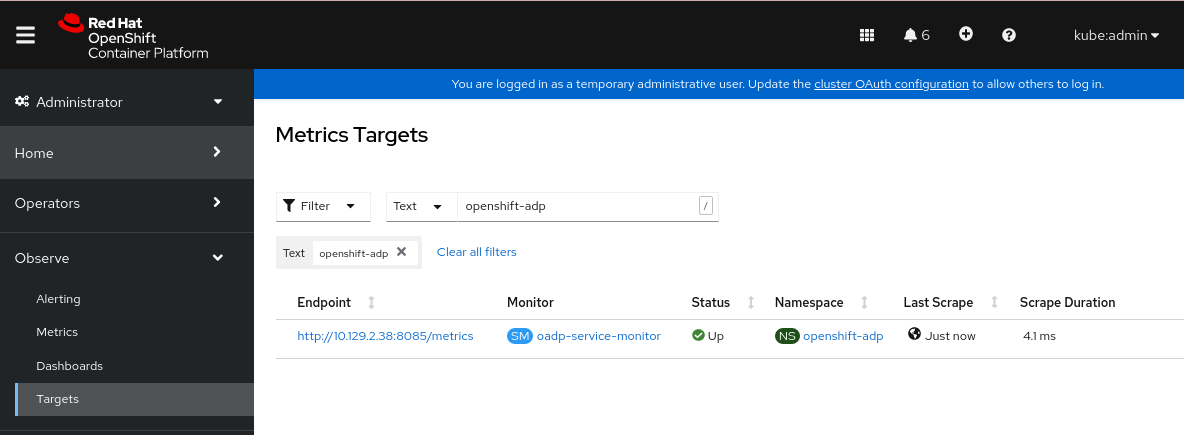
-
Navigate to the Observe
4.11.14.3. Creating an alerting rule
The OpenShift Container Platform monitoring stack allows to receive Alerts configured using Alerting Rules. To create an Alerting rule for the OADP project, use one of the Metrics which are scraped with the user workload monitoring.
Procedure
Create a
PrometheusRuleYAML file with the sampleOADPBackupFailingalert and save it as4_create_oadp_alert_rule.yaml.Sample
OADPBackupFailingalertapiVersion: monitoring.coreos.com/v1 kind: PrometheusRule metadata: name: sample-oadp-alert namespace: openshift-adp spec: groups: - name: sample-oadp-backup-alert rules: - alert: OADPBackupFailing annotations: description: 'OADP had {{$value | humanize}} backup failures over the last 2 hours.' summary: OADP has issues creating backups expr: | increase(velero_backup_failure_total{job="openshift-adp-velero-metrics-svc"}[2h]) > 0 for: 5m labels: severity: warningIn this sample, the Alert displays under the following conditions:
- There is an increase of new failing backups during the 2 last hours that is greater than 0 and the state persists for at least 5 minutes.
-
If the time of the first increase is less than 5 minutes, the Alert will be in a
Pendingstate, after which it will turn into aFiringstate.
Apply the
4_create_oadp_alert_rule.yamlfile, which creates thePrometheusRuleobject in theopenshift-adpnamespace:$ oc apply -f 4_create_oadp_alert_rule.yamlExample output
prometheusrule.monitoring.coreos.com/sample-oadp-alert created
Verification
After the Alert is triggered, you can view it in the following ways:
- In the Developer perspective, select the Observe menu.
In the Administrator perspective under the Observe
Alerting menu, select User in the Filter box. Otherwise, by default only the Platform Alerts are displayed. Figure 4.2. OADP backup failing alert
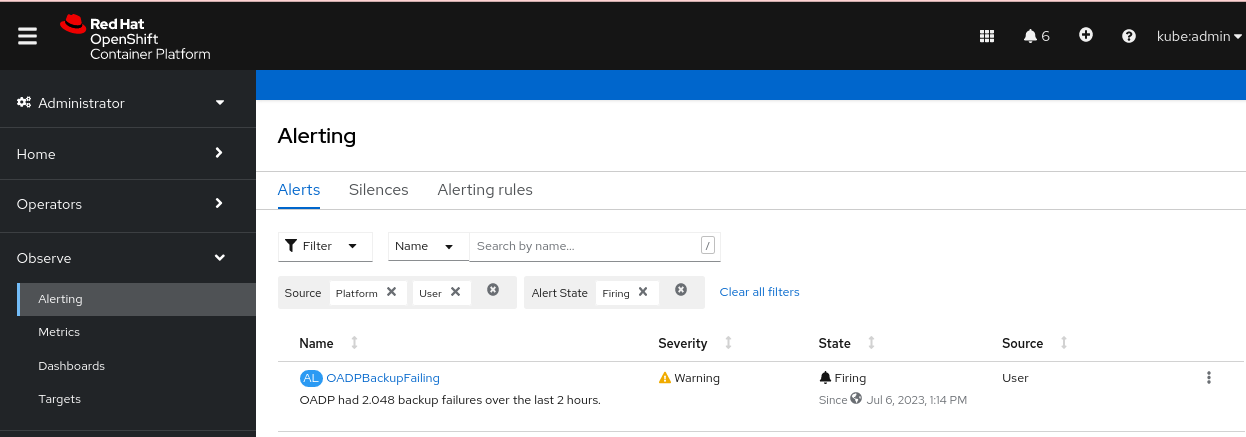
4.11.14.4. List of available metrics
These are the list of metrics provided by the OADP together with their Types.
| Metric name | Description | Type |
|---|---|---|
|
| Number of bytes retrieved from the cache | Counter |
|
| Number of times content was retrieved from the cache | Counter |
|
| Number of times malformed content was read from the cache | Counter |
|
| Number of times content was not found in the cache and fetched | Counter |
|
| Number of bytes retrieved from the underlying storage | Counter |
|
| Number of times content could not be found in the underlying storage | Counter |
|
| Number of times content could not be saved in the cache | Counter |
|
|
Number of bytes retrieved using | Counter |
|
|
Number of times | Counter |
|
|
Number of times | Counter |
|
|
Number of times | Counter |
|
|
Number of bytes passed to | Counter |
|
|
Number of times | Counter |
|
| Total number of attempted backups | Counter |
|
| Total number of attempted backup deletions | Counter |
|
| Total number of failed backup deletions | Counter |
|
| Total number of successful backup deletions | Counter |
|
| Time taken to complete backup, in seconds | Histogram |
|
| Total number of failed backups | Counter |
|
| Total number of errors encountered during backup | Gauge |
|
| Total number of items backed up | Gauge |
|
| Last status of the backup. A value of 1 is success, 0. | Gauge |
|
| Last time a backup ran successfully, Unix timestamp in seconds | Gauge |
|
| Total number of partially failed backups | Counter |
|
| Total number of successful backups | Counter |
|
| Size, in bytes, of a backup | Gauge |
|
| Current number of existent backups | Gauge |
|
| Total number of validation failed backups | Counter |
|
| Total number of warned backups | Counter |
|
| Total number of CSI attempted volume snapshots | Counter |
|
| Total number of CSI failed volume snapshots | Counter |
|
| Total number of CSI successful volume snapshots | Counter |
|
| Total number of attempted restores | Counter |
|
| Total number of failed restores | Counter |
|
| Total number of partially failed restores | Counter |
|
| Total number of successful restores | Counter |
|
| Current number of existent restores | Gauge |
|
| Total number of failed restores failing validations | Counter |
|
| Total number of attempted volume snapshots | Counter |
|
| Total number of failed volume snapshots | Counter |
|
| Total number of successful volume snapshots | Counter |
4.11.14.5. Viewing metrics using the Observe UI
You can view metrics in the OpenShift Container Platform web console from the Administrator or Developer perspective, which must have access to the openshift-adp project.
Procedure
Navigate to the Observe
Metrics page: If you are using the Developer perspective, follow these steps:
- Select Custom query, or click on the Show PromQL link.
- Type the query and click Enter.
If you are using the Administrator perspective, type the expression in the text field and select Run Queries.
Figure 4.3. OADP metrics query
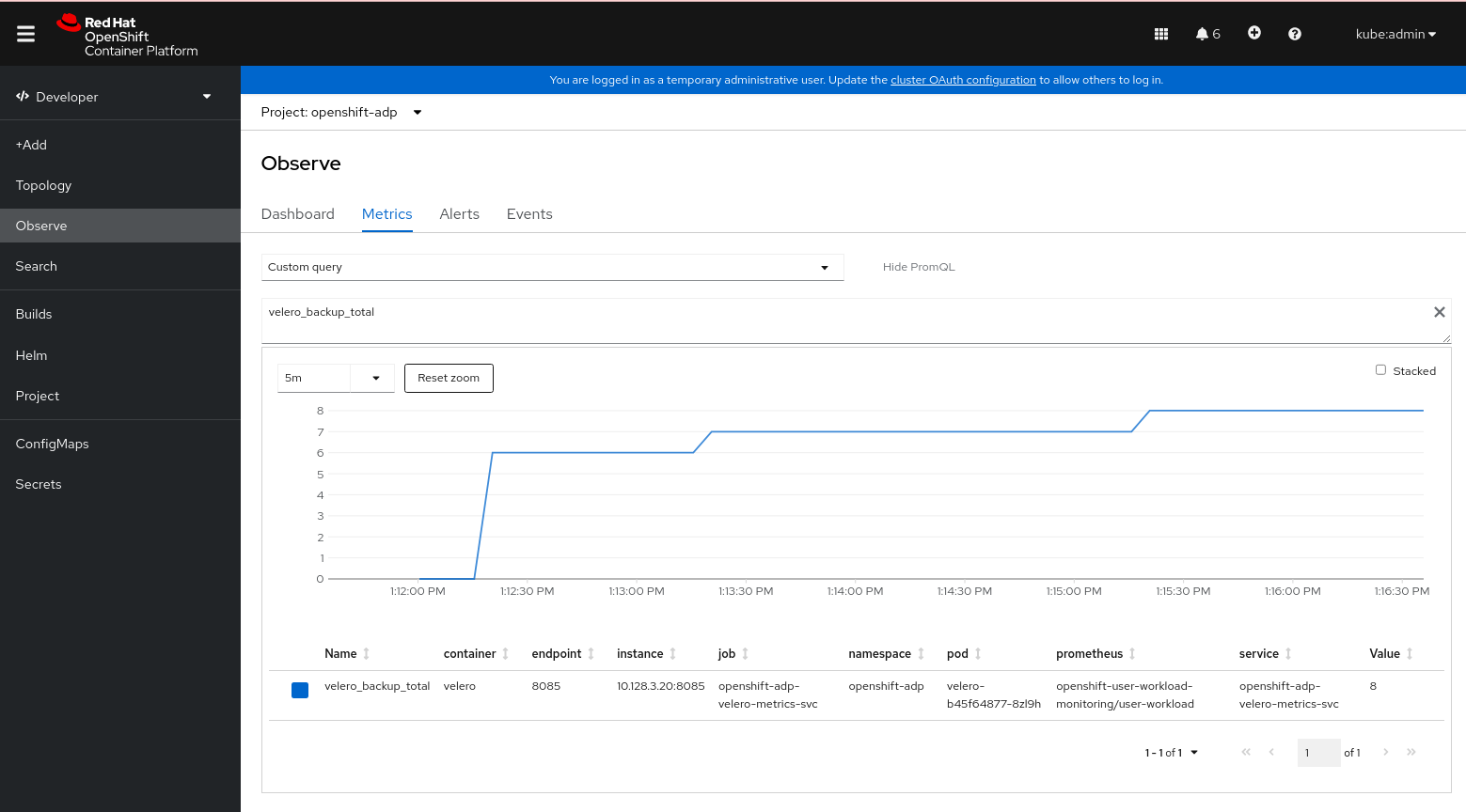
4.12. APIs used with OADP
The document provides information about the following APIs that you can use with OADP:
- Velero API
- OADP API
4.12.1. Velero API
Velero API documentation is maintained by Velero, not by Red Hat. It can be found at Velero API types.
4.12.2. OADP API
The following tables provide the structure of the OADP API:
| Property | Type | Description |
|---|---|---|
|
|
Defines the list of configurations to use for | |
|
|
Defines the list of configurations to use for | |
|
| map [ UnsupportedImageKey ] string |
Can be used to override the deployed dependent images for development. Options are |
|
| Used to add annotations to pods deployed by Operators. | |
|
| Defines the configuration of the DNS of a pod. | |
|
|
Defines the DNS parameters of a pod in addition to those generated from | |
|
| *bool | Used to specify whether or not you want to deploy a registry for enabling backup and restore of images. |
|
| Used to define the data protection application’s server configuration. | |
|
| Defines the configuration for the DPA to enable the Technology Preview features. |
Complete schema definitions for the OADP API.
| Property | Type | Description |
|---|---|---|
|
| Location to store volume snapshots, as described in Backup Storage Location. | |
|
| [Technology Preview] Automates creation of a bucket at some cloud storage providers for use as a backup storage location. |
The bucket parameter is a Technology Preview feature only. Technology Preview features are not supported with Red Hat production service level agreements (SLAs) and might not be functionally complete. Red Hat does not recommend using them in production. These features provide early access to upcoming product features, enabling customers to test functionality and provide feedback during the development process.
For more information about the support scope of Red Hat Technology Preview features, see Technology Preview Features Support Scope.
Complete schema definitions for the type BackupLocation.
| Property | Type | Description |
|---|---|---|
|
| Location to store volume snapshots, as described in Volume Snapshot Location. |
Complete schema definitions for the type SnapshotLocation.
| Property | Type | Description |
|---|---|---|
|
| Defines the configuration for the Velero server. | |
|
| Defines the configuration for the Restic server. |
Complete schema definitions for the type ApplicationConfig.
| Property | Type | Description |
|---|---|---|
|
| [] string | Defines the list of features to enable for the Velero instance. |
|
| [] string |
The following types of default Velero plugins can be installed: |
|
| Used for installation of custom Velero plugins. Default and custom plugins are described in OADP plugins | |
|
|
Represents a config map that is created if defined for use in conjunction with the | |
|
|
To install Velero without a default backup storage location, you must set the | |
|
|
Defines the configuration of the | |
|
|
Velero server’s log level (use |
Complete schema definitions for the type VeleroConfig.
| Property | Type | Description |
|---|---|---|
|
| Name of custom plugin. | |
|
| Image of custom plugin. |
Complete schema definitions for the type CustomPlugin.
| Property | Type | Description |
|---|---|---|
|
| *bool |
If set to |
|
| []int64 |
Defines the Linux groups to be applied to the |
|
|
A user-supplied duration string that defines the Restic timeout. Default value is | |
|
|
Defines the configuration of the |
Complete schema definitions for the type ResticConfig.
| Property | Type | Description |
|---|---|---|
|
|
Defines the | |
|
|
Defines the list of tolerations to be applied to a Velero deployment or a Restic | |
|
|
Set specific resource | |
|
| Labels to add to pods. |
Complete schema definitions for the type PodConfig.
4.12.2.1. Configuring node agents and node labels
The DPA of OADP uses the nodeSelector field to select which nodes can run the node agent. The nodeSelector field is the simplest recommended form of node selection constraint.
Any label specified must match the labels on each node.
The correct way to run the node agent on any node you choose is for you to label the nodes with a custom label:
$ oc label node/<node_name> node-role.kubernetes.io/nodeAgent=""
Use the same custom label in the DPA.spec.configuration.nodeAgent.podConfig.nodeSelector, which you used for labeling nodes. For example:
configuration:
nodeAgent:
enable: true
podConfig:
nodeSelector:
node-role.kubernetes.io/nodeAgent: ""
The following example is an anti-pattern of nodeSelector and does not work unless both labels, 'node-role.kubernetes.io/infra: ""' and 'node-role.kubernetes.io/worker: ""', are on the node:
configuration:
nodeAgent:
enable: true
podConfig:
nodeSelector:
node-role.kubernetes.io/infra: ""
node-role.kubernetes.io/worker: ""| Property | Type | Description |
|---|---|---|
|
| Defines the configuration of the Data Mover. |
Complete schema definitions for the type Features.
| Property | Type | Description |
|---|---|---|
|
|
If set to | |
|
|
User-supplied Restic | |
|
|
A user-supplied duration string for |
The OADP API is more fully detailed in OADP Operator.
4.13. Advanced OADP features and functionalities
This document provides information about advanced features and functionalities of OpenShift API for Data Protection (OADP).
4.13.1. Working with different Kubernetes API versions on the same cluster
4.13.1.1. Listing the Kubernetes API group versions on a cluster
A source cluster might offer multiple versions of an API, where one of these versions is the preferred API version. For example, a source cluster with an API named Example might be available in the example.com/v1 and example.com/v1beta2 API groups.
If you use Velero to back up and restore such a source cluster, Velero backs up only the version of that resource that uses the preferred version of its Kubernetes API.
To return to the above example, if example.com/v1 is the preferred API, then Velero only backs up the version of a resource that uses example.com/v1. Moreover, the target cluster needs to have example.com/v1 registered in its set of available API resources in order for Velero to restore the resource on the target cluster.
Therefore, you need to generate a list of the Kubernetes API group versions on your target cluster to be sure the preferred API version is registered in its set of available API resources.
Procedure
- Enter the following command:
$ oc api-resources4.13.1.2. About Enable API Group Versions
By default, Velero only backs up resources that use the preferred version of the Kubernetes API. However, Velero also includes a feature, Enable API Group Versions, that overcomes this limitation. When enabled on the source cluster, this feature causes Velero to back up all Kubernetes API group versions that are supported on the cluster, not only the preferred one. After the versions are stored in the backup .tar file, they are available to be restored on the destination cluster.
For example, a source cluster with an API named Example might be available in the example.com/v1 and example.com/v1beta2 API groups, with example.com/v1 being the preferred API.
Without the Enable API Group Versions feature enabled, Velero backs up only the preferred API group version for Example, which is example.com/v1. With the feature enabled, Velero also backs up example.com/v1beta2.
When the Enable API Group Versions feature is enabled on the destination cluster, Velero selects the version to restore on the basis of the order of priority of API group versions.
Enable API Group Versions is still in beta.
Velero uses the following algorithm to assign priorities to API versions, with 1 as the top priority:
- Preferred version of the destination cluster
- Preferred version of the source_ cluster
- Common non-preferred supported version with the highest Kubernetes version priority
4.13.1.3. Using Enable API Group Versions
You can use Velero’s Enable API Group Versions feature to back up all Kubernetes API group versions that are supported on a cluster, not only the preferred one.
Enable API Group Versions is still in beta.
Procedure
-
Configure the
EnableAPIGroupVersionsfeature flag:
apiVersion: oadp.openshift.io/vialpha1
kind: DataProtectionApplication
...
spec:
configuration:
velero:
featureFlags:
- EnableAPIGroupVersions4.13.2. Backing up data from one cluster and restoring it to another cluster
4.13.2.1. About backing up data from one cluster and restoring it on another cluster
OpenShift API for Data Protection (OADP) is designed to back up and restore application data in the same OpenShift Container Platform cluster. Migration Toolkit for Containers (MTC) is designed to migrate containers, including application data, from one OpenShift Container Platform cluster to another cluster.
You can use OADP to back up application data from one OpenShift Container Platform cluster and restore it on another cluster. However, doing so is more complicated than using MTC or using OADP to back up and restore on the same cluster.
To successfully use OADP to back up data from one cluster and restore it to another cluster, you must take into account the following factors, in addition to the prerequisites and procedures that apply to using OADP to back up and restore data on the same cluster:
- Operators
- Use of Velero
- UID and GID ranges
4.13.2.1.1. Operators
You must exclude Operators from the backup of an application for backup and restore to succeed.
4.13.2.1.2. Use of Velero
Velero, which OADP is built upon, does not natively support migrating persistent volume snapshots across cloud providers. To migrate volume snapshot data between cloud platforms, you must either enable the Velero Restic file system backup option, which backs up volume contents at the file system level, or use the OADP Data Mover for CSI snapshots.
In OADP 1.1 and earlier, the Velero Restic file system backup option is called restic. In OADP 1.2 and later, the Velero Restic file system backup option is called file-system-backup.
- You must also use Velero’s File System Backup to migrate data between AWS regions or between Microsoft Azure regions.
- Velero does not support restoring data to a cluster with an earlier Kubernetes version than the source cluster.
- It is theoretically possible to migrate workloads to a destination with a later Kubernetes version than the source, but you must consider the compatibility of API groups between clusters for each custom resource. If a Kubernetes version upgrade breaks the compatibility of core or native API groups, you must first update the impacted custom resources.
4.13.2.2. About determining which pod volumes to back up
Before you start a backup operation by using File System Backup (FSB), you must specify which pods contain a volume that you want to back up. Velero refers to this process as "discovering" the appropriate pod volumes.
Velero supports two approaches for determining pod volumes. Use the opt-in or the opt-out approach to allow Velero to decide between an FSB, a volume snapshot, or a Data Mover backup.
- Opt-in approach: With the opt-in approach, volumes are backed up using snapshot or Data Mover by default. FSB is used on specific volumes that are opted-in by annotations.
- Opt-out approach: With the opt-out approach, volumes are backed up using FSB by default. Snapshots or Data Mover is used on specific volumes that are opted-out by annotations.
4.13.2.2.1. Limitations
-
FSB does not support backing up and restoring
hostpathvolumes. However, FSB does support backing up and restoring local volumes. - Velero uses a static, common encryption key for all backup repositories it creates. This static key means that anyone who can access your backup storage can also decrypt your backup data. It is essential that you limit access to backup storage.
For PVCs, every incremental backup chain is maintained across pod reschedules.
For pod volumes that are not PVCs, such as
emptyDirvolumes, if a pod is deleted or recreated, for example, by aReplicaSetor a deployment, the next backup of those volumes will be a full backup and not an incremental backup. It is assumed that the lifecycle of a pod volume is defined by its pod.- Even though backup data can be kept incrementally, backing up large files, such as a database, can take a long time. This is because FSB uses deduplication to find the difference that needs to be backed up.
- FSB reads and writes data from volumes by accessing the file system of the node on which the pod is running. For this reason, FSB can only back up volumes that are mounted from a pod and not directly from a PVC. Some Velero users have overcome this limitation by running a staging pod, such as a BusyBox or Alpine container with an infinite sleep, to mount these PVC and PV pairs before performing a Velero backup..
-
FSB expects volumes to be mounted under
<hostPath>/<pod UID>, with<hostPath>being configurable. Some Kubernetes systems, for example, vCluster, do not mount volumes under the<pod UID>subdirectory, and VFSB does not work with them as expected.
4.13.2.2.2. Backing up pod volumes by using the opt-in method
You can use the opt-in method to specify which volumes need to be backed up by File System Backup (FSB). You can do this by using the backup.velero.io/backup-volumes command.
Procedure
On each pod that contains one or more volumes that you want to back up, enter the following command:
$ oc -n <your_pod_namespace> annotate pod/<your_pod_name> \ backup.velero.io/backup-volumes=<your_volume_name_1>, \ <your_volume_name_2>>,...,<your_volume_name_n>where:
<your_volume_name_x>- specifies the name of the xth volume in the pod specification.
4.13.2.2.3. Backing up pod volumes by using the opt-out method
When using the opt-out approach, all pod volumes are backed up by using File System Backup (FSB), although there are some exceptions:
- Volumes that mount the default service account token, secrets, and configuration maps.
-
hostPathvolumes
You can use the opt-out method to specify which volumes not to back up. You can do this by using the backup.velero.io/backup-volumes-excludes command.
Procedure
On each pod that contains one or more volumes that you do not want to back up, run the following command:
$ oc -n <your_pod_namespace> annotate pod/<your_pod_name> \ backup.velero.io/backup-volumes-excludes=<your_volume_name_1>, \ <your_volume_name_2>>,...,<your_volume_name_n>where:
<your_volume_name_x>- specifies the name of the xth volume in the pod specification.
You can enable this behavior for all Velero backups by running the velero install command with the --default-volumes-to-fs-backup flag.
4.13.2.3. UID and GID ranges
If you back up data from one cluster and restore it to another cluster, problems might occur with UID (User ID) and GID (Group ID) ranges. The following section explains these potential issues and mitigations:
- Summary of the issues
- The namespace UID and GID ranges might change depending on the destination cluster. OADP does not back up and restore OpenShift UID range metadata. If the backed up application requires a specific UID, ensure the range is availableupon restore. For more information about OpenShift’s UID and GID ranges, see A Guide to OpenShift and UIDs.
- Detailed description of the issues
When you create a namespace in OpenShift Container Platform by using the shell command
oc create namespace, OpenShift Container Platform assigns the namespace a unique User ID (UID) range from its available pool of UIDs, a Supplemental Group (GID) range, and unique SELinux MCS labels. This information is stored in themetadata.annotationsfield of the cluster. This information is part of the Security Context Constraints (SCC) annotations, which comprise of the following components:-
openshift.io/sa.scc.mcs -
openshift.io/sa.scc.supplemental-groups -
openshift.io/sa.scc.uid-range
-
When you use OADP to restore the namespace, it automatically uses the information in metadata.annotations without resetting it for the destination cluster. As a result, the workload might not have access to the backed up data if any of the following is true:
- There is an existing namespace with other SCC annotations, for example, on another cluster. In this case, OADP uses the existing namespace during the backup instead of the namespace you want to restore.
A label selector was used during the backup, but the namespace in which the workloads are executed does not have the label. In this case, OADP does not back up the namespace, but creates a new namespace during the restore that does not contain the annotations of the backed up namespace. This results in a new UID range being assigned to the namespace.
This can be an issue for customer workloads if OpenShift Container Platform assigns a pod a
securityContextUID to a pod based on namespace annotations that have changed since the persistent volume data was backed up.- The UID of the container no longer matches the UID of the file owner.
An error occurs because OpenShift Container Platform has not changed the UID range of the destination cluster to match the backup cluster data. As a result, the backup cluster has a different UID than the destination cluster, which means that the application cannot read or write data on the destination cluster.
- Mitigations
- You can use one or more of the following mitigations to resolve the UID and GID range issues:
Simple mitigations:
-
If you use a label selector in the
BackupCR to filter the objects to include in the backup, be sure to add this label selector to the namespace that contains the workspace. - Remove any pre-existing version of a namespace on the destination cluster before attempting to restore a namespace with the same name.
-
If you use a label selector in the
Advanced mitigations:
- Fix UID ranges after migration by Resolving overlapping UID ranges in OpenShift namespaces after migration. Step 1 is optional.
For an in-depth discussion of UID and GID ranges in OpenShift Container Platform with an emphasis on overcoming issues in backing up data on one cluster and restoring it on another, see A Guide to OpenShift and UIDs.
4.13.2.4. Backing up data from one cluster and restoring it to another cluster
In general, you back up data from one OpenShift Container Platform cluster and restore it on another OpenShift Container Platform cluster in the same way that you back up and restore data to the same cluster. However, there are some additional prerequisites and differences in the procedure when backing up data from one OpenShift Container Platform cluster and restoring it on another.
Prerequisites
- All relevant prerequisites for backing up and restoring on your platform (for example, AWS, Microsoft Azure, Google Cloud, and so on), especially the prerequisites for the Data Protection Application (DPA), are described in the relevant sections of this guide.
Procedure
Make the following additions to the procedures given for your platform:
- Ensure that the backup store location (BSL) and volume snapshot location have the same names and paths to restore resources to another cluster.
- Share the same object storage location credentials across the clusters.
- For best results, use OADP to create the namespace on the destination cluster.
If you use the Velero
file-system-backupoption, enable the--default-volumes-to-fs-backupflag for use during backup by running the following command:$ velero backup create <backup_name> --default-volumes-to-fs-backup <any_other_options>
In OADP 1.2 and later, the Velero Restic option is called file-system-backup.

'%20d='M201.5%20305.5c-13.8%200-24.9-11.1-24.9-24.6%200-13.8%2011.1-24.9%2024.9-24.9%2013.6%200%2024.6%2011.1%2024.6%2024.9%200%2013.6-11.1%2024.6-24.6%2024.6zM504%20256c0%20137-111%20248-248%20248S8%20393%208%20256%20119%208%20256%208s248%20111%20248%20248zm-132.3-41.2c-9.4%200-17.7%203.9-23.8%2010-22.4-15.5-52.6-25.5-86.1-26.6l17.4-78.3%2055.4%2012.5c0%2013.6%2011.1%2024.6%2024.6%2024.6%2013.8%200%2024.9-11.3%2024.9-24.9s-11.1-24.9-24.9-24.9c-9.7%200-18%205.8-22.1%2013.8l-61.2-13.6c-3-.8-6.1%201.4-6.9%204.4l-19.1%2086.4c-33.2%201.4-63.1%2011.3-85.5%2026.8-6.1-6.4-14.7-10.2-24.1-10.2-34.9%200-46.3%2046.9-14.4%2062.8-1.1%205-1.7%2010.2-1.7%2015.5%200%2052.6%2059.2%2095.2%20132%2095.2%2073.1%200%20132.3-42.6%20132.3-95.2%200-5.3-.6-10.8-1.9-15.8%2031.3-16%2019.8-62.5-14.9-62.5zM302.8%20331c-18.2%2018.2-76.1%2017.9-93.6%200-2.2-2.2-6.1-2.2-8.3%200-2.5%202.5-2.5%206.4%200%208.6%2022.8%2022.8%2087.3%2022.8%20110.2%200%202.5-2.2%202.5-6.1%200-8.6-2.2-2.2-6.1-2.2-8.3%200zm7.7-75c-13.6%200-24.6%2011.1-24.6%2024.9%200%2013.6%2011.1%2024.6%2024.6%2024.6%2013.8%200%2024.9-11.1%2024.9-24.6%200-13.8-11-24.9-24.9-24.9z'/%3e%3c/svg%3e)