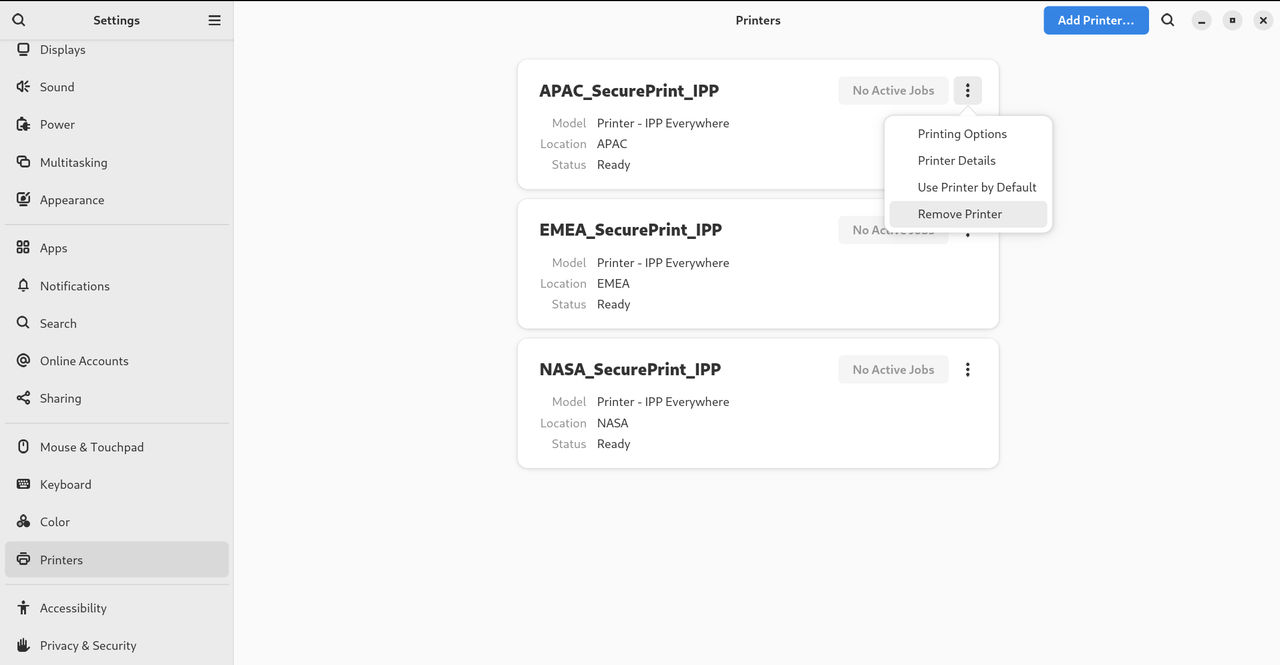
Modify printer settings
In GNOME, you can modify printer settings by using the Settings application.
Display and modify printer details
Copy linkLink copied!
You can use the Settings application to maintain a configuration of a printer.
Procedure
Copy linkLink copied!
-
Click the settings (⚙️) button on the right to display a settings menu for the selected printer:
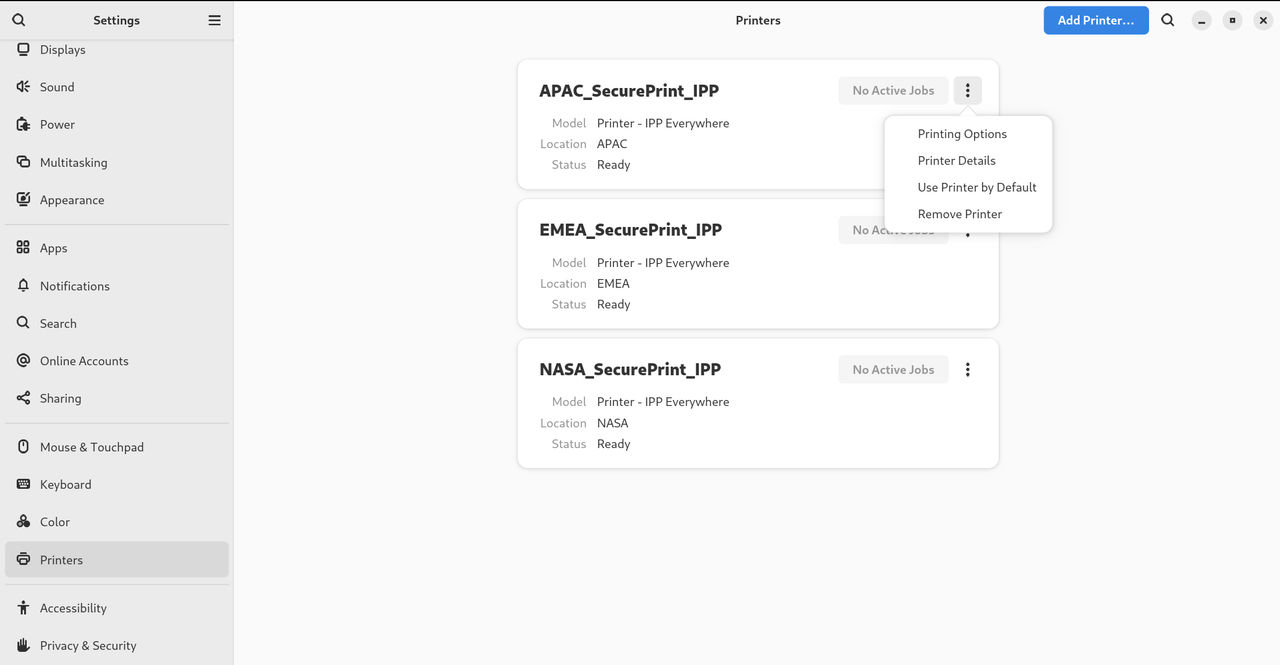
-
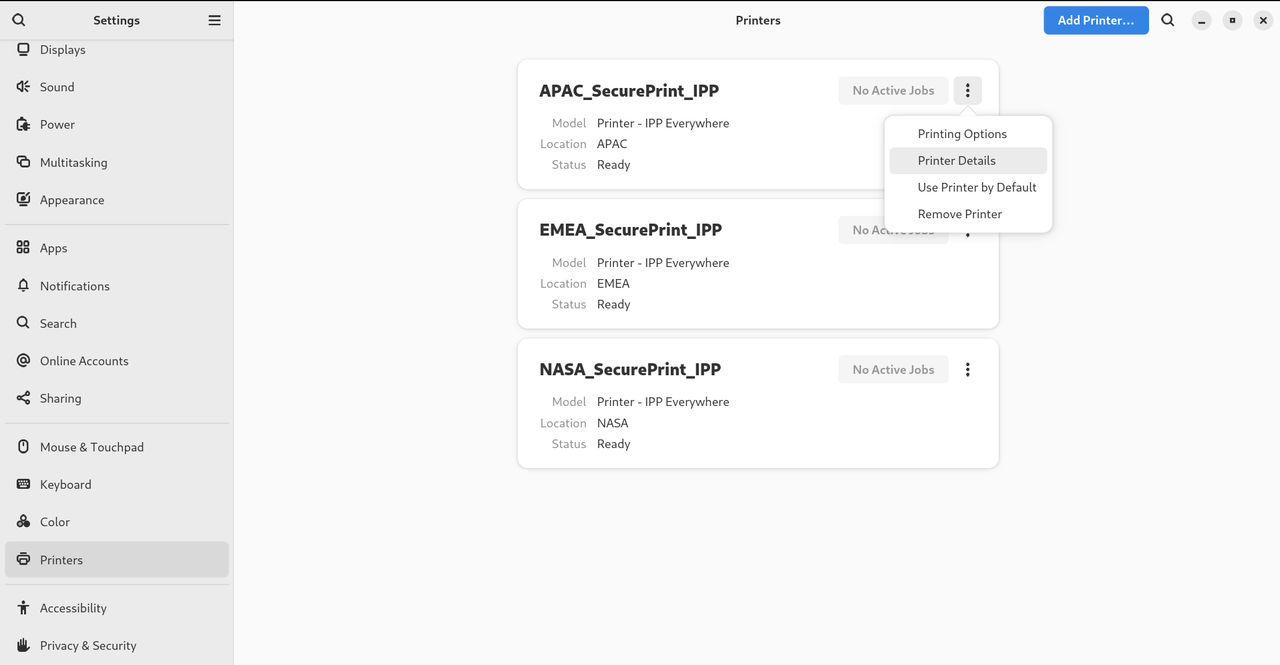
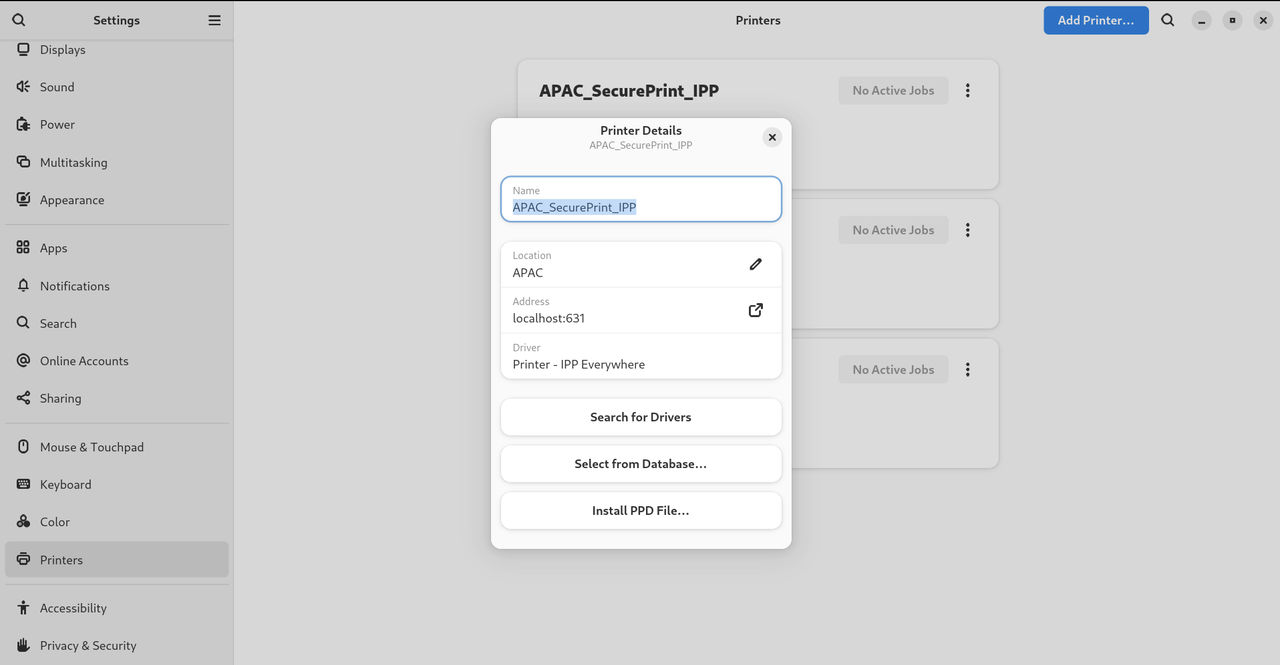
Click Printer Details to display and modify selected printer’s settings:
In this menu, you can select the following actions:
- Search for Drivers
- GNOME Control Center communicates with PackageKit that searches for a suitable driver suitable in available repositories.
- Select from Database
- This option enables you to select a suitable driver from databases that have already been installed on the system.
- Install PPD File
- This option enables you to select from a list of available postscript printer description (PPD) files that can be used as a driver for your printer.
Set the default printer
Copy linkLink copied!
You can set the selected printer as the default printer.
Procedure
Copy linkLink copied!
-
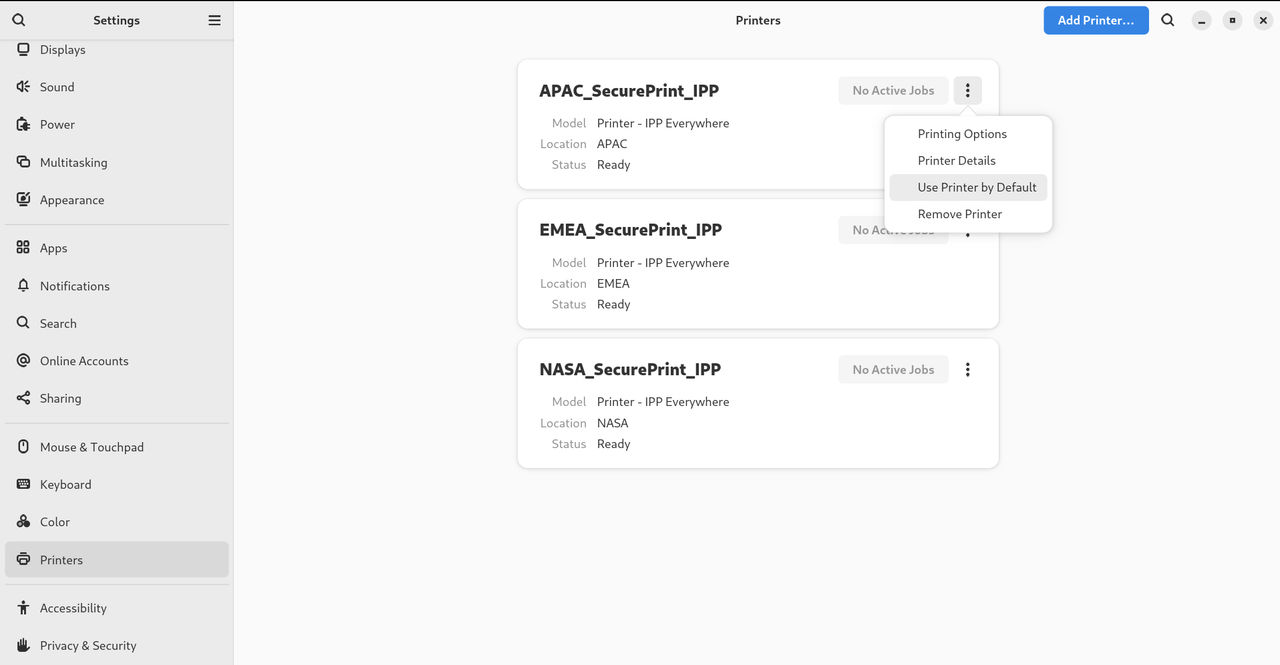
Click the settings (⚙️) button on the right to display a settings menu for the selected printer:
-
Click Use Printer by Default to set the selected printer as the default printer:
Set printing options
Copy linkLink copied!
Access the printing options menu for your selected printer.
Procedure
Copy linkLink copied!
-
Click the settings (⚙️) button on the right to display a settings menu for the selected printer:
- Click Printing Options.
Remove a printer
Copy linkLink copied!
You can remove a printer by using the Settings application.
Procedure
Copy linkLink copied!
-
Click the settings (⚙️) button on the right to display a settings menu for the selected printer:
-
Click Remove Printer to remove the selected printer: