How virtual networks work
The connection of virtual machines (VMs) to other devices and locations on a network is facilitated by the host hardware. Virtual networking uses the concept of a virtual network switch.
A virtual network switch is a software construct that operates on a host machine. VMs connect to the network through the virtual network switch. Based on the configuration of the virtual switch, a VM can use an existing virtual network managed by the hypervisor, or a different network connection method.
The following figure shows a virtual network switch connecting two VMs to the network:
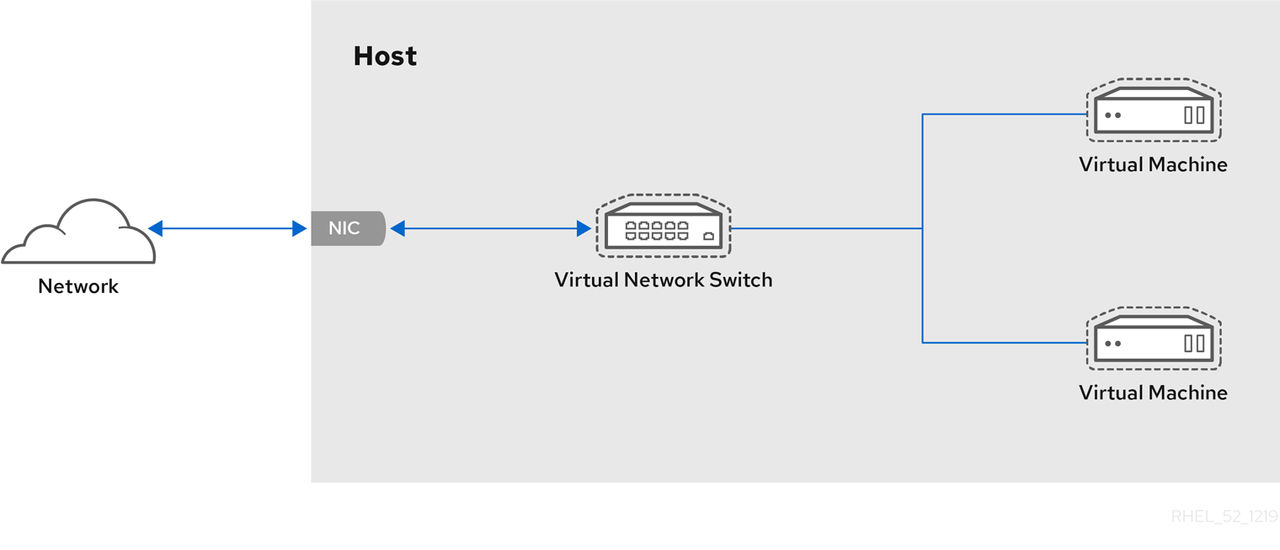
From the perspective of a guest operating system, a virtual network connection is the same as a physical network connection. Host machines view virtual network switches as network interfaces. When the virtnetworkd service is first installed and started, it creates virbr0, the default network interface for VMs.
To view information about this interface, use the ip utility on the host.
$ ip addr show virbr03: virbr0: <BROADCAST,MULTICAST,UP,LOWER_UP> mtu 1500 qdisc noqueue state
UNKNOWN link/ether 1b:c4:94:cf:fd:17 brd ff:ff:ff:ff:ff:ff
inet 192.0.2.1/24 brd 192.0.2.255 scope global virbr0By default, all VMs on a single host are connected to the same NAT-type virtual network, named default, which uses the virbr0 interface.
For basic outbound-only network access from VMs, no additional network setup is usually needed, because the default network is installed along with the libvirt-daemon-config-network package, and is automatically started when the virtnetworkd service is started.
If a different VM network functionality is needed, you can create additional virtual networks and network interfaces and configure your VMs to use them. In addition to the default NAT, these networks and interfaces can be configured to use one of the following modes:
- Routed mode
- Bridged mode
- Isolated mode
- Open mode

