Add a bookmark
You can save a reference to a folder by bookmarking it in the Files application.
Before you begin
- Locate the folder in the Files application.
Procedure
Add the folder to bookmarks by using either of the following methods:
- Dragging:
- Drag the folder to the left side bar.
- Drop it over the New bookmark item.
- Keyboard shortcut:
- Open the folder.
- Press Ctrl+D.
- Menu:
- Open the folder.
- In the navigation bar at the top of the window, click the name of the folder.
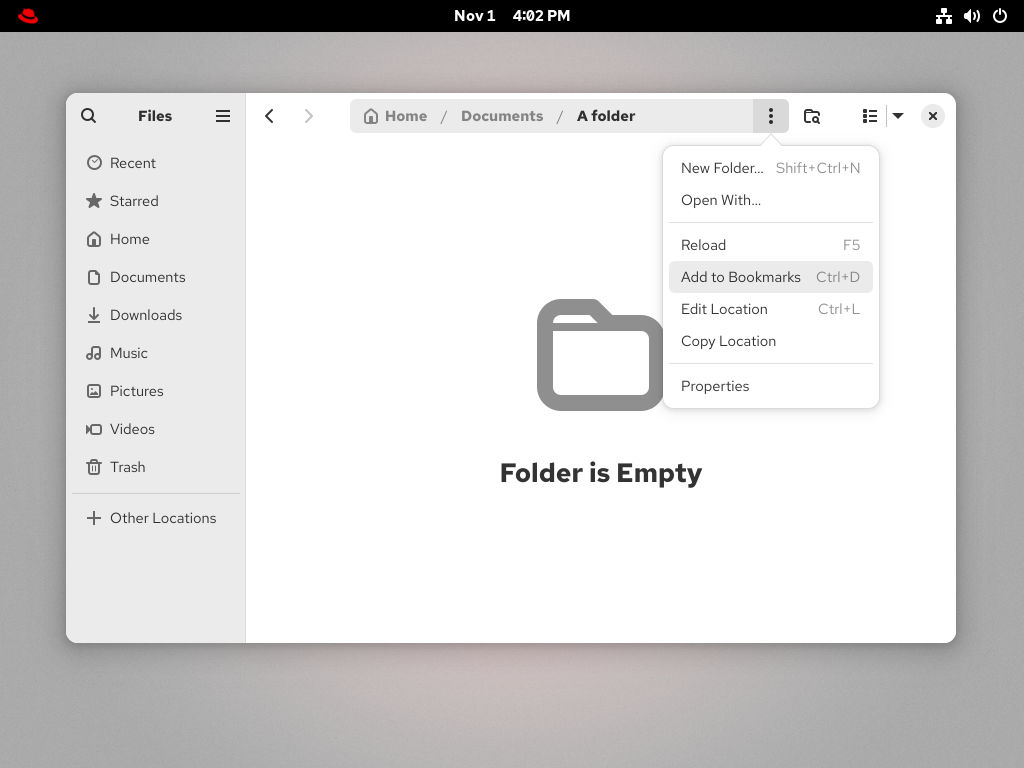
- Select Add to Bookmarks.
Results
- Check that the bookmark now appears in the side bar.

